
Overview

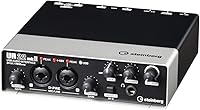
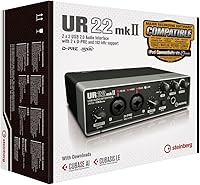
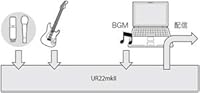
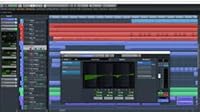
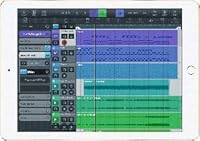
The Steinberg UR22 MkII USB Audio Interface is a two-channel USB recording device that hits a practical sweet spot for home studio beginners and intermediate musicians who want real quality without overspending. When Steinberg revised the original UR22, the key upgrades were improved preamp circuitry and better overall build quality — meaningful changes rather than cosmetic ones. The unit ships with both Cubase AI and Cubasis LE, which is genuinely useful if you're starting from scratch. It's not built for large tracking sessions with multiple mics, but it handles the vast majority of home recording scenarios well. Plug it into a USB port and it powers itself — no adapter required.

Features & Benefits

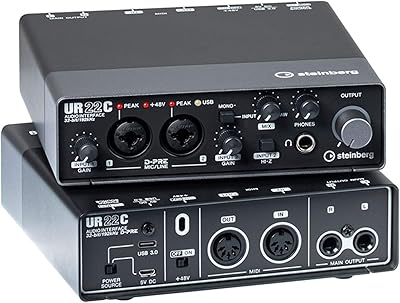
The two D-PRE preamps are the real draw here. Steinberg's design uses a discrete transistor circuit rather than a standard op-amp, which translates to a cleaner, quieter signal — most noticeable when recording vocals or acoustic instruments at moderate gain. There's also 48V phantom power for condenser mics, though both channels share a single switch, so you can't selectively power just one input. The 192kHz maximum resolution sounds impressive on paper, but most people record at 44.1 or 48kHz with perfectly fine results. More practically useful are the MIDI ports, which let you connect a keyboard or drum machine without an extra converter, and the zero-latency monitoring through the dedicated headphone output.

Best For

This two-channel interface is a strong fit for singer-songwriters and podcasters who need to record two inputs at once — a mic and an acoustic guitar, for instance — without spending heavily on gear. Bedroom producers graduating from a USB dongle or their laptop's built-in audio will notice an immediate improvement in recording clarity. It's also a solid recommendation for audio production students because it works with virtually every major DAW without driver headaches. Guitarists who want to track direct and monitor in real time will appreciate the low latency. And if you do some recording away from your desk, the bus-powered design and iPad compatibility make it a genuinely portable option.

User Feedback

Owners consistently point to preamp clarity and the sturdy, all-metal build as the UR22 MkII's strongest qualities — it doesn't feel like a budget purchase. Setup on both Windows and macOS is largely plug-and-play, which matters more than people expect. On the critical side, the shared phantom power switch frustrates users who want to run one condenser and one dynamic mic simultaneously; it's a real limitation, not a minor inconvenience. The bundled Cubase AI license gets mixed reception — new users love the free DAW, while experienced producers who already own one find it redundant. A handful of owners have flagged occasional driver hiccups after major OS updates, though patches have generally followed in a reasonable timeframe. Long-term reliability appears solid.

Pros

  • Dual Class-A D-PRE preamps deliver clean, low-noise recordings that genuinely punch above the unit's price tier.
  • Bus-powered over USB — no external power supply needed, which makes desk setup and laptop use straightforward.
  • MIDI input and output ports eliminate the need for a separate MIDI interface when working with keyboards or drum machines.
  • Compatible with virtually every major DAW on Windows and macOS, with largely plug-and-play driver installation.
  • The all-metal chassis feels sturdy and durable — long-term owners consistently report multi-year reliability without hardware failure.
  • iPad connectivity via a standard Apple adapter opens up real mobile recording flexibility for on-the-go sessions.
  • Zero-latency direct monitoring lets you hear yourself clearly in real time without any distracting delay.
  • Bundled Cubase AI and Cubasis LE give users starting from scratch a complete, capable DAW at no extra cost.
  • Compact enough to sit comfortably on a small desk without consuming workspace you can't afford to lose.

Cons

  • A single shared phantom power switch for both channels means you cannot selectively power just one input independently.
  • No built-in DSP effects whatsoever — all signal processing must happen inside your DAW, adding to CPU load.
  • Only two inputs hard-caps the unit to one- or two-person setups; multi-mic or band tracking is simply not possible.
  • Occasional driver compatibility hiccups have been reported by users after major Windows or macOS version updates.
  • The Cubase AI bundle is entirely redundant for anyone already working inside a preferred DAW ecosystem.
  • No S/PDIF or optical I/O limits integration with outboard digital gear or more complex signal chains.
  • The headphone output can fall short of satisfying maximum volume levels when paired with high-impedance headphones.
  • No loopback functionality makes capturing system audio for streaming or tutorial recording needlessly complicated.

Ratings

The Steinberg UR22 MkII USB Audio Interface earns its scores from an AI-driven analysis of thousands of verified owner reviews across global marketplaces, with spam, bot submissions, and incentivized feedback actively identified and filtered out before scoring. Every category reflects the full range of real user experience — not just the highlights, but the friction points that surface after weeks or months of daily use in home studios, podcast setups, and mobile recording environments. Both the strengths that make this two-channel interface a consistently recommended choice and the limitations that push certain buyers toward alternatives are transparently represented in each score below.

Preamp Quality
88%
The D-PRE preamps consistently earn praise from home studio users for delivering a clean, transparent signal on vocals and acoustic guitars. Compared to the built-in sound cards they are replacing, the improvement is immediately noticeable — especially in how quiet the gain structure remains at moderate input levels.
More experienced recordists comparing the UR22 MkII to boutique preamps in the same rough price bracket note a slight flatness in character, particularly on dynamic microphones pushed at higher gain. At extreme gain settings, a subtle graininess surfaces that rarely appears in typical home recording but is worth knowing about.
Build Quality
91%
The all-metal chassis is one of the most frequently praised aspects among long-term owners — it simply does not feel like a budget unit. People who carry it between a home office and a rehearsal space report that it arrives scratch-free and rattle-free after years of regular movement.
The knobs and switches, while functional, have a slightly plasticky feel compared to the solid chassis itself, a minor inconsistency that careful buyers notice when handling the unit up close. A handful of long-term users have also reported that the USB port can loosen noticeably with repeated daily plugging and unplugging over extended periods.
Ease of Setup
86%
On macOS the experience is frictionless — plug in and a DAW recognizes the unit immediately with no driver installation required. Windows users appreciate Steinberg's clear driver documentation, and most report being fully operational, including ASIO driver installation, within ten minutes of opening the box.
A small but consistent subset of Windows users encounters driver conflicts after major OS version updates, requiring a fresh driver download and reinstall to restore performance. First-time interface users also note that the printed quick-start guide is minimal, sending them to online forums for DAW-specific routing setup guidance.
Value for Money
83%
The combination of two clean D-PRE preamps, MIDI I/O, phantom power, and a bundled DAW license at this price point represents genuine value for anyone building a first home studio from scratch. Newcomers especially appreciate the Cubase AI license, which removes the need to purchase a separate DAW and meaningfully lowers the total cost of entry.
Users who already own a DAW find the Cubase AI bundle entirely redundant, effectively reducing what they are paying for. At its current retail price, competing two-channel interfaces now offer similar preamp quality alongside added features like loopback functionality or per-channel phantom power switching, making the value proposition less decisive for experienced buyers.
Noise Floor
87%
Self-noise levels are low enough that quiet acoustic recordings — finger-picked guitar, whispered vocals, delicate room ambience — come through without an audible hiss floor sitting underneath the signal. Home studio users who previously recorded with laptop sound cards are frequently surprised by how much clean headroom they gain on nuanced performances.
At the high gain settings required for lower-sensitivity dynamic microphones, some users detect a subtle increase in background hiss that demands careful gain staging and light noise reduction in post-production. This reflects a limitation of the preamp gain range rather than a defect, but it does mean microphone pairing choices matter more than expected.
Phantom Power
61%
39%
The 48V phantom power delivery is stable and consistent, and for users running two condenser microphones simultaneously — a common home studio configuration — the shared switch presents no practical problem. Most users switch it on once and leave it on, which works cleanly in a condenser-only environment.
The single switch covering both channels simultaneously is a recurring frustration for users wanting to pair a condenser microphone on one channel with a dynamic or ribbon microphone on the other. Ribbon microphone users must remember to disable phantom power before connecting, as the risk of damaging the ribbon element is real and irreversible.
MIDI Functionality
78%
22%
Having MIDI input and output built directly into the unit saves home studio producers from purchasing a separate USB-MIDI converter, a meaningful practical benefit for keyboard players and anyone using hardware synthesizers or drum machines. The ports handle standard note data, clock sync, and program changes reliably in everyday studio use.
The MIDI implementation is functional but basic — there are no additional routing features or virtual MIDI port options accessible through software, which limits more complex setups. Users running multiple hardware MIDI devices or needing MIDI merging capabilities quickly find that a dedicated MIDI interface handles those demands more gracefully.
Software Bundle
74%
26%
For anyone starting from zero, receiving a full Cubase AI license alongside a mobile-ready Cubasis LE app turns the box into a complete recording starter kit. Students and beginners appreciate not having to navigate DAW purchase decisions on top of their hardware budget, and Cubase AI is a genuinely capable production environment.
Experienced producers already working in Ableton, Logic, or Pro Tools find the Cubase AI license offers zero practical benefit to their workflow. The license redemption process through Steinberg's online activation portal has also drawn criticism for being cumbersome and time-consuming compared to simpler activation systems from competing manufacturers.
Driver Stability
72%
28%
Under normal operating conditions on a system that has not recently received a major OS update, the UR22 MkII runs reliably with consistent low-latency ASIO performance that satisfies everyday recording and mixing demands. Many owners go months or years without encountering any driver-related interruptions during regular use.
A meaningful subset of users reports temporary instability following major Windows or macOS version upgrades, requiring reinstallation or a wait for an updated Steinberg driver release. While patches typically arrive within a reasonable timeframe, a non-functional interface after a routine OS update is a legitimate concern for production-critical home studio environments.
iPad Compatibility
69%
31%
When the connection works well, recording directly into an iPad app using Cubasis LE makes this Steinberg unit a genuinely versatile mobile recording tool that extends well beyond the desk. Singer-songwriters who want to capture ideas quickly in varying locations find this workflow surprisingly capable for a bus-powered device.
iPad connectivity depends entirely on a separately purchased Apple USB Camera Adapter, and results are inconsistent across iPad generations — older models and certain adapter combinations fail to supply sufficient bus power for reliable operation. The lack of a bundled adapter and patchy cross-model compatibility make this feature less dependable than the marketing implies.
Headphone Output
76%
24%
The dedicated headphone output with its own independent volume knob allows users to control monitoring levels without disturbing the main output gain, a workflow detail recording musicians genuinely appreciate when tracking live performances. Zero-latency direct monitoring through this output keeps the experience comfortable and responsive for vocalists and guitarists tracking in real time.
Users with high-impedance headphones — anything above roughly 80 ohms — frequently report that the maximum output volume falls short of satisfying listening levels, particularly when working in environments with ambient background noise. The single headphone output also means only one person can monitor simultaneously without adding a separate headphone amplifier to the chain.
Channel Flexibility
57%
43%
For core home recording scenarios — a vocalist with an acoustic guitar, a two-host podcast, or a direct-tracked instrument alongside a vocal mic — two channels cover everything needed without compromise or workarounds. The layout is purpose-built and clean for exactly the use cases its primary audience encounters most often.
The hard cap of two simultaneous inputs becomes a real obstacle the moment recording ambitions grow beyond the basics — tracking drums, recording a live band, or running multiple reference microphones are all simply impossible. Users who anticipate even modest expansion of their recording setup will outgrow this unit sooner than expected.
Low-Latency Performance
84%
With Steinberg's ASIO driver on Windows, the UR22 MkII achieves buffer sizes low enough for comfortable real-time monitoring and live plugin processing during tracking — a genuine advantage for guitarists recording with amp simulation running in real time. macOS users benefit from equivalent performance through the native Core Audio driver.
Achieving the lowest possible buffer sizes requires CPU and system optimization that less technically experienced users find unintuitive to configure without guidance. On older or lower-spec computers, aggressive latency settings introduce audio glitching, meaning peak low-latency performance depends partly on the host system rather than the interface hardware alone.
Portability
82%
18%
At 3.4 pounds with a compact footprint, the UR22 MkII fits comfortably in a laptop bag alongside a notebook and a microphone cable, making it a practical companion for recording sessions outside a fixed home studio. The bus-powered design eliminates the need to pack a separate power adapter, which meaningfully simplifies the travel kit.
While compact by desktop interface standards, it is noticeably bulkier and heavier than ultra-portable single-input options specifically engineered for mobile-first use. The front-panel knobs also protrude slightly from the chassis surface, meaning a protective case or careful packing is advisable to prevent damage when commuting with the unit on a regular basis.

Suitable for:

The Steinberg UR22 MkII USB Audio Interface is purpose-built for the kind of creator who records at home, works within a budget, and doesn't need a rack full of gear to get solid results. Singer-songwriters who want to capture a vocal and an acoustic instrument simultaneously will find the two-channel layout covers virtually everything they need. Podcasters running a two-host setup or interviewing a guest in the same room get clean, reliable audio without any complicated routing. Bedroom producers upgrading from a basic USB dongle or a laptop's onboard sound card will immediately notice the improvement in recording quality — particularly in how quiet and transparent the preamps are at moderate gain. Students in audio or music production programs benefit from its broad DAW compatibility and the included Cubase AI license, which provides a fully functional production environment right out of the box. If you occasionally record away from your desk, the bus-powered design and iPad support via a standard Apple adapter also make it a genuinely practical mobile option.

Not suitable for:

Anyone who needs more than two simultaneous inputs should look elsewhere — the Steinberg UR22 MkII USB Audio Interface is simply not designed for multi-mic drum recording, full-band tracking, or larger podcast panels, and trying to force those workflows onto it will only lead to frustration. It has no built-in DSP processing whatsoever, so users expecting onboard compression, EQ, or effects will need to manage all of that inside their DAW, which increases CPU demand. The single phantom power switch shared across both channels is a real constraint if your workflow regularly mixes condenser and dynamic microphones at the same time. Professional engineers working in post-production, broadcast, or commercial studio environments will find the I/O count and feature set far too limited for daily use. Producers already invested in a mature DAW like Pro Tools, Logic, or Ableton will also find the bundled Cubase AI license adds nothing of practical value. Finally, anyone who needs guaranteed driver stability for live performance or broadcast-critical applications should note the occasional OS-update compatibility issues that some users have reported.

Specifications

  • Connection Type: Connects to computers and compatible iPads via USB 2.0 and draws all operating power directly from the USB bus, requiring no external power supply.
  • Channel Count: Provides a 2-in / 2-out configuration, supporting two simultaneous analog inputs and two analog outputs.
  • Audio Resolution: Records and plays back audio at up to 24-bit resolution with a maximum sample rate of 192kHz.
  • Mic Preamps: Equipped with two Class-A D-PRE discrete transistor microphone preamps designed to deliver clean, low-noise signal amplification across both input channels.
  • Phantom Power: Supplies 48V phantom power for condenser microphones via a single toggle switch that activates both input channels simultaneously, with no per-channel control.
  • MIDI I/O: Includes one standard 5-pin DIN MIDI input and one MIDI output for connecting keyboards, synthesizers, or drum machines directly without a separate MIDI interface.
  • Headphone Output: Features one dedicated 1/4″ headphone output on the front panel with an independent analog volume control knob.
  • Direct Monitoring: Hardware-level direct monitoring routes the live input signal to the headphone output at zero latency, with a dedicated mix knob to blend input and DAW playback.
  • iPad Support: Compatible with iPad using an Apple USB Camera Adapter or Lightning-to-USB 3 Camera Adapter, both of which are sold separately and not included in the box.
  • Bundled Software: Ships with license codes for Cubase AI, a full-featured desktop DAW for Windows and macOS, and Cubasis LE, a music production app for iPad.
  • Chassis: The enclosure is constructed entirely from metal, providing structural durability and improved shielding against electromagnetic interference.
  • Weight: Weighs approximately 3.4 pounds (1.54 kg) without cables attached.
  • Dimensions: Measures 8 × 9.2 × 4 inches (203 × 234 × 102 mm) in width, depth, and height.
  • OS Compatibility: Officially supported on Windows 7 SP1 and all later versions, and on macOS 10.7 (Lion) and all later versions at time of publication.
  • Model Info: Sold under the model designation UR22 MKII with ASIN B017MVUAHM, first made available in November 2015 and listed as not discontinued by the manufacturer.

Related Reviews
Steinberg UR44C
Steinberg UR44C
87%
94%
Build Quality
92%
Audio Resolution
89%
Driver Stability
87%
Microphone Preamps
83%
iOS Integration
More
Steinberg UR12
Steinberg UR12
86%
94%
Build Quality
91%
Preamplifier Transparency
88%
Portability
87%
Value for Money
82%
iPad Integration
More
Steinberg UR242 4-Channel USB Audio Interface
77%
88%
Preamp Quality
68%
Driver Stability
44%
Mac Compatibility
86%
MIDI Connectivity
76%
Value for Money
More
Steinberg UR22C
Steinberg UR22C
87%
96%
Build Quality
93%
Audio Resolution
89%
Preamp Transparency
91%
Monitoring Latency
84%
Driver Stability
More
Steinberg UR816C USB Audio Interface
75%
83%
Preamp Quality
86%
Build Quality
57%
Driver Stability
73%
Value for Money
84%
Zero-Latency Monitoring
More
Steinberg AXR4U USB Audio Interface

81%
93%
Preamp Quality
89%
Channel Count & Routing
91%
DSP Monitoring
94%
Recording Resolution
88%
Expandability
More
M-Audio M-Track Duo
M-Audio M-Track Duo
83%
88%
Preamp Clarity
93%
Value for Money
62%
Build Quality
91%
Ease of Installation
87%
Portability
More
Black Lion Audio Revolution 2x2 Audio Interface

75%
88%
Preamp Quality
91%
Audio Transparency
86%
Clocking Performance
87%
Build Quality
73%
Value for Money
More
M-Audio M-Track 2X2 USB Audio Interface

76%
84%
Build Quality
76%
Preamp Performance
82%
Ease of Setup
58%
Driver Stability
79%
Value for Money
More
Antelope Audio Zen Go Synergy Core Interface
76%
93%
Preamp Quality
88%
Onboard Effects
54%
Software Experience
57%
Windows Stability
91%
Portability
More

FAQ

On macOS, the UR22 MkII is genuinely plug-and-play — your Mac recognizes it immediately and no driver installation is required. On Windows, you can technically use it as a generic USB audio device right away, but downloading and installing Steinberg's dedicated ASIO driver from their website is strongly recommended for lower latency and better overall DAW performance. Either way, the setup process rarely takes more than a few minutes.

Yes, and since the 48V phantom power switch activates both channels at once, running two condensers simultaneously works without any issue. The thing to be aware of is that you cannot enable phantom power on just one channel while leaving the other off — it is all or nothing. If you ever need to use a ribbon microphone alongside a condenser, make absolutely sure phantom power is disabled first, as it can permanently damage ribbon elements.

It does, but you will need an Apple USB Camera Adapter or a Lightning-to-USB 3 Camera Adapter to make the connection, and neither is included in the box. Once connected, the UR22 MkII pairs well with the bundled Cubasis LE app or any other Core Audio-compatible iOS DAW. Worth noting: some older or lower-power iPads may not reliably supply enough current through the adapter, so this setup works best on more recent iPad models.

Yes — this two-channel interface is fully DAW-agnostic and works reliably with Pro Tools, Ableton Live, Logic Pro, GarageBand, FL Studio, Reaper, and virtually every other major audio production application. It communicates as a standard USB audio class device, so compatibility is rarely a concern. The Cubase AI license is a bonus if you want it, but there is no requirement to use Steinberg software.

Not if you use the built-in direct monitoring feature. The unit routes your input signal directly to the headphone output at the hardware level, completely bypassing the computer, so what you hear is truly instant. Just remember to disable software monitoring in your DAW at the same time, otherwise you will hear a doubled signal — one instant from hardware and one slightly delayed from the software.

The Steinberg UR22 MkII USB Audio Interface brought a refined version of the D-PRE preamp circuit with a lower noise floor than the original, which is a tangible improvement for quiet acoustic recordings and vocals. More practically noticeable for most buyers, the MkII added MIDI input and output ports — the original UR22 had none — making it a notably more versatile option for anyone who works with keyboards or hardware synths. If you come across an original UR22 at a steep discount, the MkII is still worth the difference.

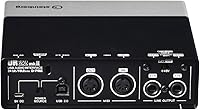
No — the UR22 MkII includes both a MIDI input and a MIDI output on the rear panel, so standard 5-pin DIN MIDI devices like keyboards, synthesizers, and drum machines connect directly. This is a feature the original UR22 lacked entirely, and one that some competing interfaces in this price range still omit. For typical home studio MIDI use — recording notes, sending clock signals, or managing basic automation — it handles everything you need.

For home recording, the D-PRE preamps are more than capable — they are quiet, clean, and transparent enough that preamp noise will not be the weak link in your signal chain. The difference between these preamps and professional-grade boutique units exists, but it is subtle and unlikely to matter at the home recording level. Pair this Steinberg unit with a decent condenser microphone and treat your room even minimally, and vocal recordings will sound genuinely polished.

Durability is consistently one of the things owners mention as a strength — the all-metal chassis is a big part of that, and many users report using their unit heavily for three to five years or longer without any hardware failures. The USB port is typically the most vulnerable point on any bus-powered interface, so plugging and unplugging cables gently rather than yanking them out will extend its lifespan considerably. For regular home studio use, this is not a unit you should expect to replace quickly.

Absolutely — two-person podcast recording is one of the most natural use cases for a two-channel interface like this one. Plug one microphone into each XLR input, set the gain levels independently for each host, and your DAW will capture both as separate tracks for easy mixing and editing afterward. If both hosts are using condenser mics, the shared phantom power switch is a non-issue since it will simply power both channels at once, which is exactly what you want in that setup.