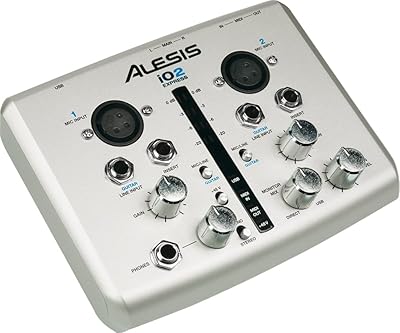
Steinberg UR242 4-Channel USB Audio Interface
Overview
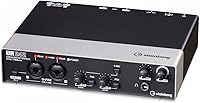
The Steinberg UR242 4-Channel USB Audio Interface occupies a practical sweet spot in Steinberg's UR lineup, offering more capability than the entry-level UR22 MKII without the price tag of the UR44. Its 4-in/2-out layout handles solo sessions and two-player setups with room to spare, making it a reasonable pick for home studio work or semi-professional tracking. Bundled software is a genuine perk — Cubase AI on desktop and Cubasis LE for iPad give new buyers a complete production environment right out of the box. Having been available since 2015 with no discontinuation in sight, this Steinberg interface has proven it is not a short-lived experiment.
Features & Benefits
Two Class-A D-PRE preamps are the headline feature, and they genuinely do sound cleaner than what you find at this price tier. Cheaper op-amp designs can add a thin, slightly harsh quality to recordings; the D-PRE circuit keeps things open and neutral, which matters most with vocals or acoustic instruments. Recording at up to 24-bit/192kHz gives you solid headroom in the mix and flexibility for future-proofing your sessions. Hardware MIDI ports are something many competing interfaces skip entirely, making the UR242 a better option for keyboard players and outboard gear users. Bus-powered via USB, it runs without an external adapter and connects to iPads directly, covering both desktop and mobile workflows.
Best For
This four-channel USB interface makes the most sense for singer-songwriters and bedroom producers who have outgrown a basic two-input device but do not need the size or cost of a rack-mounted solution. If you record guitar and vocals at the same time, or bring in a second musician occasionally, the extra inputs give you real breathing room. It is especially well suited to anyone running a MIDI keyboard, since you avoid tacking on a separate USB adapter to your signal chain. iPad users will appreciate the direct connectivity for mobile sketching or live performance. And if you are already in the Steinberg ecosystem, the included Cubase AI makes the whole setup considerably easier to start with.
User Feedback
Across roughly 210 ratings, this Steinberg interface holds a 4.4-out-of-5 average, reflecting broadly positive reception with some real caveats. Most buyers highlight sound quality and build quality as standout positives, and Windows users tend to report stable, trouble-free driver experiences. The picture gets murkier on the Mac side: a number of owners have flagged limited compatibility updates for newer macOS versions, so Apple users should verify current driver status before buying. Physically, a few reviewers note the unit is larger than expected next to competing interfaces. Latency is generally manageable, though some users needed to tweak buffer settings to clear up occasional glitches in their DAW sessions.
Pros
- Class-A D-PRE preamps deliver noticeably cleaner gain than most op-amp-based interfaces in this price range.
- Hardware MIDI ports eliminate the need for a separate USB-MIDI adapter, keeping the setup tidy.
- Recording at 24-bit/192kHz provides ample headroom for mixing and future-proofing your sessions.
- Bus-powered via USB, so there is no external power brick to carry or lose.
- Cubase AI and Cubasis LE are bundled, giving new users a full DAW environment right away.
- iPad connectivity supports both mobile tracking sessions and live performance use without extra hardware.
- The 4-in/2-out configuration suits solo and duo recording without paying for unused channel capacity.
- Solid build quality holds up well to regular studio and travel use, according to consistent user reports.
- Reliable driver performance on Windows makes day-to-day operation straightforward for PC-based producers.
- The UR242 has been on the market since 2015 with continued manufacturer support, signaling long-term reliability.
Cons
- Mac driver support has not kept pace with recent macOS updates, making this a risky choice for Apple users.
- There are no built-in DSP effects, so monitoring with reverb or compression requires software workarounds.
- The chassis is physically larger than many competing interfaces at the same price, a real drawback for cramped desks.
- Only two of the four inputs are mic-capable; the other two are line-level only, which some buyers overlook.
- Some users report needing to tweak buffer settings to resolve occasional latency hiccups with specific DAWs.
- No S/PDIF digital I/O limits connectivity options for those with digital outboard gear or mixers.
- The Steinberg UR242 4-Channel USB Audio Interface is over a decade old, and its feature set shows it compared to newer USB-C rivals.
- Official Linux support is essentially nonexistent, locking out users on open-source operating systems.
- Online activation is required for the bundled software, which adds friction during initial setup.
Ratings
Our scores for the Steinberg UR242 4-Channel USB Audio Interface were generated by our AI engine after analyzing verified buyer reviews from around the world, with spam, bot activity, and incentivized feedback actively filtered out. The scorecard below transparently reflects both the genuine strengths that earned this unit a loyal following and the real pain points that have frustrated buyers since its launch. Whether your priority is preamp quality, platform compatibility, or value for money, each category is scored to give you the clearest possible picture before you decide.
Preamp Quality
Driver Stability
Mac Compatibility
MIDI Connectivity
Value for Money
Build Quality
Ease of Setup
Audio Resolution
Software Bundle
iPad Compatibility
Latency Performance
Physical Ergonomics
DAW Compatibility
Suitable for:
The Steinberg UR242 4-Channel USB Audio Interface is best matched to home studio musicians who have hit the ceiling of a basic two-input device and need more flexibility without committing to a larger, more expensive setup. Singer-songwriters who want to record vocals and guitar simultaneously — or bring in a collaborator — will find the two clean preamp inputs and the extra line-level channels genuinely useful. MIDI keyboard players will appreciate the dedicated hardware MIDI ports, which remove the need for an additional USB adapter and keep the signal path clean. For musicians who move between desktop sessions and iPad-based workflows, whether for sketching ideas on the go or performing live, the direct iPad connectivity is a practical convenience rather than a marketing checkbox. Those entering the Steinberg ecosystem for the first time will also get meaningful value from the bundled Cubase AI and Cubasis LE, which cover desktop and mobile production without additional software costs.
Not suitable for:
The Steinberg UR242 4-Channel USB Audio Interface is a harder recommendation if you are running a modern Mac, since a number of users have reported compatibility issues with recent macOS versions due to lagging driver updates. Producers who need to track more than four simultaneous inputs — a drummer with multiple mics, for example, or a full live band — will run out of channels quickly and should look at something with more I/O from the start. Anyone expecting onboard effects processing, like real-time reverb or compression during monitoring, will find nothing of the sort here; it is a transparent, clean-signal box by design. Power users who need S/PDIF connectivity for digital outboard gear will also hit a wall, as that option is absent from the hardware. Finally, if you are firmly on Linux, official driver support is too limited to make this a reliable daily-use option.
Specifications
- USB Standard: Uses USB 2.0 for data transfer and bus power, and is backward compatible with USB 3.0 ports found on modern computers.
- I/O Configuration: Provides a 4-input/2-output layout, with two combo XLR/TRS jack inputs on the front panel for microphones or line-level instruments alongside two additional line-level inputs.
- Bit Depth: Supports audio recording and playback at up to 24-bit resolution, delivering a dynamic range suitable for professional studio work.
- Sample Rate: Maximum sample rate of 192 kHz enables high-resolution session capture that can be downsampled for standard streaming or commercial release formats.
- Mic Preamps: Houses two Class-A D-PRE microphone preamps, a circuit topology derived from Yamaha professional mixing consoles and valued for low-noise, open-sounding gain.
- Phantom Power: Supplies 48V phantom power via a dedicated switch to support condenser microphones that require it for proper operation.
- MIDI Ports: Includes dedicated MIDI input and output ports on the rear panel, enabling direct connection to keyboards, synthesizers, and MIDI hardware without a separate adapter.
- iPad Support: Compatible with Apple iPad when connected using an appropriate Apple Camera Connection Kit or Lightning/USB-C adapter, sold separately.
- Power Source: Draws all operating power through its USB connection, removing the need for a dedicated power supply or wall outlet.
- Bundled Software: Ships with download licenses for Cubase AI on desktop and Cubasis LE for iPad, both requiring free activation through a Steinberg account.
- Weight: Weighs 2.86 pounds (approximately 1.3 kg), light enough for transport between studio and location sessions.
- Dimensions: Measures 13.1 × 8.1 × 4.1 inches, a notably larger footprint than many competing two-preamp interfaces in the same price bracket.
- OS Support: Officially supports Windows operating systems; compatibility with newer macOS versions has been inconsistent and should be confirmed on Steinberg's driver page before purchase.
- Headphone Output: Features one front-panel headphone output with a dedicated volume knob for real-time monitoring during recording sessions.
- Line Outputs: Routes audio to studio monitors or speakers via two balanced TRS line outputs located on the rear panel.
- Model Number: Officially designated as model UR242, positioned between the entry-level UR22 MKII and the more feature-rich UR44 within Steinberg's UR series.
Related Reviews
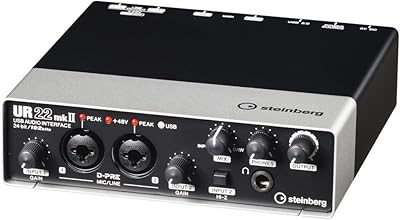
Steinberg UR22 MkII USB Audio Interface
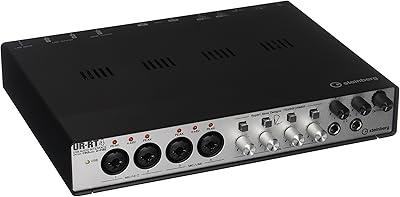
Steinberg UR-RT4 USB Audio Interface
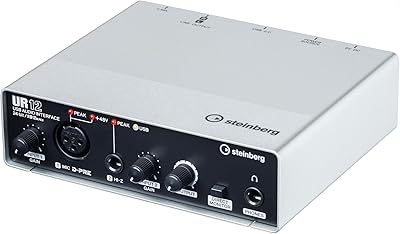
Steinberg UR12
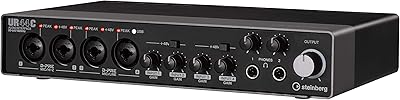
Steinberg UR44C
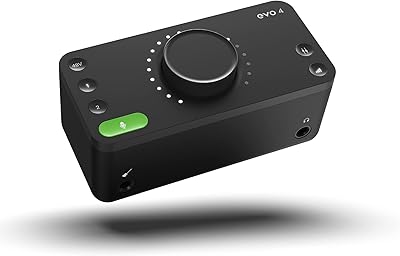
Audient EVO 4
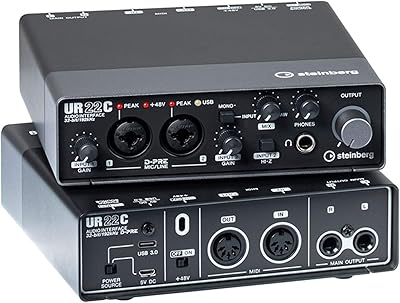
Steinberg UR22C
Steinberg UR816C USB Audio Interface
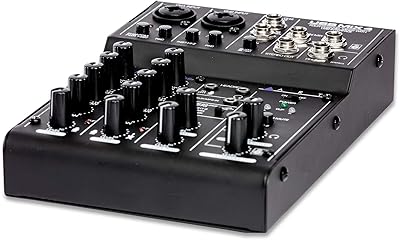
ART USBMix4 4-Channel USB Audio Mixer
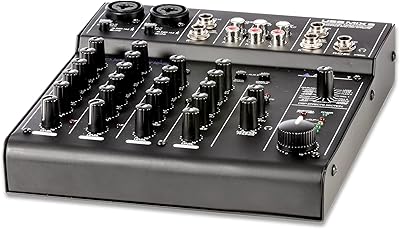
ART USBMix6 Six-Channel USB Audio Mixer