Overview

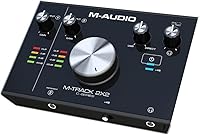
The M-Audio M-Track 2X2 USB Audio Interface sits in an interesting spot — compact enough for a desk corner, capable enough for real recording work. It is not trying to be everything; this two-channel interface is aimed squarely at solo artists, podcasters, and home studio beginners who need reliable audio capture without a steep learning curve. What separates it from cheaper plastic-bodied alternatives is the rugged metal chassis, which feels noticeably more solid in hand. M-Audio also includes both a USB-A and a USB-C cable in the box — a small but practical detail. Stacked against the Focusrite Scarlett Solo and PreSonus AudioBox USB 96, it holds its own on build quality, though it is not the outright winner on every front.
Features & Benefits

The Crystal Preamps are the headline here — they capture vocals and instruments with a clean, uncolored signal that gives you a neutral starting point for mixing. A preamp that adds its own character can be charming or frustrating depending on the genre, so transparency is worth something. The 24-bit/192kHz recording capability sounds impressive, but most real-world sessions run at 44.1kHz or 48kHz; the higher ceiling mainly provides headroom during editing rather than an audible upgrade. The 48V phantom power means condenser microphones work without hunting for an external supply. A USB/Direct blend knob lets you monitor through headphones with no software-induced delay — a genuine relief when tracking vocals live.

Best For

M-Audio's compact interface was practically designed for the solo home recording setup — a singer laying down vocals and guitar, a podcaster with one guest, or a voice-over artist who needs clean, reliable audio without a production team behind them. Guitarists recording direct-in will appreciate the dedicated High-Z instrument input, which handles passive pickups cleanly without signal loading issues. If you are moving up from your laptop's built-in soundcard, the difference in audio quality is immediate. The bundled Pro Tools First edition is genuinely useful rather than an afterthought, especially for newcomers who want a guided entry into DAW recording rather than starting from scratch.

User Feedback

With over a thousand ratings averaging 4.2 out of 5, the M-Track 2X2 earns its reputation mostly through consistency. Users frequently praise quick plug-and-play setup on both Mac and Windows, and the solid metal construction draws specific callouts from buyers comparing it to plastic rivals. That said, the picture is not entirely clean. A meaningful number of Windows users have flagged driver instability, ranging from occasional dropouts to more persistent connection issues. Some also report crackling at higher sample rates, though this appears limited to a smaller subset. The preamps, while clean, can struggle to drive low-output dynamic mics at high gain — worth knowing if a broadcast-style microphone is already in your plans.

Pros

  • Metal chassis feels noticeably more durable than plastic-bodied rivals at a comparable price.
  • Ships with both USB-A and USB-C cables, so it works with older and newer laptops right out of the box.
  • The Crystal Preamps deliver a clean, transparent signal that does not color vocals or acoustic instruments.
  • Built-in 48V phantom power means condenser microphones work without any additional gear.
  • The USB/Direct blend knob lets you monitor your own voice or instrument in real time with no audible delay.
  • Dedicated High-Z instrument input handles guitar and bass pickups cleanly without signal degradation.
  • Plug-and-play setup on Mac is genuinely straightforward for most users with no driver headaches.
  • Bundled Pro Tools First gives beginners a real DAW to learn on, not just a trial or coupon code.
  • Independent headphone volume control lets you dial in your cue mix without touching the main output level.
  • Compact footprint and tabletop design keep a small desk organized without sacrificing access to key controls.

Cons

  • Driver instability on certain Windows versions has been a consistent complaint across user reviews, not an isolated incident.
  • Preamp gain runs out of headroom when driving low-sensitivity dynamic microphones at high input levels.
  • A subset of users report intermittent crackling when recording at higher sample rates, which is difficult to diagnose remotely.
  • Two channels is the hard limit — there is no expansion path if your recording needs grow beyond a solo setup.
  • No MIDI I/O, which rules it out for producers who need to connect hardware synthesizers or controllers directly.
  • The large central volume knob, while convenient, has been noted by some users as feeling loose over extended use.
  • Long-term driver support and firmware updates from M-Audio have historically been less consistent than from some competitors.
  • No built-in signal clipping indicator makes it easier to accidentally record a distorted take without an obvious warning.

Ratings

The M-Audio M-Track 2X2 USB Audio Interface scores below are generated by our AI after analyzing thousands of verified buyer reviews worldwide, with automated filtering applied to remove spam, incentivized feedback, and bot-generated content. The ratings reflect the full spectrum of real-world experiences — both where this two-channel interface genuinely delivers and where it consistently falls short. Transparency is the priority here: no strengths are overplayed and no recurring pain points are buried.
Build Quality
84%
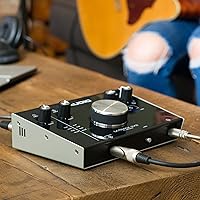
The metal chassis is one of the most frequently praised aspects among buyers, especially those who have previously owned cheaper plastic-bodied interfaces. For something that gets plugged and unplugged regularly on a desk, the solid construction gives genuine confidence that it will survive everyday studio use without warping or creaking over time.
A subset of users noted that the large central volume knob develops a slightly loose feel over extended use, which can be distracting during live monitoring sessions. The tabletop design also tends to shift on smooth desk surfaces, as the rubber feet do not always grip firmly enough to keep it stationary.
Preamp Performance
76%
24%
For vocals, acoustic guitar, and condenser microphones, the Crystal Preamps deliver a clean, transparent signal that gives you a neutral starting point in the mix without unwanted coloration. Podcasters and voice-over artists in particular find this a meaningful upgrade from built-in laptop audio, where background hiss and signal thinness are routine complaints.
Where the preamps show their limits is with low-sensitivity dynamic microphones — the gain ceiling is not high enough to drive a broadcast-style mic like the SM7B cleanly without introducing noise. Users who need that level of gain will require a separate inline preamp booster, adding both cost and complexity to the signal chain.
Ease of Setup
82%
18%
Most Mac users report a genuinely friction-free first experience — plug in the USB cable, open the DAW, and start recording within minutes. Windows users on mainstream configurations also largely get there without a driver hunt, which matters a great deal when you just want to capture an idea before it disappears.
The setup experience deteriorates noticeably for users on older or less common Windows builds, where driver installation can involve multiple reboots and troubleshooting forum searches. The included documentation does not go nearly far enough to guide less technical users through these edge cases with any real clarity.
Driver Stability
58%
42%
On macOS and well-maintained Windows 10 installations, the interface tends to run without interruption across full recording sessions, and many users report hours of continuous use without incident. The dual-cable box contents also mean users are not immediately forced to track down an additional USB-C cable if their laptop lacks a full-size port.
Driver instability on certain Windows versions is the most persistent complaint pattern across verified reviews and represents a genuine risk for Windows-dependent users. Reports range from occasional mid-session audio dropouts to complete device recognition failures after OS updates, and M-Audio's driver release cadence has not kept pace with major Windows changes.
Value for Money
79%
21%
Compared to similarly priced plastic-chassis interfaces, the M-Track 2X2 packs a metal body, a dual USB cable bundle, 48V phantom power, and a real DAW into the same price bracket — a combination that genuinely feels like a lot on offer for buyers who take time to compare what competitors include.
Competitors like the Focusrite Scarlett Solo offer a more polished driver experience and arguably stronger long-term software support at a comparable price, which makes the value proposition feel less clear-cut for Windows users. Buyers who already own recording software will also find the bundled DAW less compelling as a purchase differentiator.
Monitoring Experience
83%
The USB/Direct blend knob earns genuine appreciation from singers and guitarists who find software monitoring latency distracting during takes. Being able to blend the live input signal with DAW playback in real time is a meaningful comfort over interfaces that force a binary choice between the two monitoring modes.
Where the monitoring setup falls slightly short is for users who want to build more complex cue mixes — the two-channel layout limits what you can route independently. The headphone output also runs on the quieter side at lower gain settings according to some users, requiring the knob to sit higher than expected for comfortable playback levels.
Input Versatility
78%
22%
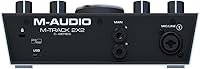
Having both a combo XLR and TRS input and a dedicated High-Z instrument input means you can cover a vocal mic and a guitar or bass simultaneously without adapters or workarounds. For the solo home recording use case this interface is built around, that input layout is genuinely well-matched to actual daily recording needs.
The two-channel ceiling is an absolute hardware limit, not a software restriction — you cannot record a drum kit, a full band, or even a three-person podcast without an external mixer or a completely different interface. Users who start with solo recording and later expand their setup will quickly find this a binding constraint.
Headphone Output
71%
29%
The independent headphone volume knob is a genuinely practical design choice, letting you adjust your cue level without touching the main output — a real benefit when studio monitors and headphones are both in active use. Vocalists tracking at home appreciate not having to navigate DAW settings just to change their listening level mid-session.
The output power is adequate for consumer and prosumer headphones but falls noticeably short for high-impedance models, where some users report needing the volume knob near its maximum for a comfortable listening level. A small but consistent number of reviewers also noted a faint background hiss through the headphone output at higher gain settings.
Software Bundle
74%
26%
Pro Tools First is a real DAW with genuine functionality, not a stripped-down demo or a voucher code for a trial. For beginners who want to learn on a platform used in professional studios, the inclusion removes a meaningful upfront software cost and eliminates the decision paralysis of choosing which DAW to start on.
Pro Tools First has notable limitations compared to the full version — capped simultaneous projects, restricted plugin support, and no offline mode — which users who grow beyond basic recording will bump into fairly quickly. Buyers who already own Ableton, Logic, or another DAW will find the bundle adds little practical value to their existing workflow.
Portability
86%
At under two pounds and sized to slip into a laptop bag without a dedicated case, the M-Track 2X2 is genuinely portable for musicians who record in different locations — a guest bedroom, a rehearsal room, or a borrowed studio. Bus-powered operation means the only cable required is the USB itself.
There is no carry case or protective pouch included, leaving the knobs and input jacks exposed during transport — a real concern if the interface lives in a bag alongside other gear. The tabletop form factor also requires a reasonably flat, stable surface, which can limit truly impromptu recording setups away from a proper desk.
Phantom Power
81%
19%
The 48V phantom power circuit works reliably for the condenser microphones it is designed to serve — large-diaphragm studio condensers, small-diaphragm pencil mics, and boundary microphones all power up cleanly. Vocalists who own a quality condenser mic can get straight to recording without hunting for an external power supply or additional preamp.
A small number of users have reported that phantom power behaves inconsistently after extended use or following certain driver updates, though this appears to be a minority experience rather than a systemic flaw. It is also worth noting that phantom power applies only to the XLR input — the dedicated instrument input does not carry it.
High Sample Rate
63%
37%
For users recording at standard 44.1kHz or 48kHz — which covers the vast majority of home recording, podcasting, and vocal production sessions — the interface performs cleanly and reliably without issue. The headroom of a higher sample rate ceiling gives technically curious users room to experiment, even if it rarely produces an audible real-world difference.
A recurring complaint among users who attempt to record at 88.2kHz or 192kHz is intermittent crackling and audio artifacts that do not appear at lower sample rates. This issue is difficult to replicate consistently and may be system-dependent, but it is frequent enough in user reports to be a genuine concern for anyone specifically targeting high-resolution audio capture.
Gain Range
67%
33%
For typical home studio sources — a condenser vocal mic, a close-miked dynamic, or a passive electric guitar — the gain range is more than adequate to achieve a clean, noise-free signal without pushing the knob to its limits. Users focused on standard home recording content will likely never feel the ceiling during normal sessions.
The gain ceiling becomes a genuine limitation for anyone using a ribbon microphone or a low-output dynamic like the SM7B, where the preamp runs out of clean headroom before reaching a usable recording level. Without an inline booster in the signal chain, these microphones pull in background noise as the preamp compensates by amplifying the entire input.

Suitable for:

The M-Audio M-Track 2X2 USB Audio Interface is a strong match for anyone building a first home studio on a realistic budget without wanting to sacrifice build quality for the price. Singer-songwriters who record vocals and guitar at the same time will find the input layout covers exactly what they need — a mic channel and an instrument channel, nothing more complicated than that. Podcasters and voice-over artists benefit from the clean preamps and zero-latency monitoring, which makes solo recording sessions far less frustrating than working with a laptop's onboard audio. Guitarists going direct-in through amp simulation software will appreciate the dedicated High-Z input handling their signal correctly without any extra gear. Beginners who want a straightforward path into Pro Tools also have an easy entry here since the bundled software is a real starting point, not just a stripped-down demo.
Not suitable for:

Anyone planning to record more than two simultaneous sources — a full band, a drum kit with multiple mics, or even a three-piece acoustic session — will hit the channel ceiling immediately, and no amount of workarounds will change that hard limit. The M-Audio M-Track 2X2 USB Audio Interface is also not the right call for Windows users running older or less common OS configurations, since driver instability has been a recurring complaint and troubleshooting audio drivers is not how anyone wants to spend a recording session. Broadcasters or podcasters relying on high-output-demanding dynamic microphones like the Shure SM7B may find the preamp gain falls short, requiring a separate preamp booster to get a clean, noise-free signal. Users who need ultra-low-latency performance for professional mixing sessions or live triggering work will likely find the interface's ceiling frustrating compared to higher-tier options. If longevity and future-proofing matter more than entry-level pricing, the Focusrite Scarlett 2i2 offers a more established driver ecosystem and broader long-term software support.

Specifications

  • Bit Depth: Records at 24-bit resolution, providing clean dynamic range and sufficient headroom for editing and mixing without audible noise floor issues.
  • Sample Rate: Supports sample rates up to 192kHz, though the vast majority of professional and home recording sessions operate at 44.1kHz or 48kHz.
  • Channel Count: Operates as a strictly two-channel interface with 2 inputs and 2 outputs, suited to solo and duo recording scenarios.
  • Input Types: Provides one combo XLR and quarter-inch TRS input for microphones or line sources, plus one dedicated quarter-inch Hi-Z input for guitar and bass.
  • Output Types: Equipped with two quarter-inch TRS balanced stereo outputs for monitor speakers and one quarter-inch headphone output with independent level control.
  • Phantom Power: Supplies +48V phantom power to the XLR input, enabling condenser microphones to operate without requiring an external power supply.
  • Monitoring: A front-panel USB/Direct blend knob allows real-time mixing between the live input signal and DAW playback for zero-latency hardware monitoring.
  • USB Cables: Ships with both a standard USB-A cable and a USB-C cable, covering connectivity for older desktops and modern laptops without additional purchases.
  • Chassis Material: The outer housing is constructed from metal, offering greater physical resilience than the plastic enclosures common among competing interfaces at this price level.
  • Dimensions: Measures 2.76 × 6 × 7.8 inches, compact enough to occupy a minimal footprint on a small desk or tabletop studio surface.
  • Weight: Weighs 1.98 pounds, light enough to carry in a laptop bag for mobile recording sessions without dedicated accessories.
  • Bundled Software: Includes Pro Tools First and an M-Audio Edition of Pro Tools, giving buyers a functional DAW entry point without any additional software purchase.
  • OS Compatibility: Compatible with macOS and Windows-based PCs via USB audio, with driver downloads available through M-Audio's support portal for extended platform support.
  • Headphone Output: The headphone jack features its own dedicated volume knob that operates independently from the main stereo output level control.
  • Power Source: Fully bus-powered over USB, requiring no external power adapter or wall supply to operate.

Related Reviews

M-Audio M-Track Duo
M-Audio M-Track Duo
83%
88%
Preamp Clarity
93%
Value for Money
62%
Build Quality
91%
Ease of Installation
87%
Portability
More
M-Audio M-Track Eight USB Audio Interface

67%
78%
Preamp Quality
84%
Channel Count Value
53%
Driver Stability
58%
Build Quality
76%
Ease of Setup
More
Black Lion Audio Revolution 2x2 Audio Interface
75%
88%
Preamp Quality
91%
Audio Transparency
86%
Clocking Performance
87%
Build Quality
73%
Value for Money
More
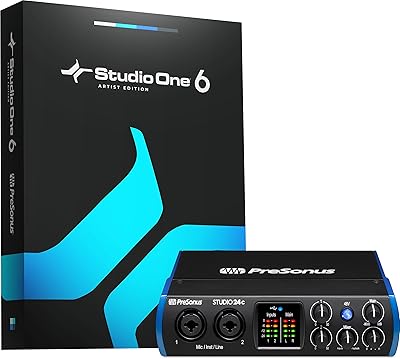
PreSonus Studio 24c
PreSonus Studio 24c
84%
92%
Build Quality & Durability
88%
Sound Quality & Resolution
86%
Preamp Performance (XMAX-L)
94%
Software Bundle Value
89%
Portability & Form Factor
More
PreSonus AudioBox iOne
75%
88%
Preamp Quality
83%
Build Quality
91%
Ease of Setup
61%
Direct Monitoring
86%
iPad Compatibility
More
PreSonus AudioBox iTwo 2x2 USB/iPad Audio Interface
86%
92%
Value for Money
89%
Portability & Design
91%
Software & Ease of Use
88%
Sound Quality
85%
Build Quality
More
M-Audio M-Track Solo
81%
94%
Value for Money
91%
Portability
89%
Ease of Setup
82%
Preamplifier Clarity
61%
Build Quality
More
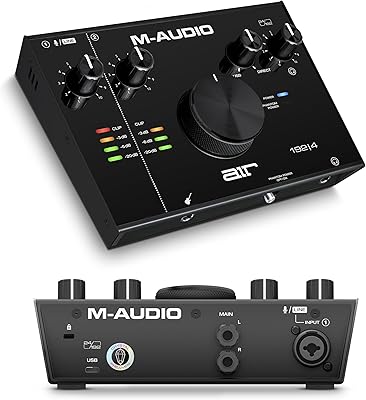
M-Audio AIR 192|4
M-Audio AIR 192|4
85%
93%
Build Durability
91%
Tactile Control Experience
88%
Preamplifier Transparency
87%
Recording Latency
86%
Software Bundle Value
More
Antelope Audio Zen Go Synergy Core Interface
76%
93%
Preamp Quality
88%
Onboard Effects
54%
Software Experience
57%
Windows Stability
91%
Portability
More
MOTU 8pre USB Audio Interface
80%
86%
Preamp Quality
91%
Build Quality
88%
Channel Count & I/O
79%
Value for Money
61%
CueMix DSP Software
More

FAQ

On modern macOS versions it generally shows up as a plug-and-play USB audio device without a separate driver download. That said, it is worth checking M-Audio's support page for the latest driver version matched to your specific macOS release, since major OS updates can occasionally cause hiccups with any audio interface.

Yes, the combo XLR input supports 48V phantom power, which is what most condenser microphones need to operate. Just make sure you enable phantom power before plugging in your mic, and you are ready to record.

This is where honest expectations matter. The preamps are clean but not exceptionally powerful, and the SM7B is well known for demanding a lot of gain. Without an inline preamp booster like a Cloudlifter, you may find yourself dealing with a noisier signal than you would like at the gain levels needed to drive that mic cleanly. For condenser mics or most instrument recording, the gain is more than adequate.

Yes, and it handles this well. The dedicated instrument input on the front panel is specifically designed for high-impedance signals like electric guitar or bass, so your pickups see the correct impedance and you get a clean direct-in signal without any tone loss or unwanted loading.

Most users get it running without major trouble, but driver instability on Windows has been a recurring theme in real user feedback, not just an occasional edge case. Before purchasing, it is worth visiting M-Audio's support page to confirm driver compatibility with your specific Windows version and system configuration.

It includes Pro Tools First along with an M-Audio Edition of Pro Tools, which gives you a legitimate DAW to start working in immediately rather than a stripped-down trial. Pro Tools First is particularly useful if you eventually want to learn the same platform used in commercial studios.

Yes. One input handles a microphone or line-level source via the combo XLR jack, and the other handles a guitar or bass via the instrument input. Both can be captured simultaneously as separate tracks in your DAW, which is the core use case this interface is designed for.

It blends what is coming in from your microphone or instrument live with what your computer is playing back through your DAW. Turning it toward Direct means you hear yourself with no software-induced delay, which makes singing or playing along to a backing track far more comfortable than relying on software monitoring alone.

They compete at a similar price point and cover the same basic two-channel use case. The Scarlett Solo has a stronger reputation for driver stability on Windows and a more established long-term support track record, while the M-Track counters with a metal chassis and the practical inclusion of both USB-A and USB-C cables in the box. If driver reliability on Windows is your top priority, the Scarlett has the edge; if build feel and cable flexibility matter more, the M-Track holds its own.

It is fully bus-powered, meaning the USB cable handles both data transfer and power delivery. No wall adapter or separate power brick is needed, which keeps your desk tidy and makes it straightforward to use anywhere with a laptop.

Where to Buy