

Overview
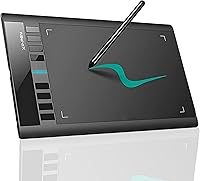
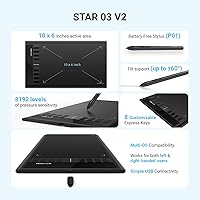
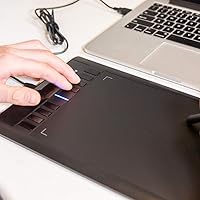
The XP-Pen Star03 V2 Drawing Tablet enters the market as a solid mid-range option for hobbyists and aspiring artists ready to move past entry-level hardware. One thing that stands out immediately is the 10x6-inch active area — genuinely spacious for this price bracket, giving your hand real room to work without feeling cramped. XP-Pen has built a credible reputation as a Wacom alternative, and this drawing pad reflects that positioning well. It connects via USB, weighs just 10.6 ounces, and sits flat at 0.31 inches thin. Worth clarifying upfront: this is a screenless pen tablet, meaning you draw while watching your monitor — not the surface itself.
Features & Benefits
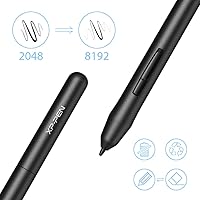
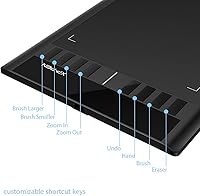
The P01 passive stylus is one of the Star03 V2's strongest arguments. With 8192 pressure levels and no battery to worry about, it responds fluidly to light sketching strokes and heavy ink lines alike — the kind of sensitivity that actually matters when you're shading or inking for hours. The eight express keys are genuinely useful once configured; regular Photoshop or Clip Studio Paint users will appreciate having shortcuts for brush size, undo, and zoom within thumb's reach. Driver setup is straightforward, and the tablet runs across Windows, macOS, and Linux — rare for this price segment. You also get access to ArtRage Lite to start creating without extra software costs.
Best For
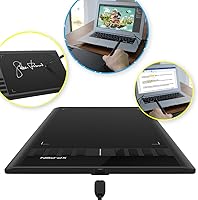
This drawing pad is a natural fit for beginners and students taking their first serious steps into digital illustration or photo editing — the large surface reduces the friction of learning cursor-to-hand coordination. Comic and manga artists who need room to sketch full pages will also appreciate the generous dimensions. It works well for educators and remote workers who need a reliable way to annotate documents or add handwritten signatures. Linux users in particular will find this XP-Pen tablet refreshingly compatible, since many competitors simply skip Linux driver support entirely. If you're coming from traditional sketchbooks, the pen feel here is closer to paper than most tablets at this price point.
User Feedback
Across a large pool of verified buyers, praise for the Star03 V2 clusters around consistent themes: pen accuracy holds up well in real workflows, driver installation is quick and rarely causes headaches on Windows, and the build feels more durable than the price might suggest. That said, not everyone is fully satisfied. The USB-only connection draws complaints from users who expected wireless flexibility, and a handful of macOS users have hit snags when major driver updates roll out. A few artists note that pen nib wear can accelerate with heavy use, so keeping spare nibs on hand is practical advice. On balance, most buyers — especially newcomers — find it a capable, low-friction first tablet.
Pros
- The 10x6-inch active area is genuinely roomy for this price tier, giving artists real space to sketch freely.
- An 8192-level battery-free stylus means no charging interruptions and fluid pressure response during long sessions.
- Eight fully customizable express keys speed up workflows in Photoshop, Krita, and Clip Studio Paint noticeably.
- Linux driver support is included out of the box — a rare and practical advantage over many competitors.
- At just 10.6 ounces and under a third of an inch thick, the Star03 V2 slides easily into a bag for portable use.
- Driver installation on Windows is quick and straightforward, even for first-time tablet users.
- Bundled software access to ArtRage Lite lets beginners start creating without any additional software cost.
- Long-term users consistently report solid build durability that holds up well beyond the first year of regular use.
- The P01 stylus has a natural in-hand feel that eases the transition from traditional sketching to digital work.
- A 4.5-star average across thousands of verified buyers reflects broadly consistent real-world satisfaction.
Cons
- USB-only connectivity means you are always tethered — no Bluetooth or wireless mode is available.
- macOS users have reported recurring driver hiccups after system updates, sometimes requiring manual reinstallation.
- Pen nibs can wear down faster than expected with heavy daily use, so budgeting for replacements is wise.
- The express key placement along the left edge feels awkward for left-handed users without remapping.
- No tilt sensitivity support limits technique options for artists who rely on brush-angle variation.
- The tablet surface has minimal texture, which can feel slippery compared to higher-end alternatives with textured overlays.
- There is no included pen stand or nib storage, which feels like a small but noticeable omission at this price.
- Beginners accustomed to touchscreens may find the learning curve of a screenless tablet steeper than expected.
Ratings
The scores below were generated by our AI after analyzing thousands of verified global user reviews for the XP-Pen Star03 V2 Drawing Tablet, with spam, incentivized, and bot-flagged submissions actively filtered out before scoring. Each category reflects genuine patterns from real buyers — hobbyists, students, professional illustrators, and educators — not cherry-picked praise. Both the standout strengths and the recurring frustrations are transparently baked into every number you see here.
Active Area Size
Pen Pressure Accuracy
Stylus Ergonomics
Express Key Usability
Driver Stability
Build Quality
Surface Texture & Feel
OS & Software Compatibility
Value for Money
Portability
Setup & Onboarding
Pen Nib Durability
Connectivity
Tilt Sensitivity
Suitable for:
The XP-Pen Star03 V2 Drawing Tablet is a strong match for beginners and intermediate digital artists who want meaningful working space without spending heavily on hardware. Students learning illustration, photo editing, or graphic design will find the large active area forgiving as they build hand-eye coordination between stylus and screen. Comic and manga artists benefit especially, since the 10x6-inch surface accommodates full panel sketches without constant repositioning. Linux users — often left out of hardware compatibility conversations — will appreciate that this drawing pad actually ships with stable Linux driver support. Educators and remote workers who regularly annotate slides or sign documents digitally will also find it a reliable, no-fuss daily tool. If you are coming from traditional sketchbooks and want a pen feel that does not fight you, the P01 stylus makes that transition easier than most budget alternatives.
Not suitable for:
The XP-Pen Star03 V2 Drawing Tablet will frustrate buyers who expect to draw directly on a screen — this is a traditional screenless pen tablet, and that disconnect takes real adjustment time, especially for older beginners. Professional illustrators or concept artists working in studios with demanding workflows may find the hardware ceiling limiting over time, particularly if tilt sensitivity is part of their technique. Anyone hoping to cut the cord entirely will be disappointed: there is no wireless option here, and that USB tether is a genuine inconvenience at a cluttered desk. Heavy macOS users should proceed with some caution, as driver updates have historically caused intermittent compatibility issues that require manual fixes. If you already own a mid-to-high-tier Wacom or Huion tablet, the Star03 V2 offers little reason to switch.
Specifications
- Active Area: The working surface measures 10x6 inches, providing ample room for detailed illustration and full-page comic layouts.
- Stylus Model: Includes the P01 passive pen, a battery-free stylus that requires no charging and holds a comfortable grip for extended sessions.
- Pressure Levels: The P01 stylus supports 8192 levels of pressure sensitivity, enabling fine control over line weight and brush opacity.
- Express Keys: Eight programmable shortcut keys are built into the tablet body and can be mapped to application commands, tools, or macros.
- Connectivity: Connects to a host computer via USB; no Bluetooth or wireless connection mode is available.
- Dimensions: The full tablet body measures 14.25 x 8.27 x 0.31 inches, keeping the footprint slim and desk-friendly.
- Weight: At 10.6 ounces, the tablet is light enough to carry in a laptop bag without adding meaningful bulk.
- OS Support: Compatible with Windows 7, 8, 10, and 11; macOS 10.10 and above; and Linux distributions with the appropriate driver installed.
- Power Input: Draws power directly from the USB connection at 5 volts, so no external power adapter or separate charging is required.
- Bundled Software: Buyers can claim access to ArtRage Lite and Explain Everything by contacting XP-Pen after purchase.
- Model Number: The official model designation is Star03, with this listing representing the V2 revision of the original Star03 design.
- Color Options: Available in Black as the standard colorway for this model variant.
- Pen Tip Type: The P01 stylus uses replaceable solid nibs; spare nibs are not bundled in the standard retail package.
- Tilt Support: Pen tilt recognition is not officially supported on this model, which limits certain brush-angle techniques in compatible software.
- BSR Ranking: Holds a Best Sellers Rank of #208 in the Computer Graphics Tablets category on Amazon at time of listing.
- User Rating: Carries an average rating of 4.5 out of 5 stars across more than 4,240 verified customer ratings.
- Manufacturer: Designed and produced by XP-PEN, a brand specializing in pen tablets and pen display hardware since 2005.
- First Available: The original Star03 line was first listed in October 2015, with the V2 revision introduced as an updated iteration.
Related Reviews
XP-Pen Deco Mini7 V2 Drawing Tablet
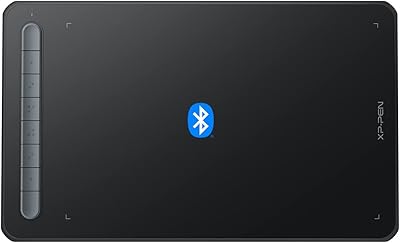
XP-Pen Deco MW Wireless Drawing Tablet
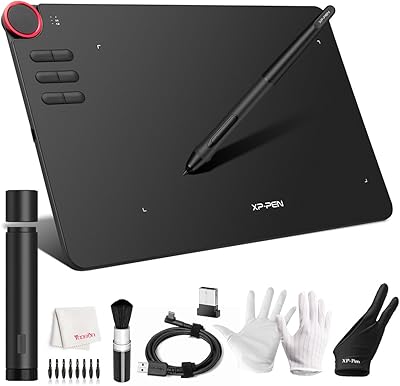
XP-Pen Deco 03 Drawing Tablet
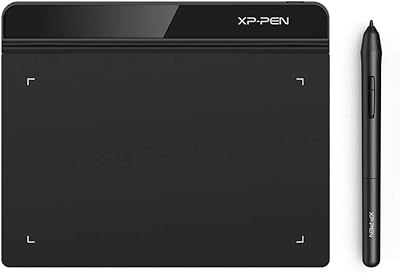
XP-Pen Star G640 6x4 Graphics Tablet
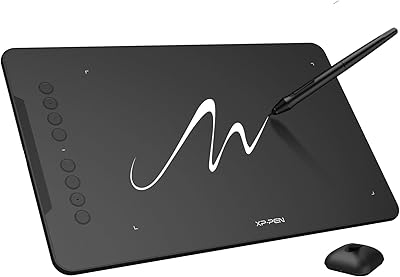
XP-Pen Deco 01 V3 Drawing Tablet
XP-Pen Deco LW Wireless Drawing Tablet
XP-Pen Artist Pro 14 Gen2 Pen Display
XP-Pen Artist 13.3 Pro Drawing Display Tablet
XP-Pen Artist 24 FHD 23.8-inch Pen Display