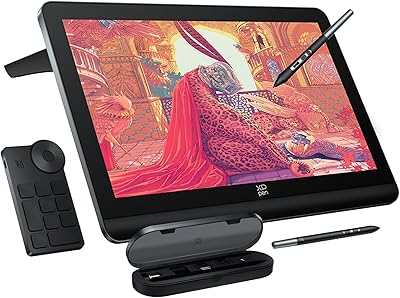
XP-Pen Deco LW Wireless Drawing Tablet
Overview
The XP-Pen Deco LW Wireless Drawing Tablet enters a market crowded with options at every price point, and it carves out a sensible spot in the mid-range. XP-Pen has spent years building credibility as a genuine alternative to Wacom, and the Deco LW reflects that maturity — offering a 10x6-inch active area, three connection modes, and a capable stylus without demanding a premium price. It is portable enough to toss in a bag and stable enough for a full desk setup. That said, if near-zero input latency is critical for professional animation work, you will want to weigh your options carefully before committing.
Features & Benefits
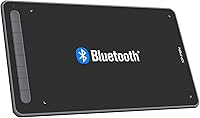
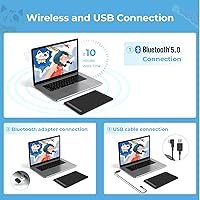
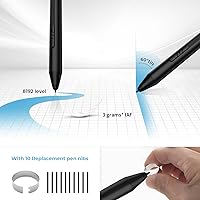
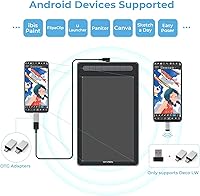
Three connectivity options — Bluetooth 5.0, a USB wireless dongle, and a wired USB-C cable — mean you can adapt to almost any situation without scrambling for adapters. The real highlight is the battery-free X3 stylus, which delivers 8192 levels of pressure sensitivity and up to 60 degrees of tilt recognition; in practice, that tilt support makes shading feel natural rather than mechanical. The drawing surface has a slight texture that gives the pen real grip and reduces the glassy slip common on cheaper tablets. Customizable express keys let you map your most-used shortcuts, and the cross-platform compatibility spanning Windows, macOS, Android, Chrome OS, and Linux is genuinely broad.
Best For
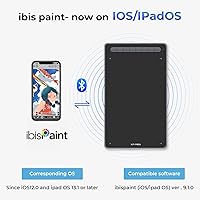
This wireless drawing tablet hits a sweet spot for hobbyist illustrators and students who want room to work without tangling themselves in cables. It also suits people who move between devices frequently — multi-platform support means you can plug into a Windows desktop at home and pair via Bluetooth with an Android tablet on the road. Remote educators annotating slides during live sessions will find the pen response more than adequate. Beginners stepping up from a basic entry-level tablet will notice an immediate improvement in pressure feel. XP-Pen also offers free access to ArtRage Lite and Explain Everything upon registration, which is a genuine practical bonus rather than a throwaway inclusion.
User Feedback
Owners consistently praise how the stylus performs straight out of the box, with build quality drawing positive comments from buyers upgrading from cheaper alternatives. Setup is straightforward on most systems. The recurring criticisms are worth noting honestly: some users report occasional Bluetooth lag on Windows machines, and the driver software can behave inconsistently after updates. A handful of long-term owners mention faster-than-expected nib wear. Stacked against the Wacom Intuos at a comparable price, most reviewers feel this XP-Pen tablet holds its own on pressure performance. Customer support from XP-Pen appears reasonably responsive, though warranty resolution times vary depending on region and issue complexity.
Pros
- The battery-free X3 stylus delivers 8192 pressure levels with tilt support — no mid-session charging required.
- Three connection modes give you genuine flexibility: Bluetooth, USB dongle, or wired USB-C.
- Active drawing area of 10x6 inches is generously sized for the price tier.
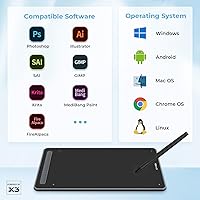
- Works across Windows, macOS, Android, Chrome OS, and Linux without platform-specific compromises.
- Textured drawing surface mimics paper resistance, making the transition from traditional media noticeably smoother.
- Box includes ten replacement nibs, saving you an immediate follow-up purchase.
- Customizable express keys meaningfully reduce hand travel during long illustration sessions.
- Registered users get ArtRage Lite and Explain Everything at no extra cost — real software, not trials.
- Build quality holds up well to regular commuting and bag use without visible wear.
- Competes favorably with the Wacom Intuos on raw specifications, often at a lower price point.
Cons
- Bluetooth latency on Windows machines is a recurring complaint that affects fast or gesture-heavy drawing styles.
- Driver software resets custom key configurations after some updates, which disrupts established workflows.
- macOS users frequently face a compatibility gap after major OS updates until XP-Pen releases a patch.
- Nib wear accelerates faster than expected under heavy daily use, particularly on the textured surface.
- The customization software interface feels dated and lacks an on-screen key reminder overlay.
- Switching active connections between Bluetooth and dongle modes is not always smooth or instant.
- Battery capacity in the tablet body degrades noticeably after a year of intensive daily use.
- Customer support response times vary significantly depending on region, with users outside North America reporting slower resolution.
- Linux support is functional but requires more manual configuration than the Windows experience.
- No granular battery percentage indicator — just a basic warning light before shutdown.
Ratings
The XP-Pen Deco LW Wireless Drawing Tablet has been scored by our AI system after processing thousands of verified global buyer reviews, with spam, bot-generated, and incentivized feedback actively filtered out before any score was calculated. The results reflect what real users — from students and hobbyists to working illustrators — actually experienced over weeks and months of use. Both the genuine strengths and the frustrating pain points are represented here without softening.
Stylus Precision & Pressure Response
Wireless Connectivity Reliability
Build Quality & Durability
Drawing Surface Texture
Software Compatibility
Tilt Functionality
Ease of Setup
Express Keys & Customization
Portability & Form Factor
Value for Money
Battery Life
Driver Stability Over Time
Pen Nib Longevity
Multi-Device Switching
Customer Support & Warranty
Suitable for:
The XP-Pen Deco LW Wireless Drawing Tablet is a strong fit for hobbyist illustrators, art students, and self-taught digital artists who want a capable, cable-free drawing experience without spending Wacom money. If you sketch, do character art, or create illustrations in tools like Krita, Clip Studio Paint, or Photoshop, the stylus pressure response and tilt support will feel like a meaningful upgrade over entry-level pads. Remote educators and online tutors will also find it practical — annotating slides or writing on-screen during live sessions works smoothly when Bluetooth cooperates, and the dongle option provides a reliable fallback. Multi-platform users who bounce between a Windows desktop, a Mac laptop, and an Android tablet are well served here, since genuine cross-platform compatibility at this tier is rarer than it should be. The bundled registration for ArtRage Lite and Explain Everything is a practical bonus worth activating, especially for educators or beginners who need software to get started immediately.
Not suitable for:
The XP-Pen Deco LW Wireless Drawing Tablet is a harder sell for professional animators, concept artists, or anyone whose livelihood depends on absolutely consistent driver stability and near-zero input latency. If you work in fast, gesture-heavy styles where a fraction-of-a-second Bluetooth lag would disrupt your creative flow, the wireless experience here is not reliable enough to trust unconditionally. Professionals who have already invested in the Wacom ecosystem and rely on its mature driver software and extensive accessory support will find switching over more friction than it is worth. Heavy daily users should also be aware that nib wear is faster than average on this surface, which adds an ongoing replacement cost that budget-conscious buyers sometimes overlook. And if you are on a Mac and tend to update your OS the day a new version drops, prepare for the occasional period where the tablet sits idle waiting for a driver patch.
Specifications
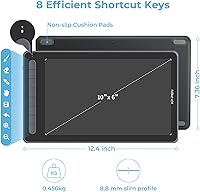
- Active Area: The drawing surface measures 10x6 inches, providing enough workspace for full-arm illustration strokes as well as precise detail work without feeling cramped.
- Stylus Technology: The included X3 Smart Chip stylus is battery-free, meaning it draws power inductively from the tablet surface and never needs charging or battery replacement.
- Pressure Sensitivity: The stylus supports 8192 levels of pressure sensitivity, allowing smooth transitions from hairline strokes to heavy, filled lines depending on how firmly you press.
- Tilt Recognition: The stylus detects tilt angles up to 60 degrees, enabling natural shading and brush angle variation without manually adjusting settings in your drawing software.
- Connectivity: Three connection modes are supported: Bluetooth 5.0 for wireless freedom, a 2.4GHz USB wireless dongle for a more stable wireless signal, and a direct wired USB-C connection.
- Compatible Systems: The tablet is officially compatible with Windows 11, 10, 8, and 7; macOS 10.10 and above; Android 6.0 and above; Chrome OS 88.0.4324.109 or above; and most mainstream Linux distributions.
- Software Support: Out of the box, the Deco LW works with major creative applications including Photoshop, Illustrator, Clip Studio Paint, SAI, GIMP, Krita, Medibang, Fire Alpaca, Painter, and Blender 3D.
- Express Keys: The tablet includes a row of customizable physical shortcut keys that can be remapped through the XP-Pen driver software to match individual creative workflows.
- Report Rate: The tablet operates at a report rate of 266 PPS (points per second), which governs how frequently the pen position is updated on screen during active drawing.
- Item Weight: The tablet body weighs 1.76 pounds, making it light enough for regular transport in a laptop bag without adding meaningful bulk.
- Power Source: The tablet is powered by a built-in rechargeable Lithium Polymer battery that is included in the box and charges via the USB-C cable provided.
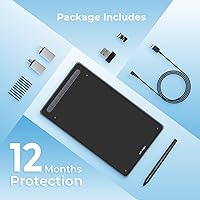
- In-Box Contents: The package includes the tablet, a USB wireless dongle, a USB-A to USB-C cable, the X3 Elite stylus, a USB-A to USB-C OTG adapter, a USB-A to Micro-USB OTG adapter, and ten replacement pen nibs.
- Bundled Software: Buyers who register their device on the XP-Pen website gain free access to ArtRage Lite and Explain Everything, two full creative and education applications.
- Manufacturer: The Deco LW is designed and manufactured by XP-PEN Technology Co., Ltd., a China-based peripheral company with distribution across North America, Europe, and Asia.
- Release Date: This model was first made available for purchase in November 2021 and has since accumulated a substantial volume of long-term owner reviews.
- Model Number: The official model identifier for this tablet in black is IT1060B_BK, which can be used when searching for compatible accessories or filing warranty claims.
- ASIN: The Amazon Standard Identification Number for this product is B09LM73Q4J, useful for verifying you are purchasing the correct variant when shopping online.
- Market Ranking: At the time of this review, the tablet holds a Best Sellers Rank of number 74 in the Computer Graphics Tablets category on Amazon, reflecting sustained buyer interest since launch.
Related Reviews
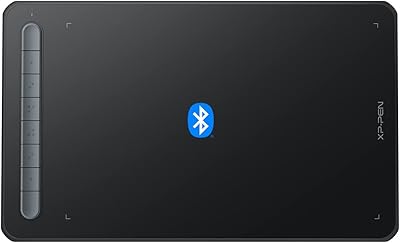
XP-Pen Deco MW Wireless Drawing Tablet
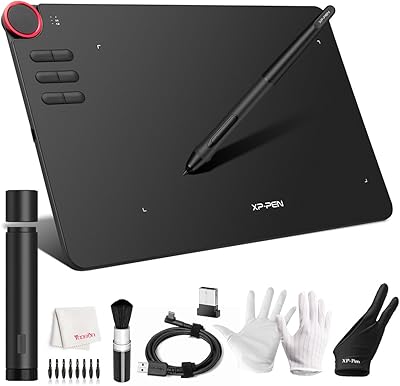
XP-Pen Deco 03 Drawing Tablet
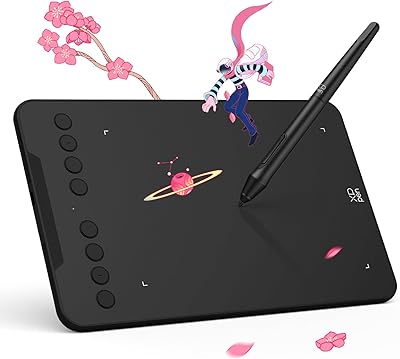
XP-Pen Deco Mini7 V2 Drawing Tablet
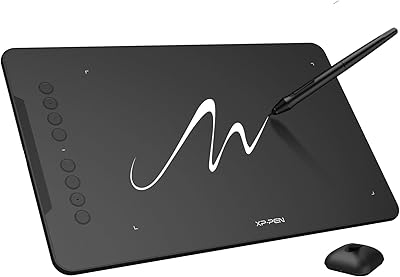
XP-Pen Deco 01 V3 Drawing Tablet
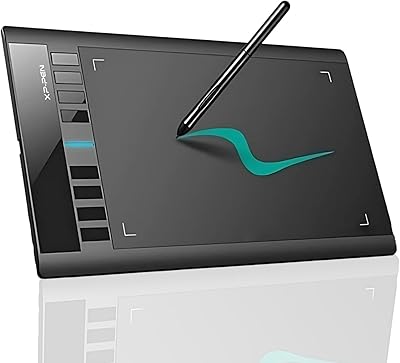
XP-Pen Star03 V2 Drawing Tablet
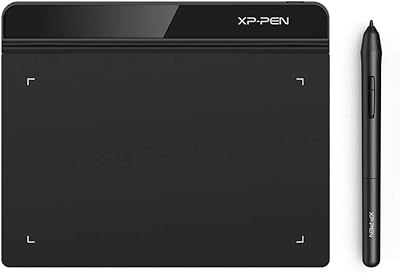
XP-Pen Star G640 6x4 Graphics Tablet
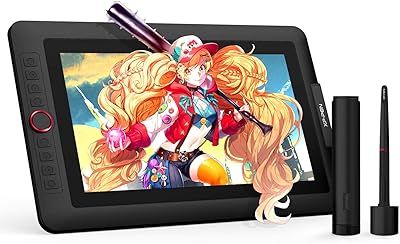
XP-Pen Artist 13.3 Pro Drawing Display Tablet
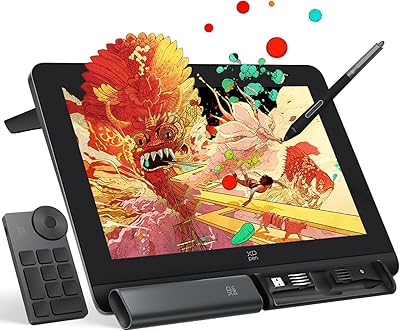
XP-Pen Artist Pro 14 Gen2 Pen Display
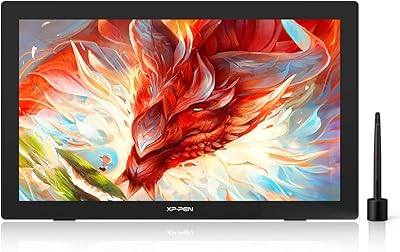
XP-Pen Artist 24 FHD 23.8-inch Pen Display