Overview

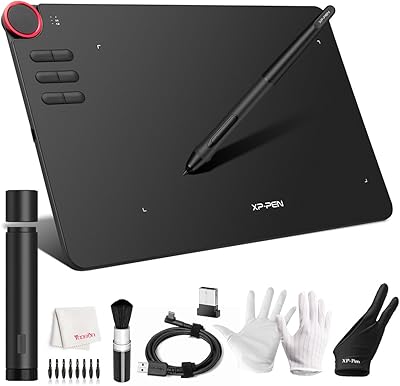
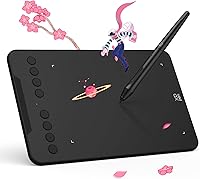
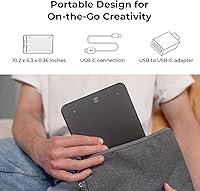
The XP-Pen Deco Mini7 V2 Drawing Tablet is a solid entry-level option that punches above its weight for beginners, students, and OSU rhythm game players alike. The V2 update brings meaningful improvements over the original Deco Mini7, particularly in pressure sensitivity and a cleaner driver interface that no longer intimidates first-time users. At just 1.17 pounds and barely a third of an inch thick, this drawing tablet slips easily into a bag — practical for sketching at a café or annotating in a classroom. It works across Windows, Mac, Android, Chrome OS, and Linux. Just be clear-eyed: this is a starter pad, not a tool for professional illustrators.

Features & Benefits

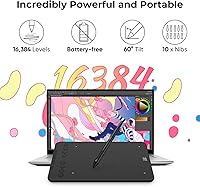
One of the first things you notice when picking up the Deco Mini7 V2 is how natural the pen feels in hand. The battery-free stylus never needs charging, and with 60-degree tilt recognition, varying line weight comes intuitively — even if you are brand new to digital art. XP-Pen advertises 16,384 levels of pressure sensitivity, though the spec sheet also lists 8,192, so take the headline figure with a grain of salt; either way, the sensitivity feels responsive for casual and intermediate work. The 8 shortcut keys are genuinely useful, supporting both right- and left-handed setups. For OSU players, the tablet works in plug-and-play mode with no driver needed — just connect and start playing.

Best For

This XP-Pen pad fits naturally into the hands of people just starting their digital art journey — beginners who want to experiment without committing to a pricey professional setup. Art and design students will appreciate having a reliable daily workhorse that handles class assignments, quick sketches, and annotation tasks without fuss. The OSU community has widely adopted this tablet specifically, drawn to its driver-free responsiveness and consistent tracking. Remote teachers who need to write or draw on screen during video calls will also find it a practical pick. Hobbyists doing light photo retouching or digitizing sketchbook doodles round out the audience. If you need something portable and affordable, this fits the bill cleanly.

User Feedback

With over 15,000 ratings averaging 4.4 stars, the Deco Mini7 V2 has built a genuinely strong reputation. Buyers consistently praise ease of setup and the value they get at this price point — many mention being surprised by how well the pen sensitivity performs for casual drawing and note-taking. That said, a few real concerns surface repeatedly. The 7 x 4-inch active area feels cramped to users who prefer wider strokes or are switching from larger tablets. Some buyers also wish the cable were longer. A handful of users on specific Linux or older Mac OS versions have encountered driver hiccups, though XP-Pen's support team tends to respond. Users migrating from basic Wacom tablets often find performance comparable, sometimes preferring the shortcut layout here.

Pros

  • Battery-free stylus never needs charging and feels natural in hand during long drawing sessions.
  • Plug-and-play OSU mode works right out of the box with zero driver installation required.
  • Eight customizable shortcut keys are genuinely useful and support both right- and left-handed users.
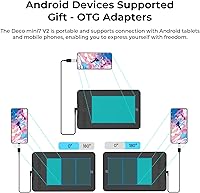
  • Broad OS compatibility covers Windows, Mac, Android, Chrome OS, Linux, and Harmony OS.
  • Lightweight at 1.17 pounds and slim enough to slip into any bag for on-the-go use.
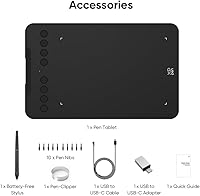
  • Comes with 10 replacement nibs, which is generous and extends the stylus lifespan considerably.
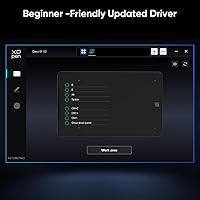
  • The V2 driver interface is noticeably simpler than earlier versions, reducing setup headaches for beginners.
  • USB-C connection with a USB-A adapter included means it works with both older and newer devices.
  • Over 15,000 ratings averaging 4.4 stars signals broad, sustained buyer satisfaction across diverse use cases.
  • Competitive value for the feature set makes it one of the stronger options in the entry-level drawing tablet space.

Cons

  • The 7 x 4-inch active area feels cramped for users accustomed to larger tablets or wide drawing gestures.
  • The advertised pressure sensitivity level conflicts between the product title and the spec sheet, creating confusion.
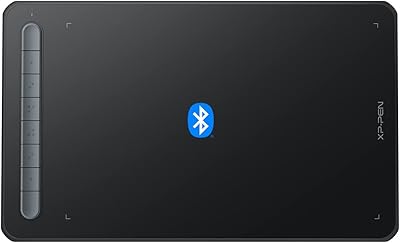
  • No wireless or Bluetooth option limits flexibility for users who prefer a cable-free desk setup.
  • The included cable is reported by some buyers to be shorter than ideal for comfortable desk positioning.
  • Not suitable for professional illustration workflows that demand precision tools and advanced software integration.
  • Driver issues have been reported by a subset of users on specific Linux distributions and older Mac OS versions.
  • Tilt support is capped at 60 degrees, which may limit certain shading techniques compared to higher-end styluses.
  • Users transitioning from larger Wacom tablets often need an adjustment period due to the smaller surface area.

Ratings

The scores below were generated by AI after analyzing thousands of verified global buyer reviews for the XP-Pen Deco Mini7 V2 Drawing Tablet, with spam, bot activity, and incentivized feedback actively filtered out. The ratings reflect the full picture — where this drawing tablet genuinely excels and where real users have run into frustrations — so you can make a confident, well-informed decision.

Value for Money
91%
Buyers repeatedly describe feeling like they got more than they paid for, especially students and hobbyists comparing it to pricier alternatives. The inclusion of 10 replacement nibs, a USB-C adapter, and a capable battery-free stylus in the base package adds tangible value that users notice immediately.
A handful of buyers feel the inconsistency in the advertised pressure sensitivity spec undermines trust in the product's transparency. For those who later outgrow it and need to upgrade, the initial savings feel less impactful in retrospect.
Pen Performance
86%
The battery-free stylus is one of the most praised aspects across user reviews — it feels balanced in hand and never interrupts a session with charging warnings. The 60-degree tilt recognition allows beginner artists to experiment with shading techniques that would otherwise require a far more expensive setup.
The pressure sensitivity spec discrepancy between the product title and spec sheet creates genuine confusion among technically minded buyers. Some users also report that at very light pressure, the pen response can feel slightly inconsistent compared to higher-end stylus systems.
Active Area Size
58%
42%
For OSU players and students doing annotation or light sketching, the 7 x 4-inch surface is sufficient and comfortable for extended daily sessions. Its compact footprint actually works in its favor on cluttered desks or small café tables where a larger tablet would be impractical.
Users transitioning from larger tablets consistently flag the active area as the single biggest adjustment they had to make. Those who draw with full arm movements rather than wrist-based strokes find the surface constraining, and a few report that the smaller area affects their line confidence over time.
Ease of Setup
89%
The V2 driver redesign was clearly aimed at reducing friction for first-time users, and buyers confirm it delivers — most report being fully set up and drawing within ten minutes of opening the box. OSU players have it even easier, since the tablet works in plug-and-play mode with zero software installation required.
A subset of users on specific Linux distributions and older Mac OS versions have encountered driver installation errors that required support intervention. These cases appear to be edge situations rather than widespread failures, but they are real enough to warrant a compatibility check before purchasing.
Build Quality
74%
26%
The tablet feels solid for its weight class — the surface has a slight texture that mimics paper well enough for casual drawing without feeling plasticky or cheap. Most buyers who use it daily for months report no structural issues, which is a reasonable expectation at this price tier.
The overall construction is clearly optimized for affordability, and some users notice flex in the tablet body when pressing with firm pen pressure. The shortcut buttons feel functional but not premium, and a few buyers mention the USB-C port fitting feels slightly loose after extended use.
Shortcut Keys
82%
18%
Eight fully customizable keys is generous for a tablet in this category, and users who take time to configure them report a noticeably faster creative workflow. The layout accommodates both right- and left-handed users equally, which is a detail that left-handed artists in particular appreciate and call out in reviews.
Out of the box, the default key assignments are not intuitive for everyone, so new users need to invest time in the configuration process before the shortcuts feel natural. A small number of users report that the physical key travel feels shallow and imprecise compared to the rest of the experience.
OSU Responsiveness
93%
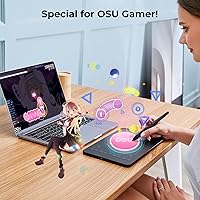
The OSU community has widely adopted this drawing tablet, and their feedback is consistently among the most enthusiastic in the entire review pool. The driver-free mode eliminates input lag that can occur during driver initialization, and the pen tracking accuracy at fast movement speeds holds up well even in competitive play.
Because the OSU mode bypasses the driver entirely, advanced customization options like pen pressure curves are unavailable in this mode. Players who also want to use the tablet for art and switch between modes occasionally report that the context-switching process is not as frictionless as it could be.
Portability
88%
At 1.17 pounds and under half an inch thick, this XP-Pen pad genuinely disappears into a bag — students who carry it to class daily and remote workers who bring it to coworking spaces consistently praise how little space and weight it adds to their load. The slim profile also means it sits flat on nearly any surface without wobbling.
The included cable length has been flagged by multiple buyers as frustratingly short, limiting where the tablet can be positioned relative to the connected device. There is no wireless option, so portability always comes with the constraint of being tethered to a cable.
Driver & Software
71%
29%
The V2 driver interface is a real improvement over what older XP-Pen models shipped with — the layout is cleaner, options are logically grouped, and first-time users are not bombarded with settings they do not understand. Regular updates from XP-Pen suggest the software is actively maintained.
Driver reliability on non-Windows platforms remains a weak point, with Linux and certain Mac configurations generating the most complaints in the review pool. Updates occasionally reset custom configurations, which frustrates users who have spent time dialing in their shortcut and pressure settings.
Compatibility
84%
Few drawing tablets in this price range explicitly support as many operating systems as the Deco Mini7 V2, covering Windows, Mac, Android, Chrome OS, Linux, and Harmony OS — a breadth that students using school-issued Chromebooks or Android devices genuinely benefit from. The USB-C plus adapter bundle means most users can connect without hunting for separate accessories.
Android compatibility, while technically supported, can be inconsistent depending on the specific device and OTG support. Some users report that pressure sensitivity does not behave identically across all supported platforms, with Android sessions occasionally feeling less responsive than the Windows experience.
Tilt Recognition
76%
24%
Sixty degrees of tilt support is adequate for beginners learning shading fundamentals — it translates well in Photoshop and Clip Studio Paint for basic hatching and brush angle variation. New artists experimenting with tilt-based effects for the first time find it responsive enough to make the technique feel accessible.
Experienced users coming from higher-end tablets note that 60 degrees of tilt range feels limiting when attempting more nuanced calligraphy or painterly shading techniques. The tilt data can also read slightly inconsistently at the extreme angles, which is a minor but noticeable issue during precise work.
Nib & Stylus Durability
83%
Shipping 10 replacement nibs in the box is a practical move that users genuinely appreciate — it removes the anxiety of nib wear that plagues owners of tablets that include only one or two spares. Several long-term users report the nibs hold up well even after months of daily sketching use.
Users who draw with heavy pressure report going through nibs faster than expected, which makes the generous initial supply feel less abundant over time. Replacement nib packs are available but represent an ongoing cost that budget-conscious buyers should factor into the total ownership picture.
Surface Texture
77%
23%
The drawing surface has a matte texture that provides enough friction to give the pen a paper-like feel, which beginners find reassuring and natural when transitioning from traditional sketching. The texture holds up reasonably well through regular use without becoming noticeably slick.
Heavy users report that the surface texture can wear smoother in frequently used areas after extended months of use, subtly changing the drawing feel. The texture level, while pleasant for most, is on the lighter side for users who strongly prefer the resistance of a textured film overlay.
Customer Support
72%
28%
XP-Pen support is frequently mentioned in reviews as responsive and solution-oriented, particularly for driver and compatibility issues — users who reached out directly generally report getting actionable help rather than generic scripted replies. This matters for a product category where software problems are common.
Response times and support quality appear inconsistent depending on region, with some international buyers reporting slower or less helpful interactions. Documentation and troubleshooting guides bundled with the product are thin, pushing users toward online searches or support tickets for issues that could be self-resolved with better materials.

Suitable for:

The XP-Pen Deco Mini7 V2 Drawing Tablet is an excellent fit for anyone stepping into digital art for the first time and not wanting to overspend while figuring out if it sticks. Art and design students who need a dependable daily tool for coursework, sketching, and on-screen annotation will find it practical and easy to carry between classes. OSU rhythm game players are a natural audience too — the tablet works in plug-and-play mode with no driver setup required, and the community has broadly embraced it for its consistent tracking and responsive pen. Remote teachers and online tutors who need to handwrite or draw during video lessons will appreciate how quickly it gets up and running across Windows, Mac, Android, and Chrome OS. Hobbyists doing light illustration, digital journaling, or casual photo retouching round out the ideal buyer profile — people who want a capable tool without the complexity or cost of a professional-grade setup.

Not suitable for:

The XP-Pen Deco Mini7 V2 Drawing Tablet is not the right choice for working professionals or serious artists who rely on a large active surface, fine-detail control at scale, or a polished software ecosystem built around complex workflows. The 7 x 4-inch drawing area is genuinely modest — if you are used to working on a larger tablet or you tend to draw with broad, sweeping arm movements, the limited space will frustrate you quickly. Users who need a wireless setup will also be disappointed, as this pad is USB-only with no Bluetooth option. The pressure sensitivity claim in the product listing is inconsistent — the headline says 16,384 levels while the spec table lists 8,192 — which may matter to buyers who are specifically shopping on that spec. Anyone running an older or niche operating system configuration should verify compatibility carefully before purchasing, as some users have reported driver friction on specific OS versions.

Specifications

  • Brand: Manufactured by XP-Pen, a brand specializing in drawing tablets and pen displays for consumer and educational markets.
  • Model Number: The official model identifier is CRDeco Mini7, representing the V2 revision of the Deco Mini7 line.
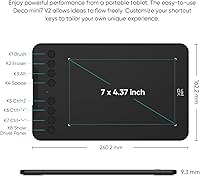
  • Active Area: The drawing surface measures 7 x 4 inches, providing a compact but functional workspace for sketching and gaming.
  • Dimensions: The tablet body measures 10.24 x 6.39 x 0.04 inches, making it one of the slimmer options in its category.
  • Weight: At 1.17 pounds, this drawing tablet is light enough to carry in a backpack or laptop bag without adding noticeable bulk.
  • Pressure Levels: XP-Pen advertises 16,384 levels of pressure sensitivity in the product title, though the specification table lists 8,192 levels — buyers should note this inconsistency.
  • Tilt Support: The included stylus supports up to 60 degrees of tilt recognition, allowing for natural shading and varied line thickness.
  • Stylus Type: The pen is a battery-free passive stylus, meaning it requires no charging and is always ready for immediate use.
  • Replacement Nibs: The package includes 10 replacement nibs, offering a generous supply that extends the usable life of the stylus significantly.
  • Shortcut Keys: Eight physical shortcut keys are built into the tablet body and are fully customizable for both right- and left-handed users.
  • Connectivity: The tablet connects via USB-C and includes a USB-C to USB-A adapter, ensuring compatibility with both modern and older host devices.
  • OS Support: Compatible operating systems include Windows 7 and later, Mac OS X 10.10 and later, Android 10 and later, Chrome OS 88 and later, Linux, and Harmony OS 2 and later.
  • OSU Mode: The tablet supports a driver-free plug-and-play mode specifically for OSU, requiring no software installation to begin playing.
  • Driver Interface: The V2 update introduces a redesigned driver UI with a simplified layout intended to reduce setup time for first-time users.
  • Best Sellers Rank: The tablet holds a rank of number 8 in the Computer Graphics Tablets category on Amazon, reflecting sustained commercial popularity.
  • Release Date: This product was first made available on July 6, 2020, with the V2 revision representing an updated iteration of the original model.
  • Manufacturer: The tablet is produced and distributed by XP-PEN Technology, headquartered in Japan with global retail availability.

Related Reviews
XP-PEN Deco 03 Drawing Tablet
87%
92%
Value for Money
88%
Drawing Performance
85%
Wireless Functionality
91%
Pressure Sensitivity
84%
Customizability
More
XP-Pen Deco MW Wireless Drawing Tablet
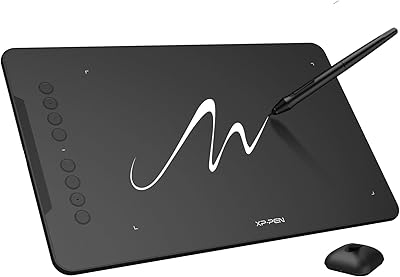
79%
91%
Stylus Performance
83%
Wireless Reliability
94%
Value for Money
61%
Driver & Software Setup
79%
Build Quality
More
XP-Pen Star03 V2 Drawing Tablet
76%
93%
Active Area Size
88%
Pen Pressure Accuracy
84%
Stylus Ergonomics
74%
Express Key Usability
69%
Driver Stability
More
XP-Pen Deco 01 V3 Drawing Tablet
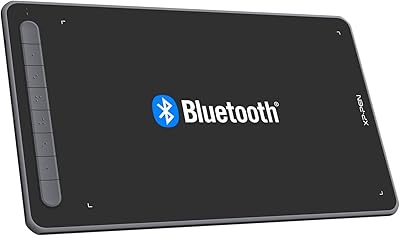
80%
91%
Stylus Pressure Sensitivity
88%
Active Area Size
93%
Value for Money
61%
Driver & Software Setup
79%
Tilt Support Accuracy
More
XP-Pen Deco LW Wireless Drawing Tablet
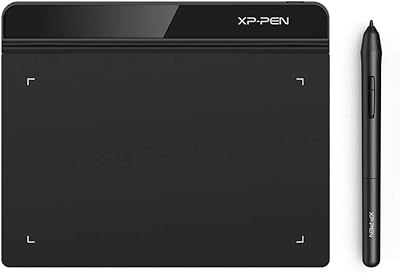
79%
91%
Stylus Precision & Pressure Response
73%
Wireless Connectivity Reliability
82%
Build Quality & Durability
84%
Drawing Surface Texture
88%
Software Compatibility
More
XP-Pen Star G640 6x4 Graphics Tablet
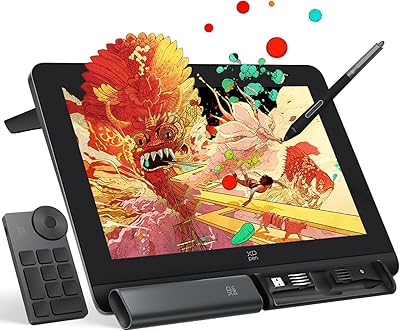
78%
91%
Value for Money
86%
Pen Performance
78%
Pressure Sensitivity
63%
Active Area Size
74%
Build Quality & Durability
More
XP-Pen Artist Pro 14 Gen2 Drawing Tablet
87%
94%
Pressure Sensitivity
91%
Color Accuracy
88%
Build Quality
93%
Display Quality
87%
Ergonomics
More
XP-Pen Artist 13.3 Pro Drawing Display Tablet
81%
88%
Screen Quality
91%
Pen Accuracy & Pressure Sensitivity
86%
Parallax & Cursor Alignment
79%
Tilt Functionality
61%
Driver & Software Setup
More
XP-Pen Artist 24 FHD 23.8-inch Pen Display
78%
91%
Pen Precision
88%
Screen Lamination
79%
Display Color Accuracy
62%
Resolution & Pixel Density
84%
Tilt Recognition
More
XP-Pen Artist Pro 19 Gen2 Drawing Tablet
81%
93%
Display Quality
91%
Color Accuracy
89%
Pen Performance
86%
Anti-Glare & Surface Texture
84%
Dual Stylus System
More

FAQ

For OSU players, yes — the tablet connects and works immediately with no driver needed. For digital art or illustration use, you will want to install the XP-Pen driver to unlock pressure sensitivity and customize the shortcut keys, but the installation process is straightforward and the V2 driver interface is notably simpler than older versions.

It is actually one of the better options at this level for beginners. The setup is quick, the pen feels natural in hand, and you do not need to understand a lot of technical settings to get started. Most first-time users report being up and drawing within minutes of opening the box.

It is compact, and that is worth acknowledging honestly. For casual sketching, note-taking, or OSU, it is perfectly comfortable. If you tend to draw with large, sweeping arm movements or you are used to a bigger tablet, the limited surface may take some getting used to — or may feel restrictive over time.

Yes, provided your Android device is running version 10.0 or later and supports USB OTG. You will need to connect using the included USB-C cable or adapter. It is a handy option for sketching on the go without needing a full laptop setup.

No, the pen is completely battery-free. It uses passive electromagnetic technology, so it is always ready to use and will never die mid-session. This also keeps the pen light and comfortable for extended drawing or gaming.

This is a legitimate inconsistency in the product listing. The headline advertises 16,384 levels, while the spec table states 8,192. For casual drawing, illustration practice, or OSU, either number delivers more than enough sensitivity for the target audience. If this spec is critical to your workflow, it is worth contacting XP-Pen directly for clarification before buying.

Yes, it is compatible with Chrome OS 88 and later. Chromebook support for drawing tablets can sometimes be hit or miss across brands, but XP-Pen explicitly lists Chrome OS compatibility for this pad, which is a practical advantage for students using Chromebooks for schoolwork.

Users who have switched from basic Wacom options — like the Wacom One Small — generally find the performance comparable in day-to-day use. The shortcut key layout on this XP-Pen pad is often preferred, and the included nib count is more generous. Wacom still holds an edge in driver polish and long-term software ecosystem support, but at this price tier the gap is narrower than many expect.

They are genuinely useful, especially once you take a few minutes to configure them. Common setups include undo, brush size adjustments, zoom, and layer shortcuts. Both right- and left-handed users can configure them appropriately, which is a small but thoughtful detail that makes a real difference in daily workflow.

A subset of users have reported driver hiccups on certain Linux distributions and older Mac OS configurations. The recommended first step is to check the XP-Pen website for the latest driver version, as updates are released periodically. XP-Pen customer support is generally responsive and has helped users resolve compatibility issues — reaching out directly with your OS version details tends to get results faster than troubleshooting alone.

Where to Buy