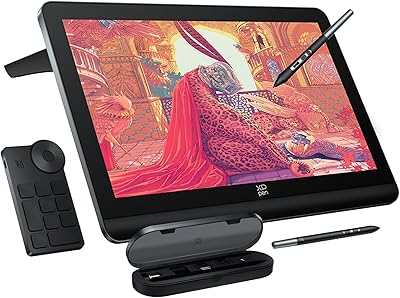
XP-Pen Deco MW Wireless Drawing Tablet
Overview
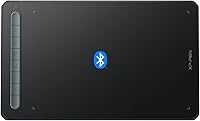
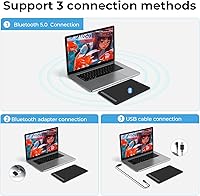
The XP-Pen Deco MW Wireless Drawing Tablet sits comfortably in the mid-range of the graphics tablet market — a solid option for hobbyists and semi-professional artists who want to cut the cord without spending flagship money. Its Bluetooth 5.0 connection is the clearest differentiator at this price tier, freeing your desk from the tangle of USB cables that burdens most budget competitors. The 8×5 inch active area is practical without being excessive — large enough for detailed work, compact enough to leave on a desk permanently. Sitting at #62 in Computer Graphics Tablets on Amazon, it has clearly found its audience. Just be clear-eyed: this is a capable, value-focused device, not a professional workstation tool.
Features & Benefits
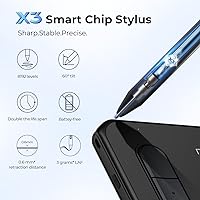
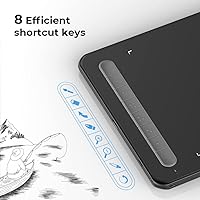
The X3 Elite Stylus is probably the standout feature here. Battery-free by design, it offers 8192 levels of pressure sensitivity and 60-degree tilt support — which, in practice, means you can vary line weight naturally, almost like switching between different brush tips mid-stroke. The Bluetooth 5.0 chip keeps things running for 10 hours or more on a single charge, covering a full creative session with ease. Eight shortcut keys, each with a small tactile bump for quick identification, let you assign your most-used commands without glancing away from the canvas. Add in a 200 RPS report rate, broad OS support including Android, and ten replacement nibs in the box, and the value here is hard to argue with.
Best For
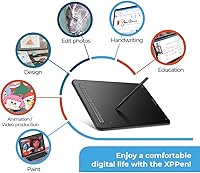
This wireless drawing tablet hits a particular sweet spot for students and hobbyist illustrators who want real drawing precision without committing to a high-end investment. If you work across multiple devices — say, a Windows laptop for school and an Android tablet for casual sketching — the broad compatibility is genuinely useful, not just a bullet point. Photoshop, Krita, and MediBang users will find the pressure response feels natural from the start, and the wireless freedom is a real quality-of-life upgrade for anyone coming from a tethered budget tablet. Remote educators and annotators who need a reliable pointing tool for video calls will also get solid mileage out of this XP-Pen tablet.
User Feedback
Community sentiment around the Deco MW tends to land in a consistent place: people are genuinely impressed by the stylus feel and wireless reliability for the price, and build quality is regularly cited as better than expected. Comparisons to entry-level Wacom tablets come up often, usually in this wireless drawing tablet's favor from a value standpoint. That said, a few friction points are worth knowing. Driver installation can be fiddly on certain Linux or older Mac setups, and first-time users sometimes find shortcut key customization less intuitive than expected. Android app compatibility is hit-or-miss depending on which software you run. Nib wear is rarely a widespread complaint, but the ten included replacements suggest XP-Pen knows it is worth planning for.
Pros
- Battery-free stylus eliminates mid-session interruptions that plague rechargeable pen competitors.
- 8192 pressure levels deliver genuine line variation that rewards deliberate, expressive drawing habits.
- Bluetooth 5.0 keeps the desk clean and the workflow uninterrupted for 10-plus hours per charge.
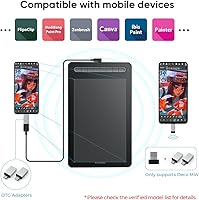
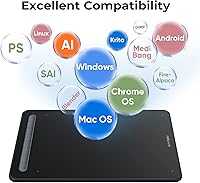
- Compatible with Windows, Mac, Linux, Chrome OS, and Android — unusually flexible at this price point.
- Ten replacement nibs included in the box add real long-term value without extra spending.
- Eight tactile shortcut keys speed up repetitive tasks in Photoshop and Krita once configured.
- Slim, lightweight build makes the Deco MW easy to pack alongside a laptop for mobile creative work.
- Compares favorably to entry-level Wacom tablets on stylus feel while costing noticeably less.
- OTG adapters included for both USB-C and Micro USB Android devices — a practical, thoughtful touch.
- ArtRage Lite software bundled after registration gives new artists a capable starting point at no extra cost.
Cons
- Driver installation on Linux and older Mac systems can require manual troubleshooting and patience.
- Shortcut key customization has a steep learning curve, and configurations sometimes reset after driver updates.
- Bluetooth performance degrades in environments with heavy wireless interference, affecting stroke consistency.
- Android compatibility is app-dependent — pressure sensitivity does not work reliably outside major drawing apps.
- Tablet cannot be used while charging, meaning a fully drained battery forces a complete stop in your session.
- Shortcut key buttons feel soft and lack the tactile confidence expected for fast, reflex-driven workflow use.
- Tilt sensitivity works well in some software but is effectively non-functional in less mainstream applications.
- The active area aspect ratio does not map perfectly to widescreen monitors without manual driver adjustment.
- Long-term battery capacity shows signs of degradation with heavy daily use over extended months.
- No carrying case is included, which is a minor but real gap for artists who regularly travel with the tablet.
Ratings
The scores below for the XP-Pen Deco MW Wireless Drawing Tablet were generated by our AI system after analyzing thousands of verified global user reviews, with spam, bot-submitted, and incentivized feedback actively filtered out. The result is an honest, data-driven snapshot that reflects both what this wireless drawing tablet genuinely does well and where real buyers have run into friction. Nothing is glossed over.
Stylus Performance
Wireless Reliability
Value for Money
Driver & Software Setup
Build Quality
Active Area & Size
Shortcut Key Usability
Android Compatibility
Portability
Pressure Sensitivity Accuracy
Multi-OS Compatibility
Tilt Functionality
Battery Life
Software Bundle
Suitable for:
The XP-Pen Deco MW Wireless Drawing Tablet is a strong fit for hobbyist illustrators and art students who want a capable, cable-free drawing setup without the financial commitment of a professional-grade device. If you spend your creative time in Krita, Photoshop, MediBang, or similar software and you are upgrading from a basic wired tablet, the jump in stylus quality and wireless freedom will feel like a meaningful improvement. Students juggling multiple devices will appreciate that this wireless drawing tablet works across Windows, Mac, Android, Chrome OS, and Linux — a flexibility that is genuinely rare at this price tier. Remote educators and annotators who need a reliable, low-clutter input tool for video sessions or online lessons will also find it well-suited to their workflow. The included OTG adapters and ten replacement nibs mean you can get started and keep going without an immediate trip back to the accessory aisle.
Not suitable for:
Buyers expecting a professional production tool should look elsewhere — the XP-Pen Deco MW Wireless Drawing Tablet is a value-tier device, and treating it as anything more will lead to disappointment. Illustrators who rely heavily on ultra-fast gestural strokes may notice Bluetooth latency in ways that slower, more deliberate artists simply will not, making this a less confident recommendation for animation or high-speed inking workflows. If your primary system runs Linux or an older version of Mac OS, be prepared for a driver setup process that can range from mildly inconvenient to genuinely frustrating, depending on your configuration. Android users who plan to work outside the most popular drawing apps should verify compatibility before purchasing, since pressure sensitivity support is inconsistent across the Android ecosystem. Professionals who need a large active area for full-canvas work, or who require enterprise-level reliability and manufacturer support, will find the feature ceiling here too low for serious commercial use.
Specifications
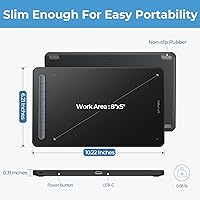
- Active Area: The drawing surface measures 8″ × 5″, offering a practical workspace that suits most illustration and annotation tasks without requiring a large desk footprint.
- Dimensions: The tablet body measures 259.8 × 157.8 × 8.8 mm (approximately 10.35 × 6.3 × 0.23 inches), keeping it slim and portable.
- Weight: The tablet weighs 1.46 pounds, light enough to carry in a laptop bag without adding significant bulk.
- Wireless: Bluetooth 5.0 is the primary wireless connection method, with a USB dongle also included for systems where Bluetooth is unavailable or unreliable.
- Battery: A built-in 1000 mAh lithium polymer battery provides over 10 hours of continuous operation on a full charge.
- Stylus Model: The included X3 Elite Stylus is battery-free, meaning it draws power passively from the tablet surface and requires no charging or battery replacement.
- Pressure Levels: The X3 Elite Stylus supports 8192 levels of pressure sensitivity, allowing fine gradations in line weight across compatible drawing applications.
- Tilt Support: The stylus recognizes pen angle up to 60 degrees from vertical, enabling natural shading and brush texture effects in supported software.
- Report Rate: The tablet reports stylus position at up to 200 reports per second, keeping on-screen strokes responsive during fast drawing movements.
- Resolution: The active area resolves input at 5080 lines per inch, capturing very fine positional detail for precise linework and cursor control.
- Reading Height: The stylus is detected by the tablet surface from up to 10 mm above the active area, allowing hover navigation before the pen makes contact.
- Shortcut Keys: Eight physical shortcut keys are built into the tablet body, each customizable via the driver software and distinguished by tactile bumps for eyes-free identification.
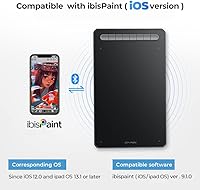
- OS Compatibility: The Deco MW is compatible with Windows 7 and later, Mac OS X 10.10 and later, Android 6.0 and later, Chrome OS 88 and later, and Linux.
- Software Support: The tablet works with major creative applications including Photoshop, Illustrator, SAI, GIMP, Krita, MediBang Paint, FireAlpaca, and Blender, among others.
- Included Accessories: The package includes one USB dongle, one USB-A to USB-C cable, one USB-A to USB-C OTG adapter, one USB-A to Micro USB OTG adapter, and ten replacement pen nibs.
- Color Options: The Deco MW is available in four colors: Black, Blue, Green, and Pink.
- Connectivity Cable: The tablet charges and can connect via a USB-A to USB-C cable, which is included in the box.
- Bundled Software: Buyers who register their tablet on the XP-Pen website receive access to Explain Everything and ArtRage Lite at no additional cost.
Related Reviews
XP-Pen Deco LW Wireless Drawing Tablet
XP-Pen Deco 03 Drawing Tablet
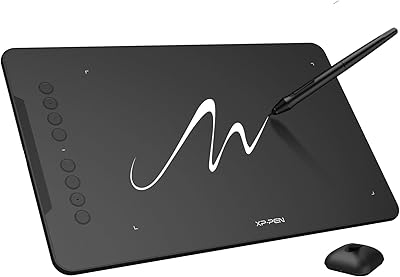
XP-Pen Deco 01 V3 Drawing Tablet
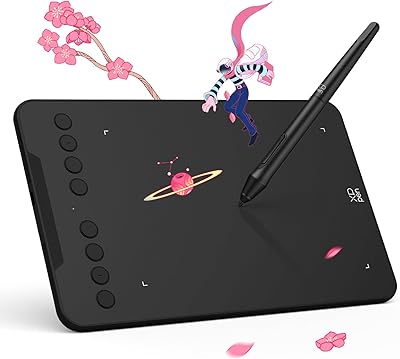
XP-Pen Deco Mini7 V2 Drawing Tablet
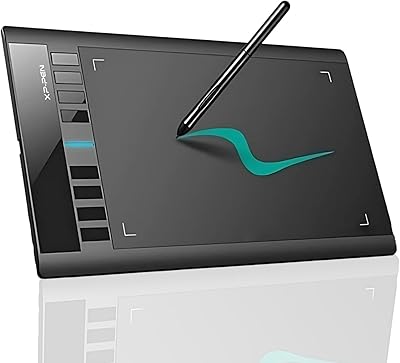
XP-Pen Star03 V2 Drawing Tablet
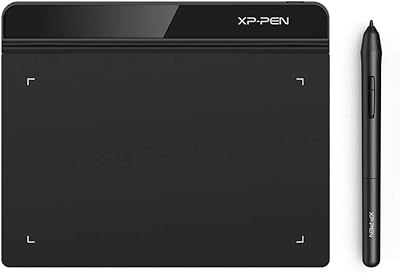
XP-Pen Star G640 6x4 Graphics Tablet
XP-Pen Artist Pro 14 Gen2 Pen Display
XP-Pen Artist 13.3 Pro Drawing Display Tablet
XP-Pen Artist 24 FHD 23.8-inch Pen Display