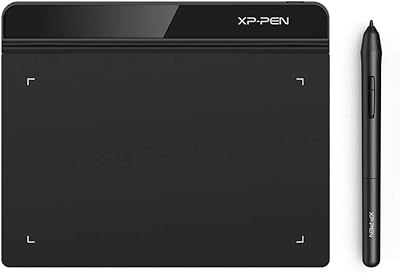
XP-Pen Artist 13.3 Pro Drawing Display Tablet
Overview
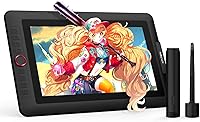
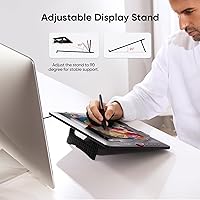
The XP-Pen Artist 13.3 Pro Drawing Display Tablet sits in a comfortable middle ground — capable enough for serious hobbyists and semi-professionals, priced accessibly enough that it doesn't feel like a gamble. What sets it apart from cheaper alternatives is its fully-laminated screen: on non-laminated displays, a visible gap between the glass and panel creates a cursor offset that makes precise work frustrating. Here, the glass bonds directly to the display. XP-Pen has steadily built credibility as a genuine alternative to Wacom at this tier. The package includes an adjustable stand, a pen case that doubles as a holder, eight replacement nibs, and a 3-in-1 cable — though a connected computer is required to use it.
Features & Benefits
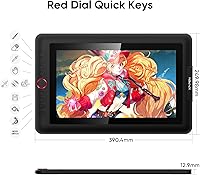
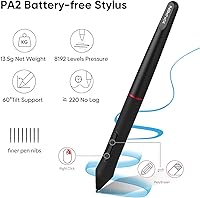
The laminated IPS panel is the first thing that earns trust — your pen tip touches almost exactly where the cursor lands, which matters when cutting precise paths or painting fine details. The stylus offers 8,192 pressure levels and up to 60 degrees of tilt recognition, so transitions from thin lines to broad strokes feel physically intuitive. Colors render at 123% sRGB, covering enough range for illustration and photo retouching without a separate calibrated monitor. The Red Dial wheel lets you zoom, resize brushes, or flip the canvas without touching a keyboard, and the eight remappable shortcut keys keep common actions within thumb's reach. The battery-free pen reports 220 times per second — fast enough that lag is rarely noticeable.
Best For
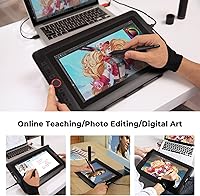
The Artist 13.3 Pro makes the most sense for artists stepping up from a screenless tablet — the jump from drawing blind to seeing strokes directly on screen is significant, and this hits that transition at a reasonable cost. Art and animation students benefit from the accurate color reproduction and broad software compatibility; it works with Photoshop, Illustrator, Blender, and SAI without much friction. Photographers who prefer pen-based retouching over a mouse will find the pressure sensitivity useful for masking and dodging. The 13.3-inch footprint and 4.4-pound weight also make it workable for anyone on a smaller desk setup or those who occasionally need to pack it up and go.
User Feedback
With close to 11,000 ratings averaging 4.5 stars, this drawing monitor has earned broad approval — and the praise consistently clusters around screen clarity, natural pen tracking, and solid build quality relative to what you pay. That said, a recurring complaint involves the driver installation process, which some users find finicky, particularly on first setup with certain Mac or Windows configurations. Color accuracy out of the box doesn't always satisfy users with strict requirements without manual adjustment. The included stand gets mixed feedback — functional for most, but buyers doing extended sessions sometimes find it less rigid than expected. Long-term durability reports lean positive, and XP-Pen's customer support reputation has improved in recent years according to buyer feedback.
Pros
- The fully-laminated screen nearly eliminates the cursor offset that makes precise work frustrating on cheaper, non-laminated displays.
- 8,192 pressure levels make stroke variation from fine lines to broad fills feel physically intuitive rather than digitally approximated.
- At this price tier, the 123% sRGB color coverage is genuinely strong for illustration and screen-delivered creative work.
- The battery-free stylus is lighter and better balanced than older pen designs, reducing hand fatigue during long sessions.
- Eight remappable shortcut keys and a Red Dial wheel meaningfully cut keyboard reliance during active drawing.
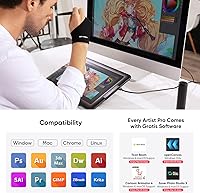
- Compatible out of the box with Windows, Mac, Chrome OS, and Linux — and works with Photoshop, Illustrator, Blender, and SAI without workarounds.
- The included stand, pen case, and eight replacement nibs make the package feel complete rather than stripped-down.
- Nearly 11,000 global ratings averaging 4.5 stars signals consistent satisfaction across a wide and diverse buyer base.
- XP-Pen has meaningfully improved its customer support responsiveness, with an active user community that helps fill documentation gaps.
Cons
- Driver installation is the most frequently cited frustration — conflicts with existing software and OS updates can cause pressure sensitivity to drop unexpectedly.
- Factory color calibration skews warm and requires manual adjustment before the display is reliable for color-critical work.
- The included stand shifts under firm or fast drawing pressure, often needing replacement for professional extended-use sessions.
- The pen nib feedback on the smooth glass surface feels slippery compared to textured alternatives, which takes real adjustment time for some artists.
- Corner cursor alignment is slightly less accurate than the center of the active area, noticeable during precise edge masking or border linework.
- Mac users report noticeably more driver setup friction than Windows users, with fewer official troubleshooting resources available.
- The 3-in-1 HDMI cable is functional but adds to the tangle of wires on a desk — a USB-C-only connection option would be cleaner for modern setups.
- Tilt recognition can behave inconsistently at extreme angles and may need extra configuration in niche or older software applications.
- The side buttons on the stylus barrel sit slightly high, making them harder to trigger naturally for users with smaller hands.
Ratings
The scores below reflect an AI-driven analysis of verified global user reviews for the XP-Pen Artist 13.3 Pro Drawing Display Tablet, with spam, bot-submitted, and incentivized feedback actively filtered out before scoring. Across nearly 11,000 ratings, patterns emerged clearly on both what this pen display does well and where it falls short — and both sides are represented honestly here. No category has been softened to protect brand perception; the numbers reflect what real buyers actually experienced.
Screen Quality
Pen Accuracy & Pressure Sensitivity
Parallax & Cursor Alignment
Tilt Functionality
Driver & Software Setup
Build Quality & Durability
Shortcut Keys & Red Dial
Color Gamut & Accuracy
Portability & Form Factor
Stand Stability
Stylus Comfort & Design
Software Compatibility
Value for Money
Customer Support & Documentation
Suitable for:
The XP-Pen Artist 13.3 Pro Drawing Display Tablet is a strong fit for hobbyist and semi-professional digital artists who want the experience of drawing directly on screen without committing to a professional-tier price. It makes particular sense for illustrators transitioning away from a screenless tablet — the fully-laminated display closes the gap between where your pen touches and where the cursor lands, which fundamentally changes how natural the drawing experience feels. Art, animation, and design students who need reliable color reproduction for coursework will find the display accurate enough for screen-delivered work, and the broad software compatibility means it integrates cleanly into most existing creative setups. Photographers who prefer pen-based retouching over a mouse will appreciate the pressure sensitivity for masking and local adjustments. Anyone working with a compact desk or needing to move between locations will also find the 13.3-inch form factor practical — it fits in a laptop bag and does not demand a dedicated studio setup to be useful.
Not suitable for:
The XP-Pen Artist 13.3 Pro Drawing Display Tablet is not the right choice for buyers expecting a standalone device — it requires a connected computer to function, which is easy to overlook and genuinely limiting if your workflow depends on mobility without a laptop. Professional colorists, prepress designers, or photographers producing work for print should be cautious: the display's factory calibration is not precise enough for strict color accuracy without a hardware colorimeter, and it does not cover the full Adobe RGB range that some print workflows require. If you have minimal patience for technical troubleshooting, the driver installation experience may be a genuine obstacle — conflicts with existing tablet software and pressure sensitivity drops after OS updates are recurring issues in the user base. Artists who draw with heavy, fast physical pressure may also find the included stand shifts under sustained use, which disrupts the experience enough to require a third-party replacement. Finally, buyers hoping to match the pen-to-display feel of a high-end Wacom Cintiq or a premium display tablet should understand this drawing monitor competes well on value but does not replicate every nuance of those more expensive alternatives.
Specifications
- Display Size: The active screen area measures 13.3 inches diagonally, offering a usable canvas that fits comfortably on most desks without dominating the workspace.
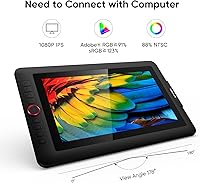
- Resolution: The IPS panel renders at Full HD 1920×1080, delivering sharp linework and readable fine detail for illustration, retouching, and design work.
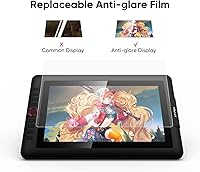
- Screen Type: A fully laminated IPS panel bonds the glass directly to the display layer, eliminating the visible air gap that causes parallax on non-laminated alternatives.
- Color Gamut: The display covers 123% sRGB and 88% NTSC, producing vivid, saturated colors well-suited to screen-delivered illustration and digital art.
- Viewing Angle: A 178-degree viewing angle ensures colors and contrast remain consistent when the display is viewed from wide horizontal or vertical positions.
- Pen Pressure: The included stylus detects 8,192 discrete pressure levels, enabling natural variation between delicate hairlines and broad, heavy strokes in supported applications.
- Tilt Support: The stylus recognizes up to 60 degrees of tilt in any direction, allowing artists to shade and angle strokes without adjusting brush settings in software.
- Report Rate: The pen transmits positional data at 220 reports per second, keeping cursor tracking responsive even during fast, gestural drawing movements.
- Stylus Design: The pen operates without a battery, keeping it lightweight and balanced, and it features a low initial activation force so the lightest marks register reliably.
- Working Area: The active drawing surface spans 293.76 × 165.24 mm, sized to match the 13.3-inch display and allow full-screen interaction without scaling issues.
- Shortcut Controls: Eight customizable shortcut keys and one Red Dial wheel are built into the display bezel, providing quick access to zoom, brush size, undo, and canvas flip functions.
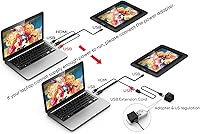
- Connectivity: The display connects to a host computer via a single 3-in-1 HDMI cable that carries video, data, and power simultaneously, included in the box.
- Compatible OS: Supported operating systems include Windows 7 and later, Mac OS X 10.10 and later, Chrome OS 88 and later, and most mainstream Linux distributions.
- Dimensions: The unit measures approximately 15.37 × 9.84 inches in footprint with a profile of 0.1 inches, keeping it slim and easy to store or carry.
- Weight: The display weighs 4.4 pounds, making it portable enough for transport between home and a studio or classroom without being uncomfortably heavy in a bag.
- In-Box Accessories: Each unit ships with an adjustable stand, a pen case that doubles as a holder, eight replacement nibs, and the 3-in-1 connection cable.
- Software Compatibility: The pen display works out of the box with Photoshop, Illustrator, Clip Studio Paint, SAI, Blender 3D, and other major creative applications across supported platforms.
- Bonus Software: Registering the device with XP-Pen unlocks access to additional creative programs including ArtRage 5 and openCanvas at no extra cost.
Related Reviews
XP-Pen Artist Pro 14 Gen2 Pen Display
XP-Pen Artist Pro 19 Gen2 Drawing Tablet
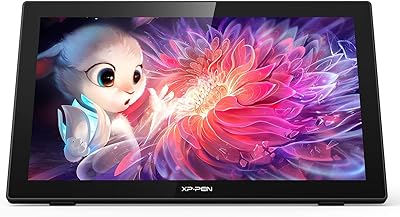
XP-Pen Artist 22 2nd Gen Pen Display
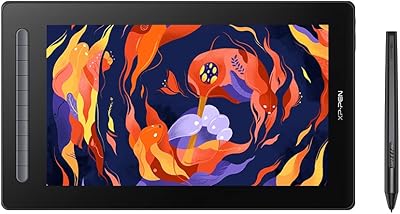
XP-Pen Artist 16 2nd Gen Pen Display
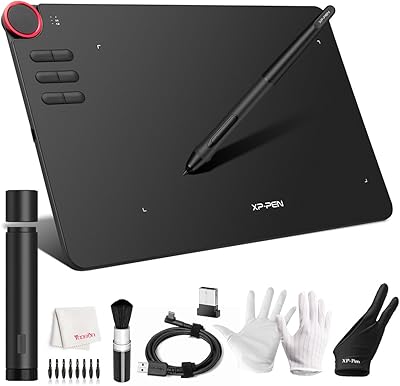
XP-Pen Deco 03 Drawing Tablet
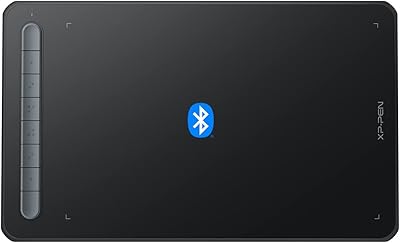
XP-Pen Deco MW Wireless Drawing Tablet
XP-Pen Star03 V2 Drawing Tablet
XP-Pen Deco Mini7 V2 Drawing Tablet
HUION Kamvas 13 Gen 3 Pen Display