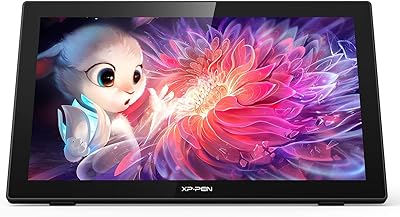
XP-Pen Artist 24 FHD 23.8-inch Pen Display
Overview
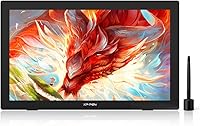
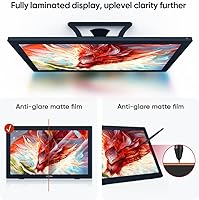
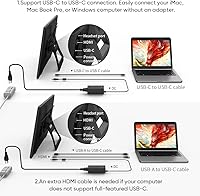
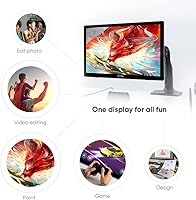
The XP-Pen Artist 24 FHD 23.8-inch Pen Display sits in a genuinely interesting spot in the market — big enough to feel professional, priced well below the Wacom flagship tier. The full-laminated matte screen is what immediately separates it from cheaper alternatives; on non-laminated displays, the gap between your pen tip and the cursor is noticeable enough to disrupt your workflow. Here, that disconnect is gone. Setup is straightforward: one USB-C cable handles both data and power on compatible machines. The adjustable stand, ranging from nearly flat to almost upright, gives you real flexibility. Against Huion's Kamvas 24 and Wacom's Cintiq 22, it competes on features while often undercutting on price.
Features & Benefits
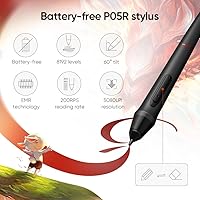
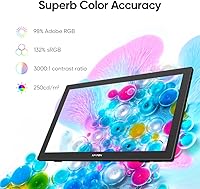
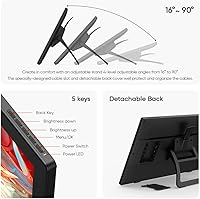
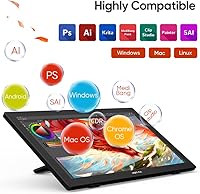
The battery-free P05R stylus is the core of the drawing experience, and it delivers. With 8192 pressure levels and 60-degree tilt recognition, it handles everything from hairline sketching strokes to broad, weighted brushwork without skipping. The full-laminated IPS panel reduces parallax to the point where drawing feels direct and physical. Colors land with solid accuracy out of the box — the 132% sRGB coverage and 3000:1 contrast ratio make illustrations pop — though anyone doing print-destined work should run a calibration pass first. The stand adjusts anywhere between 16 and 90 degrees, covering desk drawing and near-vertical reference modes. A single USB-C cable connects to Windows, macOS, Chrome OS, and Linux, playing nicely with Photoshop, Krita, and Blender.
Best For
This drawing monitor makes the most sense for intermediate illustrators and concept artists who want a genuinely large working area without paying Wacom Cintiq prices. Animation students and freelancers will appreciate the tilt support and low latency, which are critical for frame-by-frame work. If you are coming from a screenless tablet, the jump to drawing directly on the surface is surprisingly intuitive. The VESA mount compatibility is a quiet but practical bonus for home studio setups where desk arrangements vary. One thing to keep in mind: there are no built-in express keys, so plan to keep a keyboard or a shortcut device like a TourBox within reach during longer sessions.
User Feedback
Owners of the Artist 24 FHD consistently point to the screen size and pen feel as the biggest wins — the nearly 24-inch canvas genuinely changes how freely you can work. Color accuracy gets praise too, though it is worth noting the 1080p resolution spread across that panel means pixel density is lower than on smaller 4K displays; some users notice this, others do not. On the frustration side, driver software has caused occasional hiccups on certain macOS versions, and the stand can feel slightly wobbly at steeper angles. Users comparing it to the Cintiq 22 and Kamvas 24 generally land on this pen display as the better value pick, with driver setup being the main trade-off to accept.
Pros
- The full-laminated screen virtually eliminates parallax, making drawing feel direct and physically connected to the pen tip.
- A nearly 24-inch working area gives illustrators and animators real room to work without constant zooming.
- The battery-free P05R stylus handles both fine detail work and broad strokes with consistent pressure response.
- 60-degree tilt recognition adds expressive range that matters for brush-heavy or calligraphic workflows.
- Solid out-of-the-box color accuracy makes this drawing monitor usable for illustration without immediate calibration.
- The anti-glare matte coating reduces eye strain during long sessions and mimics a paper-like drawing texture.
- Stand adjustability from 16 to 90 degrees accommodates a wide range of desk heights and personal drawing preferences.
- Single USB-C cable setup keeps the desk clean and works across Windows, macOS, Chrome OS, and Linux.
- VESA mount compatibility gives home studio users flexible mounting options beyond the included stand.
- Compared to Wacom Cintiq alternatives at a similar screen size, this pen display offers strong feature parity at a lower cost.
Cons
- 1080p resolution on a 23.8-inch screen produces noticeably lower pixel density than same-size 4K alternatives.
- No built-in express keys means you need a keyboard or external shortcut device to maintain an efficient hotkey workflow.
- The stand can feel slightly unstable at steeper angles, which is frustrating during precise linework sessions.
- Driver software has caused compatibility issues for some macOS users, requiring extra troubleshooting at setup.
- At 19 pounds, the Artist 24 FHD is not easy to reposition frequently and is best treated as a fixed desk setup.
- Cable management at wide stand angles is awkward, with the USB-C cable sometimes pulling or sitting at odd angles.
- Color accuracy, while solid for illustration, is not reliable enough for professional print work without proper calibration.
- No built-in USB hub or extra ports means you lose a port on your computer with no pass-through to compensate.
Ratings
Our AI rating system analyzed verified global user reviews for the XP-Pen Artist 24 FHD 23.8-inch Pen Display, actively filtering out incentivized, duplicate, and bot-generated submissions to surface what real artists and animators actually experience. The scores below reflect both the genuine strengths and the honest frustrations that emerge across thousands of hands-on accounts. Nothing is glossed over — where this drawing monitor earns its praise and where it falls short are both represented transparently.
Pen Precision
Screen Lamination
Display Color Accuracy
Resolution & Pixel Density
Tilt Recognition
Stand & Ergonomics
Driver Software
Build Quality
Setup & Connectivity
Software Compatibility
Value for Money
Pen Comfort & Fatigue
Anti-Glare Coating
Unboxing & Accessories
Suitable for:
The XP-Pen Artist 24 FHD 23.8-inch Pen Display is a strong fit for intermediate digital artists, illustrators, and animation students who want a large, direct drawing surface without committing to professional-tier pricing. If you are currently working on a screenless graphics tablet and find yourself constantly glancing between your hand and your monitor, switching to this kind of pen display tends to dramatically reduce that mental overhead. The nearly 24-inch canvas gives concept artists and character designers genuine room to work at full scale without constant zooming, which is a real workflow improvement for detailed or multi-layer compositions. Freelancers who work across machines and operating systems will appreciate the broad compatibility — one USB-C cable covers Windows, macOS, Chrome OS, and Linux without driver acrobatics. Home studio users with varied desk setups will also find the wide stand angle range and VESA mount support genuinely useful for ergonomic flexibility.
Not suitable for:
The XP-Pen Artist 24 FHD 23.8-inch Pen Display is not the right choice for everyone, and it is worth being direct about where it falls short. The 1920x1080 resolution spread across a nearly 24-inch panel results in a pixel density that some artists — particularly those doing fine linework or detailed texture painting — will find noticeably soft compared to a 4K display at the same size. Professional print designers who need to trust their color output should also be aware that out-of-the-box calibration may not meet the accuracy standards required for press work. The absence of built-in express keys is a genuine workflow gap; if you rely heavily on hotkeys and do not want to keep a keyboard or a dedicated shortcut device on your desk, that omission adds friction. Users on certain macOS versions have also reported driver inconsistencies, so if you work on a Mac and stability is non-negotiable, it is worth researching current driver support before purchasing.
Specifications
- Screen Size: The active drawing area spans 23.8 inches diagonally, providing a large working surface suitable for detailed illustration and multi-layer compositions.
- Resolution: The display outputs at 1920 x 1080 (Full HD), which is standard for this screen size tier but results in a lower pixel density than 4K alternatives at the same dimensions.
- Panel Type: An IPS panel with full lamination technology is used, minimizing the gap between the glass surface and the display layer to reduce parallax during drawing.
- Color Gamut: The screen covers 132% of the sRGB color space, offering wide color reproduction suitable for digital illustration and general design work.
- Contrast Ratio: A 3000:1 contrast ratio delivers strong distinction between light and dark tones, supporting detailed shading and value-based rendering work.
- Surface Coating: An anti-glare matte coating is applied to the screen surface, reducing reflections under ambient lighting and providing a texture that approximates drawing on paper.
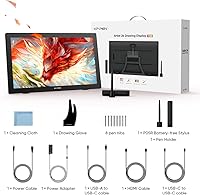
- Stylus Model: The included stylus is the battery-free P05R, which requires no charging and maintains consistent weight and balance throughout extended drawing sessions.
- Pressure Levels: The P05R stylus supports 8192 levels of pressure sensitivity, enabling fine gradations between light and heavy stroke weights across compatible software.
- Tilt Recognition: The stylus supports up to 60-degree tilt recognition, allowing artists to vary stroke width and shading angle in applications that support tilt-based brush dynamics.
- Stand Angles: The bundled adjustable stand supports positioning from 16 degrees to 90 degrees, accommodating flat desk drawing through near-vertical reference or display modes.
- VESA Compatibility: The unit includes a VESA mount hole pitch, allowing it to be attached to third-party monitor arms, wall mounts, or desk clamp systems as an alternative to the included stand.
- Connectivity: The display connects to a host computer via a single USB-C to USB-C cable, handling both data transmission and power delivery on compatible ports.
- OS Compatibility: The drawing monitor is compatible with Windows 7 and later, macOS X 10.10 and later, Chrome OS 88 and later, and select Linux distributions as specified by XP-Pen.
- Dimensions: The unit measures 26.01 x 18.41 x 5.9 inches, making it a full desktop footprint device rather than a portable or travel-friendly option.
- Weight: The display weighs 19 pounds, which means it is best treated as a fixed workstation peripheral rather than a frequently repositioned device.
- Express Keys: No built-in express keys or shortcut buttons are included on the device body; users are expected to rely on a keyboard or external shortcut controller for hotkey access.
- Software Support: The pen display is compatible with major creative applications including Adobe Photoshop, Illustrator, Clip Studio Paint, Krita, GIMP, MediBang, FireAlpaca, and Blender 3D.
- Manufacturer: The device is designed and sold by XP-Pen, a brand specializing in pen displays and graphics tablets positioned as alternatives to Wacom in the mid-range market.
Related Reviews
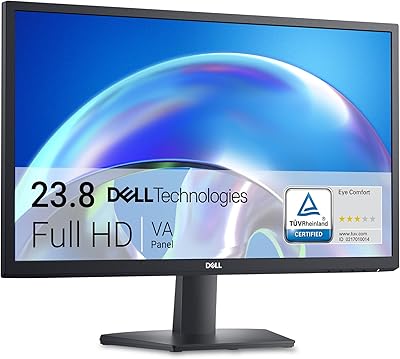
Dell SE2425H 24-Inch Full HD Monitor
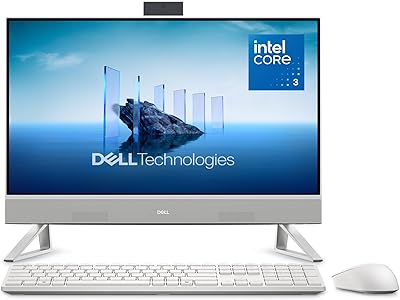
Dell ec24250 23.8-inch All-in-One Desktop
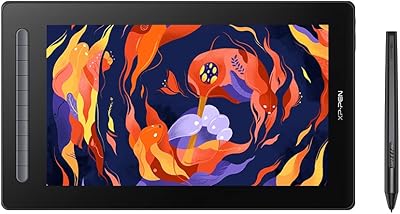
XP-Pen Artist 16 2nd Gen Pen Display
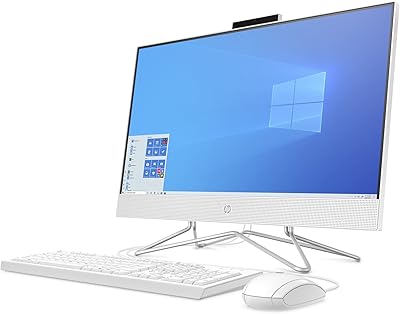
HP 24-dp1250 23.8-inch All-in-One Desktop
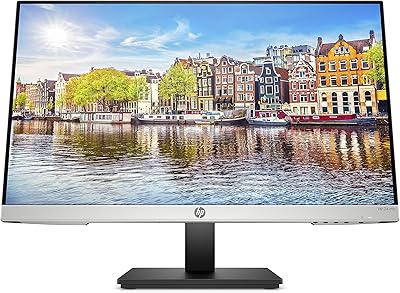
HP 24mh 23.8-inch IPS Monitor
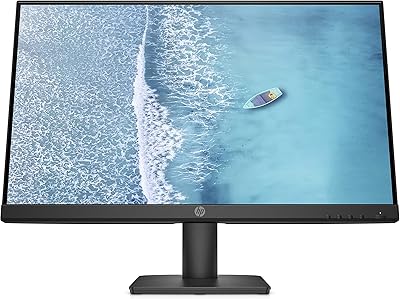
HP Series 5 524sw 23.8-inch FHD Monitor
ASUS ProArt PA247CV 23.8-inch Monitor
Dell Inspiron 24 5430 All-in-One (Core 5-120U, 8GB, 512GB)