Overview

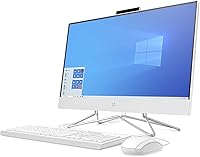
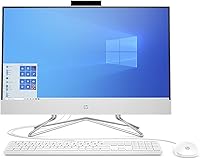
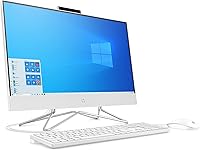
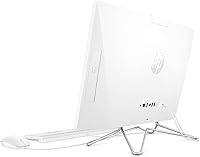
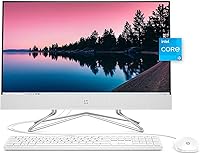
The HP 24-dp1250 23.8-inch All-in-One Desktop is the kind of computer that quietly does its job without demanding attention — and that's exactly the point. Designed around a clean Snow White finish, it fits comfortably on a desk, kitchen counter, or home office shelf without looking out of place. HP ships it with a keyboard and mouse included, which matters more than it sounds if you're setting up a computer for the first time. It launched on Windows 10 Home, though the free Windows 11 upgrade is available. Just be clear on what this desktop is: a capable, everyday family machine, not a creative workstation or a gaming rig.

Features & Benefits

The 11th Gen Core i3-1115G4 processor is a genuine step up from older AIO chips — snappy enough for video calls, Office apps, and a dozen browser tabs without breaking a sweat. The 23.8-inch display delivers crisp Full HD visuals with wide 178-degree viewing angles, so it reads well whether you're sitting directly in front or off to the side. Boot times are impressively quick thanks to the 512GB PCIe NVMe SSD, a real-world difference you'll notice every single day. The 8GB of dual-channel DDR4 RAM keeps multitasking smooth, and the connectivity lineup — Wi-Fi 5, Bluetooth 5.0, four USB-A ports, and HDMI out — handles typical home setups without issue.

Best For

This HP all-in-one hits its stride as a shared household computer — the kind families pass around for homework, recipe browsing, video streaming, and remote work check-ins. Students working from home will appreciate the screen size and reliable processor for classes and productivity apps. It is also a natural fit for first-time desktop buyers who do not want to source a monitor, keyboard, and mouse separately. Seniors and less tech-savvy users benefit from the straightforward setup and minimal cable clutter. If you occasionally stream HD content or catch up on shows, the display handles it well. Heavy gaming or video editing? Look elsewhere.

User Feedback

Buyers consistently praise the fast startup speed and the display quality at this price point — many note it looks sharper than expected for an entry-level AIO. Setup earns high marks too; most people report being up and running in under half an hour. On the critical side, the integrated graphics cap what you can do in casual gaming, and some buyers found RAM expansion more involved than anticipated depending on unit configuration. A handful of reviewers flagged that the built-in speakers are serviceable but thin-sounding, and the webcam is adequate for calls without being impressive. Long-term ownership reports paint a generally reliable picture, with HP support receiving mostly positive marks.

Pros

  • The PCIe NVMe SSD makes boot times and app launches noticeably faster than older hard-drive-based desktops.
  • An 11th Gen Intel Core i3 processor handles web browsing, Office apps, and video calls without complaint.
  • The 23.8-inch Full HD display looks sharp and bright for its class, with wide viewing angles that work well for shared use.
  • Keyboard and mouse are included, so first-time buyers are ready to go straight out of the box.
  • Dual-channel 8GB DDR4 RAM keeps everyday multitasking fluid and responsive.
  • Wi-Fi 5 and Bluetooth 5.0 cover wireless needs reliably without needing any additional adapters.
  • The Snow White design is genuinely attractive and fits naturally into living spaces beyond a traditional office.
  • Setup is quick and simple — most buyers report being fully up and running in under half an hour.
  • Four USB-A ports and an HDMI output give you enough connectivity for typical home peripherals.
  • HP backs the machine with a one-year limited hardware warranty and generally responsive customer support.

Cons

  • Integrated Intel UHD Graphics rule out any meaningful PC gaming or GPU-accelerated creative work.
  • The built-in speakers are thin and underwhelming — external speakers or headphones are worth budgeting for.
  • The webcam resolution is adequate for casual calls but disappoints remote workers who care about video quality.
  • RAM expansion is not as simple as on a traditional tower, and accessing components requires more effort on some units.
  • Wi-Fi 5 is solid but buyers who want Wi-Fi 6 speeds will not find it here.
  • Windows 10 Home ships as the default OS, meaning users need to manually initiate the Windows 11 upgrade themselves.
  • The 512GB SSD fills up faster than expected for households sharing the machine across multiple user accounts.
  • At nearly 13 pounds, this desktop is not easy to reposition once placed — plan your setup location carefully.
  • The included keyboard and mouse are functional but basic; dedicated typists or heavy users will likely want replacements.
  • Long-term upgradeability is limited compared to a mid-tower desktop, making future-proofing a real concern.

Ratings

The scores below reflect our AI-driven analysis of thousands of verified global reviews for the HP 24-dp1250 23.8-inch All-in-One Desktop, with spam, bot-generated, and incentivized feedback actively filtered out before scoring. Each category is weighted against real usage patterns reported by everyday buyers — remote workers, students, families, and first-time desktop owners — not curated press samples. Both the genuine strengths and the frustrating trade-offs are represented here without sugarcoating.

Everyday Performance
83%
For the tasks this desktop is built around — web browsing, video conferencing, document editing, and light multitasking — the 11th Gen i3 processor handles things with noticeable responsiveness. Buyers who upgraded from older machines consistently report that daily workflows feel faster and less frustrating.
Push it beyond its comfort zone — more than a dozen browser tabs, large spreadsheets, and a video call running simultaneously — and you will start to feel the ceiling. The i3 is not a multitasking powerhouse, and buyers with demanding workloads have noted occasional slowdowns under pressure.
Storage Speed
89%
The PCIe NVMe SSD is one of the most tangible upgrades this desktop has over older all-in-ones that shipped with mechanical hard drives. Boot times are short, apps open quickly, and file transfers feel immediate — reviewers who came from HDD-based machines consistently call it a night-and-day difference.
While the SSD itself is fast, 512GB fills up faster than many buyers anticipate once Windows updates, apps, and personal files accumulate — particularly on a shared family machine. There is no easy way to swap in a larger drive without some technical confidence and disassembly.
Display Quality
81%
19%
The 23.8-inch Full HD IPS panel earns consistent praise for sharpness and color accuracy at this price tier. The 178-degree viewing angles are genuinely useful when multiple people are gathered around the screen, and text looks clean and easy to read for extended sessions.
Brightness levels are average, and the panel struggles with glare in sun-facing rooms or bright home offices. Some buyers also noted that the display does not get quite as vivid or punchy as competing AIO screens at similar price points, particularly for media-heavy use.
Value for Money
76%
24%
When you factor in that the keyboard, mouse, and a decent-sized display are all bundled together, the overall package holds up reasonably well against building a comparable setup from parts. First-time desktop buyers especially feel they are getting a fair deal for what they receive.
More experienced buyers point out that the competition has tightened at this price range, and some rival AIOs now offer faster processors or more RAM for a similar outlay. The value feels strongest if you genuinely need everything included; less so if you already own peripherals.
Setup Experience
91%
Out-of-box setup is genuinely painless — connect the power cable, attach the keyboard and mouse, and follow the Windows wizard. Buyers who describe themselves as non-technical report completing the entire setup in under 30 minutes with zero confusion, which is exactly what this machine promises.
A small number of reviewers noted that the initial Windows 10 setup prompts felt pushy about Microsoft account creation, which can trip up less tech-savvy users. A few units also shipped with bloatware pre-installed that required some cleanup before the machine felt fully ready.
Build Quality
74%
26%
The chassis feels solid enough for an AIO at this tier, and the Snow White finish has held up well for most long-term reviewers — no yellowing or scuffing reported under normal home use. The stand feels stable and does not wobble during keyboard or touchscreen interaction.
The plastic construction does not convey premium durability, and a handful of buyers noted that the back panel feels thin when handling it during setup or repositioning. It is built to sit still and work, not to be moved regularly.
Graphics & Media
58%
42%
Streaming HD and 4K content from services like Netflix or YouTube runs smoothly, and the display handles video playback well enough for casual home viewing. For its intended audience, the integrated Intel UHD Graphics do their job without issue.
Integrated graphics are a hard ceiling for anything beyond light media use. Buyers who attempted to run even moderately demanding games were consistently disappointed, and any creative work involving video rendering or graphic design will expose the GPU's limitations quickly.
Audio Quality
54%
46%
The built-in speakers are adequate for background music, video calls, and casual YouTube watching in a quiet room. Volume levels are sufficient for a desk environment, and the sound does not distort at moderate listening levels.
Bass is essentially absent, and the overall sound profile is flat and thin — a recurring complaint from buyers who expected richer audio from a desktop this size. Anyone planning regular movie nights or music listening will want to budget for external speakers.
Webcam Quality
61%
39%
The integrated webcam produces a usable image for standard video calls in reasonably lit rooms, and for casual family check-ins or internal work meetings it does the job without requiring any extra setup.
In low-light conditions or for professional-facing calls, the webcam image looks noticeably soft and grainy. Remote workers who appear on video regularly reported feeling self-conscious about the quality and eventually purchased an external USB webcam as a fix.
Connectivity & Ports
78%
22%
Four USB-A ports, HDMI out, Wi-Fi 5, and Bluetooth 5.0 cover the needs of most home users without requiring hubs or adapters. Bluetooth pairing with wireless headphones and peripherals worked reliably across reviewer reports.
The absence of a USB-C port is a growing frustration as more accessories shift to that standard — buyers with newer smartphones or USB-C accessories noticed the gap immediately. Wi-Fi 5 is adequate but falls short for households that have already upgraded to Wi-Fi 6 routers.
RAM & Multitasking
72%
28%
The dual-channel 8GB DDR4 configuration keeps the system running smoothly through typical home workloads — a video call alongside a few browser tabs and an open document editor rarely caused any issues in everyday reviewer testing.
As a shared household machine, 8GB starts feeling tight when multiple user profiles are active or when the family installs a growing library of apps. Expanding the RAM later is possible but more technically involved than on a traditional desktop tower.
Upgradeability
47%
53%
HP designed the chassis to allow panel removal and component access, which is more than many all-in-ones offer. Users who are comfortable with basic hardware work can technically reach the internals without destroying the unit.
In practice, most buyers will never upgrade anything inside this machine — the process requires full disassembly, and the tightly integrated AIO design leaves little room for meaningful component swaps. Long-term, it is closer to a fixed-spec appliance than a flexible desktop.
Reliability & Longevity
77%
23%
Long-term ownership feedback is broadly positive for buyers using it within its intended scope. Units held up well over the first two to three years of everyday use, with no widespread reports of hardware failures or thermal issues under normal workloads.
A subset of reviewers flagged that performance can feel dated after a few years as software demands grow, and the limited upgradeability means there is little recourse aside from replacement. The one-year warranty period also feels short for a desktop expected to serve a household long-term.
HP Support Experience
69%
31%
Most buyers who contacted HP support described the experience as competent and reasonably timely for straightforward warranty issues. Phone and chat options are available, and replacement parts or service referrals were handled professionally in the majority of reported cases.
Experiences vary more than HP's reputation might suggest — some buyers described long wait times and repetitive troubleshooting scripts before reaching a useful resolution. Support quality appears inconsistent depending on region and the specific nature of the issue.

Suitable for:

The HP 24-dp1250 23.8-inch All-in-One Desktop is built for people who want a capable, clutter-free computer without the hassle of piecing together a system from separate components. It is an especially strong fit for remote workers and students who spend most of their day in a browser, a video call, or a document editor — tasks where the 11th Gen i3 and NVMe SSD make a genuine difference in daily comfort. Families who need a shared machine in a common area will appreciate the wide-angle display and the clean Snow White design that does not look out of place next to a bookshelf or on a kitchen counter. Seniors and first-time desktop buyers are well served here too, since the setup is straightforward and everything needed to get started — keyboard, mouse, and display — is already in the box. If your computing life revolves around streaming, light productivity, and staying connected, this HP all-in-one delivers exactly what it promises.

Not suitable for:

The HP 24-dp1250 23.8-inch All-in-One Desktop is not the right machine for buyers who push hardware beyond everyday tasks. Anyone interested in PC gaming beyond casual browser-based titles will run into a hard wall quickly — the integrated Intel UHD Graphics are simply not designed for modern games, and no discrete GPU option exists in this form factor. Video editors, photographers working in high-resolution formats, or anyone running compute-intensive software will likely find the i3 processor and 8GB of RAM a bottleneck before long. Power users who like to upgrade their own hardware should also think carefully, as RAM expansion can be more involved than expected on some unit configurations. If you need a machine that can grow aggressively with your workload over many years, the 24-dp1250 is probably not the foundation to build on.

Specifications

  • Display Size: The desktop features a 23.8-inch Full HD IPS micro-edge panel with a native resolution of 1920x1080 pixels.
  • Viewing Angle: The display supports 178-degree wide viewing angles, making it comfortable to use from nearly any position in a room.
  • Processor: An 11th Gen Intel Core i3-1115G4 powers the system, reaching up to 4.1 GHz across two cores for responsive everyday performance.
  • RAM: The system includes 8GB of DDR4 SDRAM running at 3200 MHz in a dual-channel configuration (2x4GB).
  • Storage: A 512GB PCIe NVMe M.2 SSD handles all primary storage, delivering significantly faster read and write speeds than traditional hard drives.
  • Graphics: Intel UHD Graphics are integrated into the processor, suitable for everyday tasks, media streaming, and light visual work only.
  • Operating System: The desktop ships with Windows 10 Home and is eligible for the free upgrade to Windows 11.
  • Wireless: Built-in Wi-Fi 5 (802.11a/b/g/n/ac, 2x2) and Bluetooth 5.0 handle all wireless connectivity without any additional adapters.
  • USB Ports: Four USB Type-A ports are included: two SuperSpeed USB-A at 5Gbps signaling rate and two standard USB 2.0 Type-A.
  • Video Output: An HDMI output port allows the desktop to connect to an external display or projector when needed.
  • Dimensions: The unit measures 21.29 x 16.12 x 8.05 inches, making it compact enough for most standard desks and shared living spaces.
  • Weight: The all-in-one weighs 12.9 pounds, which means it is not difficult to place but is not intended to be repositioned frequently.
  • Color: The machine is available in Snow White, a neutral finish that fits comfortably in modern home and office environments.
  • Included Accessories: A wired keyboard and wired mouse are included in the box, so buyers do not need to purchase peripherals separately.
  • Warranty: HP covers the desktop with a one-year limited hardware warranty from the date of purchase.
  • Memory Speed: The DDR4 SDRAM operates at 3200 MHz, providing adequate bandwidth for the dual-channel configuration and everyday workloads.
  • Drive Interface: The SSD connects via a PCIe x2 interface, which underpins the fast sequential read and write speeds users experience day-to-day.
  • Optical Drive: The system includes a DVD+RW optical drive, allowing users to read and write standard DVD and CD media.

Related Reviews
Dell ec24250 23.8-inch All-in-One Desktop
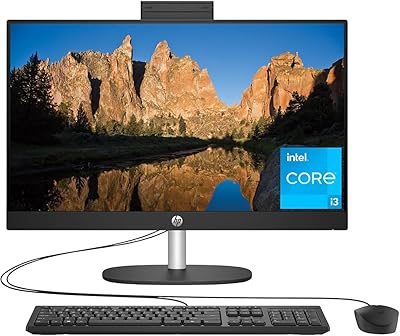
78%
88%
Display Quality
84%
Webcam Performance
73%
Everyday Performance
61%
Thermal Management & Fan Noise
79%
Audio Quality
More
HP 23.8″ All-in-One Desktop 24-cr0030
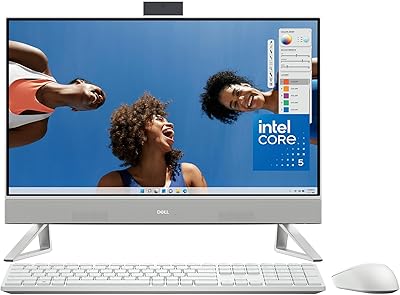
85%
94%
Setup Simplicity
91%
Aesthetic Design
86%
Display Quality
82%
System Responsiveness
93%
Privacy & Security
More
Dell Inspiron 24 5430 All-in-One (Core 5-120U, 8GB, 512GB)
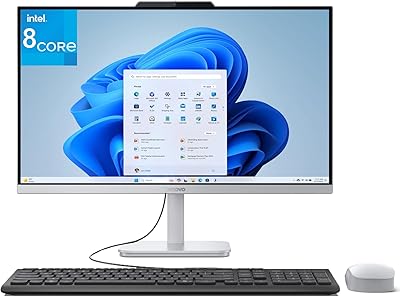
87%
93%
Aesthetic & Design
89%
Webcam Quality
94%
Setup Simplicity
87%
Display Comfort
78%
Productivity Performance
More
Lenovo A100 23.8″ AIO (Intel i3-N305, 32GB, 1TB)
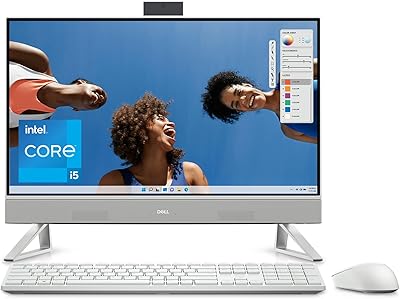
82%
89%
Multitasking Performance
81%
Display Clarity & Accuracy
84%
Build Stability & Design
92%
Storage Speed
87%
Wireless Connectivity
More
Dell Inspiron 24 5420 All-in-One (i5-1335U, 16GB, 1TB SSD)
83%
93%
Aesthetic Design
88%
Multitasking Performance
84%
Display Quality
91%
Storage Speed
87%
Webcam & Privacy
More
HP V241ib 23.8″ FHD Monitor
77%
81%
Image Quality
78%
Color Accuracy
84%
Eye Comfort
52%
Ergonomics
74%
Build Quality
More
HP 24mh 23.8-inch IPS Monitor
79%
83%
Image Clarity
81%
Color Accuracy
88%
Ergonomics & Stand
71%
Refresh Rate & Motion
63%
Brightness & Glare Handling
More
HP Series 5 524sw 23.8-inch FHD Monitor
76%
88%
Image Clarity
91%
Eye Comfort
79%
Color Accuracy
67%
Brightness & Visibility
83%
Refresh Rate & Motion
More
Dell SE2425H 24-Inch Full HD Monitor
77%
91%
Value for Money
93%
Eye Comfort
84%
Image Quality
47%
Ergonomics
83%
Build Quality
More
HP 27-cr0060 27-Inch All-in-One Desktop
70%
78%
Everyday Performance
69%
Display Quality
83%
Build Quality & Design
81%
Video Conferencing
86%
Storage Speed
More

FAQ

Everything is included out of the box. The display is built into the unit, and HP bundles a wired keyboard and mouse as well, so you only need to plug it in and power it on.

Technically, the chassis is designed to allow component access, but RAM expansion on this model is more involved than on a standard tower PC. Depending on your comfort level with disassembly, you may prefer to have a technician handle it. If you anticipate needing significantly more RAM within a year or two, it is worth factoring that into your buying decision.

The HP 24-dp1250 23.8-inch All-in-One Desktop is eligible for the free upgrade to Windows 11. It ships with Windows 10 Home, but you can upgrade through Windows Update at no additional cost whenever you are ready.

It is perfectly usable for standard video calls on Zoom, Teams, or Google Meet, but it is not exceptional. If your work involves regular client-facing calls where video quality matters, an external USB webcam would be a worthwhile addition.

Casual browser-based or older low-demand titles should run fine, but modern PC games are largely out of reach. The integrated Intel UHD Graphics do not have dedicated video memory, which means anything graphically intensive will struggle. This is not a gaming machine.

Most buyers report being fully set up and ready to use in under 30 minutes. You connect the power cable, plug in the included keyboard and mouse, and walk through the standard Windows setup wizard. It is genuinely straightforward.

The speakers are adequate for casual listening — background music, video calls, YouTube — but they lack depth and volume for anything more demanding. If you plan to watch movies regularly or want richer audio, a simple pair of external desktop speakers will make a noticeable difference.

The IPS panel performs reasonably well in typical indoor lighting, but like most AIO displays, it can struggle with glare in very bright or sun-facing environments. Positioning it away from direct sunlight will give you the best experience.

Yes, Bluetooth 5.0 is built in. You can connect wireless headphones, a Bluetooth mouse or keyboard, or any other compatible accessories without needing a separate USB dongle.

Long-term owner feedback is generally positive for everyday reliability under normal use conditions. HP includes a one-year limited hardware warranty, and their customer support has received mostly favorable reviews for responsiveness. For added peace of mind, HP and third-party extended warranty plans are available at the time of purchase.