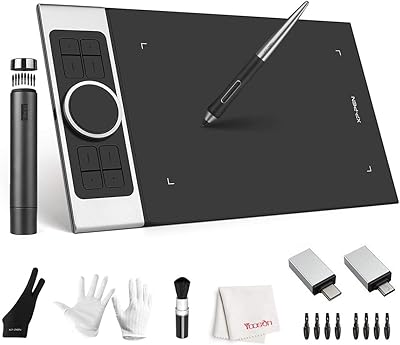
XP-Pen Artist 16 2nd Gen Pen Display

Overview
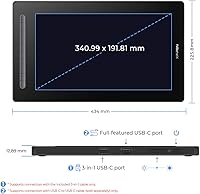
The XP-Pen Artist 16 2nd Gen Pen Display sits squarely in the mid-range sweet spot for digital artists who want to draw directly on a screen without spending professional studio money. If you've used a screenless tablet before, switching to this pen display is a significant shift — you're no longer mentally mapping hand movements to a separate monitor, which cuts real adaptation time. The 15.4-inch active area and 1920x1080 full HD resolution give you enough room and clarity to work comfortably. XP-Pen has built a credible Wacom alternative reputation with a growing user base, and this tablet reflects that positioning well. Just set expectations right: excellent for the price tier, not a professional studio flagship.
Features & Benefits
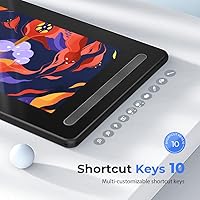
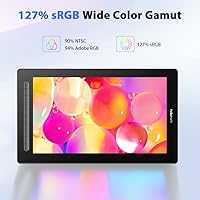
The X3 smart chip stylus is one of the first things you notice in actual use — it requires barely any pressure to register a mark, making sketching feel much closer to pencil on paper than many styluses at this level. The screen is fully laminated with a matte anti-glare coating, so there is minimal gap between pen tip and on-screen result, and you won't fight reflections during long sessions. Ten customizable express keys handle quick shortcuts like undo and brush adjustments without breaking your flow. Color coverage at 90% NTSC and 127% sRGB is solid for illustration work, though color-critical print professionals should calibrate carefully. Single-cable USB-C connectivity is a genuine desk-tidying advantage worth mentioning.
Best For
This pen display fits a fairly specific crowd, and knowing whether you're in it matters. Art students and self-taught illustrators who've outgrown a screenless tablet will likely get the most from the Artist 16 2nd Gen — drawing directly on screen sharpens your process considerably. Hobbyist animators and comic artists who need real screen real estate without a pro-tier budget are well-positioned here. Teachers and content creators who annotate or demonstrate visually will appreciate how intuitive setup is across platforms, since it covers Windows, macOS, Linux, Android, and Chrome OS. If you're already in the XP-Pen ecosystem, upgrading to a display within the same driver environment keeps the learning curve shallow.
User Feedback
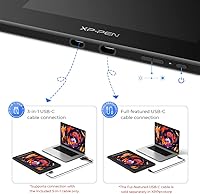
With over 1,400 ratings averaging 4.2 stars, this XP-Pen tablet earns its marks largely through pen feel and value that buyers didn't necessarily expect at this price tier — positive reviews lean heavily on those two points. On the flip side, driver installation has been a friction point for some users, particularly on certain Linux and macOS configurations, so non-Windows setups are worth flagging. A recurring mild frustration involves the USB-C cable situation: the included 3-in-1 cable works, but achieving single-cable tidiness requires buying the full-feature USB-C cable separately. Out-of-box color accuracy may need a small manual calibration, though most reviewers found it easy to address and not a meaningful dealbreaker.
Pros
- The X3 stylus requires almost no activation pressure, making long drawing sessions feel natural and physically comfortable.
- Full lamination closes the gap between pen tip and display surface, so what you see lines up with where you actually draw.
- Ten customizable express keys keep common shortcuts within reach without breaking concentration or switching to a keyboard.
- Color coverage is genuinely good for hobbyist and intermediate illustration work, handling vibrant artwork without obvious washout.
- Broad OS compatibility across Windows, macOS, Linux, Android, and Chrome OS is unusually flexible for a tablet in this category.
- Over 1,400 buyer ratings averaging 4.2 stars reflects consistent satisfaction across a wide range of users and skill levels.
- The matte anti-glare coating makes extended work sessions noticeably more comfortable compared to glossy display tablets.
- Available in four color options, so buyers can match it to a personal workspace aesthetic without paying extra.
- The 15.4-inch active area provides enough room for detailed work without the pen display dominating an entire desk.
Cons
- The full-feature USB-C cable required for single-cable connectivity is not included in the box and must be purchased separately.
- Some users on Linux and certain macOS versions have reported installation friction with the driver software during initial setup.
- Out-of-box color calibration may need manual adjustment before the display produces accurate results for color-sensitive work.
- At 5 pounds and 17-plus inches wide, this XP-Pen tablet is too bulky to be a practical portable or travel option.
- The 1080p resolution will feel dated or limiting for artists accustomed to working on 2K or 4K display setups.
- Customer support response times have drawn occasional criticism in user reviews, which matters if you hit a technical snag.
- The express key layout may require a short adjustment period for users coming from other tablet brands with different muscle memory.
Ratings
The scores below reflect an AI-driven analysis of thousands of verified global user reviews for the XP-Pen Artist 16 2nd Gen Pen Display, with spam, bot submissions, and incentivized feedback actively filtered out before scoring. Each category is evaluated independently, so both the genuine strengths and the recurring frustrations are reflected with equal honesty. Whether this pen display earns a place on your desk depends heavily on your workflow, and these scores are designed to help you figure that out quickly.
Pen Performance
Display Quality
Value for Money
Color Accuracy
Build Quality
Driver & Software
Express Keys
Connectivity
OS Compatibility
Anti-Glare Screen
Stylus Comfort
Setup Experience
Portability
Suitable for:
The XP-Pen Artist 16 2nd Gen Pen Display is built for the kind of buyer who has outgrown a screenless tablet and wants the more intuitive experience of drawing directly on a display without the sticker shock of professional-grade hardware. Art students, self-taught illustrators, and hobbyist comic or animation artists will find the 15.4-inch screen and responsive X3 stylus genuinely transform how they work compared to mapping hand movements to a separate monitor. Teachers and online educators who create instructional drawing content or annotate visuals will appreciate how quickly it integrates into a lesson workflow across a wide range of devices and operating systems. It also works well for remote professionals in design-adjacent roles who need a versatile input device for light illustration or presentation annotation. If you are already using an XP-Pen screenless tablet and thinking about upgrading, this pen display slots naturally into the same driver environment, keeping the transition friction low.
Not suitable for:
The XP-Pen Artist 16 2nd Gen Pen Display is not the right tool for professional artists whose work demands color-critical output for print production or high-end commercial illustration, since its 90% NTSC coverage, while solid for this price tier, falls short of what a calibrated pro display provides. Buyers expecting a plug-and-play single-cable experience right out of the box may be caught off guard: the full-feature USB-C cable that enables a clean one-cable setup is sold separately, and the included 3-in-1 HDMI cable, while functional, adds a bit more desk clutter. Users on non-standard Linux distributions or older macOS configurations have reported some driver friction during setup, so this pen display is a less comfortable choice if you cannot troubleshoot software installs. The 1080p resolution, while adequate for most illustration tasks, will feel limiting to anyone accustomed to a 2K or 4K display workflow. And at 5 pounds with a 17-inch footprint, this is not a tablet you will realistically take on the road regularly.
Specifications
- Brand: Manufactured by XP-Pen, a company established as a credible mid-range alternative to Wacom in the graphics tablet market.
- Model: The model number is CD160FH, available in Black, Blue, Green, and Pink color variants.
- Screen Size: The active display area measures 15.4 inches diagonally, providing ample space for detailed illustration and annotation work.
- Resolution: The display outputs at 1920x1080 full HD, delivering clear and detailed rendering of digital artwork.
- Full Lamination: The screen uses full lamination technology, which minimizes the gap between the pen tip and the display surface to reduce parallax.
- Screen Coating: A matte anti-glare coating is applied to the display to reduce reflections and lower eye strain during extended work sessions.
- Color Gamut: The display covers 90% NTSC and 127% sRGB, making it well-suited for digital illustration and hobbyist color work.
- Stylus Technology: The included battery-free stylus uses the X3 smart chip and supports 8192 levels of pressure sensitivity.
- Activation Force: The stylus requires approximately 0.1oz (roughly 2.8g) of activation pressure, enabling a natural and responsive drawing feel.
- Express Keys: Ten fully customizable shortcut keys are built into the tablet body for quick access to frequently used commands.
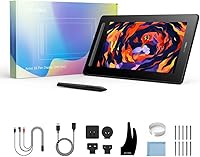
- Connectivity: A 3-in-1 HDMI cable is included in the box; a full-feature USB-C to USB-C cable enabling single-cable connectivity is sold separately.
- OS Support: Compatible with Windows 7 and later, macOS 10.10 and later, Linux, Android, and Chrome OS 88 and above.
- Dimensions: The unit measures 17.09 x 10.04 x 0.04 inches, making it suitable for desk use rather than frequent travel.
- Weight: The tablet weighs 5.08 pounds, which is standard for a 15-inch class pen display intended for stationary desktop use.
- Pressure Levels: With 8192 pressure levels, the stylus captures fine gradations in line weight and brush opacity for detailed artistic control.
- Power Input: The pen display draws power through the included cable connection to a host computer, requiring no separate power adapter for most setups.
- Display Type: The screen is an IPS-based panel, which provides consistent color and brightness when viewed from off-center angles.
Related Reviews
XP-Pen Artist 22 2nd Gen Pen Display
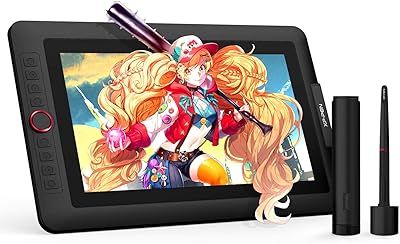
XP-Pen Artist 13.3 Pro Drawing Display Tablet
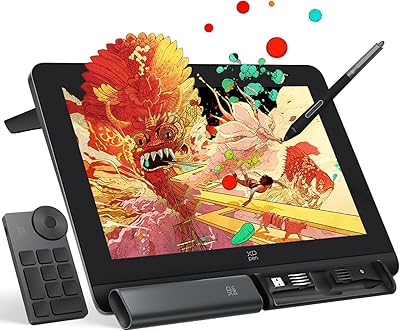
XP-Pen Artist Pro 14 Gen2 Pen Display
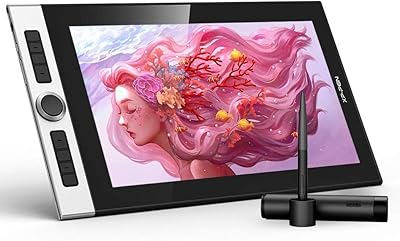
XP-Pen Innovator 16 15.6″ Pen Display
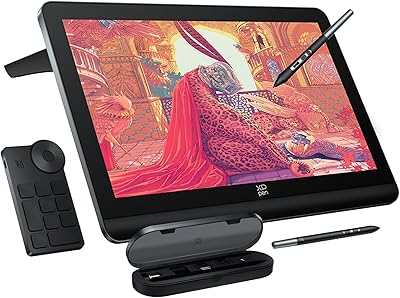
XP-Pen Artist Pro 19 Gen2 Drawing Tablet

ASUS ProArt Display PA169CDV 15.6” 4K Pen Display

Ozlo Sleepbuds (2nd Generation)
Apple AirPods Pro 2nd Gen Wireless Earbuds
Bose QuietComfort Earbuds 2nd Gen