Overview

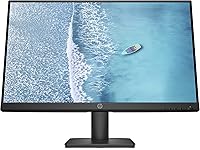
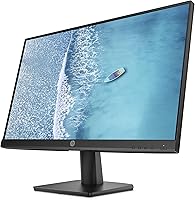
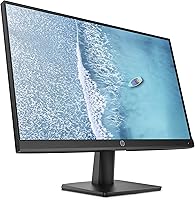
The HP V241ib 23.8″ FHD Monitor is the kind of display that doesn't try to be everything — and that's precisely what makes it worth considering. Released in late 2021, it targets the budget-to-mid-range sweet spot where most everyday users actually shop. The core selling points are straightforward: a 23.8-inch IPS panel, 1080p resolution, and a low blue light mode that many find genuinely useful during long desk sessions. The three-sided micro-edge bezel gives it a cleaner look than you'd typically expect at this price. Just be clear-eyed going in — this is a productivity display, not something designed for competitive gaming or serious color work.

Features & Benefits

The IPS panel is the real backbone here. Unlike cheaper TN screens, IPS technology keeps colors and contrast consistent whether you're viewing straight-on or from a wide angle — up to 178 degrees horizontally and vertically. That matters more than it sounds in a shared workspace. The low blue light mode works by shifting the display's white balance toward warmer tones, which reduces visual fatigue during extended use without requiring any third-party software. At 1080p on a nearly 24-inch screen, pixel density is adequate for typical desk distances, though anyone coming from a higher-resolution panel may notice the difference. The anti-glare coating handles mixed-lighting rooms well, and the slim bezel is a genuine plus for side-by-side setups.

Best For

This HP monitor makes the most sense for people logging long hours at a home office desk, especially those who find themselves rubbing their eyes by mid-afternoon. Students furnishing their first proper setup will appreciate the no-fuss experience — quick assembly, a trusted brand name, and a display that handles documents, video calls, and coursework without complaint. It also works well as a secondary display alongside a primary monitor, since the IPS panel maintains consistent color across both screens. Anyone already sensitive to eye strain will find the built-in low blue light setting a practical daily feature. The compact dimensions make it a comfortable fit for smaller workspaces too.

User Feedback

Across roughly 194 ratings, the V241ib holds a 4.6-star average — a solid result for this price bracket. Buyers frequently praise how accurate the colors look right out of the box, the painless assembly process, and the clean image quality for day-to-day tasks. The low blue light mode gets specific mention from users who work long hours, with several noting reduced eye discomfort after switching it on. On the critical side, some reviewers flag limited stand adjustability — there's no height adjustment or pivot, which can be a dealbreaker for ergonomics-conscious buyers. Port selection is also occasionally mentioned as bare-bones. A few comparisons with similarly priced competitors suggest this HP holds its own on picture quality, though rivals sometimes offer better connectivity at the same cost.

Pros

  • IPS panel delivers consistent, accurate colors from virtually any viewing angle — a genuine advantage over cheaper TN alternatives.
  • The built-in low blue light mode noticeably reduces eye fatigue during long work or study sessions.
  • Anti-glare coating handles bright and mixed-lighting environments well without washing out the image.
  • Three-sided micro-edge bezel keeps the desk looking clean and works well in side-by-side dual-monitor setups.
  • Setup is straightforward — most buyers report having it assembled and running in under 15 minutes.
  • At 7.1 pounds and a compact footprint, this 23.8-inch IPS display is easy to reposition or move between rooms.
  • Color accuracy out of the box is frequently praised, with minimal calibration needed for everyday use.
  • HP brand reliability gives buyers confidence in long-term durability and warranty support.
  • Holds a 4.6-star average across 194 ratings — a credible signal of consistent user satisfaction for the price tier.

Cons

  • 1080p resolution on a near-24-inch screen yields lower pixel density than QHD rivals, which some users will notice on fine text.
  • The stand offers no height adjustment or pivot, limiting ergonomic flexibility for taller users or those with posture concerns.
  • Port selection is minimal — buyers needing multiple inputs or USB passthrough will likely need an external hub.
  • No high refresh rate or adaptive sync makes this a non-starter for gaming use.
  • Brightness ceiling may disappoint users in very bright rooms or those who prefer a particularly vivid, punchy image.
  • Not suited for color-critical creative work — photo editors and designers will need a more capable panel.
  • The low blue light mode shifts white balance noticeably warmer, which some users find off-putting for color-sensitive tasks.
  • Limited stand adjustability means third-party monitor arms may be necessary for a comfortable long-term setup.

Ratings

The HP V241ib 23.8″ FHD Monitor scores below are generated by our AI rating engine after analyzing verified global user reviews, actively filtering out incentivized, duplicate, and bot-flagged submissions to surface what real buyers actually experience. Across nearly 200 ratings, both the genuine strengths and the recurring frustrations of this 23.8-inch IPS display are transparently reflected — no inflating, no burying the bad news.

Image Quality
81%
19%
For everyday work tasks — reading documents, browsing, video calls — the IPS panel produces a clean, natural-looking image that holds up well at normal desk distances. Colors appear consistent and reasonably accurate right out of the box, which most users appreciate without needing to touch the settings.
At 1080p across a nearly 24-inch screen, pixel density is noticeably lower than QHD alternatives, and text can look softer than some buyers expect. Users coming from higher-resolution displays tend to flag this as the most apparent step down.
Color Accuracy
78%
22%
The IPS panel delivers consistent color reproduction across its wide viewing angles, which makes it a practical choice for side-by-side dual-monitor setups where color matching between screens matters. General-use buyers frequently note that skin tones in video calls and photos look natural without any manual calibration.
This is not a color-critical display — graphic designers, photo editors, and video colorists will find the color gamut and calibration precision fall short of what professional work demands. A few reviewers also noted that enabling Low Blue Light mode shifts whites visibly warm, which can skew color perception during longer sessions.
Eye Comfort
84%
The built-in Low Blue Light mode is one of the V241ib's most genuinely appreciated features among users who spend six or more hours a day in front of a screen. Several long-term owners specifically mentioned reduced end-of-day eye fatigue after switching it on, making it a practical daily comfort feature rather than a marketing checkbox.
The Low Blue Light mode shifts the white balance noticeably toward amber, which some users find unflattering for color-sensitive tasks like photo review or even watching films in the evening. There is no granular intensity control — it is essentially on or off, which limits flexibility.
Ergonomics
52%
48%
The lightweight build at 7.1 pounds makes physical repositioning easy, and the monitor's modest depth means it does not dominate shallow desks. For users who keep their setup static and sit at a consistent height, the fixed stand causes no issues in daily practice.
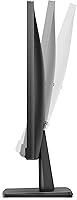
The stand's tilt-only adjustability is the most frequently criticized limitation in user reviews — there is no height lift, swivel, or portrait pivot. Taller users and anyone with specific posture or accessibility needs will almost certainly need a third-party monitor arm to get comfortable, adding cost and setup complexity.
Build Quality
74%
26%
The overall construction feels solid for the price tier, with no significant reports of early structural failure or panel defects in the reviewed sample. HP's manufacturing consistency keeps the chassis free from obvious flex or misalignment, which budget-bracket monitors do not always manage.
The materials are plainly plastic throughout, and the stand in particular feels less robust than the panel itself — it wobbles slightly on desks with foot traffic nearby. A few buyers noted that the matte finish picks up fingerprints and light dust more visibly than they expected.
Connectivity
57%
43%
The available ports cover the basics for single-device setups, and most home office users connecting one desktop or laptop will find the port layout adequate for their needs without requiring adapters.
Port selection is regularly flagged as a weak point — the V241ib offers a lean input configuration with no USB hub functionality, and users who need to switch between two source devices frequently find themselves reaching for an external switch or hub. Compared to similarly priced competitors, the connectivity options feel dated for a 2021 release.
Anti-Glare Performance
79%
21%
The matte anti-glare coating handles typical home office and classroom lighting conditions reliably, reducing distracting reflections from overhead lights and nearby windows without introducing a hazy film over the image. Users in mixed-lighting environments consistently rate this as a practical, no-fuss benefit.
In very bright rooms with direct sunlight exposure, the coating alone is not enough to prevent washout, and brightness headroom is limited. A handful of reviewers working in sun-facing rooms noted they had to reposition the monitor rather than rely on the coating to handle extreme glare.
Brightness
63%
37%
For dim to moderately lit indoor environments — the typical home office or bedroom desk setup — the brightness output is comfortable and easy on the eyes, particularly with Low Blue Light mode active in the evenings.
The brightness ceiling becomes a real limitation in well-lit spaces or rooms with large windows. Reviewers working in bright environments consistently mentioned the display looked washed out at peak brightness, and there is no HDR support to compensate for the limited dynamic range.
Setup & Assembly
91%
Assembly is one of the most consistently praised aspects across the review pool — nearly every buyer who mentioned it described clicking the stand into place in under ten minutes with no tools required. The on-screen display menu is straightforward to navigate for basic adjustments like brightness and Low Blue Light mode.
The included documentation is minimal, and a small number of buyers noted the cable management options on the stand are limited, leaving cords visible on the desk. This is a minor gripe for most, but buyers who care about clean desk aesthetics may want to plan ahead.
Value for Money
83%
Relative to its price tier, this 23.8-inch IPS display delivers a combination of panel technology, brand reliability, and low blue light functionality that is genuinely competitive. Buyers who compare it against lesser-known brands at the same price point frequently conclude that the HP name and IPS quality justify the cost.
The value equation weakens slightly when compared to some newer competitors that offer QHD resolution or better stand adjustability for a similar outlay. Buyers willing to spend a little more and do extra research can find monitors that address the stand and connectivity gaps without a major price jump.
Viewing Angles
86%
The 178-degree horizontal and vertical viewing angles are a tangible real-world advantage of the IPS panel — coworkers or family members viewing the screen from the side see essentially the same image as the person sitting directly in front. This is particularly useful in shared home office spaces or when presenting content to a small group.
While the rated angles are technically excellent, some users noticed mild brightness falloff at the extreme edges of the horizontal range. This is a minor real-world limitation and unlikely to affect typical single-user use, but it is worth noting for buyers planning a wide-angle shared setup.
Desk Footprint
82%
18%
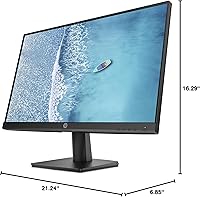
At just under 6.85 inches deep with the stand and a total width of 21.24 inches, this HP monitor fits comfortably on smaller desks without eating into valuable workspace. The three-sided micro-edge bezel further reduces the visual bulk of the panel, making it feel less imposing than its 23.8-inch diagonal might suggest.
The stand base, while not especially wide, is not height-adjustable, so desk depth savings are partially offset if buyers need to add a monitor arm for ergonomic positioning. The fixed stand also means the base cannot be swapped out for a sleeker profile without a VESA-compatible arm.
Brand Reliability
88%
HP's reputation as a large, established hardware manufacturer gives buyers confidence in warranty support and long-term parts availability that smaller monitor brands cannot always match. Several reviewers specifically cited the HP name as a deciding factor over cheaper no-name alternatives at a similar price.
Brand reputation alone does not resolve the hardware limitations — some buyers expressed mild disappointment that an HP product at this price still cuts corners on stand adjustability and port variety. The expectation set by the brand name occasionally leads to a higher initial bar that the V241ib's specs do not fully clear.

Suitable for:

The HP V241ib 23.8″ FHD Monitor is a strong match for anyone who spends the bulk of their screen time on everyday productivity tasks — writing, browsing, video calls, spreadsheets — and wants a dependable display from a reputable brand without overspending. Home office workers who log long hours will particularly benefit from the IPS panel's consistent image quality and the built-in low blue light mode, which shifts the color tone warmer to reduce visual fatigue over extended sessions. Students setting up their first real desk will find the setup straightforward and the image quality more than adequate for coursework, streaming, and casual use. It also makes a sensible secondary monitor for anyone wanting a matched color profile across a dual-screen arrangement, since IPS panels hold consistency across wide viewing angles. If your desk space is tight, the slim three-sided bezel and modest footprint make this 23.8-inch display easier to accommodate than bulkier alternatives in the same size class.

Not suitable for:

The HP V241ib 23.8″ FHD Monitor is not the right choice for buyers who prioritize sharp pixel density, as 1080p spread across a nearly 24-inch panel delivers a noticeably lower pixel-per-inch count than QHD or 4K alternatives — a real drawback if you work with fine text, detailed photography, or illustration. Gamers should also look elsewhere: there is no high refresh rate, no adaptive sync support, and no mention of low input lag, making this a poor fit for fast-paced gaming of any kind. Creative professionals who need accurate, calibrated color output for photo editing or video grading will find the V241ib underpowered for those demands — it is a general-use panel, not a color-critical one. Buyers who care about ergonomics should be aware that the stand offers limited adjustability, with no height lift or pivot, which can be a real issue for taller users or anyone with specific posture requirements. If connectivity matters — multiple HDMI ports, DisplayPort, USB hub functionality — this monitor may frustrate you, as its port selection is on the leaner side for its size.

Specifications

  • Screen Size: The panel measures 23.8 inches diagonally, offering a comfortable viewing area for single-screen productivity setups.
  • Resolution: Native resolution is 1920x1080 (Full HD), delivering a standard 1080p image suited to everyday office and general-use tasks.
  • Panel Type: Uses an IPS (In-Plane Switching) panel, which provides more consistent color and contrast than TN alternatives across wide viewing angles.
  • Aspect Ratio: The display uses a 16:9 widescreen aspect ratio, the standard format for HD video content and modern productivity software.
  • Viewing Angles: Rated at 178 degrees both horizontally and vertically, allowing clear image visibility from nearly any position in front of the screen.
  • Refresh Rate: Operates at a standard 60Hz refresh rate, appropriate for document work, web browsing, and video playback but not optimized for fast-paced gaming.
  • Screen Surface: Features an anti-glare matte coating that reduces reflections in bright or mixed-lighting environments without significantly impacting image clarity.
  • Bezel Design: Three-sided micro-edge bezel minimizes the border on the top and both sides of the display, making it well-suited for multi-monitor arrangements.
  • Low Blue Light: Includes a hardware-level Low Blue Light mode that shifts the display toward warmer color tones to reduce visual fatigue during prolonged use.
  • Dimensions: The monitor measures 21.24 x 6.85 x 16.29 inches (W x D x H) with stand attached, fitting comfortably on compact desks.
  • Weight: Weighs 7.1 pounds with stand, making it light enough to reposition easily without requiring a second pair of hands.
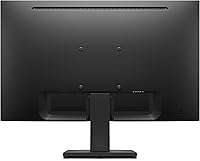
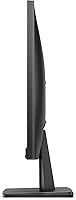
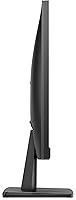
  • Stand Adjustment: The included stand supports tilt adjustment only; it does not offer height lift, swivel, or pivot functionality.
  • Color: Available in a matte black finish that blends into most home office and workspace environments without drawing attention.
  • Brand & Model: Manufactured by HP Inc. under the model designation V241ib, part of the company's value-focused V-series monitor lineup.
  • Availability: First made available in November 2021, positioning it as a relatively current entry in the budget-to-mid-range monitor segment.
  • User Rating: Holds a 4.6 out of 5-star average rating based on 194 customer reviews on Amazon at the time of this review.

Related Reviews
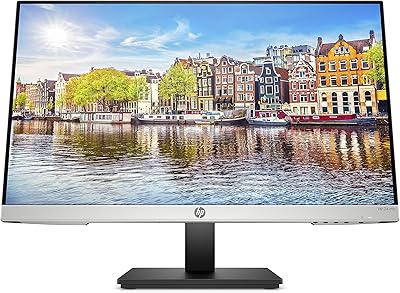
HP 24mh 23.8-inch IPS Monitor
79%
83%
Image Clarity
81%
Color Accuracy
88%
Ergonomics & Stand
71%
Refresh Rate & Motion
63%
Brightness & Glare Handling
More
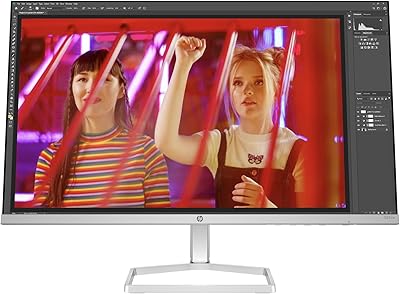
HP Series 5 524sw 23.8-inch FHD Monitor
76%
88%
Image Clarity
91%
Eye Comfort
79%
Color Accuracy
67%
Brightness & Visibility
83%
Refresh Rate & Motion
More
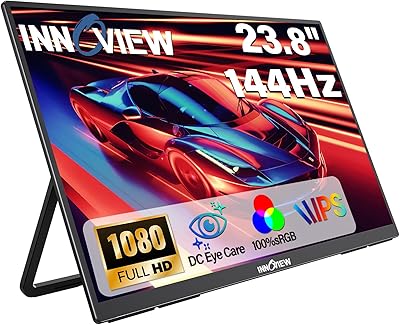
InnoView 23.8-inch 144Hz Portable Monitor
79%
88%
Display Quality
83%
Refresh Rate Performance
61%
Portability & Form Factor
86%
Stand & Ergonomics
79%
Connectivity & Compatibility
More
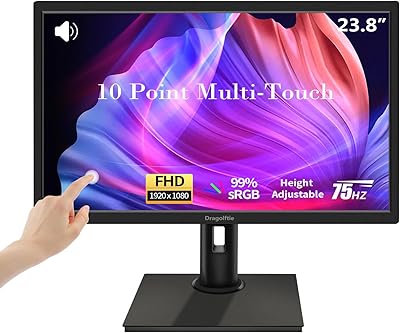
Dragolftie FHD-238 23.8-inch Touchscreen Monitor
69%
83%
Touch Responsiveness
88%
Ergonomic Adjustability
79%
Display Quality
84%
Value for Money
54%
Built-in Audio
More
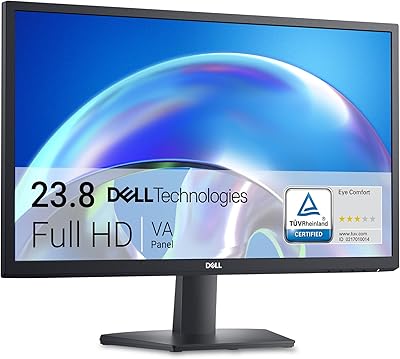
Dell SE2425H 24-Inch Full HD Monitor
77%
91%
Value for Money
93%
Eye Comfort
84%
Image Quality
47%
Ergonomics
83%
Build Quality
More
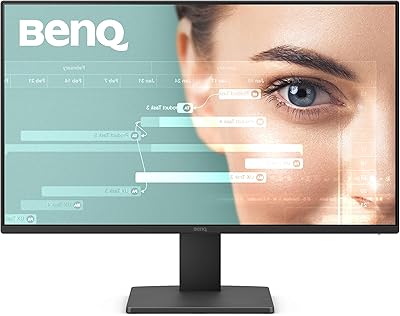
BenQ GW2491 24-Inch IPS Monitor
82%
93%
Eye Comfort
88%
Color Accuracy
91%
Value for Money
71%
Image Sharpness
82%
Refresh Rate & Smoothness
More
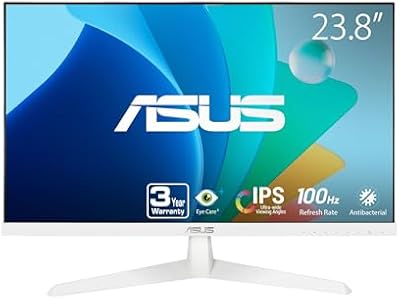
ASUS VY249HF-W 23.8-inch 1080p IPS Monitor
77%
83%
Image Quality
91%
Eye Comfort
78%
Color Accuracy
81%
Refresh Rate & Smoothness
46%
Connectivity
More
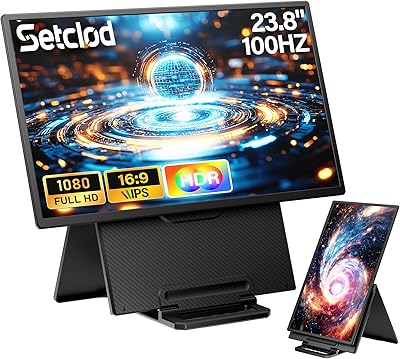
Setclod D1 23.8″ Portable Monitor
74%
91%
Screen Size & Usability
88%
Display Quality
34%
Portability & Weight
86%
Setup & Connectivity
51%
Power Requirements
More
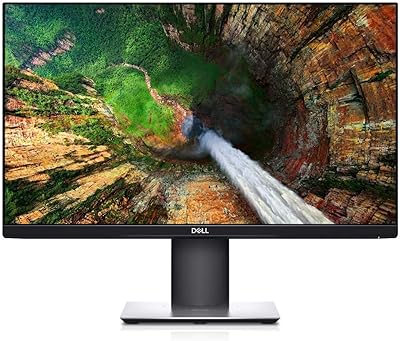
Dell P2319H 23″ FHD Monitor
89%
94%
Display Clarity
91%
Color Accuracy
95%
Ergonomic Adjustments
90%
Build Quality
88%
Connectivity Options
More
Prechen HD-123 12.3-inch Portable Touchscreen Monitor
67%
78%
Display Clarity
74%
Touch Responsiveness
61%
Connectivity Setup
88%
AIDA64 Integration
83%
Build Quality
More

FAQ

HP typically includes a basic video cable with the V241ib, but the exact cable type can vary by retail package and region. It is worth checking your specific listing before purchase, and having a spare HDMI cable on hand never hurts.

The stand on this HP monitor only supports tilt adjustment — there is no built-in height lift, swivel, or pivot. If ergonomic positioning matters to you, a third-party VESA monitor arm is a practical workaround, though you should confirm VESA compatibility before buying one.

Not really. It runs at a standard 60Hz refresh rate and lacks adaptive sync technology, so fast-paced or competitive gaming will feel noticeably limited compared to monitors purpose-built for that use. It handles casual gaming fine, but dedicated gamers should look at higher refresh rate alternatives.

No software is needed. The Low Blue Light mode is toggled directly through the monitor's on-screen display menu. It works by shifting the white balance toward warmer tones, which can reduce the visual fatigue that some people experience during long screen sessions. The effect is noticeable but subtle, not a dramatic color shift.

For most everyday tasks — documents, email, video calls, streaming — the image looks clean and clear at typical desk distances. That said, if you are coming from a QHD or 4K display, the lower pixel density may be apparent, particularly on fine text or detailed images. For general office use, most people find it perfectly adequate.

Yes, it works well as a secondary screen. The IPS panel maintains consistent color and brightness across wide angles, which helps when glancing between two side-by-side monitors. The slim micro-edge bezel also keeps the visual gap between screens minimal, which most dual-monitor users appreciate.

Very straightforward. Most buyers report having the stand attached and the monitor running within 10 to 15 minutes, with no tools required. The on-screen menu is simple to navigate for basic adjustments like brightness and the Low Blue Light mode.

Yes, as long as your laptop has a compatible video output port that matches one of the V241ib's inputs. Most modern laptops connect via HDMI, which this monitor supports. If your laptop only has USB-C or Thunderbolt output, you will need an appropriate adapter.

It handles typical office lighting quite well. The matte coating diffuses reflections enough that working near a window or under fluorescent lights is not distracting. In very bright, direct sunlight scenarios it may still show some washout, but for the average home or office environment it performs reliably.

Yes. The 23.8-inch IPS display functions as a standard external monitor and is compatible with both Windows PCs and Macs, provided you use the correct cable or adapter for your device. There are no proprietary software requirements for core functionality.