Overview

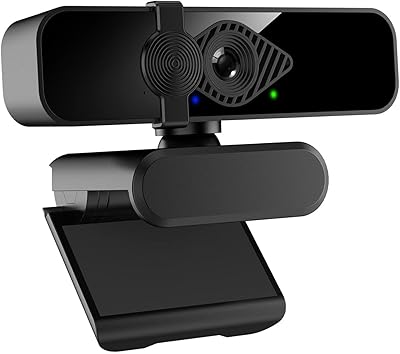
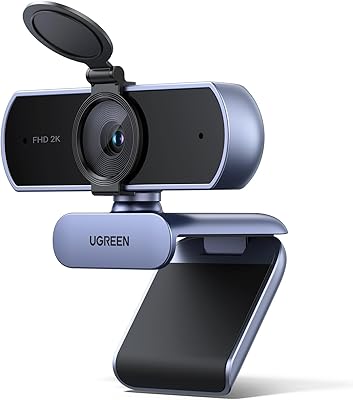
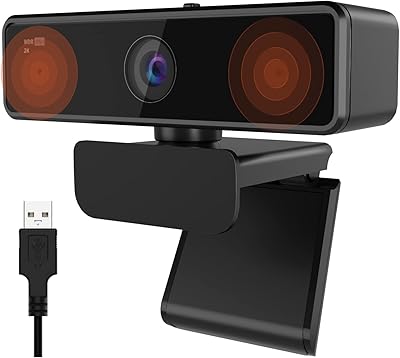
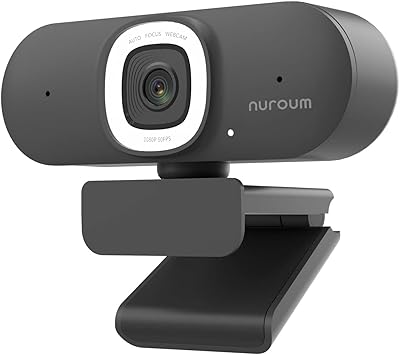
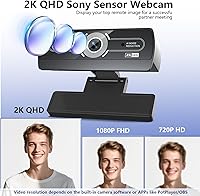
The XOCLON 2K Webcam offers clear, high-definition video at a resolution of 2560x1440, ideal for various online interactions. This plug-and-play webcam connects easily to both Windows and macOS devices without the need for additional drivers. Equipped with a PDAF autofocus system, it provides stable, sharp video even during dynamic movements. Additionally, the dual noise-canceling microphones deliver clean, focused audio, making it a solid option for video calls, online meetings, or virtual classrooms. Its compact design ensures it won’t obstruct your workspace, while the 92° field of view captures a wide range of surroundings.

Features & Benefits

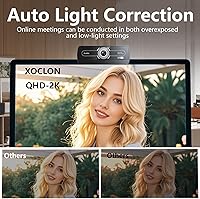
This 2K webcam excels with its combination of practical features and performance. The PDAF autofocus ensures that your video stays focused and stable, even in fast-paced environments. Its built-in AI noise-canceling microphones actively block out background noise, ensuring that your voice remains clear during calls or broadcasts. The webcam's auto light correction adapts seamlessly to different lighting conditions, providing optimal visibility in both bright and dim environments. With its wide 92° field of view, it allows you to engage with a larger area, making it a versatile tool for work or play.

Best For

The XOCLON 2K Webcam is designed for anyone in need of high-quality video communication. It's a great fit for professionals who rely on clear video for remote meetings, presentations, or conference calls. Teachers and instructors will appreciate the stable video and excellent audio for virtual classrooms, while content creators can use it for streaming or recording. Additionally, the plug-and-play setup makes it ideal for casual users who want a straightforward solution for video calls on both PC and Mac, without dealing with complex software installations.

User Feedback

Overall, users are impressed with the XOCLON 2K Webcam’s sharp, crisp video quality, especially during video conferencing. The auto light correction is highly appreciated, with many noting that it enhances visibility in low-light environments. Some have also mentioned the noise-canceling microphones, with feedback highlighting their effectiveness in filtering out background sounds, making calls more enjoyable. On the downside, a few users reported occasional focus issues with fast movements, though this is rare. Setup is effortless, and most users agree that it’s a convenient and practical webcam for everyday use.

Pros

  • The 2K resolution delivers clear and detailed video, especially during professional video calls.
  • Auto light correction ensures improved visibility in dimly lit rooms, making it great for low-light environments.
  • The dual noise-canceling microphones effectively reduce background noise during calls and meetings.
  • Easy plug-and-play setup works seamlessly on both Windows and macOS, requiring no extra software or drivers.
  • The wide 92° field of view captures a broader area without any noticeable distortion.
  • Its compact, lightweight design makes it easy to mount on various devices or take on the go.

Cons

  • PDAF autofocus struggles with fast movements, making it less ideal for fast-paced video scenarios.
  • Some users report that the microphone can occasionally pick up some background noise despite the noise-canceling feature.
  • While the auto light correction works well, it may not fully compensate for very poor lighting conditions.
  • The webcam's build may feel too light or flimsy for users looking for a more durable, heavy-duty model.
  • A few users mentioned the field of view could be wider for more expansive group video calls.
  • Not the best choice for users with specific needs like facial recognition or additional software customization options.

Ratings

After analyzing user feedback from multiple platforms and languages, the scores reflect both strengths and areas for improvement of the XOCLON 2K Webcam. The ratings have been derived from verified, high-quality reviews, ensuring a clear picture of the product's performance across diverse use cases. While the webcam excels in several aspects like video and audio quality, there are occasional mentions of minor limitations, especially in fast-motion video focus. Both positive and critical feedback have shaped these scores, offering an authentic look at this device's value in real-world scenarios.

Video Quality
89%
Many users praised the sharp, clear video quality, especially during video calls and meetings. The 2K resolution ensures that images are detailed, making this webcam a top choice for professional use. Buyers consistently mention the crisp visuals, which enhance overall video conferencing experiences.
However, some users noted that the video quality could be inconsistent in fast-motion scenarios. A few reviews mentioned that the autofocus feature struggles with movement, resulting in blurred images during rapid transitions.
Audio Performance
91%
The dual noise-canceling microphones are widely appreciated for their ability to reduce background noise, making conversations clearer and more professional. Users highlight the improved audio quality in crowded environments, ensuring meetings and calls are not disturbed by ambient sounds.
Despite the positive feedback, a few users reported that the microphone's noise-canceling feature doesn't fully eliminate all ambient noise, especially in extremely noisy settings. Some also felt that the microphone lacked a bit of warmth in tone.
Ease of Setup
96%
Setup is often described as incredibly straightforward, with users praising the plug-and-play functionality. No drivers are required, which makes this webcam a hassle-free option for both beginners and experienced users. It’s ready to use almost immediately after connection, saving valuable time.
There were a few reports of minor issues with software compatibility, particularly with older operating systems. A small percentage of users mentioned needing to troubleshoot recognition on certain platforms, though this was not widespread.
Low-Light Performance
85%
The auto light correction feature receives positive feedback for making video calls more visible in dimly lit rooms. Users appreciate how it adjusts automatically to provide better illumination without needing manual intervention, resulting in clearer images in less-than-ideal lighting.
However, some users mentioned that the webcam struggles in very low light or extreme contrast environments. A few noted that even with light correction, the image could still appear grainy or overly dark under certain conditions.
Field of View
87%
The 92° field of view is praised for capturing a wider area, especially useful for group video calls or streaming setups. This feature allows users to showcase more of their environment without distortion, making it a versatile choice for various use cases.
Some users pointed out that the wide field of view could cause slight distortion at the edges, especially when the camera is placed too close to the subject. A few felt that it might be a bit too wide for personal use, causing some background distractions.
Build Quality
82%
18%
The compact and lightweight design is often mentioned as a major benefit, making this webcam easy to transport and mount. Users appreciate its sturdy yet portable build, ideal for those who need a webcam that can be easily relocated between workspaces.
On the downside, some users felt that the build could be more robust. A few mentioned that the plastic body feels a little flimsy, especially when adjusting the webcam's position, though it still holds up well under normal use.
Compatibility (Windows/macOS)
94%
Users report no issues with compatibility across both Windows and macOS systems. The webcam’s universal plug-and-play setup ensures it works seamlessly with major video conferencing platforms, including Zoom, Skype, and Teams, which adds to its appeal for a wide range of users.
While the webcam is compatible with both systems, a few macOS users did report occasional recognition issues in older versions of the operating system. However, these cases were rare and easily resolved with minor adjustments.
Microphone Noise-Canceling Effectiveness
90%
The noise-canceling microphones are often highlighted for their effectiveness in reducing background noise, making them ideal for video calls in noisy environments. Users find that the microphones ensure clearer communication by isolating the speaker’s voice.
However, a few users did mention that the noise-canceling feature doesn't completely eliminate all background noises, particularly in very loud or busy environments. Some felt the microphone could be more sensitive to fine-tuned adjustments.
Design and Size
88%
The compact size and sleek design make this webcam an unobtrusive addition to any desk setup. Users appreciate its lightweight nature, which makes it easy to move and position without taking up too much space, especially in crowded workspaces or streaming areas.
While the size is generally a positive, a small number of users mentioned that the lack of flexibility in the mount could limit its use in certain setups. Some wished the base provided more adjustable angles for optimal positioning.
Durability
78%
22%
The webcam is generally seen as reliable for everyday use, with users noting its consistent performance for routine video calls and meetings. Its small form factor also makes it easier to store without worrying about excessive wear and tear.
Some users reported concerns about the long-term durability, particularly regarding the plastic housing. A few noted that after several months of use, the webcam showed signs of wear, such as loose joints or a less secure mounting mechanism.
Customer Support
75%
25%
For those who needed assistance, customer support was generally quick to respond, with users reporting decent communication and helpful troubleshooting steps. Buyers found the support team to be knowledgeable about the product’s features and setup.
However, some users expressed frustration with delays in receiving responses or the lack of more detailed assistance on specific technical issues. A few felt that the support team could be more proactive in addressing minor setup challenges.
Value for Money
92%
Many users feel the webcam offers excellent value for its price, especially considering the 2K resolution and the noise-canceling features. The overall performance in video and audio quality, coupled with its easy setup, makes it a great buy for professionals and casual users alike.
A small segment of users felt the price was slightly higher than similar webcams on the market, especially when considering the minimal extra features compared to entry-level models. Some mentioned that a few competitors offer similar features for a lower cost.
Video Focus in Motion
71%
29%
While the autofocus generally works well in static situations, some users find that it performs reasonably well in most video calls, especially when the subject stays still. It's not a dealbreaker for all buyers, particularly those who don’t require high-speed focus adjustments.
However, there were several reports of the autofocus feature struggling with movement, particularly during fast-paced video calls or dynamic streaming setups. This led to blurry video during rapid movements, a common concern for users needing precision.

Suitable for:

The XOCLON 2K Webcam is ideal for professionals, remote workers, and content creators who need reliable, high-quality video and audio for video conferencing, presentations, and streaming. Its 2K resolution and dual noise-canceling microphones ensure clear, crisp video and audio, even in noisy environments. Teachers and instructors who host virtual classrooms will also benefit from its stable performance and easy plug-and-play setup. Additionally, this device is compatible with both Windows and macOS, making it a versatile choice for a wide range of users looking for seamless integration with various platforms.

Not suitable for:

This webcam may not be the best choice for users who require top-tier autofocus performance in dynamic, fast-paced video scenarios. While the PDAF autofocus works well for static video calls, it may struggle with fast movements or quick scene changes, causing blurred images. Casual users or those on a tight budget who don't need 2K video quality might find other, less expensive models more suitable. Additionally, individuals working in extremely low-light environments may experience limitations in video clarity, as the auto light correction feature doesn't fully compensate for very dim lighting conditions.

Specifications

  • Resolution: Supports 2560x1440 (2K) video resolution for high-definition video quality.
  • Autofocus: Equipped with PDAF (Phase Detection Autofocus) for clear and stable video during calls.
  • Microphone: Dual noise-canceling microphones reduce background noise for clearer audio.
  • Field of View: Offers a wide 92° field of view, capturing more of the surroundings without distortion.
  • Lighting: Includes auto light correction to optimize video quality in low-light settings.
  • Compatibility: Compatible with both Windows and macOS operating systems for versatile use.
  • Connection: Features a USB plug-and-play connection for quick and easy setup.
  • Design: Compact and lightweight design, weighing just 2.12 ounces, for easy mounting.
  • Dimensions: Measures 2.72 x 1.21 x 0.96 inches, making it easy to fit on most devices.
  • Cable Length: Includes a 59.06-inch USB cable for flexible placement and connectivity.
  • Build Material: Constructed with durable materials for everyday use in professional environments.
  • Audio Quality: AI-powered noise-canceling microphones ensure clear audio, even in noisy environments.
  • Setup: Requires no additional drivers or software; simply plug it in and start using.
  • Streaming: Ideal for streamers and content creators, offering clear 2K video and quality audio.
  • Mounting: Easy to mount on a variety of devices, including monitors and laptops.
  • Focus Speed: PDAF autofocus technology ensures quick adjustments for clear video during calls.
  • Use Case: Perfect for remote meetings, presentations, teaching, or live streaming.

FAQ

The XOCLON 2K Webcam offers a high-definition 2560x1440 resolution, which provides sharper, more detailed video compared to standard HD webcams. It also features PDAF autofocus, dual noise-canceling microphones, and an auto light correction function that adjusts the video quality in low-light conditions.

This webcam is designed for a simple, plug-and-play experience. You just need to plug it into a USB port, and it will automatically work with both Windows and macOS systems, requiring no drivers or additional software installation.

Yes, the XOCLON 2K Webcam features auto light correction, which adjusts the brightness and contrast to provide clearer video even in dimly lit rooms. This feature makes it particularly useful for video calls or meetings in home offices or poorly lit spaces.

The webcam has a 92° field of view, which is wide enough to capture more of the surroundings without significant distortion. It’s ideal for individual video calls or small group meetings, but may not be suitable for large groups where everyone needs to be in frame.

Yes, the XOCLON 2K Webcam is fully compatible with both Windows and macOS systems. It connects via USB and requires no additional software or drivers, making it a versatile solution for different operating systems.

The AI-powered noise-canceling microphones are designed to filter out background noise during video calls or streaming sessions, ensuring clear audio. Users have reported that it performs well in noisy environments, such as busy offices or homes with background chatter.

The webcam uses PDAF (Phase Detection Autofocus) technology, which helps to ensure clear and stable video. While it works well for most situations, it may struggle to focus quickly if there are fast movements in the frame.

Yes, the webcam’s compact and lightweight design makes it easy to mount on various devices, including monitors, laptops, and even tripods. The flexible clip ensures it stays securely in place during use.

First, check that the webcam is securely connected to a USB port. If it’s not recognized, try restarting your computer or plugging it into a different USB port. Ensure your operating system is up-to-date, as compatibility issues can sometimes occur with older versions of software.

Yes, this webcam is a great choice for streamers, offering high-definition 2K video and excellent sound quality with its noise-canceling microphones. It’s plug-and-play, making it ideal for quick live setups on platforms like YouTube, Twitch, and others.