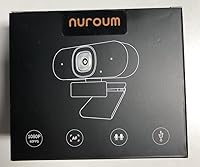
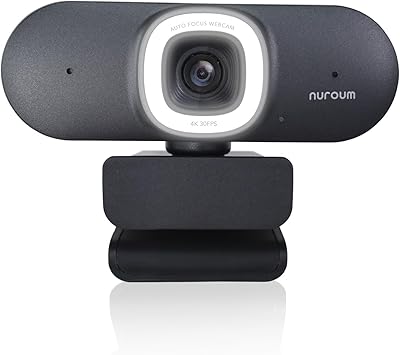
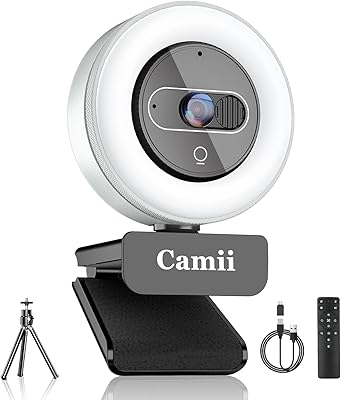
Overview

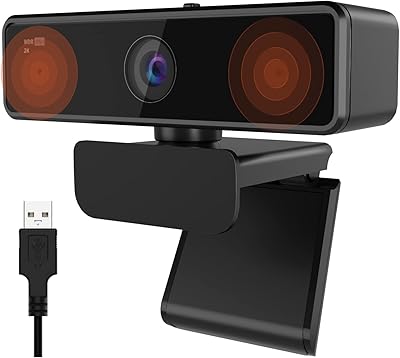
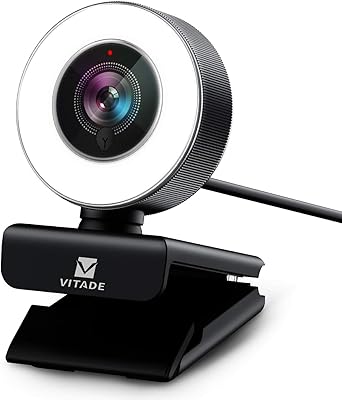
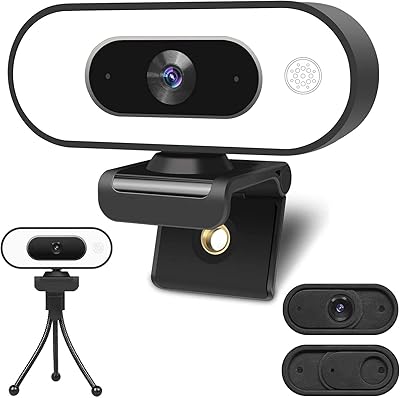
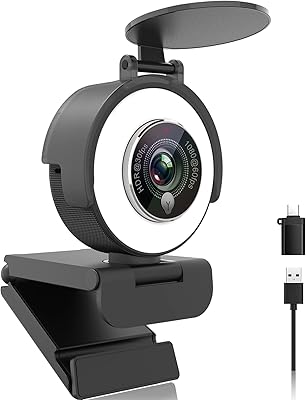
The NUROUM V15AFL 2K Autofocus Ring Light Webcam entered a crowded market in June 2024 and has quietly built a following, sitting at #1,383 in Amazon's Webcam category — a solid foothold for a relatively new entrant. The core appeal is simple: you get 2K image quality and a built-in ring light in one compact package, cutting down on desk clutter and additional purchases. This streaming camera is plug-and-play right out of the box, requiring no driver installation. At a 3.9-star average, it's a capable option, though real trade-offs exist — and this review covers them honestly.
Features & Benefits

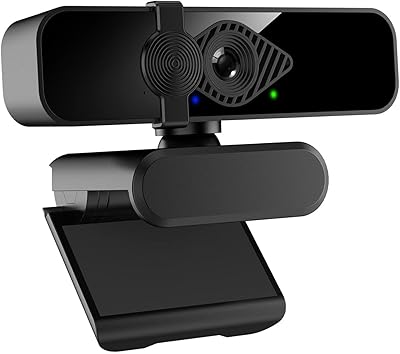
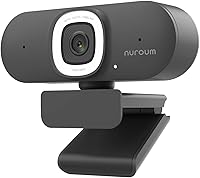
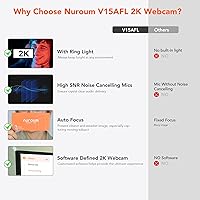
The ring light is the V15AFL's most practical differentiator at this price tier. It encircles the lens and cycles through three brightness levels with a single touch — no app, no fuss. That alone can clean up a cluttered desk setup. On video quality, it helps to know that 1080p at 60fps is what you want for smooth streaming, while 2K/1440p tops out at 30fps — better for sharper still-like calls or presentations than for fast-motion content. The subject-aware autofocus is a real highlight when you're presenting a product or object close to the camera. The dual mics deliver decent stereo audio with noise suppression up to three meters, though audiophiles will still want a dedicated mic.

Best For

This ring-light webcam is a natural fit for streamers and creators who want to simplify their gear — one device instead of a webcam plus a separate light stand. Remote workers who take evening calls or sit in poorly lit rooms will also get clear value from the auto-exposure and built-in lighting. If your work involves showing physical products on camera, the close-up autofocus handles those moments well. It's an especially good step up for anyone still relying on a laptop's built-in camera. Core features work immediately on plug-in, though downloading the NearSync app is worth it if you want to fine-tune exposure or white balance beyond the defaults.

User Feedback

Buyers consistently highlight the ease of setup and appreciate having lighting built directly into the camera — most report a noticeable improvement over their laptop's camera right out of the box. The physical privacy buttons for muting audio and cutting the video feed have also earned genuine praise; people value controls they can see and press rather than digging through software menus. Where the feedback gets mixed is autofocus performance in low-light situations, with some users noting it hunts rather than locking quickly. The all-plastic build feels lightweight but draws criticism from those expecting more premium construction. A handful of buyers found the NearSync firmware tool harder than expected to navigate, though it's entirely optional for standard use.

Pros

  • The built-in ring light eliminates the need for a separate lighting purchase, saving both money and desk space.
  • Plug-and-play USB setup means you're on a video call within seconds of unboxing, no drivers needed.
  • Subject-aware autofocus reliably tracks close-up objects, making it practical for product demos and on-camera presentations.
  • Shooting at 1080p/60fps produces smooth, motion-blur-free video that looks noticeably better than most built-in laptop cameras.
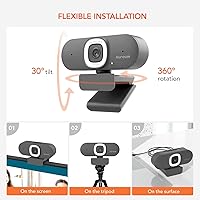
  • Three mounting options — desk stand, monitor clip, and tripod thread — offer real flexibility across different workspace setups.
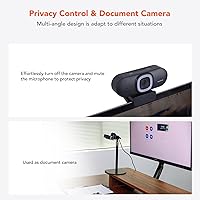
  • Physical mute and video-off buttons let you cut your feed instantly without fumbling through software menus.
  • Auto exposure and low-light correction handle dimly lit rooms without requiring any manual tweaking.
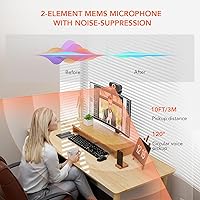
  • The dual noise-cancelling mics pick up voices clearly from up to three meters, adequate for most home office calls.

Cons

  • Autofocus can hunt or hesitate noticeably in low-light environments rather than locking onto subjects cleanly.
  • The all-plastic construction feels lightweight to the point of flimsy, which some buyers find underwhelming for the price.
  • The 2K/1440p mode is capped at 30fps, making it unsuitable for smooth high-resolution streaming of fast-motion content.
  • Dual microphones are outperformed by even entry-level dedicated USB mics, a real limitation for audio-focused creators.
  • The NearSync firmware tool has drawn criticism for being unintuitive, adding friction for users who need advanced image control.
  • The ring light lacks the intensity and directionality of a proper key light, making it insufficient for dedicated studio setups.
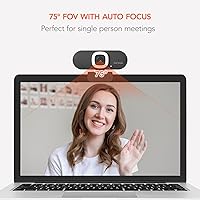
  • A 75-degree field of view is narrower than several competing webcams at this price tier, which can feel tight on group calls.

Ratings

The scores you see below for the NUROUM V15AFL 2K Autofocus Ring Light Webcam were generated by our AI rating system after analyzing thousands of verified purchase reviews from global buyers, with spam, incentivized, and bot-generated feedback actively filtered out. The result is a multi-dimensional snapshot that captures what this ring-light webcam genuinely does well — and where it falls short — without glossing over the trade-offs that real users encounter.

Video Quality
81%
19%
Most buyers report a clear and noticeable improvement over a built-in laptop camera, particularly when shooting at 1080p/60fps where motion is smooth and faces are rendered with good color accuracy. The auto white balance and exposure correction handle shifting ambient light well during long calls or streams.
The 2K/1440p mode only runs at 30fps, which trips up buyers expecting cinematic sharpness and fluid motion simultaneously — you have to pick one or the other. In motion-heavy streaming scenarios, some users feel the image softens slightly compared to competing cameras in the same price bracket.
Autofocus Performance
74%
26%
During well-lit video calls and product presentations, the subject-aware autofocus locks on quickly and handles close-up objects impressively well — a feature remote workers and presenters genuinely notice when switching from a fixed-focus camera. It tracks a speaker's face cleanly even when they shift back from the desk slightly.
Low-light environments expose its main weakness: the autofocus tends to hunt and cycle rather than locking cleanly, which creates a distracting pulsing effect on-screen. Several buyers report this is most noticeable during evening streams or calls in rooms relying primarily on the built-in ring light.
Ring Light Quality
83%
The built-in ring light is the camera's standout feature at this price, and buyers consistently credit it with making them look significantly more polished on calls without buying a separate lighting stand. The touch control is intuitive and the three brightness levels cover dim rooms through moderate indoor settings comfortably.
It is not a replacement for a dedicated key light in a serious streaming or production setup — the output lacks the intensity and directional range that proper lighting gear provides. Buyers with fully kitted-out studios will likely find it redundant, and at maximum brightness a faint warm cast is noticeable on some skin tones.
Microphone Quality
67%
33%
The dual mics do a competent job filtering out keyboard clatter, air conditioning hum, and moderate cafe noise during calls — a genuine step up from the thin, echo-prone audio of a laptop's built-in mic. The 3-meter pickup range means you can move around your desk during a call without losing voice clarity.
Against any dedicated USB microphone, the dual mics fall noticeably short in warmth, presence, and background separation — something podcasters and voiceover creators quickly discover. Several users specifically mention recordings sound tinny or flat compared to what entry-level external mics capture at a similar price.
Value for Money
77%
23%
For buyers replacing a laptop's built-in camera and stepping up to a dedicated webcam with lighting included, the value proposition is strong — you are effectively getting a webcam and a ring light in one purchase. The image and audio quality represent a meaningful step forward for everyday video calls and light streaming work.
Against pure webcam competitors at a similar price, the V15AFL trades some image quality and build solidity for the built-in lighting feature — buyers who already own lighting gear may feel they are paying a premium for something they do not need. The plastic feel adds to the sense that some corners were cut to reach this price point.
Ease of Setup
92%
Plug the USB cable in and the camera appears instantly in Zoom, Teams, OBS, and every other major platform — no driver download, no configuration wizard, no restart required. This is the feedback point where reviewers almost universally agree: setup is as fast and painless as any webcam they have used.
The only friction appears if you want to adjust settings beyond the hardware defaults, which requires downloading the NearSync app — and locating that app is not immediately obvious from the packaging or product listing. A small number of buyers were caught off-guard when they could not find firmware update tools through standard channels.
Low-Light Performance
69%
31%
The auto exposure and low-light correction algorithms do a reasonable job brightening a dim room image without requiring the user to touch any settings — a real convenience during early morning calls or late-night streaming sessions. Paired with the ring light, the camera handles low-ambient-light conditions better than most webcams at this price without any added hardware.
Without the ring light active, image quality in genuinely dark conditions drops off noticeably, with grain and color flattening becoming visible. The autofocus compounds this by hunting when contrast is low, meaning overall low-light performance is closely dependent on keeping the built-in ring light switched on.
Build Quality
61%
39%
The camera is compact and lightweight at under 8 ounces, which makes it easy to reposition or carry between workspaces — useful for people who split time between a home office and another location. The clip and stand feel functional and secure enough for everyday desk use.
The all-plastic construction is the most consistently criticized physical aspect in buyer reviews: it flexes slightly under handling and conveys a budget feel that the camera's price point does not quite justify. A notable portion of buyers felt the build quality was the product's biggest gap between expectation and reality.
Privacy Controls
88%
The physical video-off and mic-mute buttons are among the most praised features in user feedback — buyers appreciate being able to cut their feed with a single press rather than hunting through software menus mid-call. The buttons are well-positioned and responsive, making them easy to hit without looking away from the screen.
There is no visual LED status indicator to confirm from a distance that the mic or video is actually disabled, which leaves some users uncertain unless they check their conferencing software. A small number of buyers also described the button feedback as slightly mushy rather than crisp and tactile.
Software Experience
58%
42%
For users who stick to the plug-and-play experience, there is nothing to complain about — the camera works perfectly well without ever opening the NearSync app. Those who do install it gain access to firmware updates and granular parameter adjustments that can measurably improve image output for specific use cases.
The NearSync interface has drawn consistent criticism for being unintuitive and harder to navigate than expected — it does not feel like software designed with consumer usability in mind. Buyers looking to update firmware or tweak settings report spending more time troubleshooting the tool itself than actually adjusting their camera.
Mounting & Flexibility
84%
The three mounting configurations cover the most common real-world desk scenarios well — clip to a monitor or laptop lid, stand it on a flat surface, or thread it onto a tripod for a more elevated angle. Having all three options included in the box at no extra cost is something buyers consistently highlight as a positive.
The clip mechanism works well on thin monitor bezels and laptop lids but can feel slightly less secure on thicker or older display frames, with a few buyers noting noticeable wobble. The 1.5m cable is sufficient for most desk setups but falls short for users with floor-placed desktop towers.
Compatibility
91%
Being a standard USB plug-and-play device, this streaming camera works without friction across all major platforms — Zoom, Teams, OBS, XSplit, and Twitch all detected it immediately with no configuration. Buyers switching between Mac and Windows setups report it works equally well on both without any re-installation.
There is no official Chromebook support listed, and a handful of users on less common Linux distributions report inconsistent detection depending on their kernel version. These are niche cases, but worth considering for buyers working outside standard Windows or macOS environments.
Frame Rate Flexibility
73%
27%
Having both a 60fps Full HD mode and a 2K/30fps mode gives users genuine options depending on their priority — smoother motion for live streaming or sharper resolution for conference calls and static content. The camera switches between modes automatically based on what the software requests, with no manual intervention needed.
The inability to combine 2K resolution with 60fps is the biggest technical constraint that frustrates performance-focused buyers who expect both simultaneously. Several streaming-focused reviewers specifically note this as a meaningful limitation compared to higher-end webcams where both parameters are achievable at once.

Suitable for:

The NUROUM V15AFL 2K Autofocus Ring Light Webcam is a strong match for anyone who wants to consolidate their video setup without buying separate lighting gear. Remote workers who frequently take evening calls or work in rooms with unreliable natural light will benefit noticeably from the built-in ring light and automatic exposure correction — two features that would otherwise require additional hardware. Casual streamers and content creators who need a visible step up from a laptop camera without the complexity of a multi-device rig will find this streaming camera hits a practical sweet spot. It's also well-suited to professionals who regularly present physical products or documents on camera, since the subject-aware autofocus tracks close-up objects reliably. Anyone prioritizing a no-fuss setup will appreciate that plugging in the USB cable is genuinely all it takes to get started.
Not suitable for:

The NUROUM V15AFL 2K Autofocus Ring Light Webcam is not the right pick for serious content creators or streamers who already have a proper lighting setup, since the built-in ring light, while convenient, is unlikely to match the output or directional control of a dedicated key light in a studio environment. Buyers who rely heavily on microphone quality for podcasts, voiceovers, or professional audio should know upfront that the dual mics are a reasonable convenience feature but will not compete with even a basic dedicated USB microphone. The plastic construction may disappoint anyone expecting a more substantial, premium feel at this price point. Users who need true 2K resolution at a fluid 60fps will find the V15AFL cannot deliver both simultaneously — the 2K mode is capped at 30fps, which may feel limiting for high-motion streaming scenarios. Those who want to deeply customize image parameters should also be prepared for some friction with the optional NearSync software, which a portion of buyers have found unintuitive.

Specifications

  • Max Resolution: This webcam captures video at a maximum of 2K (1440p) resolution when running at 30 frames per second.
  • HD Video Mode: In Full HD mode, the camera records at 1080p and 60 frames per second for smooth, fluid motion.
  • Image Sensor: The camera uses a 4MP CMOS sensor to capture image and video data.
  • Field of View: The lens provides a 75-degree horizontal field of view, framing a single person clearly at typical desk distances.
  • Autofocus: An integrated subject-aware autofocus system distinguishes people and objects from backgrounds and adjusts focus automatically.
  • Ring Light: A built-in LED ring light encircles the lens and offers three brightness levels adjustable via a touch-sensitive control.
  • Microphones: Two built-in noise-cancelling microphones are positioned on either side of the lens with a combined 120-degree pickup range.
  • Mic Range: The microphone array can effectively capture voice audio from up to 3 meters away.
  • Connectivity: The webcam connects via USB 2.0 and is recognized as a plug-and-play device on Windows and macOS without driver installation.
  • Cable Length: The attached USB cable measures 1.5 meters (approximately 4.9 feet) in length.
  • Focal Length: The lens has a maximum focal length of 4.4mm.
  • Mounting Options: Three mounting configurations are supported: a built-in desk stand, a monitor and laptop clip, and a standard tripod thread.
  • Weight: The camera unit weighs 7.8 oz (approximately 221 grams).
  • Package Size: The product ships in packaging measuring 5.24 x 4.61 x 2.68 inches.
  • Compatibility: The webcam is compatible with Zoom, Microsoft Teams, Skype, OBS, XSplit, Twitch, YouTube, FaceTime, and Swift Capture.
  • Privacy Controls: Two dedicated physical buttons on the camera body allow the user to instantly disable the video feed or mute the microphone.
  • Video Formats: Supported video output formats include MPEG, YUV, and H.264.
  • Color: The camera is available in gray.
  • Companion App: The optional NearSync application, available from NUROUM's official website, enables firmware updates and manual adjustment of advanced image parameters.

Related Reviews

NUROUM V32AFL 4K Webcam with Ring Light
85%
92%
Video Quality
88%
Lighting Performance
85%
Microphone Quality
81%
Ease of Setup
75%
Software Experience
More
NUROUM V11 2K Webcam
88%
92%
Video Quality
89%
Audio Quality
94%
Ease of Use
96%
Setup & Installation
78%
Low-Light Performance
More
Camii C-4K-001 4K Webcam
75%
67%
Image Quality
83%
Built-in Lighting
71%
Microphone Quality
79%
Value for Money
58%
Build Quality
More
Vitade 960A 1080P Webcam with Ring Light
77%
83%
Image Quality
88%
Ring Light Performance
74%
Autofocus Accuracy
62%
Microphone Quality
79%
Low-Light Performance
More
Angetube 967Pro 1080p Webcam
76%
78%
Video Quality
86%
Ring Light Performance
71%
HDR Mode
81%
Frame Rate (60fps)
62%
Microphone Quality
More
ToLuLu Webcam with Ring Light
76%
88%
Value for Money
83%
Ring Light Performance
72%
Image Quality
93%
Ease of Setup
61%
Microphone Quality
More
Dobuhont D90-2K Webcam
75%
83%
Image Clarity
61%
Low-Light Performance
68%
Microphone Quality
59%
Build Quality
78%
Privacy Cover
More
Acetaken 8-inch USB Clamp Ring Light
76%
91%
Ease of Setup
88%
Arm Flexibility & Reach
74%
Brightness Range
67%
Clamp Strength & Fit
82%
Light Quality & Evenness
More
EOTO LIGHT 19-inch LED Ring Light
76%
88%
Brightness Output
91%
Color Accuracy
86%
Color Temperature Range
67%
Build Quality
74%
Touch Screen Usability
More
EOTO LIGHT 21-Inch LED Ring Light
79%
93%
Light Output & Brightness
91%
Color Accuracy (CRI)
88%
Touch Panel Usability
86%
Tripod Build & Stability
84%
Value for Money
More

FAQ

The NUROUM V15AFL 2K Autofocus Ring Light Webcam is fully plug-and-play — connect the USB cable and your computer recognizes it immediately, with no drivers or additional software needed. The core features, including the ring light, autofocus, and privacy buttons, all work right away. If you want to fine-tune image settings or update the firmware, you can optionally download the NearSync app from NUROUM's official website.

This is one of the most common points of confusion with this camera. The 1080p mode runs at 60 frames per second, giving you smoother, more fluid video — ideal for streaming or any content with motion. The 2K (1440p) mode captures more detail and sharpness, but it tops out at 30fps, making it better suited for video calls or static presentations than for fast-moving streaming scenarios.

For everyday video calls and casual home streaming, the ring light does a solid job filling in shadows and improving your appearance in dim conditions — particularly in the evening or in rooms with limited natural light. It has three brightness levels, but it does not match the raw output or directional control of a dedicated key light. If you run a more serious production setup, you will likely still want proper lighting gear alongside the camera.

Yes, and this is one of the V15AFL's more practical real-world strengths. The autofocus is designed to shift focus toward objects brought near the lens, which makes it genuinely handy for product demos, document sharing, or presenting physical items during a stream or meeting. It performs reliably under good lighting, though some buyers report it can hesitate or hunt slightly when light levels are low.

The dual mics handle everyday calls and casual streaming competently — they suppress background noise reasonably well and pick up voice clearly from up to 3 meters away. That said, if audio quality is a real priority for your content — podcasting, voiceovers, or anything where listeners are paying close attention to sound — they will fall short of even a budget dedicated USB microphone. Think of them as a solid convenience feature rather than a replacement for proper audio gear.

Yes, this streaming camera works with all the major platforms out of the box — Zoom, Microsoft Teams, Skype, OBS, XSplit, Twitch, YouTube, and more. Since it registers as a standard USB video device, it appears automatically in the camera selection menu of any app that supports external webcams, so compatibility issues are rare.

Buyers consistently praise these in their feedback. The buttons give you instant, tactile control without navigating software menus mid-call — useful when you need to mute yourself quickly or step away from camera unexpectedly. They are responsive and easy to find by feel without looking away from your screen, which matters more than it might seem during a live meeting or stream.

For most standard desk setups where the computer sits on or close to the desk, 1.5 meters is sufficient. If your PC tower sits on the floor or you need to route the cable around a wider workspace, you might find it a touch short. A standard USB 2.0 extension cable works fine if you need additional reach.

The camera handles exposure, white balance, and low-light correction automatically without any input from you, which covers most users just fine. For manual control over brightness, contrast, or saturation, you will need to download the NearSync app from NUROUM's website. It is worth knowing that some buyers have found the software interface less intuitive than expected, so if deep image customization matters to you, factor that into your decision.

This is a limitation that comes up fairly often in buyer feedback. Under normal or well-lit conditions, the autofocus locks onto subjects quickly and holds reliably. In darker environments, some users notice it hunting — slowly cycling in and out of focus rather than settling cleanly — which can be distracting on a live call or stream. The built-in ring light helps compensate somewhat, but it is worth keeping in mind if your workspace tends to be dimly lit.