Overview

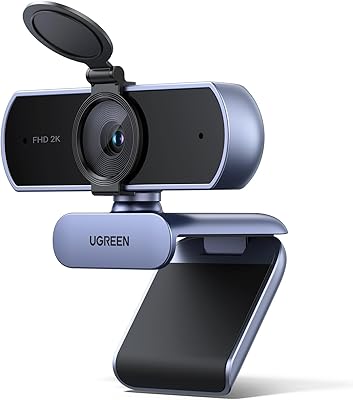
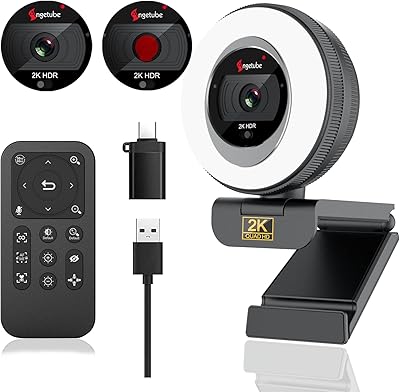
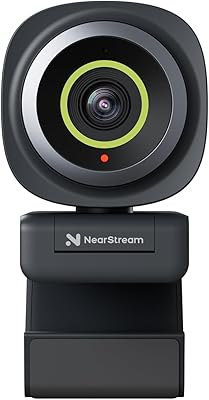
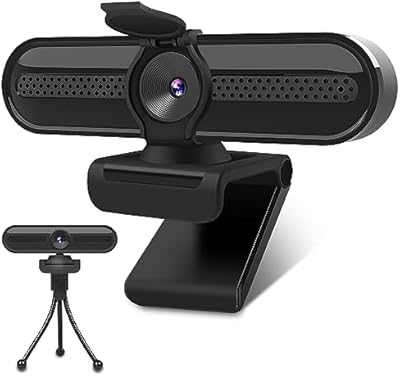
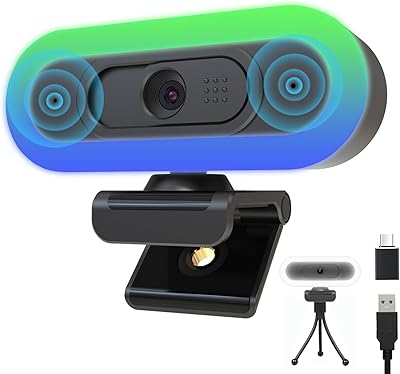
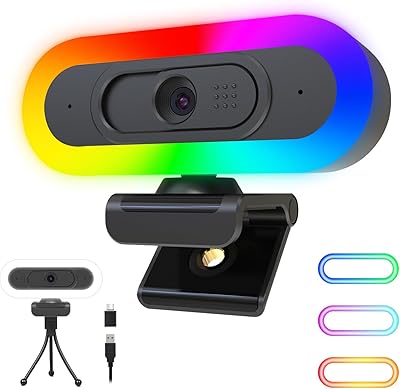
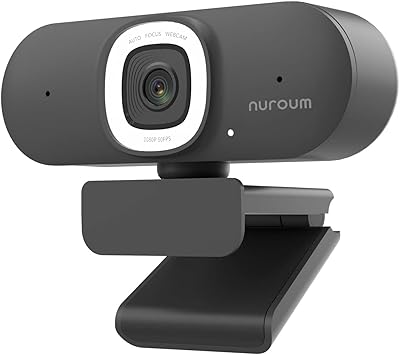
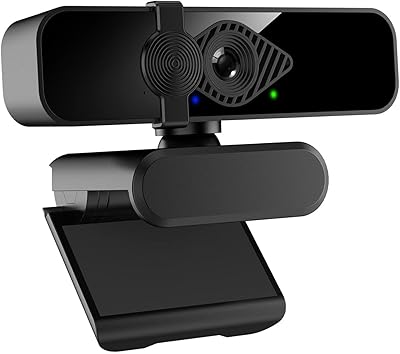
The PixelForge 2K Webcam arrived in late 2024 as a practical all-in-one option for remote workers and students who want decent video quality without juggling separate accessories. It sits comfortably in the mid-range tier — not a bargain-bin buy, but far from the premium end of the market. The silver chassis houses a built-in ring light and a sliding privacy cover, which gives it a more considered look than most webcams at this level. Hitting #32 in Amazon's Webcam category this early in its product life suggests buyers are finding it, and finding it worth recommending.
Features & Benefits

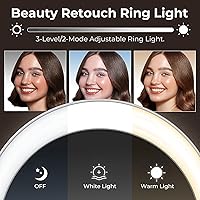
The image quality is where this webcam makes its case. Shooting at 2560x1440p with autofocus, it keeps faces sharp during calls without any fiddling — a real difference if you have been stuck with a fuzzy built-in laptop camera. The adjustable ring light is genuinely useful: two lighting modes and three brightness levels cover everything from a bright afternoon to a dimly lit evening setup. The noise-canceling microphone handles typical home office background noise reasonably well, though it will not replace a dedicated headset in very loud environments. Plug in via USB and it is ready to go on Windows or macOS with no driver installation.

Best For

This desktop camera makes the most sense for people upgrading from a laptop's built-in camera for the first time. Students dealing with uneven bedroom lighting will find the ring light alone justifies the purchase. Remote workers hopping between Zoom and Teams calls daily will appreciate the plug-and-play reliability — no troubleshooting, just connect and go. It is also worth considering for budget-conscious streamers who want a single device covering video, audio, and lighting without buying separate gear. Privacy-focused users get a physical lens cover rather than relying on software toggles that can sometimes fail.

User Feedback

Buyers generally respond well to how quickly the PixelForge camera gets them up and running, with the ring light drawing consistent praise for improving call quality without extra gear. On the critical side, some users flag that the microphone pickup range is modest — anyone sitting further back from the desk may find their voice sounds thin. A few reviewers also mention the cable feels a little short for wider monitor setups. Compared to established names like Logitech at this price point, most feel this webcam holds its ground, though some wish the autofocus tracked faster during movement.

Pros

  • Setup takes under a minute — plug into USB and it is recognized immediately on Windows and macOS.
  • The built-in ring light is adjustable enough to handle both bright daytime calls and dimly lit evening sessions.
  • 2K resolution delivers a clear, sharp image that makes a real difference coming from a standard laptop camera.
  • The integrated privacy cover is physical and reliable, not a software toggle that could fail or be bypassed.
  • Works out of the box with every major video platform including Zoom, Google Meet, Skype, and Teams.
  • This desktop camera bundles lighting, audio, and video into one device, saving desk space and reducing cable clutter.
  • Autofocus handles stationary desk use well, keeping faces sharp throughout long meetings without manual adjustment.
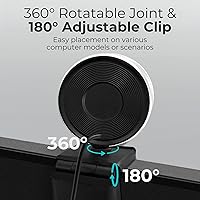
  • Lightweight and clip-mounted design makes it easy to move between a laptop and an external monitor.
  • Noise-canceling microphone handles typical home office background noise adequately for everyday calls.
  • At its price point, the all-in-one feature set is genuinely competitive against buying each component separately.

Cons

  • No companion app means zero control over exposure, white balance, or autofocus sensitivity for advanced users.
  • The cable is short enough to cause real problems for desktop towers or wide monitor arrangements.
  • Autofocus lag when moving around on camera is noticeable and frustrating for anyone who does not sit still.
  • Microphone pickup range is limited — sitting back from the desk can make your voice sound thin and distant.
  • No USB-C connection option, which is an increasingly common need on modern laptops.
  • Passive low-light performance without the ring light is grainy and underwhelming compared to sensor-optimized rivals.
  • The plastic housing feels lighter and less solid than the price suggests, raising durability questions over time.
  • No color temperature control on the ring light means warmer or cooler tones cannot be adjusted to preference.
  • Chromebook and Linux users may encounter recognition issues since compatibility is not officially supported.
  • Brand recognition is limited compared to established webcam makers, which makes long-term support less predictable.

Ratings

The PixelForge 2K Webcam has been scored by our AI system after processing verified buyer reviews from global markets, with spam, bot-generated, and incentivized feedback actively filtered out before any scoring was applied. The result is a balanced picture that reflects both what this desktop camera genuinely does well and where real users have run into frustrations. Strengths and limitations are weighted equally so you can make an informed call before buying.

Image Quality
83%
Most buyers notice an immediate and meaningful improvement over built-in laptop cameras, especially on morning video calls where sharpness and color accuracy matter. The 2K resolution holds up well in well-lit rooms, producing faces that look natural rather than washed out or over-processed.
In low-light conditions without the ring light engaged, image quality drops more noticeably than some users expected at this price tier. A handful of reviewers who compared it side by side with Logitech models felt the color science was slightly cooler and less flattering.
Built-In Ring Light
88%
This is consistently one of the most praised aspects across buyer feedback. The ability to dial between brightness levels means it works equally well for a midday Teams call and a late-night streaming session without needing a separate lamp on the desk.
A small number of users found the brightest setting too harsh for close-up use, creating mild overexposure on lighter skin tones. The light also lacks a color temperature adjustment, so those who prefer warmer tones are stuck with what the hardware offers.
Autofocus Performance
71%
29%
For static or mostly stationary use — sitting at a desk during a work call — the autofocus does its job reliably and locks onto faces quickly after initial setup. Most remote workers report no issues during hour-long video meetings.
When users move around, lean back, or turn to grab something off-screen, refocusing can lag by a noticeable half-second or more. Streamers who shift position frequently flagged this as a recurring annoyance compared to cameras with faster continuous autofocus.
Microphone Quality
67%
33%
In quiet home offices, the noise-canceling microphone performs adequately, and colleagues on calls rarely complain about audio clarity during normal conversation. It handles keyboard clatter and light HVAC noise reasonably well.
The pickup range is modest, which means anyone sitting more than an arm's length from the camera risks sounding thin or distant. In open-plan offices or shared living spaces with heavier background noise, the microphone struggles more than a dedicated headset would.
Privacy Cover
91%
Buyers who prioritize security genuinely appreciate having a physical slide cover rather than relying on a software mute or OS camera toggle. It snaps into position cleanly and gives peace of mind during calls when the camera is not actively needed.
A few users noted the cover can feel slightly loose after extended use, raising minor questions about long-term durability. It is a small component but one that matters to privacy-focused buyers, so any wobble gets noticed quickly.
Setup & Ease of Use
94%
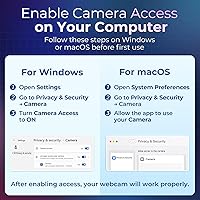
Plug-and-play is one area where this webcam draws almost universal praise. Buyers across varying levels of technical comfort report it working immediately on both Windows and macOS without hunting for drivers or running any software.
There is no dedicated companion app for fine-tuning exposure, white balance, or autofocus behavior, which frustrated more advanced users who wanted manual controls. Out of the box is great; beyond the box, options are limited.
Compatibility
92%
Works consistently across Zoom, Google Meet, Skype, and Teams without any configuration needed, which matters enormously to users who switch between platforms throughout the workday. macOS and Windows recognition is immediate.
A small number of Chromebook users reported inconsistent recognition, and Linux compatibility is not officially supported, which is a gap for technical buyers in those environments.
Build Quality & Materials
69%
31%
The silver finish looks more premium than typical budget webcams and sits stably on most monitor edges or laptop screens without wobbling during normal desk use. The overall form factor is compact and tidy.
The plastic housing feels lightweight in a way that reads more fragile than sturdy to some buyers. A few reviewers mentioned the hinge or clip mechanism felt less robust than expected, and the cable — at roughly 1.5 meters — is short enough to limit placement flexibility on wider desk setups.
Value for Money
78%
22%
Bundling a 2K sensor, ring light, noise-canceling microphone, and privacy cover into one device at this price point is genuinely competitive. Buyers who would otherwise purchase these as separate accessories find the all-in-one package easy to justify.
When compared directly to established brands offering similar specs, some buyers felt the overall execution did not quite match the price. The value proposition is strongest for first-time upgraders; power users may find the trade-offs less acceptable.
Lighting Adaptability
81%
19%
The two lighting modes — which appear to cover a softer diffused style and a more direct bright mode — give users enough flexibility to handle different room conditions without additional gear. Students in dim dorms found this feature alone worth the purchase.
Three brightness levels cover the basics but leave a gap for users who need very fine control. There is no way to adjust color temperature, which limits how well the light flatters every skin tone or room aesthetic.
Cable Length & Connectivity
61%
39%
USB connectivity is universal and the plug-and-play nature means there is zero friction getting started. For standard desk setups where the computer is close by, the cable length is adequate.
At approximately 1.5 meters, the cable is a genuine inconvenience for users with desktop towers on the floor or monitors set away from the CPU. There is no USB-C option, which is an increasingly common request among buyers with newer laptops.
Portability
74%
26%
At just over 9 ounces, this webcam is light enough to toss into a bag for travel or hot-desking scenarios. The clip design fits most laptop screens and external monitors without needing extra tools or mounts.
The ring light adds some bulk compared to minimal travel webcams, and the clip is not universally compatible with very thin laptop lids or unconventional monitor frames. A tripod mount would have made it more versatile on the go.
Low-Light Performance
66%
34%
With the built-in ring light turned on, low-light performance is significantly better than the raw sensor alone would deliver. Evening users and students in dark rooms benefit noticeably from having the light source attached to the camera itself.
Without the ring light, low-light footage degrades to a grainy, muted image that falls below what some competing cameras handle through better sensor processing. Users who prefer not to use artificial light may find the passive low-light capability underwhelming.
Software & Control Options
53%
47%
Because there is no software required at all, setup is frictionless. For casual users who simply want a camera that works without learning a new app, this is perfectly sufficient.
The absence of any companion software means there is no way to adjust exposure, white balance, field of view, or autofocus sensitivity. Power users and streamers who rely on OBS or other broadcasting tools noted the lack of advanced controls as a notable shortcoming compared to rivals with dedicated desktop apps.

Suitable for:

The PixelForge 2K Webcam is a practical fit for anyone who spends a meaningful portion of their day on video calls and wants noticeably better image quality than a built-in laptop camera without the hassle of configuring separate lighting or audio gear. Remote workers juggling back-to-back Zoom and Teams meetings will appreciate how little friction is involved — plug it in, and it works. Students who study or attend classes from bedrooms or dorms where lighting is inconsistent get real value from the integrated ring light, which handles dim environments without requiring a lamp purchase. Budget-conscious streamers or content creators who want a single device covering video, light, and sound in one tidy package will find it a reasonable starting point. It is also well-suited to privacy-focused users who want a physical lens cover rather than trusting a software toggle, and to anyone upgrading from a grainy 1080p built-in camera who wants a visible quality jump without committing to a high-end professional setup.
Not suitable for:

The PixelForge 2K Webcam is not the right call for users who need granular manual control over their video feed, since there is no companion software for adjusting exposure, white balance, or autofocus behavior. Professional streamers or video producers who rely on OBS or broadcast-grade setups will quickly hit the ceiling of what this camera can offer. The microphone, while adequate for quiet environments, is not a substitute for a dedicated USB microphone or headset in louder spaces, so open-plan office workers or anyone in a busy shared household may find the audio underwhelming. The cable length is also limiting for desktop setups where the tower sits on the floor or the monitor is positioned far from the computer, and there is no USB-C option for users with newer ultrabooks. Anyone hoping for 4K resolution, advanced low-light sensor performance without artificial lighting, or a build quality that matches established brands at the same price tier should look carefully at alternatives before committing.

Specifications

  • Resolution: Captures video at 2560x1440p (2K), delivering noticeably sharper image quality than standard 1080p webcams.
  • Sensor: Uses a CMOS image sensor, which is the standard technology for modern webcams balancing image quality and power efficiency.
  • Autofocus: Equipped with continuous autofocus that adjusts automatically to keep the subject sharp without any manual input.
  • Ring Light: Built-in ring light offers two lighting modes and three brightness levels to suit a range of ambient lighting conditions.
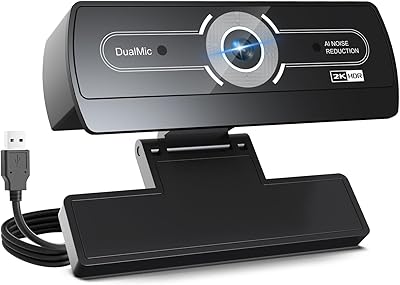
  • Microphone: Includes a built-in noise-canceling microphone designed to reduce background interference during calls and recordings.
  • Privacy Cover: Features an integrated sliding lens cover that physically blocks the camera when not in use.
  • Connectivity: Connects via a standard USB-A port with no drivers or additional software required for basic operation.
  • OS Support: Fully compatible with Windows and macOS operating systems out of the box.
  • Platform Support: Works natively with Zoom, Google Meet, Skype, Microsoft Teams, and other major video conferencing platforms.
  • Focal Length: Fixed focal length of 3.67mm, suited for close to mid-range desktop use at a typical seated working distance.
  • Video Format: Records and streams video in MP4 format for broad compatibility with editing and playback software.
  • Audio Format: Supports MP3 and AAC audio formats for flexible recording and communication use cases.
  • Weight: Weighs 9.1 ounces, making it light enough to clip onto a laptop screen or carry in a bag without adding significant bulk.
  • Dimensions: Packaged dimensions measure 5.63 x 3.98 x 2.52 inches, reflecting a compact and desk-friendly form factor.
  • Color: Available in a silver finish that gives the unit a cleaner, more modern look compared to the all-black designs common in this category.
  • Brand: Manufactured by PixelForge, a brand that entered the webcam market in late 2024 with this model as a primary listing.

Related Reviews
Dobuhont D90-2K Webcam

75%
83%
Image Clarity
61%
Low-Light Performance
68%
Microphone Quality
59%
Build Quality
78%
Privacy Cover
More
UGREEN 2K Webcam
UGREEN 2K Webcam
86%
91%
Video Clarity
85%
Autofocus Accuracy
88%
Audio Quality
84%
Build Quality
93%
Ease of Setup
More
XOCLON 2K Webcam
XOCLON 2K Webcam
86%
89%
Video Quality
91%
Audio Performance
96%
Ease of Setup
85%
Low-Light Performance
87%
Field of View
More
PixelForge 4K Webcam
86%
94%
Video Quality
88%
Audio Performance (Microphone)
91%
Ease of Setup
89%
Lighting Effectiveness
86%
Privacy Features
More
ToLuLu 2K Streaming Webcam
83%
89%
Video Quality
84%
Microphone Performance
93%
Ease of Setup
85%
Lighting Functionality
78%
Build Quality
More
NUROUM V15AFL 2K Webcam
87%
88%
Video Quality
91%
Autofocus Performance
85%
Low-Light Performance
92%
Ease of Setup
80%
Microphone Clarity
More
ROCWARE RC08 2K Webcam
75%
78%
Video Clarity
81%
Autofocus Performance
72%
Built-in Speaker
83%
Microphone Quality
66%
Low-Light Performance
More
TRAUSI 2K HD Webcam
TRAUSI 2K HD Webcam
86%
89%
Video Quality
84%
Audio Performance
93%
Ease of Setup
88%
Auto Light Adjustment
81%
Noise Cancellation
More
VIZOLINK 2K Webcam W4DS
84%
88%
Video Quality
85%
Audio Performance (Microphone)
91%
Ease of Setup
75%
Field of View
80%
Low-Light Performance
More
Hrayzan 2K Webcam W4LS
85%
92%
Video Quality
89%
Ease of Setup
86%
Lighting Performance
78%
Microphone Quality
84%
Build Quality
More

FAQ

No, you do not. This webcam is fully plug-and-play, which means you just connect it to a USB port and your computer recognizes it automatically. It works on both Windows and macOS without downloading anything. If you want more advanced controls like manual exposure or white balance, those options are not available since there is no companion app.

Yes, it is compatible with macOS and is recognized automatically without any driver installation. That said, the USB connection is a standard USB-A plug, so if your MacBook only has USB-C ports you will need a simple USB-A to USB-C adapter, which are inexpensive and widely available.

For most people, yes — especially in dim bedrooms or home offices in the evening. The three brightness levels give you enough range to compensate for low ambient light. That said, the ring light does not replace a proper studio light for content creation, and at maximum brightness it can slightly overexpose fair skin tones if you are sitting very close.

It performs well for everyday interference like keyboard clicks, HVAC hum, or a fan running nearby. However, louder or more unpredictable noise — a TV in another room, children, or street traffic — can bleed through. If you are in a consistently noisy environment, pairing this camera with a dedicated USB microphone or a headset will give you more reliable audio quality.

Yes, it is a physical sliding cover that sits directly over the lens, so when it is closed the camera cannot see anything regardless of what software is running. It is one of the more thoughtful features on this webcam, especially for people who leave the camera plugged in all day.

You can, and it produces a clean 2K image that will look good for casual or beginner streaming setups. Keep in mind there is no software for adjusting field of view, exposure, or other stream-specific settings, so more experienced streamers who rely heavily on OBS customization may find it limiting. As a starting point for someone new to streaming, it is a reasonable choice.

The cable is approximately 1.5 meters long, which works fine for most desk setups where the computer is nearby. If your desktop tower is on the floor or your monitor is positioned further away, the cable may come up short. A standard USB extension cable is an easy and inexpensive fix in that case.

It handles minor movements and small adjustments in distance well, but if you lean back significantly or turn away from the camera, there is a brief lag before it refocuses. For typical seated video calls this is rarely a problem, but if you tend to move around a lot during calls it can occasionally produce a moment of soft focus.

Officially, compatibility is listed for Windows and macOS only. Some users have reported it working on Chromebooks without issues, while others have had recognition problems. Linux support is not guaranteed and will depend on your specific distribution and kernel version. If you are on Chromebook or Linux, it may work, but there is a real chance you could run into issues.

The Logitech C920 is a well-established benchmark in this price range and has the advantage of a more mature software ecosystem and a long track record of reliability. This webcam trades that brand confidence for the added built-in ring light and integrated privacy cover, which the C920 does not have. If lighting and privacy hardware are priorities for you, this camera makes a strong case; if you want proven long-term support and a polished software experience, Logitech has the edge.