Overview

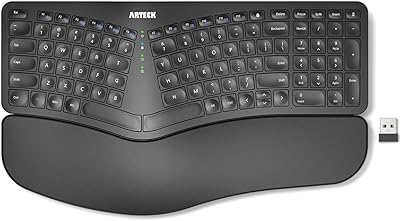
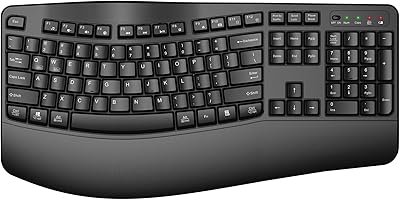
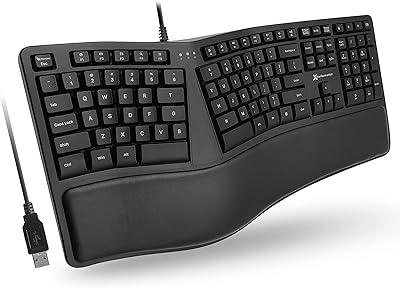
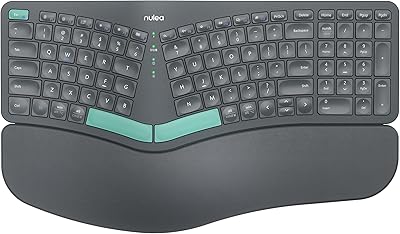
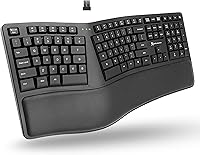
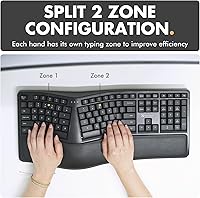
The X9 Performance Wireless Ergonomic Split Keyboard enters a crowded mid-range market with a clear purpose: give desk workers a more comfortable way to type without spending a fortune. Its defining feature is the split 2-zone layout, which angles both halves outward to reduce the awkward inward rotation most standard keyboards force on your wrists. Setup is refreshingly simple — plug in the USB-A RF receiver and you are typing within seconds, no Bluetooth pairing headaches involved. The included wrist rest and rechargeable battery sweeten the deal at this price point. Just know going in: this is a consumer-grade membrane board, not a programmable enthusiast keyboard.
Features & Benefits

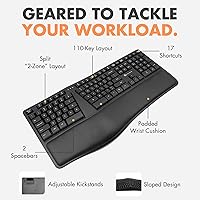
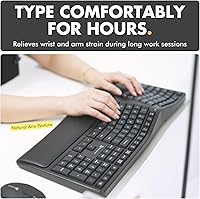
The split curved layout is what most buyers notice immediately. By separating the key zones and angling them outward, the X9 wireless keyboard encourages your arms to rest at a more natural width, easing strain on your wrists during long writing sessions. The built-in cushioned wrist rest means you do not need to buy one separately — a small but real convenience. Wireless range holds solid at up to 30 feet via the RF receiver, and the 600 mAh battery genuinely lasts months without a recharge. The full 110-key layout, numpad included, is a practical bonus for anyone doing regular data entry or spreadsheet work.

Best For

This split ergo keyboard is a strong fit for people who spend hours at a desk daily and have started feeling discomfort in their wrists or forearms. It suits first-time ergo adopters particularly well — the layout is different enough to deliver real ergonomic benefit, but not so extreme that it demands weeks of relearning. Home office users on Windows, Chromebook, or Surface hardware will appreciate the plug-and-play RF setup. It also makes sense for anyone wanting an all-in-one solution without sourcing a wrist rest separately. Those who need mechanical switches or Bluetooth multi-device pairing should look elsewhere.

User Feedback

With a 4.2-star average across nearly 750 ratings, this ergonomic board sits in solidly positive territory. Buyers consistently highlight the wrist rest comfort and report that their hands feel noticeably less tense after switching from a flat keyboard. The wireless setup draws near-universal approval for being fast and reliable. The most repeated criticism, though, is that the membrane keys feel imprecise — not soft in a forgiving way, but mushy in a way that frustrates touch typists accustomed to mechanical key feedback. A handful of users also flag a short adjustment period with the split angle, and a few with larger hands find the key spacing slightly cramped.

Pros

  • The split 2-zone curved layout noticeably reduces wrist angle strain during long typing sessions.
  • Plug-and-play RF setup means you are typing in seconds with zero configuration required.
  • Built-in wrist rest eliminates the need to buy a separate palm support accessory.
  • The 600 mAh rechargeable battery genuinely lasts months between charges under normal daily use.
  • A full 110-key layout with numpad makes this ergonomic board practical for data entry and spreadsheet work.
  • Wireless range holds reliably up to 30 feet, giving real flexibility in desk and room arrangements.
  • Single-color backlighting adds low-light usability without the distraction or cost of RGB systems.
  • The X9 wireless keyboard is compatible with a wide range of devices including Chromebooks and Surface hardware.
  • Up to two years of warranty coverage offers reasonable peace of mind for a mid-range purchase.
  • Setup requires no software installation, making it accessible even for less tech-savvy users.

Cons

  • Membrane switches feel soft and imprecise, which frustrates typists who prefer tactile or clicky feedback.
  • There is no Bluetooth support, so users who switch between multiple devices will find the single RF receiver limiting.
  • The hollow, dull sound of each keystroke can become noticeable and slightly fatiguing over long sessions.
  • Some users with larger hands find the key spacing near the split center uncomfortably tight.
  • No programmable keys or macro support, ruling it out for power users who rely on custom shortcuts.
  • Keycap legends on membrane boards tend to fade faster than on higher-grade alternatives with laser-etched or PBT caps.
  • The adjustment period for first-time split keyboard users can last one to two weeks, temporarily slowing typing speed.
  • Build materials feel lightweight and somewhat hollow, which may concern buyers prioritizing long-term durability.
  • No dedicated media controls or function row shortcuts, which some users miss from standard keyboard layouts.

Ratings

Our AI scoring for the X9 Performance Wireless Ergonomic Split Keyboard was built by analyzing hundreds of verified global buyer reviews, with spam, incentivized ratings, and bot activity actively filtered out before any score was calculated. The results reflect a balanced picture — genuine strengths are recognized and persistent frustrations are not glossed over. Where real users disagreed, those tensions are visible in the scores.
Ergonomic Comfort
83%
The split 2-zone curved layout genuinely shifts hand positioning into a more natural angle, and users who type for five or more hours a day report feeling less tension in their wrists and forearms after making the switch. The integrated wrist rest adds meaningful palm support that compounds this effect during long work sessions.
Users with larger hands sometimes find the key spacing near the center split too narrow for comfortable thumb positioning, which undermines the ergonomic benefit for that group. A handful of reviewers also note that the fixed wrist rest height does not suit everyone's desk and chair setup.
Key Feel & Typing Experience
58%
42%
For users coming directly from a standard flat office keyboard, the membrane switches feel familiar and require no force adjustment. The light actuation keeps finger fatigue low during extended typing bursts, which some writers and data entry workers appreciate.
The most consistently repeated criticism across reviews is that the keys feel mushy and imprecise, lacking the tactile feedback that makes touch typing feel confident and controlled. Anyone with experience on mechanical switches will find the keystroke feedback noticeably underwhelming, and the hollow bottom-out sound grows tiresome over time.
Wireless Performance
86%
The 2.4GHz RF connection is rock solid in practice — users report zero noticeable lag during everyday typing, even at distances well beyond a typical desk setup. Plug-and-play setup means the receiver is recognized instantly by Windows and ChromeOS without any driver installation.
The single USB-A receiver locks the keyboard to one device at a time, which frustrates users who regularly move between a laptop and a desktop. There is no Bluetooth fallback option, making multi-device workflows more cumbersome than they need to be.
Battery Life
88%
The 600 mAh internal battery consistently delivers on its promise — users who type throughout a standard workday report going six to ten weeks before needing to recharge, especially with the backlight disabled. The included charging cable means there is nothing extra to source.
A small number of users report that battery performance degrades noticeably after twelve to eighteen months of daily use, which is a common limitation of built-in lithium-ion cells that cannot be replaced. Running the backlight continuously shortens charge cycles more than the product documentation implies.
Build Quality
62%
38%
The keyboard feels adequately solid during normal typing use and does not flex or shift around the desk under pressure. For a mid-range consumer product, the structural integrity holds up reasonably well through the first year of daily use.
The plastic housing feels lightweight in a way that signals cost-cutting rather than intentional portability, and several long-term users report creaking around the wrist rest junction after several months. Keycap legends also show early wear on high-frequency keys like E, A, and S, which is a concern for longevity.
Wrist Rest Quality
79%
21%
The cushioned wrist rest is one of the most praised individual elements across all reviews — users specifically call out how much softer and more supportive it feels compared to the hard plastic edges on standard keyboards. It covers the full bottom width of the board, so both hands are supported evenly.
Because the wrist rest is fixed and non-removable, users who prefer a wrist-free typing posture or use a custom palm rest cannot adapt the keyboard to their preference. The foam material has also been noted to compress and flatten after several months of continuous use.
Value for Money
77%
23%
Relative to the ergonomic keyboard category overall, this split ergo keyboard delivers a bundle — wireless connectivity, a full layout with numpad, integrated wrist rest, and rechargeable battery — that would cost considerably more when assembled from separate components or sourced from premium brands.
At its price point, the membrane switch quality and plastic build feel like areas where corners were cut, and buyers who later discover mechanical ergo keyboards in a similar range often feel some regret. The value proposition holds best for first-time ergo adopters rather than anyone upgrading from a better board.
Setup & Ease of Use
91%
Unboxing to typing takes under a minute — plug the receiver into any USB-A port and the keyboard connects automatically, no software or account required. This makes it especially accessible for less tech-savvy users who dread device pairing processes.
Because there is no companion software at all, there is also no way to remap keys, adjust lighting brightness, or configure any behavior to personal preference. Users who want even basic customization have no path forward within the product ecosystem.
Compatibility
84%
The X9 wireless keyboard works reliably across Windows 10 and 11, ChromeOS, and most laptop platforms with a USB-A port, which covers the vast majority of everyday office computing scenarios. Chromebook users in particular praise the instant recognition without any workarounds.
Mac users face a suboptimal experience because key labeling and some function shortcuts do not translate to macOS conventions. Devices without a USB-A port — including many modern ultrabooks and iPads — require an adapter that is not included, which adds friction to the setup.
Backlight
61%
39%
The single-color backlight does its job for occasional low-light use, giving enough key visibility in a dim room or during an evening work session without being distracting or overpowering for nearby colleagues.
There is no brightness adjustment and no per-key or zone lighting control, which feels limiting given that competing keyboards at similar prices offer at least a few lighting modes. Users who work in varied lighting conditions throughout the day find the all-or-nothing backlight less useful than expected.
Adjustment Curve
69%
31%
Most users adapt to the split layout within one to two weeks of consistent daily use, and many report that the transition is less disruptive than they feared before purchasing. The curved key zones guide finger placement in a way that actually speeds up the learning process.
During the first week, typing speed drops noticeably — some users report feeling like beginners again, which is frustrating for people who type quickly and professionally. Those who switch back and forth between this and a standard keyboard during the adjustment period tend to extend the learning timeline significantly.
Noise Level
76%
24%
The membrane switches are quiet enough for open office environments and video calls — most users report that colleagues or household members do not notice the typing sound, which is a genuine improvement over many mechanical boards at this price.
The keystrokes produce a hollow, slightly resonant thud on each press that some users find monotonous over long sessions. It is not loud, but it is not satisfying either, and in a quiet home office that subtle sound can become more noticeable than expected.
Size & Desk Footprint
72%
28%
The full 110-key layout with numpad gives users every key they need for office and data work without sacrificing functionality, and the keyboard sits firmly on the desk without sliding thanks to its weight.
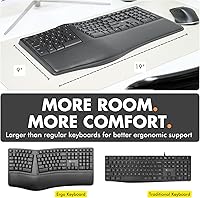
At 19 inches wide and 2.59 pounds, this ergonomic board has a substantial desk footprint that can crowd smaller workspaces or force monitor and peripheral repositioning. Users working on compact desks or shared surfaces may find the size impractical.
Customer Support & Warranty
74%
26%
A two-year warranty is notably generous for a consumer keyboard at this price tier, and several reviewers report positive experiences getting replacements or support responses within a reasonable timeframe.
A portion of negative reviews mention inconsistent response times from support when dealing with defect claims, and warranty fulfillment appears to vary by region. The process for initiating a return or warranty claim is not always clearly communicated at point of purchase.

Suitable for:

The X9 Performance Wireless Ergonomic Split Keyboard is a practical choice for desk-bound workers who spend the bulk of their day typing and have started noticing fatigue or tension in their wrists, forearms, or shoulders. It is especially well-matched to people making their first move away from a traditional flat keyboard, since the split layout offers a meaningful ergonomic improvement without the extreme learning curve of fully separated or tented designs. Remote workers and home office setups benefit from the cable-free RF connection, which keeps desks tidy and functions reliably without fussing over Bluetooth pairing. The included wrist rest makes this a genuinely complete package out of the box, which matters for buyers who want one purchase to solve their comfort problem rather than assembling a piecemeal ergonomic workstation. It works across Windows PCs, Chromebooks, Surface devices, and most laptops, so compatibility is rarely a concern.

Not suitable for:

The X9 Performance Wireless Ergonomic Split Keyboard is not the right fit for typists who have strong preferences around key feel, since its membrane switches lack the tactile crispness and actuation precision that mechanical keyboard users expect. Anyone who needs Bluetooth connectivity — particularly for switching between a tablet, phone, and computer without swapping a USB receiver — will find the RF-only wireless setup limiting. Power users who want programmable keys, per-key lighting, or macro support will hit a wall quickly, as this board offers none of those features. Buyers with larger hands have noted that the key spacing can feel slightly cramped at the split boundary, which may undercut the comfort benefit for that group. Writers or coders who are highly sensitive to typing noise in shared spaces should also be aware that membrane switches, while quieter than many mechanicals, still produce a dull, hollow sound on each keystroke.
Specifications

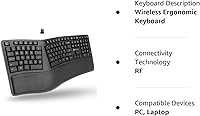
  • Connectivity: The keyboard connects via a 2.4GHz RF wireless signal through an included USB-A receiver, with no Bluetooth support.
  • Wireless Range: The RF connection maintains a stable signal at distances up to 30 feet from the receiver under typical indoor conditions.
  • Key Count: The full layout includes 110 keys, retaining a dedicated numeric keypad on the right side.
  • Switch Type: Keys use membrane switches, which are quiet and light to press but do not offer the tactile bump or audible click of mechanical switches.
  • Layout Design: The keyboard uses a split 2-zone curved ergonomic layout designed to reduce ulnar deviation and encourage a more natural wrist angle.
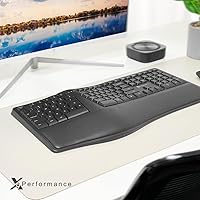
  • Wrist Rest: An integrated cushioned wrist rest runs along the bottom edge of the keyboard and is attached rather than removable.
  • Battery: An internal 600 mAh lithium-ion battery powers the keyboard and is rechargeable via the included charging cable.
  • Battery Life: Under typical daily office use, the battery is rated to last several months on a single full charge.
  • Backlight: The keyboard includes a single-color backlight for low-light visibility, with no RGB or per-key lighting customization.
  • Dimensions: The keyboard measures 19″ in length, 9.85″ in width, and 1.9″ in height.
  • Weight: The keyboard weighs 2.59 pounds, which includes the integrated wrist rest.
  • Compatibility: The keyboard is compatible with Windows PCs, laptops, Chromebooks, Surface devices, and Notebooks that have a USB-A port available.
  • Wireless Type: The keyboard uses RF wireless technology exclusively and does not support Bluetooth pairing of any kind.
  • Charging Cable: A charging cable for the internal battery is included in the box, so no additional accessories are required to recharge.
  • Color Options: The keyboard is currently available in Black only.
  • Warranty: X9 Performance offers up to two years of warranty coverage on this keyboard from the date of purchase.
  • Programmability: The keyboard does not support key remapping, macro programming, or custom software configuration.
  • Manufacturer: The keyboard is designed and sold by X9 Performance, model number X9RFERGOKEY.

Related Reviews

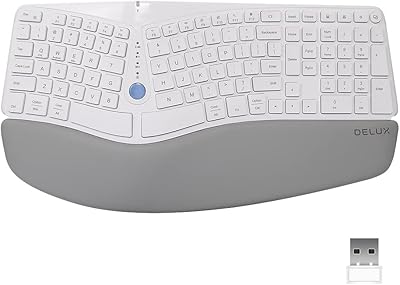
DeLUX GM901D Ergonomic Wireless Keyboard
76%
83%
Ergonomic Design
76%
Palm Rest Comfort
81%
Wireless Connectivity
67%
Typing Feel
72%
Build Quality
More
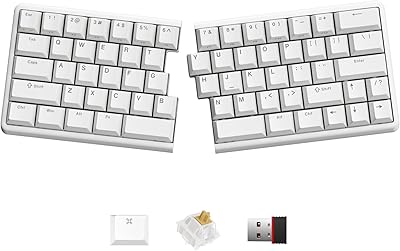
NocFree Wireless Ergonomic Split Mechanical Keyboard
81%
88%
Wireless Reliability
83%
Ergonomic Design
91%
Typing Experience
92%
Switch Customization
54%
Learning Curve
More
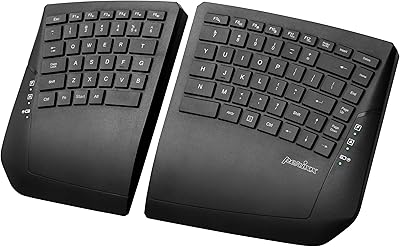
Perixx Periboard-612B Wireless Ergonomic Split Keyboard
72%
88%
Ergonomic Design
81%
Wireless Connectivity
79%
Typing Comfort
62%
Learning Curve
74%
Build Quality
More
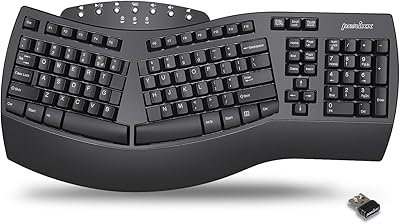
Perixx PERIBOARD-624B Wireless Ergonomic Split Keyboard
70%
81%
Ergonomic Design
88%
Wireless Freedom
54%
Key Feel & Typing Experience
86%
Setup & Ease of Use
61%
Build Quality & Materials
More
Perixx Periduo-605 Wireless Ergonomic Keyboard Mouse Combo
72%
83%
Ergonomic Comfort
61%
Keyboard Feel & Typing
79%
Mouse Comfort & Design
69%
Wireless Reliability
76%
Value for Money
More
TECKNET TK-EKB01040BS01 Wireless Keyboard
76%
83%
Ergonomic Comfort
86%
Typing Noise Level
79%
Wireless Reliability
62%
Build Quality
88%
Value for Money
More
Arteck HW315
Arteck HW315
74%
83%
Ergonomic Comfort
74%
Wrist Rest Quality
61%
Typing Feel & Key Travel
92%
Battery Life
81%
Wireless Connectivity
More
QUASIO Wave Keys Ergonomic Wireless Keyboard with Wrist Rest
75%
83%
Ergonomic Comfort
71%
Wrist Rest Quality
67%
Typing Feel & Key Travel
86%
Wireless Reliability
81%
Mac & Windows Compatibility
More
X9 Performance X9ERGOKEY Ergonomic Split Keyboard
77%
83%
Ergonomic Comfort
67%
Wrist Rest Quality
61%
Key Feel & Typing Experience
58%
Build Quality & Durability
88%
Layout & Key Coverage
More
HP 960 Ergonomic Wireless Keyboard
86%
88%
Ergonomic Comfort
90%
Build Quality
85%
Battery Life
91%
Programmability of Keys
87%
Multi-Device Connectivity
More

FAQ

The X9 Performance Wireless Ergonomic Split Keyboard is primarily designed and optimized for Windows-based systems. It will likely function at a basic level on a Mac since it is plug-and-play, but key labeling and some function row shortcuts will not match macOS conventions, so it is not the ideal pick for Mac users.
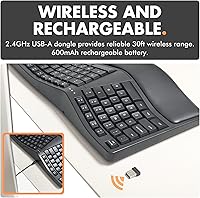
In real-world daily use — say six to eight hours of typing per day — most users report going several weeks to a couple of months before needing to recharge. Battery drain depends on whether you leave the backlight on, since that draws more power. Turning the backlight off when you do not need it noticeably extends the charge cycle.

No, this split ergo keyboard uses a single RF receiver and does not support multi-device pairing. The USB-A dongle connects to one device at a time. If you need to switch between computers regularly, you would have to physically move the receiver, which makes it less convenient than a Bluetooth keyboard with multi-device support.

The wrist rest is integrated into the keyboard body rather than a detachable module, so you cannot remove it or swap it out. For most users that is perfectly fine, but if you prefer typing without wrist support or use a custom palm rest, that fixed design could be a minor annoyance.

The membrane switches are noticeably quieter than most mechanical keyboards. You will still hear a soft, dull thud on each keystroke, but it is unlikely to disturb people in the same room during a video call or in a shared office space. It is not completely silent, but it is one of the more considerate options at this price.

Most users report an adjustment period of one to two weeks before their typing speed returns to normal. The split angle feels strange at first, especially if you are used to keeping your wrists close together, but the body adapts relatively quickly. Sticking with it through that initial awkward phase is genuinely worth it for the comfort payoff.

It is fully plug and play with no software required. You plug the USB-A receiver into your computer and the keyboard is ready to use within a few seconds. There are no drivers to install and no companion app, which also means there is nothing to configure or troubleshoot on the software side.

Yes, the X9 wireless keyboard is compatible with Chromebooks. Since it connects via a USB-A RF receiver and requires no special drivers, ChromeOS recognizes it automatically. Some function keys may behave slightly differently than on a dedicated Chrome OS keyboard, but general typing and navigation work without issues.

If you are coming from a typical flat office keyboard, the membrane feel will be familiar — light, soft, and relatively quiet. The split layout is the bigger adjustment, not the switch feel itself. However, if you have used mechanical keyboards and got used to that crisp tactile feedback, these keys will feel noticeably mushier and less satisfying to type on.

The box includes the ergonomic board itself, the USB-A RF wireless receiver, a charging cable for the internal battery, and documentation. The wrist rest is part of the keyboard unit, so there is no separate cushion to attach. You do not need to buy anything extra to start using it right away.