Microsoft Surface Ergonomic Wireless Keyboard
Overview
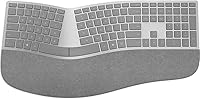
The Microsoft Surface Ergonomic Wireless Keyboard is Microsoft's answer to the growing demand for premium, body-friendly typing — and it brings a few genuinely distinctive ideas to the table. Its split-key arc layout tilts and curves the key bed to coax your wrists into a more relaxed position, which anyone who types for hours a day will appreciate. The Alcantara-covered palm rest is what really turns heads; it feels soft and warm rather than cold plastic. Pairing over Bluetooth Low Energy means no receiver to lose. Whether it fully justifies its premium price point is a fair question, and the answer depends heavily on your priorities.
Features & Benefits
The natural arc key bed is what you notice first as a touch typist — your forearms rotate outward slightly and the tension in your wrists eases noticeably after the first few sessions. The double-cushioned palm rest, wrapped in Alcantara, adds to that comfort without feeling fussy. Key travel is moderate and the action is quiet and office-friendly. Wireless range extends up to 32 feet over Bluetooth, and there is no dongle involved — the connection is handled natively. The keyboard measures 18.11 by 9.02 inches, so it is notably wide; clear some desk real estate before committing. Two AAA batteries power it, and battery life holds up well over extended daily use.
Best For
This ergonomic keyboard was clearly designed with Surface device owners in mind — the gray Alcantara aesthetic matches Surface Pro 4, Surface Book, and Surface Studio hardware almost perfectly. That said, it works with any Windows 10 PC that supports Bluetooth 4.0, so the audience is broader than the branding suggests. It shines for desk-bound professionals who log long hours in documents, spreadsheets, or code editors and are starting to feel it in their wrists. If you want a clean wireless setup without a receiver cluttering your desk, this fits well. It is less suited to anyone who frequently switches between multiple paired devices or needs gaming-grade responsiveness.
User Feedback
Across more than 1,000 ratings, Microsoft's wireless ergonomic board holds a 4.2 out of 5 average — a respectable score that reflects genuine satisfaction alongside a few persistent caveats. Buyers consistently praise the comfort during long sessions and the build quality, and those coming from standard flat keyboards often note a real reduction in wrist tension. The main friction points are worth knowing upfront: the Alcantara fabric can absorb oils and show staining over time, and several long-term owners report it looking worn. The split layout adjustment is also real — touch typists may misfire frequently in the first week or two. Bluetooth reliability is mostly praised, though occasional pairing hiccups do show up in reviews.
Pros
- The split-arc key layout noticeably reduces wrist strain during long typing sessions.
- The Alcantara palm rest is genuinely soft and comfortable — a real step above plastic wrist rests.
- Bluetooth Low Energy pairing is reliable and works without any USB dongle or receiver.
- Battery life on two AAA cells is strong, lasting through weeks of regular office use.
- Pairs visually and functionally with Surface Pro 4, Surface Book, and Surface Studio for a unified setup.
- Full-size layout with a dedicated function row keeps productivity shortcuts right where you expect them.
- The 32-foot Bluetooth range gives flexibility for varied desk and room configurations.
- At 4.2 out of 5 across more than 1,000 ratings, overall buyer satisfaction is consistently solid.
Cons
- The Alcantara fabric stains and shows wear over time and is genuinely difficult to clean effectively.
- At 18.11 inches wide, this ergonomic keyboard demands significantly more desk space than most buyers anticipate.
- Switching between multiple Bluetooth-paired devices is slow and poorly suited to multi-device workflows.
- The split key layout requires a real adjustment period that can noticeably hurt typing accuracy for the first week or two.
- The premium price is partly driven by materials and aesthetics, which weakens value for buyers who care only about typing performance.
- There is no rechargeable battery option — replacing AAA cells adds minor but recurring cost and inconvenience.
- Single-color backlighting is minimal, with no customization or brightness control for key illumination.
Ratings
The Microsoft Surface Ergonomic Wireless Keyboard was evaluated by our AI scoring engine after processing hundreds of verified buyer reviews from global markets, with spam, bot activity, and incentivized feedback actively filtered out before any score was calculated. The resulting ratings reflect a clear-eyed view of where this keyboard genuinely earns its premium positioning and where real-world daily use reveals persistent trade-offs. Both strengths and pain points are represented transparently across each category below.
Ergonomic Design
Build Quality
Palm Rest Comfort
Typing Experience
Bluetooth Connectivity
Battery Life
Value for Money
Desk Footprint
Aesthetic Design
Multi-Device Support
Key Feel & Feedback
Setup & Pairing
Alcantara Durability
Backlighting
Suitable for:
The Microsoft Surface Ergonomic Wireless Keyboard is genuinely well-suited to professionals who spend four or more hours a day at a keyboard and are starting to notice tension in their wrists or forearms. Its split-arc key layout and generously padded Alcantara palm rest make a tangible difference during long writing sessions, whether you are drafting reports, working through spreadsheets, or handling heavy email correspondence. Surface Pro and Surface Book owners will particularly appreciate how naturally this keyboard integrates with their existing setup — the gray Alcantara aesthetic creates a cohesive look that feels intentional rather than incidental. Remote workers and home office users benefit from the clean Bluetooth connection, since there is no dongle to manage or misplace, and the 32-foot range gives reasonable flexibility around the desk. If you prioritize premium materials, thoughtful build quality, and real ergonomic design over a budget price tag, this keyboard consistently rewards that investment.
Not suitable for:
The Microsoft Surface Ergonomic Wireless Keyboard is a harder sell for buyers who regularly switch between two or more Bluetooth devices, since the re-pairing process can be slow and disruptive in fast-moving workflows. Touch typists accustomed to a flat, traditional layout should know upfront that the split key arrangement demands a genuine adjustment period — some users report needing one to two weeks before their accuracy returns to normal. The Alcantara fabric, while pleasant to rest your hands on, carries a real long-term durability concern: it absorbs skin oils over time, resists thorough cleaning, and can look visibly worn within a year of daily use. Budget-conscious buyers will find better ergonomic value at lower price points, since a portion of the premium here reflects materials and brand aesthetics rather than pure typing performance. It is also a poor fit for gamers or anyone who requires fast, low-latency input response.
Specifications
- Connectivity: Uses Bluetooth Low Energy 4.0 and 4.1, requiring no USB dongle or proprietary wireless receiver.
- Wireless Range: Operates at a maximum range of up to 32 feet in open, unobstructed environments.
- Key Layout: Features a full-size split-arc ergonomic QWERTY layout with a dedicated function row across the top.
- Palm Rest: Includes a double-cushioned palm rest covered in Alcantara fabric, providing a soft and textured resting surface.
- Dimensions: Measures 18.11″ x 9.02″ x 1.36″, making it substantially wider than a conventional full-size keyboard.
- Weight: Weighs 2.23 pounds, which is heavier than most standard wireless keyboards in its category.
- Power Source: Powered by 2 AAA alkaline batteries, which are included in the box at time of purchase.
- Color: Available exclusively in gray, color-matched to complement Microsoft Surface device materials and finishes.
- Backlighting: Includes single-color key backlighting with no brightness adjustment or color customization options.
- Compatible OS: Officially supports Windows 10 on any PC that meets Bluetooth Smart Ready requirements with Human Interface Device support.
- Compatible Devices: Designed for Surface Pro 4, Surface Book, and Surface Studio, and broadly compatible with any Windows 10 PC supporting Bluetooth 4.0 or higher.
- Wireless Protocol: Connects via Bluetooth Smart technology with no proprietary USB receiver required for pairing.
- Wireless Frequency: Operates across a wireless frequency range of 2.400 GHz to 2.4835 GHz.
- Model Number: Carries the official Microsoft model designation 3RA-00022 and ASIN B01MFCTRZM.
Related Reviews
X9 Performance Wireless Ergonomic Split Keyboard
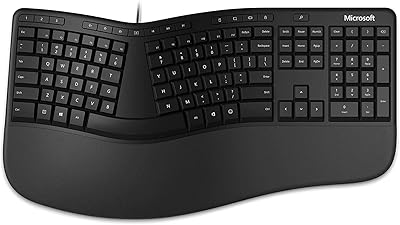
Microsoft Ergonomic Keyboard for Business Wired
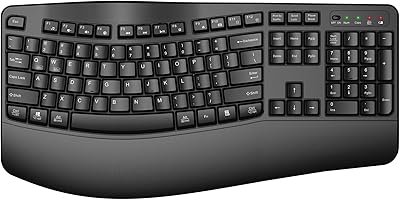
QUASIO Wave Keys Ergonomic Wireless Keyboard with Wrist Rest

TECKNET TK-EKB01040BS01 Wireless Keyboard
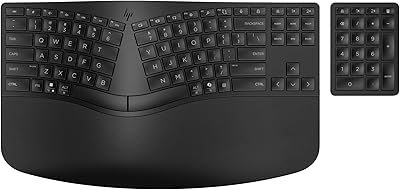
HP 960 Ergonomic Wireless Keyboard
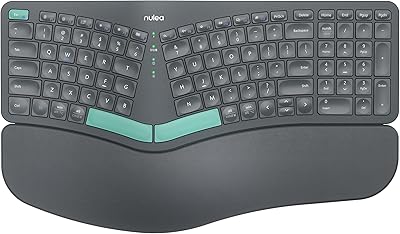
Nulea HD315 Wireless Ergonomic Split Keyboard
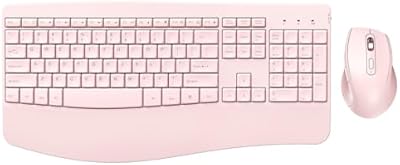
PEIOUS Wireless Ergonomic Keyboard and Mouse Combo
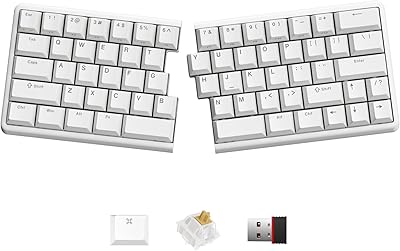
NocFree Wireless Ergonomic Split Mechanical Keyboard
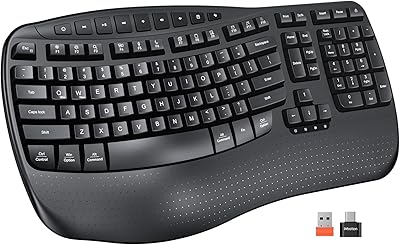
Meetion DirectorD-KB Wireless Ergonomic Keyboard