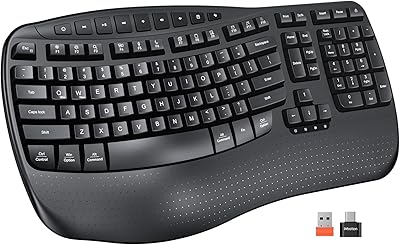
DeLUX GM901D Ergonomic Wireless Keyboard
Overview
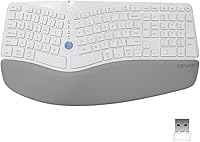
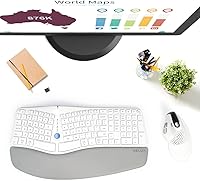
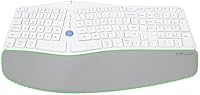
The DeLUX GM901D Ergonomic Wireless Keyboard sits in a practical sweet spot for office workers and remote professionals who have started feeling the toll of long typing sessions on their wrists and shoulders. Its most distinctive physical trait is the curved wave split layout, which angles the keys in a way that a flat keyboard simply cannot replicate. Add a built-in memory foam palm rest and wireless connectivity across up to three devices, and you have a genuinely thoughtful package. Just know going in: the split design takes some getting used to. Plan for a few days of slower, more deliberate typing before your hands find their rhythm.
Features & Benefits
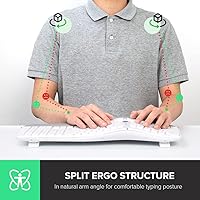
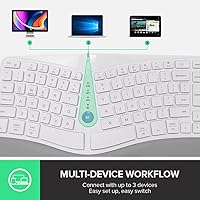
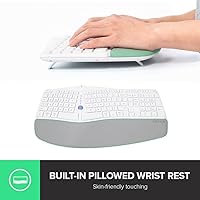
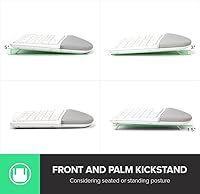
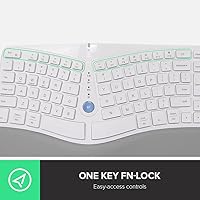
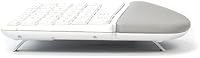
The curved wave key layout is the centerpiece here — it naturally angles your hands inward, shortens the distance between keyboard and mouse, and takes pressure off your shoulders during long work stretches. The integrated palm rest does real work too: the memory foam keeps your hands at the same height as the keys, so you are not bending your wrists upward while typing. Connectivity covers three devices through a 2.4G USB dongle and dual Bluetooth 5.0 channels, and switching between them is quick. The 107-key layout includes a full numeric pad and 17 shortcut keys, while the quiet membrane switches keep things civil in shared office spaces or during video calls.
Best For
This ergonomic keyboard makes the most sense for people who spend the bulk of their workday at a desk and have noticed tension creeping into their wrists or upper shoulders. It is also a natural fit for multi-device workflows — if you regularly bounce between a desktop, laptop, and tablet, the three-channel wireless setup removes a lot of friction. Those coming from a standard flat keyboard will appreciate that the learning curve is manageable; it is not as radical a shift as a fully split mechanical board. Windows and macOS users both get full compatibility out of the box, and the quiet key feel makes it considerate in open offices.
User Feedback
With a 4.0-star average across more than 360 verified ratings, the GM901D lands in solid rather than spectacular territory. Buyers consistently praise the comfort improvement over standard keyboards, particularly after the initial break-in period, and the device-switching experience earns its share of appreciation too. That said, real criticisms surface regularly. The biggest sticking point for many is the lack of a rechargeable battery — running on AAA cells feels like a dated choice at this tier. A few users also flag faux leather durability, noting the palm rest surface can show wear sooner than expected. Those who stick with it, though, tend to rate the value favorably compared to pricier ergonomic alternatives.
Pros
- The curved wave layout noticeably reduces wrist and shoulder strain during extended typing sessions.
- Built-in memory foam palm rest keeps hands properly supported without requiring a separate accessory.
- Three-device wireless connectivity covers 2.4G and dual Bluetooth 5.0, handling most multi-device setups with ease.
- Switching between paired devices is quick and requires no complex re-pairing process.
- Quiet membrane keys are genuinely considerate in shared offices or during calls.
- Full 107-key layout with numeric pad means no compromises for spreadsheet or data-entry work.
- Auto-sleep mode helps stretch battery life without requiring any manual power management.
- Broad Windows and macOS compatibility works reliably out of the box with no driver installation.
- At its price tier, the GM901D competes favorably with ergonomic keyboards that cost significantly more.
- 17 dedicated multimedia shortcut keys add practical day-to-day efficiency for common tasks.
Cons
- No rechargeable battery option means ongoing AAA battery replacements, which adds friction and recurring cost.
- The ergonomic layout requires several days of adjustment before typing speed returns to normal.
- Faux leather palm rest surface is prone to showing wear and surface cracking with extended daily use.
- Membrane key feel lacks the tactile feedback that faster or more precise typists often prefer.
- At nearly 4 pounds, this wireless split keyboard is on the heavier side and not ideal for portability.
- Batteries are not included in the box, which is an inconvenient omission at this price point.
- The split layout can feel cramped or awkward for users with very large hands during the initial break-in period.
- No backlighting means working in dim environments requires either good ambient light or familiarity with the layout.
Ratings
The DeLUX GM901D Ergonomic Wireless Keyboard has been evaluated by our AI rating system after processing hundreds of verified global buyer reviews, with spam, bot-submitted, and incentivized feedback actively filtered out before scoring. The scores below reflect a balanced picture — where this wireless split keyboard genuinely earns its praise and where real users have run into frustration. Both the strengths and the sticking points are represented honestly in each category.
Ergonomic Design
Palm Rest Comfort
Wireless Connectivity
Typing Feel
Build Quality
Battery Life
Multi-Device Switching
Noise Level
Key Layout & Shortcuts
Compatibility
Value for Money
Setup & Ease of Use
Portability
Aesthetics
Suitable for:
The DeLUX GM901D Ergonomic Wireless Keyboard was built with a very specific type of user in mind: the desk-bound professional who types for hours on end and has started feeling it in their wrists, forearms, or shoulders. If you work from home and find yourself juggling a desktop, a laptop, and a tablet throughout the day, the three-device wireless switching alone makes this a practical daily driver worth serious consideration. It also suits people who are ergonomic-curious but not ready to commit to a fully split mechanical keyboard — the curved wave layout offers a genuine posture improvement without demanding a dramatic relearning process. Open-office workers and those who share workspace with others will appreciate the quiet membrane keys, which keep noise levels considerate without sacrificing a full key set including numeric pad. Both Windows and macOS users can plug in and pair without hunting for drivers or fiddling with compatibility workarounds.
Not suitable for:
The DeLUX GM901D Ergonomic Wireless Keyboard is a harder sell for anyone who expects to unbox it and type at full speed on day one — the curved split layout genuinely requires an adjustment period that some buyers underestimate and find frustrating. Power users who dislike the interruption of swapping out batteries will also find the AAA-only power setup a recurring annoyance, especially since rechargeable keyboards at a comparable price point do exist. Tactile typists who prefer the satisfying click of mechanical switches will likely find the membrane feel underwhelming and imprecise. If you need a keyboard for gaming or fast-paced input tasks, the layout and key response are not tuned for that purpose. Finally, buyers expecting the faux leather palm rest to hold up indefinitely under heavy daily use should set realistic expectations — the surface material can show wear and cracking over time, which is a durability concern worth factoring in before purchasing.
Specifications
- Dimensions: The keyboard measures 17.7″ long by 9.21″ wide by 1.88″ tall, making it a full-footprint ergonomic board that requires adequate desk space.
- Weight: At 3.89 pounds, this wireless split keyboard is on the heavier side compared to standard wireless keyboards, which limits its portability.
- Key Count: The layout includes 107 total keys, covering a full alphanumeric set, a dedicated numeric keypad, and 17 multimedia shortcut keys.
- Switch Type: Membrane key switches are used throughout, delivering quiet, low-actuation typing that keeps noise levels low in shared environments.
- Connectivity: The keyboard supports three wireless connections simultaneously: one 2.4G channel via USB receiver and two independent Bluetooth 5.0 channels.
- Devices Supported: Up to three devices can be paired and stored at once, with on-the-fly switching between them without re-pairing.
- Power Source: The keyboard runs on two AAA batteries, which are not included in the box; there is no built-in rechargeable battery option.
- Auto-Sleep: An automatic sleep mode activates after 20 minutes of inactivity to conserve battery, and pressing any key instantly wakes the keyboard.
- Palm Rest: An integrated palm rest is filled with memory foam and wrapped in synthetic faux leather to cushion and support the hands during long typing sessions.
- Key Layout: The curved wave ergonomic split layout angles the keys outward to reduce lateral wrist extension and promote a more natural hand and shoulder position.
- OS Compatibility: The keyboard is compatible with Windows 7, 8, 10, and 11 as well as macOS, requiring no additional driver installation on supported systems.
- Compatible Devices: It is designed to work with laptops, desktop PCs, smart TVs, smartphones, and tablets across supported operating systems.
- Material: The palm rest surface is made from synthetic faux leather, which provides a skin-friendly feel but may show wear or cracking with prolonged heavy use.
- Color: The GM901D is available in White, giving it a clean, modern aesthetic that suits most desk setups.
- Release Date: The keyboard was first made available in January 2022 and has not been discontinued by the manufacturer as of current listings.
Related Reviews
QUASIO Wave Keys Ergonomic Wireless Keyboard with Wrist Rest

TECKNET TK-EKB01040BS01 Wireless Keyboard
X9 Performance Wireless Ergonomic Split Keyboard
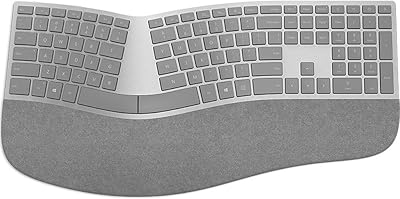
Microsoft Surface Ergonomic Wireless Keyboard
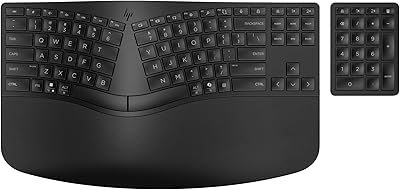
HP 960 Ergonomic Wireless Keyboard
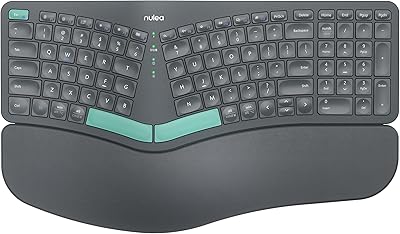
Nulea HD315 Wireless Ergonomic Split Keyboard
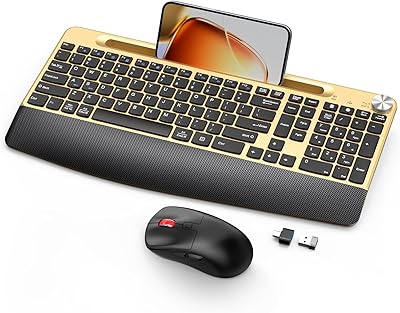
GAMCATZ Ergonomic Wireless Keyboard and Mouse Combo
NocFree Wireless Ergonomic Split Mechanical Keyboard
JOYACCESS Ergonomic Wireless Keyboard and Mouse Combo