Overview

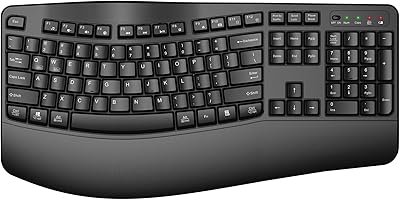
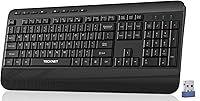
The TECKNET TK-EKB01040BS01 Wireless Keyboard is a full-size ergonomic board that punches above its price bracket by actually including a built-in palm rest — something you rarely see at this tier. It connects via a 2.4G USB-A dongle, which is tucked inside the battery compartment rather than pre-installed, so do not panic when you open the box and do not see it plugged in. The keys use a membrane construction with a PET film layer to dampen sound, and the board arrived on Amazon in early 2025, already accumulating over 2,400 ratings. For a comfort-focused daily driver, it covers the basics surprisingly well.
Features & Benefits

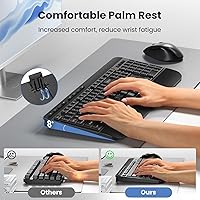
The standout feature is the foldable palm rest, which locks into an 8-degree angle and genuinely takes pressure off your wrists during long typing sessions — not a gimmick, just a practical design choice. The PET film keys are noticeably quieter than a standard membrane board, which matters if you share a workspace. Setup is entirely plug-and-play; no drivers, no pairing codes. The keyboard runs on two AAA batteries — not included, which is worth knowing before your first day — and it enters sleep mode after 30 minutes idle to stretch battery life. Anti-slip pads and adjustable rear feet round out a thoughtfully stable build.

Best For

This palm rest keyboard is a strong fit for home office workers who spend hours typing and want some wrist relief without a big investment. It is also a practical pick for shared environments like libraries or open-plan offices where a near-silent keyboard is genuinely appreciated by the people around you. Windows users will have the smoothest experience given the full compatibility range, though Mac and Chromebook users report it works fine for basic use. If you do a lot of data entry or spreadsheet work, the full numeric keypad alone makes it worth considering over a tenkeyless alternative at a similar price.

User Feedback

Buyers consistently mention two things they like: the palm rest is more comfortable than expected, and the keys are noticeably quiet in practice. The wireless range draws little complaint, suggesting the 2.4G connection holds up reliably in typical home setups. On the downside, the omission of batteries catches people off guard — a minor but recurring frustration in early reviews. A handful of users note that the plastic construction feels lightweight, which some appreciate and others see as a sign of limited longevity. Key stability is generally described as solid for the price, though enthusiasts used to mechanical boards will find the membrane feedback unremarkable. Overall, expectations matched to the price point tend to leave buyers satisfied.

Pros

  • The built-in foldable palm rest noticeably reduces wrist strain during long typing sessions.
  • Quieter than most membrane boards at this price — a real benefit in shared work environments.
  • Plug-and-play setup takes seconds; no drivers, no software, no account needed.
  • Full-size 112-key layout with a numpad is ideal for data entry and spreadsheet-heavy workflows.
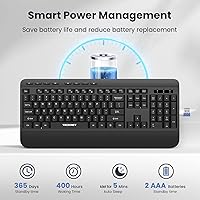
  • Auto sleep mode and efficient power management mean batteries last weeks under normal use.
  • Anti-slip rubber pads keep the keyboard firmly in place even during fast typing.
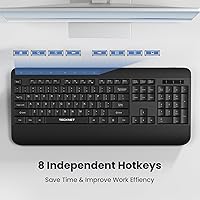
  • Eight dedicated shortcut keys save time on daily media and system tasks.
  • The wireless range handles typical room distances reliably without noticeable dropout.
  • Adjustable tilt feet let you dial in the typing angle to suit your desk height.
  • 12-month after-sales support provides a reasonable safety net for a budget-tier purchase.

Cons

  • Batteries are not included — a small but genuinely frustrating omission on day one.
  • The USB dongle hides inside the battery compartment, which confuses buyers on first unboxing.
  • All-plastic construction flexes under pressure and may creak after months of daily use.
  • Key wobble on larger keys like Shift and Backspace is noticeable for fast or heavy typists.
  • Shortcut keys do not map correctly on macOS, limiting usefulness for Mac users.
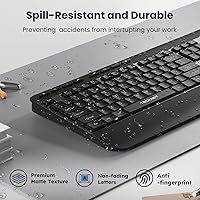
  • Fingerprints and smudges show clearly on the glossy black surface within a day of use.
  • No Bluetooth option means it will not work with tablets or laptops lacking a USB-A port.
  • The palm rest surface can show wear marks and discoloration after extended daily contact.
  • In brightly lit environments, the small indicator LEDs are difficult to read at a glance.

Ratings

The scores below for the TECKNET TK-EKB01040BS01 Wireless Keyboard were generated by AI after analyzing thousands of verified buyer reviews from global markets, with spam, bot activity, and incentivized feedback actively filtered out. The result is an honest, balanced snapshot of what real daily users experience — strengths and frustrations included, nothing glossed over.
Ergonomic Comfort
83%
The foldable palm rest is the feature buyers mention most positively, with many noting that wrist fatigue during long work sessions dropped noticeably after switching to this board. The 8-degree angle feels natural for flat-desk setups, and the anti-slip pads mean the keyboard stays put even during fast typing bursts.
Users with larger hands or those who prefer a steeper typing angle find the palm rest a touch short in depth. A few reviewers noted that the palm rest surface, while comfortable initially, shows wear marks after several months of daily contact.
Typing Noise Level
86%
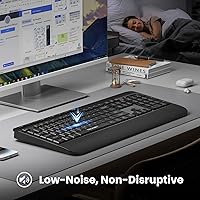
The PET film layer genuinely dampens keystroke noise to a degree that surprises most buyers — several described it as the quietest membrane board they have owned at this price. Office workers and late-night typists particularly appreciated not disturbing colleagues or family members nearby.
It is noticeably quieter than a standard membrane keyboard, but buyers expecting near-mechanical silence will find the bottom-out thud still present. In very quiet rooms, rapid typing remains audible, so it is not a true silent board.
Wireless Reliability
79%
21%
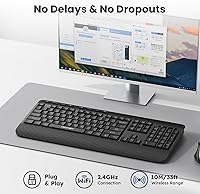
The 2.4G connection handles everyday home and office distances without dropout complaints from the majority of users. Most buyers report a stable link from across a room, and the plug-and-play dongle means there is no pairing process to fumble through on first use.
A small but consistent subset of reviewers reported occasional micro-lag or brief dropouts, particularly when other 2.4G devices were active nearby. The dongle being stored inside the battery compartment also caused initial confusion for buyers who thought it was missing from the box.
Build Quality
62%
38%
For the price bracket, the keyboard feels acceptably solid on a desk, and the keycaps resist early fading reasonably well based on short-term use reports. The adjustable tilt feet add a touch of sturdiness that budget boards often skip.
The all-plastic construction flexes noticeably if you pick the board up or apply lateral pressure, and several longer-term users reported creaking sounds developing after a few months. This is not a board built to last years of heavy use — it reflects the price honestly.
Value for Money
88%
Buyers consistently express surprise at how much functionality is packed in at this price point — a full numpad, palm rest, wireless connectivity, and shortcut keys together represent strong value. Most users feel they got more than expected when comparing to other boards in the same tier.
The omission of AAA batteries is a recurring complaint that dents the out-of-box experience and feels like a cost-cutting decision buyers notice immediately. A few users also felt that slightly more spending would have bought a meaningfully sturdier board.
Key Feel & Feedback
67%
33%
Casual typists and users coming from older chiclet-style laptop keyboards find the key travel satisfying enough for long documents and spreadsheet work. The keys register consistently and do not require excessive force, which reduces fatigue over multi-hour sessions.
Enthusiasts or anyone who has used a quality mechanical board will find the feedback mushy and lacking tactile definition. Key wobble on the larger keys like Shift and Backspace is a specific complaint from buyers who type quickly and notice inconsistency.
Battery Life
74%
26%
The auto-sleep feature kicking in after 30 minutes of inactivity is effective — users who remember to keep spare AAAs on hand report weeks of use between changes under moderate daily workloads. Wake-up from sleep is near-instant with a single keypress.
Batteries are not included, which is a friction point that generates disproportionate frustration in early reviews despite being a minor inconvenience. Heavy users report needing a battery swap every few weeks, which adds a small but ongoing running cost.
Setup & Ease of Use
91%
Plug the dongle in, flip the power switch, and you are typing within seconds — no software, no drivers, no account creation. Buyers who have dealt with Bluetooth pairing headaches on other wireless keyboards specifically call out how refreshingly simple the setup is here.
The dongle location inside the battery compartment is not documented clearly on the outer packaging, leading to genuine confusion for a portion of first-time buyers who assume it is missing. A printed quick-start note in the box would eliminate this entirely.
Compatibility
77%
23%
Windows users across XP through Windows 10 report zero compatibility issues, and Chromebook users generally find it works fine for standard tasks. The universal HID driver support means it is ready to go on almost any desktop or laptop without a second thought.
Mac users occasionally note that some shortcut keys do not map correctly to macOS functions, requiring manual workarounds. The keyboard is clearly optimized for Windows, and buyers on other operating systems should factor in potential workflow gaps.
Portability & Weight
71%
29%
At 1.65 pounds, the board is light enough to move between rooms or pack into a bag for occasional travel without hassle. The compact palm rest folds flat, keeping the profile manageable for storage.
At 17.3 inches wide, this is still a full-size board, and users hoping to use it on a cramped desk or a small laptop tray will find the footprint demanding. It is not a board designed with portability as a priority.
Shortcut Keys & Function Row
72%
28%
The 8 dedicated shortcut keys cover media playback, volume, and common system functions that save genuine time for users who keep their hands on the keyboard during work. They respond quickly and feel like a thoughtful inclusion rather than an afterthought.
The shortcut key labeling is small and not always intuitive without consulting the manual. A couple of buyers noted that not all shortcuts functioned as expected on non-Windows systems, limiting their usefulness outside the intended platform.
Aesthetics & Desk Presence
66%
34%
The clean black finish is understated enough to fit most desk setups without clashing, and the indicator lights in the top-right corner are subtle and not distracting during use. It looks presentable in video calls without being flashy.
There is nothing distinctive about the design — it reads as generic at a glance, and the plastic sheen picks up fingerprints and smudges faster than matte-finish alternatives. Users who care about desk aesthetics may find it underwhelming over time.
Stability on Desk
81%
19%
The rubber anti-slip pads do their job well — the keyboard does not creep forward during fast typing, which is a common failure point on budget boards. The adjustable rear feet click into position firmly and hold their angle reliably.
On very smooth glass or polished surfaces the grip is less effective, and a small number of users on standing desks with non-standard surface materials reported slight sliding. The tilt feet, while functional, feel slightly hollow when adjusted.
Indicator Lights
69%
31%
Having visible Num Lock, Caps Lock, and power indicators in the upper-right corner is genuinely useful, especially for users who switch between numeric and standard input regularly. The power light in particular helps avoid the frustration of a dead keyboard you thought was on.
The indicator LEDs are small and can be hard to read in bright ambient light or at an angle. A few buyers wished the Caps Lock indicator was more prominent, as accidental activation while typing quickly is a common minor annoyance.

Suitable for:

The TECKNET TK-EKB01040BS01 Wireless Keyboard is a practical fit for home office workers who spend several hours a day typing and want genuine wrist support without committing serious money to an ergonomic setup. If you work in a shared space — a family home, an open-plan office, or a library — the noticeably quieter key feel means you are unlikely to irritate the people around you. Windows users in particular will have a completely friction-free experience, since the plug-and-play dongle requires absolutely nothing in terms of software or configuration. Anyone stepping up from a basic wired keyboard who wants a full-size layout, a numpad for data entry, and a bit more comfort will find this palm rest keyboard a meaningful upgrade. It also suits users who simply need a reliable backup or secondary keyboard without overthinking the decision.
Not suitable for:

Buyers who prioritize build longevity or premium typing feel should look elsewhere — the all-plastic construction of the TECKNET TK-EKB01040BS01 Wireless Keyboard is honest about what it is, and expecting it to hold up like a higher-priced board over several years of heavy use is setting yourself up for disappointment. Mechanical keyboard enthusiasts will find the membrane feedback underwhelming, with larger keys like Shift and Backspace exhibiting wobble that becomes noticeable once you are aware of it. Mac users should also approach with caution, as several shortcut keys do not map natively to macOS, which can create workflow friction that no firmware update will fix. Anyone needing Bluetooth connectivity for a tablet or multi-device switching will find this ergonomic wireless keyboard falls short, since it relies solely on a USB-A 2.4G dongle — meaning it is incompatible with devices lacking a USB-A port without an adapter. Finally, buyers in dense wireless environments with multiple 2.4G devices active may encounter occasional signal interference.
Specifications

  • Connectivity: Connects via a 2.4G USB-A wireless dongle stored inside the battery compartment, with no Bluetooth support.
  • Wireless Range: Provides a stable wireless connection up to 10 meters (33 ft) under typical indoor conditions.
  • Key Type: Membrane keys with a PET film layer that reduces keystroke noise by up to 90% compared to standard membrane boards.
  • Layout: Full-size layout with 112 keys including a dedicated numeric keypad and 8 shortcut keys.
  • Palm Rest: Features a foldable palm rest that locks at an 8-degree angle to reduce wrist strain during extended typing sessions.
  • Tilt Adjustment: Equipped with adjustable rear tilt feet to allow customizable keyboard angle for different desk and posture preferences.
  • Stability: Anti-slip rubber pads on the underside keep the keyboard firmly positioned on the desk during fast or heavy typing.
  • Power Source: Requires 2 x AAA batteries, which are not included in the box.
  • Sleep Mode: Automatically enters power-saving sleep mode after 30 minutes of inactivity; any keypress instantly wakes the keyboard.
  • Indicators: Three LED indicators in the upper-right corner display Num Lock, Caps Lock, and power status at a glance.
  • Shortcut Keys: Includes 8 dedicated shortcut keys for quick access to common system and media functions without leaving the keyboard.
  • Dimensions: Measures 17.3″ in length, 5.2″ in width, and 1.1″ in height when the palm rest is folded flat.
  • Weight: Weighs 1.65 pounds, making it light enough to reposition or carry between workspaces with minimal effort.
  • Material: Body and keycaps are constructed from plastic, with rubber anti-slip pads on the underside for grip.
  • OS Compatibility: Compatible with Windows XP, Vista, 7, 8, and 10, as well as Mac and ChromeOS via standard HID drivers.
  • Warranty: Covered by a 12-month after-sales service warranty, with support available via email through TECKNET directly.
  • Model Number: Official model identifier is TK-EKB01040BS01, useful when contacting support or sourcing replacement accessories.
  • Release Date: First made available for purchase in March 2025, making it a recently launched addition to TECKNET's keyboard lineup.

Related Reviews
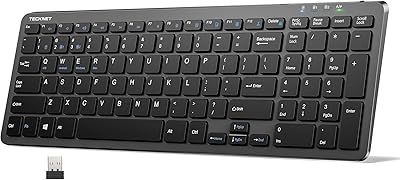
TECKNET TK-KB041 Wireless Keyboard
80%
91%
Value for Money
78%
Typing Feel & Key Response
93%
Noise Level
82%
Multi-Device Switching
63%
Build Quality & Materials
More
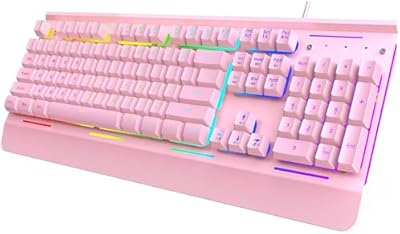
TECKNET TK-KB002 Gaming Keyboard
86%
89%
Comfort and Ergonomics
93%
RGB Customization
88%
Key Responsiveness
90%
Durability and Build Quality
84%
Water Resistance
More
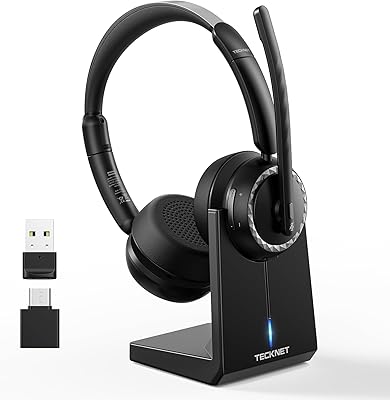
TECKNET TK-HS016 Wireless Headset with Mic
86%
94%
Noise Cancellation
88%
Comfort and Fit
91%
Battery Life
85%
Sound Quality
76%
Microphone Performance
More
TECKNET X315 Wireless Keyboard and Mouse Combo
78%
91%
Value for Money
74%
Typing Experience
62%
Mouse Comfort & Ergonomics
83%
Wireless Connectivity & Stability
86%
Noise Level
More
TECKNET TK-HS012 Wireless Bluetooth Headset
88%
91%
Comfort for All-Day Wear
88%
Noise Cancellation Effectiveness
95%
Battery Life
84%
Dual Device Connectivity
85%
Sound Quality
More
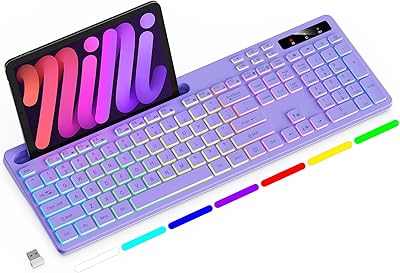
Arteck HW192 Wireless Keyboard and Mouse Combo
78%
78%
Build Quality
72%
Typing Experience
63%
Mouse Comfort & Ergonomics
81%
Battery Life
69%
Wireless Connectivity
More
INFINMIND K913 Wireless Keyboard
79%
88%
Typing Noise Level
74%
Key Feel & Typing Experience
71%
Build Quality & Materials
87%
Matte Finish & Smudge Resistance
83%
Wireless Connectivity & Stability
More
Merdia Wireless Mechanical Keyboard
83%
90%
Connectivity Options
88%
Typing Experience
86%
RGB Customization
84%
Build Quality
91%
Battery Life
More
JLab Epic Wireless Keyboard
88%
89%
Connectivity & Multi-device Support
87%
Typing Experience
93%
Battery Life
88%
Build Quality
85%
Ergonomics & Comfort
More
FENIFOX Wireless Keyboard and Mouse
86%
88%
Ergonomics
91%
Quiet Typing Experience
85%
Battery Life
89%
Wireless Connectivity
84%
Build Quality
More

FAQ

It is tucked inside the battery compartment on the underside of the keyboard — flip it over, slide open the battery cover, and you will find the dongle sitting there. It is a genuinely easy thing to miss, and you are definitely not the first person to go looking for it.

Not at all. Just plug the dongle into a USB-A port on your computer, flip the power switch on the keyboard, and it should be recognized within a few seconds. Windows handles it automatically using built-in HID drivers, so there is nothing to download.

It does work on Mac and ChromeOS for basic typing and navigation. That said, some of the dedicated shortcut keys are mapped for Windows and will not translate correctly to macOS functions, so power users on Mac may find certain shortcuts do not behave as expected. For straightforward typing it is fine either way.

No, unfortunately they are not. You will need two AAA batteries before you can use it, so it is worth picking those up before your keyboard arrives to avoid the frustration of being ready to type and having nothing to power it with.

Under moderate daily use, most buyers report several weeks before needing a swap. The auto-sleep feature helps considerably — after 30 minutes of inactivity the keyboard powers down on its own, which saves a meaningful amount of battery life over time compared to boards that stay on constantly.

It is genuinely quieter than most membrane keyboards at this price, largely due to the PET film layer under the keys that dampens the sound on impact. It is not completely silent — you can still hear it in a very quiet room — but it is noticeably less disruptive in shared spaces like open offices or shared living areas.

The rubber anti-slip pads on the underside do a solid job on most desk surfaces, and the majority of users report no sliding issues even during fast typing. On very smooth glass or polished surfaces it can be slightly less effective, but on a standard desk mat or wooden surface it stays put reliably.

Yes, it folds flat against the front edge of the keyboard, so you can tuck it away completely if you prefer typing without it or need to reduce the footprint when storing the board. It snaps back into position easily when you want it again.

The 2.4G connection is rated up to 10 meters, which covers most home and office setups comfortably. In practice, users report reliable performance at typical desk-to-PC distances. If you have a lot of other 2.4G devices active nearby, you might notice very occasional brief interference, but for most environments it holds steady.

TECKNET covers this keyboard with 12 months of after-sales support, handled via email. It is a reasonable safety net for a board at this price point, and the brand has a reputation for being responsive to warranty inquiries, which is worth factoring in if peace of mind matters to you.