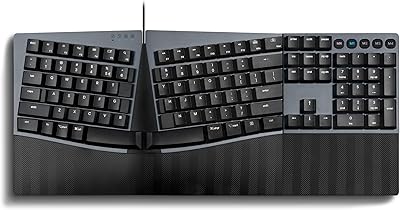
Overview

The NocFree Wireless Ergonomic Split Mechanical Keyboard is a genuinely niche piece of kit — not something you pick up on impulse, but something you research carefully after months of wrist fatigue. Priced in the mid-to-premium tier, this split keyboard competes with established names while adding true wireless connectivity that most rivals at this price point skip entirely. The 60% compact layout means sacrificing the numpad and function row in exchange for a footprint small enough to travel with. That trade-off is the whole point. This wireless ergonomic board rewards patience — expect a real adjustment period before your typing speed recovers — but for the right user, it delivers solid value.
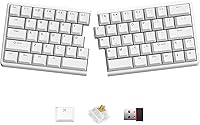
Features & Benefits

What sets this split keyboard apart technically starts with its 2.8GHz proprietary wireless connection. Unlike Bluetooth-based splits, which can introduce sync delays between the two halves, this system keeps both sides locked in step — a subtle but real advantage for fast typists. The hot-swappable tactile switches sit on three-layer Poron foam, which noticeably reduces that hollow, rattly sound you get from cheaper boards. You can swap switches without soldering, making customization genuinely accessible. The walnut palm rest and built-in tenting add comfort, though the tenting angle is fixed — you either work with it or you don't. Programmability runs through Vial, a browser-based tool that lets you remap keys on any OS without installing anything.

Best For

This wireless ergonomic board makes most sense for programmers and daily writers who are already feeling the early signs of wrist or shoulder strain — people who type six or more hours a day and are ready to act on it. Mechanical keyboard enthusiasts who want switch customization without touching a soldering iron will find it satisfying too. Hybrid workers carrying a single setup between home and office will appreciate the compact size and long-running battery, though the 3-to-10-month estimate varies widely depending on actual usage. This is not the right choice for anyone who relies on a numpad, needs a dedicated arrow cluster, or simply wants to plug in and type without any configuration.

User Feedback

Buyers generally respond well to the NocFree split board, with the most consistent praise going toward wireless reliability and the walnut palm rest, which feels more substantial than the plastic accessories bundled with competing boards at this tier. The persistent criticism, and it is fair, centers on the adjustment period — several reviewers note it took one to two weeks before their typing felt natural again. A handful of users also flag sparse documentation for the Vial interface, which can frustrate buyers new to programmable keyboards. Some early units showed minor connectivity hiccups, though follow-up comments suggest NocFree support resolved most cases. Those who stuck through the learning curve tend to describe real comfort improvements after a few weeks of daily use.

Pros

  • Proprietary 2.8GHz wireless keeps both keyboard halves in sync, avoiding the latency issues common with Bluetooth-based splits.
  • Hot-swappable switches let you change your typing feel without any tools or soldering — genuinely accessible even for beginners.
  • Three-layer Poron foam dampens switch noise noticeably, giving this split keyboard a quieter, more considered sound profile.
  • PBT keycaps resist shine and feel textured underhand, holding up far better than ABS alternatives over extended daily use.
  • The walnut palm rest feels noticeably more substantial than the plastic wrist rests bundled with most competing boards.
  • Vial programmability runs entirely in a browser — no software download or account needed, and it works on macOS, Windows, and Linux.
  • The 60% compact footprint keeps your desk clear and makes carrying the NocFree split board between locations genuinely practical.
  • Wired USB fallback means you can switch to a latency-free connection for gaming or high-precision tasks without buying a separate keyboard.

Cons

  • Adapting to the split layout takes days or weeks — expect a real, measurable drop in typing speed during the transition period.
  • Vial documentation is sparse; users new to programmable keyboards may find the initial key remapping setup genuinely confusing.
  • The tenting angle is fixed, so anyone needing a personalized wrist elevation to address specific ergonomic needs has no adjustment options.
  • Battery life spans 3 to 10 months — a wide range that makes it hard to gauge when you actually need to recharge.
  • Some early buyers reported minor wireless connection hiccups straight out of the box, requiring firmware troubleshooting to fully resolve.
  • The standard version ships without RGB lighting, which may disappoint buyers expecting visual customization at this price tier.
  • No numpad, no dedicated function row, and no full arrow cluster — meaningful gaps for spreadsheet-heavy or shortcut-dependent workflows.
  • The NocFree Wireless Ergonomic Split Mechanical Keyboard launched in mid-2024, so long-term durability data from extended real-world use is still limited.
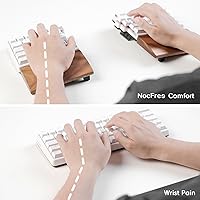
Ratings

The scores you see here were generated by AI after analyzing verified purchase reviews from buyers worldwide, with bot activity, incentivized submissions, and low-signal feedback actively filtered out before any scoring was applied. The NocFree Wireless Ergonomic Split Mechanical Keyboard lands as a strong performer in several meaningful categories, while a few genuine friction points — most notably the learning curve and sparse setup documentation — keep it from a clean sweep. Both sides of the picture are reflected here with equal weight, so you get a clear read before committing.
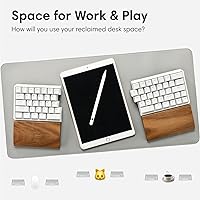
Wireless Reliability
88%
The proprietary 2.8GHz RF connection is one of this split keyboard's clearest advantages over Bluetooth-based competitors. Buyers consistently report that both halves stay in sync without noticeable delay, even during fast, extended typing sessions. For anyone who has dealt with sync hiccups on other split boards, this reliability is a genuine and frequently mentioned differentiator.
A small but consistent group of early adopters reported initial connection drops or pairing failures straight out of the box. Most resolved the issue through a firmware update, but the troubleshooting required was enough to frustrate buyers who expected instant plug-and-use performance. Support appears responsive, which softens the experience, but the issue should not have existed at launch.
Ergonomic Design
83%
The combination of split halves, integrated tenting, and included palm rests addresses the core causes of typing-related upper-body strain more directly than most boards in this price range. Buyers who pushed through the adjustment period report genuine long-term relief in their wrists and shoulders, particularly during back-to-back workdays of six hours or more.
The tenting angle is fixed and cannot be adjusted, which means users with specific postural needs or an existing wrist condition may find the built-in incline too shallow or too steep for their situation. Those requiring a truly personalized ergonomic fit — the kind informed by a physiotherapist or ergonomic assessment — will likely need a different board or supplemental accessories.
Typing Experience
91%
Three layers of Poron foam paired with tactile hot-swappable switches produce a typing feel that buyers consistently describe as satisfying and noticeably quieter than comparable mechanical boards. The combination of a defined tactile bump, dampened acoustics, and textured PBT keycap surface makes extended typing sessions feel less fatiguing and more controlled over time.
The tactile feedback, while praised by enthusiasts, can feel slightly stiff for users transitioning from lighter membrane keyboards or smooth linear switches. Buyers expecting a near-silent experience may also find that even with foam dampening, the residual mechanical sound is still audible enough to draw attention in a quiet shared workspace or during late-night sessions.
Switch Customization
92%
Hot-swappable sockets genuinely lower the barrier to keyboard customization — no soldering iron, no desoldering wick, just a switch puller and a few minutes of effort. Enthusiasts particularly appreciate being able to try different switch weights or actuation styles without any technical risk, which makes iterating on your preferred typing feel an accessible weekend experiment.
The board ships with only one switch type per variant, so buyers who want to experiment immediately still need to source and purchase alternative switches separately. Swapping all keys across both halves adds up in cost fairly quickly, and the standard version's switch selection skews toward a specific tactile feel that will not suit every typist.
Learning Curve
54%
46%
For buyers who commit and push through the adjustment period, the reported payoff is real — typing eventually feels more natural and less effortful than on a conventional board. Most buyers who stuck with the NocFree split board describe the initial frustration as worth it in retrospect, particularly those logging long daily hours at a desk.
The adjustment period is the single most cited pain point across all user feedback, with most buyers reporting one to two weeks of meaningfully reduced typing speed. Those with tight deadlines or low tolerance for workflow disruption frequently abandon the board before the benefits materialize, and a minority of buyers report the transition took considerably longer than two weeks.
Palm Rest Quality
89%
The walnut wood palm rests are among the most praised details across buyer feedback — they feel warm, solid, and well-finished in a product category where most competitors include generic plastic wrist rests as an afterthought. For long typing sessions, the natural material also stays cooler against the skin than plastic alternatives and adds a genuine premium feel to the desk setup.
The palm rests sit at a fixed position relative to each keyboard half and cannot be repositioned for depth or angle. Buyers with larger hands or longer palms occasionally report that the contact point sits too far back relative to their natural resting position, which offsets some of the ergonomic benefit for users at the larger end of the hand-size spectrum.
Keycap Quality
86%
Double-shot PBT keycaps hold up noticeably better over time than the ABS alternatives found on many competing boards — legend clarity stays sharp and the textured surface maintains its grip even after months of heavy daily use. Buyers who have previously dealt with shiny, slick keycaps on cheaper keyboards tend to notice the quality difference almost immediately.
The keycap profile and legend font are functional but fairly standard, and buyers with strong aesthetic preferences for specific profiles will likely swap them out regardless. Non-standard key positions created through Vial remapping may also result in mismatched or unlabeled keys, which can be disorienting until the custom layout is fully memorized.
Build Quality
84%
The physical construction feels solid for its class — case flex is minimal, the PCB sits firmly, and the walnut palm rests elevate the overall material impression well beyond what the plastic chassis alone would suggest. Buyers routinely describe the board as feeling worth its asking price the moment it comes out of the box.
The main chassis material is plastic, which introduces some aesthetic and tactile compromise relative to aluminum-cased alternatives at similar price points. A handful of buyers also noted that the halves rocked slightly on certain desk surfaces, suggesting that the rubber feet may not be perfectly calibrated across every production unit.
Sound Profile
82%
18%
Three-layer Poron foam does meaningful acoustic work — the typing sound from this wireless ergonomic board is noticeably more muted and consistent than comparable undampened mechanical keyboards. Users in shared home office setups or hybrid work environments report the board is acceptable for those contexts, particularly with lower-volume switch variants installed.
Even with foam dampening, this is still a mechanical keyboard and remains clearly audible in a silent room. Buyers who specifically need near-silent operation — for recording setups, open-plan offices with strict noise etiquette, or late-night typing near sleeping family members — may find the residual keystroke sound more prominent than the product marketing implies.
Battery Life
76%
24%
The 3,600mAh battery in each half is large for the keyboard category, and buyers who keep additional features minimal report going weeks or months without thinking about charging at all. For hybrid workers carrying a single board between locations, the ability to forget about a charging cable for extended stretches is a real and frequently appreciated quality-of-life benefit.
The 3-to-10-month advertised range is too wide to function as a useful real-world planning figure. In practice, most buyers logging a full daily workday land closer to the lower end of that estimate, and the absence of a clear battery indicator makes it difficult to know how much charge remains until the keyboard stops responding.
Portability
87%
At roughly half the surface footprint of a standard full-size keyboard, this split board fits easily into a bag without dominating the main compartment. Hybrid workers who carry a setup daily between a home office and a co-working location consistently cite the compact form factor as one of the purchase's more appreciated and underrated daily benefits.
Traveling with two independent halves, two palm rests, and a USB receiver means more loose pieces to manage and keep track of than a conventional single-unit keyboard. The walnut palm rests in particular can be awkward to pack securely, as no dedicated case, pouch, or carry solution is included in the standard package.
Programmability
67%
33%
Vial's browser-based interface means no software installation and no OS-specific compatibility friction — it works the same way on macOS, Windows, and Linux. Users already familiar with programmable keyboard ecosystems find the visual key assignment interface intuitive once they locate it, and the cross-platform consistency is a practical advantage for multi-machine setups.
Official documentation for Vial on this board is noticeably thin, and buyers new to programmable keyboards frequently report genuine confusion during initial setup. Without a proper getting-started guide either in the box or on the brand's website, first-time users are effectively routed to community forums for basic help — functional, but not the experience a product at this price point should deliver.
Setup & Documentation
61%
39%
Out of the box, basic wireless operation works immediately — the receiver connects, both halves pair, and typing is possible within minutes without consulting any guide. Buyers who use the board without customization report a frictionless first experience, and the hardware-level cross-platform recognition means most everyday users never need to read documentation at all.
Once you move beyond basic operation into Vial configuration or firmware updates, the experience degrades noticeably due to thin official support materials. Several buyers reported spending hours troubleshooting connectivity or firmware issues that a proper setup walkthrough would have resolved in minutes, and the brand's documentation has not kept pace with the product's actual complexity.
Value for Money
78%
22%
For buyers who genuinely need a wireless split ergonomic keyboard, this board competes well against established alternatives that cost significantly more for a comparable feature set. The walnut palm rests, PBT keycaps, Poron foam dampening, and hot-swap support together represent a hardware package that is genuinely difficult to match at this tier.
At this price point, buyers who are unsure whether a split layout will suit their habits are taking on meaningful financial and productivity risk. The two-week learning curve means a significant adjustment cost before you can honestly evaluate whether the purchase was the right one — and return windows often close before that verdict is clear.
OS Compatibility
93%
Compatibility across macOS, Windows, and Linux is handled cleanly — the board registers as a standard HID device on all three platforms without any drivers. Buyers who alternate between a work MacBook and a personal Windows desktop report that the same receiver works across both without reconfiguration, which removes a common headache for multi-device setups.
While hardware compatibility is strong, OS-specific key labeling creates friction for Mac users in particular, since default legends do not reflect macOS key names or modifier conventions. Buyers who split time heavily between Mac and Windows may find themselves returning to Vial more frequently than expected to keep their shortcut layouts consistent across both environments.

Suitable for:

The NocFree Wireless Ergonomic Split Mechanical Keyboard is genuinely built for people who spend long stretches at a keyboard every day and have started noticing the physical cost — stiff wrists, tight shoulders, or general upper-body tension that creeps in after hours of typing on a conventional board. Programmers, content writers, and data professionals who log six or more hours daily are the clearest fit, especially those already motivated to make a real ergonomic change rather than just talk about it. Mechanical keyboard enthusiasts who want to experiment with switch customization will appreciate the hot-swap design, which removes the usual barrier of soldering. Hybrid workers splitting time between home and office will find the compact form factor and long battery life genuinely practical for a carry-anywhere setup. If you are patient with a learning curve and looking for a thoughtful, well-built ergonomic tool rather than a plug-and-play accessory, this split keyboard rewards the investment.

Not suitable for:

The NocFree Wireless Ergonomic Split Mechanical Keyboard is a poor choice for anyone who needs immediate, uninterrupted productivity — the split 60% layout demands a real relearning period, and your typing speed will likely drop noticeably for the first week or two. If your daily workflow depends on a numpad, a full function row, or a dedicated arrow cluster, the compact layout will create friction that remapping alone cannot fully fix. Users who prefer adjustable tenting will find the fixed angle limiting, since you either fit the built-in geometry or you work around it with no middle ground. Anyone expecting a straightforward out-of-box experience should also know that Vial, while clever, has thin documentation and requires some patience to configure correctly. Buyers who prioritize RGB lighting or a visually striking desk setup will find the standard version underwhelming. And if long-term durability is a deciding factor for you, keep in mind that this is a relatively new product with a limited track record from extended real-world use.
Specifications

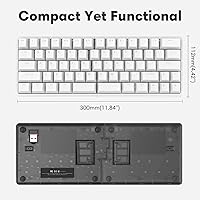
  • Layout: 60% compact split design with two independent halves that can be positioned separately to suit a natural arm and wrist angle.
  • Connectivity: Supports 2.8GHz proprietary RF wireless for cable-free use and wired USB for latency-sensitive tasks such as gaming.
  • Wireless Protocol: Uses a proprietary 2.8GHz RF signal rather than Bluetooth, keeping both halves directly and independently connected to the receiver.
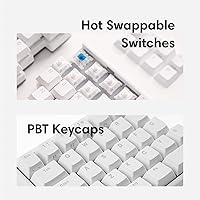
  • Switch Type: Tactile hot-swappable mechanical switches that can be removed and replaced without soldering tools or technical expertise.
  • Sound Dampening: Three layers of Poron foam are integrated beneath the switches to absorb vibration and reduce keystroke noise.
  • Keycaps: Double-shot PBT keycaps provide a textured surface feel and resist the shine and slick texture that develops on ABS keycaps over time.
  • Battery: Each half contains a 3,600mAh lithium polymer battery; both batteries are included and pre-installed in the box.
  • Battery Life: Rated for 3 to 10 months per charge, with the actual range varying significantly based on usage intensity and active features.
  • Palm Rest: A walnut wood palm rest is included with each half, providing wrist support that sits flush with the keyboard base.
  • Tenting: An ergonomic tenting angle is integrated directly into the keyboard body at a fixed incline that cannot be manually adjusted.
  • Dimensions: The combined footprint of both halves measures 11.84 x 4.42 x 1.59 inches, roughly half the surface area of a standard 13-inch laptop.
  • Weight: Total weight of both halves combined is 2.31 pounds, not including the walnut palm rests.
  • OS Support: Fully compatible with macOS, Windows, and Linux out of the box, with no drivers required for basic operation.
  • Programmability: Key remapping and macro configuration are handled through the Vial web interface, accessible in any browser with no software installation.
  • Availability: First listed for sale in June 2024, manufactured by Shenzhen Knockfree Technology Co., Ltd. under the NocFree brand.

Related Reviews

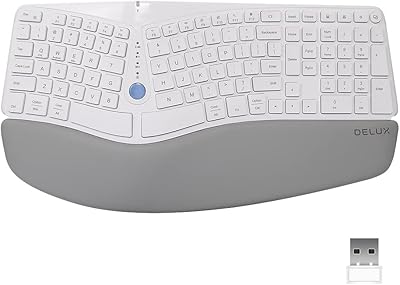
DeLUX GM901D Ergonomic Wireless Keyboard
76%
83%
Ergonomic Design
76%
Palm Rest Comfort
81%
Wireless Connectivity
67%
Typing Feel
72%
Build Quality
More
Perixx PERIBOARD-835 Wireless Ergonomic Mechanical Keyboard
69%
74%
Ergonomic Comfort
81%
Typing Experience
46%
Noise Level
83%
Multi-Device Connectivity
52%
Companion Software
More
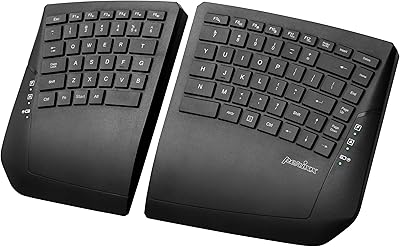
Perixx Periboard-612B Wireless Ergonomic Split Keyboard
72%
88%
Ergonomic Design
81%
Wireless Connectivity
79%
Typing Comfort
62%
Learning Curve
74%
Build Quality
More
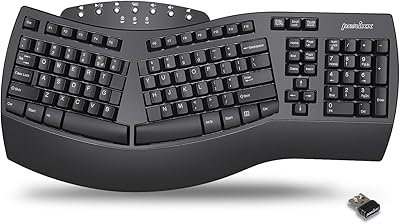
Perixx PERIBOARD-624B Wireless Ergonomic Split Keyboard
70%
81%
Ergonomic Design
88%
Wireless Freedom
54%
Key Feel & Typing Experience
86%
Setup & Ease of Use
61%
Build Quality & Materials
More
Perixx PERIBOARD-535 Ergonomic Split Mechanical Keyboard

76%
88%
Ergonomic Design
84%
Switch Feel
83%
Wrist Rest Comfort
79%
Build Quality
58%
Programmability
More
Perixx Periduo-605 Wireless Ergonomic Keyboard Mouse Combo
72%
83%
Ergonomic Comfort
61%
Keyboard Feel & Typing
79%
Mouse Comfort & Design
69%
Wireless Reliability
76%
Value for Money
More
Arteck HW315
Arteck HW315
74%
83%
Ergonomic Comfort
74%
Wrist Rest Quality
61%
Typing Feel & Key Travel
92%
Battery Life
81%
Wireless Connectivity
More
QUASIO Wave Keys Ergonomic Wireless Keyboard with Wrist Rest
75%
83%
Ergonomic Comfort
71%
Wrist Rest Quality
67%
Typing Feel & Key Travel
86%
Wireless Reliability
81%
Mac & Windows Compatibility
More
TECKNET TK-EKB01040BS01 Wireless Keyboard
76%
83%
Ergonomic Comfort
86%
Typing Noise Level
79%
Wireless Reliability
62%
Build Quality
88%
Value for Money
More
Merdia Triple Mode 100-Key Wireless Mechanical Keyboard
74%
88%
Value for Money
84%
Wireless Connectivity
81%
Typing Experience
83%
Hot-Swap Functionality
67%
Build Quality
More

FAQ

Yes, and it is worth being honest about that upfront. Most people experience a noticeable drop in typing speed for the first one to two weeks after switching. The split forces you to break cross-hand typing habits that have built up over years — and most people have more of them than they realize. Give it consistent daily use for at least two weeks before forming a judgment.

It is not Bluetooth, which is an important distinction. This split keyboard uses a proprietary 2.8GHz RF signal. With most Bluetooth split keyboards, the secondary half routes its keystrokes through the primary half before reaching your computer, which can introduce small but perceptible delays. The RF system here keeps both halves connected directly and in sync, which matters for fast or heavy typists.

It works well on both, and on Linux too. The NocFree split board is recognized immediately on macOS and Windows without any drivers. If you need OS-specific shortcuts or want to remap modifier keys for a Mac layout, the Vial web interface handles that without any software installation.

No installation needed. Remapping is handled through Vial, which is a browser-based configurator you access at the Vial website. Once your keyboard is connected, you can reassign keys visually by dragging and dropping. The tool is fairly intuitive, though the official documentation is thin — if you get stuck, community forums for Vial users tend to fill the gaps quickly.

That range is genuinely wide, and it depends heavily on how you use the board. Moderate daily typing with no backlighting active should keep you toward the longer end. Heavy use across a full workday with additional features running will push you toward the lower end. Each half charges independently, so you are never completely without a keyboard while one side tops up.

Quite straightforward. You pull the existing switch out with a switch puller tool and press a compatible MX-footprint replacement straight in — no soldering iron required. It takes a few minutes per switch once you have done it once. This makes experimenting with different switch weights and feels a low-effort, low-risk project even for people who have never modified a keyboard before.

Yes, wired USB operation is fully supported and easy to switch to. If you are doing something latency-sensitive — competitive gaming, for example — the wired connection removes any wireless overhead entirely. The cable also charges both halves while you work, so extended wired sessions double as charging sessions.

It is fixed. The incline is built into the keyboard body and cannot be changed. For most people, the built-in angle reduces the flat-wrist strain that a conventional keyboard causes. That said, if you need a very specific elevation to address a particular issue with your posture or wrist alignment, the lack of adjustability may be a meaningful limitation.

Each half includes a walnut wood palm rest that attaches flush with the base. It is one of the features buyers mention most consistently in positive feedback — the NocFree Wireless Ergonomic Split Mechanical Keyboard's walnut rests feel noticeably warmer and more solid than the plastic accessories bundled with most competitors at similar price points. The position is fixed relative to the keyboard, so there is no independent depth or height adjustment.

It can be, but go in with realistic expectations. The split layout and built-in tenting can genuinely reduce upper-body strain during long typing sessions, and the hot-swap feature is approachable even for non-enthusiasts. The main challenge is the learning curve — most people need one to two weeks before their speed feels normal again. If you want immediate ergonomic improvement with no adjustment period, a simpler ergonomic keyboard might be a better starting point.

Where to Buy