Overview

The QUASIO Wave Keys Ergonomic Wireless Keyboard with Wrist Rest is a budget-conscious option aimed squarely at office workers and anyone who spends long hours at a keyboard. It takes a straightforward ergonomic approach — a gentle wave-shaped key layout that nudges your hands into a more natural position without the steep adjustment period of a fully split design. The integrated wrist rest and adjustable tilt stand come included rather than sold separately, which feels like a genuine value add at this price point. Wireless connectivity runs over a 2.4GHz USB dongle, supporting both Mac and Windows through a dedicated toggle switch.
Features & Benefits

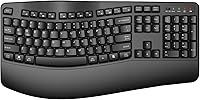
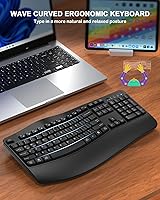
The wave-contoured key layout is the headline feature here, and it does make a noticeable difference if you're coming from a standard flat board. Your fingers naturally follow the subtle curves rather than fighting a uniform row, and over a long session that translates to less tension across the wrists and forearms. The wide padded wrist rest spans the full width of the keyboard, so both hands stay supported rather than just the dominant one. A foldable rear tilt stand lets you adjust the angle, and the nano USB receiver tucks away in a small onboard slot — a detail that matters when you're switching desks. Spill resistance and dedicated media keys round out a practical package.

Best For

This wrist-rest keyboard makes the most sense for first-time ergonomic buyers — people who feel daily wrist fatigue but aren't ready to commit to a split or contoured board that requires weeks of relearning. Office workers putting in long typing days will get the most out of the comfort features, especially at this accessible price. Students and home workers on tighter budgets will appreciate that ergonomic support doesn't have to cost a premium. It's also a practical pick for anyone switching between Mac and Windows regularly, since the OS toggle works without installing drivers. One caveat: if you're a Bluetooth-only household, the dongle-only setup is a real limitation worth knowing upfront.

User Feedback

With a 4.4-star average across over 130 ratings, the Wave Keys board has clearly landed well with most buyers. The most common praise centers on immediate comfort improvement — many users say switching from a flat keyboard made a noticeable difference within days. Wireless performance draws few complaints; the connection is described as consistent and responsive at normal desk distances. On the critical side, some buyers find the key travel shallow and the wrist rest padding firmer than expected, which won't suit everyone. A handful of reviewers flag battery life as inconsistent. The dongle-only setup also surfaces repeatedly among users who prefer Bluetooth. Overall sentiment leans positive, but opinions on build quality vary depending on expectations.

Pros

  • Integrated wrist rest and tilt stand are included out of the box — no separate purchases needed.
  • The wave key layout reduces hand and wrist tension noticeably for users coming from flat keyboards.
  • Plug-and-play USB dongle setup works immediately on Windows, Mac, Linux, and Chrome OS.
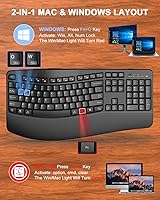
  • Dedicated OS toggle makes switching between Mac and Windows fast and driver-free.
  • Membrane keys are quiet enough for open offices, shared apartments, and late-night work sessions.
  • Spill-resistant surface handles minor desk accidents without immediate damage.
  • Onboard nano-receiver storage slot means the dongle is always with the keyboard and never misplaced.
  • Full-size layout retains a number pad, which data-entry and spreadsheet users specifically value.
  • Delivers a practical set of ergonomic features at a price point most students and home workers can justify.
  • Media and hotkeys work reliably without any software installation or configuration.

Cons

  • Key travel is shallow and tactile feedback is muted, frustrating fast or touch-heavy typists.
  • Dongle-only connectivity is a hard limitation for Bluetooth-only desk setups or tablet users.
  • Wrist rest padding is firmer than many buyers expect, reducing comfort during very long sessions.
  • Plastic chassis shows flex under firm typing pressure and does not feel built for multi-year heavy use.
  • Keycap printing can wear visibly after several months of intensive daily use.
  • Battery life is inconsistent across users, with no indicator to warn when power is running low.
  • Full-size footprint with attached wrist rest makes the board bulky for small desks or frequent travel.
  • Ergonomic benefit is subtle — buyers with existing wrist conditions may find the relief underwhelming.

Ratings

The scores below for the QUASIO Wave Keys Ergonomic Wireless Keyboard with Wrist Rest were generated by our AI system after analyzing verified global buyer reviews, actively filtering out incentivized, duplicate, and bot-driven feedback to surface what real daily users actually experience. Each category reflects an honest synthesis of recurring praise and frustration patterns found across hundreds of purchasing journeys. Both the strengths and the genuine pain points are represented so you can make a well-informed decision.
Ergonomic Comfort
83%
Most users report a noticeable reduction in wrist tension within the first week of switching from a flat keyboard. The wave-shaped layout guides the hands into a slightly more natural angle, which resonates especially with office workers clocking five or more hours of typing daily.
It is worth emphasizing that this is a subtle wave design, not a true split ergonomic layout — buyers expecting a dramatic posture correction often feel the effect is mild. Those with significant pre-existing wrist conditions may find the relief insufficient compared to more specialized boards.
Wrist Rest Quality
71%
29%
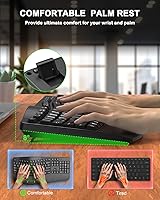
The integrated wrist rest spans the full keyboard width, meaning both hands get continuous support throughout a session rather than just the dominant hand. Most users appreciate not having to buy a separate accessory, which adds genuine everyday value at this price tier.
The padding is on the firmer side, and a notable portion of reviewers describe it as feeling harder than expected after prolonged use. For users who prefer a softer, gel-style cushion, the built-in rest may feel inadequate during marathon typing sessions.
Typing Feel & Key Travel
67%
33%
The keys are responsive enough for everyday office and student use, and the softer keystroke profile tends to be quieter than standard membrane boards — a plus in shared workspaces or home environments where noise is a concern.
Key travel is shallow, and tactile feedback is fairly muted, which divides opinion. Touch typists who prefer deeper, more defined keystrokes consistently flag this as a shortcoming, and it does affect typing accuracy during fast-paced input for some users.
Wireless Reliability
86%
The 2.4GHz dongle connection performs solidly at normal desk distances, and the vast majority of users report zero perceptible lag during daily typing and media control tasks. The fact that the nano-receiver stores in an onboard compartment means it rarely gets misplaced.
Dongle-only connectivity is the single biggest structural drawback for a meaningful segment of buyers. Users in Bluetooth-heavy setups — multiple monitors, tablets, or clean-desk environments — find the USB dongle requirement genuinely inconvenient and occasionally a dealbreaker.
Mac & Windows Compatibility
81%
19%
The dedicated OS toggle switch works reliably without drivers, which is a real convenience for anyone who alternates between a Mac and a Windows machine at the same desk. Keycap legends for both layouts are legible and the switch responds immediately.
Some Mac users note that a few shortcut mappings feel slightly off out of the box and require minor muscle memory adjustment. The dual-layout labeling on certain keycaps can appear visually busy, which a handful of users find distracting during first use.
Build Quality & Materials
62%
38%
The keyboard holds up adequately for typical office use, and the spill-resistant coating provides a reasonable safety net against minor liquid accidents at a desk. For the price bracket, the structural rigidity is acceptable during normal daily handling.
The plastic construction feels noticeably budget-tier when handled directly — flex in the chassis is detectable under firm typing pressure, and the overall finish does not convey durability over a multi-year horizon. Several reviewers flag that keycap printing shows wear after several months of heavy use.
Value for Money
88%
Considering it ships with an integrated wrist rest, tilt stand, and dual OS support at an accessible price point, the value proposition is genuinely strong for first-time ergonomic buyers or students. You would typically pay more to get even two of those features bundled together at this quality tier.
The trade-off is that premium build materials and advanced features like Bluetooth or mechanical switches are entirely absent. Users who push the budget slightly higher will find considerably sturdier options, so the value calculus shifts depending on how long you expect the keyboard to last.
Setup & Ease of Use
91%
Plug-and-play setup takes under a minute — insert the dongle, install the batteries, and the board is immediately recognized on both Windows and Mac. There is no software to install and no pairing ritual, which novice users consistently praise.
The printed quick-start documentation is minimal, and the OS toggle labeling is small enough that some users miss it entirely on first setup. A few buyers report mild confusion about which position corresponds to which operating system until they test it manually.
Battery Life
63%
37%
Under moderate daily use — a few hours of typing with occasional media key presses — the battery performance is acceptable, and most users get several weeks of use before needing a replacement. The battery compartment is easy to access and standard-sized batteries are used.
Battery life reports are noticeably inconsistent across reviewers, suggesting real-world variance depending on usage intensity. Heavy daily typists report shorter-than-expected intervals between battery changes, and the lack of a battery level indicator means drain can catch users off guard.
Key Layout & Spacing
78%
22%
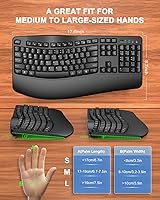
The full-size layout retains a dedicated number pad, which spreadsheet and data-entry users specifically appreciate. Key spacing is comfortable for average-to-large hand sizes, and the wave curvature feels intuitive rather than disorienting after the first session.
Users with smaller hands occasionally report that the full-size footprint feels wide and requires more lateral reach than expected. The wave profile is subtle enough that it adds minimal adjustment time, but it does slightly alter the position of certain modifier keys compared to a standard flat board.
Noise Level
79%
21%
The membrane key construction produces a soft, muffled keystroke that works well in open-plan offices, shared apartments, or late-night work sessions. Multiple reviewers specifically call out quiet typing as one of the reasons they chose this board over a mechanical alternative.
The keystroke sound is not completely silent — there is a faint hollow resonance on harder presses that can be noticeable in very quiet rooms. Users seeking near-silent input for professional recording environments or shared sleeping spaces may find it marginally louder than expected.
Hotkeys & Media Controls
74%
26%
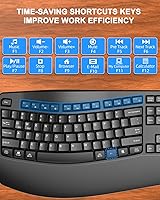
The dedicated media keys handle volume, playback, and brightness adjustments without needing function-layer combinations, which speeds up everyday workflow for users who frequently adjust system settings while working. They register reliably and require no additional driver configuration.
The hotkey selection is fairly standard and does not include programmable macro keys or app-specific shortcuts that power users might want. The media key labeling is small and the icons can be hard to identify at a glance without memorizing their positions first.
Portability & Footprint
57%
43%
At just over two pounds, the board is light enough to move between rooms or pack for a day at a co-working space. The tidy full-size footprint fits most standard desk setups without requiring peripheral rearrangement.
This is still a full-size keyboard with an integrated wrist rest, which makes it noticeably bulkier than a tenkeyless or compact layout. Frequent travelers or users with very limited desk space will find the dimensions less practical compared to smaller alternatives in a similar price range.
Spill Resistance
72%
28%
The spill-resistant coating provides genuine peace of mind for users who keep drinks on their desk, and several buyers report that minor liquid splashes — coffee drips, condensation from a water bottle — caused no lasting damage. It is a practical feature for a real desk environment.
Spill resistance here means surface-level protection against minor splashes, not waterproofing — a significant liquid spill directly into the key gaps is still likely to cause damage. The term can create inflated expectations, and buyers should not treat it as a substitute for careful handling.

Suitable for:

The QUASIO Wave Keys Ergonomic Wireless Keyboard with Wrist Rest is a strong match for office workers and students who spend several hours a day typing and are starting to feel the early signs of wrist fatigue or shoulder tension. It makes particular sense as a first ergonomic keyboard — the wave layout requires virtually no adjustment period compared to a split or contoured design, so productivity stays intact from day one. People who work across both Mac and Windows machines at the same desk will appreciate the built-in OS toggle, which removes the need for two separate keyboards. Home workers on a sensible budget who want ergonomic support without paying a premium will find the bundled wrist rest and tilt stand genuinely useful rather than an afterthought. It also suits shared office environments where quiet typing matters, since the membrane keys produce a noticeably softer sound than mechanical alternatives.
Not suitable for:

The QUASIO Wave Keys Ergonomic Wireless Keyboard with Wrist Rest is not the right tool for buyers with serious or chronic repetitive strain injuries who need a clinically designed split or tented keyboard to meaningfully redistribute pressure — the wave design here offers mild ergonomic improvement, not therapeutic correction. Anyone who relies exclusively on Bluetooth and wants a cable-free desk without a USB dongle plugged in will find the 2.4GHz-only connection a genuine obstacle rather than a minor inconvenience. Power users and programmers who demand deep key travel, tactile click feedback, or programmable macro keys will quickly feel constrained by the shallow membrane switches and fixed hotkey layout. Heavy daily typists who expect keyboard components to last several years without visible wear should also temper expectations, as the plastic chassis and keycap printing reflect the budget price tier honestly. Finally, users with limited desk space or those who frequently travel with their peripherals may find the full-size footprint with integrated wrist rest bulkier than practical for their situation.
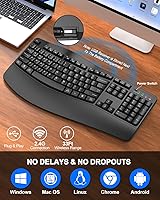
Specifications

  • Brand: Manufactured and sold by QUASIO.
  • Dimensions: The keyboard measures 17.91 x 8.94 x 1.83 inches including the integrated wrist rest.
  • Weight: The unit weighs 2.03 pounds, which is typical for a full-size keyboard with an attached wrist rest.
  • Layout: Full-size QWERTY layout with a dedicated number pad and separate navigation cluster.
  • Key Style: Wave-contoured membrane keys with a gentle arc profile designed to reduce lateral wrist deviation during typing.
  • Connectivity: 2.4GHz wireless via a USB nano-receiver that stores in an onboard compartment on the keyboard body.
  • Wireless Range: Rated for a stable connection up to 33 feet from the USB receiver under normal conditions.
  • OS Compatibility: Compatible with Windows, Mac OS, Linux, and Chrome OS, with a dedicated physical toggle to switch between Mac and Windows key layouts.
  • Power Source: Battery powered; no rechargeable battery is built in, so standard replaceable batteries are required.
  • Wrist Rest: Wide integrated padded wrist rest spans the full width of the keyboard frame for continuous bilateral palm support.
  • Tilt Stand: Adjustable foldable rear legs allow users to raise the back of the keyboard to their preferred typing angle.
  • Spill Resistance: The keyboard features a spill-resistant surface coating designed to protect against minor liquid splashes and condensation.
  • Hotkeys: Includes dedicated media and hotkeys for playback, volume, and common system shortcuts accessible without function-layer combinations.
  • Key Switch Type: Membrane key switches provide soft, quiet keystrokes with relatively shallow travel depth.
  • Color: Available in Black with a matte finish across the keyboard body and keycap surfaces.
  • Receiver Storage: The USB nano-receiver fits into a dedicated slot in the battery compartment to prevent loss during transport.
  • Plug & Play: No driver installation is required; the keyboard is recognized automatically upon inserting the USB receiver on supported operating systems.
  • Recommended Use: Designed for business, personal, student, and everyday office use including extended typing sessions.

Related Reviews
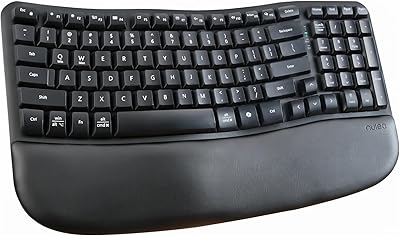
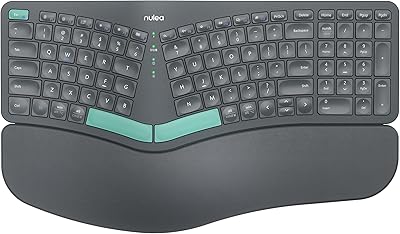
Nulea RT08 Wave Keys Wireless Ergonomic Keyboard
89%
95%
Typing Comfort
93%
Ergonomic Design
88%
Build Quality
91%
Wireless Stability
90%
Key Response Consistency
More
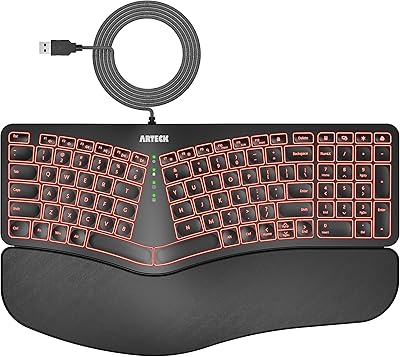
Arteck Ergonomic Split USB Keyboard with Wrist Rest
75%
83%
Ergonomic Comfort
71%
Wrist Rest Quality
74%
Key Feel & Typing Experience
67%
Build Quality & Durability
78%
Backlighting
More
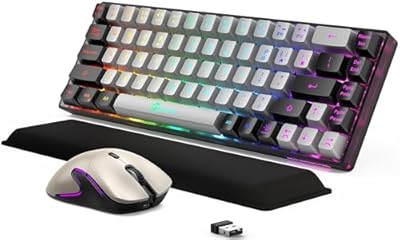
GEODMAER Wireless Gaming Keyboard and Mouse with Cooling Gel Wrist Rest

87%
90%
Comfort and Ergonomics
92%
Wireless Connectivity & Stability
88%
Battery Life (Keyboard)
86%
Battery Life (Mouse)
89%
Backlighting Customization
More
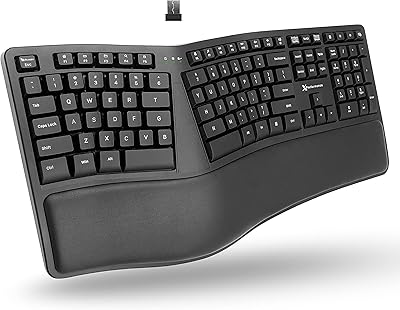
TECKNET TK-EKB01040BS01 Wireless Keyboard
76%
83%
Ergonomic Comfort
86%
Typing Noise Level
79%
Wireless Reliability
62%
Build Quality
88%
Value for Money
More
X9 Wireless Ergonomic Keyboard
84%
89%
Comfort & Ergonomics
92%
Wireless Connectivity
84%
Build Quality
90%
Battery Life
75%
Typing Experience
More
Nulea HD315 Wireless Ergonomic Keyboard
86%
91%
Ergonomics & Comfort
88%
Wireless Connectivity
93%
Battery Life
86%
Build Quality
84%
Ease of Setup
More
QUASIO Wireless Keyboard and Mouse Combo
77%
88%
Value for Money
93%
Setup & Ease of Use
79%
Typing Comfort
84%
Wireless Connectivity & Range
72%
Mouse Performance
More
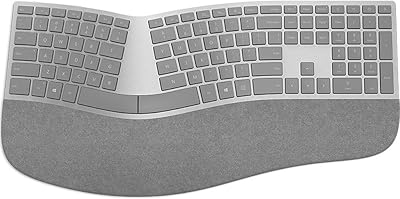
Microsoft Surface Ergonomic Wireless Keyboard

86%
91%
Ergonomics & Comfort
88%
Bluetooth Connectivity
92%
Battery Life
84%
Build Quality
90%
Compatibility with Surface Devices
More
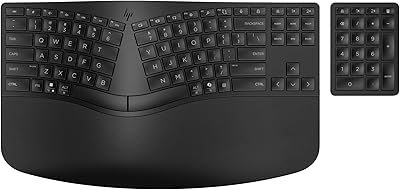
HP 960 Ergonomic Wireless Keyboard
86%
88%
Ergonomic Comfort
90%
Build Quality
85%
Battery Life
91%
Programmability of Keys
87%
Multi-Device Connectivity
More
Logitech MX Keys S
Logitech MX Keys S
81%
91%
Typing Feel & Key Response
93%
Multi-Device Connectivity
84%
Build Quality & Durability
94%
Battery Life
76%
Backlighting & Visibility
More

FAQ

It only connects via the included 2.4GHz USB nano-receiver — there is no Bluetooth option on this board. If your setup relies on Bluetooth or you have limited USB ports, that is a genuine limitation worth factoring into your decision before buying.

The wrist rest is integrated directly into the keyboard frame, so it is not detachable. This keeps the overall unit clean and consistent, but it does mean you cannot swap it out for a softer aftermarket rest if you find the padding too firm.

The adjustment period is minimal for most people. The wave curvature is subtle rather than dramatic, so your fingers follow the natural contour almost immediately without retraining your muscle memory. It is not a split or tented design, so do not expect a radical change in hand position — just a gentler, more neutral angle.

The keyboard requires a USB-A port for the nano-receiver, which rules out direct use with most tablets unless you have a compatible USB adapter or hub. Even then, functionality may be limited depending on the tablet OS, so it is primarily intended for desktop and laptop use.

It uses standard replaceable batteries in the battery compartment — the exact size is not officially specified, but AA batteries are typical for this form factor. Battery life varies quite a bit depending on usage intensity; lighter typists report several weeks, while heavy daily users may need to replace them more frequently. There is no battery level indicator, so it is worth keeping spares on hand.

The toggle is a physical switch on the keyboard, and it works without any software or driver changes — flip it and the key mapping updates immediately. Most Mac and Windows switchers find it straightforward after the first few uses, though the switch label is small and easy to miss initially.

It can help reduce ongoing strain for mild discomfort, but it is not a medical device and should not be treated as one. The wave layout encourages a more neutral wrist angle, which is a step in the right direction, but anyone with a diagnosed RSI or significant chronic pain should consult a specialist and consider a more purpose-built ergonomic solution, such as a true split or contoured keyboard.

The membrane switches are noticeably quieter than mechanical keyboards, and most users in shared environments find the noise level acceptable. It produces a soft, slightly muffled sound rather than a sharp click, making it a reasonable choice for open offices or anywhere noise is a consideration.

The nano-receiver stores in a dedicated slot inside the battery compartment, which greatly reduces the chance of losing it. That said, replacement nano-receivers are typically not sold separately by the manufacturer, so if it does get lost, contacting QUASIO support via Amazon messaging is the recommended first step to explore replacement options.

The spill-resistant design is meant to handle minor splashes and accidental drips, not direct submersion or large liquid spills. If coffee drips onto the surface or a water bottle tips slightly near it, the keyboard has a reasonable chance of surviving with no damage. Deliberately pouring liquid over the keys is a different scenario entirely and is not something the coating is designed to withstand.