WD Elements Desktop 18TB External Hard Drive
Overview
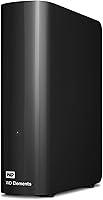
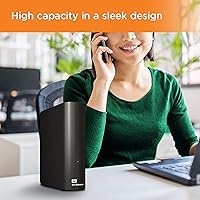
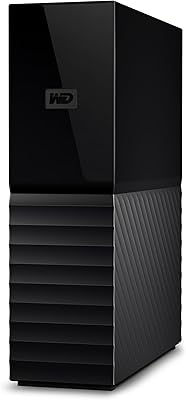
The WD Elements Desktop 18TB External Hard Drive sits at the practical end of high-capacity storage — no frills, no complexity, just a reliable place to put a lot of data. WD's Elements lineup has built its reputation over years of consistent performance, and this desktop drive currently holds the number two spot in its Amazon category for good reason. It is a 3.5-inch desk-bound unit, not something designed to travel — set that expectation upfront. At 18TB, it targets users who have genuinely run out of room: video editors, media collectors, or anyone tired of constantly deciding which files to delete.
Features & Benefits
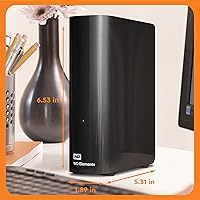
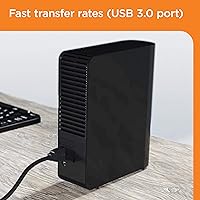
The USB 3.0 interface handles transfers at a reasonable pace for a mechanical drive — real-world speeds typically land in the 100–150 MB/s range, which is practical for moving large files but won't rival an SSD. On Windows, setup is refreshingly simple: plug it in, and the operating system recognizes it instantly with no drivers or extra software involved. Mac users should know upfront that the drive ships formatted for Windows only, so reformatting is required before macOS can use it — not a dealbreaker, but worth planning for. Physically, it measures 5.31 x 1.89 x 6.53 inches and weighs 2.65 pounds, giving it a modest desk footprint for the capacity it offers.
Best For
This high-capacity external HDD makes the most sense for people who produce or accumulate data in volume. Photographers managing years of RAW files, video editors working with uncompressed footage, and home media collectors with sprawling libraries will immediately appreciate having this much breathing room. Console gamers can use it to expand storage on PS4 or Xbox without constantly juggling installs. Small business owners looking to skip cloud subscription fees in favor of straightforward local backup will find the cost-per-terabyte hard to beat. It is a poor fit for anyone who needs portability or rapid random-access speeds, but for bulk stationary storage, the WD Elements 18TB delivers without overcomplicating anything.
User Feedback
With more than 330,000 ratings and a 4.6-star average, the sheer volume of responses for this desktop drive carries its own credibility. The most consistent praise focuses on long-term reliability and quiet operation — many owners report years of trouble-free daily use. On the downside, buyers flag the lack of bundled backup software and the absence of hardware encryption, which matters for anyone storing sensitive files. A notable slice of lower ratings comes from Mac users who weren't aware reformatting was necessary — a fixable issue, but frustrating if discovered after purchase. Under heavy sustained workloads, some users also mention audible mechanical noise, which is normal for spinning-platter drives but worth knowing ahead of time.
Pros
- Setup on Windows takes under a minute — plug it in and it just works, no drivers needed.
- 18TB of storage is enough for most users to stop worrying about capacity for years.
- USB 3.0 delivers practical transfer speeds that handle large file moves without excessive wait times.
- The WD Elements 18TB holds a top-two Amazon ranking backed by over 330,000 real buyer ratings.
- Long-term reliability is a consistent theme in user feedback, with many reporting years of trouble-free use.
- Compatible with gaming consoles, laptops, and desktop PCs — one drive covers multiple devices.
- Compact physical footprint for the capacity it offers; it won't dominate your desk.
- Cost-per-terabyte is strong compared to cloud storage subscriptions over a multi-year horizon.
- Quiet operation under normal workloads is a common point of praise among long-term owners.
- Backward compatibility with USB 2.0 means it works even on older hardware without adapters.
Cons
- No hardware encryption means sensitive or confidential data is stored without an added security layer.
- There is no bundled backup software, so users must source their own solution from the start.
- Mac users must reformat the drive before use — this is easy to overlook and causes real frustration.
- Mechanical HDD speeds have a ceiling; sustained read/write performance will disappoint anyone coming from an SSD.
- Under heavy or sustained workloads, audible mechanical noise becomes noticeable in quiet environments.
- No included carrying case or protective sleeve — purely a plug-in desktop unit with no portability support.
- The power adapter adds desk clutter and a wall outlet dependency that bus-powered drives avoid.
- If the drive fails, there is no RAID redundancy or built-in backup — data loss risk falls entirely on the user.
- No USB-C connector; users with modern laptops may need a separate adapter for a clean connection.
Ratings
The scores below for the WD Elements Desktop 18TB External Hard Drive were generated by our AI system after analyzing tens of thousands of verified global buyer reviews, with spam, bot activity, and incentivized feedback actively filtered out. Each category reflects the full spectrum of real-world experiences — from long-term daily users to first-time setup frustrations — so both the strengths and the genuine pain points are represented without sugarcoating.
Ease of Setup
Storage Capacity Value
Long-Term Reliability
Transfer Speed
Build Quality
Noise Level
Mac Compatibility
Data Security
Software Bundle
Gaming Console Use
Value for Money
Portability
Compatibility Range
Thermal Performance
Suitable for:
The WD Elements Desktop 18TB External Hard Drive is purpose-built for anyone who generates or accumulates data at scale and needs a dependable, no-fuss place to store it all. Video editors working with large raw footage files, photographers sitting on years of unedited RAW archives, and home media enthusiasts with sprawling movie or music libraries will find 18TB of breathing room genuinely liberating. Console gamers who constantly juggle installs on a full internal drive can offload or expand onto this desktop drive without any technical headaches. Small business owners who want a cost-effective local backup solution — and would rather pay once than subscribe to cloud storage indefinitely — will appreciate the straightforward value here. It also suits Windows-first households or offices where plug-and-play simplicity is the priority and nobody wants to deal with setup complexity.
Not suitable for:
The WD Elements Desktop 18TB External Hard Drive is not the right tool for every storage need, and it is worth being honest about where it falls short. Mac users should know upfront that this drive ships formatted for Windows only — reformatting is required before macOS will accept it, and if that step is skipped or misunderstood, frustration follows. Anyone who needs to carry their storage between locations should look elsewhere entirely; this is a 3.5-inch desk-bound unit, not something designed to travel in a bag. If data security is a concern — say, for sensitive client files or financial records — the absence of hardware encryption is a meaningful gap that this high-capacity external HDD does not address. Speed-sensitive workflows that demand fast random access, such as editing 4K footage directly from the drive, will run into the inherent limits of a mechanical spinning-platter drive, which simply cannot match SSD performance regardless of the USB connection.
Specifications
- Storage Capacity: This drive offers 18TB of total storage, formatted capacity will be slightly lower as reported by your operating system.
- Drive Type: Uses a traditional mechanical hard disk (HDD) with spinning platters, not solid-state flash memory.
- Form Factor: 3.5-inch desktop form factor designed for stationary use, requiring a power adapter rather than bus power.
- Interface: Connects via USB 3.0 for maximum transfer throughput, with full backward compatibility for USB 2.0 ports.
- Transfer Speed: Real-world sequential read and write speeds typically fall between 100 and 150 MB/s depending on file size and system configuration.
- Dimensions: The unit measures 5.31 x 1.89 x 6.53 inches (L x W x H), giving it a compact footprint relative to its capacity.
- Weight: Weighs 2.65 pounds, which is standard for a 3.5-inch mechanical desktop drive of this capacity.
- Compatibility: Works natively with Windows PCs and is also compatible with gaming consoles and laptops; Mac use requires reformatting to a macOS-supported file system.
- File System: Ships pre-formatted as NTFS for immediate Windows plug-and-play use; must be reformatted to exFAT or HFS+ for Mac compatibility.
- Encryption: No hardware encryption is included; users with sensitive data needs should supplement with third-party encryption software.
- Backup Software: No backup software is bundled in the box; users must arrange their own backup solution such as Windows Backup, Time Machine after reformatting, or a third-party application.
- Power Source: Requires an external AC power adapter (included) and does not support bus-powered operation through USB alone.
- Color: Available in a two-tone black and white finish with a clean, utilitarian design aesthetic.
- Brand & Series: Manufactured by WD (Western Digital) as part of the long-running Elements Desktop product line.
- Model Number: Official model identifier is WDBWLG0180HBK-NESN, which corresponds specifically to the 18TB North American retail variant.
- Market Ranking: Holds the number two position in the External Hard Drives category on Amazon, supported by over 330,000 customer ratings.
- Average Rating: Carries a 4.6 out of 5 star average rating across more than 330,000 verified customer reviews at the time of this writing.
- Installation: Plug-and-play installation on Windows requires no driver download or software installation to begin using the drive.
- Operating Noise: Produces low-level mechanical noise during normal operation; audible spindle and head movement may be noticeable under heavy sustained workloads in quiet environments.
- Date Released: First made available for purchase on October 23, 2020, and has remained a top-selling drive in its category since launch.
Related Reviews
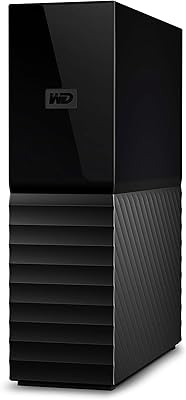
WD My Book 18TB External Hard Drive
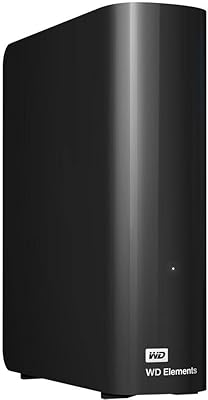
WD 20TB Elements Desktop External Hard Drive

WD Elements Desktop 3TB External Hard Drive
WD My Book 16TB External Hard Drive
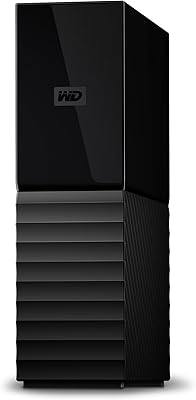
WD 12TB My Book Desktop External Hard Drive
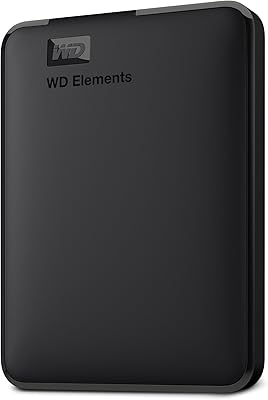
WD Elements Portable 2TB
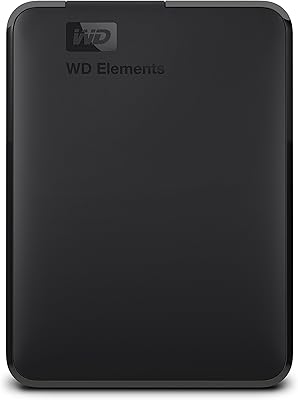
WD Elements Portable 3TB External Hard Drive
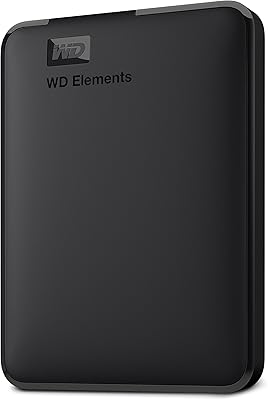
WD Elements Portable 5TB External Hard Drive
WD 24TB My Book Desktop External Hard Drive
WD My Book 22TB External Hard Drive