Overview

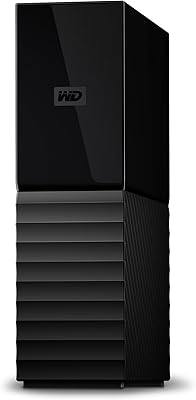
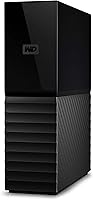
The WD My Book 18TB External Hard Drive is the kind of drive you reach for when smaller portable options simply can't keep up anymore. WD has built the My Book line over many years, and that track record of reliability matters when you're trusting a single unit with your entire archive. Worth noting upfront: this is a mechanical hard drive, not an SSD, so real-world transfer speeds won't blow your mind — expect solid, consistent throughput rather than blazing fast performance. It's also a desktop-only setup, requiring an AC adapter and a permanent spot on your desk. For bulk local storage, the cost per terabyte here is genuinely hard to beat.
Features & Benefits

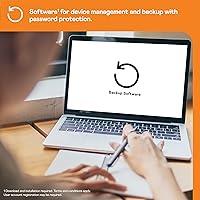
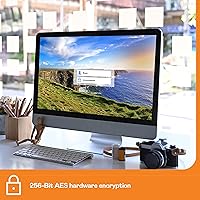
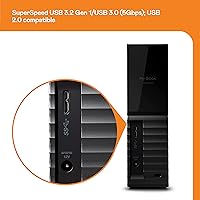
The My Book 18TB connects via USB 3.0, and while the interface's theoretical 5Gbps ceiling sounds impressive, actual speeds with a mechanical drive will land much lower — think large sequential file copies rather than rapid random access. The real standout is 256-bit AES hardware encryption, which runs at the drive level and doesn't rely on software to stay active. WD bundles Acronis True Image and WD Discovery for automated backup scheduling, though both require a download and installation before they're usable. USB 2.0 backward compatibility is a nice touch for older machines. The compact 3.5-inch chassis fits comfortably on a desk, and it works with both Windows and Mac straight out of the box.

Best For

This desktop drive makes the most sense for people drowning in data — video editors and photographers who need a reliable local archive for raw files and finished projects will find 18TB goes a long way. It's also a practical choice for home or small-office users who want a single, centralized backup point without the complexity of setting up a NAS. If you've been paying for a cloud subscription and want your data back under your own roof, this high-capacity HDD gives you that control. It's equally well-suited for anyone consolidating several aging smaller drives, trading the hassle of juggling multiple units for one clean, high-volume solution.

User Feedback

With over 13,000 ratings and a 4.4-star average, the My Book 18TB has earned its place in a competitive category. Most buyers highlight quiet, reliable operation and how straightforward the setup is — plug in the power, connect via USB, and the drive is recognized almost immediately. That said, a portion of users have reported early failure, which is worth taking seriously; WD does offer a warranty, so understanding the RMA process before you need it is smart. Many users skip WD Discovery entirely in favor of Windows Backup or Time Machine, which are leaner alternatives. One recurring gripe: heat buildup during prolonged use means airflow around the unit genuinely matters.

Pros

  • Massive 18TB capacity delivers outstanding value per terabyte for anyone with serious local storage needs.
  • Hardware-level 256-bit AES encryption protects sensitive data automatically, without relying on third-party software.
  • Plug-and-play setup works out of the box with both Windows and Mac, no reformatting required.
  • Quiet operation makes the My Book 18TB easy to live with in a home office or creative studio.
  • USB 2.0 backward compatibility ensures it works with older systems without needing any additional adapter.
  • Bundled Acronis True Image software provides automated backup scheduling once downloaded and configured.
  • A compact 3.5-inch footprint takes up surprisingly little desk space given the enormous capacity inside.
  • Over 13,000 user ratings averaging 4.4 stars signal consistently strong real-world satisfaction over time.
  • Consolidates multiple aging smaller drives into one clean, manageable unit with far less cable clutter.

Cons

  • Mechanical HDD speeds fall well short of SSD performance, particularly for random read/write operations.
  • Requires an AC power adapter, making it entirely unsuitable for use away from a fixed desk.
  • A meaningful share of users have reported early drive failure, making a secondary backup strategy essential.
  • Heat buildup during extended operation has been flagged consistently — ventilation around the unit genuinely matters.
  • WD Discovery is widely considered bloated, and setup requires a separate download rather than a local install.
  • No built-in networking means the drive cannot be shared across multiple users or devices simultaneously.
  • Not a practical choice as a primary working drive for applications or frequently accessed active project files.
  • The power brick adds desk clutter that sleeker, bus-powered portable alternatives avoid entirely.

Ratings

The category scores below were generated by our AI after analyzing thousands of verified purchase reviews for the WD My Book 18TB External Hard Drive from buyers worldwide, with incentivized, bot-generated, and clearly fraudulent submissions actively filtered out before any scoring was applied. Each category reflects how the drive genuinely performs in real desktop environments — not how the manufacturer describes it on the box. Both the consistent strengths and the recurring pain points are weighted transparently so you can evaluate whether this drive fits your specific situation.
Storage Capacity & Value
93%
For buyers who have been juggling multiple smaller drives or paying monthly cloud subscription fees, consolidating into a single 18TB local unit feels like a practical breakthrough. The cost-per-terabyte at this capacity tier is among the most competitive in desktop external storage, making it a compelling choice for archiving large libraries.
A small number of users noted that the actual formatted capacity falls slightly below the advertised 18TB — a standard industry practice, but one that catches some buyers off guard. Those who budgeted precisely around the full advertised number may find themselves needing a touch more headroom than anticipated.
Transfer Speed & Performance
67%
33%
For its intended purpose — copying large batches of video footage, RAW photo archives, or system backup images — the My Book 18TB moves data at a consistent and workable pace. Users handling multi-gigabyte project transfers report that while it is not fast by modern standards, it completes jobs reliably and without stalling mid-transfer.
Buyers expecting USB 3.0 to deliver near-SSD throughput will be genuinely disappointed. The mechanical platters impose a hard ceiling on performance, and real-world sequential speeds typically land between 100 and 200 MB/s at best. Attempting to run active applications or databases directly from the drive produces sluggishness that this hardware simply was not designed to handle.
Long-term Reliability
71%
29%
The majority of long-term owners report consistent, trouble-free operation across one to three years of daily desktop use, with many crediting the drive for quietly handling nightly backups without a single interruption. WD's decades-long presence in the storage industry lends the platform a baseline credibility that competitors at this price point often lack.
A meaningful minority of buyers — enough to register clearly in aggregate feedback — reported mechanical failure within the first twelve months, which is a sobering pattern for a device storing irreplaceable data. The 2-year warranty covers replacements, but no RMA process restores a corrupted archive, and that reality weighs on the overall reliability score.
Setup & Ease of Use
91%
The plug-and-play experience on Windows is genuinely frictionless — connect the USB cable, power on the AC adapter, and the drive appears in Explorer within seconds, ready to use with zero driver installation or configuration required. Most buyers describe the initial setup as one of the smoothest they have experienced with a desktop storage device.
Mac users face an extra step that is not flagged clearly in the packaging: the drive ships formatted for Windows, which restricts Macs to read-only access out of the box without reformatting. It is a quick fix through Disk Utility, but it is an unexpected obstacle that catches Mac buyers off guard on first connection.
Data Security & Encryption
88%
The 256-bit AES hardware encryption is a meaningful differentiator at this price tier — it operates at the drive level rather than through software, meaning it remains active regardless of the host system's state. Photographers, small-business owners, and freelancers archiving sensitive client work appreciate having this protection running automatically without any configuration overhead.
Hardware encryption is unforgiving by design: if the password is lost, the data is gone permanently with no account-based recovery or manufacturer override available. Some buyers discovered this consequence only after the fact, and the absence of any fallback mechanism makes it a genuine risk for users who do not maintain a disciplined password management practice.
Software & Companion Apps
58%
42%
Acronis True Image, once properly configured, delivers genuinely reliable scheduled backup functionality that runs quietly in the background without requiring user attention. For buyers unfamiliar with backup software, having a ready-to-use solution bundled in lowers the barrier to establishing a consistent local backup routine from the start.
WD Discovery is widely considered bloated and intrusive by experienced users, with a notable portion of buyers opting to uninstall it entirely and rely on Windows Backup or macOS Time Machine instead. The requirement to download both apps separately — rather than launching them directly from the drive — adds unexpected friction to what most buyers assumed would be an out-of-box experience.
Heat Management
63%
37%
During light to moderate workloads — such as scheduled overnight backups or occasional large file transfers — the chassis stays at an unremarkable temperature that causes most users no concern at all. The automatic spin-down feature reduces thermal buildup meaningfully during idle periods, which is a practical inclusion for a drive left on throughout the workday.
Extended continuous read/write sessions push the enclosure into noticeably warm territory, and multiple users flagged heat as a real concern when the drive is placed in enclosed furniture or stacked beneath other equipment. Several buyers who initially dismissed ventilation as a non-issue reversed that view after experiencing sluggish performance or unexpected shutdowns in poorly airflowed setups.
Noise Level
82%
18%
For a 3.5-inch mechanical drive spinning 18TB of platters, the My Book 18TB is acoustically well-controlled under normal conditions. The low operational hum blends readily into standard home office ambient noise, and most users report that within a day or two they stop noticing the drive is running at all.
During heavy sequential transfers, rhythmic clicking and mild vibration become perceptible — entirely normal behavior for a high-capacity HDD, but potentially distracting in very quiet recording or listening environments. Users who work in acoustically sensitive studios or open-plan spaces with little ambient noise may find the drive's operational profile more present than they anticipated.
Portability & Form Factor
47%
53%
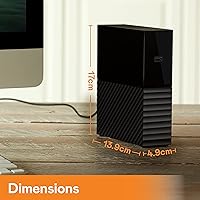
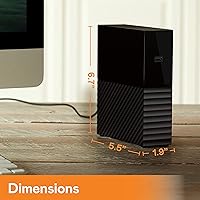
Despite holding 18TB of storage, the physical enclosure is compact relative to its capacity — at under 2 inches wide and 5.5 inches deep, it sits alongside a desktop or workstation setup without commanding disproportionate desk space. The understated matte black design integrates cleanly into both home office and professional studio environments.
This is fundamentally a stationary device, and buyers who did not register that detail before purchasing were uniformly frustrated. The AC adapter requirement keeps it tethered to a power outlet permanently, and users who needed to move between home and office setups — or travel with their archive — found the power dependency a dealbreaker that no workaround resolved.
OS & Device Compatibility
87%
Windows users enjoy a completely seamless experience — connection is instant, the drive is recognized automatically, and it is ready to use in File Explorer without any additional steps. Mac users who take a few minutes to reformat to exFAT or APFS find the drive integrates cleanly into their workflow, including Time Machine, once that initial step is complete.
The out-of-box experience is meaningfully less smooth on Mac than on Windows, with the NTFS pre-formatting creating a read-only limitation that surprises Mac buyers who expected the same plug-and-play simplicity. A small number of users also reported intermittent recognition issues with older USB hubs and certain Linux distributions, though these cases represented a modest slice of the overall feedback.
Backup Functionality
77%
23%
When configured correctly, the bundled Acronis True Image handles automated incremental backups reliably — users running nightly system backups report that the software operates quietly and consistently in the background without requiring regular intervention. For a bundled solution at this price tier, the core backup functionality is above average.
The need to create an account and download the software before it activates adds friction that many buyers did not anticipate, and a portion found the interface unintuitive enough that they abandoned it altogether. Users who switched to native tools like Time Machine or Windows File History generally reported a smoother and more transparent backup experience overall.
Build Quality
74%
26%
The enclosure feels solid and purposefully constructed for its category — there is no noticeable flex in the chassis, and the stable rubber-footed base keeps the unit firmly in place during operation. Long-term owners consistently describe the physical build as holding up without cosmetic or structural issues over years of stationary desk use.
Some buyers noted that the plastic casing feels less premium than the pricing might suggest, and glossy surface sections attract fingerprints visibly. More meaningfully, the rate of early mechanical failure reported by a vocal minority raises questions about internal component consistency that the solid exterior alone does not fully address.
Value for Money
89%
On a pure cost-per-terabyte basis, this desktop drive occupies a favorable position relative to comparable high-capacity mechanical alternatives, making it a compelling option for anyone who needs bulk local storage without paying the premium associated with solid-state drives. Most buyers feel the transaction reflects fair market value for what they received.
The value equation shifts if a unit fails early and irreplaceable data is lost alongside it, since no warranty replacement can recover a corrupted archive. Buyers who responsibly factor in a secondary backup solution — which the failure patterns genuinely justify — will find the true effective cost of ownership meaningfully higher than the purchase price alone.
Power Efficiency
72%
28%
The automatic spin-down feature engages after a configurable idle period, reducing both power draw and heat output during stretches when the drive is not actively being accessed. For users who leave this high-capacity HDD connected throughout long workdays, this feature contributes meaningfully to operational longevity without requiring any manual effort.
The mandatory AC adapter eliminates any option to run on USB bus power in lighter scenarios, which limits flexibility compared to drives that can operate in lower-draw modes. Some users also noted that frequent spin-up cycles on systems that access the drive intermittently introduced small but consistent delays that interrupted their workflow rhythm.
Warranty & Support
76%
24%
The 2-year limited warranty provides a meaningful safety net for a mechanical drive entrusted with large volumes of important data, and the RMA process through WD's support portal is generally described as organized and functional. Most buyers who initiated a warranty claim received a replacement unit without significant resistance or excessive documentation hurdles.
RMA turnaround times vary widely by region and period, and users who relied on this drive as their sole local backup found themselves in a genuinely difficult position during the days or weeks a replacement was in transit. A subset of buyers also reported difficulty reaching helpful customer support representatives during high-volume periods.

Suitable for:

The WD My Book 18TB External Hard Drive is a strong fit for anyone whose storage needs have outpaced what portable drives or cloud plans can practically handle day to day. Creative professionals — video editors, photographers, and audio engineers — will appreciate having a single, always-available local archive that doesn't depend on an internet connection or a recurring subscription fee. Home and small-office users who want a centralized backup point without the complexity of configuring a full NAS will find this desktop drive hits a practical sweet spot of simplicity and raw capacity. It's equally well-suited for anyone consolidating a tangle of aging smaller drives into one clean unit, or for users pulling their data back from cloud services to regain full local control. The built-in hardware encryption also makes it a sensible choice for anyone handling sensitive client files or personal records who wants that protection operating at the drive level automatically.
Not suitable for:

The WD My Book 18TB External Hard Drive is not the right tool for users who need portability — it requires an AC power adapter and a fixed position on a desk, so if you move between workspaces frequently, a bus-powered portable drive will serve you far better. Anyone expecting SSD-level transfer speeds will be disappointed; real-world throughput reflects the mechanical nature of the drive, regardless of what the USB 3.0 specification implies on paper. It's also a poor fit as a primary working drive for applications or actively used project files, since mechanical drives handle random read/write workloads much less efficiently than solid-state alternatives. Users in warm or poorly ventilated spaces should think carefully before buying, as this high-capacity HDD has been noted to generate meaningful heat during extended sessions. And if you need a storage solution that multiple users can access simultaneously over a network, this drive has no built-in networking capability — a proper NAS would be a more appropriate investment.

Specifications

  • Storage Capacity: Offers 18TB of raw capacity, though actual usable space will be slightly lower once the drive is formatted by the host operating system.
  • Drive Type: Uses a 3.5-inch mechanical spinning-platter hard disk drive (HDD), which delivers high-volume storage at a significantly lower cost per terabyte than solid-state alternatives.
  • Interface: Connects via USB 3.0 with a theoretical maximum bandwidth of 5Gbps, and is fully backward compatible with USB 2.0 ports.
  • Transfer Speed: Real-world sequential read/write performance is constrained by the mechanical platters and typically falls between 100 and 200 MB/s under normal desktop conditions.
  • Dimensions: Measures 1.9 × 6.7 × 5.5 inches, providing a relatively compact physical footprint for a high-capacity 3.5-inch desktop drive.
  • Weight: Weighs 2.83 pounds, which is standard for a 3.5-inch desktop external hard drive of this storage tier.
  • Encryption: Equipped with 256-bit AES hardware encryption that operates at the drive level, functioning independently of the host system's software environment.
  • OS Compatibility: Officially compatible with both Windows PCs and Mac computers, though Mac users should be aware that reformatting may be needed for optimal read/write access or Time Machine use.
  • Power Source: Powered exclusively via an included AC adapter and draws no power from the USB connection, meaning it must remain within reach of a wall outlet at all times.
  • Backup Software: Ships with WD Discovery and Acronis True Image for scheduled local backups, both of which require a separate download and installation before they are functional.
  • Operating Temp: Rated for operational use between 5°C and 35°C, with non-operational storage permissible across a wider range of –20°C to 65°C.
  • Form Factor: Designed strictly for stationary desktop use, requiring a stable flat surface, proximity to a USB port, and a nearby AC power outlet.
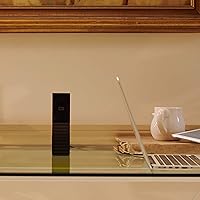
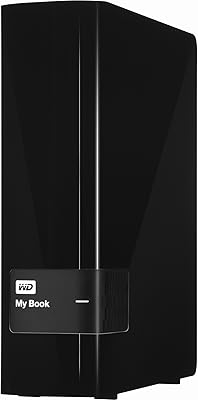
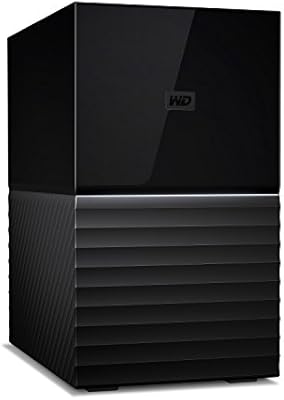
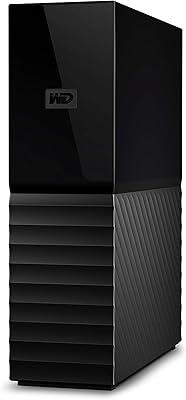
  • Color & Finish: Available in matte black with a clean rectangular profile that sits unobtrusively alongside desktop and workstation setups.
  • Warranty: Covered by a Western Digital 2-year limited warranty, with RMA replacement support available through WD's official customer service portal.
  • User Rating: Holds a 4.4-out-of-5-star average from more than 13,248 verified ratings, placing it at #14 in the External Hard Drives category.

Related Reviews
WD My Book 16TB External Hard Drive
76%
96%
Storage Capacity
82%
Value for Money
91%
Setup & Ease of Use
84%
Build Quality
67%
Transfer Speed
More
WD My Book 22TB External Hard Drive
70%
94%
Storage Capacity
91%
Ease of Setup
67%
Transfer Speed
78%
Build Quality
61%
Drive Noise
More
WD 12TB My Book Desktop External Hard Drive
85%
96%
Storage Capacity
88%
Ease of Use
92%
Data Security & Encryption
85%
Performance Speed
78%
Software/Backup Functionality
More
WD My Book 26TB External Hard Drive
73%
96%
Storage Capacity
91%
Setup & Compatibility
67%
Transfer Speed
88%
Hardware Encryption & Security
71%
Backup Software
More
WD 24TB My Book Desktop External Hard Drive
85%
95%
Storage Capacity
89%
Data Security
91%
Ease of Setup
87%
Build Quality
82%
Software Functionality
More
WD My Book 3TB Desktop External Hard Drive
71%
88%
Ease of Setup
83%
Reliability
71%
Transfer Speed
54%
Software Quality
86%
Hardware Encryption
More
WD 36TB My Book Duo Desktop RAID External Hard Drive
82%
88%
Performance & Speed
93%
Data Security (Encryption)
96%
Storage Capacity
85%
Ease of Setup & Use
62%
Noise During Operation
More
WD My Book Essential 1TB USB 2.0 Desktop External Hard Drive
84%
89%
Value for Money
91%
Ease of Use
87%
Backup Functionality
88%
Data Security
65%
USB Speed
More
Seagate Expansion 18TB External Hard Drive
74%
88%
Value for Money
93%
Storage Capacity
84%
Setup & Ease of Use
61%
Transfer Speed
71%
Long-term Reliability
More
WD 4TB Elements Portable External Hard Drive
87%
89%
Performance
94%
Portability/Size/Weight
95%
Ease of Setup
87%
Transfer Speed
92%
Value for Money
More

FAQ

It is compatible with Macs, but there is one thing worth knowing upfront: the drive ships pre-formatted for Windows (NTFS), which Macs can read natively but cannot write to without third-party software. Most Mac users will want to reformat it to exFAT for cross-platform use, or to HFS+ and APFS if they plan to use it exclusively with Time Machine. The process takes just a few minutes in Disk Utility, but factor that in before you start moving files over.

Expect sequential speeds roughly in the 100 to 200 MB/s range for large file transfers, which is typical for a mechanical desktop drive over USB 3.0. It handles moving big batches of video footage or RAW photos at a reasonable pace, but it is nowhere close to SSD territory. If speed is your top priority, a solid-state external drive would be a better fit.

No — and that is intentional. Hardware-level AES encryption means there is no master reset key or backdoor recovery option. If the password is lost, the data is effectively inaccessible. Before enabling encryption, store your password somewhere secure, like a dedicated password manager, so you never end up in that situation.

You can plug it in and start using it right away without installing anything. The drive mounts as a standard external storage device on both Windows and Mac. The bundled WD Discovery and Acronis True Image software are completely optional — they add automated backup scheduling and remote management, but many users prefer to skip them in favor of tools they already know, like Windows Backup or macOS Time Machine.

Western Digital covers this desktop drive with a 2-year limited warranty. If a unit fails within that period, you can start an RMA request directly through WD's support website and they will arrange a replacement. The process is generally straightforward, though turnaround times vary. Given that mechanical drives do occasionally fail early, storing critical data in at least one additional location alongside this drive is always a smart precaution.

Because the drive uses its own AC adapter for power, it does not rely on the USB port for electricity — which makes it much more hub-friendly than bus-powered portable drives. That said, for the most reliable transfer speeds and to avoid any connection instability, plugging directly into a USB port on your machine is still the recommended approach.

Most users find it quiet enough to ignore in a home office setting. You will hear a faint hum when it spins up and occasional soft clicking or whirring during active file transfers — that is completely normal behavior for a mechanical drive of this size. It is a very different acoustic experience from an SSD, but it is not disruptive.

Yes, the My Book 18TB is built for continuous desktop use and will spin down automatically after a period of inactivity to conserve energy and reduce wear. The main thing to watch is heat: if it is sitting in a tight, enclosed space with poor airflow, temperatures can climb during extended use. Keep it somewhere with open airflow on the sides and back, and avoid stacking other equipment on top of it.

The drive ships with a standard USB-A cable, so you would need a USB-A to USB-C adapter or a USB hub with USB-A ports. Adapters are inexpensive and widely available. Just make sure the adapter you buy is rated for USB 3.0 speeds rather than just USB 2.0, or you will bottleneck your transfer performance unnecessarily.

Some warmth is completely expected from a high-capacity mechanical drive under sustained use. The concern arises when airflow is restricted — think enclosed desk cabinets, drives stacked against walls, or units sitting in already-warm rooms. Give it clear space on all sides, keep it away from direct sunlight and heat sources, and it should stay within a safe operating range. If it ever crosses from warm into genuinely hot to the touch, that warrants a closer look at your setup and potentially a check with WD support.