Overview

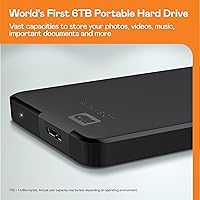
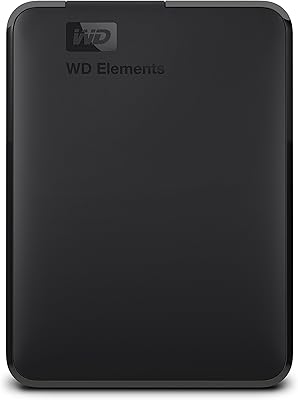
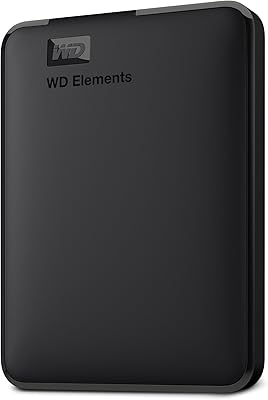
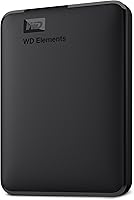
The WD Elements Portable 5TB External Hard Drive has quietly built a dependable reputation among everyday users who simply need reliable storage without complexity. Five terabytes is a practical sweet spot — large enough to hold years of photos, video projects, and game libraries without pushing into pricier territory. Plug it into a Windows PC and it is immediately recognized; no software, no drivers, no wall adapter required. Mac users do need to reformat the drive before it integrates properly with macOS — a minor but important caveat worth knowing upfront. And since this is a mechanical hard drive, not an SSD, both transfer speed and drop-resistance will reflect that reality.
Features & Benefits

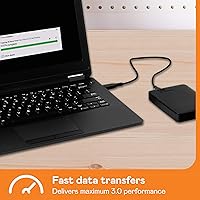
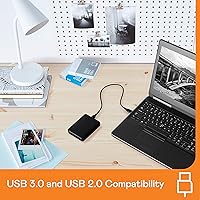
The USB 3.2 Gen 1 interface delivers speeds up to 5Gbps — a genuine step up from older USB 2.0 connections, which makes transferring large folders of RAW photos or video footage noticeably less tedious. Because it draws power directly from the USB port, there is no adapter to track down and no extra cable to carry. The drive is compact enough to slip into a jacket pocket, and at just over half a pound it barely registers in a bag. It is also backward compatible with USB 2.0 ports, so older machines are not left out. WD's long track record in storage hardware provides reasonable confidence in longevity for a drive at this price point.

Best For

This portable drive makes the most sense for people with a growing backlog of files and no desire to spend SSD prices for bulk storage. Think photographers offloading project archives, students moving coursework between home and campus, or households wanting one shared spot for family media. Windows users get a completely hands-off setup experience. Mac users planning to run Time Machine will need to reformat to APFS or HFS+ first — not complicated, but worth planning for. It also works well as overflow storage when a laptop's internal drive runs out of room. Where it is less suited is as a primary drive for heavy daily use or any workflow that demands SSD-level speed.

User Feedback

With well over 300,000 ratings and a 4.6-star average, the WD Elements 5TB has gathered more real-world input than most drives ever accumulate. Recurring praise centers on easy setup, consistent day-to-day reliability, and strong value for the capacity. Users who keep the drive stationary report it running quietly and staying cool under normal workloads. On the critical side, a meaningful number of reviews mention early failures within the first year — not uncommon for high-volume mechanical drives, but worth building a backup plan around. Mac users frequently bring up the reformatting step as an initial friction point. And a handful of reviewers discovered, the hard way, that drop damage is a real risk with any spinning-disk drive.

Pros

  • Five terabytes of storage covers years of photos, videos, and game libraries without breaking the bank.
  • Plug-and-play on Windows — no drivers, no software, no setup headaches whatsoever.
  • Bus-powered via USB means one less adapter to pack when traveling.
  • The compact 2.5-inch body slips into a jacket pocket or the smallest compartment of a laptop bag.
  • USB 3.2 Gen 1 support delivers transfer speeds that make moving large folders genuinely tolerable.
  • Backward compatibility with USB 2.0 ports means it works on virtually any machine you throw at it.
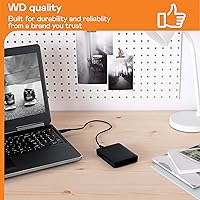
  • WD's long track record in storage hardware provides reasonable confidence for long-term everyday use.
  • Over 330,000 real-world ratings signal this is a widely tested and trusted drive, not a niche gamble.
  • Users consistently report quiet operation and cool running temperatures during extended use.
  • Strong value for the capacity compared to same-tier alternatives from competing brands.

Cons

  • Mechanical HDD speeds lag noticeably behind SSDs, especially when transferring thousands of small files.
  • Physical shock or a single accidental drop can cause permanent data loss — there is no internal protection mechanism.
  • No hardware encryption or password protection leaves sensitive data fully exposed if the drive is lost or stolen.
  • Mac users must reformat before the drive works natively, which catches many buyers off guard.
  • No backup software is included, so users have to arrange their own backup workflow from scratch.
  • Some owners report early drive failures within the first year, making a secondary backup strategy essential.
  • The drive is not designed for heavy daily read-write cycles typical of a working scratch disk.
  • No USB-C connector is included, which is an inconvenience on modern laptops that have dropped legacy USB-A ports.
  • Lack of any ruggedized casing makes this a poor travel companion in physically demanding environments.

Ratings

The WD Elements Portable 5TB External Hard Drive earns its place near the top of the external storage category, and the scores below reflect exactly that — strengths, trade-offs, and all. These ratings were generated by AI after analyzing tens of thousands of verified global purchases, with spam, incentivized reviews, and bot-flagged feedback actively filtered out. The result is an honest, data-grounded picture of where this portable drive genuinely delivers and where real buyers have run into friction.
Value for Money
93%
Buyers consistently flag this drive as one of the most competitive 5TB options available at its price point, with many noting it offers more usable storage per dollar than most rivals. For users building out a home backup setup or needing overflow storage for a growing media library, the cost-to-capacity ratio is difficult to argue with.
A small segment of reviewers who experienced early drive failures felt the value proposition collapsed quickly once warranty logistics entered the picture. The absence of bundled software or encryption also means some users end up spending extra on third-party tools to get the functionality they expected.
Ease of Setup
96%
Windows users almost universally praise the zero-friction setup experience — plug in the cable, the drive appears in File Explorer, and that is genuinely the entire process. For non-technical users or anyone who dreads installing drivers, this kind of immediate recognition is a meaningful practical advantage in daily use.
Mac users are a different story. The NTFS formatting means macOS can read the drive but cannot write to it until a reformat is performed, which catches a notable number of buyers off guard. It is a manageable one-time step, but the out-of-box experience on Mac is considerably less polished than on Windows.
Storage Capacity
91%
Five terabytes gives most users years of runway — comfortably absorbing photo libraries from multiple family members, full game installs, and ongoing video projects without requiring constant file management. Users who previously worked with 1TB or 2TB drives frequently describe the upgrade as immediately relieving.
For professionals shooting 4K or 8K video at high bitrates, 5TB can fill up faster than expected, and the drive offers no expandability once it is full. A handful of power users noted they outgrew the capacity within 18 months and wished they had budgeted for a higher-tier option from the start.
Transfer Speed
61%
39%
On a USB 3.0 port with large sequential files — think full HD video exports or bulk photo dumps from a memory card — the drive performs reasonably well and noticeably outpaces older USB 2.0 hardware. For straightforward backup jobs where the drive runs overnight, the speed is rarely a bottleneck.
The mechanical nature of this drive becomes apparent quickly when copying thousands of small files, where speeds drop sharply compared to SSDs. Users who run frequent incremental backups or access the drive regularly for active work have flagged the read-write latency as a real frustration in daily use.
Portability & Size
89%
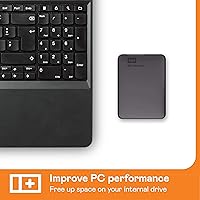
At just over half a pound and smaller than most smartphones in surface area, this portable drive disappears into a laptop bag without any noticeable bulk. Travelers and students who carry it between locations daily tend to appreciate how little physical presence it has compared to older 3.5-inch desktop drives.
While the form factor is genuinely compact, the included cable adds some inconvenience — it uses a Micro-B USB connector, and several reviewers noted it is easy to misplace or forget, especially when packing quickly. There is no cable storage or integrated tether to keep things tidy on the go.
Build Quality
67%
33%
The matte black enclosure feels solid enough for desk use and light commuting, and the fit of the shell is consistent across units. Users who treat it carefully and keep it in a padded sleeve generally report no cosmetic or structural issues even after extended periods of regular use.
The casing is plastic, and there is no rubberized bumper or any form of drop protection — a fact that becomes painfully relevant when a drive fails after being knocked off a desk. Several reviewers described the enclosure as feeling adequate rather than reassuring, particularly when compared to ruggedized alternatives in a similar price range.
Long-Term Reliability
71%
29%
The majority of buyers who have used the WD Elements 5TB for two or more years without incident speak highly of its day-in, day-out consistency, with no performance degradation and no unexpected disconnections. WD's established reputation in the storage space gives many buyers confidence that quiet, steady operation is the norm rather than the exception.
A visible minority of reviewers report drive failures within the first 12 months, which is a concerning pattern for a device whose core job is safeguarding irreplaceable files. The failure stories tend to be more emotionally charged than average complaints, since data loss is involved — which makes this category the one that should give buyers the most pause before relying on the drive as a sole backup.
Mac Compatibility
58%
42%
Once reformatted, the drive integrates cleanly with macOS and works reliably with Time Machine, which many Mac users describe as a straightforward and appreciated long-term backup solution. Users who know what they are signing up for complete the reformat in under five minutes and rarely encounter issues afterward.
The default NTFS formatting is a real stumbling block for Mac users who expected plug-and-play behavior similar to the Windows experience. First-time external drive buyers on Mac have flagged this as confusing and occasionally resulted in accidental data wipes during the reformatting process due to unfamiliarity with Disk Utility.
Noise & Heat
86%
Under normal workloads — background backups, occasional large file transfers — the drive operates quietly enough that most users forget it is running. Reviewers frequently note the drive stays cool even during extended use, which is reassuring for anyone planning to leave it connected for long periods.
Under sustained heavy read-write cycles, a faint clicking or spinning sound becomes audible in a quiet room, which some users find distracting at a desk. While not indicative of a problem in most cases, the mechanical noise can be mildly unsettling for users accustomed to the complete silence of SSD-based drives.
Cable & Connectivity
63%
37%
USB 3.0 backward compatibility means this drive works across a wide range of machines without any adapters for users who still have USB-A ports, which covers the majority of desktop and mid-range laptop buyers. The connection is stable once established, with no reports of frequent disconnections during normal use.
The Micro-B USB cable is the drive's biggest practical weak point — it is a proprietary connector that many users no longer carry as a spare, and losing or breaking the cable means the drive becomes temporarily unusable. Modern laptops with only USB-C ports require an adapter that is not included in the box, adding an extra purchase for a growing share of buyers.
Security Features
22%
78%
The drive works reliably as a straightforward storage volume, and users who manage their own encryption through operating system tools like BitLocker can layer on protection independently. For low-sensitivity personal data such as family photos or downloaded media, the lack of built-in security is rarely a deal-breaker.
There is no hardware encryption, no password protection, and no software lock of any kind — meaning anyone who picks up this drive can plug it in and access every file immediately. For professionals, healthcare workers, or anyone storing financial or client data, this is a fundamental gap that makes the drive unsuitable for those use cases without significant workarounds.
Software & Features
31%
69%
The absence of bloatware is genuinely appreciated by technically confident users who prefer to manage their own backup schedules and do not want to uninstall manufacturer software after setup. The drive behaves like a clean, neutral storage volume that works with any backup tool the user prefers.
For buyers who expected bundled backup software or cloud integration, the box offers nothing — no utilities, no trial subscriptions, no guided setup. Compared to competing drives that include at least basic backup scheduling tools, this drive feels notably bare, particularly for less experienced users who would benefit from some guidance.
Packaging & Unboxing
74%
26%
The packaging is clean and no-frills, which aligns with the product's overall positioning — buyers receive the drive, the cable, and a minimal quick-start card without excessive plastic or superfluous inserts. The drive arrives in good condition across the vast majority of reported deliveries.
A few reviewers noted the packaging provides minimal physical protection, and there is no protective pouch or sleeve included to store or transport the drive safely after unboxing. For a device that is meant to be carried around, the absence of even a basic fabric case feels like a missed opportunity at this price tier.

Suitable for:

The WD Elements Portable 5TB External Hard Drive is a strong fit for anyone who needs a large, dependable backup solution without paying a premium for flash storage. Photographers and videographers accumulating project archives will appreciate having 5TB of breathing room at an accessible price point. Students and remote workers who shuttle files between home and campus or office will find the bus-powered, no-adapter design genuinely convenient — just plug in and go. Windows users especially get the smoothest experience, with true plug-and-play recognition straight out of the box. Mac users who are comfortable doing a one-time reformat can also put this portable drive to good use, including as a Time Machine destination. Households looking for a single shared drive to consolidate family photos, home videos, and downloaded media will find the capacity more than sufficient for years of accumulation.
Not suitable for:

The WD Elements Portable 5TB External Hard Drive is not the right call for anyone whose workflow demands SSD-level read and write speeds — video editors working with 4K RAW footage in real time, for instance, will find mechanical HDD transfer rates a bottleneck. Because this mechanical hard drive uses spinning platters, it is also meaningfully more vulnerable to physical shock than a solid-state alternative; anyone who frequently works on the go, throws their bag around, or has dropped a drive before should factor that fragility into the decision. The drive ships without hardware encryption or password protection, which makes it a poor choice for anyone carrying sensitive personal, financial, or client data. There is no included backup software, so users expecting a guided solution will need to set up their own. Mac users who want native compatibility without any setup steps will find the mandatory reformatting step an unnecessary friction point compared to Mac-optimized alternatives.
Specifications

  • Storage Capacity: This portable drive offers 5TB of total storage capacity, suitable for large collections of photos, videos, documents, and application backups.
  • Drive Type: It uses a 2.5-inch mechanical hard disk drive (HDD) with spinning platters, which differs from solid-state drives in both speed characteristics and physical shock tolerance.
  • Interface: The drive connects via USB 3.2 Gen 1 (also marketed as USB 3.0), supporting theoretical transfer speeds up to 5Gbps.
  • USB Compatibility: Full backward compatibility with USB 2.0 ports is supported, allowing the drive to function on older computers, though at reduced transfer speeds.
  • Power Source: The drive is entirely bus-powered through its USB connection, requiring no external power adapter or AC outlet.
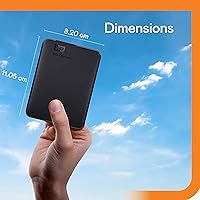
  • Dimensions: Physical dimensions measure 4.35 x 3.23 x 0.82 inches, making it compact enough to fit in a jacket pocket or small bag compartment.
  • Weight: The drive weighs 8.3 ounces, light enough for daily portability without adding noticeable bulk to a laptop bag.
  • Windows Setup: On Windows systems, the drive is plug-and-play ready straight out of the box, requiring no driver installation or formatting steps.
  • Mac Compatibility: The drive is compatible with macOS but must be reformatted to APFS or HFS+ before it can be used natively or with Time Machine.
  • Encryption: No hardware encryption is included; data stored on this drive is not protected if the drive is lost or accessed by an unauthorized party.
  • Password Protection: The drive does not include any built-in password protection or access control features.
  • Backup Software: No proprietary backup software is bundled with the drive; users must configure their own backup solution independently.
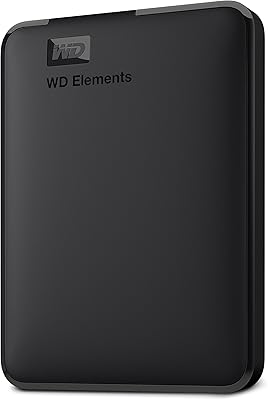
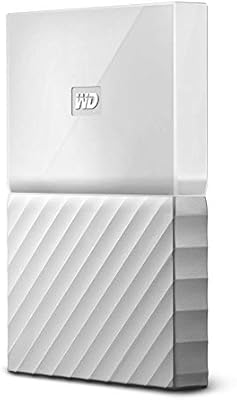
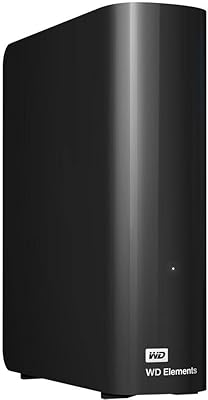
  • Color & Finish: The enclosure is finished in a matte black texture, giving it a clean, understated appearance suited to professional or home office environments.
  • Manufacturer: The drive is manufactured by Western Digital Technologies, Inc., a company with decades of experience in consumer and enterprise storage hardware.
  • Model Number: The official model number is WDBU6Y0050BBK-WESN, which identifies the 5TB black variant in the WD Elements Portable lineup.
  • Form Factor: The 2.5-inch form factor means the internal disk is a laptop-class hard drive, contributing to the compact size and bus-powered operation.
  • Rotational Speed: Western Digital does not publicly specify the exact RPM for this drive; it is commonly understood to use a 5400 RPM spindle speed typical of portable HDDs.
  • File System (Default): The drive ships pre-formatted in NTFS, which is natively read-write compatible with Windows but read-only on macOS without reformatting.
  • Discontinuation Status: As of the available product data, this drive has not been discontinued by the manufacturer and remains an active product in the WD lineup.
  • Release Date: The drive was first made available for purchase on September 11, 2019, and has accumulated a substantial user base since its launch.

Related Reviews

WD Elements Portable 2TB
75%
96%
Ease of Setup
88%
Reliability & Longevity
93%
Portability & Form Factor
61%
Transfer Speed
84%
Value for Money
More
WD 6TB Elements Portable External Hard Drive
88%
91%
Value for Money
94%
Ease of Use
87%
Transfer Speed
92%
Portability
90%
Reliability
More
WD Elements Portable 3TB External Hard Drive
75%
93%
Ease of Setup
91%
Storage Capacity
67%
Transfer Speed
88%
Portability & Form Factor
63%
Build Quality & Durability
More
WD 4TB Elements Portable External Hard Drive
87%
89%
Performance
94%
Portability/Size/Weight
95%
Ease of Setup
87%
Transfer Speed
92%
Value for Money
More
Seagate Expansion 5TB Portable External Hard Drive
80%
93%
Value for Money
96%
Ease of Setup
94%
Storage Capacity
61%
Transfer Speed
88%
Portability
More
WD 2TB My Passport Portable External Hard Drive
86%
88%
Performance & Speed
91%
Security Features (Encryption & Password Protection)
89%
Ease of Use & Setup
90%
Portability & Design
84%
Compatibility with USB 2.0 & 3.0
More
WD My Passport 6TB Portable External Hard Drive
79%
94%
Storage Value
91%
Portability
88%
Ease of Setup
86%
Data Security
61%
Transfer Speed
More
WD 3TB My Passport Portable External Hard Drive
85%
91%
Ease of Use
89%
Performance/Speed
92%
Portability/Size
85%
Reliability
83%
Compatibility (PC & Mac)
More
WD My Passport 1TB Portable External Hard Drive
71%
93%
Portability
91%
Ease of Setup
78%
Build Quality
61%
Transfer Speed
88%
Data Security
More
WD 20TB Elements Desktop External Hard Drive
86%
97%
Storage Capacity
91%
Ease of Setup
89%
Data Transfer Speed
88%
Build Quality
65%
Noise Levels
More

FAQ

Yes, it works immediately on Windows with no software or drivers required. Just plug it into a USB port and Windows will recognize it within seconds. It ships pre-formatted in NTFS, which Windows reads natively.

You can, but there is a required step first. The drive ships formatted as NTFS, which macOS cannot write to without third-party software. You will need to reformat it to APFS or HFS+ using Disk Utility before Time Machine will accept it. The process takes just a few minutes and is straightforward if you have done it before.

No wall adapter needed at all. The WD Elements Portable 5TB External Hard Drive draws power entirely through its USB cable, so a laptop or desktop USB port is all it needs to run.
Since this is a mechanical hard drive, real-world speeds depend on what you are transferring. Large sequential files like videos typically move at around 100 to 130 MB per second on a USB 3.0 port. Transferring thousands of small files will be noticeably slower due to the nature of spinning-platter drives. If you need faster speeds, an SSD-based drive would be a better fit.

Unfortunately, no. This mechanical hard drive has no hardware encryption or password lock built in. Anyone who plugs it into a computer will have full access to the files on it. If you plan to store sensitive data, consider adding software-based encryption like BitLocker on Windows or FileVault-compatible solutions on Mac.

For light commuting in a padded laptop bag, most users have no issues. That said, spinning-disk drives are more fragile than SSDs and can be damaged by physical shocks or drops. If you regularly work in rugged environments or tend to be rough on your gear, a ruggedized or solid-state portable drive would be safer.

Five terabytes is a practical middle ground for most personal use cases. It comfortably holds tens of thousands of high-resolution photos, hundreds of hours of HD video, or a large gaming library. If you are archiving 4K video professionally or storing a decade of uncompressed RAW files, you might want to look at higher-capacity options. For everyday backup and overflow storage, 5TB is more than enough for most households.

No software is included. The drive shows up as a plain storage volume, and you set up whatever backup workflow you prefer. Windows users can use the built-in File History tool, while Mac users can point Time Machine at it after reformatting. If you want scheduled automatic backups with versioning, you will need to configure that yourself or use third-party software.

The drive comes with a USB Micro-B to USB-A cable. If your laptop only has USB-C ports, you will need a USB-A to USB-C adapter or a compatible cable. Those adapters are inexpensive and widely available, but it is worth knowing the drive does not include one in the box.

The WD Elements lineup has a solid reputation for everyday reliability, and the sheer volume of positive long-term user experiences speaks to that. That said, no mechanical hard drive is immune to failure, and some users do report drives failing within the first year. The standard guidance for any single storage device applies here: do not rely on it as your only copy of important files. Keep at least one additional backup, whether on a second drive or cloud storage.

Where to Buy