Overview

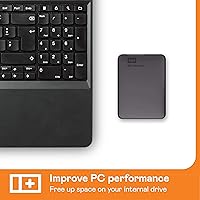
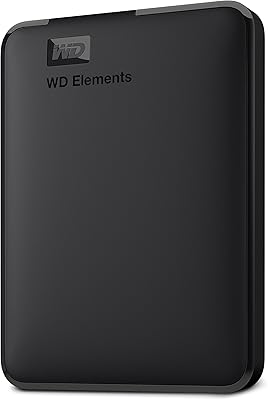
The WD Elements Portable 3TB External Hard Drive is Western Digital's straightforward answer to a simple question: where do you put everything? No bundled software to install, no power brick to carry — just plug it in and your computer recognizes it immediately. It draws power directly from your USB port, which keeps the whole setup genuinely clean. At 2.5 inches, it slips into a jacket pocket or backpack without a second thought. That said, managing expectations matters here. This is a spinning hard disk, not flash storage, so transfer speeds and shock resistance reflect that reality. For capacity-first buyers, that's a reasonable trade-off worth understanding before purchasing.
Features & Benefits

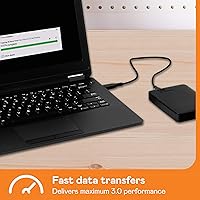
The USB 3.0 connection moves files noticeably faster than the older USB 2.0 standard, and it still works fine plugged into a USB 2.0 port on an older machine. Three terabytes gives you room for a complete system backup, a large photo and video archive, or an expanding game library. Windows users get it formatted and ready to go straight out of the box. Mac users, however, will need to reformat it — either to exFAT for cross-platform use or HFS+ for Mac-only workflows. It also pairs with PS4 and Xbox as expanded console storage, which broadens its appeal well beyond the typical desktop backup crowd. The two-year warranty adds a reasonable safety net.

Best For

This portable drive makes the most sense for a few specific buyers. PC users running Windows who want a large, no-fuss backup solution will find little to complain about — it works immediately, no configuration needed. Console gamers with a full PS4 or Xbox drive will appreciate being able to expand storage affordably without touching internal hardware. Students and professionals who regularly move large files — raw footage, design assets, dense datasets — between locations will find three terabytes gives them real breathing room. It's also a smart pick for media collectors archiving photos, music, or video libraries who care more about how much fits than how fast it transfers. Speed-focused buyers should look at SSDs instead.

User Feedback

With over 9,000 ratings averaging 4.5 stars, the WD Elements 3TB earns its reputation through sheer volume of consistent positive experience. Most buyers highlight effortless plug-and-play setup and steady read and write performance for everyday tasks. A number of reviewers mention years of reliable daily use without incident. That said, the picture is not entirely spotless. A meaningful minority reports early drive failure — not a flaw unique to this model, but an inherent risk with spinning-disk hardware that buyers should factor in. Mac users occasionally flag the reformatting requirement as an unexpected hurdle. On balance, warranty support and customer service interactions tend to draw more praise than complaints, which adds some confidence in the long run.

Pros

  • Plug-and-play on Windows — recognized instantly with zero driver installation or setup steps.
  • Three terabytes of capacity handles full system backups, large media libraries, and game archives without running out of room quickly.
  • Bus-powered design means no separate power adapter to carry, keeping your bag lighter and your desk cleaner.
  • Works as expanded storage for PS4 and Xbox straight out of the box with minimal setup.
  • USB 3.0 delivers meaningfully faster transfers than older USB 2.0 drives, while still working on legacy ports.
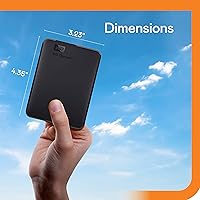
  • Compact 2.5-inch form factor fits easily in a jacket pocket or laptop bag side pocket.
  • The WD Elements Portable 3TB External Hard Drive carries a two-year limited warranty backed by a brand with a generally positive support reputation.
  • Over 9,000 verified ratings averaging 4.5 stars suggests a strong baseline of real-world satisfaction at scale.
  • No bundled bloatware or forced account creation — it simply works as a plain storage volume.

Cons

  • Mechanical HDD speeds feel sluggish compared to portable SSDs, especially when transferring hundreds of gigabytes at once.
  • Mac users cannot write files to the drive without reformatting it first — a frustrating surprise that is not clearly flagged at purchase.
  • A visible minority of user reviews report drive failure within the first year, which is higher than many buyers expect from this brand.
  • The included USB cable feels thin and flimsy, and some users traced connection issues directly back to it rather than the drive.
  • No protective carrying pouch or sleeve is included, which matters for buyers who transport this portable drive regularly.
  • Formatting the drive for console use wipes all existing data — a step that caught some buyers off guard and caused accidental data loss.
  • No bundled backup software means less tech-savvy users have to figure out a backup schedule and tool entirely on their own.
  • Becomes noticeably warm during sustained heavy transfers, which some users find concerning during long backup sessions.
  • Long-term durability feedback is split enough that using this drive as your only copy of important data carries real risk.

Ratings

The WD Elements Portable 3TB External Hard Drive has been evaluated by our AI rating engine after processing thousands of verified global buyer reviews, with spam, bot activity, and incentivized feedback actively filtered out. Scores reflect the real distribution of user sentiment — not a polished highlight reel — so both the genuine strengths and the recurring frustrations are captured honestly. Whether you are considering this drive for daily backup, console storage expansion, or large file transfers, the breakdown below should give you a clear, unbiased picture of what to expect.
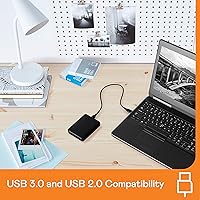
Ease of Setup
93%
Windows users consistently report that this portable drive is recognized instantly upon plugging in — no driver installation, no setup wizard, no wasted time. For someone who just bought a new PC and wants their first backup running within minutes, that frictionless experience is genuinely appreciated and mentioned repeatedly across thousands of reviews.
Mac users face a different reality: the NTFS default format is read-only on macOS without third-party software, meaning reformatting to exFAT or HFS+ is a required extra step that catches many buyers off guard. A handful of users reported confusion about why their Mac could not write to the drive straight away.
Storage Capacity
91%
Three terabytes gives most buyers more room than they expect to fill quickly, making it practical for full system image backups, large RAW photo libraries, or years of video footage in one place. Console gamers expanding PS4 or Xbox storage find that 3TB accommodates dozens of modern titles comfortably without constant juggling.
For professional video editors or power users working with 4K or 8K raw footage, 3TB can feel limiting over time, and the cost of multiple units adds up. A small segment of reviewers noted they wished a higher-capacity version were available at a similarly accessible price point.
Transfer Speed
67%
33%
The USB 3.0 interface delivers noticeably faster transfers compared to USB 2.0 drives, and for everyday tasks like copying documents, photos, or moderately sized video files, most users find the speed perfectly adequate. Backward compatibility with USB 2.0 ports is a practical bonus for those using older laptops or desktop setups.
As a spinning hard disk, this drive cannot compete with SSD transfer speeds, and users moving large batches of files — particularly hundreds of gigabytes at once — will notice the gap clearly. Reviewers who expected SSD-like performance were disappointed, highlighting that the product listing could do more to set realistic speed expectations upfront.
Portability & Form Factor
88%
At 8.1 ounces and fitting comfortably in a 2.5-inch frame, this external hard drive slips easily into a laptop bag side pocket or coat pocket without adding meaningful bulk. Professionals who commute between office and home with large project files appreciate not needing to carry a power adapter alongside it.
The drive is slightly thicker and heavier than ultra-slim SSD competitors, which some users notice when packing light for travel. A few reviewers mentioned the matte plastic casing feels utilitarian rather than premium, though most agree it is adequate for a budget-conscious storage pick.
Build Quality & Durability
63%
37%
Many buyers report years of consistent daily use without any hardware issues, and the overall build feels solid enough for desk or bag use under normal conditions. The enclosed casing protects the internal mechanism reasonably well for a drive in this price range.
Long-term durability feedback is meaningfully split — a notable minority of reviewers report drive failure within several months of regular use, which is a pattern worth acknowledging. Being a mechanical HDD, it is inherently more vulnerable to drops and vibration than an SSD, and several users who carried it frequently in a backpack encountered issues over time.
Value for Money
84%
The cost-per-terabyte ratio on this drive sits at a competitive level for the HDD portable market, and buyers who prioritize raw storage capacity over speed consistently rate the value highly. For students or home users who need a trustworthy large-capacity backup without stretching their budget, it represents a sensible purchase.
Users who later compared it to competing drives found similar or better specs at equivalent or lower prices, suggesting the WD brand premium is real but modest. Those who experienced early unit failure felt the value proposition collapsed quickly given the cost of replacement or data recovery.
Mac Compatibility
54%
46%
Once reformatted to a Mac-compatible file system, the drive functions reliably with macOS and integrates cleanly with Time Machine for automated backups. Users who took the time to reformat reported smooth operation afterwards with no ongoing issues.
The default NTFS formatting makes the out-of-box Mac experience frustrating — the drive mounts as read-only, and many users do not immediately understand why they cannot save files to it. This extra setup step, while not technically difficult, trips up a meaningful portion of Mac buyers and generates disproportionate negative feedback in that user segment.
Console Gaming Compatibility
86%
PS4 and Xbox users widely praise how straightforward the setup process is for console storage expansion — the drive is recognized quickly, and game installs proceed without noticeable friction. For gamers tired of deleting titles to make room, having 3TB of additional space is a practical relief.
A small number of users reported intermittent disconnection issues during extended gaming sessions, which is disruptive mid-game and hard to troubleshoot. Some Xbox users noted that formatting for console use wipes all existing data, which was not clearly communicated and led to accidental data loss for a few reviewers.
Software & Bundled Tools
71%
29%
The absence of forced bundled software is frequently cited as a positive — the drive works as plain plug-and-play storage without requiring account creation, installation, or activation steps. Buyers who have dealt with bloatware-heavy drives in the past specifically appreciate the clean, no-frills approach.
Users who expected backup scheduling software or encryption tools included in the box were left to source third-party solutions independently. For buyers less comfortable configuring their own backup routines, the lack of any guided software experience feels like a missed opportunity at this price tier.
Noise & Heat
77%
23%
Under typical workloads — file copying, streaming media from the drive, or running a background backup — the drive operates quietly enough that most users in quiet office or home environments do not notice it. Heat output during normal use is reported as minimal and within comfortable range.
During sustained heavy transfers, a handful of reviewers noted the drive becomes warm to the touch and the read/write noise becomes audible in very quiet settings. While not alarming, users who are sensitive to drive noise or work in silent environments may find prolonged heavy-use sessions slightly distracting.
Cable & Accessories
66%
34%
The included USB 3.0 cable is functional and of adequate length for desk use, covering most standard setups without needing an extension. Most buyers find it sufficient for day-to-day connection to a laptop or desktop.
Several reviewers reported the included cable feels thin and somewhat flimsy for a drive in this category, with a few noting connection reliability issues they traced back to the cable rather than the drive itself. The lack of a protective pouch or sleeve is a common minor complaint for users who carry this portable drive regularly.
Warranty & Customer Support
79%
21%
The two-year limited warranty is standard for this product category, and reviewers who initiated warranty claims generally report that the process was handled smoothly and without excessive friction. WD's support reputation carries meaningful weight for buyers who factor post-purchase service into their decision.
Some users found the warranty claim process slower than expected, particularly when shipping a failed drive for replacement. A few noted that data recovery is not covered under warranty, which matters when the drive fails unexpectedly and the user has no secondary backup.
Reliability Over Time
61%
39%
A large share of long-term owners report using the WD Elements 3TB as a primary backup drive for three or more years without incident, which speaks to a statistically favorable reliability baseline for normal desktop or low-mobility use cases.
The failure rate reported in user reviews is higher than what buyers typically expect from a WD product, with a visible cluster of negative reviews describing failure within the first year. This is partly inherent to spinning-disk technology, but the pattern is consistent enough that using this drive as a sole backup — without redundancy — carries real risk.

Suitable for:

The WD Elements Portable 3TB External Hard Drive is a strong match for Windows PC users who want a large, dependable backup drive they can set up in under a minute — no configuration, no software, just plug and go. Students and professionals who regularly shuttle large files between home and the office will find the bus-powered 2.5-inch form factor genuinely convenient, since there is no power adapter to remember or forget. Console gamers running low on PS4 or Xbox storage will also get real mileage out of the 3TB capacity, which comfortably houses dozens of modern titles. Media collectors — photographers, videographers, or music archivists — who prioritize how much they can store over how fast they can transfer it will find this portable drive sits in a practical sweet spot. If you are upgrading from a smaller or aging drive and want a trusted name without overcomplicating the purchase, this external hard drive is a sensible, low-risk choice.
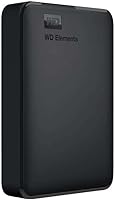
Not suitable for:

The WD Elements Portable 3TB External Hard Drive is not the right call for buyers who need fast transfer speeds — anyone moving large batches of files regularly, such as video editors working with high-resolution footage, will find the mechanical HDD performance noticeably limiting compared to a portable SSD. Mac users should go in with eyes open: the drive ships formatted for Windows, and using it natively on macOS for read and write requires reformatting, which is an extra step that surprises many buyers and briefly risks data if not handled carefully. People who plan to carry this drive in a bag daily and are not careful about bumps and drops should also think twice, since spinning-disk drives are inherently more fragile under physical stress than flash storage. If your data has no other backup copy and a single drive failure would be catastrophic, relying solely on this portable drive — or any single HDD — is a risk not worth taking. Finally, buyers expecting bundled backup software or built-in encryption tools will need to source those solutions separately, as the drive ships with no software whatsoever.
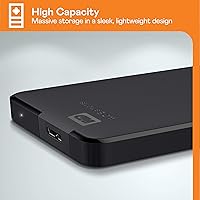
Specifications

  • Storage Capacity: The drive offers 3TB of total storage capacity, suitable for large media libraries, game archives, and full system backups.
  • Interface: It connects via USB 3.0 for faster data transfers and is fully backward compatible with USB 2.0 ports.
  • Form Factor: The drive uses a 2.5-inch form factor, making it compact enough to fit in a jacket pocket or laptop bag side pocket.
  • Power Source: The drive is bus-powered through the USB connection, requiring no separate power adapter or external power supply.
  • Default Format: It ships pre-formatted as NTFS, which is immediately compatible with Windows 10, Windows 8.1, and Windows 7 without any additional setup.
  • Mac Compatibility: macOS users must reformat the drive to exFAT or HFS+ before it can be used for read and write operations on a Mac.
  • Console Support: The drive is compatible with PS4 and Xbox as expanded external game storage after the required console formatting process.
  • Drive Type: This is a mechanical spinning-disk HDD, which differs from flash-based SSDs in transfer speed, power draw, and physical shock resistance.
  • Dimensions: The unit measures 11.1 x 8.2 x 2.1 inches (length x width x height), offering a slim but not ultra-thin physical profile.
  • Weight: The drive weighs 8.1 ounces, keeping the total carry weight low for a mechanical 3TB portable storage device.
  • Color: The drive is available in a matte black finish with no additional color variants listed for this model.
  • Warranty: Western Digital provides a 2-year limited manufacturer warranty covering defects in materials and workmanship under normal use conditions.
  • Manufacturer: The drive is designed and manufactured by Western Digital Technologies, Inc., a well-established brand in consumer and enterprise storage.
  • Model Number: The official model number is WDBU6Y0030BBK-WESN, which identifies the 3TB black variant in the Elements Portable series.
  • Product Series: This drive belongs to the WD Elements Portable lineup, which is WD's entry-to-mid-range external storage family focused on simplicity and capacity.
  • PC Compatibility: The drive is fully compatible with PCs running Windows 10, Windows 8.1, and Windows 7 without requiring driver installation.
  • USB Ports: The drive features one USB 2.0 port on the device side, used with the included USB 3.0-compatible cable for host connectivity.
  • Bundled Software: No proprietary backup or encryption software is included; the drive functions as a plain storage volume accessible through the host operating system.

Related Reviews
WD 4TB Elements Portable External Hard Drive
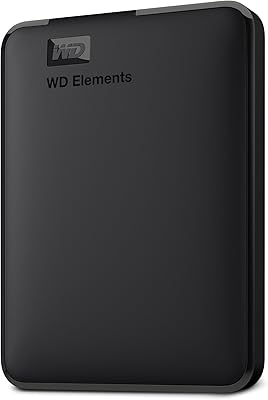
87%
89%
Performance
94%
Portability/Size/Weight
95%
Ease of Setup
87%
Transfer Speed
92%
Value for Money
More
WD Elements Portable 5TB External Hard Drive

69%
93%
Value for Money
96%
Ease of Setup
91%
Storage Capacity
61%
Transfer Speed
89%
Portability & Size
More
WD 3TB My Passport Portable External Hard Drive
85%
91%
Ease of Use
89%
Performance/Speed
92%
Portability/Size
85%
Reliability
83%
Compatibility (PC & Mac)
More
WD 6TB Elements Portable External Hard Drive
88%
91%
Value for Money
94%
Ease of Use
87%
Transfer Speed
92%
Portability
90%
Reliability
More
WD Elements Portable 2TB
75%
96%
Ease of Setup
88%
Reliability & Longevity
93%
Portability & Form Factor
61%
Transfer Speed
84%
Value for Money
More
WD Elements Desktop 3TB External Hard Drive
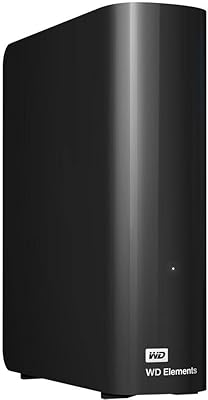
76%
94%
Ease of Setup
91%
Storage Capacity
74%
Transfer Speed
82%
Build Quality & Durability
63%
Noise Level
More
WD 3TB My Book Desktop External Hard Drive
85%
91%
Data Transfer Speed
89%
Ease of Use
85%
Backup Software Experience
87%
Build Quality
88%
Security Features (Encryption)
More
WD My Passport 6TB Portable External Hard Drive
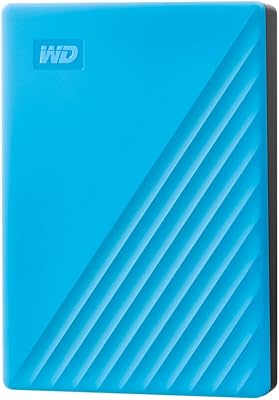
79%
94%
Storage Value
91%
Portability
88%
Ease of Setup
86%
Data Security
61%
Transfer Speed
More
WD 2TB My Passport Portable External Hard Drive
86%
88%
Performance & Speed
91%
Security Features (Encryption & Password Protection)
89%
Ease of Use & Setup
90%
Portability & Design
84%
Compatibility with USB 2.0 & 3.0
More
WD My Passport 4TB Portable External Hard Drive
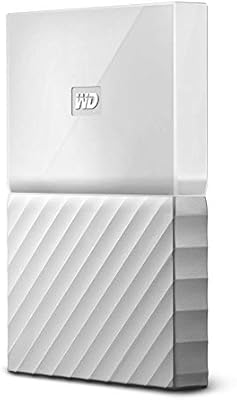
80%
93%
Storage Capacity
91%
Portability & Form Factor
61%
Transfer Speed
88%
Security & Encryption
67%
Backup Software
More

FAQ

On a Windows PC, yes — just plug it in and it shows up immediately as a storage drive with no drivers or software to install. Mac users will need to reformat it first before they can write files to it, which takes only a few minutes through Disk Utility but is a required extra step.

Because the drive ships formatted as NTFS, macOS can read it but cannot write to it by default. To fix this, open Disk Utility, select the drive, and reformat it to either exFAT (if you also want Windows compatibility) or Mac OS Extended if it will only be used with Mac. Be aware that reformatting erases all existing content on the drive.

Yes, both PS4 and Xbox support this portable drive as extended game storage. You will need to format it through the console settings menu before use, which the console walks you through automatically. Keep in mind that formatting for console use will erase any files already on the drive, so do that before copying anything important onto it.

For typical tasks — backing up documents, transferring photos, moving video files a few gigabytes at a time — the USB 3.0 speeds are perfectly adequate. If you regularly move very large batches of data, like hundreds of gigabytes at once, the mechanical HDD design will feel slower compared to a portable SSD. It is a solid everyday backup drive, not a high-speed transfer tool.

No. The drive draws all the power it needs directly from your USB port, so there is no separate power cable or wall adapter required. This makes it genuinely portable — just one cable, and you are done.

It is reasonably solid for light daily carry in a padded bag, but it is a spinning-disk drive, which means it is more sensitive to drops and physical shocks than an SSD. If you commute with it and your bag gets jostled around frequently, it is worth being mindful of that. A protective sleeve is a smart addition since none is included in the box.

Western Digital covers manufacturing defects for two years, and most users report the warranty claim process as reasonably smooth. However, the warranty covers the hardware replacement only — it does not cover data recovery. If the data on the drive is important and irreplaceable, always keep a backup copy somewhere else, whether that is a second drive or cloud storage.

Yes, if you format the drive to exFAT, it works with both Windows and Mac simultaneously without any additional software. The key is to do that reformatting once upfront before you start putting files on it. exFAT has no meaningful file size limits and is widely supported across both platforms and modern consoles.

For most home and small office users, yes — 3TB comfortably holds a full Windows system image, a large photo and video library, and still leaves room for ongoing incremental backups. The exception would be content creators working with large volumes of uncompressed 4K or RAW footage, where 3TB can fill up faster than expected.

The main advantages are the trusted WD brand, the straightforward plug-and-play experience on Windows, and the 3TB capacity at a competitive cost-per-terabyte. Where competing drives sometimes catch up is in long-term reliability data and bundled software features. If raw speed is a priority, a portable SSD at a higher price point will outperform any mechanical drive in this category significantly.

Where to Buy