
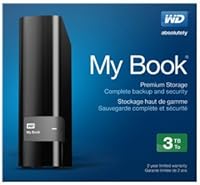
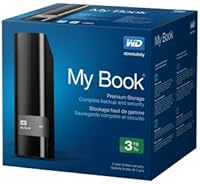
Overview
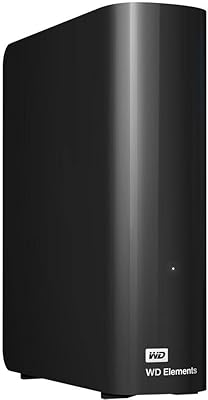
The WD My Book 3TB Desktop External Hard Drive is one of Western Digital's more dependable entries in the crowded mid-range backup storage market. It targets everyday home users and small office setups who need a reliable local backup without overthinking the process. Launched back in 2013, it has aged reasonably well for basic backup duties, though it was never built for raw speed or heavy workloads. Think of it as a no-nonsense workhorse — plug it in, set up your backups, and let it run quietly in the background. Solid for what it is, but don't expect it to compete with modern external SSDs.
Features & Benefits
The USB 3.0 connection is one of this desktop drive's most practical advantages — transfers run noticeably faster than older USB 2.0 setups, which matters when you're moving large video files or photo archives. Hardware encryption with password protection is built right in, so there's no extra software to buy if keeping files private is a priority. WD also bundles its own backup software for scheduled, automatic saves, and the downloadable Acronis True Image WD Edition handles full system-image backups for disaster recovery. Windows users get native File History compatibility too. Mac owners can get it working with Time Machine, but reformatting the drive first is a non-trivial step that shouldn't be glossed over.
Best For
This WD backup drive makes the most sense for Windows PC households where someone just wants to plug in a drive and let it handle backups automatically. It's well-suited to anyone archiving large media collections — family photos, home videos, years of music — where 3TB of spinning-disk storage offers solid value compared to SSDs at the same capacity. Small offices running local backups without relying on cloud subscriptions will also find it dependable. Mac users aren't completely locked out, but they need to be comfortable reformatting and accepting that initial setup friction before things work smoothly. Anyone needing portable storage or high-speed performance should look elsewhere.
User Feedback
Owners of the My Book 3TB generally report that it just works — easy initial setup and consistent reliability are the most common positives. Long-term users appreciate how quiet it runs most of the time, though some note it can get warm after hours of continuous operation, which is worth monitoring if it runs 24/7. The bundled WD software draws mixed opinions; a fair number of users skip it entirely in favor of Windows built-in tools or third-party alternatives. A smaller but notable share of reviewers have flagged concerns about the power adapter quality and the included USB cable feeling a bit flimsy. Drive longevity is generally rated well, but a handful of users report failures after two to three years of heavy use.
Pros
- Setup on Windows is genuinely straightforward — plug in, install the software, and backups start running with minimal configuration.
- Built-in hardware encryption means your files stay protected without purchasing or juggling extra security tools.
- 3TB of capacity handles large photo libraries, home video archives, and full system backups without running out of space quickly.
- Compatibility with Windows File History makes it a natural fit for Windows 8 and Windows 10 users already using OS-level backup tools.
- Acronis True Image WD Edition adds full system-image recovery capability, which goes well beyond basic file backup.
- The drive runs quietly enough during typical backup cycles that it won't disrupt a home office or shared workspace.
- USB 3.0 speeds are a meaningful step up from older drives, keeping routine large-file transfers reasonably brisk.
- Mac users who reformat the drive gain full Apple Time Machine compatibility, making it usable across platforms.
Cons
- The bundled WD backup software feels dated and many users end up ignoring it in favor of native OS tools.
- Sustained operation over long sessions can cause the drive to run noticeably warm, which may concern users running it continuously.
- Mac compatibility requires reformatting the drive before use — not a quick fix, and easy to overlook before buying.
- The included USB cable and power adapter feel underbuilt relative to what you would expect at this price point.
- As a mechanical drive, it cannot come close to external SSD speeds for tasks that demand fast, repeated read and write access.
- Some owners have reported reliability concerns after two to three years of heavy or always-on use.
- The external power brick adds desk clutter and means one more thing to manage if you move the drive between locations.
- There is no built-in cloud backup integration, so off-site disaster recovery requires a completely separate solution.
Ratings
The scores below reflect an AI-assisted analysis of thousands of verified owner reviews for the WD My Book 3TB Desktop External Hard Drive, with spam, incentivized feedback, and bot-generated ratings actively filtered out to surface what real buyers actually experienced. Strengths like setup simplicity and encryption are scored alongside honest pain points like software quality and long-term durability, giving you a transparent picture before you commit.
Ease of Setup
Reliability
Transfer Speed
Software Quality
Hardware Encryption
Build Quality
Noise Level
Heat Management
Mac Compatibility
Value for Money
Long-Term Durability
Power Adapter Quality
Backup Software Depth
Plug-and-Play Experience
Suitable for:
The WD My Book 3TB Desktop External Hard Drive is a practical choice for Windows households that want a dependable, low-maintenance backup solution without the complexity of cloud services or multi-drive setups. It fits naturally into the routine of someone who wants to schedule automatic backups and largely forget about them — whether that's protecting years of family photos, archiving home video projects, or keeping a full system image ready in case of a hard drive failure. Small offices that handle moderately sensitive documents will appreciate the built-in hardware encryption, which removes the need to purchase or manage separate security software. Users building or expanding a local media library will find 3TB of mechanical storage offers solid capacity at a reasonable cost per gigabyte compared to SSD options. Mac users who are technically comfortable enough to reformat a drive and configure Time Machine can also make this work, though they need to go in with eyes open about the extra steps involved.
Not suitable for:
The WD My Book 3TB Desktop External Hard Drive is not the right tool for buyers who need fast transfer speeds for demanding workflows like video editing or large database transfers, since mechanical hard drives simply cannot match what even a mid-range external SSD delivers in throughput. Anyone looking for a portable drive to carry between locations will find the desktop form factor and reliance on an external power adapter impractical. Mac users who expect a plug-and-play experience similar to what Windows buyers get will likely be frustrated — reformatting is required, and the bundled software offers no meaningful benefit on macOS. If your priority is silent, heat-free operation during long uninterrupted sessions, the drive's tendency to warm up under sustained load is worth considering. Buyers who depend heavily on software ecosystems or want the drive to double as a fast working scratch disk should look at purpose-built solutions instead.
Specifications
- Storage Capacity: The drive provides 3TB of usable storage, suitable for backing up large photo collections, video archives, and full system images.
- Interface: It connects via USB 3.0, which is backward compatible with USB 2.0 ports, though transfer speeds will be limited on older connections.
- Form Factor: The drive uses a 3.5-inch mechanical hard disk design, intended for stationary desktop use rather than portable or travel scenarios.
- Dimensions: Physical dimensions measure 5.5 x 1.9 x 6.7 inches, giving it a compact desktop footprint without taking up excessive desk space.
- Weight: The unit weighs 2.23 pounds, which is typical for a desktop mechanical drive with an integrated enclosure and power supply.
- Drive Type: This is a mechanical hard disk drive (HDD), not a solid-state drive, meaning it uses spinning platters for data storage.
- Hardware Encryption: The drive includes built-in hardware-level encryption with password protection, securing stored data without requiring additional third-party software.
- Backup Software: WD Backup software is included in the box and supports scheduled, automatic backups directly to the drive on Windows systems.
- System Backup: Acronis True Image WD Edition is available as a free download and enables full system-image backups for complete disaster recovery.
- OS Compatibility: The drive is PC-ready out of the box for Windows 8 and Windows 10, including native compatibility with Windows File History.
- Mac Compatibility: Mac users can use the drive with Apple Time Machine after reformatting it to a Mac-compatible file system, which is not pre-configured.
- Power Source: The drive requires an external power adapter for operation and does not draw power solely through its USB connection.
- Color: The enclosure is finished in matte black, giving it a neutral appearance that suits most desktop and office environments.
- Brand: Western Digital, one of the most established names in consumer and enterprise storage hardware, manufactures and supports this drive.
- Model Number: The official model identifier is WDBFJK0030HBK-NESN, which can be used when seeking firmware updates or manufacturer support.
- USB Standard: The USB 3.0 interface supports theoretical transfer rates up to 5 Gbps, a significant improvement over the 480 Mbps ceiling of USB 2.0.
- File History: The drive is fully compatible with the Windows File History feature available natively in Windows 8 and Windows 10.
- Launch Date: This model was first made available in September 2013, making it a well-established product with a long track record in the market.
Related Reviews
WD 12TB My Book Desktop External Hard Drive
WD My Book 18TB External Hard Drive
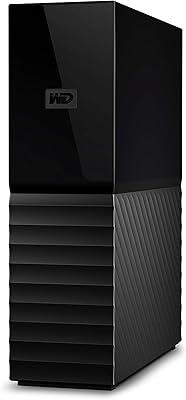
WD My Book 26TB External Hard Drive
WD My Book 22TB External Hard Drive
WD My Book 16TB External Hard Drive
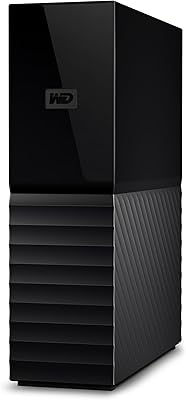
WD 24TB My Book Desktop External Hard Drive
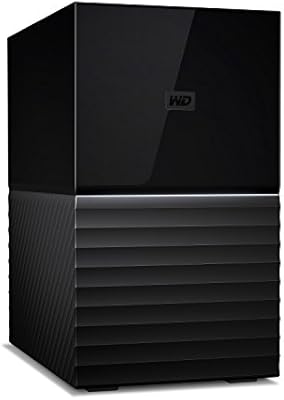
WD My Book Duo 36TB Desktop RAID Drive
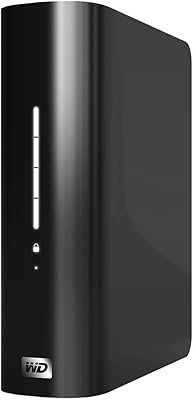
WD My Book Essential 1TB USB 2.0 Desktop External Hard Drive

WD Elements Desktop 3TB External Hard Drive