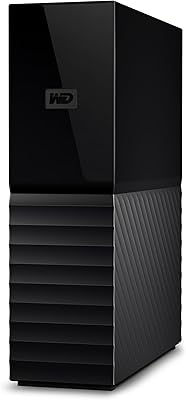
WD 20TB Elements Desktop External Hard Drive

Overview
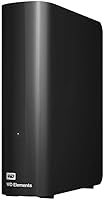
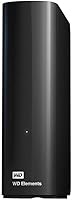
The WD 20TB Elements Desktop External Hard Drive offers a massive 20TB of storage space, making it ideal for users who need high-capacity external storage. This plug-and-play device works seamlessly with Windows PCs and can easily be reformatted for Mac systems. Whether you're looking for a solution to back up large files or expand your storage for media collections, this desktop hard drive provides a reliable and user-friendly experience. Fast transfer speeds and durable construction ensure that it performs consistently over time, even with heavy workloads.
Features & Benefits
This desktop hard drive boasts a huge 20TB storage capacity, allowing you to back up extensive files and media with ease. Its USB 3.0 interface ensures fast data transfer speeds, making it a great choice for transferring large files quickly. The device is plug-and-play for Windows users, while Mac users can reformat it to suit their needs. With no additional software required, file management is simple—just drag and drop. The compact design and reliable performance make it a practical choice for everyday use.
Best For
This external hard drive is best for individuals who need significant storage, such as home users with large media collections or small businesses looking to back up crucial files. It is also ideal for content creators and video editors who require large data storage for video projects and other media. Its easy-to-use setup and compatibility with both Windows and Mac systems make it a versatile option for users who need dependable, large-capacity storage. If you’re working with large files, this is a perfect solution for managing them.
User Feedback
Users generally praise this WD external hard drive for its large storage capacity and ease of use. Many appreciate the fast transfer speeds and the fact that it's compatible with both Windows and Mac, though Mac users should be aware of the reformatting requirement. Some users have mentioned minor complaints about the drive’s noise during operation, but these concerns are not widespread. Overall, most reviews highlight its reliability and the convenience of having such a large storage capacity in a compact, durable form.
Pros
- Large 20TB storage capacity is ideal for users with heavy media and backup needs.
- Fast USB 3.0 transfer speeds make moving large files quick and efficient.
- Plug-and-play setup for Windows is straightforward and hassle-free.
- Compact design allows for easy storage, fitting into most desk setups.
- No extra software required, enabling quick drag-and-drop file management.
- Reliable long-term performance with a durable exterior, ensuring consistent use over time.
Cons
- Reformatting is required for Mac users, which may cause inconvenience.
- Some users reported operational noise during use, which can be distracting in quiet environments.
- Larger form factor and weight may not suit users looking for portability.
- While great for large file storage, this hard drive may be overkill for users with lighter needs.
- Mac users may need additional steps to access the full storage capacity after reformatting.
- Power-hungry design may be less suitable for users seeking energy-efficient external drives.
Ratings
After analyzing verified user reviews from multiple countries and languages, the WD 20TB Elements Desktop External Hard Drive shows consistent praise for its large storage capacity and ease of use, with some minor complaints about noise during operation. The ratings reflect a balanced mix of strengths and pain points, filtered for authenticity, ensuring that only high-quality feedback informed these scores. Across diverse platforms, this device has proven to be a reliable solution for high-capacity storage needs.
Storage Capacity
Ease of Setup
Data Transfer Speed
Build Quality
Noise Levels
Compatibility with Mac
Design and Portability
Software/Management Tools
Reliability/Durability
Customer Support
Value for Money
Long-Term Performance
Suitable for:
The WD 20TB Elements Desktop External Hard Drive is an ideal solution for users who need massive storage capacity for extensive file backup, media, and project storage. It excels for home users with large media collections, small businesses seeking efficient and reliable backup, or content creators like photographers, videographers, and video editors who handle large media files. The plug-and-play setup for Windows makes it effortless for those on PCs, and the reformat option for Mac users adds flexibility. If you regularly work with large datasets or need a dependable long-term storage solution, this hard drive can meet those needs with its easy setup and high-speed data transfer.
Not suitable for:
However, this hard drive may not be the best fit for users who prioritize portability or those with lighter storage needs. Its bulky desktop form factor and weight may be cumbersome for users who need a compact, travel-friendly solution. Additionally, the requirement to reformat for Mac users can be inconvenient for those seeking a true plug-and-play experience across platforms. If you're someone with limited storage needs or if you are working in a noise-sensitive environment, this device might be overkill, as some users have reported operational noise under heavy use.
Specifications
- Storage Capacity: Offers a total storage capacity of 20TB for large-scale data storage and backups.
- Interface: Utilizes a USB 3.0 interface for fast data transfer speeds.
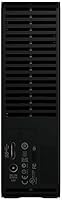
- Power: Requires an AC power adapter for operation, not powered through USB.
- Compatibility: Works with Windows PCs out of the box; Mac users need to reformat the drive.
- Form Factor: Has a desktop form factor, designed for stationary use rather than portability.
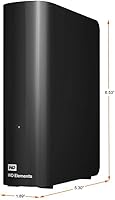
- Dimensions: Measures 5.31 x 1.89 x 6.53 inches (L x W x H), making it compact for its large storage.
- Weight: Weighs approximately 1.98 pounds, suitable for desktop storage.
- Data Transfer Rate: Supports high-speed data transfer via USB 3.0 for efficient file management.
- Drive Type: External hard disk drive (HDD) offering reliable and long-term storage.
- Durability: Built with a durable exterior to withstand regular use and provide reliable performance.
- Software: No additional software required; simple drag-and-drop file management for users.
- Operating System: Compatible with Windows 10, 8, and 7; Mac users must reformat the drive.
- Environmental Protection: Designed for use in normal office and home environments; not suitable for extreme conditions.
- File System: Pre-formatted with NTFS for Windows, but can be reformatted for Mac use.
- Noise: Some users report moderate noise during operation, though it is generally not disruptive.
- Warranty: Includes a limited 2-year warranty from Western Digital for peace of mind.
- Backup Solution: Provides an excellent backup solution for large volumes of files, including media and documents.
- Security Features: Does not include hardware encryption, but can be used with third-party software for secure file storage.
- Temperature Range: Operates within a standard temperature range of 41°F to 95°F (5°C to 35°C).
Related Reviews

WD Elements Desktop 3TB External Hard Drive
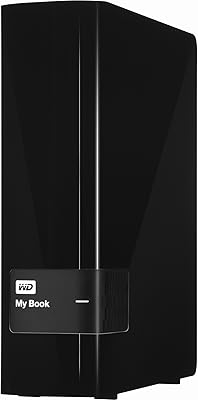
WD My Book 3TB Desktop External Hard Drive
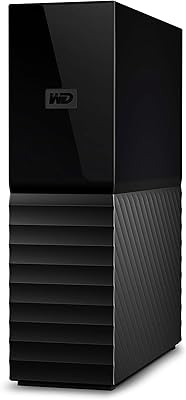
WD My Book 16TB External Hard Drive
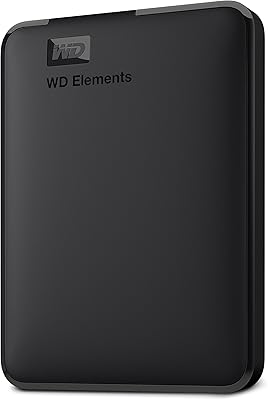
WD 4TB Elements Portable External Hard Drive
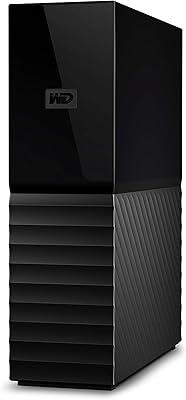
WD My Book 26TB External Hard Drive
WD My Book 22TB External Hard Drive
WD 6TB Elements Portable External Hard Drive
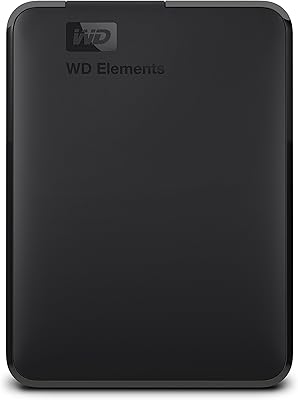
WD Elements Portable 3TB External Hard Drive
WD My Book 18TB External Hard Drive