Overview

The WD My Book 26TB External Hard Drive sits at the top of WD's My Book lineup, built for anyone who needs serious local storage without piecing together a NAS or paying for cloud subscriptions indefinitely. This desktop drive connects via USB 3.0 and is plug-and-play ready for both Windows and Mac right out of the box — no driver headaches, no complicated setup. The 3.5-inch mechanical form factor keeps it desk-bound with a power adapter, not in a bag. Think of it less as a speed-oriented tool and more as a reliable archive workhorse — capable, roomy, and built for the long haul.
Features & Benefits

The My Book 26TB packs 256-bit AES hardware encryption directly into the drive controller, so your files stay locked without any noticeable slowdown. The bundled WD Discovery software adds auto-backup scheduling and a layer of ransomware protection — a practical bonus for anyone who tends to forget manual backups. At 7200 RPM, this high-capacity external HDD has a meaningful edge over slower 5400 RPM alternatives, delivering better sustained read performance when pulling large batches of files. USB 3.0 is competent for archiving work, though buyers expecting SSD-level speed should adjust expectations — spinning platters have a ceiling, and this drive does not pretend otherwise.

Best For

This desktop drive makes the most sense for people who accumulate data fast — photographers managing years of RAW files, videographers with growing 4K or 8K archives, and small business owners who want a solid offline backup solution without recurring cloud costs. It is also an obvious choice for anyone consolidating several smaller drives into one clean unit. If you have been debating cloud storage against keeping files local, this drive offers a compelling case for local. It is not built for NAS enclosures or speed-intensive workflows, but as a dedicated archive drive for home or office use, it covers a lot of ground without unnecessary complexity.

User Feedback

Across a large pool of ratings, the My Book 26TB earns a solid 4.4 out of 5 stars, and the recurring themes in buyer feedback are fairly consistent. Setup gets high marks — most people have it running within minutes. Transfer speeds draw more divided opinions: fine for routine backups, but buyers moving multiple terabytes at once notice the ceiling that USB 3.0 and spinning platters impose. A number of reviewers flag heat during long transfers, which is worth knowing if the drive will run for extended periods. The software bundle suits less technical users but gets skipped by pros. Fair caveat: since the drive launched in early 2025, long-term reliability data is still limited.

Pros

  • Twenty-six terabytes of local storage eliminates the need to juggle multiple drives or pay ongoing cloud fees.
  • Hardware-level 256-bit AES encryption protects sensitive files without any noticeable performance trade-off.
  • Plug-and-play setup on both Windows and Mac means most users are running within minutes, no configuration required.
  • The 7200 RPM spindle delivers meaningfully better sustained read speeds than most competing 5400 RPM desktop drives.
  • Auto-backup scheduling in the bundled software reduces the risk of missed backups due to human error.
  • The included power adapter and USB cable mean everything you need is in the box — no surprise add-on purchases.
  • At 4.4 out of 5 stars across a large verified buyer pool, real-world satisfaction is consistently high.
  • Strong cost-per-terabyte value makes this desktop drive one of the more economical options at this capacity tier.
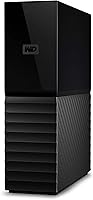
  • The solid, matte black enclosure feels substantial and sits stably on a desk without sliding or rattling.

Cons

  • Transfer speeds hit a hard ceiling with USB 3.0 on spinning platters — moving multiple terabytes takes hours, not minutes.
  • The enclosure runs noticeably warm during long, sustained transfer sessions with no active cooling to manage heat.
  • Long-term reliability data is thin since the drive only became available in early 2025.
  • There is no built-in redundancy — a single drive failure means total data loss without a separate backup in place.
  • The bundled software feels dated and conflicts with existing backup tools on some systems, frustrating experienced users.
  • Forgetting the encryption password can make data permanently unrecoverable, a real risk buyers must understand upfront.
  • The external power adapter adds desk cable clutter and rules out any practical portable use.
  • Audible clicking and hum during active operations can be distracting in quiet home office environments.
  • Buyers who only need 8 to 12TB are paying a meaningful capacity premium they may never realistically use.

Ratings

Our AI rating system analyzed thousands of verified global reviews for the WD My Book 26TB External Hard Drive, actively filtering out incentivized submissions and bot patterns to surface what real buyers actually experience day to day. The scores below reflect the full picture — where this high-capacity desktop drive genuinely impresses and where it falls short of expectations. Both strengths and friction points are weighted transparently so you can make a confident, informed decision.

Storage Capacity
96%
Twenty-six terabytes in a single desktop unit is genuinely difficult to argue with. Photographers archiving years of RAW shoots, videographers sitting on terabytes of 4K footage, and home users who have outgrown multiple smaller drives all report that this desktop drive finally gives them room to breathe without juggling volumes.
The capacity advantage only holds if you treat this as a stationary archive drive. Buyers who expected to use all 26TB for active, frequently accessed files sometimes find a single mechanical drive limiting compared to a multi-drive setup with redundancy.
Setup & Compatibility
91%
Out-of-the-box compatibility with both Windows and Mac is one of the most consistently praised aspects across buyer feedback. Most users report the drive is recognized and ready within two to three minutes of plugging in — no driver downloads, no reformatting required for basic use on either platform.
A small number of users on older systems or non-standard USB configurations reported the drive was not immediately recognized and needed a manual power cycle or port switch. Nothing catastrophic, but worth knowing if your workstation setup is unconventional.
Transfer Speed
67%
33%
For archiving large batches of files — think multi-gigabyte video exports or full photo library backups — the My Book 26TB moves data at a pace most users find workable. The 7200 RPM spindle gives it a real edge over slower 5400 RPM competitors when reading sequentially from a full folder.
USB 3.0 paired with spinning platters has a hard ceiling, and buyers who expected near-SSD performance were disappointed. Moving several terabytes in a single session can take hours, and those used to NVMe or even SATA SSD speeds will feel the difference acutely during large transfers.
Hardware Encryption & Security
88%
The 256-bit AES hardware encryption works at the controller level, meaning it does not tax the host CPU or introduce perceptible slowdowns during normal use. For users storing sensitive client files or private archives, this is a meaningful, always-on layer of protection that requires no extra software to maintain.
The password protection, while effective, is a double-edged situation — if you forget the password, data recovery is extremely difficult by design. A handful of reviewers flagged this after a password loss scenario, which is less a product flaw and more a feature buyers need to understand upfront.
Backup Software
71%
29%
WD Discovery and the bundled backup suite are genuinely useful for less technical users who want scheduled, automatic backups running quietly in the background. The ransomware protection layer adds meaningful peace of mind for home users and small businesses that do not have enterprise-grade security tools.
Experienced users and IT-adjacent buyers tend to uninstall the software immediately and use their preferred backup tools instead. The interface feels dated, and some reviewers noted the software prompted unnecessary upsells or slowed startup times slightly on older machines.
Build Quality & Design
79%
21%
The matte black enclosure feels solid and sits stably on a desk without the plasticky wobble common in budget drives. At 2.2 pounds, it has a substantive feel that aligns with its positioning as a serious desktop storage unit rather than a portable accessory.
The enclosure does not include any ventilation slots, which contributes to the heat buildup some users report during extended use. The design prioritizes aesthetics over thermal management, and while it does not affect short-term operation, it is a consideration for always-on workloads.
Heat Management
58%
42%
Under light to moderate use — occasional file transfers, periodic backups — the drive stays at a perfectly manageable temperature and does not noticeably affect the surrounding desktop environment. Most casual backup users never encounter a thermal issue.
During sustained, heavy transfers lasting several hours, a meaningful subset of reviewers reports the enclosure becoming uncomfortably warm to the touch. There are no active cooling mechanisms, and in warmer ambient environments this could raise questions about long-term drive health under continuous workloads.
Noise Level
72%
28%
In quiet environments, the drive produces a low, consistent hum that most users describe as unobtrusive during normal desktop use. It is far less audible than older mechanical drives from a decade ago, and the spin-up noise is brief.
The drive does produce audible clicking and spinning sounds during active read-write operations, which some users in quiet home office environments find distracting. It is nothing abnormal for a mechanical drive of this size, but buyers expecting near-silence should be aware.
Value for Money
82%
18%
Measured purely in cost-per-terabyte, this desktop drive is competitive among high-capacity mechanical options and significantly cheaper than equivalent cloud storage subscriptions over a three-to-five-year horizon. For buyers who want to own their data infrastructure outright, the math makes sense.
The upfront cost is not trivial, and budget-conscious buyers comparing it to smaller-capacity drives on a dollar-per-drive basis may hesitate. If 26TB exceeds your realistic needs, you are paying a capacity premium that may not deliver proportional value for lighter use cases.
Long-Term Reliability
63%
37%
Western Digital has a long track record with the My Book family, and early buyers report no significant failure rates in the months since launch. The 7200 RPM mechanism is a proven design, and WD's warranty support history gives buyers reasonable confidence.
The drive only became available in early 2025, so there is genuinely limited long-term reliability data to draw from. Buyers planning to rely on this as their sole backup copy should factor in the relatively short real-world track record and consider a redundant backup strategy.
Cable & Accessory Inclusion
76%
24%
The included USB cable is a practical length for most desk setups and works reliably at USB 3.0 speeds without requiring a third-party upgrade. The power adapter is also included, which keeps the out-of-box experience self-contained and avoids unnecessary extra purchases on day one.
The cable is not particularly premium, and power users who have fussier USB controller setups sometimes prefer to swap it for a higher-quality alternative. The power adapter adds a cable to manage, which is a minor but real inconvenience for minimalist desk setups.
Software Ecosystem
68%
32%
For users already embedded in the WD ecosystem with multiple WD drives, the WD Discovery dashboard provides a centralized view that simplifies management. The auto-backup scheduling is reliable and runs consistently in the background once configured.
Outside the WD ecosystem, the software offers limited integration value. Users who rely on Time Machine, third-party backup utilities, or enterprise tools will likely find the bundled suite redundant, and a few reviewers noted it conflicts with existing backup software configurations.
Portability & Form Factor
44%
56%
The 3.5-inch desktop form factor means the drive packs far more platters and storage density than any portable drive at this capacity. For a fixed workstation or home office setup, the size is not a problem and the drive stays put exactly where you place it.
This is unambiguously a desk-bound drive — the external power adapter alone eliminates any real portability. Buyers who picked this up hoping for occasional travel use will find it cumbersome compared to bus-powered 2.5-inch alternatives, even at far lower capacities.
OS & File System Flexibility
73%
27%
Plug-and-play readiness on both Windows and Mac out of the box covers the vast majority of buyers without any formatting hurdles. For mixed-OS households or small offices running both platforms, this removes a frustrating initial configuration step.
Linux users and buyers with more advanced file system requirements — such as those wanting to reformat to APFS, exFAT, or ext4 — will need to handle that themselves. The drive ships formatted for broad compatibility rather than optimized for any single advanced use case.

Suitable for:

The WD My Book 26TB External Hard Drive is purpose-built for people who accumulate data at a serious pace and need a dependable, stationary home for it. Photographers sitting on years of unedited RAW files, videographers building 4K or 8K project archives, and musicians with large sample libraries will find the sheer capacity genuinely liberating — no more juggling drives or constantly purging old projects to make room. Home users who are tired of paying recurring cloud subscription fees and want to own their backup infrastructure outright will appreciate the one-time investment for long-term local storage. Small business owners storing critical documents, client records, or accounting archives offline — away from internet-connected risks — are also a strong fit. And if your desk currently holds three or four mismatched external drives from different eras, this desktop drive offers a clean, single-unit consolidation that simplifies your workflow without requiring a NAS enclosure or any network configuration.
Not suitable for:

The WD My Book 26TB External Hard Drive is not the right tool for every storage problem, and being clear about that saves real frustration. Anyone who needs fast, responsive storage for active work — video editing directly from the drive, running applications, or gaming — will hit the ceiling of USB 3.0 and spinning platters almost immediately; this high-capacity external HDD is an archive and backup unit, not a performance drive. It is also a poor fit for users who need portable storage, since the external power adapter makes it firmly desk-bound. Buyers with redundancy requirements should know this is a single mechanical drive with no built-in RAID protection — if the drive fails, data is gone unless you have a separate backup. Those who are early in their storage journey and realistically only need a few terabytes will likely be paying a capacity premium that does not match their actual needs. Finally, with the drive only launching in early 2025, buyers who require a long track record of proven reliability before committing to mission-critical storage should proceed with that context in mind.
Specifications

  • Storage Capacity: The drive offers 26TB of raw storage capacity, using 1TB = 1 trillion bytes as the measurement standard, so formatted usable space will appear slightly lower depending on the operating system.
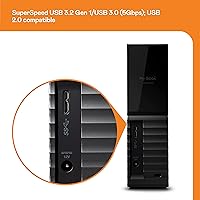
  • Interface: Connectivity is provided via USB 3.2 Gen 1 (commonly referred to as USB 3.0), with full backward compatibility with USB 2.0 ports at reduced transfer speeds.
  • Form Factor: The drive uses a 3.5-inch mechanical hard disk design, requiring a dedicated power source and intended exclusively for stationary desktop use.
  • Rotational Speed: The internal platters spin at 7200 RPM, which places this drive at the faster end of the desktop mechanical hard drive spectrum compared to common 5400 RPM alternatives.
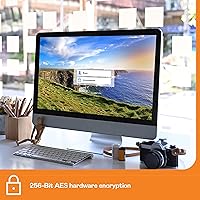
  • Hardware Encryption: 256-bit AES hardware encryption is built directly into the drive controller, securing all stored data at rest without relying on host CPU resources.
  • Backup Software: WD Discovery software is included, offering scheduled automatic backups, cloud connectivity options, and a layer of ransomware protection for locally stored files.
  • OS Compatibility: The drive ships pre-formatted for plug-and-play use with both Windows and Mac computers without requiring reformatting or driver installation for standard file storage and backup tasks.
  • Dimensions: The enclosure measures 8.9 x 8.19 x 3.5 inches, making it a compact but substantive desktop unit with a stable footprint.
  • Weight: The drive weighs 2.2 pounds, reflecting the internal mechanical components and solid enclosure construction expected of a 3.5-inch desktop unit.
  • Power Supply: An external AC power adapter is included in the box, providing the dedicated power the 3.5-inch mechanical drive requires for reliable operation.
  • Encryption Type: Password protection is enforced at the hardware level, meaning data remains inaccessible without the correct credentials regardless of which computer the drive is connected to.
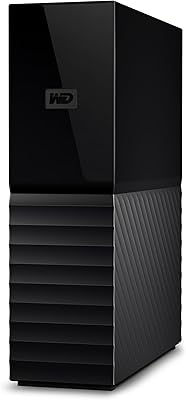
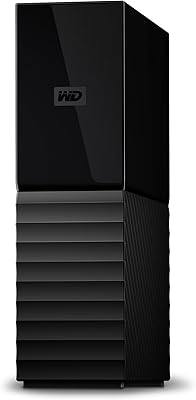
  • Color & Finish: The enclosure is finished in matte black, with a clean rectangular profile designed to sit unobtrusively on a standard desktop workspace.
  • Model Number: The official model number for this specific configuration is WDBBGB0260HBK-NESN, identifying the 26TB black variant in WD's My Book lineup.
  • Brand & Series: Manufactured by Western Digital Technologies, Inc., this drive is part of the long-running My Book series of desktop external storage solutions.
  • Availability: This specific 26TB model became available for purchase in February 2025, making it one of the more recently launched entries in the My Book product family.
  • USB Cable: A USB 3.0 cable is included in the package, providing the physical connection between the drive and a host computer at full USB 3.0 transfer speeds.
  • Drive Type: The internal storage mechanism is a traditional mechanical hard disk (HDD), using spinning magnetic platters rather than flash-based solid-state storage.
  • ASIN: The Amazon Standard Identification Number for this product is B0DYR74F8P, which can be used to locate the exact listing and verify authenticity of the specific variant.

Related Reviews
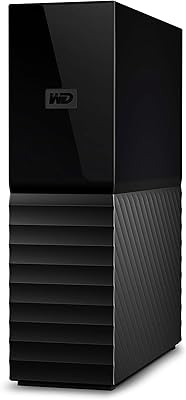
WD 24TB My Book Desktop External Hard Drive
85%
95%
Storage Capacity
89%
Data Security
91%
Ease of Setup
87%
Build Quality
82%
Software Functionality
More
WD 12TB My Book Desktop External Hard Drive
85%
96%
Storage Capacity
88%
Ease of Use
92%
Data Security & Encryption
85%
Performance Speed
78%
Software/Backup Functionality
More
WD 18TB My Book Desktop External Hard Drive
85%
96%
Storage Capacity
89%
Performance and Speed
93%
Ease of Setup
85%
Software Functionality
80%
Build Quality
More
WD 22TB My Book Desktop External Hard Drive
86%
91%
Value for Money
96%
Storage Capacity
93%
Data Security
85%
Ease of Setup
88%
Transfer Speed
More
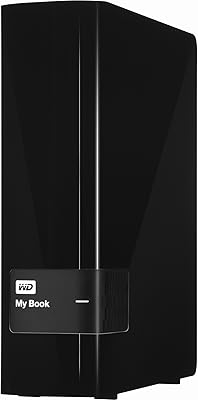
WD My Book 16TB External Hard Drive
76%
96%
Storage Capacity
82%
Value for Money
91%
Setup & Ease of Use
84%
Build Quality
67%
Transfer Speed
More
WD 3TB My Book Desktop External Hard Drive
85%
91%
Data Transfer Speed
89%
Ease of Use
85%
Backup Software Experience
87%
Build Quality
88%
Security Features (Encryption)
More
WD 36TB My Book Duo Desktop RAID External Hard Drive
82%
88%
Performance & Speed
93%
Data Security (Encryption)
96%
Storage Capacity
85%
Ease of Setup & Use
62%
Noise During Operation
More
WD My Book Essential 1TB USB 2.0 Desktop External Hard Drive
84%
89%
Value for Money
91%
Ease of Use
87%
Backup Functionality
88%
Data Security
65%
USB Speed
More
WD My Passport 6TB Portable External Hard Drive
79%
94%
Storage Value
91%
Portability
88%
Ease of Setup
86%
Data Security
61%
Transfer Speed
More
WD My Passport 1TB Portable External Hard Drive
71%
93%
Portability
91%
Ease of Setup
78%
Build Quality
61%
Transfer Speed
88%
Data Security
More

FAQ

For most users on Windows or Mac, it works immediately after plugging in — no formatting required. It ships pre-formatted in a way that both operating systems recognize. If you want to reformat it to APFS for a Mac-only setup or exFAT for cross-platform use, that is straightforward to do yourself, but it is not necessary for basic backup and storage tasks.

Absolutely. The bundled WD Discovery software is optional. The desktop drive functions as a standard external hard disk whether or not you install anything — you can drag and drop files, use Time Machine on Mac, or Windows Backup without ever touching the included software. Power users who prefer third-party backup tools typically skip it entirely.

There is a low, consistent hum when the drive is spinning, and you will hear brief clicking sounds during active read and write operations. In a quiet home office it is audible, though most users describe it as easy to tune out after the first day. It is not silent, but it is well within normal range for a 7200 RPM mechanical drive.

The drive is designed for desktop use rather than always-on server operation. Running it continuously for extended periods can cause the enclosure to get warm, particularly during sustained transfers. For occasional backups and archiving it is fine, but if you need a drive that runs non-stop without rest periods, a NAS-specific drive would be a better long-term fit.

This is important to understand before you enable password protection: if you forget the password, recovering the data is effectively not possible. The 256-bit AES hardware encryption is designed so that access without the correct credentials is computationally unfeasible. WD cannot recover it for you. Keep your password stored somewhere secure — a password manager is a sensible approach.

Yes, it is backward compatible with USB 2.0 ports. The connection will work, but your transfer speeds will be significantly slower than with a USB 3.0 port. If you are moving large files regularly, using a USB 3.0 or 3.2 port is strongly recommended to avoid frustratingly slow transfer sessions.

On a USB 3.0 connection with a modern computer, sequential read speeds typically land in the range of 150 to 180 MB per second under good conditions. That is respectable for a mechanical drive, but it means transferring a full terabyte of data still takes the better part of an hour. For multi-terabyte migrations, plan accordingly and run them overnight if possible.

It depends on the device. Many smart TVs and media players support external hard drives via USB for playing video and audio files, and this high-capacity external HDD can work in that context. However, some devices require the drive to be formatted in exFAT or FAT32, and many ship formatted in NTFS, so you may need to reformat first. Check your TV or player's documentation for supported file systems before reformatting.

WD typically covers My Book desktop drives with a two-year limited warranty, though it is worth verifying the specific terms on WD's official site at the time of purchase as coverage details can vary by region. Warranty service is handled through Western Digital directly, not through third-party retailers.

For pure cost efficiency over several years, owning a large local drive like this is considerably cheaper than paying monthly cloud fees for equivalent capacity. That said, local drives carry a single point of failure risk — if the drive fails or is lost in a fire or theft, your data is gone. The smartest approach is to use this desktop drive as your primary local backup and maintain at least one additional copy elsewhere, whether cloud or another physical drive. The classic backup rule — three copies, two media types, one offsite — still holds.