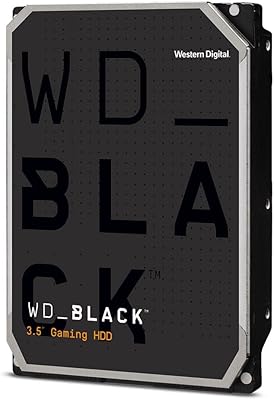
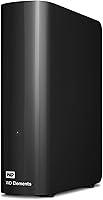
WD Elements Desktop 6TB External Hard Drive
Overview
The WD Elements Desktop 6TB External Hard Drive is exactly what it sounds like: a no-nonsense storage drive built by one of the most recognized names in the business. It sits firmly in WD's Elements lineup, a range that trades advanced features for straightforward reliability. Six terabytes is a practical amount — enough for years of documents, photos, and video files without pushing into expensive enterprise territory. Setup for Windows users is refreshingly simple. That said, this WD desktop drive runs on spinning magnetic platters, not flash memory, so it won't match SSD speeds or shock resistance. Know what you're getting before you buy.
Features & Benefits
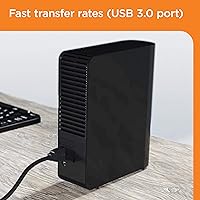
The USB 3.0 connection is the real workhorse here — transfer speeds are noticeably quicker than older USB 2.0 setups, which matters when you're moving large video files or full system backups. Windows users can plug it in and start using it immediately; no drivers, no installation menus. Mac owners, take note: the Elements 6TB ships formatted for Windows, so you'll need to reformat it before it works natively on macOS — a quick but necessary step that catches many buyers off guard. There's no bundled software, which is actually a plus if you already have a preferred backup solution and don't want third-party clutter added to your system.
Best For
This external hard drive is a strong fit for home users and small businesses that need bulk storage without a complicated setup. If your household runs on Windows and you just need more space — for photos, recordings, archived projects, or rolling backups — this WD desktop drive delivers exactly that. Content creators building large video or photo archives will appreciate the cost-per-terabyte value here. It's also a good pick for anyone who already owns backup software and finds bundled tools more annoying than helpful. One thing to be clear about: it's a desktop unit that stays plugged into a wall outlet, so portability is not its strength.
User Feedback
With over 330,000 ratings and a 4.6-star average, the reception for this WD desktop drive is hard to dismiss. Most buyers consistently highlight quiet operation and easy first-time setup as standout positives. Long-term owners tend to be satisfied, though a vocal minority report failures after a year or two of heavy use — a real risk with any mechanical hard drive, not something unique to this model. A handful of Mac users were caught off guard by the reformatting requirement. There's also no hardware encryption, which matters if you store sensitive files. The practical takeaway: pair this external hard drive with a solid backup strategy, and it becomes a dependable everyday workhorse.
Pros
- Six terabytes of storage covers years of photos, videos, and backups without running out of headroom quickly.
- Windows users can plug this WD desktop drive in and start using it immediately — no drivers or software installs needed.
- USB 3.0 speeds are noticeably faster than older drives, making large file transfers much less of a waiting game.
- Quiet during operation — most users report barely noticing it running in the background.
- No bundled software means no unwanted third-party tools cluttering your system.
- Strong brand reliability track record; WD has decades of experience manufacturing internal and external drives.
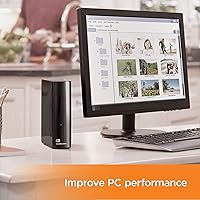
- Compact desktop footprint at under 2.1 pounds takes up minimal space on a desk or shelf.
- Backward compatible with USB 2.0 ports, so older machines can still use it at reduced speeds.
- One of the top-ranked external drives on Amazon by sales volume, backed by over 330,000 real buyer ratings.
- Cost-per-terabyte value is competitive for bulk mechanical storage in this capacity range.
Cons
- Mechanical hard drive technology means it is vulnerable to damage from drops or sudden movements during operation.
- No hardware encryption available — sensitive or confidential files are stored without built-in protection.
- Mac users must reformat the drive before first use, which is not clearly communicated upfront by all sellers.
- Requires an external AC power adapter; it cannot run off USB bus power alone, limiting placement flexibility.
- Some long-term owners report drive failures after one to two years of heavy daily use.
- Transfer speeds, while decent for an HDD, will feel sluggish to anyone accustomed to working with SSDs.
- No backup software included — users who need guided backup tools will have to source their own solution.
- The Elements 6TB carries no water or dust resistance rating, making it unsuitable for workshop or outdoor environments.
- A single drive with no redundancy means one hardware failure could result in total data loss if backups are not maintained.
- Shorter, mixed reviews tend to come from buyers who encountered early failures, suggesting some quality consistency variation.
Ratings
Our AI rating system analyzed tens of thousands of verified global reviews for the WD Elements Desktop 6TB External Hard Drive, actively filtering out incentivized, bot-generated, and low-quality feedback to surface what real buyers actually experienced. The scores below reflect both the genuine strengths and the honest frustrations that emerged across long-term and short-term users alike. No category has been softened — where this drive delivers, the scores show it; where it falls short, that is reflected too.
Ease of Setup
Storage Value
Transfer Speed
Long-Term Reliability
Build Quality
Noise & Vibration
Mac Compatibility
Data Security
Portability
Software & Ecosystem
Value for Money
Thermal Performance
Warranty & Support
Suitable for:
The WD Elements Desktop 6TB External Hard Drive is a natural fit for anyone who needs a large, dependable storage expansion without a steep learning curve or a complicated setup. Windows households in particular get the smoothest experience — plug it in, and it just works. Home users archiving years of family photos and videos, small business owners storing client files and local backups, and content creators building offline media libraries will all find the capacity and value ratio genuinely useful here. It also works well for people who already rely on their own backup software, since there is nothing bundled to uninstall or work around. If your drive stays on a desk, connected to a wall outlet, and you measure value by cost per terabyte rather than transfer speed, this WD desktop drive consistently delivers.
Not suitable for:
The WD Elements Desktop 6TB External Hard Drive is not the right call if speed, portability, or data security are among your top priorities. As a mechanical hard drive, it cannot compete with SSD transfer rates, which matters if you regularly edit large files directly off the drive rather than simply archiving them. It requires a wall outlet to operate, so anyone hoping to move files between locations without carrying a power brick will be disappointed. Mac users can make it work, but it requires reformatting before first use — a step that trips up enough buyers to be worth flagging plainly. There is also no hardware encryption built in, which is a real gap if you plan to store sensitive business or personal data. And because all mechanical drives carry an inherent failure risk over time, anyone treating this as a sole backup destination rather than part of a layered storage strategy is taking an unnecessary gamble.
Specifications
- Storage Capacity: The drive offers 6TB of total storage, suitable for large media libraries, system backups, and long-term file archiving.
- Drive Type: This is a traditional mechanical hard disk drive (HDD) using spinning platters, not solid-state flash memory.
- Interface: Connects via USB 3.0 (SuperSpeed), with backward compatibility for USB 2.0 ports at reduced transfer speeds.
- Form Factor: Standard 3.5-inch desktop form factor, designed to sit on a desk or shelf rather than be carried in a bag.
- Power Source: Requires an external AC power adapter included in the box; it cannot draw power from a USB port alone.
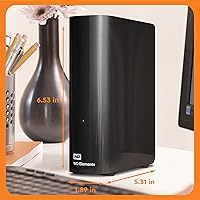
- Dimensions: The unit measures 5.3 x 1.9 x 6.5 inches (LxWxH), making it compact enough to fit beside a desktop tower or monitor.
- Weight: The drive weighs 2.1 pounds, which is typical for a desktop-class mechanical hard drive of this capacity.
- PC Compatibility: Works with Windows PCs straight out of the box with no formatting or driver installation required.
- Mac Compatibility: Compatible with macOS, but the drive must first be reformatted using Disk Utility before it can be used natively on a Mac.
- Encryption: No hardware encryption is built into this drive; data stored on it is not protected by any onboard security features.
- Backup Software: No backup software is bundled with this drive; users must supply their own preferred backup solution.
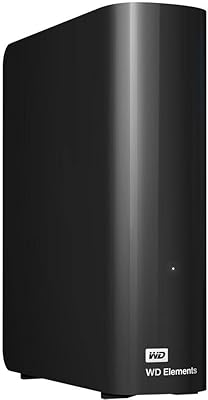
- Color & Finish: Ships in a matte black enclosure with a minimal, utilitarian design that blends into most desk setups.
- Manufacturer: Designed and sold by Western Digital Technologies, Inc., one of the longest-established names in consumer and enterprise storage.
- Model Number: The official model identifier is WDBWLG0060HBK-NESN, which can be used to verify the exact variant when purchasing or seeking support.
- Seller Ranking: Ranked #2 in the External Hard Drives category on Amazon, based on sustained sales volume across a large buyer population.
- Average Rating: Holds a 4.6-out-of-5-star average rating drawn from over 332,000 verified customer reviews.
- Release Date: First made available for purchase in October 2017 and has remained in continuous production since then.
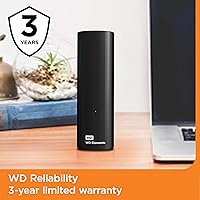
- Warranty: Western Digital typically covers the Elements Desktop line with a 2-year limited warranty; buyers should confirm current terms with WD directly.
Related Reviews
WD 20TB Elements Desktop External Hard Drive
WD 6TB Elements Portable External Hard Drive

WD Elements Desktop 3TB External Hard Drive
WD Elements Portable 2TB
WD My Book 18TB External Hard Drive
WD 12TB My Book Desktop External Hard Drive
WD My Book 22TB External Hard Drive
WD My Book 16TB External Hard Drive
WD Elements Portable 5TB External Hard Drive