WD My Passport 6TB Portable External Hard Drive
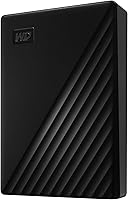

WD My Passport 6TB Portable External Hard Drive — image 1
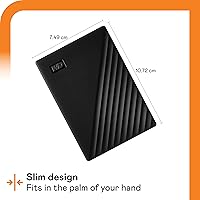
WD My Passport 6TB Portable External Hard Drive — image 2
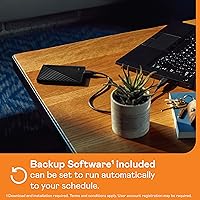
WD My Passport 6TB Portable External Hard Drive — image 3
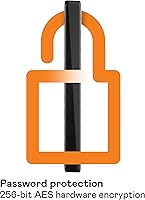
WD My Passport 6TB Portable External Hard Drive — image 4
WD My Passport 6TB Portable External Hard Drive — image 5
WD My Passport 6TB Portable External Hard Drive — image 6
WD My Passport 6TB Portable External Hard Drive — image 7
79%
21%

Overview

The WD My Passport 6TB Portable External Hard Drive is one of those rare storage milestones that actually matters to everyday users — six terabytes packed into a 2.5-inch chassis that slips into a jacket pocket. At 7.4 ounces and barely an inch thick, this portable hard drive is genuinely light enough to forget it's in your bag. It connects over USB 3.0 with backward compatibility for older ports, so it works with virtually any computer you already own. That said, it's a mechanical drive — not flash storage — so managing expectations around speed is important. What you get instead is serious capacity at a price point that solid-state storage simply cannot match.

Features & Benefits

Six terabytes of local storage is the headline, but the security side deserves equal attention. The My Passport 6TB uses hardware encryption at 256-bit AES — meaning the protection lives in the drive's controller chip, not bolted on through software alone. Set a password and that data is locked at the hardware level. WD also bundles their Discovery software, which includes a backup tool with a ransomware defense layer; it's not enterprise-grade protection, but it adds a real safety net for automated backups. The drive is bus-powered, so there's no external adapter to carry. Windows users can plug in and start immediately; Mac users will need to reformat the drive before use — worth knowing upfront.

Best For

This WD drive makes the most sense for people sitting on large media libraries — wedding photographers with terabytes of RAW files, video hobbyists shooting 4K footage, or anyone whose current drives are perpetually full. Remote workers and students who move between locations will appreciate how little space it demands in a bag. It's also a solid consolidation choice for home users finally retiring several older, smaller drives. That said, it's worth being direct: if you need fast file transfers or plan to handle this drive roughly without a case, look elsewhere. It's not ruggedized, and mechanical drives simply cannot keep pace with SSD read and write rates.

User Feedback

With over 114,000 ratings averaging 4.5 stars, the reception is hard to argue with. Buyers consistently praise the plug-and-play experience — most report it working immediately on Windows with zero fuss, and the combination of compact size and high capacity is the most repeated compliment across reviews. On the critical side, users coming from SSDs flag the noticeably slower transfer speeds, which is a fair observation but a mechanical HDD reality, not a flaw unique to this model. A smaller group finds the bundled software unnecessary after initial setup. Long-term reliability feedback skews positive, with multiple reviewers noting years of regular use without failure — encouraging for a drive meant to hold irreplaceable files.

Pros

  • Six terabytes in a 2.5-inch drive is genuinely impressive — enough room for massive photo and video libraries on a single device.
  • Hardware-level 256-bit AES encryption means your data is protected at the chip level, not just behind a software lock.
  • Bus-powered over USB — no power brick, no extra cables, just plug in and go.
  • At roughly 7.4 ounces, this portable hard drive is light enough to carry daily without noticing it.
  • Works with virtually any computer out of the box on Windows, with broad USB backward compatibility.
  • The bundled backup software adds a useful ransomware defense layer for users who want automated, protected backups.
  • Over 114,000 customer ratings averaging 4.5 stars reflects a large, broadly satisfied user base.
  • Long-term reliability reports from multi-year users are encouraging for a drive meant to store irreplaceable files.
  • Hardware encryption and password protection at this price point would cost significantly more in enterprise-grade alternatives.

Cons

  • Mechanical HDD speeds are noticeably slower than SSDs — expect patience during large file transfers.
  • Mac users must reformat the drive before use, which is an extra step that catches many buyers off guard.
  • No drop or shock resistance rating makes this a risky choice for field use or rough travel conditions.
  • The WD Discovery software feels redundant to power users who already have backup workflows in place.
  • A spinning disk generates slight vibration and operational noise that solid-state alternatives do not.
  • The USB-A connector may require an adapter on newer laptops that only have USB-C ports.
  • Like all mechanical drives, long-term reliability depends on careful handling — bumping the drive during active use is a real risk.
  • Capacity displayed after formatting will be slightly lower than the advertised 6TB due to standard overhead.

Ratings

Our AI rating system analyzed thousands of verified global purchases of the WD My Passport 6TB Portable External Hard Drive, actively filtering out incentivized reviews, bot submissions, and outlier feedback to surface what real buyers actually experience. The scores below reflect a balanced synthesis of genuine praise and recurring frustrations — nothing is inflated, and no meaningful pain point has been smoothed over. Whether this drive earns a place in your bag or not, you will find an honest picture of its strengths and trade-offs across every category that matters.

Storage Value
94%
Buyers repeatedly cite this as the single most compelling reason to choose the My Passport 6TB over competing options. Getting six terabytes in a bus-powered portable drive at this price tier is genuinely hard to beat — photographers and video hobbyists in particular describe finally having room to breathe after years of juggling multiple smaller drives.
A small subset of buyers note that the effective usable capacity after formatting lands closer to 5.45TB, which can feel misleading if you were expecting a full six. This is an industry-wide measurement standard, not a defect, but it catches first-time buyers off guard.
Portability
91%
At 7.4 oz and slim enough to slide into a jacket pocket, this WD drive earns consistent praise from daily commuters, traveling freelancers, and students who carry it alongside a laptop without noticing the added weight. The bus-powered design eliminates the need for a separate power cable, which multiple reviewers describe as the feature that sold them.
A handful of users with USB-C-only laptops note the friction of needing an adapter, which undercuts the otherwise cable-free convenience. The drive's plastic casing, while lightweight, does not inspire the same confidence as metal-bodied alternatives when thrown into a crowded bag.
Ease of Setup
88%
Windows users overwhelmingly report a genuinely effortless first experience — plug it in, it appears in File Explorer, done. No driver installation, no configuration wizard required unless you want the backup software. For the majority of buyers, the setup experience takes under thirty seconds.
Mac users tell a different story. The drive ships in NTFS format, which macOS cannot write to natively, so reformatting in Disk Utility is a required first step that many buyers discover only after plugging in and finding the drive appears read-only. The product packaging and included documentation do not flag this prominently enough.
Data Security
86%
Hardware-level 256-bit AES encryption is a meaningful differentiator at this price point — it is the same standard used in enterprise storage, and buyers who carry client files or sensitive personal records consistently highlight it as a deciding factor. Password protection is straightforward to enable through the WD Discovery app.
Several reviewers report frustration after forgetting their password and discovering that data recovery is impossible by design — there is no reset or bypass mechanism. A smaller group finds the security setup buried in the optional software, meaning buyers who skip the software installation may never activate encryption at all.
Transfer Speed
61%
39%
For users backing up documents, music libraries, or even moderate photo collections, the real-world USB 3.0 transfer speeds are adequate and consistent. Buyers who are not accustomed to SSD performance rarely raise speed as a concern — they report routine backups completing in the background without disrupting their workflow.
This is the most polarizing category in user feedback. Buyers migrating from SSDs frequently describe the transfer rates as frustratingly slow, particularly when moving large video files or performing initial full-drive backups. Copying 1TB of data can take upward of two to three hours, which is a legitimate operational bottleneck for media-heavy workflows.
Build Quality
74%
26%
The matte plastic shell feels reasonably solid in hand and shows minimal flex under light pressure. Most buyers describe it as well-made for the price tier, and the slim profile holds up well across months of daily use in a padded laptop compartment based on long-term reviewer feedback.
The all-plastic construction has no shock absorption or drop protection, and several buyers report failures after accidental falls from desk height. There is also no official IP rating for dust or moisture resistance, making it a poor choice for outdoor field work or environments where exposure to the elements is likely.
Backup Software
69%
31%
The bundled WD Discovery software works reliably for users who want a guided, automated backup experience without configuring third-party tools. The ransomware defense layer adds a practical safety net for home users who may not have dedicated security software watching over their backup destination.
Power users and IT-savvy buyers tend to skip the software entirely, finding it redundant alongside existing backup solutions. A recurring complaint is that the software feels dated compared to modern backup utilities, and some users report it running unnecessary background processes even when active backups are not scheduled.
Long-Term Reliability
82%
18%
Multi-year owners make up a notable portion of the highest-rated reviews, with many describing three or more years of regular use without a single failure. Western Digital's reputation in the mechanical storage space contributes to buyer confidence, and warranty claim experiences reported in reviews are generally described as straightforward.
A statistically visible minority of reviews document early failures within the first year, which is not unusual for mechanical storage at scale but is worth acknowledging. Buyers who use the drive in high-vibration environments or move it frequently while the disk is actively spinning report higher rates of early wear.
Compatibility
77%
23%
USB 2.0 backward compatibility means this drive works with practically any computer manufactured in the last fifteen years, and buyers using it across desktop towers, older laptops, and smart TVs with USB ports report broad success. For Windows-centric households, compatibility friction is essentially nonexistent.
Cross-platform households consistently flag the Mac reformatting requirement as an unexpected hurdle. USB-C-only users face an additional adapter dependency that dilutes the convenience factor. The drive is also not natively compatible with modern gaming consoles without reformatting and losing the encryption functionality.
Noise & Heat
78%
22%
Under normal usage conditions — casual backups, file transfers, light read activity — most buyers report barely noticing the drive is running. The operating temperature stays comfortable even during extended sessions, and the drive does not get warm enough to be a concern when resting on a desk or in a bag.
During sustained large transfers, the mechanical spinning noise becomes noticeable in quiet environments. A subset of users who work in very quiet home offices mention the faint clicking and spinning sound as mildly distracting, particularly during overnight backup runs.
Value for Money
89%
Across the entire review pool, value perception is consistently positive — buyers feel they are getting significantly more storage per dollar than comparable SSD options at this capacity tier. First-time buyers and upgrade buyers alike describe leaving the purchase feeling satisfied with what they paid relative to what they received.
Buyers who later realize they needed SSD speeds for their actual workflow occasionally express mild regret, feeling that the price savings were offset by lost productivity during large transfers. The value equation is compelling — but only if a mechanical drive genuinely fits your use case.
Design & Aesthetics
73%
27%
The clean, minimal black exterior draws no complaints from buyers who prefer a professional, understated look for a workplace or travel setting. Multiple reviewers specifically mention that it does not look cheap or bulky, which matters to users who carry it to client meetings or coworking spaces.
The matte plastic surface scratches relatively easily, and buyers who keep it loose in a bag without a case report visible scuffing within weeks. There is only one color option available in this variant, which limits personalization for buyers who care about it.
Packaging & Accessories
66%
34%
The drive arrives well-protected and ready to use, with a USB cable included in the box. Most buyers note the unboxing experience is clean and practical — nothing excessive, nothing missing for basic use on Windows.
The included USB cable is relatively short, limiting placement flexibility when used with a desktop. No carrying pouch or protective sleeve is included despite the drive having no drop resistance, which many buyers consider an oversight at this price level and capacity tier.

Suitable for:

The WD My Passport 6TB Portable External Hard Drive is a strong match for anyone who has outgrown smaller drives and needs serious capacity without hauling a desktop enclosure around. Photographers and videographers with years of accumulated media will find the 6TB ceiling a genuine relief — finally, one drive that holds an entire library rather than forcing you to juggle multiple smaller ones. Remote workers and students who move between home, campus, or coworking spaces will appreciate how light and compact this drive is; it disappears into any bag without adding noticeable weight. It also works well as a dedicated offsite backup drive for home users who want the peace of mind of a physical copy stored away from their main machine. The built-in hardware encryption makes it a sensible choice for anyone carrying sensitive client files or personal records who wants real protection — not just a software password that can be bypassed.

Not suitable for:

The WD My Passport 6TB Portable External Hard Drive is a poor fit for anyone who has grown accustomed to SSD transfer speeds and finds mechanical drive performance frustrating. If your workflow involves regularly moving large batches of files quickly — think pulling 100GB of video footage before a client deadline — the slower read and write rates of a spinning disk will test your patience. Field photographers or outdoor workers who need a drive that can survive drops, dust, or rough handling should look at ruggedized options instead, since this drive has no shock or drop resistance rating. Mac users who buy this expecting it to work immediately may be caught off guard: it requires reformatting before use on macOS, and that step is easy to miss if you are not expecting it. Power users who run demanding storage tasks continuously may also find the bundled WD Discovery software more of an afterthought than a tool they will rely on.

Specifications

  • Storage Capacity: The drive offers 6TB of total storage, suitable for holding large photo libraries, video archives, and document collections.
  • Drive Type: This is a mechanical hard disk drive (HDD), using spinning platters rather than flash memory for data storage.
  • Form Factor: Built around a compact 2.5-inch internal design, making it one of the highest-capacity bus-powered portable drives in its class.
  • Dimensions: The drive measures 4.21 x 2.95 x 0.81 inches, small enough to fit in a shirt pocket or the side pouch of a laptop bag.
  • Weight: At 7.4 oz (approximately 210g), it is light enough for daily carry without adding meaningful bulk to a bag.
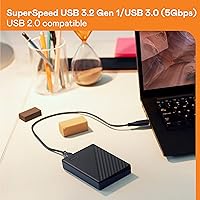
  • Interface: Connects via USB 3.1 and USB 3.0, with full backward compatibility for USB 2.0 ports on older computers.
  • Connector Type: Uses a standard USB-A connector; users with USB-C only laptops will need a separate adapter or hub.
  • Power Source: Fully bus-powered through the USB connection, requiring no external power adapter or wall outlet.
  • Encryption: Equipped with 256-bit AES hardware encryption, meaning data protection is handled at the controller level rather than through software alone.
  • Password Protection: Supports user-set password protection that works in conjunction with the hardware encryption to restrict unauthorized access.
  • Backup Software: Includes WD Discovery software with an integrated backup tool that features a ransomware defense layer for automated local backups.
  • OS Compatibility: Works with Windows immediately out of the box; macOS users must reformat the drive before use since it ships in NTFS format.
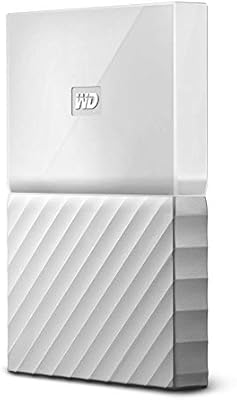
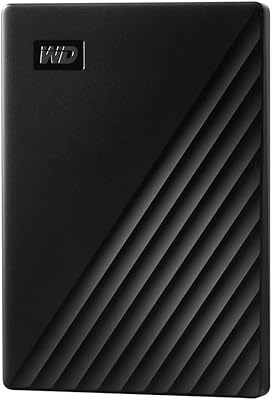
  • Color: Available in Black in this configuration, with a matte plastic exterior finish.
  • Manufacturer: Designed and sold by Western Digital Technologies, Inc., a long-established storage hardware brand.
  • Model Number: The specific model identifier for this variant is WDBR9S0060BBK-WESN, useful for warranty registration and support queries.

Related Reviews
WD 6TB Elements Portable External Hard Drive
88%
91%
Value for Money
94%
Ease of Use
87%
Transfer Speed
92%
Portability
90%
Reliability
More
WD 3TB My Passport Portable External Hard Drive
85%
91%
Ease of Use
89%
Performance/Speed
92%
Portability/Size
85%
Reliability
83%
Compatibility (PC & Mac)
More
WD 2TB My Passport Portable External Hard Drive
86%
88%
Performance & Speed
91%
Security Features (Encryption & Password Protection)
89%
Ease of Use & Setup
90%
Portability & Design
84%
Compatibility with USB 2.0 & 3.0
More
WD My Passport 1TB Portable External Hard Drive
71%
93%
Portability
91%
Ease of Setup
78%
Build Quality
61%
Transfer Speed
88%
Data Security
More
WD My Passport 4TB Portable External Hard Drive
80%
93%
Storage Capacity
91%
Portability & Form Factor
61%
Transfer Speed
88%
Security & Encryption
67%
Backup Software
More
WD My Passport Essential 500 GB Portable External Hard Drive
85%
88%
Performance
91%
Transfer Speed
93%
Portability & Design
85%
Ease of Use
84%
Security Features
More
WD 4TB Elements Portable External Hard Drive
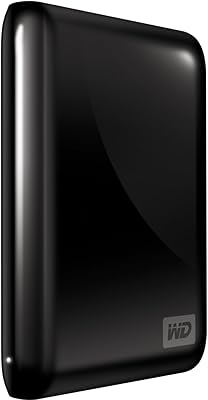
87%
89%
Performance
94%
Portability/Size/Weight
95%
Ease of Setup
87%
Transfer Speed
92%
Value for Money
More
WD Elements Portable 2TB
75%
96%
Ease of Setup
88%
Reliability & Longevity
93%
Portability & Form Factor
61%
Transfer Speed
84%
Value for Money
More
WD Elements Portable 5TB External Hard Drive
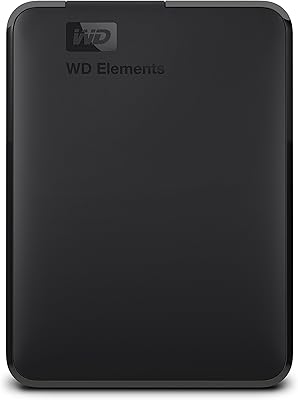
69%
93%
Value for Money
96%
Ease of Setup
91%
Storage Capacity
61%
Transfer Speed
89%
Portability & Size
More
WD Elements Portable 3TB External Hard Drive
75%
93%
Ease of Setup
91%
Storage Capacity
67%
Transfer Speed
88%
Portability & Form Factor
63%
Build Quality & Durability
More

FAQ

Yes, on Windows it is plug-and-play — no installation steps required. Just connect it via USB and the drive shows up in File Explorer ready to use. You can optionally install the WD Discovery software if you want automated backups, but it is not required to simply use the drive.

Yes, and this is worth knowing before you buy. The WD My Passport 6TB Portable External Hard Drive ships formatted as NTFS, which macOS can read but cannot write to natively. You will need to reformat it to exFAT or APFS using Disk Utility before you can save files to it on a Mac. It takes about two minutes but wipes any pre-loaded content, so do it before you start copying files over.

The drive itself uses a USB-A connector, so you will need a USB-A to USB-C adapter or a hub with USB-A ports. The drive will work fine through an adapter — just make sure the adapter supports data transfer, not just charging. Most inexpensive USB-C adapters handle this without any issues.

As a mechanical HDD, real-world transfer speeds typically land in the range of 100–130 MB/s under good conditions over USB 3.0. That is perfectly adequate for backing up documents, photos, and even moderate video files, but it will feel slow if you are accustomed to an SSD. Copying 100GB of data will take several minutes rather than seconds.

It is genuinely secure for everyday purposes. The encryption is handled at the hardware level using 256-bit AES, which means the data on the drive itself is scrambled and cannot be read without the correct password, even if someone connects the drive to another computer. That said, if you forget your password, the data is unrecoverable — there is no backdoor or reset option, so keep that password somewhere safe.

The WD Discovery software monitors your backup folder for suspicious patterns of file modification that could indicate ransomware activity, and can alert you or pause backups if something looks wrong. It is a helpful extra layer, but it is software-based, not a replacement for good security habits like keeping your operating system updated and avoiding suspicious downloads. Think of it as a useful safety net rather than a complete security solution.

The drive is slim and light enough to carry daily, but it has no official drop or shock resistance rating. Mechanical drives are sensitive to impacts, especially while the drive is actively spinning and transferring data. For everyday commuting in a padded bag pocket, it should be fine — just avoid tossing it around or carrying it loose in a bag with heavy items.

Yes, but you need to format it correctly first. If you reformat the drive to exFAT, it becomes fully compatible with both Windows and macOS without any additional software. exFAT handles large files well and is widely supported across both platforms, making it the best choice for cross-platform use.

After formatting, you will typically see around 5.45TB of usable space on Windows, or slightly different on macOS depending on the file system used. This is standard across all storage devices — manufacturers measure capacity in decimal gigabytes, while operating systems report in binary, which produces that gap. It is not unique to this drive.

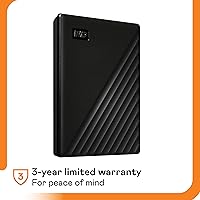
Western Digital typically backs the My Passport line with a three-year limited warranty, which covers manufacturing defects. You will need to register the drive on WD's website to make warranty claims easier. WD's support is generally reachable through their website via chat or phone, and replacement under warranty is usually straightforward for confirmed hardware failures.

Where to Buy