

Overview
The WD My Book 22TB External Hard Drive sits at the top of Western Digital's consumer desktop lineup, targeting power users who have genuinely outgrown smaller drives. At 22TB, you're looking at one of the highest-capacity single-drive options available to everyday buyers — without jumping into NAS territory or enterprise pricing. The desktop-only form factor is a deliberate trade-off: this is not a drive you slip into a bag. It lives on your desk, plugged into the wall, and that's the point. Think of it as a plug-and-play vault rather than a portable solution. For anyone juggling a patchwork of older drives, consolidating everything here is a genuinely satisfying upgrade.
Features & Benefits
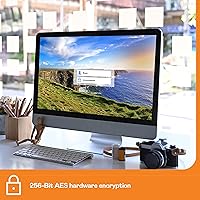
The encryption on this desktop drive is worth understanding clearly: it uses 256-bit AES hardware encryption, meaning protection runs at the drive level rather than borrowing your computer's processing power. That matters during heavy workloads. Password protection adds a useful access barrier for shared desks or office environments, though it is consumer-level security — not a substitute for enterprise data policies. USB 3.0 delivers theoretical speeds up to 5 Gbps, which is solid, but real-world transfers depend heavily on file sizes and your system's performance. The bundled WD Discovery software handles scheduled backups and device management out of the box — genuinely useful for non-technical users, though experienced users may prefer to uninstall it entirely.
Best For
This high-capacity external HDD makes the most sense for creative professionals — video editors, photographers, and audio producers who constantly generate large files and need a reliable place to archive them. It also suits home users who want a single destination backup for multiple machines without paying ongoing cloud subscription fees. Small offices looking for local encrypted backup on a reasonable budget will appreciate the combination of capacity and built-in security. One practical note for Mac users: the drive ships formatted for Windows, so reformatting is required before first use on macOS. It takes only a few minutes but catches people off guard if they are not expecting it.
User Feedback
Across a large pool of reviews, the most consistent praise centers on effortless plug-and-play setup — buyers connect it, the system recognizes it immediately, and it works. That simplicity earns real goodwill. On the other side, some owners report audible spinning noise, particularly noticeable in quiet rooms. Transfer speed complaints also surface: filling a drive of this size takes considerable time, which reflects the USB 3.0 ceiling rather than a product defect. Long-term reliability reports are mixed — many users describe years of trouble-free operation, while a smaller group documents early drive failure and frustration dealing with warranty support. The bundled software splits opinion sharply between daily reliance and immediate uninstallation.
Pros
- 22TB of capacity handles even the most demanding long-term archiving needs without running out of headroom.
- Hardware-level encryption protects data without adding any noticeable drag on your computer during use.
- Setup is genuinely plug-and-play on Windows — recognized immediately with no driver installation required.
- The upright enclosure has a small desk footprint considering how much storage is packed inside.
- USB 3.0 interface delivers solid real-world transfer speeds for large file batches.
- Bundled backup software is a practical bonus for non-technical users who want automated scheduling without extra cost.
- Password protection adds a meaningful access barrier for shared workspaces or family computers.
- WD has a long track record in consumer storage, and the brand backing adds some peace of mind for buyers.
- USB 2.0 backward compatibility means the drive works with older systems even if speeds take a hit.
Cons
- Filling or transferring the full 22TB is a multi-hour commitment — USB 3.0 is not fast enough to change that reality.
- Drive noise is noticeable during heavy read and write cycles, which becomes irritating in quiet work environments.
- Mac users must reformat the drive before first use, a step that is easy to miss and briefly blocks immediate access.
- The WD Discovery software feels unnecessary to experienced users and takes effort to fully uninstall.
- Requires a dedicated power outlet and AC adapter, adding cable clutter that bus-powered drives avoid entirely.
- A subset of long-term owners have documented early drive failures, raising concerns about unit-to-unit consistency.
- Warranty and customer support experiences are inconsistent, with some buyers reporting slow or difficult resolution processes.
- At this capacity, a single drive failure without a backup strategy means catastrophic and unrecoverable data loss.
Ratings
Our AI scoring model analyzed thousands of verified global reviews for the WD My Book 22TB External Hard Drive, actively filtering out incentivized, duplicate, and bot-generated feedback to surface what real buyers actually experience. The scores below reflect a balanced synthesis of genuine praise and documented frustrations, covering everything from day-one setup to long-term reliability. Both this desktop drive's standout strengths and its honest weak spots are represented transparently in each category.
Storage Capacity
Ease of Setup
Transfer Speed
Build Quality
Drive Noise
Encryption & Security
Software Experience
Compatibility
Long-Term Reliability
Value for Money
Warranty & Support
Portability
Packaging & Unboxing
Suitable for:
The WD My Book 22TB External Hard Drive was built for people who generate and accumulate large volumes of data on a regular basis and need a dependable, stationary home for it. Video editors working with 4K or RAW footage, photographers managing sprawling multi-year libraries, and audio producers archiving session files will find the sheer capacity genuinely useful rather than overkill. Home users tired of juggling a tangle of smaller drives can consolidate everything onto one desk-bound unit and simplify their backup workflow overnight. It also fits well in small office environments where a locally stored, password-protected backup is preferred over cloud-based solutions, especially for cost-conscious teams paying attention to monthly subscription fees. If your machine is already desk-based and your priority is maximum storage per dollar without the complexity of a NAS setup, this desktop drive delivers exactly that.
Not suitable for:
The WD My Book 22TB External Hard Drive is the wrong choice for anyone who needs to move their storage between locations regularly — this is a desk-bound, AC-powered unit, full stop. Travelers, field photographers, and anyone who values portability should look at bus-powered portable drives instead. Users expecting enterprise-grade security will also find the consumer-level 256-bit AES encryption adequate for basic protection but not appropriate for sensitive business or regulated data environments. If your primary computer is a Mac, be aware that the drive ships formatted for Windows and requires a reformat before it will work properly with macOS — a straightforward process, but one that trips up unprepared buyers. People with slower or older USB 2.0 systems should also temper their transfer speed expectations significantly, since real-world throughput will fall well below what USB 3.0 makes possible on a modern machine.
Specifications
- Storage Capacity: This desktop drive offers 22TB of total storage capacity, with actual usable space slightly lower depending on operating system and formatting.
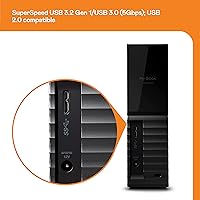
- Interface: It connects via USB 3.0 (SuperSpeed, up to 5 Gbps) and is fully backward compatible with USB 2.0 ports.
- Encryption: 256-bit AES hardware encryption is built into the drive controller, operating independently of the host system's CPU.
- Form Factor: The drive uses a 3.5-inch internal hard disk housed in an upright desktop enclosure designed for stationary use.
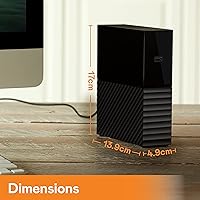
- Dimensions: The enclosure measures 3.46 x 8.5 x 6.7 inches, giving it a compact vertical footprint relative to its storage capacity.
- Weight: The unit weighs 2.2 pounds, which is typical for an AC-powered 3.5-inch desktop hard drive enclosure.
- Power Supply: The drive is powered via an included AC adapter and requires a wall outlet; it does not support bus-powered operation.
- Compatibility: It works natively with Windows PCs straight out of the box; Mac users must reformat the drive before first use.
- Backup Software: WD Discovery backup software is included but must be downloaded and installed separately; user account registration may be required.
- Password Protection: Users can set a password directly through the WD software to restrict drive access on any connected system.
- Color: The enclosure is finished in matte black, consistent with the standard My Book desktop design language.
- Brand and Series: Manufactured by Western Digital, this unit belongs to the My Book series of consumer desktop external hard drives.
- Model Number: The official model identifier is WDBBGB0220HBK-NESN, which corresponds to the 22TB black variant for North America.
- Availability Date: This specific model was first made available for purchase on February 15, 2023.
- USB Cable: A USB 3.0 cable is included in the box, so no separate purchase is needed to get started on a compatible system.
Related Reviews
WD My Book 26TB External Hard Drive
WD My Book 16TB External Hard Drive
WD 12TB My Book Desktop External Hard Drive
WD My Book 18TB External Hard Drive
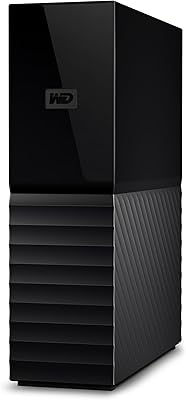
WD 24TB My Book Desktop External Hard Drive
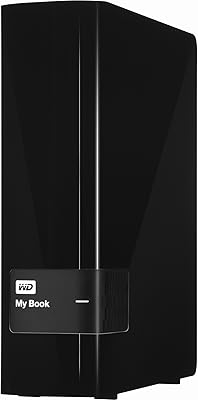
WD My Book 3TB Desktop External Hard Drive
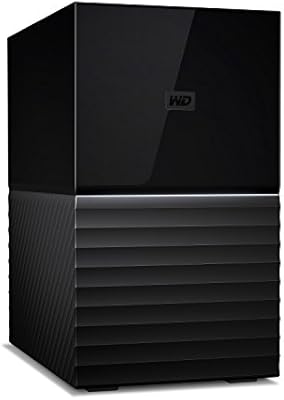
WD My Book Duo 36TB Desktop RAID Drive
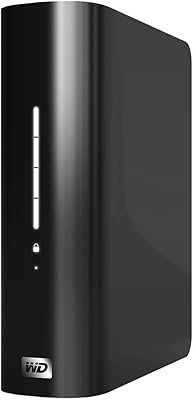
WD My Book Essential 1TB USB 2.0 Desktop External Hard Drive
SanDisk Professional G-Drive 22TB External Desktop Hard Drive