Overview

The WD Black 6TB Desktop Internal Hard Drive sits at the top of Western Digital's consumer HDD lineup — a clear step above the Blue and Red series, which are built for everyday storage and NAS duties respectively. This WD Black drive is aimed squarely at desktop power users who need serious capacity without dropping to 5400 RPM performance levels. At 6TB, it hits a practical sweet spot: enough room for large project libraries or game collections, without the premium of enterprise-class hardware. It installs like any standard 3.5-inch SATA drive, so upgrading an existing desktop is straightforward. The drive has been on the market since late 2016, and its continued availability says something real about sustained buyer confidence.
Features & Benefits

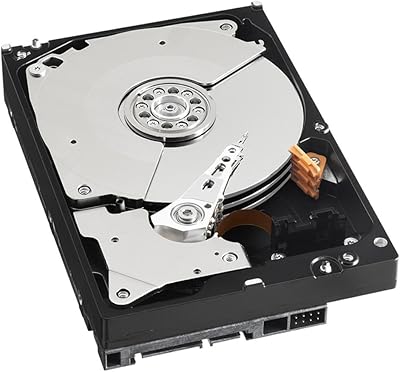
Running at 7200 RPM, the 6TB Black HDD moves data noticeably faster than 5400 RPM drives — you will feel the difference when transferring large files or loading a heavy project folder, even if it cannot match an SSD on random reads. The 128MB DRAM cache is a meaningful upgrade over lower-capacity Black models; it uses a dual-buffer architecture that allocates memory dynamically between read and write operations depending on what the workload demands. StableTrac technology anchors the motor shaft at both ends, reducing internal vibration — particularly useful when running multiple drives in the same case. The SATA 6 Gb/s interface keeps compatibility simple, and a 5-year warranty puts it comfortably ahead of most competing drives in this category.

Best For

This performance hard drive makes the most sense for a specific kind of user. Video editors and photographers with libraries measured in terabytes will appreciate the consistent throughput when scrubbing through footage or batch-exporting files. PC gamers who already have an SSD for Windows and their most-played titles can use this as a secondary game library — the 7200 RPM speed keeps load times reasonable without the cost-per-TB of SSD storage. It is also a natural fit for system builders pairing it alongside a boot SSD, and for anyone upgrading an older desktop where replacing the entire storage stack with SSDs simply is not worth the expense.

User Feedback

Sitting at 4.4 stars across nearly 400 ratings, this WD Black drive earns its score mostly from buyers who use it as intended — sustained, heavy-use storage in demanding desktop builds. Long-term owners, those past the one-year mark, consistently highlight quiet operation and stable performance that holds up over time. The most common complaint is not reliability — it is cost. Buyers cross-shopping against WD Blue or Seagate Barracuda drives flag the price-per-TB gap and question whether the performance difference justifies it. A handful of users noted vibration in budget cases lacking proper drive dampening. DOA reports exist but fall within what is typical for the internal HDD category overall.

Pros

  • 7200 RPM spin speed delivers noticeably faster file transfers compared to standard 5400 RPM desktop drives.
  • The 128MB DRAM cache — exclusive to the 5TB and 6TB models — improves repeated read performance in real workflows.
  • StableTrac technology keeps vibration low, making multi-drive installations quieter and more stable.
  • A 5-year limited warranty is well above the 2-year coverage typical of budget HDD alternatives.
  • Standard 3.5-inch SATA form factor means no adapters or special controllers are needed for most desktop builds.
  • Long-term owners consistently report stable performance that holds up well past the first year of heavy use.
  • 6TB capacity hits a practical sweet spot — enough for large media libraries without paying enterprise-tier prices.
  • Backward compatible with SATA II systems, so older motherboards are not a barrier to installation.
  • Quieter operation than older-generation 7200 RPM drives, according to buyers who have owned both.

Cons

  • Price-per-TB is significantly higher than WD Blue or Seagate Barracuda drives at the same capacity.
  • No meaningful advantage over cheaper drives for users who only need basic file storage and backups.
  • Vibration can become audible in budget cases without proper drive dampening or rubber mounting.
  • The 6TB Black HDD cannot substitute for an SSD where fast boot times or low-latency app loading matters.
  • Not rated for continuous 24/7 operation, making it a poor fit for always-on NAS or server use.
  • A small but present number of buyers report dead-on-arrival units, consistent with HDD category norms but worth noting.
  • No USB or external enclosure version available, limiting use to internal desktop installations only.
  • This performance hard drive offers no meaningful advantage in workloads dominated by random small-file reads, where SSDs dominate entirely.

Ratings

The WD Black 6TB Desktop Internal Hard Drive earns a strong overall consensus across verified buyer reviews worldwide, with our AI-driven analysis actively filtering out incentivized, bot-generated, and single-use reviewer accounts to surface genuine long-term user sentiment. Scores below reflect both what this performance hard drive does exceptionally well and where real buyers have run into frustration — nothing is glossed over.

Sequential Read/Write Speed
83%
At 7200 RPM, the 6TB Black HDD moves large files noticeably faster than 5400 RPM competitors — video editors transferring multi-gigabyte project folders and gamers loading open-world titles from a secondary drive both report satisfying throughput. Most buyers coming from older or budget drives describe the speed difference as immediately apparent.
It is still a spinning disk, and anyone expecting SSD-like responsiveness will be disappointed — random read performance and application launch times lag well behind even entry-level SATA SSDs. A handful of buyers who did not research HDD versus SSD differences left frustrated reviews attributing slow boot times to the drive itself.
Sustained Reliability
81%
19%
Long-term owners — those past the 12 to 18 month mark — consistently report that the drive performs as steadily as day one, with no degradation in transfer speeds or audible changes in operation. The WD Black series has a multi-year track record in the market, and buyers who have owned multiple units across different builds tend to repurchase without hesitation.
A small but notable share of buyers report dead-on-arrival units or early failures within the first 90 days, which, while within typical HDD category norms, is still a real risk on any mechanical drive. A few users also noted that Western Digital's warranty replacement process, while available, can take longer than expected when cross-ship options are not offered in their region.
Value for Money
62%
38%
For users who genuinely need the 7200 RPM performance tier, the 5-year warranty and WD Black's performance engineering justify the cost premium over budget alternatives. System builders and creative professionals who run the drive hard tend to see the value clearly once they experience the throughput difference under sustained load.
Buyers who comparison-shop against the WD Blue or Seagate Barracuda at the same capacity often find it difficult to justify the price-per-TB gap, especially for secondary storage or backup duties where the speed difference goes largely unnoticed. This is the single most common source of negative reviews — not performance, but price expectation mismatch.
Noise & Vibration
74%
26%
Compared to older 7200 RPM desktop drives from five or more years ago, this performance hard drive runs quieter than many buyers expect — StableTrac technology does measurably reduce resonance, and users with well-built cases report barely noticing it during normal desktop use.
In budget cases with thin steel panels and no rubber drive mounts, the 7200 RPM vibration transmits clearly and can become a persistent low hum during heavy disk activity. Users running open-bench setups or cheap mATX enclosures are disproportionately represented in noise-related complaints.
128MB Cache Performance
86%
The dual-buffer 128MB DRAM cache — unique to the 5TB and 6TB Black models — delivers a real-world benefit when accessing frequently-used files or running workloads with repeated read patterns, such as loading the same game assets or scrubbing previously cached video timelines. Buyers upgrading from drives with 64MB or smaller caches notice the improvement in these scenarios.
The cache benefit is largely invisible for write-heavy workloads like large single-pass transfers, where the buffer saturates and raw platter speed becomes the limiting factor. Users who expected cache to meaningfully improve large sequential write speeds — such as dumping raw footage directly to the drive — found the gains underwhelming.
Installation & Compatibility
93%
Drop-in installation is genuinely plug-and-play for virtually any desktop with a free 3.5-inch bay — no drivers, adapters, or extra software needed. SATA II backward compatibility means even buyers with older Intel or AMD platforms from several generations back have no issues getting it recognized immediately on first boot.
A very small number of buyers with extremely compact SFF cases found that their chassis only had 2.5-inch bays, which is a case limitation rather than a drive flaw but still created frustration. Documentation in the retail packaging is minimal — buyers unfamiliar with SATA installations may want to look up a guide.
Warranty & Support
78%
22%
A 5-year limited warranty is a genuine differentiator in the desktop HDD market, where 2-year coverage is standard across most competing drives. Buyers who have gone through a warranty claim generally confirm that Western Digital honors replacements for verified drive failures without excessive friction.
Some international buyers report slower response times and limited cross-ship availability compared to what US-based customers receive. The warranty registration process is online-only, and a few buyers who purchased open-box or second-hand units found their warranty window had partially elapsed without their knowledge.
Build & Enclosure Quality
79%
21%
The physical construction feels solid and well-finished — mounting holes are correctly spaced, the enclosure shows no flex under normal handling, and the SATA connector fits snugly without wobble. Buyers who handle a lot of drives for system builds note that the WD Black series feels more robustly assembled than budget-tier options.
As a bare internal drive sold without any protective casing or anti-static packaging beyond basic wrapping in some retail configurations, a few buyers received units with minor cosmetic scuffs from transit. This does not affect function, but it does create a less premium unboxing experience relative to the price point.
Gaming Performance
77%
23%
As a secondary game library drive, the 6TB Black HDD performs well above entry-level expectations — level load times for open-world games stored on this drive are fast enough that most players do not find themselves waiting notably longer than they would on a budget SSD in the same secondary role. The capacity lets gamers store a large library without juggling installs.
For primary game drive duties — especially titles that stream assets continuously during play — an SSD is still the superior choice, and the gap is noticeable in texture pop-in and streaming-heavy environments. Gamers who expected this drive to fully replace an SSD based on its performance branding came away with mixed impressions.
Creative Workflow Suitability
82%
18%
Video editors and photographers working with large RAW files and multi-layer projects find the sustained sequential read performance reliable enough for editing directly from the drive in many standard-bitrate workflows. The 6TB capacity is a practical advantage for anyone managing a growing media archive without constant drive juggling.
High-bitrate cinema RAW formats and heavy multi-stream 4K editing push the drive beyond its comfortable operating range, leading to occasional dropped frames or sluggish scrubbing on less powerful editing rigs. For those workflows, professionals typically use this WD Black drive as archive or project storage rather than an active edit drive.
Thermal Performance
76%
24%
Under sustained desktop workloads in adequately ventilated cases, the drive maintains reasonable operating temperatures and does not require active cooling in most standard tower builds. Buyers running it in well-airflowed mid-towers report stable temperature readings throughout extended use sessions.
In compact cases with poor airflow or in systems where the drive bay sits near heat-generating components, temperatures can climb to the higher end of the rated operating range under sustained load. A small number of buyers in warm climates or using poorly ventilated enclosures noted occasional thermal throttling warnings in drive monitoring software.
Long-Term Consistency
84%
One of the more consistent themes in reviews from buyers who have owned the drive for over a year is that it does not degrade noticeably — transfer speeds, seek times, and acoustic profile remain close to out-of-box performance over extended use in typical desktop environments. This long-term predictability is a key reason repeat WD Black buyers come back.
A subset of buyers who pushed the drive with near-continuous write loads — such as video surveillance or long-running backup jobs — reported earlier-than-expected wear indicators in S.M.A.R.T. monitoring tools. This drive is not rated for continuous operation, and using it outside desktop-duty cycles accelerates wear measurably.
Software & Ecosystem
58%
42%
Western Digital's WD Dashboard software provides basic health monitoring, firmware updates, and drive diagnostics at no additional cost. Buyers who actively use S.M.A.R.T. monitoring appreciate having a manufacturer-supported tool that integrates cleanly with the drive.
WD Dashboard is Windows-only, leaving macOS users without native manufacturer software support — a real gap given that some creative professionals run Mac-based editing setups. The software itself is also described by technically savvy buyers as functional but dated compared to third-party monitoring alternatives like CrystalDiskInfo.
Packaging & Delivery Condition
71%
29%
Most buyers receive the drive in factory-sealed retail packaging with adequate foam or static-safe wrap that protects against typical transit handling. Buyers who ordered directly through major retailers report a high rate of intact, undamaged delivery.
A recurring complaint involves third-party sellers shipping the bare drive in minimal packaging — sometimes just bubble wrap inside a plain box — which increases the risk of transit damage and has led to several DOA reports that may have been preventable. Buying from a reputable seller with proper retail packaging significantly reduces this risk.

Suitable for:

The WD Black 6TB Desktop Internal Hard Drive is built for users who need serious storage capacity paired with above-average HDD performance — not just a place to dump files. Creative professionals working with 4K video, RAW photo archives, or large audio sessions will find the 7200 RPM speed and 128MB cache meaningfully reduce wait times when accessing big project folders. PC gamers who already have an SSD for their OS and top-played titles can use this WD Black drive as a secondary game library without the steep cost-per-TB of all-SSD storage. System builders configuring a two-drive setup — fast SSD for booting, high-capacity HDD for storage — will find this a natural fit. It also suits anyone upgrading an older desktop where swapping in an SSD for mass storage is financially impractical, and users who want more throughput than the WD Blue or Red series delivers without moving to enterprise hardware.

Not suitable for:

The WD Black 6TB Desktop Internal Hard Drive is not the right call for buyers expecting SSD-level responsiveness — no spinning drive at any RPM closes that gap for OS boot times or application launches. Users building compact mini-ITX or small form factor systems should check physical clearance carefully, as this is a full 3.5-inch internal drive with no laptop or slim-desktop equivalent. Buyers who are primarily cost-focused and do not need the performance premium will find better value-per-terabyte in the WD Blue or Seagate Barracuda lines. It is also a poor match for always-on NAS enclosures, where a drive rated specifically for continuous operation — like the WD Red series — is the smarter and safer long-term choice. Finally, users with budget cases that lack vibration dampening may notice resonance from this 7200 RPM drive, which can become an ongoing irritant in a quiet workspace.

Specifications

  • Capacity: The drive offers 6TB of formatted storage, suitable for large media libraries, game collections, and project archives.
  • RPM: A 7200 RPM spindle speed delivers faster sequential read and write performance compared to standard 5400 RPM desktop drives.
  • Cache: A 128MB DRAM dual-cache buffer dynamically allocates memory between read and write operations based on active workload demands.
  • Interface: Uses a SATA 6 Gb/s interface and is backward compatible with SATA II ports, requiring no special controller or adapter.
  • Form Factor: Standard 3.5-inch form factor fits the vast majority of desktop mid-tower, full-tower, and workstation cases with an internal HDD bay.
  • Dimensions: Physical dimensions measure 5.79 x 4 x 1.03 inches, consistent with the universal 3.5-inch internal hard drive standard.
  • Weight: The drive weighs 1.58 pounds, typical for a 3.5-inch desktop HDD at this capacity.
  • Warranty: Western Digital covers this drive with a 5-year limited warranty, which is above average for consumer-grade desktop hard drives.
  • Vibration Control: StableTrac technology secures the motor shaft at both ends to reduce internal vibration, improving reliability in multi-drive installations.
  • Cache Technology: Dynamic Cache Technology allocates the DRAM buffer in real time, optimizing throughput depending on whether the workload is read-heavy or write-heavy.
  • Platform: Designed and rated for internal installation in PC desktops; not intended for laptops, external enclosures, or NAS enclosures.
  • Installation Type: Internal installation only — the drive connects directly to the motherboard and power supply via standard SATA data and power connectors.
  • Series: Part of Western Digital's Black series, which is positioned above the Blue and Green lines and targets performance-focused desktop users.
  • Model Number: The official model number is WD6002FZWX, which can be used to verify compatibility with system builder tools and warranty lookup services.
  • Manufacturer: Manufactured by Western Digital, a storage industry vendor with decades of experience producing both consumer and enterprise-grade hard drives.
  • Color: The drive enclosure is finished in black, consistent with the WD Black series aesthetic.
  • Availability: Western Digital has confirmed this model is not discontinued, and it has remained continuously available since its initial release in December 2016.

Related Reviews
WD Black 4TB Performance Desktop Hard Drive
88%
91%
Performance
88%
Reliability
93%
Speed
85%
Ease of Setup
94%
Storage Capacity
More
WD Red Plus 6TB NAS Hard Drive
82%
89%
Reliability & Longevity
93%
NAS Compatibility
62%
Write Performance
91%
RAID Suitability
87%
Noise Level
More
WD Black 2TB 3.5″ Internal Hard Drive
79%
78%
Read & Write Performance
82%
Reliability & Longevity
74%
Noise & Vibration
76%
Value for Money
89%
Installation & Compatibility
More
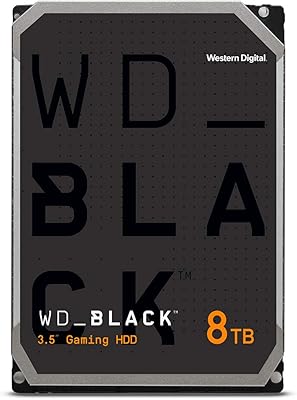
Western Digital WD Black 8TB Hard Drive
79%
83%
Sequential Read Speed
58%
Random Access Performance
88%
Build Quality
81%
Noise & Vibration
63%
Thermal Management
More
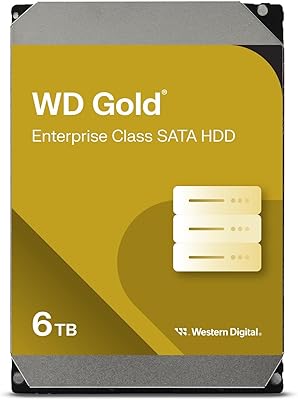
Western Digital 6TB WD Gold Enterprise Class Internal Hard Drive
88%
95%
Performance in Data-Intensive Tasks
93%
Reliability and Durability
88%
Vibration Protection Effectiveness
92%
Long-Term Stability (MTBF)
85%
Ease of Installation
More
Western Digital WD Red Pro 6TB NAS Hard Drive
80%
88%
Long-Term Reliability
93%
RAID Compatibility
84%
Read & Write Performance
91%
NAS Platform Compatibility
67%
Value for Money
More
Western Digital 4TB WD Black Gaming Internal Hard Drive HDD
82%
92%
Performance (Speed)
89%
Reliability (Durability)
87%
Value for Money
74%
Ease of Setup
81%
Noise Level
More
Western Digital Caviar Black 1TB Hard Drive
82%
88%
Long-Term Reliability
82%
Read/Write Performance
86%
Value for Money
61%
Noise & Vibration
93%
Compatibility
More
WD Green WD40EZRX 4TB Internal Hard Drive
74%
83%
Value for Money
91%
Noise Level
57%
Read & Write Speed
78%
Reliability & Longevity
88%
Power Efficiency
More
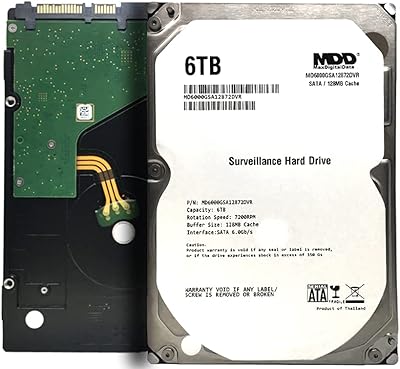
MDD MaxDigitalData 6TB Surveillance Internal Hard Drive
73%
88%
Value for Money
76%
Reliability & Durability
83%
Recording Performance
71%
Ease of Installation
86%
Compatibility
More

FAQ

Technically yes, but it is not the best choice for that role. A 7200 RPM hard drive will boot Windows or macOS significantly slower than any modern SSD. The better approach is pairing this WD Black drive with a smaller SSD for your OS, then using the 6TB capacity for games, media, and file storage.

If your case has a standard 3.5-inch internal drive bay — which most mid-tower and full-tower desktop cases do — it will fit without any modification. Just confirm you have an available SATA data port on your motherboard and a free SATA power connector from your power supply.

Buyers generally describe it as quieter than older 7200 RPM drives, though it is not silent. You will hear some low-level hum and occasional seek noise during heavy read or write activity. In a well-dampened case it is barely noticeable; in a cheap open-frame case, the vibration can become more apparent.

Yes. The SATA 6 Gb/s interface is backward compatible with SATA II (3 Gb/s) ports, so older motherboards will work fine. You will not get full SATA III speeds over a SATA II connection, but in practice the bottleneck for a spinning HDD is the drive mechanics, not the interface bandwidth.

The WD Blue series runs at 5400 RPM and carries a smaller cache, making it better suited for casual storage and backup duties. The 6TB Black HDD spins at 7200 RPM with a 128MB dual-cache buffer, which translates to meaningfully faster sustained transfer speeds. You pay more per terabyte, but you get noticeably better throughput for demanding workloads.

It will physically work in most NAS enclosures, but Western Digital does not rate or recommend it for that use case. Drives in a NAS often run continuously for months at a time, and the Black series is designed for desktop-duty cycles rather than 24/7 operation. For a NAS, WD Red or Red Pro drives are the better-matched option.

Western Digital handles warranty claims directly through their support site. You register the drive using its serial number and model (WD6002FZWX), submit a support case, and they typically issue a cross-ship replacement for verified failures. Keep your purchase receipt and check WD's warranty terms for your region, as specific processes can vary.

For most editing workflows, yes. The 6TB Black HDD handles sequential reads well enough for 1080p and standard bitrate 4K footage without dropping frames on a capable system. Very high-bitrate 4K RAW formats from cinema cameras may push its limits during playback, in which case an SSD working drive is a better fit.

Both drives are competitive and have large enough install bases that long-term failure data exists. The WD Black carries a longer warranty — 5 years versus Seagate Barracuda's 2 years — which reflects manufacturer confidence and gives you more coverage. Day-to-day reliability is broadly comparable, though individual experiences vary and neither drive is immune to early failure.

No consumer hard drive, including this performance hard drive, includes built-in redundancy or data recovery features. If the drive fails, your data is at risk unless you have a backup. Always keep at least one copy of important files on a separate drive or cloud storage — treat any single drive as a single point of failure, regardless of brand or price tier.

Where to Buy