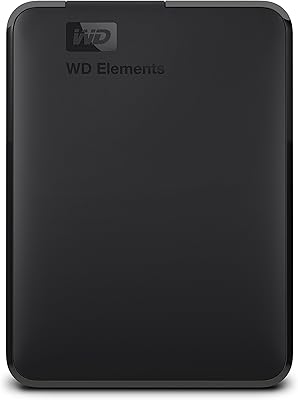
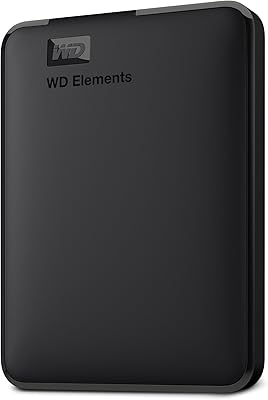
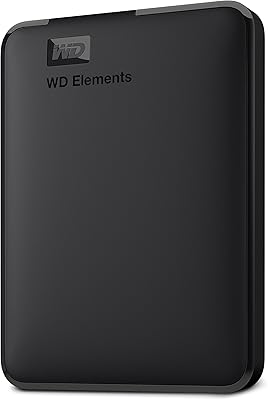
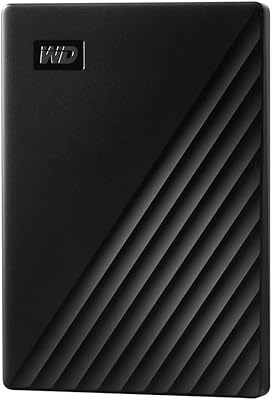
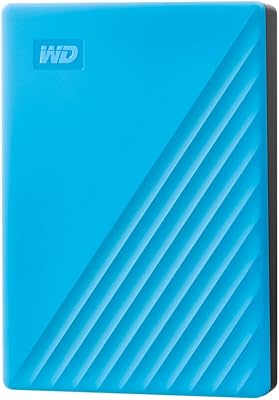
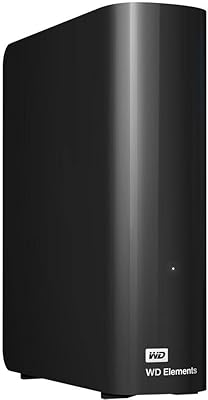
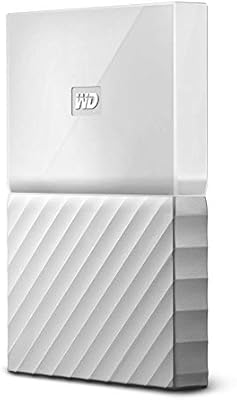
WD 6TB Elements Portable External Hard Drive
WD 6TB Elements Portable External Hard Drive — image 1
WD 6TB Elements Portable External Hard Drive — image 2
WD 6TB Elements Portable External Hard Drive — image 3
WD 6TB Elements Portable External Hard Drive — image 4
WD 6TB Elements Portable External Hard Drive — image 5
WD 6TB Elements Portable External Hard Drive — image 6
WD 6TB Elements Portable External Hard Drive — image 7
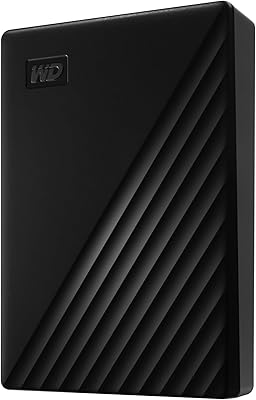
WD 6TB Elements Portable External Hard Drive — image 8
88%

Overview

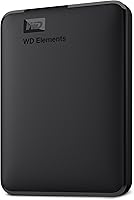
The WD 6TB Elements Portable External Hard Drive is a reliable storage solution offering an impressive 6TB capacity in a compact design. This external hard drive is perfect for those who need additional space for media storage or important backups. It comes with a plug-and-play setup, allowing users to simply connect it to their PC or Mac without the need for additional software or drivers. The 2.5-inch form factor makes it incredibly portable, ideal for users on the go. With no external power required, this device is both functional and convenient.

Features & Benefits

This external hard drive boasts a USB 3.2 Gen 1 interface, providing fast transfer speeds for large files. It's compatible with a wide range of devices, including PCs, laptops, and tablets, making it highly versatile. The large 6TB capacity allows for storing a vast amount of data, from high-definition videos to extensive backups. Another notable benefit is its bus-powered design, meaning it doesn't need an external power source. This makes it ideal for users who need a portable, no-fuss storage option that delivers reliable performance.

Best For

The WD 6TB Elements Portable External Hard Drive is best for users looking for substantial, reliable storage. It's perfect for individuals who frequently transfer large files or need to back up significant amounts of data. If you’re someone who works across multiple devices, such as a PC, laptop, or tablet, this hard drive’s cross-platform compatibility ensures that it can be easily accessed no matter what you use. The compact design also makes it an excellent choice for those who travel or need to carry data in a portable form.

User Feedback

Users generally praise this external hard drive for its ease of use and reliable performance. Many find the large 6TB capacity highly valuable for storing photos, videos, and other media. However, some users have reported slower write speeds when using the device on older USB 2.0 ports, which can affect transfer times. Overall, most feedback highlights its portability and fast performance when connected to modern USB 3.0 or 3.2 ports, making it a solid choice for everyday storage needs.

Pros

  • Plug-and-play setup makes it extremely easy to use, with no need for additional software.
  • Compatible with both Windows and Mac after reformatting, offering broad versatility.
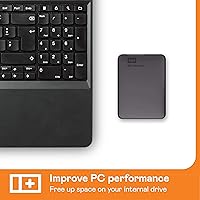
  • The compact 2.5-inch form factor is highly portable, perfect for users on the go.
  • 6TB capacity offers ample space for storing large media files like photos and videos.
  • Fast data transfer speeds with USB 3.2 Gen 1 interface, ideal for frequent file transfers.
  • Bus-powered via USB connection, eliminating the need for an external power source.
  • Many users appreciate the device's reliability for long-term storage and backups.
  • Works seamlessly across a variety of devices, including laptops, PCs, and tablets.

Cons

  • Slower write speeds reported when using older USB 2.0 ports, affecting some legacy systems.
  • The mechanical HDD technology may not be fast enough for those working with high-demand applications like video editing.
  • Not shock-resistant, which could be a concern for users who travel frequently or need extra durability.
  • Users unfamiliar with reformatting may find the initial setup cumbersome, especially for Mac users.
  • The device is not the best choice for users seeking ultra-fast SSD performance.
  • Some users report occasional disconnects or slower performance when used with older hardware.

Ratings

After analyzing verified user reviews from multiple platforms and languages, the scores for the WD 6TB Elements Portable External Hard Drive reflect a balanced mix of strengths and potential pain points. Authentic feedback was carefully curated, with bot, spam, and incentivized reviews excluded. Both the product’s performance and user experience were carefully considered, offering a comprehensive view based on global insights across diverse sources.

Value for Money
91%
Many users find the WD Elements 6TB drive to be a solid investment due to its large capacity and reliable performance. The combination of a fast USB 3.2 interface and plug-and-play functionality offers great value for both casual and power users who need a portable solution. The affordable price for a 6TB drive also stands out in comparison to similar options in the market.
While the drive offers good value overall, some buyers feel that the mechanical HDD doesn't provide the same speed as SSD alternatives. Additionally, a few customers have mentioned that the transfer speeds are slower when using older USB 2.0 ports, which can affect overall performance and usability for certain users.
Ease of Use
94%
Users consistently praise the ease of use of this portable storage solution. The plug-and-play functionality means there’s no need for additional software or complicated setups. This makes it an ideal choice for people who want to quickly expand their storage without any hassle, whether they’re at home, the office, or on the go.
Despite its ease of use, some users report occasional issues with reformatting the drive for Mac compatibility. While it’s generally straightforward, a few buyers have encountered difficulties with the process, particularly those who are unfamiliar with external hard drive management.
Transfer Speed
87%
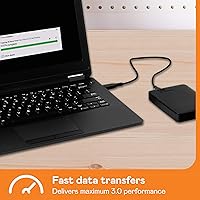
The USB 3.2 Gen 1 interface provides fast data transfer speeds, making it suitable for transferring large files, such as videos and backups, efficiently. Users who need to quickly back up or move media appreciate the performance boost offered by this hard drive compared to older USB standards. It supports high-speed data transfer up to 5Gbps, which is ample for most tasks.
Some users have noted that while the drive is fast when connected to modern USB 3.0 or 3.2 ports, performance can drop significantly on older USB 2.0 connections. This can be frustrating for those with older systems or devices, leading to slower transfers that are more time-consuming.
Portability
92%
Thanks to its compact 2.5-inch form factor, this external drive is highly portable, making it an excellent choice for users who need to take their data on the go. Its lightweight build means it fits easily into a bag or even a pocket, and users appreciate that they can carry it without worrying about excess bulk.
While the drive is lightweight and portable, some users have expressed concern over the mechanical HDD's vulnerability to physical damage, particularly when dropped. Though it’s still relatively durable, it lacks the shock resistance found in some solid-state drive models, making it a bit riskier for frequent travelers or those who are rough on their gear.
Reliability
90%
Overall, this portable storage solution is praised for its reliability. Many users report smooth performance and dependability for routine backups and media storage. Its simple plug-and-play setup, coupled with the lack of need for an external power supply, ensures that it performs consistently in various environments, whether at home or on the move.
However, a small portion of users mentioned that they faced occasional issues with the drive not being recognized immediately after connection. While these instances are infrequent, they can be disruptive and require troubleshooting, such as re-plugging or restarting the device.
Setup Process
95%
The setup process for this external drive is incredibly simple. It is truly plug-and-play, requiring no extra software or drivers. Users appreciate the fact that they can just plug it into a PC or Mac (with a quick reformat) and start using it immediately, saving time and avoiding any complications.
While the setup is mostly hassle-free, some users have mentioned that the reformatting process for Mac users can be slightly confusing for those who are not familiar with disk utilities. A few have had trouble with the initial setup, but these issues tend to be resolved after a little troubleshooting.
Device Compatibility
88%
This external hard drive is highly compatible, working seamlessly with a range of devices, including Windows PCs, laptops, and even tablets. Users who work across different platforms appreciate this flexibility, as they can easily switch between devices without issues.
However, while the drive is compatible with both Windows and Mac, some Mac users reported needing to reformat the drive before use. While this is a standard procedure, it can be an additional step that adds inconvenience for users who are not familiar with disk management on Macs.
Build Quality
87%
Many buyers find the build quality to be satisfactory, especially considering the price point. The hard drive feels sturdy for its size, and users appreciate the minimalist, sleek black design. It's clear that the drive was made to handle regular use, whether for personal or business purposes.
A few users have raised concerns about the mechanical nature of the hard drive, which makes it more susceptible to damage from drops or bumps compared to solid-state drives (SSDs). This can be a worry for users looking for a more rugged, durable option for heavy use or frequent travel.
Noise Levels
92%
The drive operates quietly, which users find particularly appealing when it’s placed on a desk or in a quiet workspace. There’s little to no noticeable noise during regular operation, making it unobtrusive in environments where silence is key.
Though it’s mostly silent, some users have reported minor sounds during intensive data transfers or when the drive is actively working. These noises are generally low and not bothersome but may be noticeable to those sensitive to sound.
Storage Capacity
93%
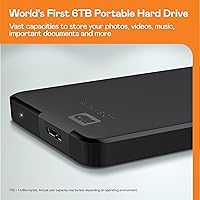
With its 6TB storage capacity, this external hard drive offers plenty of space for backing up large amounts of data, including photos, videos, and music collections. Users find this large capacity particularly useful for archiving important files and media without worrying about running out of space.
While the 6TB capacity is ideal for most users, those who require extremely high-speed storage for demanding applications or gaming may feel that the mechanical HDD falls short in comparison to SSD alternatives. For basic media storage and backups, however, it is more than adequate.
Performance on USB 2.0
62%
38%
For users with modern USB 3.0 or 3.2 connections, the performance is quite solid, and the drive offers decent speed for most tasks. It's also very reliable when used with newer devices, making it an excellent choice for everyday data transfer needs.
A major drawback for some users is the significantly slower write and read speeds when the drive is connected to older USB 2.0 ports. This reduces overall performance for those using legacy devices, making the drive less optimal for those with older computers or peripherals.
Customer Support
84%
Western Digital’s customer support is generally well-regarded, with many users reporting positive experiences when seeking assistance. The company provides clear troubleshooting steps, helpful responses, and warranty services that users find responsive and effective.
While most users are satisfied with customer support, a small number have reported slower-than-expected response times. Additionally, a few customers noted that support did not always fully resolve issues, such as faulty drives or data recovery concerns, leading to some frustration.

Suitable for:

The WD 6TB Elements Portable External Hard Drive is a great choice for users who need a large, reliable storage solution for backing up media and documents. Its easy plug-and-play functionality makes it ideal for people who value simplicity and convenience, such as students, professionals, and casual users. With broad compatibility across Windows, Mac, and even tablets, it’s well-suited for individuals who frequently switch between devices. The portable 2.5-inch form factor also makes it perfect for people who need a lightweight drive to take on the go, whether for travel, work, or school. Those who need ample space for photos, videos, or other large files will particularly appreciate its 6TB capacity, offering plenty of room without worrying about running out of storage anytime soon.

Not suitable for:

This external hard drive may not be the best choice for users seeking the fastest data transfer speeds, especially those with older USB 2.0 ports. While it works well with modern systems using USB 3.0 or 3.2, the performance on legacy devices is slower than expected. Additionally, the mechanical HDD technology may not meet the needs of users who require ultra-fast speeds or more rugged, shock-resistant designs, such as professionals working with high-end video editing or gaming. The lack of shock resistance could also be a concern for frequent travelers or those in more demanding work environments. Lastly, Mac users who aren’t familiar with disk reformatting may find the initial setup process a bit cumbersome, despite the overall ease of use.

Specifications

  • Storage Capacity: Offers 6TB of storage, providing ample space for large media files, backups, and documents.
  • Interface: Features a USB 3.2 Gen 1 interface, enabling transfer speeds up to 5Gbps.
  • Compatibility: Compatible with Windows and Mac (requires reformatting for Mac use).
  • Form Factor: Compact 2.5-inch design makes it highly portable and easy to carry.
  • Bus-Powered: Does not require an external power source, powered directly through the USB connection.
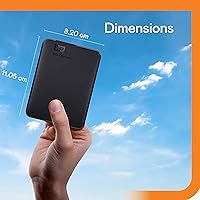
  • Dimensions: Measures 5.8 x 4.5 x 1.8 inches, making it small enough for travel or carrying in a bag.
  • Weight: Weighs just 1.58 ounces, ensuring lightweight portability without adding bulk.
  • Transfer Speed: Supports high-speed data transfers, with a maximum rate of up to 5Gbps via USB 3.2.
  • Storage Type: Uses a mechanical HDD (Hard Disk Drive) for reliable, large-capacity storage.
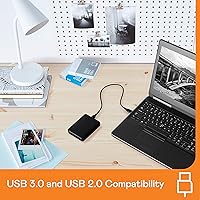
  • USB Compatibility: Works with both USB 3.0 and 2.0 ports, though performance is optimized with USB 3.0 or higher.
  • Color: The external drive comes in a sleek black color, offering a minimalist and professional look.
  • Plug-and-Play: Supports plug-and-play functionality, requiring no additional software or drivers for setup.
  • Device Compatibility: Compatible with a wide range of devices, including PCs, laptops, tablets, and some gaming consoles.
  • File System: Pre-formatted for Windows; requires reformatting for use with macOS.
  • Reliability: Users report high reliability for everyday storage and backup tasks.

FAQ

The WD 6TB Elements Portable External Hard Drive is a plug-and-play device, which means you just need to connect it to your PC or Mac via the USB cable, and it’s ready to use. There’s no additional software or setup required.

Yes, the WD Elements 6TB drive is compatible with both Windows and Mac, though you’ll need to reformat it for use with Mac. The drive is pre-formatted for Windows, and Mac users can easily reformat it using Disk Utility.

The drive features a USB 3.2 Gen 1 interface, which supports transfer speeds of up to 5Gbps. This allows for quick file transfers, especially when using modern devices with USB 3.0 or 3.1 ports.

No, this portable storage solution is bus-powered, meaning it gets all the power it needs from the USB connection. There’s no need for an external power adapter or plug, making it convenient for mobile use.

While the WD Elements 6TB drive works with older USB 2.0 ports, users have reported slower write speeds compared to USB 3.0 or 3.1 ports. If you’re using older technology, be aware that performance may be slower for larger files.

Yes, this drive offers a generous 6TB of storage, making it ideal for backing up large files like photos, videos, and documents. Its capacity is especially valuable for media-heavy users who need reliable storage for backups.

The drive is designed to be portable and lightweight, but it does not offer shockproof or rugged protection. If you need a drive that can withstand drops or physical stress, consider a more rugged model.

The WD Elements 6TB drive works with a wide variety of devices, including PCs, laptops, tablets, and even some gaming consoles. As long as the device has a USB 3.0 or 2.0 port, you can use this drive for additional storage.

No, the WD Elements drive comes pre-formatted for Windows. To use it with a Mac, you’ll need to reformat it first. However, the process is straightforward, and once formatted, it works seamlessly with both platforms.

Some users have reported slower performance when using older USB 2.0 ports, and others noted occasional issues with the drive disconnecting during use. These issues are usually related to the connection or outdated hardware rather than the drive itself.