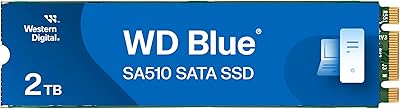
Overview

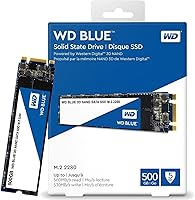
The Western Digital WD Blue 500GB M.2 SSD has been a steady presence in the mid-range storage market since its 2017 launch — and that staying power alone says something about its reliability. It uses the M.2 2280 form factor, a slim stick-style design that slots directly into a motherboard or laptop without any cables or brackets to manage. This is a SATA-based drive, not NVMe, so it operates within that interface's bandwidth limits. That is not a flaw — it is simply the right context to set upfront. For everyday computing, this WD Blue M.2 drive delivers more than enough. With over 12,000 ratings averaging 4.8 stars, the track record is hard to argue with.
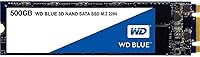
Features & Benefits

The 3D NAND architecture is worth understanding if longevity matters to you. Unlike older planar NAND where cells sit flat on a chip, 3D NAND stacks them vertically — this reduces write errors over time and extends usable drive life. The WD Blue SATA SSD can handle up to 500 terabytes written before showing meaningful wear, which comfortably covers years of daily use. Read speeds approach 560 MB/s, modest next to NVMe figures, but compared to a spinning hard disk it is a night-and-day difference. The WD F.I.T. Lab certification means WD has tested compatibility across a wide range of PC hardware, which reduces guesswork during installation considerably.

Best For

This 500GB M.2 upgrade makes the most sense when you are swapping out a mechanical hard drive in a laptop or desktop that has an available M.2 slot. The performance jump is immediate and noticeable — faster boot times, snappier app launches, and a general responsiveness that spinning storage simply cannot match. Students, remote workers, and anyone handling everyday productivity tasks will find the SATA bandwidth ceiling completely irrelevant to their workload. It also works well as a secondary drive in a compact build or as a dedicated OS drive. First-time SSD buyers benefit especially from WD's established brand reputation and reliable long-term warranty backing.

User Feedback

Buyers consistently highlight two things: how straightforward the installation was, and how much faster their machine felt afterward. For HDD upgraders especially, the difference is stark enough that many describe it as essentially having a new computer. That said, a recurring criticism from more technical users is that NVMe alternatives have crept into similar price territory, making the SATA bandwidth cap a legitimate point of comparison worth considering. Durability feedback is strong overall, with many users reporting years of trouble-free daily use. WD's warranty support earns occasional positive mentions, though some reviewers note the bundled migration software feels a bit dated. The complaints are minor; satisfaction runs high.

Pros

  • Installation is genuinely easy — no cables, no brackets, just slide it into the M.2 slot and go.
  • The jump from a spinning hard drive to this WD Blue M.2 drive is immediately and noticeably faster.
  • 3D NAND construction improves long-term endurance compared to older planar NAND designs.
  • WD F.I.T. Lab certification gives real confidence about compatibility across a wide range of PCs.
  • The 500 TBW endurance rating comfortably covers years of everyday consumer use.
  • Extremely lightweight and compact — ideal for laptop upgrades where internal space is tight.
  • Western Digital has long-standing brand support, warranty coverage, and an established repair track record.
  • Over 12,000 user ratings averaging 4.8 stars reflects sustained buyer satisfaction over several years.
  • Quiet operation with no moving parts — contributes to a cooler, more silent machine overall.

Cons

  • SATA bandwidth is a hard ceiling — NVMe drives in a similar price range now offer significantly faster speeds.
  • The bundled migration software feels dated and receives mixed feedback from users who actually try it.
  • 500GB fills up faster than expected once an OS, apps, and media are all competing for space.
  • The drive has been on the market since 2017, and newer competing options have closed the value gap considerably.
  • Users upgrading from a modern SATA SSD rather than an HDD will notice little to no speed improvement.
  • No included mounting screw for M.2 slots — some motherboards and laptops do not ship one either, causing a minor installation hurdle.
  • Limited appeal for Mac or Linux users, as WD's support ecosystem and software tools are primarily Windows-oriented.
  • Performance gains are modest in workloads that rely more on random read speed than sequential throughput.

Ratings

The Western Digital WD Blue 500GB M.2 SSD has been scored by our AI system after analyzing thousands of verified global buyer reviews, with spam, incentivized posts, and bot-generated feedback actively filtered out. Scores reflect how real everyday users — not spec-sheet enthusiasts — experienced this drive across installation, daily performance, and long-term reliability. Both consistent praise and recurring frustrations are represented honestly in each category below.
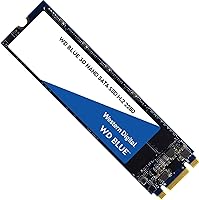
Real-World Read Speed
83%
Users coming from mechanical hard drives consistently describe the difference as transformative — Windows boots in seconds, applications open without lag, and file browsing feels instantaneous. For the typical office or student workload, the sequential read performance hits a practical ceiling that most users simply never reach.
Buyers who already own a SATA SSD notice no meaningful improvement, and anyone benchmarking this drive against NVMe alternatives will see it fall well short on paper. The SATA interface cap is a real ceiling that more demanding users bump into sooner than expected.
Write Performance
81%
19%
For everyday file saves, document edits, and software installations, write speeds feel responsive and consistent in normal desktop use. Users moving large folders of photos or documents report smooth transfers without the stuttering that older TLC drives could exhibit under sustained load.
Sustained write workloads — like copying a large video archive or running repeated disk-intensive tasks — show the limits of SATA write throughput compared to NVMe options. Power users who regularly move multi-gigabyte files will feel this gap in daily practice.
Installation Experience
91%
Reviewers across skill levels — from first-time builders to seasoned technicians — consistently call this one of the easiest drives to install. The M.2 form factor eliminates power cables and data cables entirely, and most users report having the drive seated and a fresh OS running within an hour.
A recurring minor frustration is the absence of a mounting screw in the package — some motherboards and laptops do not include a spare, leaving unprepared buyers needing to source one separately before completing the installation. It is a small oversight that surfaces just often enough to notice.
Long-Term Reliability
88%
A notable number of reviewers specifically mention using this WD Blue M.2 drive for two, three, or even four years without a single failure — which carries real weight given how many units have been sold since 2017. The 3D NAND construction appears to hold up well under the kind of steady daily use most buyers put it through.
A small but consistent minority of reviews do report early failures, typically within the first six months, which suggests some unit-level variability. These cases appear infrequent relative to total volume, but they are real enough to warrant keeping a backup strategy in place regardless.
Value for Money
74%
26%
For buyers upgrading from a spinning hard drive, the performance-per-dollar equation still holds up reasonably well, and the five-year warranty adds a layer of long-term value that cheaper no-name alternatives cannot match. The WD brand name carries genuine resale and support value that budget buyers sometimes underestimate.
The competitive storage market has shifted noticeably since 2017, and comparable or faster NVMe drives now sit at similar price points — which makes the value proposition here harder to defend for anyone building fresh rather than upgrading. Savvy shoppers will find it worth comparing before committing.
Compatibility
89%
The WD F.I.T. Lab certification provides genuine peace of mind, and the vast majority of buyers report plug-and-play recognition across a wide range of laptops and desktops without any driver installation or BIOS adjustment needed. The M.2 2280 sizing hits the sweet spot that covers most machines produced in the last decade.
Compatibility issues do appear in a small number of reviews, typically involving older laptops with non-standard M.2 implementations or machines that only support NVMe in their M.2 slot rather than SATA. These edge cases are rare but worth confirming in your specific system specs before purchasing.
Boot Time Improvement
92%
This is arguably the most celebrated real-world outcome in the entire review base — buyers routinely describe their old laptop going from a two-minute slog to a clean Windows desktop in under 15 seconds. For HDD upgraders, this single improvement justifies the purchase in the eyes of most reviewers.
Users upgrading from an existing solid-state drive are largely underwhelmed in this category, as SATA-to-SATA transitions yield minimal perceptible boot time gains. The improvement is nearly exclusive to those making the jump from mechanical storage.
Bundled Software
57%
43%
WD Dashboard provides basic but functional drive health monitoring and makes firmware updates straightforward for users who check it periodically. The Acronis migration tool does work for cloning an existing drive, which removes the need to do a fresh OS install for many buyers.
The software suite receives consistently lukewarm feedback — the migration tool interface feels several years behind modern alternatives, and multiple reviewers report needing to switch to third-party tools like Macrium Reflect to get a clean clone. For a drive at this price tier, the software feels like an afterthought rather than a polished companion.
Thermal Performance
78%
22%
Under typical everyday workloads — browsing, documents, streaming — the WD Blue SATA SSD runs cool and quiet with no thermal throttling observed in the vast majority of reviews. The passive heat generated is minimal enough that laptops with M.2 slots lacking dedicated heatsinks handle it without issue.
During prolonged sustained writes, a handful of users note slight temperature increases that, while not damaging, can cause minor performance dips in thermally constrained ultrabook enclosures. It is not a frequent complaint, but thin-and-light laptop users should be aware of it.
Physical Build & Form
84%
The drive feels solid and well-constructed in hand, and its near-weightless profile — under half an ounce — makes it ideal for laptop upgrades where every gram matters. Reviewers who handle storage hardware regularly note that the PCB and component layout look clean and consistent across units.
There is nothing particularly distinctive about the physical design, and the bare-board construction without a heatspreader or label cover means it looks utilitarian in an open build. For users who care about aesthetics inside a windowed desktop case, it offers little visual appeal.
Warranty & Support
79%
21%
The five-year limited warranty is a genuine differentiator against cheaper competitors and signals meaningful manufacturer confidence in the product. Buyers who have gone through a warranty claim generally report a functional, if not especially fast, resolution process from WD's support team.
WD's customer support experience draws mixed feedback — some users describe smooth RMA processes, while others mention delays, unclear communication, or difficulty navigating the online portal. The warranty itself is strong on paper, but execution appears inconsistent depending on region and circumstance.
Noise & Vibration
96%
With no moving parts whatsoever, the drive contributes absolutely nothing in the way of noise or vibration to a system — a practical benefit that users upgrading from HDDs immediately appreciate, particularly in quiet home office or bedroom environments. It is one area where flash storage is simply unbeatable.
There is genuinely very little to criticize here, though a very small number of users have noted their system felt slightly warmer overall after the swap, which is indirectly related to the drive running slightly warmer than the hard disk it replaced in some ultra-compact chassis.
Capacity Adequacy
67%
33%
For a clean Windows install plus a standard suite of productivity and communication apps, 500GB provides comfortable headroom for most everyday users. Students and office workers who keep media libraries on external drives or in the cloud report no issues with available space over extended use.
Users who store games, video projects, or large photo libraries locally find 500GB tighter than anticipated — especially once Windows updates and application data accumulate over time. A meaningful share of reviewers note wishing they had purchased the 1TB variant for just a modest additional outlay.
Brand Trust & Reputation
87%
Western Digital's decades-long presence in storage hardware gives buyers a level of confidence that newer or lesser-known brands simply cannot replicate. Reviewers frequently mention choosing this 500GB M.2 upgrade specifically because of WD's name, long-term parts availability, and track record in both consumer and enterprise storage.
A small segment of reviewers note that WD's focus has broadened considerably into cloud and enterprise segments, and some feel consumer-grade support and software have not kept pace with the brand's premium positioning. The reputation is earned historically, but ongoing consumer experience delivery appears somewhat uneven.

Suitable for:

The Western Digital WD Blue 500GB M.2 SSD is an excellent fit for anyone looking to breathe new life into an older laptop or desktop that still has an available M.2 slot. If your machine currently runs on a spinning hard drive, the improvement in boot times and general responsiveness will feel immediate and dramatic — this is exactly the upgrade scenario where this drive earns its place. Students and office workers who spend their days in browsers, documents, and email will find it handles daily workloads without ever feeling like a bottleneck. It also suits first-time SSD buyers who want the reassurance of a well-known brand, strong compatibility testing, and a warranty they can actually rely on. For compact builds or secondary storage roles, the slim M.2 2280 form factor makes installation clean and cable-free.
Not suitable for:

The Western Digital WD Blue 500GB M.2 SSD is not the right call for builders or upgraders who are putting together a high-performance system and want the fastest storage available. If your motherboard supports NVMe and your workload involves large video file editing, game load times, or sustained high-speed data transfers, a SATA drive will feel limiting — NVMe drives can deliver three to five times the throughput over the same M.2 slot. Users who need more than 500GB as a primary drive for media libraries or large game collections may also find the capacity tight. Those chasing top benchmark scores or running workstation-class applications should look at faster alternatives. And if your device does not have an M.2 slot at all, this drive simply will not fit.
Specifications

  • Capacity: This drive offers 500GB of usable flash storage, suitable for an operating system, productivity applications, and a moderate media library.
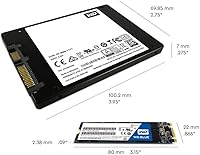
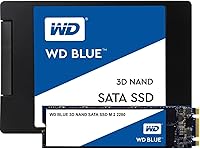
  • Form Factor: It follows the M.2 2280 standard, meaning the stick measures 22mm wide and 80mm long — the most common M.2 size found in laptops and desktop motherboards.
  • Interface: The drive connects via SATA III at up to 6 Gb/s, which is the maximum bandwidth available to any SATA-based storage device.
  • Sequential Read: Sequential read performance reaches up to 560 MB/s under optimal conditions, representing a significant leap over mechanical hard drive speeds.
  • Sequential Write: Sequential write speeds top out at up to 530 MB/s, keeping write performance closely matched to read for balanced everyday workloads.
  • NAND Type: Western Digital uses 3D NAND flash memory, stacking storage cells vertically on the die to improve both endurance and error tolerance compared to planar NAND.
  • Endurance Rating: The 500GB variant is rated for up to 500 terabytes written over its lifetime, calculated using the JEDEC client workload standard (JESD219).
  • MTTF: Western Digital rates the mean time to failure at 1.75 million hours, based on internal stress testing using Telcordia methodology.
  • Dimensions: The drive measures 3.15 x 0.87 x 0.09 inches, making it compact enough to install in slim ultrabooks with minimal clearance.
  • Weight: At just 0.388 ounces, the drive adds virtually no meaningful weight to a laptop or small form factor build.
  • Compatibility: WD F.I.T. Lab certification confirms the drive has been tested for compatibility across a broad range of consumer PC platforms and configurations.
  • Operating System: The drive is officially supported on Windows, and WD's companion software tools are also Windows-only, though the hardware itself will function with Linux and macOS systems.
  • Model Number: The exact model identifier is WDS500G2B0B, which distinguishes this M.2 variant from the 2.5-inch version of the WD Blue SATA SSD line.
  • Installation Type: This is an internal drive designed to be installed directly into an M.2 slot on a motherboard or laptop, with no external enclosure or cabling required.
  • Manufacturer: The drive is designed and sold by Western Digital, a storage-focused company with decades of experience in both consumer and enterprise hard disk and flash storage products.
  • First Available: This model was introduced to market in July 2017 and has remained in active production and sale since, reflecting consistent demand and sustained manufacturing support.

Related Reviews

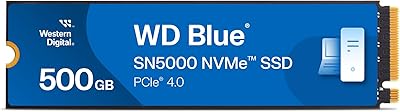
Western Digital WD Blue SN5000 500GB SSD
83%
88%
Read Performance
79%
Write Performance
93%
Value for Money
94%
Installation Ease
86%
Data Migration (Acronis)
More
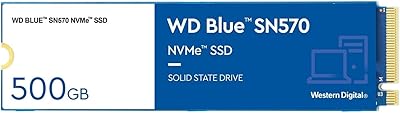
Western Digital 500GB WD Blue SN570 NVMe SSD
87%
94%
Performance Speed
90%
Ease of Installation
88%
Reliability
92%
Value for Money
85%
Power Efficiency
More
WD Blue SN5000 4TB NVMe SSD
87%
91%
Sequential Read Performance
88%
Sequential Write Performance
96%
Storage Capacity
67%
Thermal Management
93%
Endurance & Longevity
More
Western Digital 1TB WD Blue SN550 NVMe SSD
88%
93%
Performance
91%
Read Speed
88%
Write Speed
89%
Ease of Installation
90%
Compatibility
More
Western Digital 1TB WD Blue SN570 NVMe SSD
87%
92%
Performance
91%
Value for Money
88%
Ease of Installation
94%
Read/Write Speed
85%
Power Efficiency
More
WD Green SN350 500GB NVMe SSD
77%
91%
Value for Money
88%
Everyday Speed
61%
Write Performance
86%
Compatibility
79%
Long-term Reliability
More
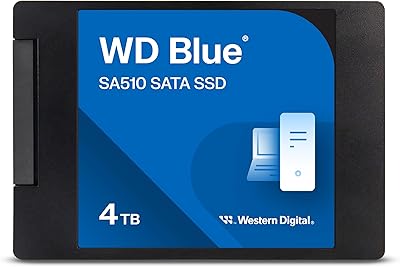
WD Blue SA510 2TB M.2 SSD
80%
78%
Read & Write Speed
83%
Value for Money
61%
Compatibility
88%
Installation Ease
84%
Reliability & Longevity
More
Western Digital 2TB WD Blue SN580 NVMe SSD
89%
91%
Performance
94%
Speed (Read/Write)
88%
Build Quality
92%
Value for Money
90%
Durability/Endurance
More
Western Digital WD Blue SN570 2TB NVMe SSD
84%
88%
Read Speed Performance
63%
Sustained Write Performance
91%
Value for Money
94%
Installation & Compatibility
89%
Long-Term Reliability
More
WD Red SN700 500GB NVMe SSD
82%
88%
Sustained Performance
84%
NAS Compatibility
91%
Endurance & Longevity
69%
Value for Money
63%
Thermal Management
More

FAQ

It depends on whether your laptop has an M.2 slot that supports SATA. Most laptops made after 2015 include at least one M.2 slot, but not all of them support SATA — some only accept NVMe drives. Check your laptop's service manual or the manufacturer's support page to confirm before buying.

This WD Blue M.2 drive performs in line with other SATA SSDs — not faster than them. The real comparison point is a spinning hard drive, where the difference is dramatic. If you are already running a SATA SSD, you likely will not notice a speed improvement by switching to this one.

In most cases, no. The M.2 slot is screwless on many modern motherboards and laptops. That said, some machines require a single small retaining screw to secure the drive — check if your system includes one, as the drive itself does not ship with a mounting screw.

Yes, it works well as a primary boot drive. Windows installs cleanly on SATA M.2 drives and the system will detect it without any special drivers. Boot times from a cold start typically land in the 10 to 20 second range on modern hardware.

For everyday tasks like web browsing, office applications, and general file management, the difference between SATA and NVMe is barely noticeable. NVMe starts pulling ahead with large file transfers, video editing, and workloads that saturate sequential throughput. For typical home or office use, the Western Digital WD Blue 500GB M.2 SSD holds its own comfortably.
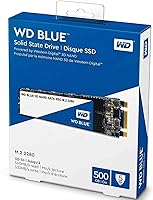
The 500 TBW endurance rating is a conservative estimate based on standardized workloads. For a typical user writing 20 to 40GB per day, you would need well over 30 years to approach that limit. Real-world durability reports from long-term owners have been consistently positive.

For a primary laptop drive used for productivity, browsing, and everyday apps, 500GB is workable — but it fills up faster than expected once you factor in Windows, installed applications, and any downloaded media. If you store large video files or a big game library locally, consider a higher capacity option or using external storage alongside it.

WD offers a companion utility called WD Dashboard for drive health monitoring and firmware updates, along with Acronis True Image for data migration. The migration software in particular gets mixed reviews — it works, but the interface feels dated and some users find third-party cloning tools like Macrium Reflect easier to use.

Western Digital covers this drive with a 5-year limited warranty, which is competitive for a consumer-grade SSD and reflects the brand's confidence in the product's lifespan. Keep your purchase receipt, as warranty claims go through WD's support portal and require proof of purchase.

It works in both. Any desktop motherboard with an M.2 slot that supports SATA can use this drive without issue. If you have an older desktop without an M.2 slot, you would need a PCIe-to-M.2 adapter card — a low-cost option that makes the install straightforward.