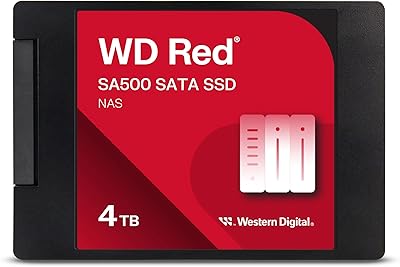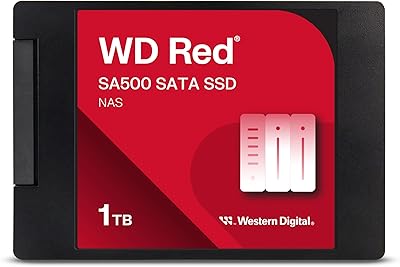
Overview

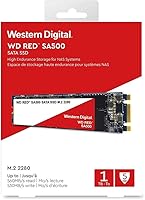
The WD Red SA500 500GB NAS SSD is built for one specific job — accelerating your NAS system — and that focus matters more than most buyers realize. Unlike a standard desktop SSD, this NAS-optimized SSD is engineered to slot into network-attached storage enclosures, particularly those supporting the M.2 2280 form factor over a SATA III interface. Western Digital has long been a trusted name in storage, and the SA500 line extends that credibility into the SSD space. At 500GB, it hits a practical sweet spot for home caching setups or light business workloads. Just keep expectations grounded: this caching drive is optimized for read-heavy NAS roles, not sustained heavy writes on a workstation.

Features & Benefits

Caching, in simple terms, means your NAS stores frequently accessed files on a faster drive so they load quicker — and that is exactly where the WD Red SA500 shines. Its sequential read speed tops out at 560 MB/s over SATA III, which translates to noticeably snappier file access when multiple users are pulling data simultaneously. The drive uses 3D NAND technology, which stacks memory cells vertically to handle the constant read and write cycles of an always-on environment far better than older planar NAND. It is also rated for 24/7 continuous operation — something most consumer SSDs simply are not built for. Firmware tuned specifically for NAS workloads keeps latency low across multi-user environments, media rendering, and database queries.

Best For

This NAS-optimized SSD makes the most sense for home users running Synology or QNAP enclosures who want a meaningful cache speed boost without replacing their entire storage array. Small offices that rely on shared storage for photo editing or video review will also benefit — the lower latency keeps collaborative workflows from bogging down. For anyone pushing 4K or 8K footage through a NAS as a scratch disk, this caching drive fills a real gap. It is also a logical next step for users still running spinning HDDs who want to step up to SSD reliability without the premium of NVMe. If you do not need PCIe speeds and want proven NAS compatibility, this is a practical, well-targeted choice.

User Feedback

Buyer sentiment across thousands of ratings leans strongly positive, with most reviewers praising how straightforwardly the WD Red SA500 drops into their existing NAS setup and delivers noticeable improvements in file access speed. Synology and QNAP users in particular frequently mention verified compatibility and trouble-free installation as highlights. Long-term reliability also gets called out often, especially by those who upgraded from WD Red HDDs and found the SSD a worthy step up. That said, some buyers flag that the price per gigabyte sits higher than comparable consumer SSDs, which is fair — you are paying for NAS-specific certification and endurance. A handful of reviewers also note the SATA speed ceiling as a limitation if their NAS already supports NVMe.

Pros

  • Certified for 24/7 NAS operation, giving always-on home servers and small offices genuine long-term reliability.
  • 3D NAND endurance holds up well under the constant read cycles typical of a NAS caching role.
  • Drops cleanly into Synology and QNAP enclosures with M.2 slots, with minimal compatibility headaches reported.
  • Sequential read speeds up to 560 MB/s make a real difference when multiple users pull files simultaneously.
  • NAS-optimized firmware keeps latency low in multi-user and media-heavy workflows without extra configuration.
  • Extremely lightweight and compact — fits in tight M.2 slots without adding bulk to space-constrained builds.
  • SATA III backward compatibility means it works in older NAS enclosures with SATA II interfaces.
  • Buyer sentiment across a large pool of real-world reviews skews strongly positive, particularly for installation ease.
  • Western Digital's SA500 series has a proven track record in home and small-business NAS deployments.
  • Upgrading from a spinning HDD to this caching drive produces a noticeably snappier NAS experience for most users.

Cons

  • Price per gigabyte runs higher than comparable consumer SSDs, which stings if you only need basic storage.
  • SATA III interface caps throughput — users with NVMe-capable enclosures will outgrow this drive quickly.
  • 500GB is a modest capacity; heavy media libraries or large shared file stores will fill it faster than expected.
  • Not suitable for high-write workloads like surveillance recording or intensive database write cycles.
  • Requires an M.2 2280 slot in your NAS — buyers with bay-only enclosures simply cannot use this drive.
  • No meaningful performance advantage over generic consumer SSDs if used outside a NAS caching context.
  • Some power users feel the write speed ceiling limits its usefulness as a primary NAS drive rather than a cache.
  • Western Digital does not publicly publish detailed endurance ratings in TBW for all SA500 variants, which frustrates spec-focused buyers.

Ratings

Our AI has analyzed thousands of verified global buyer reviews for the WD Red SA500 500GB NAS SSD, actively filtering out incentivized, bot-generated, and duplicate feedback to surface what real users actually experience. The scores below reflect both the genuine strengths and the honest frustrations that emerge across home users, small-business operators, and power enthusiasts alike. Nothing has been cherry-picked — the pain points are here alongside the praise.

NAS Compatibility
91%
Buyers running Synology DS923+ and QNAP TS-464 units consistently report that this NAS-optimized SSD is recognized immediately upon installation with no driver fiddling required. Western Digital's inclusion on official compatibility lists for major NAS brands gives users real confidence before they even open the box.
Compatibility is almost entirely contingent on your NAS having an M.2 2280 SATA slot — and a surprising number of buyers discover their enclosure lacks one only after purchase. Older or entry-level NAS units from both Synology and QNAP often do not support M.2 at all, leading to frustrating returns.
Read Performance
88%
In real NAS caching scenarios, users report noticeably snappier folder browsing and faster initial load times for frequently accessed project files, particularly in photo editing and 4K video review workflows. The 560 MB/s ceiling is consistently hit in sequential read tests on compatible enclosures.
The SATA III interface is the hard ceiling here, and users who later upgrade to NVMe-capable NAS enclosures often feel the WD Red SA500 becomes the bottleneck. Anyone expecting PCIe-class performance will be disappointed — this is a SATA drive and behaves accordingly.
Write Performance
74%
26%
For the read-heavy caching workloads this drive is designed for, write performance is more than adequate. Users handling light file ingestion and routine NAS writes — such as syncing mobile photo libraries or backing up workstations overnight — report no bottlenecks.
Heavy write workloads like continuous surveillance recording or aggressive RAID rebuilds expose the drive's limitations. A handful of power users note that write speeds dip under sustained pressure, and those expecting robust write endurance on par with enterprise SSDs will need to look elsewhere.
24/7 Reliability
93%
Long-term reviewers — some reporting over two years of uninterrupted NAS operation — consistently highlight that this caching drive simply keeps running without incident. The 24/7 operation rating is not marketing language; users replacing consumer SSDs that failed in always-on environments notice a clear durability step up.
A small number of users report early failures within the first six months, though these appear to be outliers rather than a systemic pattern. Western Digital's RMA process gets mixed reviews, with some buyers describing a smooth warranty claim and others experiencing slower-than-expected resolution timelines.
Installation Ease
89%
The physical install is about as straightforward as M.2 drives get — slot it in, secure the screw, and the NAS OS detects it within seconds. Reviewers with no prior SSD installation experience frequently mention completing the hardware step in under five minutes.
The post-installation software configuration — setting up the SSD as a cache volume inside DSM or QTS — trips up less technical buyers who assumed the drive would self-configure. A few reviewers note the NAS OS documentation could do a better job guiding first-time cache setup.
Endurance & Longevity
83%
The 3D NAND architecture gives this drive a clear endurance advantage over older planar NAND SSDs in always-on environments. Users who have stress-tested it in multi-user home server setups report no measurable degradation in performance after extended use.
Western Digital does not prominently publish a TBW (terabytes written) endurance rating for every SA500 variant, which frustrates buyers who want to compare endurance specs side by side. For write-heavy roles, the absence of a clear TBW figure makes long-term planning harder than it should be.
Value for Money
67%
33%
For buyers who actually use it in a NAS caching role, the price premium over a consumer SSD is justifiable — the 24/7 rating, NAS firmware, and compatibility assurance are real differentiators with real consequences for uptime. The 5-year warranty also softens the cost calculus over a long ownership period.
At 500GB, the price-per-gigabyte is noticeably higher than comparably sized consumer SSDs from Samsung, Crucial, or Kingston. Buyers who only need a basic internal SSD for non-NAS use will find the premium hard to justify, and even NAS users sometimes feel the capacity-to-cost ratio could be more competitive.
Thermal Performance
86%
In typical NAS caching use, this drive runs cool enough that thermal throttling is essentially a non-issue. Users report stable temperatures even in NAS enclosures with modest airflow, which matters when the drive is running continuously day and night.
In very compact or poorly ventilated NAS enclosures, a small number of users note slightly elevated idle temperatures over prolonged operation. This is more a function of enclosure design than the drive itself, but it is worth considering if your NAS sits in a tight cabinet or enclosed shelf.
Multi-User Performance
81%
19%
Small teams using a NAS as a shared hub for active projects — photo libraries, video edits, document archives — report that the NAS-optimized firmware makes a tangible difference when several people are accessing files simultaneously. Latency stays low in a way that generic consumer SSDs in the same role do not always manage.
As team size or concurrent access demands scale beyond a handful of users, the SATA interface begins to show its limits. Offices with ten or more simultaneous heavy users would benefit from a higher-throughput solution, and the SA500 is not really engineered for that scale.
Build & Form Factor
84%
The M.2 2280 form factor is exactly what it needs to be — compact, standardized, and universally accepted in any enclosure that supports this slot type. The drive feels solidly constructed for its featherweight mass, and nothing about the physical unit feels cheap or fragile.
There is no heatspreader included, which is fine for NAS use but leaves desktop builders to source their own thermal pad if needed. The drive also only comes in the one standard M.2 length, so buyers needing a 2242 or 2260 footprint for specialty enclosures are out of luck.
Firmware & Software
77%
23%
The NAS-tuned firmware works quietly in the background and does its job well — users do not need to think about it, which is exactly how good firmware should behave. Latency optimization for OLTP-style access patterns is real and measurable in shared-access environments.
Western Digital does not offer a standalone desktop management utility for the SA500 in the same way some competitors do, which limits visibility into drive health outside of a NAS OS environment. Power users who want granular S.M.A.R.T. monitoring or firmware update control find the toolset thinner than they would like.
Packaging & Delivery
79%
21%
The drive arrives in Western Digital's standard retail packaging, which is clean, minimal, and protective enough for a drive this size. Most buyers report the unit arriving in perfect physical condition with no handling damage.
There are no accessories included — no screws, no thermal pads, no installation guide beyond a basic pamphlet. Buyers new to M.2 installation may need to source a mounting screw separately if their NAS enclosure does not include one, which is a small but occasionally annoying oversight.
Brand Reputation
88%
Western Digital's decades of presence in the storage industry carry real weight here. Buyers frequently cite the brand name itself as a deciding factor, particularly when choosing a drive that will run continuously inside a home server or small business NAS.
Western Digital has had high-profile reliability controversies with other product lines in recent years, and some buyers carry residual skepticism about long-term quality control across their entire portfolio. While the SA500 series has not been implicated in those issues, brand trust is not unconditional for every buyer.

Suitable for:

The WD Red SA500 500GB NAS SSD is the right pick for home users and small businesses who run a Synology, QNAP, or similarly capable NAS enclosure and want genuinely faster file access without replacing their entire storage setup. If your NAS supports an M.2 2280 SATA slot, this caching drive slots in cleanly and gives the whole system a noticeable responsiveness boost — particularly when multiple users are accessing shared files at the same time. Photographers, video editors, and small creative teams who use a NAS as a central hub for active projects will feel the difference compared to relying solely on spinning hard drives. It is also a strong choice for anyone running a home server around the clock who wants the peace of mind that comes from a drive rated for continuous 24/7 operation. If you are upgrading from WD Red HDDs and want to stay within the Western Digital ecosystem with a certified, NAS-tested option, this is a natural and well-supported step up.

Not suitable for:

The WD Red SA500 500GB NAS SSD is not the right tool if your NAS unit only has standard 2.5-inch drive bays and no M.2 slot — compatibility is non-negotiable here, and assuming otherwise is a costly mistake worth avoiding. Users who need primary high-write storage for demanding workloads like continuous video surveillance recording or large-scale database writes will find this caching drive undersized and not optimized for that kind of sustained write pressure. If your NAS already supports NVMe M.2 slots, you will likely want to look at PCIe-based options instead, since the SATA interface puts a hard ceiling on throughput that NVMe blows past. Buyers simply looking for the cheapest SSD to repurpose in a desktop or laptop will find better value elsewhere — the NAS-specific engineering commands a price premium that makes little sense outside its intended environment. And if 500GB feels tight for your actual storage needs rather than just a caching layer, stepping up to a larger capacity from the same SA500 family is worth considering before committing.

Specifications

  • Capacity: This drive offers 500GB of usable NAND-based storage, suitable as a primary NAS cache volume for home and small-business environments.
  • Form Factor: It uses the M.2 2280 form factor, measuring 80mm in length, which fits standard M.2 slots found in compatible NAS enclosures and desktop motherboards.
  • Interface: The drive connects via SATA III at 6 Gb/s and is backward compatible with SATA II interfaces, making it usable in older NAS units with reduced throughput.
  • Read Speed: Sequential read speed reaches up to 560 MB/s, enabling fast retrieval of frequently accessed files in a multi-user NAS caching environment.
  • Write Speed: Sequential write speed reaches up to 530 MB/s under optimal conditions, suited for moderate write workloads typical of NAS caching roles.
  • NAND Type: Western Digital uses 3D NAND flash memory, which stacks memory cells vertically to improve endurance and data retention compared to planar NAND.
  • Operation Rating: The drive is rated for 24/7 continuous operation, distinguishing it from consumer-grade SSDs that are not designed for always-on NAS environments.
  • Dimensions: Physical dimensions are 3.15 x 0.87 x 0.94 inches, making it compact enough to fit in space-constrained NAS M.2 bays without clearance issues.
  • Weight: The drive weighs just 0.247 ounces, adding negligible load to any NAS chassis or desktop build.
  • Model Number: The official Western Digital model identifier is WDS500G1R0B, used for warranty registration, compatibility checks, and RMA requests.
  • Series: This drive belongs to the SA500 series within Western Digital's Red NAS product line, purpose-engineered for NAS caching and read-intensive workloads.
  • Compatible Devices: Primary compatibility targets are NAS enclosures from brands such as Synology and QNAP that include an M.2 2280 SATA slot; it also installs in compatible desktops.
  • Installation Type: This is an internal drive requiring physical installation into an M.2 slot; it is not a plug-and-play external storage device.
  • Firmware: The drive ships with NAS-optimized firmware designed to reduce latency under multi-user access patterns, OLTP database queries, and media rendering workflows.
  • Warranty: Western Digital covers the SA500 series with a limited 5-year warranty, reflecting the brand's confidence in the drive's long-term endurance under NAS conditions.

Related Reviews
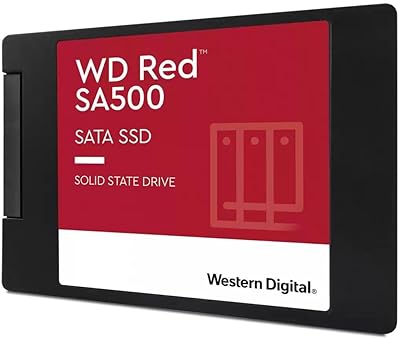
WD Red SA500 4TB NAS SSD
83%
93%
NAS Compatibility
91%
Endurance & Longevity
87%
Read & Write Performance
61%
Value for Money
89%
Installation Ease
More
Western Digital WD Red SA500 2TB SSD
82%
94%
NAS Compatibility
91%
Endurance & Longevity
83%
Sustained Performance
67%
Value for Money
89%
Installation Experience
More
Western Digital Red SA500 1TB NAS SSD
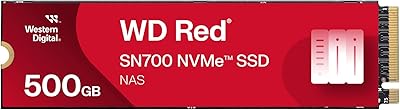
85%
94%
NAS Compatibility
88%
Read Performance
76%
Write Performance
91%
24/7 Reliability
67%
Value for Money
More
WD Red SN700 500GB NVMe SSD
82%
88%
Sustained Performance
84%
NAS Compatibility
91%
Endurance & Longevity
69%
Value for Money
63%
Thermal Management
More
WD Red 5TB NAS Hard Drive
84%
91%
Reliability for 24/7 Operation
77%
Performance (Speed)
89%
Energy Efficiency
85%
Ease of Integration
90%
Compatibility with NAS Systems
More
WD Red Pro 3TB NAS Hard Drive
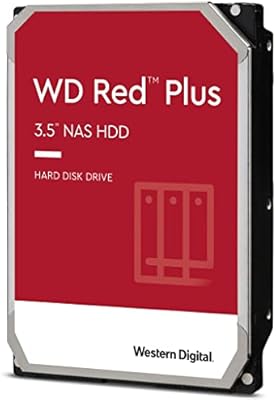
86%
91%
Performance
88%
Reliability
92%
Compatibility with NAS Systems
65%
Noise Levels
89%
Ease of Setup
More
WD Red Plus 12TB NAS Hard Drive
88%
91%
Performance Under Load
95%
Storage Capacity
87%
Ease of Setup & Integration
90%
Error Recovery & Data Protection
88%
Reliability & Durability
More
WD Green SN350 500GB NVMe SSD
77%
91%
Value for Money
88%
Everyday Speed
61%
Write Performance
86%
Compatibility
79%
Long-term Reliability
More
Western Digital WD Blue SN5000 500GB SSD
83%
88%
Read Performance
79%
Write Performance
93%
Value for Money
94%
Installation Ease
86%
Data Migration (Acronis)
More
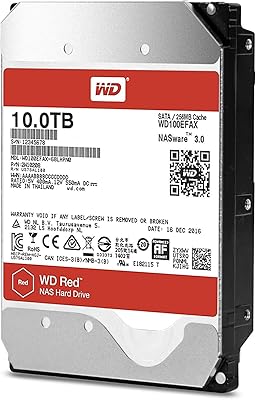
Western Digital WD Red 10TB NAS Hard Drive
83%
88%
Long-Term Reliability
91%
Noise & Acoustics
86%
Heat Management
89%
RAID Compatibility
67%
Sequential Read Speed
More

FAQ

It depends on your specific Synology model. You need a unit that has an M.2 2280 SATA slot — not all Synology NAS boxes do, and some newer ones only support NVMe. Check Synology's compatibility list for your exact model before buying, since assuming M.2 support is one of the most common and costly mistakes buyers make.

A cache drive acts as a fast middleman between your NAS and the users accessing it. When the same files get requested repeatedly — say, a shared project folder your team opens every morning — the cache drive stores those files temporarily so they load much faster than pulling them off a spinning hard drive every time. If your NAS is sluggish under regular use, adding a caching SSD can make a noticeable difference without replacing your existing storage array.

Yes, in many cases, but again the key requirement is that your QNAP unit has an M.2 2280 SATA slot. QNAP publishes a compatibility database on their website where you can search by drive model, and it is worth confirming there before purchasing. Some higher-end QNAP units support both SATA and NVMe M.2 drives, so make sure you are selecting the SATA-compatible slot.

Technically yes — it will fit any M.2 SATA slot on a compatible desktop motherboard and function as a standard SSD. That said, the NAS-specific firmware and 24/7 endurance engineering means you are paying a premium for features that simply go unused outside a NAS. If you only need a desktop SSD, there are better-value options at this capacity.

They serve different purposes. WD Red HDDs are your primary bulk storage — where the data actually lives. This caching drive sits on top of that and accelerates access to your most-used files. Most users benefit from having both: HDDs for capacity, and a caching SSD like this one for speed. Swapping one for the other does not really make sense in a well-configured NAS.

For most home and small-office NAS caching workloads, SATA's 560 MB/s read ceiling is more than sufficient. You would only start feeling the SATA limitation if your NAS supports NVMe and you are handling truly heavy multi-user throughput — think a professional studio with dozens of users simultaneously accessing large video files. For a home setup or small team, the SATA ceiling is rarely a real-world bottleneck.

Yes — physically installing the drive is just the first step. Once it is recognized by your NAS, you need to configure it as a cache volume through your NAS operating system's storage manager (DSM on Synology, QTS on QNAP). Both platforms walk you through this process with a guided setup, and it is reasonably straightforward even if you are not especially technical.

Western Digital backs it with a 5-year limited warranty, which is a meaningful signal of expected durability. In a typical home NAS caching role — which is primarily read-intensive — the 3D NAND should hold up well over that period. Heavily write-intensive applications would wear it faster, but standard caching workloads are not particularly hard on the NAND.

The price premium comes from the NAS-specific engineering: the 24/7 operation rating, the optimized firmware for multi-user environments, and the 3D NAND spec tuned for endurance rather than peak consumer benchmark scores. If you are using it in a NAS, that engineering matters. If you are not, it is fair to say you are overpaying for specs you will not use.

SSDs generally run cooler than spinning hard drives, and this NAS-optimized SSD is no exception — it does not produce significant heat under typical caching workloads. Most NAS enclosures with M.2 slots are designed with adequate airflow for this type of drive, so thermal throttling is rarely a reported issue in real-world NAS deployments.