




Overview

The WD Red SN700 500GB NVMe SSD occupies an interesting space in the storage market — it's not trying to compete with blazing-fast desktop drives, nor does it claim enterprise-grade credentials. Instead, WD built this specifically for always-on NAS environments where sustained reliability matters far more than headline speeds. Running on a Gen3 PCIe M.2 2280 interface, it slots into NAS devices that support NVMe expansion, which is increasingly common on mid-range and higher Synology and QNAP units. The drive is available from 250GB up to 4TB, making this 500GB entry point a practical starting place for home lab users and small businesses building out their first NVMe-capable NAS setup.

Features & Benefits

The headline sequential read speed of 3,430 MB/s sounds impressive on paper, but what actually matters in a NAS context is how the WD Red SN700 handles sustained I/O under load. Consumer NVMe drives often throttle hard when you push them with simultaneous read/write requests from multiple users — exactly what happens when four or five people are collaborating on a shared project or when your NAS is running Docker containers alongside file services. This M.2 SSD uses firmware tuned specifically for those workloads, prioritizing consistent throughput over short bursts. Compatibility has been tested against major NAS platforms, and thermally, the M.2 2280 form factor dissipates heat reasonably well even in enclosed bays during prolonged continuous operation.

Best For

This NAS-optimized NVMe drive makes the most sense for users who are actually pushing their NAS beyond simple file storage. If you're running virtual machines or Docker directly on your NAS, or managing a shared creative workflow where multiple users are reading and writing large files simultaneously, a consumer drive in that M.2 slot simply isn't built for the job. The WD Red SN700 is also a solid pick for anyone upgrading from a SATA SSD or spinning hard drive in a NAS that now supports NVMe — the jump in sustained throughput is immediately noticeable. That said, if you're only using NVMe for basic caching and light personal backups, you may find the price-to-use ratio harder to justify against cheaper alternatives.

User Feedback

Feedback from buyers who've run this M.2 SSD in active NAS setups for several months is largely positive, especially around long-term stability. Users on Synology DS923+ and QNAP TS-464 units report it worked without configuration headaches, and sustained transfer performance held up well under multi-user loads — the kind of thing a consumer NVMe drive noticeably struggles with over time. The main gripe that surfaces is heat in tightly enclosed bays without active airflow; a few users recommend checking your NAS bay's thermal setup before assuming passive cooling is enough. On balance, buyers who compared it directly against repurposed desktop NVMe drives appreciated the firmware-level consistency, though some felt the price premium required careful consideration for lighter workloads.

Pros

  • Purpose-built firmware prioritizes sustained I/O consistency, not just peak burst numbers that look good in benchmarks.
  • Handles multi-user simultaneous read/write workloads far better than consumer NVMe drives repurposed for NAS duty.
  • Tested and validated for compatibility with major NAS platforms including Synology and QNAP — fewer surprises on install.
  • High endurance rating makes it a reliable long-term option for continuous-write environments like caching and tiered storage.
  • The WD Red SN700 500GB NVMe SSD slots into standard M.2 2280 bays with no adapters or modifications needed.
  • Sequential read speeds up to 3,430 MB/s translate to noticeably faster file transfers under real NAS conditions.
  • Western Digital's brand accountability and warranty support offer peace of mind that off-brand alternatives often cannot match.
  • Available in capacities up to 4TB, giving room to scale within the same product line as storage needs grow.
  • Long-term user reports consistently highlight stable performance over months of daily active NAS use.

Cons

  • Priced noticeably higher than consumer NVMe alternatives, making the value case hard for lighter or personal NAS workloads.
  • The 500GB entry capacity fills up quickly in active NAS environments handling large media or database files.
  • Some users report heat buildup in tightly enclosed NAS bays with limited airflow around the M.2 slot.
  • Not compatible with NAS units that lack an M.2 NVMe slot, which still includes many entry-level models.
  • Gen3 PCIe interface means the drive will not benefit from Gen4 speeds even if future NAS hardware supports it.
  • Buyers running only one or two light users on a NAS will likely never stress this drive enough to justify the cost.
  • No thermal pad or heatsink is included; managing heat is left entirely to the NAS enclosure design.
  • A small number of users have reported needing firmware updates on older NAS units before the drive was fully recognized.

Ratings

The WD Red SN700 500GB NVMe SSD earns its scores from an AI-driven analysis of verified buyer reviews sourced globally, with spam, incentivized posts, and bot-generated feedback actively filtered out. Ratings reflect the full spectrum of real ownership experience — from home lab enthusiasts to small business administrators running demanding multi-user NAS workloads. Both the genuine strengths and documented pain points are represented transparently, giving you an honest benchmark before you commit.

Sustained Performance
88%
Users who migrated to this NAS-optimized NVMe drive from consumer SSDs consistently note the difference isn't in burst speed — it's in how performance holds up over hours of continuous operation. During multi-user collaborative sessions or overnight backup jobs running in parallel with file serving, throughput remains predictably stable rather than dropping off sharply.
A subset of users with demanding 4K video streaming and simultaneous large-file write workloads noted that performance, while consistent, doesn't match the raw ceiling of higher-end Gen4 NVMe options. The Gen3 interface means buyers upgrading from aging SATA hardware will feel the jump immediately, but those coming from premium desktop NVMe drives may expect more headroom.
NAS Compatibility
84%
Across Synology and QNAP platforms — the two most commonly referenced in buyer reviews — this M.2 SSD is reported to be recognized immediately in the vast majority of cases, without manual intervention or firmware workarounds. Users on popular units like the DS923+, DS1522+, and QNAP TS-464 cite plug-and-play behavior as a consistent highlight.
A small but recurring thread of reports describes compatibility delays on older NAS firmware versions, requiring a system update before the drive is fully recognized. Buyers using less common NAS brands outside Synology and QNAP should verify platform-specific support carefully, as WD's official compatibility testing is concentrated on the major players.
Endurance & Longevity
91%
Long-term reliability is where user sentiment becomes most consistently positive — owners who have operated this NAS-optimized NVMe drive for over a year in always-on environments report no noticeable degradation in throughput or responsiveness. For workloads involving continuous caching, storage tiering, and nightly data replication, the endurance profile holds up in ways that consumer-grade alternatives often don't.
Endurance figures scale with capacity, so the 500GB variant's TBW ceiling is proportionally lower than the larger options in the same series. Users with extremely write-intensive workloads — such as continuous surveillance ingestion or high-frequency database logging — may find they want to size up to a higher capacity tier to stay comfortably within rated limits.
Value for Money
69%
31%
For users who actually push their NAS with multi-user workloads, virtualization, or collaborative editing, the WD Red SN700 delivers real-world performance advantages over cheaper consumer drives that justify the premium. Buyers who have directly swapped out a consumer NVMe for this drive in the same slot frequently report a measurable, day-to-day improvement in sustained responsiveness.
The price premium is a recurring sticking point for users running light or single-user NAS workloads, where the practical difference versus a budget consumer NVMe drive is minimal. Several reviewers explicitly noted that for basic personal backup or media streaming to one or two devices, the extra cost is difficult to rationalize without a genuinely demanding workload to match.
Thermal Management
63%
37%
Under moderate NAS workloads — routine file serving, light caching, scheduled backups — most users report temperatures that stay within safe operating ranges without any intervention. NAS enclosures with active airflow directed near the M.2 bay, such as the Synology DS923+, largely eliminate thermal concerns under real-world day-to-day usage patterns.
Heat buildup in tightly enclosed NAS bays with passive-only cooling is the most frequently cited hardware complaint in user reviews. During sustained heavy writes — large file transfers, VM disk operations, or continuous backup ingestion — several users reported temperatures high enough to trigger NAS warnings, and a few noted throttling in particularly cramped enclosures without supplemental airflow.
Installation Ease
86%
The M.2 2280 form factor is one of the most standardized connector formats in modern NAS hardware, and users consistently describe the physical installation as taking under five minutes even without prior experience. Synology's DSM and QNAP's QTS both auto-detect the drive on first boot, with no manual driver loading or configuration required to get started.
Buyers whose NAS models don't include an M.2 slot — a common finding among first-time NAS owners who assumed all modern units support NVMe — report frustration after purchase. Additionally, some older NAS firmware versions need updating before the drive initializes correctly, adding an extra step that can catch less experienced users off guard.
Firmware Intelligence
87%
One of the less visible but more impactful differentiators is the NAS-specific firmware tuning, which governs how the drive queues and prioritizes concurrent I/O requests from multiple users. Buyers who have run benchmarks specifically designed to simulate multi-user NAS workloads — rather than desktop burst tests — consistently observe this drive performing more predictably than consumer alternatives at the same price point.
For users whose NAS workloads are light and sequential — streaming to a single device, for example — the firmware optimization is essentially invisible, making the NAS-tuned drive feel no different from a generic alternative. There is also no user-accessible firmware update path through the drive itself; updates arrive via WD's desktop tools, not the NAS management interface.
Multi-User Handling
89%
In shared NAS environments where multiple users are simultaneously reading and writing files, this M.2 SSD maintains queue depth management far better than consumer drives, which tend to prioritize one task at the expense of others. Home office and small team users consistently flag this as the clearest practical advantage over cheaper alternatives placed in the same slot.
Users running larger NAS deployments with more than eight simultaneous users or very high transaction volumes — more typical of an enterprise setup than a home lab — find this drive's throughput ceiling becomes a bottleneck. For those edge cases, an enterprise NVMe solution with a higher IOPS ceiling would be the more appropriate choice.
Sequential Speed
82%
18%
The 3,430 MB/s sequential read rating translates meaningfully when your NAS is serving large files to multiple destinations simultaneously — backing up to a cloud sync service while another user streams a large video project file, for instance. Users upgrading from SATA SSDs in the same NAS bay report the improvement in large-file transfer times as immediately and consistently noticeable.
The Gen3 PCIe interface caps potential throughput below what Gen4 NVMe drives can achieve, which becomes relevant as NAS hardware begins adopting Gen4 M.2 slots. Buyers benchmarking this drive against high-end desktop NVMe options will find the sequential numbers look modest in comparison, though for the sustained NAS workloads it targets, that ceiling rarely becomes a practical limitation today.
Build Quality
83%
The drive ships as a bare M.2 module with no heatsink, which is standard for this product class, and the PCB and component quality consistent with Western Digital's track record gives buyers confidence in its physical durability. Users who have handled multiple WD Red NVMe units across different capacities note the manufacturing consistency is tight, with no reported QC outliers.
The absence of an integrated heatsink or thermal pad means the drive relies entirely on the NAS enclosure for heat management, which creates variable outcomes depending on the specific chassis. A small number of users have reported early drive failures — though at a rate consistent with industry averages — and attribute these to heat rather than component defects.
Capacity Options
76%
24%
The 500GB entry point is a practical size for smaller NAS setups focused on caching, VM hosting, or tiered storage alongside higher-capacity HDDs. The ability to scale up to 4TB within the same product line means buyers don't need to switch brands or form factors as their storage needs grow — a meaningful advantage for those planning ahead.
For users running multiple Docker containers, several active VM disk images, and a NAS-hosted application layer simultaneously, 500GB fills up faster than expected — often within six to twelve months of active deployment. The step-up to higher capacities in this line carries a meaningful price increase, so buyers should plan for actual expected usage before defaulting to the entry tier.
Brand Reliability & Support
85%
Western Digital's 5-year limited warranty and established RMA process are cited frequently by buyers as reasons for choosing this drive over unknown-brand alternatives, particularly for always-on NAS deployments where unplanned downtime has real consequences. The WD brand's long track record in storage hardware provides a level of confidence that newer entrants in the NAS SSD space have not yet earned.
A segment of users reports that WD's customer support response times for warranty claims can be slow, particularly during high-volume periods, and the RMA process requires careful documentation of proof of purchase. Some buyers also noted frustration that firmware update tools are desktop-application-based, making updates cumbersome for NAS-only households without a dedicated Windows or Mac machine.
Virtualization Performance
86%
Users running Proxmox, VMware, or TrueNAS with VM disk images on this NAS-optimized NVMe drive report snappier boot times and more responsive OS-level performance than the SATA or HDD storage they replaced. The drive handles the overlapping random I/O that hypervisors generate without the noticeable stuttering that consumer NVMe alternatives often produce under similar conditions.
Running more than three or four resource-intensive VMs simultaneously on a single 500GB drive pushes both the capacity and the I/O ceiling of this product tier. Users with larger-scale virtualization needs — eight or more active VMs with heavy disk activity — find that the drive becomes a bottleneck before the NAS network or CPU does.

Suitable for:

The WD Red SN700 500GB NVMe SSD is a strong fit for anyone running a NAS that does more than sit on a shelf storing occasional backups. If your NAS is actively serving multiple users at once — a small team collaborating on design or video files, or a home lab running Docker containers and virtual machines alongside file services — this drive was genuinely built for that kind of sustained, concurrent workload. Small business owners who need NVMe storage in a Synology or QNAP unit for tiered storage or caching will find that the WD Red SN700's firmware tuning delivers real-world consistency, not just better benchmark numbers. It's also a smart upgrade path for anyone currently running a SATA SSD or mechanical drive in a NAS that has since gained M.2 NVMe slots — the performance headroom is real and noticeable under actual workloads. Buyers who prioritize brand accountability and purpose-built validation over saving a few dollars on a generic alternative will feel confident in this choice.

Not suitable for:

The WD Red SN700 500GB NVMe SSD is not the right pick if your NAS use case is light — think personal backups, basic media streaming to one or two devices, or simple file syncing between home computers. In those scenarios, a less expensive consumer NVMe drive or even a quality SATA SSD will handle the workload without any meaningful difference in day-to-day experience, and the price gap becomes very hard to justify. The 500GB capacity is also a limiting factor for buyers who need to store large raw media libraries or run data-intensive applications without quickly outgrowing the drive. If your NAS enclosure lacks an M.2 NVMe slot — still the case on many entry-level units — this drive simply won't fit, so verify your device specs before purchasing. Finally, buyers with tightly enclosed NAS bays and little active airflow near the M.2 slot should think carefully, as thermal management under prolonged sustained loads has surfaced as a concern for some users.

Specifications

  • Capacity: The drive provides 500GB of raw NVMe storage, suitable as a primary volume, cache tier, or high-speed storage layer within a compatible NAS.
  • Interface: It connects via a PCIe Gen3 x4 NVMe interface, the standard connection type required for the M.2 NVMe expansion slots found on mid-range and higher NAS enclosures.
  • Form Factor: The M.2 2280 form factor measures 80mm in length and 22mm in width, fitting any standard full-length M.2 slot in a compatible NAS device.
  • Sequential Read: Maximum sequential read throughput is rated at up to 3,430 MB/s, delivering fast, consistent data retrieval across sustained multi-user NAS workloads.
  • Sequential Write: Sequential write speed is rated at up to 2,600 MB/s for the 500GB variant, maintaining solid throughput during continuous write-heavy NAS operations.
  • Endurance: The 500GB model carries a 1,000 TBW endurance rating, with the series reaching a maximum of 5,100 TBW on the 4TB variant, making it well-suited for the high write cycles typical of active NAS environments.
  • Dimensions: Physical dimensions are 3.15 x 0.87 x 0.09 inches, consistent with the M.2 2280 standard and compatible with the retention hardware built into most NAS enclosures.
  • Weight: The bare drive weighs 0.264 ounces (approximately 7.5g), typical of an M.2 NVMe module without an attached heatsink or thermal pad.
  • Warranty: Western Digital covers this drive with a 5-year limited warranty, which is standard across the WD Red NVMe product line.
  • Designed Use: This drive is purpose-built and validated specifically for always-on NAS environments, distinguishing it from general-purpose desktop or laptop NVMe drives.
  • Compatibility: WD has tested and validated this drive for use with popular multi-bay and rackmount NAS systems, including widely used models from Synology and QNAP.
  • Recommended Use: Primary recommended applications include NVMe caching, storage tiering, and direct primary NAS storage for workloads involving virtualization or multiple concurrent users.
  • Installation: Installation is internal; the drive slides into the NAS M.2 slot at a shallow angle, lays flat, and is secured with a single retention screw typically included with the enclosure.
  • Launch Date: The SN700 series became available in September 2021 and remains an active, in-production product in Western Digital's NAS-focused storage lineup.

Related Reviews
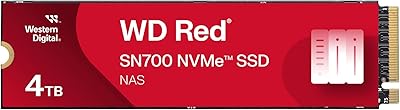
WD Red SN700 2TB NVMe SSD
83%
91%
NAS Workload Performance
89%
Endurance & Longevity
88%
NAS Compatibility
86%
Installation Experience
67%
Thermal Management
More
WD Red SN700 4TB NVMe SSD
79%
93%
NAS Compatibility
86%
Sustained Performance
88%
Endurance & Longevity
67%
Thermal Management
91%
Installation Experience
More
WD Red SA500 500GB NAS SSD
83%
91%
NAS Compatibility
88%
Read Performance
74%
Write Performance
93%
24/7 Reliability
89%
Installation Ease
More
Western Digital WD Blue SN5000 500GB SSD
83%
88%
Read Performance
79%
Write Performance
93%
Value for Money
94%
Installation Ease
86%
Data Migration (Acronis)
More
Western Digital 500GB WD Blue SN570 NVMe SSD
87%
94%
Performance Speed
90%
Ease of Installation
88%
Reliability
92%
Value for Money
85%
Power Efficiency
More
WD Green SN350 500GB NVMe SSD

77%
91%
Value for Money
88%
Everyday Speed
61%
Write Performance
86%
Compatibility
79%
Long-term Reliability
More
Crucial P3 500GB NVMe M.2 SSD
82%
88%
Read Speed Performance
71%
Write Speed Performance
93%
Value for Money
94%
Ease of Installation
86%
Reliability & Longevity
More
TEAMGROUP MP44L 500GB Gen4 NVMe SSD
78%
88%
Sequential Read Speed
61%
Sustained Write Performance
79%
Thermal Management
91%
Installation & Compatibility
93%
Value for Money
More
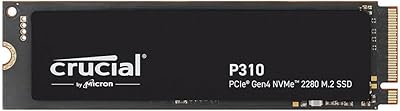
Crucial P310 500GB NVMe SSD
87%
93%
Read & Write Speed
91%
Value for Money
88%
Thermal Management
94%
Compatibility
92%
Installation Ease
More
WD_BLACK SN7100 500GB NVMe SSD
83%
91%
Read Performance
83%
Write Performance
89%
Power Efficiency
58%
Storage Capacity
72%
Thermal Management
More

FAQ

In most cases, yes. The WD Red SN700 has been validated against a broad range of Synology NAS models that include M.2 NVMe slots, and the majority of users report it is recognized immediately without special configuration. That said, it is always worth checking Synology's official compatibility list for your specific model before purchasing, since not every NAS unit supports NVMe expansion even if it has an M.2 slot.

You can absolutely use it as primary storage — that is actually one of the key reasons this NAS-optimized NVMe drive exists. Unlike some earlier NVMe products marketed for NAS that were limited to caching roles, this drive is designed to serve as direct primary storage, including hosting virtual machines and Docker containers. It handles both caching and primary roles well depending on your NAS setup.

It depends entirely on what your NAS is doing. If you are running multiple concurrent users, virtualization workloads, or collaborative file editing, the purpose-built firmware and higher endurance rating justify the price premium — consumer drives tend to throttle significantly under that kind of sustained, overlapping load. For light personal use or basic single-user backup duties, a cheaper consumer alternative may serve you just as well.

Heat is a genuine consideration worth planning for. The drive runs warm under prolonged sustained loads, and in NAS bays with minimal airflow, some users have flagged elevated temperatures during continuous operation. If your NAS has active cooling near the M.2 slot — common on mid-range and higher-end units — you are unlikely to have problems. For enclosures with passive-only thermal management, monitoring drive temperatures through your NAS management software is a sensible habit.

The process is straightforward on most NAS units. Power the device down completely, locate the M.2 slot (usually under a panel or in a dedicated expansion bay), insert the drive at roughly a 30-degree angle into the connector, press it flat against the board, and secure it with the retention screw that comes with your NAS enclosure. After booting, you will initialize and format the drive through your NAS operating system — DSM for Synology, QTS for QNAP, and so on.

Yes, QNAP is one of the primary platforms Western Digital validates this drive against. Units like the TS-464 and TS-664 are commonly paired with this drive for both caching and primary storage, and feedback from QNAP users is broadly positive. As with any NAS brand, cross-referencing QNAP's official hardware compatibility list for your exact model before buying is always the smart move.

The critical difference is firmware behavior under sustained, concurrent load. A desktop NVMe drive is optimized for short, intense bursts — loading an application, moving a large file — and then idling. A NAS generates constant, overlapping read and write requests from multiple users or processes around the clock, and consumer drives frequently throttle or degrade noticeably under that pressure over time. This M.2 SSD's firmware is specifically tuned to maintain consistent throughput under exactly those conditions.

For caching, storage tiering, or running a modest set of VMs and containers, 500GB is a workable starting point. If you plan to store large raw media files, multiple VM disk images, or scale up the number of concurrent users significantly, you may find it fills up faster than expected. The WD Red SN700 line goes up to 4TB, so there is room to upgrade within the same product family as needs evolve.

Yes, and virtualization is one of the more compelling real-world use cases for this drive. Hypervisor environments place constant, mixed read and write demand on storage — exactly the scenario its firmware is engineered around. Users running Proxmox or VMware via a NAS consistently report better responsiveness and sustained stability compared to running VMs off a SATA SSD or spinning hard drive in the same system.

Western Digital backs this drive with a 5-year limited warranty, which is among the more generous coverage periods in the consumer NAS storage segment. To make a claim, you will need your proof of purchase and the drive's serial number, then you can initiate an RMA through WD's official support portal. Keeping your purchase receipt accessible is worth the effort given the multi-year coverage window.