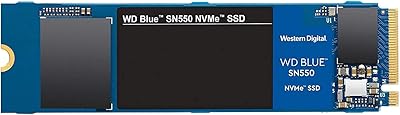

Overview

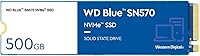
The WD Blue SN570 500GB NVMe SSD has been a staple recommendation for anyone trying to squeeze more speed out of an aging PC without spending a fortune. Western Digital built this drive to slot into the budget end of its Blue series, and it shows in the pricing without feeling like a stripped-down product. You get 500GB of usable space inside a compact M.2 2280 stick, the kind that disappears into a laptop's motherboard without adding bulk. It connects over a PCIe Gen3 x4 interface, which is plenty fast for typical boot times, app loading, and file transfers. Since its release in late 2021, it's remained a popular pick for desktop builders and laptop owners alike who just want a reliable upgrade.

Features & Benefits

Western Digital rates this NVMe drive at sequential read speeds up to 3,500 MB/s, and in everyday use that translates to noticeably quicker boot times and app launches compared to a SATA-based drive. The single-sided design is worth pointing out too, since it keeps the drive thin enough to fit into laptops with very little internal clearance, something not every SSD can manage. Build quality feels solid for the price, and the drive is light enough that it barely registers as an addition to a system. Western Digital positions this WD Blue SSD as a workhorse meant for daily reads and writes rather than extreme workloads, and that's a fair way to think about it. There's also a limited-time Adobe Creative Cloud trial bundled in, though it's worth checking whether that offer is still active before counting on it.

Best For

This 500GB drive makes the most sense for anyone still running a SATA SSD or, worse, a traditional hard drive, since the jump in everyday responsiveness is hard to miss once you've felt it. It's also a smart pick for budget-conscious builders who want NVMe-level performance without paying for the higher-capacity models. Photo and video editors working with smaller projects will appreciate quicker file access, though anyone juggling large 4K footage or massive media libraries should look at 1TB or 2TB options instead. If you're assembling an affordable everyday PC and don't need to store huge game libraries or media archives, this drive fits neatly into that kind of build without forcing compromises elsewhere in the budget.

User Feedback

Feedback on this WD Blue SSD tends to be overwhelmingly positive, with a strong overall rating built from tens of thousands of reviews. Most buyers report a clear, noticeable speed boost the moment they swap out their old drive, and many describe it as dependable for the price they paid. A handful of complaints show up around the bundled software offer, with some owners noting that the Adobe Creative Cloud trial had already expired by the time they got around to redeeming it, which is a minor letdown rather than a dealbreaker. A few more cautious buyers mention double-checking PCIe slot compatibility before purchase, since not every older motherboard supports the connection this drive needs to perform as advertised.

Pros

  • Delivers a real, noticeable speed jump over older SATA drives
  • Compact single-sided design fits even tight laptop interiors
  • Backed by a strong overall rating from a huge number of buyers
  • Lightweight build that adds virtually no bulk to a system
  • Solid choice for budget-conscious builders wanting NVMe performance
  • Handles everyday tasks like booting and app loading smoothly
  • Western Digital's Blue lineup has a longstanding reputation for dependability
  • The WD Blue SN570 500GB NVMe SSD remains widely available years after launch

Cons

  • 500GB fills up quickly with large game libraries or media files
  • Not ideal for heavy 4K video editing or large creative projects
  • Requires a PCIe Gen3 M.2 slot, which older boards may lack
  • Adobe Creative Cloud trial offer may already be expired by purchase time
  • Falls behind newer PCIe Gen4 drives in raw top-end speed
  • Buyers needing more headroom will outgrow this capacity within a year or two
  • No DRAM cache, which can affect performance under sustained heavy workloads

Ratings

These scores for the WD Blue SN570 500GB NVMe SSD were generated by AI after analyzing thousands of verified user reviews from shoppers around the world, with spam, bot activity, and incentivized feedback filtered out before any scoring took place. The goal here is to reflect what real owners actually experience over weeks and months of use, not just the marketing sheet. Both the genuine strengths and the recurring frustrations are represented transparently below.

Sequential Read Speed
89%
Owners consistently notice quicker boot times and faster app launches right after installation, especially when upgrading from an older hard drive. Loading large files or switching between programs feels snappier during normal multitasking sessions, which is where most people actually feel the difference day to day.
A handful of reviewers expected console-crushing speeds and were mildly disappointed once they realized real-world gains depend heavily on the rest of their system. On older CPUs or RAM-limited machines, the bottleneck shifts elsewhere and the drive's full potential goes unnoticed.
Write Performance
76%
24%
For typical tasks like saving documents, installing software, or transferring photos from a phone, write speeds feel perfectly adequate and rarely cause any noticeable lag. Most casual users never push the drive hard enough to hit a slowdown.
Without a dedicated DRAM cache, sustained large file transfers or heavy multitasking can cause write speeds to dip noticeably. Users handling large video exports or bulk file copies sometimes report a slowdown partway through the operation.
Daily Responsiveness
92%
This is consistently the most praised aspect, with buyers describing their whole system feeling snappier within minutes of installation. Everyday actions like opening browsers, switching tabs, or resuming from sleep happen almost instantly compared to spinning hard drives or aging SATA SSDs.
A small number of users coming from existing NVMe drives noted the upgrade felt subtle rather than dramatic, since the jump from SSD to SSD is far less noticeable than going from a hard drive. Expectations matter a lot here.
Build Quality & Form Factor
88%
The single-sided, featherlight design earns consistent praise from laptop owners dealing with tight internal clearance, since it slots in without any fitment issues. Desktop builders also appreciate how little space it takes up inside a case.
A few buyers mentioned the lack of a heatsink or thermal pad included in the box, requiring a separate purchase for builds with poor airflow. It's a minor gripe but comes up occasionally in reviews.
Compatibility
81%
19%
Most users report a smooth, plug-and-play experience once they confirm their motherboard or laptop supports NVMe over an M.2 slot. It works reliably across a wide range of desktop and laptop builds without driver headaches.
Several reviewers learned the hard way that their older system only supported SATA M.2 drives, leading to returns and frustration. Double-checking the manual or motherboard specs before buying is a recurring piece of advice in feedback threads.
Reliability & Durability
90%
Long-term owners frequently mention the drive holding up well after a year or more of daily use, with no signs of slowdown or failure. It's regularly described as a dependable workhorse for everyday computing rather than a flashy showpiece.
A small subset of reviews mention early failures or drives that stopped being recognized by the system, though these appear to be isolated cases rather than a widespread pattern. Anyone relying on critical data should still keep backups regardless.
Value for Money
93%
This is repeatedly cited as one of the best price-to-performance NVMe options available, especially for anyone upgrading from a budget SATA SSD or hard drive. Buyers feel like they're getting genuine speed gains without paying a premium markup.
Buyers who later realized 500GB filled up faster than expected sometimes felt they should have stretched their budget toward the 1TB model instead. The per-gigabyte value shifts at higher capacities.
Heat Management
84%
Most users report the drive running comfortably warm rather than hot during normal everyday tasks, even without additional cooling. It tends to stay within safe operating temperatures in typical desktop and laptop airflow conditions.
Under sustained heavy workloads like large file transfers or extended gaming sessions, some owners noticed thermal throttling kick in without a heatsink installed. Builds with poor case ventilation are more likely to run into this.
Capacity for Use Case
71%
29%
For light users, this 500GB drive comfortably handles an operating system, browser, office software, and a modest game or photo library without issue. It hits a practical middle ground for casual, everyday computing.
Gamers with sizable libraries and creative professionals working with large project files frequently report running out of space sooner than expected. Many end up needing a second drive or wishing they'd bought the 1TB version upfront.
Bundled Software Extras
58%
42%
Buyers who redeemed the Adobe Creative Cloud trial promptly after purchase appreciated the small added value, especially those dabbling in photo editing or design work for the first time.
A noticeable number of reviews mention the trial offer had already expired by the time they tried to redeem it, leaving them frustrated by what felt like a hollow bonus. It shouldn't factor heavily into anyone's buying decision.
Brand Reputation
91%
Western Digital's long history in storage manufacturing gives buyers confidence, and the Blue lineup specifically has built a reputation for dependable, no-frills performance over multiple product generations. Repeat buyers often mention sticking with the brand after good experiences.
A few reviewers compared it unfavorably to newer competitor drives offering faster Gen4 speeds at similar price points, suggesting the brand loyalty doesn't always translate to having the most cutting-edge specs on the market.
Installation Ease
86%
Most reviewers describe installation as straightforward, even for first-timers, requiring just a screwdriver and a few minutes to slot the drive into an M.2 bay. Cloning software from Western Digital's website helps ease the transition from an old drive.
A few less tech-savvy buyers struggled with BIOS settings or partition setup after installation, leading to some initial confusion. Clearer included instructions would help smooth out that first-time setup experience.

Suitable for:

The WD Blue SN570 500GB NVMe SSD makes the most sense for someone upgrading an aging laptop or desktop that's still running on a traditional hard drive or an older SATA SSD. Anyone who wants the snappy feel of NVMe storage but doesn't want to pay for a high-end 1TB or 2TB model will find this capacity hits a comfortable middle ground. It's a strong fit for home office setups, everyday browsing and productivity machines, and budget PC builds where the operating system and a handful of programs need a fast home. Light photo editors or students working with smaller media files will also notice quicker load times without needing massive storage headroom. Because of its single-sided design, it's particularly well suited to slim laptops where internal clearance is tight. For straightforward, no-fuss speed improvements on a modest budget, it's a sensible choice.

Not suitable for:

This drive isn't the right call for anyone who needs serious storage headroom, since 500GB fills up fast once games, large media libraries, or full creative project files enter the picture. Heavy video editors working in 4K or higher resolutions will likely outgrow it quickly and should look toward larger capacities instead. Buyers with older systems that lack a PCIe Gen3 M.2 slot won't be able to use the WD Blue SN570 500GB NVMe SSD at all, so checking motherboard or laptop specs beforehand really matters. Anyone expecting the bundled Adobe Creative Cloud trial to still be valid should also temper expectations, since that offer is time-limited and may no longer be redeemable. Power users chasing top-tier PCIe Gen4 speeds will find this drive a step behind newer alternatives.

Specifications

  • Storage Capacity: This drive offers 500GB of usable storage space.
  • Interface: It connects via the NVMe protocol over a PCIe Gen3 x4 link.
  • Form Factor: The drive uses the compact M.2 2280 form factor.
  • Design: It features a single-sided board layout for slim device compatibility.
  • Sequential Read Speed: Read speeds are rated at up to 3,500 MB/s.
  • Weight: The drive weighs 0.224 ounces.
  • Dimensions: It measures 3.15 x 0.87 x 0.09 inches.
  • Compatible Devices: It works with laptops, desktops, and standard PC builds.
  • Color: The drive features a blue circuit board casing.
  • Model Number: The official model number is WDS500G3B0C.
  • Manufacturer: It is manufactured by Western Digital Technologies, Inc.
  • Bundled Software: It includes a one-month Adobe Creative Cloud trial offer for new redemptions.
  • Release Date: The drive first became available in October 2021.
  • Customer Rating: It holds a 4.8 out of 5 star rating from buyers.
  • Series: It belongs to Western Digital's SN570 series within the Blue lineup.

Related Reviews
Western Digital WD Blue SN570 2TB NVMe SSD
84%
88%
Read Speed Performance
63%
Sustained Write Performance
91%
Value for Money
94%
Installation & Compatibility
89%
Long-Term Reliability
More
Western Digital 1TB WD Blue SN570 NVMe SSD
87%
92%
Performance
91%
Value for Money
88%
Ease of Installation
94%
Read/Write Speed
85%
Power Efficiency
More
Western Digital WD Blue SN5000 500GB SSD
83%
88%
Read Performance
79%
Write Performance
93%
Value for Money
94%
Installation Ease
86%
Data Migration (Acronis)
More
Western Digital 2TB WD Blue SN580 NVMe SSD
89%
91%
Performance
94%
Speed (Read/Write)
88%
Build Quality
92%
Value for Money
90%
Durability/Endurance
More
WD Green SN350 500GB NVMe SSD
77%
91%
Value for Money
88%
Everyday Speed
61%
Write Performance
86%
Compatibility
79%
Long-term Reliability
More
WD Red SN700 500GB NVMe SSD
82%
88%
Sustained Performance
84%
NAS Compatibility
91%
Endurance & Longevity
69%
Value for Money
63%
Thermal Management
More
Western Digital 1TB WD Blue SN550 NVMe SSD
88%
93%
Performance
91%
Read Speed
88%
Write Speed
89%
Ease of Installation
90%
Compatibility
More
WD Blue SN5000 4TB NVMe SSD
87%
91%
Sequential Read Performance
88%
Sequential Write Performance
96%
Storage Capacity
67%
Thermal Management
93%
Endurance & Longevity
More
Western Digital WD Blue 500GB M.2 SSD
82%
83%
Real-World Read Speed
81%
Write Performance
91%
Installation Experience
88%
Long-Term Reliability
74%
Value for Money
More
Crucial P310 500GB NVMe SSD
87%
93%
Read & Write Speed
91%
Value for Money
88%
Thermal Management
94%
Compatibility
92%
Installation Ease
More

FAQ

It works in both. The single-sided design is actually built with thin laptops in mind, since it fits into M.2 slots with limited internal clearance. Just double-check your laptop supports M.2 NVMe drives before buying, since some older or budget laptops only support SATA M.2.

For general browsing, office work, and a handful of apps, 500GB is usually plenty. If you're gaming with large modern titles or editing big video files, you'll likely want to pair it with additional storage or step up to a 1TB version instead.

You need a motherboard or laptop with an M.2 slot that supports NVMe over PCIe Gen3 or newer. It won't work in a SATA-only M.2 slot, so it's worth checking your system specs before ordering.

Noticeably faster in real-world use, especially for boot times and loading large files. SATA SSDs typically cap out around 550 MB/s, while this drive is rated up to 3,500 MB/s for reads, though you won't always feel the full jump in basic everyday tasks like web browsing.

It's a solid budget option for gaming, especially for faster game load times compared to a hard drive or SATA SSD. It won't match the absolute fastest PCIe Gen4 drives, but for most gamers it offers a great balance of speed and price.

No, it ships as a bare M.2 drive without a heatsink or additional mounting hardware. Most motherboards include their own M.2 screw, and a heatsink generally isn't necessary for this drive given its power and thermal profile.

It's worth checking before counting on it, since that offer has historically come with redemption deadlines and may no longer be valid depending on when you purchase. Treat it as a nice bonus rather than a core reason to buy.

You'll slide it into an open M.2 slot on your motherboard or laptop at a slight angle, then secure it with a small screw. After that, you'll need to initialize the drive in your operating system and either clone your existing data over or do a fresh install.

This particular drive isn't designed for console use, since most consoles have specific speed and form factor requirements for expansion storage. It's intended for PC, laptop, and desktop systems instead.

Based on its track record and broad customer feedback, yes, it holds up well for everyday read and write workloads. It's engineered as a dependable, budget-friendly option rather than a high-endurance drive for extreme workloads, but for typical daily use it has a strong reputation.