Overview

The Western Digital WD Blue SN570 2TB NVMe SSD is WD's solid answer for the vast middle of the storage market — everyday PC builders, laptop upgraders, and anyone tired of slow hard drives or aging SATA SSDs. It runs on a PCIe Gen3 x4 interface, which puts it a step behind the latest Gen4 drives in raw throughput, but for most real-world workloads that gap rarely matters. The M.2 2280 single-sided design gives it strong compatibility across desktops and thin laptops alike. At 2TB, it offers enough room for an OS, a game library, and a solid chunk of media files without immediately feeling cramped. Solid, reliable, and well-priced — just don't expect enthusiast-tier numbers.
Features & Benefits

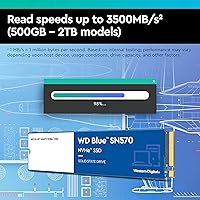
The headline spec is reads hitting 3,500 MB/s, and while benchmark tools love that number, the real-world payoff is boots and app launches that feel noticeably snappier than any SATA drive. Where you need to pay attention is sustained write performance. This 2TB NVMe SSD has no dedicated DRAM cache — it uses Host Memory Buffer instead, borrowing a slice of your system RAM. For typical daily tasks, that's a non-issue. But push it with a large continuous write, like copying a 200GB video project, and you'll likely see speeds taper off mid-transfer. The single-sided PCB is a real advantage for slim builds. WD Dashboard handles health monitoring and firmware updates cleanly without being intrusive.

Best For

The SN570 makes the most sense for a few specific types of buyers. If you're upgrading a desktop or laptop that tops out at Gen3 PCIe slots — which covers a huge share of machines from 2018 to 2021 — this drive is a natural fit. It's also worth considering for thin-and-light laptop owners where a single-sided M.2 is non-negotiable. Content creators who need bulk storage for large photo or video libraries will appreciate the 2TB capacity, though they should keep the sustained write limits in mind for active project work. Students and remote workers who just want fast, dependable everyday storage without spending a fortune are probably the ideal audience here. It's not the right choice for Gen4 boards if you're building fresh today.

User Feedback

With nearly 20,000 ratings and a 4.8-star average, this WD Blue NVMe drive has earned a level of community trust that's hard to fake. The consistent praise centers on how effortless the installation is, along with reliable day-to-day performance that just works without any drama. Temperatures stay low, and most users report no noticeable noise — which you'd hope for in an SSD, but it's worth confirming. The main complaint pattern is predictable: people running large, sustained write workloads hit that DRAMless ceiling and notice a slowdown. This isn't a defect, but buyers should know going in. Long-term owners — those past the one-to-two-year mark — largely report no reliability issues, which matters more than any single benchmark score.

Pros

  • Read speeds reaching 3,500 MB/s deliver a sharp, real-world improvement over any SATA SSD or hard drive.
  • The single-sided PCB fits a wide range of laptops and compact builds where double-sided drives simply won't work.
  • 2TB of NVMe storage at this tier offers a generous amount of room for OS, games, and media in one drive.
  • WD Dashboard gives you easy access to drive health, S.M.A.R.T. data, and firmware updates without any technical hassle.
  • Installation is genuinely plug-and-play — users consistently report no driver issues or compatibility headaches.
  • A near-perfect rating across close to 20,000 reviews signals unusually consistent real-world reliability.
  • Long-term owners past the one-to-two-year mark overwhelmingly report stable performance and no failure concerns.
  • The SN570 runs cool and quiet under typical daily workloads, never becoming a thermal concern in most builds.
  • For Gen3 systems, this drive extracts nearly everything the platform has to offer without leaving performance on the table.

Cons

  • No dedicated DRAM cache means sustained write speeds drop noticeably during large, continuous file transfers.
  • Buyers with Gen4 motherboards are leaving platform performance unused by pairing it with this Gen3 drive.
  • The Host Memory Buffer approach borrows system RAM, which could matter on machines with only 8GB total.
  • There is no official published TBW endurance rating prominently listed, making long-term wear planning harder.
  • The bundled Adobe Creative Cloud trial is a one-month freebie that adds little lasting value for most buyers.
  • Sequential write performance in particular lags behind DRAM-equipped competitors under heavy workload conditions.
  • Not ideal for anyone who regularly moves extremely large files in bulk, such as raw video production workflows.

Ratings

The Western Digital WD Blue SN570 2TB NVMe SSD has been scored by our AI system after analyzing thousands of verified global buyer reviews, with spam, bot-submitted, and incentivized feedback actively filtered out before scoring. The results reflect a genuinely well-regarded mainstream drive with a few honest limitations that real users have flagged repeatedly. Both the strengths and the friction points are represented transparently in the category scores below.

Read Speed Performance
88%
Users coming from SATA SSDs or hard drives consistently describe the jump in responsiveness as striking — boots finish faster, applications open with little hesitation, and game load screens shrink noticeably. The 3,500 MB/s ceiling is well-utilized for everyday sequential reads in real-world conditions.
Benchmark-chasing buyers occasionally note that newer Gen4 drives pull ahead in synthetic tests by a wide margin. For Gen3 systems the gap is irrelevant, but on modern boards the SN570 will feel held back if you know what the platform is capable of.
Sustained Write Performance
63%
37%
For typical mixed workloads — saving project files, installing software, writing smaller chunks of data — the drive handles things without any perceptible slowdown. Most everyday users never push it hard enough to notice the DRAMless ceiling at all.
This is the SN570's most consistently flagged limitation. Users copying large video files or doing bulk data transfers frequently report write speeds dropping significantly mid-transfer once the SLC cache fills. For heavy sequential write workloads, the DRAMless design is a real and recurring frustration.
Value for Money
91%
Across a broad range of buyers — students, home office workers, casual gamers — the consensus is that this drive delivers a lot of real-world storage and speed for its price tier. The combination of a trusted brand name and 2TB NVMe capacity at a competitive price point resonates strongly.
A small but vocal group of reviewers point out that Gen4 alternatives have dropped to comparable price points, which narrows the value argument for anyone building on a newer platform. If your board supports Gen4, spending slightly more starts to look rational.
Installation & Compatibility
94%
Installation is one of the most universally praised aspects of the SN570 across thousands of reviews. Buyers across all experience levels report screwing it in, booting up, and having the system recognize it instantly — no driver downloads, no BIOS fiddling required in most cases.
A small number of laptop users ran into slot compatibility questions, specifically around 2242 versus 2280 form factors in ultrabooks. This is a standard M.2 sizing issue, not a drive defect, but it catches unprepared buyers off-guard when the drive doesn't physically fit.
Long-Term Reliability
89%
Users who have owned the SN570 for one to two years regularly return to their reviews to report that the drive is still performing exactly as it did on day one. For a mid-range consumer NVMe, that pattern of long-tail positive follow-ups is a meaningful trust signal.
Western Digital does not prominently publish a TBW endurance rating in the consumer-facing product listing, which frustrates power users who want to track wear over time. Without a clear endurance figure, long-term planning for write-intensive use cases requires some guesswork.
Thermal Management
82%
18%
The SN570 consistently runs cooler than Gen4 drives under equivalent workloads, which users in compact builds and thin laptops particularly appreciate. Thermal throttling is rarely mentioned in user feedback, even in cases where no heatsink is used.
A handful of users in small form factor cases with poor airflow did report slightly elevated idle temperatures during prolonged sessions. Adding a basic M.2 heatsink resolves the issue easily, but it's worth noting for ITX builders running very tight thermal configurations.
Software & Monitoring
76%
24%
The WD Dashboard utility is straightforward to set up and gives users a clear, readable view of drive health, temperature, and S.M.A.R.T. attributes. For buyers who want basic peace-of-mind monitoring without digging into third-party tools, it does the job cleanly.
Users who prefer more granular diagnostics — detailed wear leveling stats, precise TBW tracking, or advanced error logs — find the Dashboard somewhat surface-level. It covers the basics well but stops short of what enthusiasts or IT professionals might want from a monitoring tool.
Form Factor Versatility
87%
The single-sided M.2 2280 design opens doors that double-sided drives cannot. Slim laptop users and compact ITX builders specifically called out the single-sided PCB as the deciding factor in choosing this drive over otherwise comparable alternatives.
The 2280 length is ideal for desktops and most laptops, but buyers with devices that only support shorter M.2 slots — such as some Surface or ultrabook models — cannot use this drive. Checking your device specs before purchasing is essential.
Noise & Vibration
97%
As a solid-state drive with no moving parts, the SN570 is completely silent in operation. Users migrating from traditional hard drives frequently mention how satisfying it is to have a system that produces zero mechanical noise from storage.
There is nothing meaningful to criticize here — this is an inherent advantage of SSD technology and the SN570 delivers exactly what you'd expect. The score is not a perfect 100 only to reflect that silence is a baseline expectation, not a distinguishing achievement.
Gaming Load Times
86%
Gamers report that load screens in most titles become noticeably shorter compared to SATA SSDs, and open-world streaming feels smoother during fast traversal. For the Gen3 generation of consoles and PC builds, the SN570 is a well-matched gaming storage upgrade.
Against Gen4 NVMe drives in DirectStorage-enabled titles and newer gaming workloads, the Gen3 interface does show measurable differences. For future-proofing a gaming rig on a modern platform, the performance ceiling of Gen3 is a real consideration.
Build Quality & Packaging
83%
The drive feels solid and well-constructed for its weight class, and buyers consistently report that it arrives well-packaged with no physical damage. The compact, lightweight form factor gives it a premium feel despite the mid-range positioning.
Some buyers noted that the retail packaging is fairly minimal, which isn't a problem in itself but does contrast with the more premium unboxing experience offered by some competitors at similar price points. This is cosmetic, but it does shape first impressions.
OS Migration & Cloning
74%
26%
Users who performed clean Windows installs onto the SN570 report a smooth, trouble-free experience. Several noted that their system felt faster overall after migrating from a SATA SSD, confirming real-world NVMe gains beyond just benchmark numbers.
WD does not bundle proprietary cloning software with the SN570, which means users wanting to migrate an existing OS need to source a third-party tool independently. Competitors like Samsung include migration utilities in-box, which is a gap some buyers specifically called out.
Laptop Upgrade Suitability
88%
Laptop upgraders make up a significant portion of the SN570 buyer base, and feedback from that group is overwhelmingly positive. The single-sided design, cool operation, and zero-driver installation make it one of the more hassle-free laptop upgrade options available.
Buyers with laptops that have proprietary storage connectors or soldered SSDs are naturally excluded, and a few users discovered this only after purchasing. Compatibility checking is on the buyer, but clearer guidance in product listings would reduce these avoidable mistakes.

Suitable for:

The Western Digital WD Blue SN570 2TB NVMe SSD is a strong pick for anyone upgrading a system that runs on a PCIe Gen3 motherboard — which still covers an enormous share of laptops and desktops sold between 2017 and 2022. If you're coming from a spinning hard drive or an older SATA SSD, the jump in everyday responsiveness will feel dramatic: faster boots, quicker app launches, and snappier file access without any complicated setup. The single-sided M.2 2280 design makes it especially practical for thin-and-light laptop owners where space on the board is tight. Students, remote workers, and home users who want a trustworthy name-brand drive with genuine 2TB capacity — without paying a premium for Gen4 speeds their system can't even use — will find this a smart, well-balanced choice. It also works well for content creators who need bulk storage for photo libraries or video archives, as long as large continuous write sessions aren't the daily norm.
Not suitable for:

The Western Digital WD Blue SN570 2TB NVMe SSD is not the right call if you're building a new system from scratch on a modern PCIe Gen4 or Gen5 motherboard — at that point, spending a little more for a Gen4 drive that your platform can actually leverage makes far more sense. The DRAMless architecture is the other major caveat: if your workflow regularly involves moving very large files sequentially — think rendering timelines, copying raw footage, or backing up hundreds of gigabytes in one shot — you will hit a noticeable write speed wall as the drive exhausts its SLC cache buffer. Professional video editors or anyone running write-intensive workloads day in and day out should look at DRAM-equipped drives instead. It's also worth noting that this is a consumer-grade SSD with no published endurance rating emphasis for enterprise or workstation-level duty cycles, so it's not appropriate for server or NAS applications.
Specifications

  • Brand: Manufactured by Western Digital Technologies, Inc., a long-established storage brand with decades of consumer and enterprise drive experience.
  • Model Number: The official model identifier for this 2TB variant is WDS200T3B0C.
  • Capacity: This drive offers 2TB of usable NVMe storage, formatted capacity will appear slightly lower depending on the operating system.
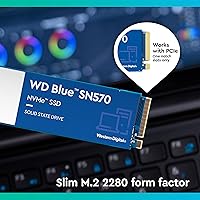
  • Form Factor: Uses the standard M.2 2280 form factor, measuring 3.15 x 0.87 x 0.09 inches and fitting the vast majority of desktop and laptop M.2 slots.
  • Interface: Connects via PCIe Gen3 x4 NVMe, delivering significantly higher bandwidth than SATA-based SSDs while remaining compatible with any NVMe-capable M.2 slot.
  • Sequential Read: Rated for sequential read speeds of up to 3,500 MB/s under optimal conditions on supported platforms.
  • Sequential Write: Sequential write speeds are rated up to 3,500 MB/s, though real-world sustained writes will taper under heavy continuous workloads due to the DRAMless design.
  • Cache Architecture: This drive uses a DRAMless design with Host Memory Buffer (HMB) support, borrowing a portion of system RAM to manage controller operations.
  • PCB Design: Single-sided PCB construction keeps the drive slim and compatible with thin-and-light laptops and compact ITX builds that cannot accommodate double-sided M.2 modules.
  • Weight: The drive weighs just 0.224 ounces, making it negligibly light for any portable or desktop installation.
  • Platform Support: Compatible with Windows and Linux-based desktops and laptops equipped with an M.2 NVMe slot; not designed for NAS or server environments.
  • Monitoring Software: WD Dashboard is available as a free download and provides drive health monitoring, S.M.A.R.T. data, and firmware update management.
  • Bundled Offer: Includes a one-month trial of Adobe Creative Cloud, granting temporary access to the full suite of Adobe desktop and mobile creative applications.
  • Availability: This product has been commercially available since January 31, 2022.
  • Market Ranking: Currently ranked #212 in the Internal Solid State Drives category on Amazon, reflecting strong and sustained consumer demand.
  • User Rating: Holds a 4.8 out of 5 star average rating based on nearly 20,000 verified customer ratings.

Related Reviews
Western Digital 500GB WD Blue SN570 NVMe SSD
87%
94%
Performance Speed
90%
Ease of Installation
88%
Reliability
92%
Value for Money
85%
Power Efficiency
More
Western Digital 1TB WD Blue SN570 NVMe SSD
87%
92%
Performance
91%
Value for Money
88%
Ease of Installation
94%
Read/Write Speed
85%
Power Efficiency
More
Western Digital 2TB WD Blue SN580 NVMe SSD

89%
91%
Performance
94%
Speed (Read/Write)
88%
Build Quality
92%
Value for Money
90%
Durability/Endurance
More
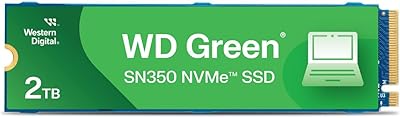
WD Green SN350 2TB NVMe SSD
82%
92%
Value for Money
83%
Read Speed Performance
58%
Sustained Write Performance
94%
Installation Ease
88%
Thermal Management
More
WD Blue SN5000 4TB NVMe SSD
87%
91%
Sequential Read Performance
88%
Sequential Write Performance
96%
Storage Capacity
67%
Thermal Management
93%
Endurance & Longevity
More
WD Blue SA510 2TB M.2 SSD
80%
78%
Read & Write Speed
83%
Value for Money
61%
Compatibility
88%
Installation Ease
84%
Reliability & Longevity
More
WD Red SN700 2TB NVMe SSD
83%
91%
NAS Workload Performance
89%
Endurance & Longevity
88%
NAS Compatibility
86%
Installation Experience
67%
Thermal Management
More
Western Digital WD Blue SN5000 500GB SSD
83%
88%
Read Performance
79%
Write Performance
93%
Value for Money
94%
Installation Ease
86%
Data Migration (Acronis)
More
Western Digital 1TB WD Blue SN550 NVMe SSD
88%
93%
Performance
91%
Read Speed
88%
Write Speed
89%
Ease of Installation
90%
Compatibility
More
Western Digital WD Green 2TB Internal SSD
82%
91%
Value for Money
84%
Read Performance
71%
Write Performance
93%
Installation Experience
92%
Compatibility
More

FAQ

The SN570 works in both laptops and desktops as long as the device has an M.2 NVMe slot. Its single-sided PCB design specifically makes it a good fit for thin-and-light laptops where space behind the M.2 connector is limited. Just confirm your laptop uses an M.2 2280 slot before purchasing — some ultrabooks use shorter 2242 slots instead.

Not really, no. If your board tops out at Gen3, a Gen4 drive will throttle itself down to Gen3 speeds anyway, so you'd be paying more for zero real-world benefit. The SN570 is purpose-built to max out what Gen3 slots can offer, which makes it the more practical choice for older platforms.

DRAMless means the drive doesn't have a dedicated memory chip onboard to manage its operations — instead it borrows a slice of your system's RAM via a feature called Host Memory Buffer. For everyday tasks like booting, browsing, gaming, or opening applications, you will never notice the difference. Where it can matter is during very large, sustained sequential writes — copying a 100GB+ file in one shot, for instance — where speeds may drop noticeably partway through the transfer.

Yes, it's a solid gaming drive. Game load times are primarily limited by read speeds, and the SN570's reads are fast enough that you'll see very short load screens in most titles. It won't give you any edge over a Gen4 drive in practice during gameplay, but it will be a dramatic upgrade if you're coming from a hard drive or SATA SSD.

No additional drivers are needed. NVMe is natively supported by Windows 10 and 11 out of the box. You just install the drive, boot from your existing OS or a fresh install medium, and the system recognizes it automatically. The optional WD Dashboard software is worth downloading afterward for health monitoring, but it's not required for the drive to function.

Absolutely — that's one of the most common use cases. Many people install it alongside a smaller boot drive and use the 2TB capacity for games, media libraries, or project files. Just make sure your motherboard has a second available M.2 slot, or use a PCIe adapter if needed.

The SN570 runs relatively cool compared to high-performance Gen4 drives, and most users report no thermal throttling under everyday workloads. If your motherboard comes with an M.2 heatsink cover, it's worth using it, but it isn't strictly necessary for this drive in a well-ventilated case.

Western Digital covers the SN570 with a 5-year limited warranty, which is standard for mainstream consumer NVMe SSDs and a reasonable safety net for a storage drive you'll likely keep for several years.

For most users, 2TB is a comfortable amount — you can fit a Windows installation, several large AAA games, and a decent media library without constantly managing space. If you're a professional storing large raw video or photo archives long-term, you might eventually want more, but 2TB is genuinely a practical sweet spot for everyday use.

Download the free WD Dashboard utility from Western Digital's website. It reads S.M.A.R.T. data from the drive and displays health status, temperature, and estimated remaining lifespan in a straightforward interface. Checking in every few months takes about two minutes and gives you early warning of any potential issues before they become a real problem.