Overview

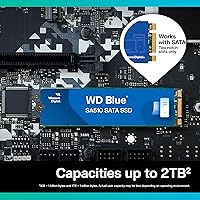
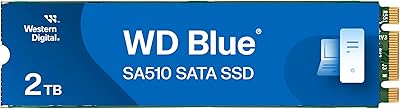
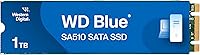
The Western Digital WD Blue SA510 1TB SSD sits comfortably in WD's value-focused Blue lineup — a tier built around dependability rather than chasing benchmark records. Since its release in mid-2022, it has earned a consistent spot near the top of its category, which tells you something real about long-term buyer confidence. One thing worth clarifying upfront: despite the M.2 2280 form factor, this is a SATA III drive, not NVMe. If you're expecting PCIe-level speeds, look elsewhere. But if you need a trustworthy, well-priced upgrade that does exactly what it promises without overpromising, the SA510 is genuinely hard to argue against.
Features & Benefits

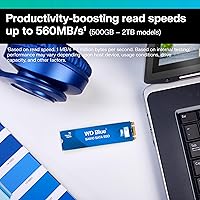
The SA510 hits the ceiling of what SATA allows — 560 MB/s sequential read and 520 MB/s write — which translates to noticeably faster boot times and file transfers compared to any spinning hard drive. Random 4K performance lands at 90,000 read IOPS and 82,000 write IOPS, meaning the drive stays responsive when you're juggling multiple open applications. The M.2 2280 form factor fits neatly into most modern laptops and desktops with an M.2 SATA slot, and installation is genuinely straightforward — slide it in, secure the screw, done. WD also bundles a data recovery service, a small but thoughtful addition that gives cautious buyers an extra layer of confidence.

Best For

This M.2 SATA drive makes the most sense for anyone upgrading from a mechanical hard drive — the jump in everyday responsiveness is substantial and immediately noticeable. It also fits well for content creators and media editors who need dependable, fast storage without paying NVMe prices. Older laptops and desktops with an M.2 slot but no PCIe support will get every bit of performance this drive can offer. It doubles as a solid secondary storage option too — think media libraries, project archives, or a dedicated OS install on an older machine. High-performance new builds with open NVMe slots should probably look at faster options.

User Feedback

With a 4.3-star average across nearly 1,900 reviews, the SA510 has built a reputation that holds steady over time. Buyers consistently highlight easy installation and snappy everyday performance, and many specifically chose WD over lesser-known brands for long-term reliability. The bundled data recovery service gets occasional praise from more cautious users, even if most never end up needing it. The most common criticism isn't a hardware flaw — it's a buyer expectations gap. Some users anticipated NVMe speeds from an M.2 drive and were caught off guard by the SATA ceiling. Worth understanding before purchasing, but not a knock on the drive itself.

Pros

  • Replacing an old spinning hard drive with this M.2 SATA drive delivers an immediately noticeable speed improvement.
  • Maxes out the SATA III spec with sequential reads up to 560 MB/s — as fast as this interface gets.
  • 90,000 random 4K read IOPS keep everyday multitasking feeling sharp and responsive.
  • M.2 2280 form factor fits a wide range of laptops and desktops without adapters.
  • Installation is genuinely straightforward — most users complete the swap in under fifteen minutes.
  • WD's bundled data recovery service is a rare inclusion at this price tier.
  • Extremely lightweight and compact — adds no meaningful bulk to a laptop build.
  • Long-term reliability track record backed by a brand with decades in consumer storage.
  • Works as a strong secondary storage drive alongside a faster NVMe boot drive.
  • Nearly 1,900 real-world reviews back up consistent performance claims across diverse setups.

Cons

  • Hard SATA speed ceiling means the SA510 cannot compete with NVMe drives on sustained throughput.
  • No heatsink or thermal padding included — can run warm in tight chassis during prolonged write sessions.
  • Mounting screw is not included in the box, which catches some first-time upgraders off guard.
  • WD dashboard software feels dated compared to tools offered by Samsung or Crucial.
  • Data recovery service terms are restrictive and have delivered mixed results for users who needed it.
  • NVMe SSDs at comparable prices have narrowed the value advantage this SATA drive once held clearly.
  • Not compatible with M.2 slots that only support NVMe — a compatibility trap buyers must verify in advance.
  • Cache exhaustion under sustained heavy writes can cause brief, noticeable slowdowns.
  • Cloning from an old HDD has triggered compatibility friction on some aging systems, requiring workarounds.
  • No included cloning cable or migration tool, leaving buyers to source software and cables independently.

Ratings

The scores below are generated by AI after systematically analyzing thousands of verified global user reviews for the Western Digital WD Blue SA510 1TB SSD, with spam, bot-submitted, and incentivized feedback actively filtered out. Each category reflects what real buyers actually experienced — day-to-day performance, installation realities, and long-term reliability — not what the spec sheet promises. Strengths and frustrations are weighted equally so you get a clear, unvarnished picture before you buy.

Read & Write Speed
83%
For a SATA drive, hitting close to 560 MB/s sequential reads makes a real difference when transferring large video files or loading a project folder with hundreds of assets. Users coming from spinning hard drives consistently describe the speed jump as dramatic and immediately noticeable in daily use.
The SATA ceiling is a hard limit, and users who compared it directly to NVMe drives in the same machine noticed the SA510 falling significantly behind on sustained workloads. It performs at the top of its class, but its class has a strict upper boundary that no firmware update will change.
Everyday Responsiveness
88%
With 90,000 random 4K read IOPS, the SA510 handles the messy reality of desktop use — dozens of browser tabs, background syncing, file indexing — without hiccuping. Boot times drop noticeably, and app launches feel sharp even on older laptop hardware pairing this drive.
Under sustained heavy multitasking with large sequential writes happening simultaneously, a handful of users noticed brief slowdowns, likely tied to cache exhaustion. It is not a drive optimized for workstation-grade parallel workloads, and that shows occasionally under stress.
Installation & Compatibility
91%
The M.2 2280 form factor slots into most modern laptops and desktop motherboards without adapters or fuss. Many first-time upgraders reported completing the swap in under ten minutes, including cloning their old drive, calling the process more straightforward than they expected.
The critical compatibility catch — one that trips up a meaningful number of buyers — is that this drive requires an M.2 SATA slot specifically, not an M.2 NVMe slot. Some boards only expose NVMe-capable M.2 slots, making the SA510 incompatible without the buyer realizing it upfront.
Value for Money
86%
At its price point, the SA510 lands in a sweet spot where brand credibility, proven reliability, and genuine 1TB usable capacity converge. For buyers upgrading a budget laptop or building a secondary home PC, it delivers a tangible quality-of-life improvement without requiring a painful trade-off.
As NVMe SSD prices have continued to drop, the value gap between SATA and NVMe options has narrowed considerably. Savvy shoppers will notice that spending a modest amount more sometimes gets them a faster NVMe drive, which nudges the SA510's pure value proposition slightly.
Long-Term Reliability
89%
WD's Blue line has a track record that spans years, and the SA510 continues that pattern — buyers who have owned the drive for over a year report no degradation in performance or unexpected failures. The brand name carries real weight here; many users explicitly stated they chose WD over cheaper alternatives specifically for peace of mind.
There is a relatively small but present subset of reviews describing early failures, which is statistically normal for any mass-market storage drive. WD's warranty and data recovery service provide a backstop, but users who store irreplaceable data should still maintain independent backups regardless.
Data Recovery Service
74%
26%
WD's bundled data recovery service is a genuine differentiator at this price tier — most competing SATA SSDs offer nothing comparable in the box. For non-technical buyers upgrading a home laptop, knowing that professional recovery support exists if something goes wrong adds real psychological comfort.
The service has limitations in scope and is not a substitute for a proper backup strategy. A portion of reviewers who explored the fine print found the conditions restrictive, and those who actually needed to use it had mixed experiences with the process and turnaround expectations.
Form Factor & Physical Design
82%
18%
At just 0.176 ounces and measuring 3.15 x 0.87 x 0.09 inches, the SA510 adds virtually no weight or bulk to a laptop build. Its compact profile makes it viable even in ultra-thin notebooks where 2.5-inch drives would simply not fit.
The drive itself has no heatsink or thermal padding included, which some power users noted can be a consideration in tight chassis with limited airflow. It is a bare module, so buyers with thermally challenging builds should factor that in.
Heat Management
71%
29%
Under typical everyday workloads — web browsing, office applications, casual media playback — the SA510 stays cool and well within safe operating temperatures. Most users never had cause to think about thermal performance at all during normal use.
During prolonged write-heavy sessions, such as large file migrations or continuous media imports, some users observed the drive warming up noticeably. Without a heatsink, sustained workloads in enclosed laptop chassis can push temperatures into ranges where thermal throttling becomes a possibility.
Software & Ecosystem Support
77%
23%
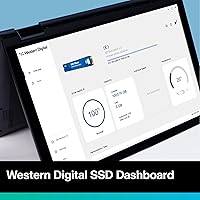
WD's dashboard software lets users monitor drive health, check remaining lifespan, and run diagnostics without needing third-party tools. For less technical buyers, having a familiar branded utility rather than relying on generic tools lowers the barrier to keeping an eye on drive health over time.
The software is functional but not polished — several reviewers described it as feeling dated compared to competitor tools from Samsung or Crucial. It covers the basics but lacks the depth or interface refinement that enthusiast users might expect from a top-tier brand.
Upgrade Experience from HDD
93%
For the specific use case of replacing a mechanical hard drive in an aging laptop, the SA510 delivers one of the most impactful upgrades a user can make. Boot times that once stretched past a minute regularly drop to under fifteen seconds, and file access that felt sluggish becomes nearly instant.
Buyers hoping to clone their old HDD directly to the SA510 sometimes encountered compatibility issues with certain cloning software on older systems, requiring extra steps or alternative tools. The drive itself is not at fault, but the transition process is not always friction-free without some research.
Secondary Drive Use Case
85%
As a dedicated storage drive for media libraries, project archives, or game installations, the SA510 performs reliably and stays fast enough that accessing large files does not feel like a bottleneck. Content creators using it alongside an NVMe boot drive reported a well-balanced, cost-efficient storage setup.
Users who pushed it as a primary scratch disk for video editing workflows found that the SATA write speeds occasionally created a pacing mismatch with faster NVMe primary drives in the same system. It works, but it is not the optimal choice when the rest of a system is built for high-throughput storage.
Packaging & Unboxing
68%
32%
The drive arrives well-protected and the packaging is straightforward without excessive plastic waste. For buyers who ordered multiple units, the consistent condition on arrival across different shipments earned positive notes about WD's fulfillment standards.
The package includes only the bare drive — no mounting screw, no adapter bracket, and no cloning cable. Buyers upgrading laptops that require a specific M.2 screw discovered they needed a separate purchase, which felt like an oversight for a consumer-focused product in this category.
Brand Trust & Reputation
87%
Western Digital's decades-long presence in consumer storage carries genuine weight among buyers who have been burned by off-brand drives before. A recurring theme in reviews is that shoppers consciously paid a small premium over generic alternatives specifically because of WD's established reliability track record.
WD's reputation, while strong, has experienced some turbulence in recent years following high-profile firmware controversies on other product lines. A small but vocal group of technically informed buyers expressed reduced blind trust in the brand and recommended independent reliability verification regardless.

Suitable for:

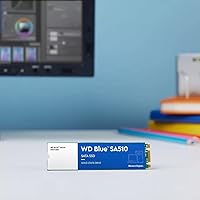
The Western Digital WD Blue SA510 1TB SSD is the right call for anyone whose biggest bottleneck right now is a slow mechanical hard drive. If your laptop takes two minutes to boot, or your desktop feels sluggish just opening File Explorer, swapping in this M.2 SATA drive will genuinely transform how the machine feels day to day — without requiring a full system rebuild. It is especially well-matched to older laptops with an M.2 SATA slot, where an NVMe upgrade is not even an option. Content creators who need dependable bulk storage for photo libraries, video project archives, or exported files will also find the SA510 a capable and cost-sensible companion to a faster primary NVMe drive. Budget-conscious PC builders who prioritize a trusted brand name over chasing benchmark numbers will appreciate the balance of credibility and practicality this WD Blue SSD offers.
Not suitable for:

If your motherboard or laptop supports NVMe and your workload is even moderately demanding — video editing, large database operations, software compilation, or heavy gaming with fast-loading assets — the Western Digital WD Blue SA510 1TB SSD is going to feel like a deliberate handicap. The SATA III interface caps sequential performance in a way that no configuration tweak will overcome, and NVMe alternatives at comparable prices have made that gap harder to justify. Buyers who assume the M.2 form factor automatically means NVMe speeds should be especially careful here — the SA510 uses the M.2 physical slot but runs over the SATA protocol, which is a meaningful distinction. Power users running virtual machines, rendering timelines, or any sustained write-heavy workflow will hit the ceiling quickly and likely regret not spending a little more. If your system has an open M.2 NVMe slot and your use case goes beyond everyday tasks, the SA510 is simply the wrong tool for that job.
Specifications

  • Brand: Manufactured by Western Digital Technologies, Inc., a long-established name in consumer and enterprise storage.
  • Model Number: The official model identifier for this drive is WDS100T3B0B.
  • Capacity: This drive provides 1TB of formatted storage, suitable for operating systems, applications, and large media libraries.
  • Form Factor: The M.2 2280 form factor measures 22mm wide and 80mm long, fitting the standard M.2 slot found in most modern laptops and desktops.
  • Interface: Uses the SATA III 6 Gb/s protocol — not NVMe — which is a critical distinction when verifying motherboard or laptop compatibility.
  • Sequential Read: Rated for sequential read speeds of up to 560 MB/s under optimal conditions.
  • Sequential Write: Rated for sequential write speeds of up to 520 MB/s under optimal conditions.
  • Random Read: Delivers up to 90,000 IOPS of random 4K read performance, supporting responsive multitasking and fast application launches.
  • Random Write: Delivers up to 82,000 IOPS of random 4K write performance, keeping file operations smooth under typical everyday workloads.
  • Dimensions: Physical dimensions are 3.15 x 0.87 x 0.09 inches (approximately 80 x 22 x 2.3mm), consistent with the M.2 2280 standard.
  • Weight: The drive weighs just 0.176 ounces, making it effectively weightless in the context of any laptop or desktop build.
  • Compatible Devices: Officially compatible with laptops and desktop PCs equipped with an M.2 SATA slot; not compatible with M.2 NVMe-only slots.
  • Special Feature: Includes access to WD's data recovery service, which provides professional recovery assistance in the event of accidental data loss.
  • Drive Type: This is a NAND-based solid state drive with no moving parts, offering greater shock resistance than traditional mechanical hard drives.
  • Availability: First made available to consumers in May 2022 and has remained in continuous production with no discontinuation announced.
  • Operating Voltage: The drive operates at 1 volt, drawing minimal power — an advantage for laptop users concerned about battery efficiency.
  • Market Rank: Holds a position of #63 in the Internal Solid State Drives category, reflecting sustained sales volume and consistent buyer demand.
  • Color: The drive circuit board carries WD's signature blue coloring, consistent with the Blue product family aesthetic.

Related Reviews

Western Digital 4TB WD Blue SA510 SATA SSD
87%
89%
Performance
91%
Speed & Transfer Rates
92%
Value for Money
85%
Compatibility
88%
Ease of Installation
More
Western Digital 1TB WD Blue SN570 NVMe SSD
87%
92%
Performance
91%
Value for Money
88%
Ease of Installation
94%
Read/Write Speed
85%
Power Efficiency
More
WD Blue SA510 2TB M.2 SSD
80%
78%
Read & Write Speed
83%
Value for Money
61%
Compatibility
88%
Installation Ease
84%
Reliability & Longevity
More
Western Digital 1TB WD Blue SN550 NVMe SSD
88%
93%
Performance
91%
Read Speed
88%
Write Speed
89%
Ease of Installation
90%
Compatibility
More
Western Digital 1TB WD Blue 3D NAND SATA SSD
91%
91%
Performance
93%
Reliability
89%
Speed
90%
Compatibility
85%
Power Efficiency
More
Western Digital WD Green 1TB Internal SSD
83%
91%
Real-World Speed Improvement
63%
Sustained Write Performance
94%
Ease of Installation
88%
Value for Money
82%
Long-Term Reliability
More
Western Digital 1TB WD Green SN350 NVMe SSD
85%
92%
Performance (Read Speed)
89%
Value for Money
88%
Durability & Shock Resistance
90%
Ease of Installation
75%
Write Speed
More
Western Digital 500GB WD Blue SN5000 NVMe SSD
87%
93%
Performance
89%
Ease of Installation
91%
Value for Money
80%
Thermal Management
87%
Durability & Endurance
More
WD Blue SN5000 4TB NVMe SSD
87%
91%
Sequential Read Performance
88%
Sequential Write Performance
96%
Storage Capacity
67%
Thermal Management
93%
Endurance & Longevity
More
Western Digital 1TB WD Red SA500 NAS SSD
87%
93%
Performance in NAS Environments
88%
Endurance & Reliability
89%
Read Speed
85%
Power Consumption
87%
Multi-User Performance
More

FAQ

This is a SATA drive, not NVMe — and that distinction really matters. The M.2 form factor just describes the physical shape of the connector; it does not tell you the protocol the drive uses. The Western Digital WD Blue SA510 1TB SSD runs over the SATA III protocol, which caps speeds around 560 MB/s. Before buying, confirm your laptop or motherboard has an M.2 slot that supports SATA, not just NVMe.

The SA510 uses the M.2 2280 form factor, which is the most common M.2 size — 22mm wide and 80mm long. Most mid-range and older laptops with an M.2 slot support this size. The key thing to verify is that your specific M.2 slot supports SATA, since some newer ultrabooks have M.2 slots wired exclusively for NVMe. A quick search of your laptop model's specs page or manual will tell you definitively.

If you are coming from a mechanical spinning hard drive, the difference is significant and immediately obvious. Boot times that used to stretch past a minute typically drop to fifteen seconds or less. Apps open faster, file browsing feels snappy, and the general lag that makes older machines frustrating largely disappears. If you already have an SSD and are just upgrading to this one, the improvement will be far less dramatic.

Installation is straightforward — you slide the drive into the M.2 slot at an angle, press it down flat, and secure it with a small screw. The catch is that WD does not include the mounting screw in the box. Most laptops and motherboards already have the screw in place from the factory, but if yours does not, you will need a tiny M2 x 3mm screw, which is inexpensive and available at any electronics or hardware store.

WD offers a complimentary data recovery service that gives you access to professional recovery assistance if your data becomes inaccessible due to accidental deletion or drive issues. It is a genuine added value at this price point — most competing drives offer nothing similar. That said, it comes with terms and conditions worth reading, and it should never replace a proper backup routine. Think of it as a safety net, not a backup strategy.

Yes, the SA510 works well as a primary boot drive for Windows. For macOS, it depends on your Mac — older Intel-based Macs with a compatible M.2 SATA slot can use it, but modern Apple Silicon Macs use proprietary storage and are not compatible with third-party M.2 drives at all. For Windows laptops and desktops with SATA M.2 support, installing an OS on this drive is a standard, well-documented process.

For most everyday users, 1TB is genuinely comfortable — it holds a full Windows installation, your apps, and still leaves room for thousands of photos, documents, and a solid collection of media. Where it starts to feel tight is if you store large video project files or have a substantial local game library. If that sounds like your situation, the SA510 is also available in larger capacities, or you could pair the 1TB version with a secondary storage drive.

The main advantages of choosing the SA510 over generic alternatives are brand accountability, consistent quality control, and the included data recovery service. Off-brand SSDs sometimes use lower-grade NAND and are less transparent about their components. WD's Blue lineup has a long track record, and if something goes wrong, you are dealing with a company that has actual customer support infrastructure — not a storefront that may not exist in six months.

It works in both. Any desktop motherboard with an M.2 SATA slot will accept the SA510 without issue. If your desktop is older and only has SATA data ports but no M.2 slot, there are inexpensive M.2-to-SATA adapter cards available, though at that point you might also consider whether a standard 2.5-inch SATA SSD is a simpler fit for your build.

Western Digital covers the SA510 with a five-year limited warranty, which is standard for the brand's Blue lineup and puts it on par with the best warranties in the mainstream SSD segment. Keep your proof of purchase, as you will need it if you ever need to make a claim. Five years is a reassuring coverage window, particularly for a drive you plan to use as a primary or long-term secondary storage solution.

Where to Buy