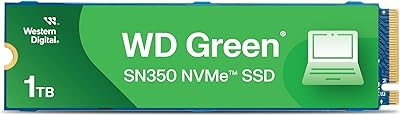



Overview

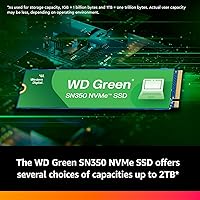
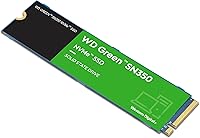
The WD Green SN350 500GB NVMe SSD sits squarely in the entry-level NVMe tier of Western Digital's solid-state lineup — and that's not a criticism. Western Digital's Green series has always been about doing the basics well at a sensible price. This 500GB SN350 runs on a Gen3 PCIe interface, which puts it a step below the latest Gen4 drives but comfortably ahead of any SATA SSD or spinning hard drive for typical daily tasks. The M.2 2280 form factor means it slots into a wide range of laptops and desktops without compatibility headaches. Expect solid, reliable performance — not record-breaking numbers, but more than enough for everyday computing.

Features & Benefits

The headline spec is the read speed — up to 2,400 MB/s, which sounds abstract until you compare it to a spinning hard drive boot sequence. The difference is immediate and noticeable. The slim M.2 2280 footprint is essentially universal at this point, fitting nearly every desktop motherboard and most modern laptops with an open NVMe slot. Worth knowing upfront: this WD Green NVMe drive uses no dedicated DRAM cache, relying instead on a Host Memory Buffer approach. For browsing, writing documents, or streaming video, that trade-off is barely perceptible. Heavy, sustained file transfers may occasionally reveal a slowdown. The SSD Dashboard software is genuinely useful for health monitoring, and a 3-year warranty rounds things out.

Best For

If you're still running a laptop or desktop on a mechanical hard drive, this 500GB SN350 is about as clear a recommendation as it gets for a first upgrade. Boot times that once stretched past a minute can drop to under ten seconds — that alone changes how you experience your machine daily. The drive also works well as a secondary storage option in a desktop that already has a faster Gen4 NVMe as the primary. For students, remote workers, or anyone doing light content consumption, it handles the workload without complaint. What it's not suited for is sustained 4K editing, large database operations, or anything that demands consistent high-throughput writes over extended periods.

User Feedback

Across a substantial pool of verified reviews, the Green SN350 earns its high marks mostly through consistency rather than spectacle. Buyers frequently mention how straightforward the installation is — drop it in, clone or fresh-install, and it just works. Long-term reliability reports from users who have owned the drive for a year or more are encouraging, with few mentions of failures or degradation. The honest critique that surfaces repeatedly involves write performance under heavy continuous load — not a dealbreaker for casual users, but something power users should factor in. A handful of reviewers also note the drive ships with minimal packaging and no accessories, which is typical for this tier. Compatibility issues are rare and mostly pre-installation slot confusion rather than drive defects.

Pros

  • Boot times drop from minutes to seconds when replacing an old spinning hard drive.
  • The M.2 2280 form factor fits the overwhelming majority of laptops and desktops with an NVMe slot.
  • Sequential read speeds up to 2,400 MB/s put it well ahead of any SATA SSD for everyday file access.
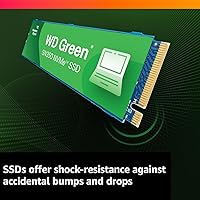
  • Solid-state design means no moving parts, making the drive far more resilient to bumps and drops than a mechanical alternative.
  • The WD SSD Dashboard provides a clear view of drive health and makes firmware updates straightforward.
  • A 3-year limited warranty offers baseline coverage that is reassuring at this price tier.
  • Installation is widely described as plug-and-play, with no steep learning curve for first-time upgraders.
  • Long-term reliability reports from owners of a year or more are generally positive, with few reported failures.
  • The lightweight, slim form factor adds virtually no bulk or weight to a laptop upgrade.

Cons

  • No dedicated DRAM cache means write performance can slow down noticeably during sustained, heavy file operations.
  • Gen3 PCIe interface is a generation behind current flagship drives, limiting peak throughput for demanding workloads.
  • 500GB fills up faster than expected once you combine a modern OS, core applications, and a few large games.
  • The HMB cache design borrows system RAM, which can behave inconsistently on older machines with limited memory.
  • No accessories are included in the box — no mounting screw, no cloning cable, nothing beyond the bare drive.
  • Endurance ratings sit on the lower end for this category, which matters for users who write large volumes of data regularly.
  • Not a strong fit as the sole primary drive in a high-performance gaming or creative workstation build.
  • Users coming from a premium NVMe may find the real-world performance gap more apparent than marketing specs suggest.

Ratings

Our AI-driven rating model analyzed thousands of verified buyer reviews for the WD Green SN350 500GB NVMe SSD across global markets, actively filtering out incentivized, duplicate, and bot-generated submissions to surface genuine, unbiased signal. Each score below reflects what actual owners experienced across a range of real-world use cases — from first-time hard drive replacements to budget desktop upgrades. Both the drive's genuine strengths and its recurring pain points are represented transparently, without softening scores to favor the product.

Value for Money
91%
At this price point and capacity, the Green SN350 consistently earns praise from buyers who compared several options before purchasing — many report it was the most trusted brand name available at the lowest realistic cost for a 500GB NVMe drive. For first-time upgraders on a tight budget, the value calculation feels genuinely favorable and hard to argue with.
The value proposition narrows slightly as Gen4 alternatives continue to drop in price, meaning a few extra dollars can now buy meaningfully faster storage from competing brands. Buyers who later discover the write performance ceiling sometimes feel the trade-offs were less obvious than they appeared at the time of purchase.
Everyday Speed
88%
For the tasks most people actually perform daily — booting Windows, launching a browser with a dozen tabs, opening Office documents — this WD Green NVMe drive feels consistently snappy and responsive. Owners upgrading from mechanical hard drives in particular describe the change as dramatic, with boot sequences that used to take over a minute now completing in under ten seconds.
The everyday speed advantage over SATA SSDs, while real, is less dramatic for users who were already on solid-state storage and may feel underwhelming to that audience. A subset of reviewers noted occasional brief pauses during intensive multitasking, likely linked to HMB cache behavior when system RAM is under concurrent pressure.
Write Performance
61%
39%
For light to moderate write tasks — saving documents, downloading files, or installing a game — the 500GB SN350 performs adequately without any noticeable lag. Users who primarily read data from their drives, such as those running a secondary media or photo library, report no practical frustration with write speeds in real daily use.
The absence of a dedicated DRAM cache makes itself felt during sustained write operations: moving a large folder of high-resolution photos or writing several gigabytes of data consecutively can cause speeds to drop sharply mid-transfer. This is the single most consistently cited frustration among reviewers whose workloads push beyond casual home or office use.
Compatibility
86%
The standard M.2 2280 footprint means the 500GB SN350 slots into an enormous range of consumer hardware without issues — from aging budget laptops to recent mid-range desktops. Reviewers across a wide variety of system configurations consistently report immediate drive detection with no driver conflicts or BIOS complications.
A recurring subset of buyers ran into problems with older systems whose M.2 slots only support SATA, rendering the drive invisible without a hardware or BIOS-level resolution. Checking slot type before purchasing is a critical step that product listings do not always make obvious enough, leading to preventable returns.
Long-term Reliability
79%
21%
Owners who have run the Green SN350 through a year or more of daily computing report generally stable performance with no surprising failures or noticeable speed degradation over time. Western Digital's established presence in storage hardware and the included 3-year warranty give buyers a reasonable baseline of confidence for a budget-tier purchase.
The drive's 40TBW endurance rating is on the modest side for its category, meaning users who regularly write large volumes of data will approach the rated lifespan faster than they might anticipate. A small but consistent group of longer-term reviewers mentioned occasional slowdowns over extended ownership, though outright failure reports remain relatively uncommon.
Read Performance
83%
Sequential read speeds in the 2,400 MB/s range represent a clear and practical improvement over SATA SSDs for workloads like loading large game levels, accessing sizable project files, or running a media library — all common use cases in the target audience. For the Green series tier, read performance comfortably exceeds what most everyday users will ever fully tax.
Users who run formal benchmarks will notice the drive trails behind Gen4 competitors and even some premium Gen3 drives in peak read throughput. Random read performance under heavy multi-threaded workloads also narrows the gap with SATA SSDs considerably, making the upgrade feel less impactful in those specific scenarios than the sequential specs imply.
Installation Ease
92%
Nearly every reviewer who commented on the physical installation described it as straightforward and quick — the drive seats into an M.2 slot in minutes and is recognized immediately on the next boot without additional drivers. For first-time DIY upgraders, this low barrier removes one of the most common anxieties around self-installing storage hardware.
The drive ships without a retention screw or installation guide, which can catch first-time builders off guard who assume a complete kit comes in the box. Some reviewers also noted that WD's Acronis cloning software requires an account registration step that adds minor unnecessary friction to an otherwise simple initial setup process.
Build Quality
77%
23%
As a bare M.2 stick at this price tier, the Green SN350 is built to appropriate standard — lightweight, compact, and physically robust enough to seat in a laptop slot without any concern about flex or fragile connectors. The PCB construction is consistent with what Western Digital delivers across its mainstream SSD product lines.
There is no onboard heatsink or thermal pad included, meaning the drive depends entirely on the host system's airflow or the motherboard's own M.2 thermal solution. In tight laptop chassis with limited ventilation, this design choice can contribute to thermal throttling under prolonged intensive use, though it is an uncommon complaint for typical daily workloads.
Software & Utilities
72%
28%
The WD SSD Dashboard is a genuinely useful tool — not a marketing checkbox — offering clear health status indicators, operating temperature readouts, and a straightforward firmware update mechanism. Less technical users in particular appreciate the visual layout, which makes it easy to tell at a glance whether the drive is operating normally.
The Dashboard application is Windows-only, leaving Linux and macOS users with no official monitoring path whatsoever. Several reviewers found the interface design dated compared to tools offered by competing brands, and the Acronis True Image cloning integration occasionally requires manual troubleshooting on systems with non-standard or multi-partition drive layouts.
Thermal Management
74%
26%
Under typical home and office computing conditions, the drive maintains reasonable operating temperatures without requiring any active cooling or additional heatsinks from the user. Most owners in standard desktop builds with decent case airflow report no throttling events during normal daily use, keeping performance consistent throughout light to moderate sessions.
In compact laptops with limited internal airflow — particularly ultra-thin models — the drive can run warm enough during extended file transfers or software installations to trigger noticeable throttling. Reviewers running sustained workloads in constrained chassis have occasionally observed transfer speeds dropping after several minutes of continuous heavy activity.
Warranty & Support
68%
32%
The 3-year limited warranty is standard and appropriate for this price tier, and Western Digital's warranty claim process is generally regarded as functional and competent. Most users who have needed to initiate a claim report a straightforward RMA experience, with replacement units arriving without unusual delays or excessive documentation requirements.
Three years is on the shorter end for an NVMe SSD — competing budget drives increasingly offer five-year coverage as a baseline, which makes WD's offering look less competitive on paper. Several buyers also reported slower-than-expected customer support response times when reaching out through the online portal with pre-claim technical questions.
Packaging
54%
46%
The packaging is clean, minimal, and functional — appropriate for a product that prioritizes cost efficiency over unboxing presentation. For buyers ordering online who simply need the drive to arrive undamaged, the basic anti-static sleeve does exactly what is required without unnecessary overhead.
The drive ships with nothing but itself — no mounting screw, no thermal pad, no installation guide — which frustrates buyers expecting a complete kit, particularly first-time builders who discover the missing M.2 retention screw only once they are mid-installation. This barebones approach has generated a consistent stream of negative comments that have nothing to do with the drive's actual performance.
Power Efficiency
81%
19%
Without a dedicated DRAM cache array drawing continuous power, the Green SN350 maintains a relatively modest energy footprint compared to higher-performance NVMe drives. Laptop users in particular benefit from this, as the drive contributes minimally to overall battery consumption during the light-to-moderate tasks it is designed to handle.
While idle and light-use power draw is low, the drive does not incorporate the advanced power state optimizations found in newer Gen4 NVMe drives specifically engineered for mobile platforms. Users running power-intensive continuous workloads on battery — such as large background backups — may find consumption slightly higher than the drive's efficiency reputation suggests.

Suitable for:

The WD Green SN350 500GB NVMe SSD is purpose-built for everyday users who want a meaningful speed upgrade without overcomplicating their budget. If your laptop or desktop is still running on a spinning hard drive, swapping in this 500GB SN350 transforms the experience — boot times, application launches, and file access all improve dramatically from day one. It works equally well as a secondary drive in a desktop that already has a faster primary NVMe, giving you affordable overflow storage without sacrificing too much performance. Students, remote workers, and home users who spend their time browsing, writing, streaming, and light multitasking will find it more than capable for daily needs. The M.2 2280 form factor covers the vast majority of upgrade scenarios, so compatibility is rarely a concern. First-time SSD buyers will also appreciate the backing of a recognizable brand and a 3-year warranty that provides solid peace of mind at this price tier.

Not suitable for:

The WD Green SN350 500GB NVMe SSD is not the right call if your workload involves sustained, heavy data throughput on a regular basis. The absence of a dedicated DRAM cache means write speeds can drop noticeably during prolonged large-file operations — video editors moving raw 4K footage, photographers processing large RAW batches, or developers compiling substantial codebases will hit that ceiling often enough to feel the friction. It also runs on a Gen3 PCIe interface, so enthusiasts building a high-performance rig who want the fastest available storage should look at Gen4 alternatives instead. The 500GB capacity, while workable for many, can feel tight once you factor in a modern operating system, several applications, and even a handful of contemporary games. Power users who subject their primary drive to consistent heavy loads would be better served by a drive with full DRAM cache and higher endurance ratings.

Specifications

  • Storage Capacity: This drive provides 500GB of usable storage, practical for an operating system, core applications, and a moderate media library.
  • Interface: It connects via a PCIe Gen3 x4 NVMe interface, delivering data transfer rates significantly faster than older SATA-based drives.
  • Form Factor: The M.2 2280 form factor measures 80mm in length and fits the vast majority of consumer laptops and desktop motherboards with an M.2 slot.
  • Sequential Read: Sequential read speeds reach up to 2,400 MB/s, making boot times and large file loads noticeably faster than any SATA SSD.
  • Sequential Write: Sequential write speeds reach up to 2,000 MB/s under ideal conditions, sufficient for routine file saving, application installs, and everyday transfers.
  • Cache Design: This drive uses no dedicated DRAM cache, instead relying on a Host Memory Buffer design that borrows a small allocation of system RAM to manage data indexing.
  • Endurance Rating: The 500GB capacity is rated for 40TBW (terabytes written), a moderate figure that comfortably covers typical home and office workloads over several years.
  • Weight: The drive weighs just 0.32 oz (approximately 9g), adding negligible mass to any laptop or desktop build.
  • Dimensions: Physical dimensions measure 3.15 x 0.87 x 0.09 inches, conforming to the standard M.2 2280 footprint used across consumer hardware.
  • Warranty: Western Digital covers this drive with a 3-year limited warranty against manufacturing defects from the date of purchase.
  • Compatibility: Compatible with laptops, desktops, and PCs that have an available M.2 slot supporting PCIe NVMe — not compatible with M.2 SATA-only slots.
  • Monitoring Software: The free WD SSD Dashboard application lets users monitor drive health, check operating temperature, and apply firmware updates from a Windows environment.
  • Shock Resistance: As a solid-state drive with no moving parts, it offers inherent resistance to physical shock and vibration, making it well-suited for use in portable laptops.
  • Model Number: The official model number is WDS500G2G0C, used for warranty registration, driver lookup, and compatibility verification.

Related Reviews
Western Digital 1TB WD Green SN350 NVMe SSD

85%
92%
Performance (Read Speed)
89%
Value for Money
88%
Durability & Shock Resistance
90%
Ease of Installation
75%
Write Speed
More
WD Green SN350 2TB NVMe SSD
82%
92%
Value for Money
83%
Read Speed Performance
58%
Sustained Write Performance
94%
Installation Ease
88%
Thermal Management
More
Western Digital WD Blue SN5000 500GB SSD

83%
88%
Read Performance
79%
Write Performance
93%
Value for Money
94%
Installation Ease
86%
Data Migration (Acronis)
More
Western Digital 500GB WD Blue SN570 NVMe SSD
87%
94%
Performance Speed
90%
Ease of Installation
88%
Reliability
92%
Value for Money
85%
Power Efficiency
More
WD Red SN700 500GB NVMe SSD
82%
88%
Sustained Performance
84%
NAS Compatibility
91%
Endurance & Longevity
69%
Value for Money
63%
Thermal Management
More
Crucial P3 500GB NVMe M.2 SSD
82%
88%
Read Speed Performance
71%
Write Speed Performance
93%
Value for Money
94%
Ease of Installation
86%
Reliability & Longevity
More
Crucial P310 500GB NVMe SSD
87%
93%
Read & Write Speed
91%
Value for Money
88%
Thermal Management
94%
Compatibility
92%
Installation Ease
More
WD_BLACK SN7100 500GB NVMe SSD
83%
91%
Read Performance
83%
Write Performance
89%
Power Efficiency
58%
Storage Capacity
72%
Thermal Management
More
WD_BLACK SN770M 500GB NVMe SSD
89%
93%
Performance
95%
Compatibility with Gaming Consoles
91%
Speed (Read/Write)
88%
Installation Ease
87%
Durability
More
fanxiang S880E 500GB NVMe SSD

78%
83%
Raw Speed Performance
86%
PS5 Compatibility
91%
Value for Money
77%
Thermal Management
93%
Installation Ease
More

FAQ

If your laptop has an M.2 slot that supports NVMe, you are almost certainly good to go — the M.2 2280 length is by far the most common size used in consumer laptops and desktops. The one thing worth confirming beforehand is whether your slot supports NVMe specifically, since some older M.2 slots only accept SATA drives and will not recognize this one. A quick search of your laptop model number should answer that in under a minute.

If you are upgrading from a spinning hard drive, the difference is dramatic and immediately obvious — boot times that used to stretch past a minute can drop to under ten seconds, and application launches feel nearly instant. If you are already running a SATA SSD, the improvement is more subtle but still noticeable in everyday use, particularly when opening large files or multitasking across several applications.

Western Digital rates the 500GB capacity at 40TBW, meaning it is tested to handle 40 terabytes of written data over its lifetime. For typical home or office use — browsing, document editing, streaming, light gaming — this figure is rarely a concern in practice. If you are writing enormous volumes of data daily, a drive with a higher endurance rating would be a more appropriate long-term investment.

Installation usually just requires a small Phillips-head screwdriver to seat the M.2 retention screw — that screw is typically found with your motherboard, not included with the drive itself. For getting your data across, WD offers a free download of Acronis True Image for WD drive owners, which handles cloning your existing drive without starting from scratch.

For most everyday users, no — browsing, streaming, document editing, and even casual gaming are predominantly read-heavy tasks, and the cache absence has little impact there. The limitation surfaces mainly during sustained, back-to-back large-file writes, such as transferring a batch of raw video footage or running intensive backup operations. If that kind of workload is routine for you, a drive with a full DRAM cache would be a smarter pick.

Absolutely — it is one of the most common use cases for this drive, and it handles it well. Install Windows fresh or clone your existing drive using WD's provided cloning software, and the 500GB SN350 will serve reliably as a primary system drive for everyday computing.

No — this drive is designed for PC use only. The PS5, for example, requires an M.2 NVMe drive that meets Sony's specific speed and slot requirements, and this drive does not qualify. For console storage expansion, you will need a drive explicitly certified for that purpose.

The drive ships bare — just the SSD itself, with no mounting hardware, thermal pad, or cable included. Western Digital does provide a free download of Acronis True Image through their support site, which covers drive cloning if you want to transfer an existing installation. You will also need to source an M.2 retention screw separately if your motherboard did not come with one.

The Blue SN580 uses a newer Gen4 PCIe interface and includes a DRAM cache, resulting in noticeably higher sustained performance and better handling of write-heavy tasks. If your workload involves video editing, frequent large file transfers, or you simply want more headroom for the future, the SN580 is worth the extra spend. For lighter everyday use, the Green SN350 covers the bases well without paying for performance you may never need.

Owner feedback from users who have run the drive through a year or more of daily use is generally encouraging, with few reports of failures or unexpected performance degradation. Most long-term complaints center on the sustained write speed behavior rather than reliability, which is a design characteristic rather than a defect. As with any storage drive, keeping regular backups is a good habit regardless of brand or price tier.

Where to Buy