Overview

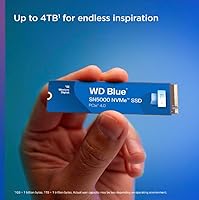
The WD Blue SN5000 4TB NVMe SSD sits in an interesting spot within Western Digital's lineup — it's not the budget-friendly entry point, and it's not trying to compete with the WD Black on raw performance either. Think of it as the practical power user's choice: Gen 4 speeds, generous capacity, and a price that doesn't require much justification. Launched in June 2024, the drive climbed quickly into the top 30 bestsellers in its category — a sign that buyers were ready for a high-capacity Gen 4 option that didn't come with a flagship price tag. If you need 4TB of fast internal storage in a single M.2 slot, this WD Blue drive makes a strong case.

Features & Benefits

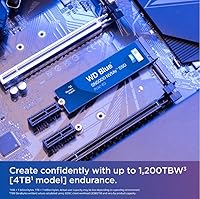
The SN5000 4TB runs on a PCIe Gen 4 x4 connection, which translates to sequential reads up to 5,500 MB/s and writes up to 5,000 MB/s — numbers that hold up in real workloads, not just benchmarks. Western Digital's nCache 4.0 technology helps maintain consistent speeds during large file transfers and mixed read/write tasks, which matters when you're moving raw footage or batch-exporting files. The 1,200 TBW endurance rating is reassuringly high for a non-flagship drive, giving daily power users several years of headroom. It fits any standard M.2 2280 slot, and the included Acronis True Image software makes migrating from an older drive straightforward and free.

Best For

This NVMe SSD is a natural fit for video editors and photographers who want fast scratch disk performance and enough room to keep entire project libraries on one drive. Gamers after high-capacity Gen 4 storage without stretching to premium-tier pricing will find it hits a practical sweet spot. It's also a solid upgrade path for anyone still running SATA or older Gen 3 NVMe drives — the speed difference is immediately noticeable in daily use. Home lab builders and workstation users looking to consolidate several smaller drives into one 4TB pool will appreciate the combination of capacity and reliability from a brand with an established track record.

User Feedback

With a 4.7-star average across nearly 7,000 ratings, buyer satisfaction for this WD Blue drive is genuinely high — not just inflated by early reviews. Most owners report that real-world transfer speeds land close to the advertised figures, and the installation process draws consistent praise for being quick and uncomplicated. The Acronis migration tool also gets positive mentions from users switching from older drives. That said, a few caveats are worth knowing: the drive needs a PCIe Gen 4 host slot to reach its rated speeds, so users on older platforms will see noticeably lower throughput. Some also report elevated temperatures under sustained loads in tight, unventilated cases — adequate airflow helps.

Pros

  • Sequential read speeds up to 5,500 MB/s translate to noticeably faster file transfers in real creative workflows.
  • The 4TB capacity lets content creators keep entire project libraries on a single, fast M.2 drive.
  • A 1,200 TBW endurance rating provides years of confidence for users with heavy daily workloads.
  • nCache 4.0 technology helps maintain consistent performance during mixed and sustained write tasks.
  • Bundled Acronis True Image software makes migrating from an older drive straightforward with no added cost.
  • Standard M.2 2280 form factor fits virtually any modern desktop, laptop, or mini-PC with no compatibility headaches.
  • Nearly 7,000 buyer ratings averaging 4.7 stars reflect consistently positive real-world ownership experiences.
  • Real-world speeds closely match advertised figures, which is not always the case with competing drives.
  • The drive's weight and dimensions place zero mechanical stress on motherboard slots, even in mobile systems.
  • Sits at a price point that is genuinely compelling for a Gen 4 drive with this much capacity.

Cons

  • Peak speeds are only achievable on a PCIe Gen 4 host; older Gen 3 systems will see significantly reduced throughput.
  • The drive can run warm under sustained heavy loads, requiring adequate case airflow to stay within safe temperatures.
  • Performance does not reach WD Black flagship levels, which may disappoint buyers expecting top-tier benchmarks.
  • No built-in heatsink means users in thermally constrained builds may need to purchase one separately.
  • At 4TB, the model is overkill — and over-budget — for users with more modest storage needs.
  • Acronis True Image requires an internet connection and account setup, which adds friction for offline users.
  • The SN5000 lineup lacks the brand cachet and enthusiast community support that WD Black products enjoy.
  • Long-term firmware update history for the SN5000 series is still limited given its mid-2024 launch date.

Ratings

Our AI-generated scores for the WD Blue SN5000 4TB NVMe SSD are drawn from thousands of verified global buyer reviews, with spam, bot submissions, and incentivized feedback actively filtered out before analysis. The ratings below reflect both what users consistently praise and the friction points that surfaced across real workloads — from video editing rigs to home lab builds. Nothing is glossed over: where this WD Blue drive earns its stripes and where it falls short are both represented transparently.

Sequential Read Performance
91%
Buyers running PCIe Gen 4 systems consistently report that real-world transfer speeds land very close to the advertised 5,500 MB/s ceiling — a claim many SSDs fail to back up outside benchmarks. For tasks like importing large RAW photo batches or loading multi-gigabyte game levels, the difference over older Gen 3 drives is immediately felt.
A meaningful portion of buyers installed this drive in Gen 3 systems and were caught off guard by the drop in throughput, which can land closer to 3,500 MB/s in those scenarios. The packaging and product listing could do a better job of flagging this compatibility nuance upfront.
Sequential Write Performance
88%
Writers handling large sustained exports — video renders, database backups, bulk file archiving — found the write speeds held up well through extended sessions, which is directly attributable to nCache 4.0 managing the write buffer intelligently. For creative workloads, this translates to less waiting between iterations.
Under very prolonged write stress, a small number of users noticed speed throttling once the cache was saturated, which is common across drives in this tier but still worth noting. It is not a dealbreaker for typical use, but those running continuous overnight backups may occasionally see dips.
Storage Capacity
96%
The 4TB ceiling is the single most praised aspect of this NVMe SSD among content creators and power users — it removes the constant juggling act of managing project files across multiple drives. Having a fast, high-endurance drive that can also serve as a primary project storage pool in one M.2 slot is a genuine workflow improvement.
The 4TB model is the only way to access this capacity tier within the SN5000 lineup, which means buyers who need just 2TB or less are paying for more storage than their budget or use case requires. Pricing for lower-capacity variants is more competitive in the broader market.
Thermal Management
67%
33%
In well-ventilated mid-tower and full-tower builds, the drive's operating temperatures stay within a comfortable range during everyday use, and most buyers never encounter any heat-related slowdowns. The compact form factor at least avoids the bulk that would trap heat more aggressively.
In compact builds, mini-ITX cases, and laptops with limited airflow, a noticeable segment of users reported the drive running hot enough under sustained loads to trigger thermal throttling. No heatsink is included in the box, which is a recurring point of frustration among buyers who expected one at this price point.
Endurance & Longevity
93%
A 1,200 TBW rating is genuinely high for a mainstream-tier drive, and buyers who work through large volumes of data daily — video editors writing hundreds of gigabytes per session — appreciated having that headroom without needing to step up to an enterprise product. Combined with a 5-year warranty, long-term confidence is well-founded.
The SN5000 is still relatively new to the market as of mid-2024, so long-term real-world reliability data beyond the first year is limited. Buyers who prioritize decades of field-tested durability may want to wait for a longer track record before committing.
Installation & Setup
94%
The standard M.2 2280 form factor means virtually no compatibility surprises across modern motherboards, laptops, and even the PS5. Multiple buyers described installation as one of the smoothest they had experienced, with the drive detected immediately on first boot without any manual driver intervention.
A small number of laptop users found the slot slightly more physically snug than expected due to case tolerances, which is a hardware-side issue rather than the drive itself. The installation guide included in the box is minimal and directs users online for anything beyond the basics.
Migration Software
82%
18%
The bundled Acronis True Image for Western Digital was highlighted by many first-time SSD upgraders as the feature that made the entire process approachable — clone the old drive, swap hardware, and boot from the new one without a fresh OS install. For non-technical buyers, this addition carries real practical weight.
Acronis requires account registration and an active internet connection during setup, which added friction for users working in offline environments or on isolated systems. A handful of reviewers also noted that the activation process was less intuitive than expected for software marketed as beginner-friendly.
Value for Money
84%
At its price point, the SN5000 4TB sits in a tier where buyers get a meaningful step up from budget Gen 4 options without paying the premium commanded by flagship drives. For users who need bulk fast storage and are not chasing benchmark trophies, the cost-per-terabyte math works well in its favor.
Buyers comparing it strictly on per-gigabyte cost to competing Gen 4 drives will find the gap is narrower than it used to be, and some alternatives occasionally undercut it during sales. It is not the cheapest option in its class, which means its value proposition depends heavily on brand trust and the bundled software.
Random I/O Performance
76%
24%
For general desktop use — launching applications, booting Windows, switching between browser tabs and productivity software — the random read and write performance feels snappy and responsive. Users upgrading from SATA SSDs noticed a clear improvement in application load times and system responsiveness.
Enthusiast benchmarks reveal that random IOPS performance is not a standout metric for this drive compared to the WD Black or competing flagship Gen 4 SSDs. For gaming and operating system tasks this is largely irrelevant, but power users running database-heavy or virtualization workloads may notice the gap.
Build & Physical Quality
89%
The drive's bare PCB construction is clean and professional, and its negligible weight means there is no concern about slot stress even in vertical-mounted motherboard configurations or mobile systems. Buyers who handle the drive before installation frequently comment on how solid it feels for its size.
Because no heatsink is included and the PCB is bare, the drive looks utilitarian compared to some competitors that ship with branded heatspreaders. For buyers who care about the visual presentation inside a windowed case, this is a minor but real aesthetic trade-off.
Compatibility
91%
Broad compatibility across desktops, laptops, workstations, and even consoles like the PS5 means most buyers can drop this into their existing setup without researching slot requirements beyond confirming Gen 4 support. The standard form factor and NVMe protocol ensure near-universal recognition by modern operating systems.
The PCIe Gen 4 requirement for full-speed operation is the one compatibility caveat that catches buyers off guard, particularly those with 2019-era or older platforms. Western Digital could do more in the product listing to surface this requirement prominently before purchase.
Brand & Warranty Support
87%
Western Digital's five-year limited warranty and established RMA process give buyers measurable confidence that a hardware failure will not leave them without recourse. The brand's history in consumer storage means firmware updates and driver support are reliably maintained over the product's lifecycle.
WD's customer support response times have drawn mixed feedback from users who needed to initiate a warranty claim, with some reporting longer wait times than expected. The support experience varies noticeably by region, which is a concern for international buyers outside the US and Western Europe.
Noise & Vibration
99%
As a solid-state drive with no moving components, it produces absolutely zero audible noise or vibration under any workload — a straightforward but meaningful advantage over mechanical drives in quiet workstation or home studio builds.
There are no meaningful negatives here by design; the only edge case is that the complete silence can occasionally make it harder for users to verify the drive is active without checking a software utility or observing LED indicators on the system.

Suitable for:

The WD Blue SN5000 4TB NVMe SSD was built with a clear audience in mind: people who genuinely push their storage every day and need capacity and speed in equal measure. Video editors juggling large raw footage libraries, photographers managing thousands of high-resolution files, and creative professionals who hate waiting on file transfers will get real, tangible value from this drive. It's equally well-suited to gamers who want a high-capacity Gen 4 drive without the premium price of a flagship option — the 4TB ceiling means fewer compromises on what gets installed. Workstation and home lab users looking to consolidate multiple aging drives into a single fast pool will also find this WD Blue drive a compelling solution. Anyone upgrading from SATA or Gen 3 NVMe storage will notice the performance difference immediately in daily workflows.
Not suitable for:

The WD Blue SN5000 4TB NVMe SSD is not the right call for every buyer, and it's worth being upfront about that. If your motherboard only supports PCIe Gen 3, you won't come close to the advertised speeds — you'll get a functional drive, but you'll be paying for headroom your system can't use. Enthusiasts chasing the absolute peak in sequential throughput or low-latency gaming performance should look at the WD Black SN850X or similar flagship options instead, as the SN5000 is positioned below that tier by design. Users building compact systems with limited airflow should also factor in that the drive can run warm under heavy sustained loads, which may require attention to case ventilation. If you only need 1TB or 2TB of storage, the 4TB model may represent more capacity than your budget needs to cover.

Specifications

  • Capacity: The drive offers 4TB of usable flash storage, making it one of the larger single-slot M.2 options available in the consumer NVMe market.
  • Interface: It connects via PCIe Gen 4.0 x4, which provides the bandwidth needed to reach its rated sequential speeds on compatible host systems.
  • Form Factor: The drive uses the M.2 2280 form factor, measuring 3.15 x 0.87 x 0.1 inches, which fits the vast majority of modern motherboards and laptops.
  • Read Speed: Sequential read performance reaches up to 5,500 MB/s on the 4TB model under optimal PCIe Gen 4 conditions.
  • Write Speed: Sequential write performance reaches up to 5,000 MB/s on the 4TB model, supporting fast saves and exports during heavy workloads.
  • Endurance: The drive is rated for 1,200 TBW (terabytes written), providing substantial longevity for users with intensive daily write workloads.
  • Cache Technology: Western Digital's nCache 4.0 technology manages write buffering and helps sustain consistent performance during large or mixed transfers.
  • Weight: The drive weighs just 0.201 ounces, placing negligible physical stress on the M.2 slot in both desktop and mobile installations.
  • Compatibility: Designed for internal installation in desktops, laptops, and mini-PCs running standard M.2 2280 PCIe slots.
  • Protocol: The drive uses the NVMe protocol, which delivers significantly lower latency and higher queue depth performance compared to legacy AHCI-based drives.
  • Bundled Software: Acronis True Image for Western Digital is included at no extra cost, enabling full disk cloning and migration from older drives.
  • Model Number: The official model identifier is WDS400T4B0E, which can be used to verify compatibility and locate firmware updates through Western Digital's support portal.
  • Series: The SN5000 sits within the WD Blue product family, targeting performance-oriented mainstream users rather than the enthusiast-tier WD Black lineup.
  • Release Date: The drive became commercially available in June 2024, making it a relatively recent addition to the Gen 4 NVMe market.
  • Manufacturer: Designed and sold by Western Digital Technologies, Inc., a storage brand with decades of consumer and enterprise product history.

Related Reviews

Western Digital 500GB WD Blue SN5000 NVMe SSD
87%
93%
Performance
89%
Ease of Installation
91%
Value for Money
80%
Thermal Management
87%
Durability & Endurance
More
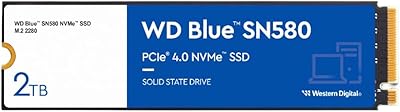
Western Digital 1TB WD Blue SN570 NVMe SSD
87%
92%
Performance
91%
Value for Money
88%
Ease of Installation
94%
Read/Write Speed
85%
Power Efficiency
More
Western Digital 4TB WD Blue SA510 SATA SSD
87%
89%
Performance
91%
Speed & Transfer Rates
92%
Value for Money
85%
Compatibility
88%
Ease of Installation
More
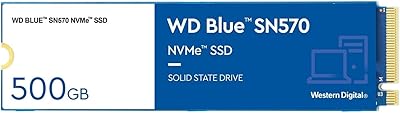
Western Digital 2TB WD Blue SN580 NVMe SSD
89%
91%
Performance
94%
Speed (Read/Write)
88%
Build Quality
92%
Value for Money
90%
Durability/Endurance
More
Western Digital 1TB WD Blue SN550 NVMe SSD
88%
93%
Performance
91%
Read Speed
88%
Write Speed
89%
Ease of Installation
90%
Compatibility
More
Western Digital 4TB WD Red SN700 NVMe SSD
85%
92%
Performance in NAS Systems
88%
Installation Process
90%
Reliability for 24/7 Operation
91%
Endurance and Lifespan
85%
Compatibility with NAS Devices
More
Western Digital 2TB WD Blue SN570 NVMe SSD
87%
92%
Performance
90%
Reliability
85%
Installation Process
95%
Speed (Read/Write)
88%
Power Efficiency
More
Western Digital 500GB WD Blue SN570 NVMe SSD
87%
94%
Performance Speed
90%
Ease of Installation
88%
Reliability
92%
Value for Money
85%
Power Efficiency
More
Ediloca EN870 4TB NVMe M.2 SSD
78%
91%
Sequential Read Speed
58%
Sustained Write Performance
93%
PS5 Compatibility
84%
Value for Money
89%
Installation Experience
More
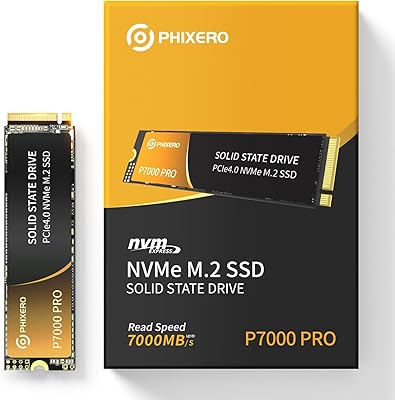
PHIXERO P7000PRO 4TB NVMe SSD

80%
88%
Sequential Read Speed
82%
Sequential Write Speed
76%
Thermal Management
84%
Value for Money
91%
Installation Experience
More

FAQ

Yes, it will work — M.2 NVMe drives are backward compatible with Gen 3 slots. However, you will not reach the advertised 5,500 MB/s speeds; expect roughly half that throughput on a Gen 3 system. It is still a fast, functional drive in that scenario, but if your board is Gen 3 only, you may want to weigh whether the 4TB capacity justifies the cost difference over a Gen 3-optimized alternative.

The SN5000 4TB is a step below the WD Black in both peak sequential performance and random I/O throughput. The WD Black is aimed at enthusiasts and heavy gaming workloads where latency and burst speeds are critical. This WD Blue drive closes that gap considerably for sequential workloads like video editing or large file transfers, but if you are chasing top-tier benchmark numbers or the absolute lowest access times, the WD Black is the stronger choice.

No heatsink is included in the box. For most desktop builds with reasonable airflow, the drive will manage its thermals without one. If you are installing it in a compact or poorly ventilated system and plan to run sustained heavy workloads, adding a low-profile M.2 heatsink is a worthwhile precaution and an inexpensive fix.

Western Digital bundles Acronis True Image with the SN5000 4TB, which handles full disk cloning. You will need to download and register the software through Western Digital's website, then connect your old drive alongside the new one — either via a second M.2 slot or a USB-to-M.2 enclosure. The cloning process is straightforward and well-documented in Acronis's setup guide.

Yes, the PS5 accepts M.2 2280 NVMe SSDs with PCIe Gen 4 support, and this drive meets those requirements. You will need a heatsink before installation, since Sony requires one for the PS5's M.2 bay. Performance in the PS5 will be capped by the console's internal bandwidth limits, so you will not see the full 5,500 MB/s there, but it is a compatible and well-regarded option for expanding PS5 storage.

Western Digital covers the SN5000 series with a 5-year limited warranty, which is standard for drives in this performance tier. The warranty is tied to both the time period and the TBW endurance rating, so whichever limit is reached first applies. For most users writing tens of gigabytes per day, the 1,200 TBW ceiling will not be a concern within five years.

Western Digital offers a free utility called WD Dashboard, available from their website, which displays the drive's temperature, health status, and remaining TBW endurance. Most third-party tools like CrystalDiskInfo will also read the NVMe SMART data and give you a clear picture of the drive's condition at any point.

You can place it in a compatible M.2 NVMe USB enclosure, and it will function as external storage. That said, USB connection speeds — even on USB 3.2 Gen 2 — will cap out well below the drive's native PCIe throughput, so you will only see a fraction of its potential that way. It works fine for this purpose, but buying it specifically for external use is not the most cost-efficient choice.

No additional drivers are required on Windows 10 or 11 — the operating system includes native NVMe driver support and will recognize the drive automatically. On fresh installs, you may need to load the NVMe driver from a USB during the Windows setup process if the installer does not detect it, but this is standard procedure for any NVMe drive and not specific to this model.

Like all solid-state drives, this NVMe SSD has no moving parts and produces zero audible noise during operation. If noise is a concern in your build, it is a complete non-issue here — unlike traditional hard drives, there are no spinning platters or read heads to generate sound under any load conditions.

Where to Buy

Newegg.com
In stock $569.14
Grooves-Inc.com
In stock $488.93
CompSource
In stock $529.65
Beach Audio
In stock $561.97
DriveSolutions.com
In stock $585.00