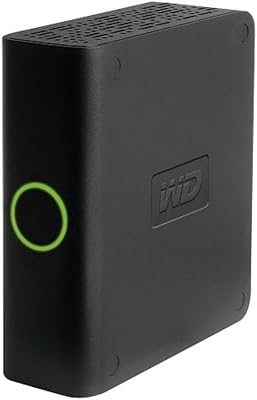
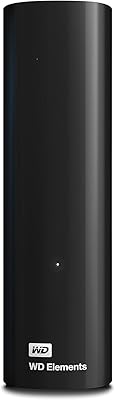
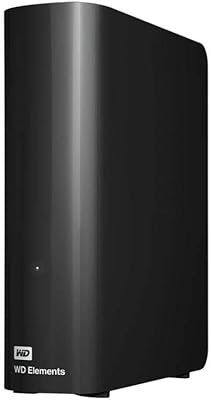
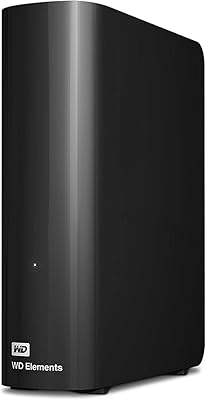
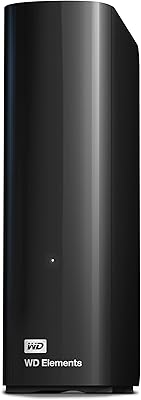
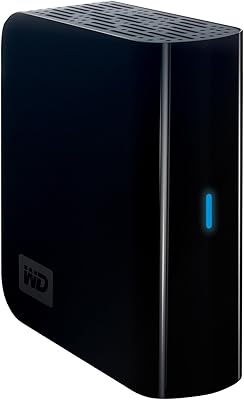
Western Digital 4TB My Book Desktop External Hard Drive
Western Digital 4TB My Book Desktop External Hard Drive — image 1

Western Digital 4TB My Book Desktop External Hard Drive — image 2
Western Digital 4TB My Book Desktop External Hard Drive — image 3
Western Digital 4TB My Book Desktop External Hard Drive — image 4
Western Digital 4TB My Book Desktop External Hard Drive — image 5

Western Digital 4TB My Book Desktop External Hard Drive — image 6
Western Digital 4TB My Book Desktop External Hard Drive — image 7
Western Digital 4TB My Book Desktop External Hard Drive — image 8
Western Digital 4TB My Book Desktop External Hard Drive — image 9
85%

Overview

The Western Digital 4TB My Book Desktop External Hard Drive offers a reliable solution for those in need of extra storage. This desktop hard drive provides a generous 4TB of capacity, ideal for backups and large file storage. The device connects via a USB 3.0 interface, ensuring fast data transfer speeds. It also comes equipped with hardware encryption and password protection, adding a layer of security for sensitive data. Its compact, durable design makes it suitable for both home and office environments, while the setup is quick and hassle-free.

Features & Benefits

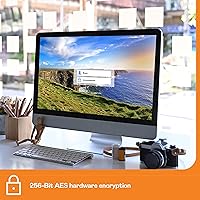
With 256-bit AES hardware encryption and password protection, the My Book 4TB ensures secure file storage and backup. Its substantial 4TB capacity makes it an excellent choice for users with large data sets or multimedia collections. The USB 3.0 connectivity provides fast file transfers, allowing for quick access to your files. Additionally, the drive is backward compatible with USB 2.0, ensuring flexibility across a range of devices. The My Book is designed for both PC and Mac users, making it a versatile solution for various operating systems.

Best For

This external hard drive is best suited for users needing secure, high-capacity storage. It’s an excellent choice for PC and Mac users looking for a plug-and-play solution to back up their important data. Its 4TB capacity makes it perfect for those with substantial storage needs, whether it's for business use or personal media collections. Small businesses, home offices, and individuals who store photos, videos, or other multimedia content will find the My Book 4TB especially useful. It's also a great option for anyone who prioritizes security with its built-in encryption features.

User Feedback

The My Book 4TB has garnered positive reviews for its ease of use and reliable performance. Users appreciate the fast transfer speeds provided by the USB 3.0 connection, which streamlines file management. However, some users have mentioned that the physical size of the drive makes it less portable, which could be a concern for those needing a more compact solution. On the plus side, the drive’s security features, including password protection and hardware encryption, receive high marks for providing peace of mind. Overall, it's praised for being a solid and secure external storage option.

Pros

  • The 4TB capacity offers ample space for storing large files, ideal for content creators or professionals with high storage needs.
  • USB 3.0 compatibility ensures fast data transfer, which is highly appreciated by users working with large files.
  • Password protection and 256-bit AES hardware encryption provide excellent security for sensitive data.
  • This external hard drive is simple to set up, making it a convenient solution for both beginners and tech-savvy users.
  • Its compact design ensures it doesn't take up much space on a desk, offering reliable storage without clutter.
  • Compatible with both PC and Mac, making it versatile for a wide range of users in different environments.

Cons

  • The large size of this drive makes it less portable, which can be inconvenient for users who need something travel-friendly.
  • Some users have reported that the device can get warm during heavy use, raising concerns about long-term reliability.
  • The My Book 4TB is not the best choice for users with limited USB 3.0 ports, as it requires this specific interface for optimal speed.
  • While it offers excellent storage, casual users might find the 4TB capacity excessive, leading to a higher price point for their needs.
  • The external power supply required for this drive adds to the overall bulk and limits its portability compared to bus-powered alternatives.
  • A few customers mentioned issues with the included backup software, finding it unnecessary or difficult to use for their needs.

Ratings

After analyzing verified user reviews from various sources worldwide, including multiple languages and platforms, we gathered insights on the Western Digital 4TB My Book Desktop External Hard Drive. Only authentic, high-quality feedback was considered, with spam, bot-driven, and exaggerated reviews filtered out. The scores reflect a balanced view of both the strengths and pain points reported by users in their experiences with this device.

Data Transfer Speed
88%
Users are generally impressed with the fast data transfer speeds provided by the USB 3.0 interface. This ensures that files, especially large backups, can be transferred quickly and efficiently, making it ideal for time-sensitive tasks and heavy-duty data management.
Some users report occasional fluctuations in speed, particularly when transferring multiple files at once. While speeds are usually solid, certain setups or conditions can lead to less optimal performance, especially with older systems that lack USB 3.0 support.
Ease of Setup
90%
Many buyers find the plug-and-play setup to be incredibly convenient, especially for those who don’t want to deal with complicated installation processes. Whether on a PC or Mac, users are often up and running within minutes, with minimal hassle.
A few users have noted that, although setup is easy, some software features could be more intuitive. For those unfamiliar with external drives, the included software may require additional time to fully understand.
Build Quality
84%
The solid and durable design of this external storage solution is praised by users who need something that can withstand daily use. Its sturdy construction and compact dimensions make it reliable for home office setups and even mobile use when necessary.
However, some users feel that the drive’s relatively large size makes it less suitable for portable use. Its heavier weight may be a downside for those seeking a more lightweight, travel-friendly option.
Storage Capacity
94%
The 4TB capacity is a standout feature, providing ample space for a wide range of users. Whether for backing up large data files, storing multimedia, or managing personal archives, this drive offers an impressive amount of room, making it a great choice for users with substantial storage needs.
While the 4TB capacity is perfect for many, some users feel that this large storage option may be excessive for their needs. Those with lighter storage requirements may prefer smaller, more affordable drives instead.
Security Features
91%
Many users find the 256-bit AES hardware encryption and password protection to be strong selling points. These features offer peace of mind for individuals handling sensitive or personal data, making it a top choice for privacy-conscious users.
Despite the security benefits, a few users have expressed concerns over the complexity of managing passwords and encryption settings. For those who aren’t tech-savvy, setting up these features can be a bit daunting.
Compatibility
87%
This external hard drive is fully compatible with both PC and Mac, making it versatile for users with different systems. The plug-and-play functionality ensures that users don’t have to worry about complicated configurations to start using the drive.
While compatibility is generally solid, some users with older operating systems have faced issues with setup. In rare cases, the drive may not be fully recognized without additional drivers or updates.
Design & Portability
72%
28%
Users appreciate the compact and sleek design of the drive, which fits neatly on most desks. It’s durable, which makes it reliable for long-term storage solutions in a stable location like a home office.
The larger form factor can be a turn-off for those seeking something more portable. Its weight and size make it less ideal for carrying around on the go, unlike smaller, more compact portable drives.
Software Included
80%
20%
The included backup software is a useful tool for many users, particularly those looking for automatic backup options. It simplifies the process of setting up backups, ensuring that files are stored securely with minimal effort.
A few users have mentioned that the included software feels a bit basic and could be improved with more advanced features. Additionally, some may prefer third-party solutions over the bundled software for a more customizable experience.
Noise Levels
76%
24%
Most users find the drive operates fairly quietly, which is a plus for those using it in quiet environments like home offices. The device runs smoothly without generating excessive noise during normal use.
However, there are occasional complaints regarding noise during heavy data transfer operations. Some users report hearing an audible hum, especially during extended use, which may be distracting in quieter spaces.
Long-Term Reliability
85%
The drive’s reliability has received positive feedback, with many users reporting that it continues to perform well after extended use. It’s seen as a dependable solution for long-term data storage with minimal issues.
On the flip side, a few users have experienced failures or technical issues after prolonged usage, especially if the drive is subjected to constant use without proper ventilation or care. A small number of users have expressed concerns about its longevity under high-demand conditions.
Value for Money
92%
With its generous 4TB storage, strong security features, and solid performance, this external hard drive offers excellent value for money. Users appreciate that it delivers a balance of quality and price, making it an affordable choice for those needing high-capacity storage without breaking the bank.
Some users feel that the price is a bit high for those who only need a small amount of storage. For users with lighter storage needs, the drive may feel like an over-investment given its size and features.
Customer Support
78%
22%
Western Digital’s customer support team has been praised for being responsive and helpful in addressing technical issues. Many users appreciate the assistance in setting up and troubleshooting problems with the device.
Despite positive experiences from some, others have reported slow response times or insufficient support for more complex issues. Users facing issues with the drive’s software or compatibility often find that it takes time to get satisfactory resolutions.

Suitable for:

The Western Digital 4TB My Book Desktop External Hard Drive is ideal for users who need substantial storage capacity and strong data security. This device is particularly beneficial for professionals and businesses managing large files, such as video editors, photographers, or content creators. The 4TB capacity offers ample space for backing up extensive data, making it a perfect choice for those with high storage demands. Additionally, its strong password protection and AES hardware encryption provide an extra layer of security for sensitive files, making it suitable for privacy-conscious individuals. Home office setups or small businesses requiring reliable, easy-to-use storage solutions will find this external drive especially useful.

Not suitable for:

However, the Western Digital 4TB My Book Desktop External Hard Drive may not be the best option for users seeking portability or those with minimal storage needs. Its larger form factor and weight make it less convenient for on-the-go use, limiting its appeal to those who need something compact and travel-friendly. Casual users or individuals who only need a small amount of storage might find the 4TB capacity excessive, leading to a higher cost without real benefits. Moreover, users with older systems lacking USB 3.0 support might experience slower data transfer speeds, detracting from the overall experience.

Specifications

  • Storage Capacity: Provides 4TB of storage space, ideal for large file backups and multimedia storage.
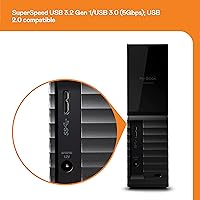
  • Interface: Uses USB 3.0 for fast data transfer speeds, with backward compatibility to USB 2.0.
  • Encryption: Features 256-bit AES hardware encryption for secure backups and data protection.
  • Password Protection: Includes built-in password protection to prevent unauthorized access to stored data.
  • Compatibility: Compatible with both PC and Mac systems for plug-and-play use.
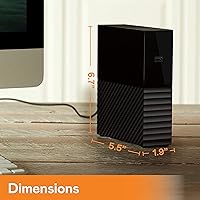
  • Dimensions: Measures 3.46 x 8.5 x 6.7 inches, designed for desktop use.
  • Weight: Weighs 5.9 ounces, making it compact yet sturdy.
  • Data Transfer Speed: Supports SuperSpeed USB 3.0, offering quick data transfers compared to older USB versions.
  • Form Factor: Desktop form factor, requiring an external power supply for operation.
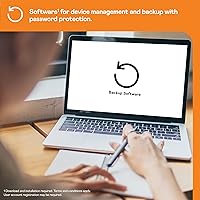
  • Backup Software: Includes backup software to automate and simplify file storage management.
  • USB Compatibility: Compatible with USB 2.0 devices for flexible connectivity options.
  • Manufacturer: Manufactured by Western Digital Technologies, Inc., a leader in data storage solutions.
  • Color: Black color option that blends well with most desktop setups.
  • Release Date: Released on October 11, 2016.
  • Power Supply: Requires external power for operation, not powered through USB.
  • Usage Scenario: Ideal for home office setups, small businesses, and users with high-capacity backup needs.
  • Operating Temperature: Operates within a temperature range suitable for typical office and home environments.
  • Warranty: Comes with a standard limited warranty from Western Digital for peace of mind.

FAQ

Setting up this external hard drive is simple. Just plug it into a USB 3.0 port on your PC or Mac, and it will automatically be recognized. No drivers are needed, making it a plug-and-play device. You can also use the included backup software to organize your files.

The My Book 4TB provides a large storage capacity, offering 4 terabytes of space. This is ideal for users who need to store large files, such as videos, high-resolution images, or backups of extensive data sets.

Yes, this external hard drive is compatible with both Mac and Windows systems. It works seamlessly with both operating systems, allowing users to easily switch between devices without needing reformatting.

The USB 3.0 interface allows for SuperSpeed data transfer, significantly faster than USB 2.0. This means quicker file transfers, making it ideal for users who need to move large amounts of data quickly, such as video editors or photographers.

Yes, the My Book 4TB features 256-bit AES hardware encryption and password protection, ensuring that your sensitive files are securely backed up and protected from unauthorized access.

This is a desktop external hard drive, meaning it is not designed for portability. It requires an external power supply and is bulkier compared to smaller, portable drives. It is best suited for users who need reliable storage at a fixed location.

The backup software provided with the drive is easy to use. Simply install the software, select the files or folders you want to back up, and let it run. It offers automatic backups on a schedule, making it convenient for keeping your data safe without manual intervention.

Yes, the My Book 4TB is compatible with Time Machine, Apple's built-in backup software. You can easily set it up to back up your Mac’s data, providing a reliable solution for Mac users who need external storage.

Most users report that the My Book 4TB operates quietly under normal usage, making it suitable for home offices or work environments where noise could be a distraction. However, some users have noted minor noise during heavy data transfers.

If the drive becomes unresponsive, try reconnecting it to a different USB port or restarting your computer. If the problem persists, check the power supply connection, as the drive requires an external power source. For more persistent issues, contact customer support or check for firmware updates on the manufacturer’s website.