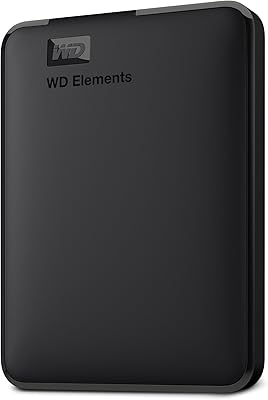
WD Elements Desktop 10TB External Hard Drive
Overview
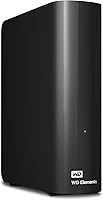
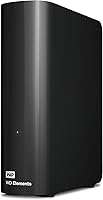
The WD Elements Desktop 10TB External Hard Drive is Western Digital's answer to the growing demand for bulk desktop storage that doesn't require a tech degree to set up. Before anything else, note that this is the UK-specific variant — model WDBWLG0100HBK-EESN — which ships with a UK power adapter, so buyers outside the UK should verify compatibility before purchasing. Ten terabytes gives you serious breathing room: think years of RAW photos, 4K video footage, or complete machine backups living in one place. Windows users get instant recognition straight out of the box. That said, this is a traditional spinning hard drive, so transfer speeds are respectable but not in the same league as solid-state storage.
Features & Benefits
The USB 3.0 interface makes a real difference when moving large files — shifting a few hundred gigabytes is far less tedious than it would be over an older USB 2.0 connection. The 10TB capacity is the headline; it's genuinely hard to fill quickly, even when archiving 4K footage or backing up multiple computers. The 3.5-inch desktop form factor draws power from an external adapter rather than the USB port, keeping it stable under sustained workloads. Physically, this external hard drive is more compact than you might expect for its size. There's no bundled software to wrestle with on Windows, and the internal WD components have a well-established track record for long-term reliability in real-world conditions.
Best For
This desktop drive makes the most sense for people who generate or accumulate large amounts of data and need one dependable home for it all. Home users running backups across two or three family computers will appreciate the headroom. Video editors and photographers dealing with large raw files will find the capacity genuinely practical rather than just impressive on paper. It also suits anyone looking to consolidate a collection of smaller external drives into one tidier setup. Portability isn't part of the equation — this is a stay-on-the-desk unit. If you want a no-fuss, high-capacity archive drive from a brand with decades of storage experience and you don't need to carry it anywhere, this fits the brief well.
User Feedback
Across a large pool of verified buyers, the WD Elements 10TB earns consistently strong marks, particularly around value per terabyte. Many users highlight how quietly it runs — something that genuinely matters when the drive sits on your desk all day. Long-term reliability draws positive comments too, though a handful of buyers have reported failures after extended use, which is worth knowing going in. The UK-spec issue surfaces regularly: some international buyers received this variant unexpectedly and encountered adapter complications. That's a legitimate concern, not a minor footnote. On balance, the consensus leans strongly positive — most people buying it for backup or archiving come away satisfied. Occasional longevity concerns aside, it's a well-regarded drive with real-world usage behind its reputation.
Pros
- Ten terabytes of storage offers years of headroom for photos, videos, and full system backups.
- Plug-and-play setup on Windows means zero configuration — just connect and start using it.
- USB 3.0 delivers noticeably faster transfers than older drives still running USB 2.0 connections.
- The desktop drive runs quietly enough to sit on a desk all day without becoming a distraction.
- Compact physical size for its capacity keeps desk clutter minimal.
- Western Digital's long track record in storage lends real-world credibility to the reliability claims.
- No bundled software means no background processes, no bloat, and no mandatory account creation.
- Consistent value-per-terabyte makes this external hard drive one of the more cost-efficient options in its class.
- Stable desktop form factor handles sustained workloads better than bus-powered portable drives.
- Works reliably with standard third-party backup tools on Windows without compatibility issues.
Cons
- Mechanical HDD speeds are a genuine bottleneck — large initial backups can take several hours.
- Premature failure reports after 18 to 24 months of continuous use appear with concerning regularity in long-term reviews.
- The UK-specific power adapter creates real problems for international buyers who receive this variant unexpectedly.
- No drive health monitoring software is included, so users must source their own tools to track drive condition.
- The external power brick adds cable clutter and requires a dedicated wall outlet.
- Mac users must reformat the drive before use — something the product packaging does not clearly communicate.
- No warranty upgrade or extended coverage option is bundled, which matters given the failure rate concerns.
- Usable formatted capacity comes in noticeably below the advertised 10TB figure, which surprises first-time buyers.
Ratings
The WD Elements Desktop 10TB External Hard Drive has been evaluated by our AI rating system after analyzing thousands of verified global buyer reviews, with spam, bot-generated, and incentivized feedback actively filtered out. Scores reflect genuine user experiences across a wide range of real-world use cases — from home backup setups to content creation workflows. Both the strengths that make this desktop drive a popular choice and the recurring pain points that prospective buyers should weigh are transparently represented below.
Storage Capacity Value
Ease of Setup
Transfer Speed
Build Quality & Durability
Noise & Heat Levels
UK-Spec Compatibility
Long-Term Reliability
Value for Money
Software & Ecosystem
Physical Footprint & Desk Presence
Backup Performance
Portability
Mac Compatibility
Brand Trust & Support
Suitable for:
The WD Elements Desktop 10TB External Hard Drive is a strong fit for home users who have accumulated years of photos, videos, and documents across multiple computers and need one reliable, high-capacity destination to bring it all together. Photographers and videographers working with large RAW or 4K files will appreciate having a dedicated archive drive that doesn't require constant juggling or deletion to free up space. It also makes practical sense for small home offices running scheduled backups across a couple of Windows PCs — plug it in, point your backup software at it, and largely forget about it. Users looking to consolidate a collection of older, smaller external drives into a single organized unit will find the 10TB headroom gives them room to grow for years. The straightforward plug-and-play setup on Windows means there's no technical barrier to getting started, which makes it accessible even for buyers who aren't particularly hardware-savvy.
Not suitable for:
The WD Elements Desktop 10TB External Hard Drive is not the right choice for buyers who need fast transfer speeds — this is a mechanical spinning drive, and anyone moving large files regularly will notice the pace compared to SSD-based alternatives. It is also a poor fit for buyers outside the UK who aren't careful about which variant they're purchasing, since this specific model ships with a UK power adapter and is not designed for use in other regions without additional adapter workarounds. Anyone who needs to carry their storage between locations frequently should look elsewhere entirely — the requirement for a wall-powered external adapter makes this a desk-bound unit, not a portable one. Mac users should be aware that reformatting is required before the drive will function properly, which adds friction the product's marketing does not acknowledge. Finally, buyers who plan to use this as their only copy of irreplaceable data should reconsider — no single mechanical hard drive, regardless of brand, is a substitute for a proper multi-location backup strategy.
Specifications
- Storage Capacity: The drive provides 10TB of raw storage capacity, which formats to approximately 9.1TB of usable space on most operating systems.
- Drive Type: This is a 3.5-inch mechanical hard disk drive (HDD) using spinning platters, not solid-state flash storage.
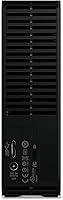
- Interface: Connects via USB 3.0, which is also backwards compatible with USB 2.0 ports at reduced transfer speeds.
- Form Factor: Desktop 3.5-inch form factor designed for stationary use, requiring an external AC power adapter rather than drawing power from the USB port.
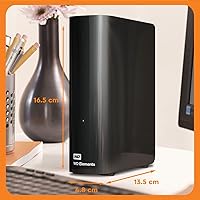
- Dimensions: The unit measures 5.31″ (L) x 1.89″ (W) x 6.5″ (H), giving it a compact footprint relative to its storage capacity.
- Weight: The drive weighs 2.09 pounds, making it light enough to reposition easily but not designed for regular portability.
- Power Supply: Powered via an included external AC adapter with a UK plug; this variant is not supplied with adapters for other regional standards.
- OS Compatibility: Pre-formatted for Windows and recognized as plug-and-play on Windows PCs; Mac and Linux users will need to reformat before use.
- Model Number: The exact model number for this UK-specific variant is WDBWLG0100HBK-EESN, which distinguishes it from non-UK regional versions.
- Series: Part of Western Digital's Elements Desktop line, a range focused on high-capacity, straightforward external storage without premium feature additions.
- Manufacturer: Designed and manufactured by Western Digital, a company with decades of experience producing consumer and enterprise storage hardware.
- Color: The enclosure is finished in matte black, giving it a neutral appearance that suits most desk environments.
- USB Standard: The USB 3.0 interface supports theoretical transfer speeds of up to 5 Gbps, though real-world speeds are constrained by the mechanical drive internals.
- Installation Type: External installation only — the drive connects to a host computer via USB and does not require opening a PC case or any internal mounting.
- Region: This is a UK-specific product variant, designed, labeled, and packaged exclusively for retail sale within the United Kingdom.
- Warranty: Western Digital typically provides a 2-year limited warranty on Elements Desktop drives, though buyers should verify terms based on their region and purchase channel.
- File System: Ships pre-formatted with NTFS, which is natively read and write compatible with Windows but requires reformatting for full read-write access on macOS.
- Compatible Devices: Officially compatible with desktop PCs; works with laptops that have USB 3.0 ports, provided a separate power outlet is available for the AC adapter.
Related Reviews
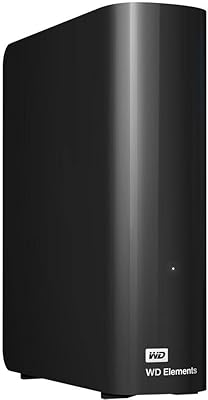
WD 20TB Elements Desktop External Hard Drive

WD Elements Desktop 3TB External Hard Drive
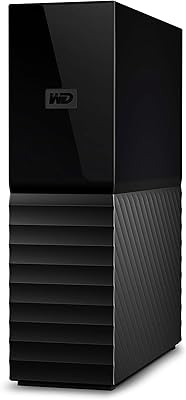
WD My Book 18TB External Hard Drive
WD My Book 22TB External Hard Drive
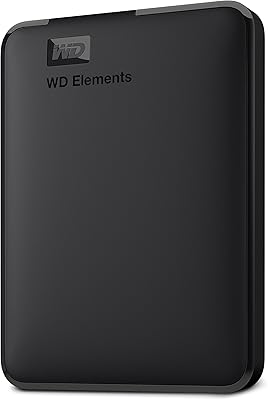
WD 6TB Elements Portable External Hard Drive
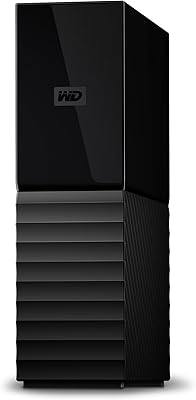
WD 12TB My Book Desktop External Hard Drive
WD My Book 16TB External Hard Drive
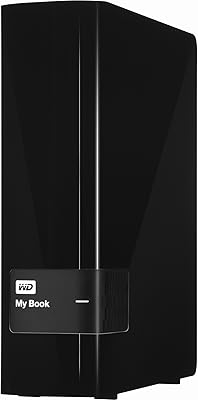
WD My Book 3TB Desktop External Hard Drive
WD Elements Portable 5TB External Hard Drive