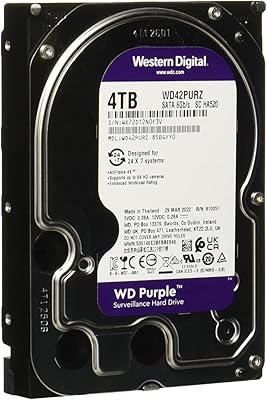
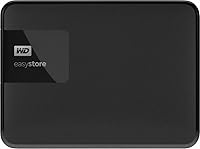
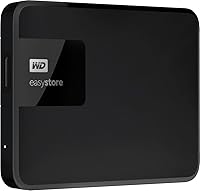
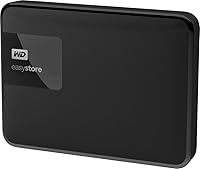
Western Digital EasyStore 4TB External Hard Drive
Overview
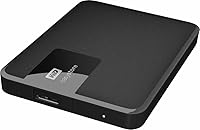
The Western Digital EasyStore 4TB External Hard Drive is a straightforward, no-nonsense backup solution aimed at home users and small offices that need serious storage without serious spending. This is not a slim, pocket-friendly drive you toss in a bag — the 3.5-inch mechanical form factor means it belongs on a desk, not in a backpack. Think of it as a stationary storage workhorse rather than a travel companion. Western Digital's EasyStore line has roots as a Best Buy exclusive, often housing rebranded internals from WD's own drive families, which makes it a quietly capable option at a mid-range price point for anyone who prioritizes capacity over portability.
Features & Benefits
The WD EasyStore 4TB connects via USB 3.0, which handles large file transfers at a decent clip and works fine plugged into older USB 2.0 ports too. Four terabytes is plenty of room for years of photo backups, a growing video archive, or a full system image — sometimes all three at once. One thing to know upfront: unlike slim 2.5-inch drives, the 3.5-inch chassis typically requires its own AC power adapter to run, so you will need a wall outlet nearby. Windows users get true plug-and-play out of the box. Mac users will need to reformat the drive first. There is no bundled software to wade through — just drag, drop, and go.
Best For
This desktop external drive makes the most sense for someone who parks it next to their PC and leaves it there. Home users building a local backup routine, photographers archiving raw files, or video editors offloading project folders will all get solid value from 4TB at this price. It is also a natural step up for anyone outgrowing a 1TB or 2TB drive who wants more headroom without a complicated setup. What it is not is a travel drive — the size and power requirements make it firmly desk-bound. If you need something to carry around daily, a compact 2.5-inch option would serve you better.
User Feedback
With a 3.6-star average across a modest number of ratings, the reception for this EasyStore drive is genuinely mixed — and worth taking seriously. On the positive side, buyers frequently call out easy setup and appreciation for getting a large chunk of storage at an accessible price. The complaints, though, are harder to ignore. A meaningful subset of reviewers report drives running noticeably warm, making audible noise during operation, or failing outright within a year or two. Early failure reports are scattered but consistent enough to suggest a real pattern. With fewer than 100 reviews total, the sample is too small to be fully conclusive, which leaves the long-term reliability picture murkier than ideal.
Pros
- Zero software installation required — plug in on Windows and the drive is ready within seconds.
- Four terabytes of capacity handles years of photos, videos, and full system backups with room to spare.
- USB 3.0 connectivity transfers large files at a pace that suits regular home backup routines.
- No bundled apps or forced cloud subscriptions cluttering up the experience.
- At 8 ounces, this EasyStore drive has a small physical footprint that sits neatly on any desk.
- Backward compatible with USB 2.0 ports, so older PCs are not left out.
- Cost-per-gigabyte is among the most competitive in the mechanical external drive category at this size.
- A recognizable brand name with broad retail availability makes sourcing and basic support relatively accessible.
Cons
- A segment of buyers report drive failures within one to two years — a serious concern for long-term storage.
- Requires an AC power adapter, making it completely impractical for use away from a desk or power outlet.
- Mac users must reformat the drive before first use, with no guidance included in the packaging.
- Audible clicking and fan-like spinning noise during heavy use is a recurring complaint from buyers.
- The plastic enclosure can feel hollow and low-quality when handled, which undermines confidence in durability.
- Heat buildup under sustained load has been flagged by multiple reviewers as a potential reliability risk.
- The relatively small number of reviews means the reliability picture is harder to assess with confidence.
- Warranty and customer support experiences reported by users who needed help were frequently disappointing.
Ratings
Our AI rating system analyzed verified global buyer reviews for the Western Digital EasyStore 4TB External Hard Drive, actively filtering out incentivized, bot-generated, and low-credibility submissions to surface what real users genuinely experience. The scores below reflect an honest cross-section of feedback — the wins and the frustrations alike. Where the picture is mixed, we call it out directly rather than smooth it over.
Ease of Setup
Storage Capacity
Transfer Speed
Long-Term Reliability
Build Quality & Durability
Noise & Heat During Operation
Value for Money
Portability & Form Factor
Mac Compatibility
Software & Bloatware
Plug-and-Play Experience (Windows)
Cable & Accessories
Brand Trust & Support
Suitable for:
The Western Digital EasyStore 4TB External Hard Drive is a practical fit for home users and small office setups where the priority is simple, affordable, high-capacity backup storage that stays put on a desk. If you are a photographer sitting on years of RAW files, a hobbyist videographer archiving project folders, or someone who just wants a dedicated drive for full PC backups without spending a lot, this EasyStore drive covers those bases competently. It works especially well for Windows users who want zero friction — plug it in and the operating system handles the rest. Anyone upgrading from a 1TB or 2TB external drive who needs significantly more headroom without a complicated installation will find the step up straightforward. The cost-per-gigabyte ratio is genuinely hard to beat at this capacity for buyers who are not chasing SSD speeds and simply need bulk mechanical storage close at hand.
Not suitable for:
This desktop external drive is a poor match for anyone expecting the kind of slim, bus-powered portability you get from a 2.5-inch drive like WD's My Passport line — the 3.5-inch form factor means it needs an AC power adapter, which immediately rules it out as a travel or bag companion. The Western Digital EasyStore 4TB External Hard Drive should also give pause to anyone storing truly irreplaceable data, given that a meaningful share of user reviews flag early mechanical failure within the first two years of ownership. Mac users who are not prepared to reformat the drive before first use will hit an immediate compatibility wall. If you need fast transfer speeds for professional 4K video workflows or frequently move large files under tight time constraints, the mechanical drive's limitations will frustrate you. And if you are the kind of buyer who values responsive, reliable after-sales support should something go wrong, the mixed warranty experiences reported by users are worth factoring into your decision.
Specifications
- Storage Capacity: The drive provides 4TB of total storage capacity, suitable for large photo libraries, video archives, and full system backups.
- Interface: Connects via USB 3.0 for faster data transfers, with full backward compatibility with USB 2.0 ports.
- Form Factor: Built around a 3.5-inch mechanical hard disk chassis, designed for stationary desktop use rather than portability.
- Drive Type: Uses a traditional mechanical spinning hard disk (HDD) rather than solid-state storage, prioritizing capacity over speed.
- Installation Type: External installation only — no internal mounting or disassembly of any host device is required.
- Power Requirements: The 3.5-inch form factor requires an AC power adapter for operation and cannot run on bus power from a USB port alone.
- Connectivity: Uses a standard USB Type-A connector, compatible with the vast majority of desktop and laptop computers currently in use.
- Item Weight: The unit weighs 8 ounces, making it manageable on a desk despite the larger 3.5-inch drive enclosure.
- Package Dimensions: The packaged unit measures 5.87 x 4.80 x 1.57 inches, with a compact footprint suited to desktop placement.
- Color & Finish: Available in a matte black plastic finish that resists visible fingerprints under typical desk conditions.
- OS Compatibility: Ships pre-formatted for Windows and works plug-and-play on PC; Mac users must reformat before first use.
- Model Number: The official model number is WDBKUZ0040BBK-WESN, specific to the 4TB black variant in this EasyStore series.
- Brand & Series: Manufactured by Western Digital under the EasyStore product line, originally introduced as a Best Buy exclusive series.
- First Available: This product was first made available for purchase in March 2018 and has not been discontinued by the manufacturer.
- Hardware Platform: Designed and formatted for PC use out of the box, with no native Mac or Linux configuration included.
- Bundled Software: No proprietary backup software or companion application is included; the drive operates as a standard drag-and-drop storage device.
Related Reviews
Western Digital Easystore 5TB Portable Hard Drive
Western Digital EasyStore 2TB External Hard Drive
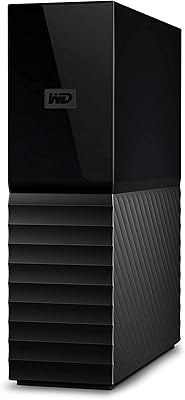
Western Digital 4TB My Book Desktop External Hard Drive
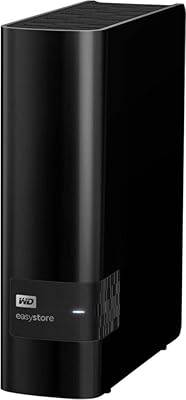
Western Digital Easystore 14TB External Hard Drive
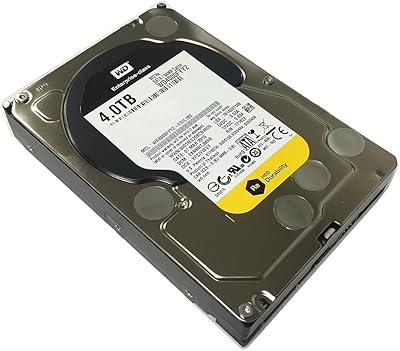
Western Digital WD4000FYYZ 4TB Enterprise Hard Drive

WD Elements Desktop 6TB External Hard Drive
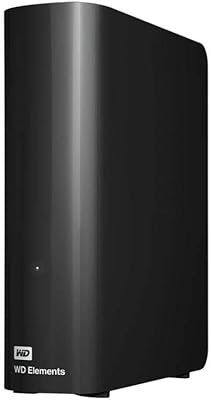
WD Elements Desktop 14TB
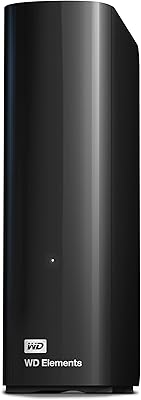
Western Digital 22TB Elements Desktop External Hard Drive
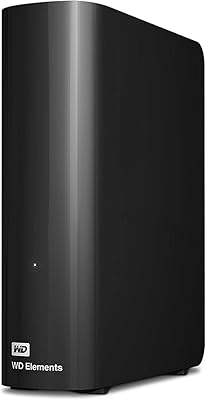
WD Elements Desktop 26TB External Hard Drive