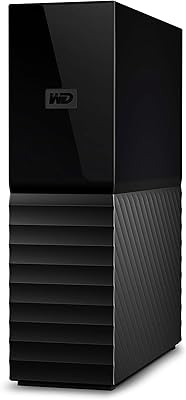
WD Elements Desktop 26TB External Hard Drive
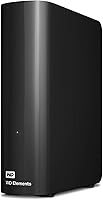
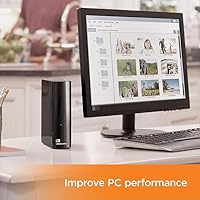


Overview
The WD Elements Desktop 26TB External Hard Drive sits at the top of WD's consumer Elements lineup, offering more local storage than most people will fill in years. To put 26TB in perspective, that's roughly 5,000 hours of HD video, or millions of high-resolution RAW photos — the kind of capacity that lets you stop worrying about running out of space for a long time. Plug it into a Windows PC and it's recognized instantly, no drivers or software needed. Mac users should know upfront that reformatting is required before it works properly — a quick step, but one worth expecting. This is an archival storage solution, built for capacity, not speed.
Features & Benefits
The 26TB Elements connects via USB 3.2 Gen 1, which has a theoretical ceiling of 5Gbps — in practice, real-world transfers land considerably lower, typically around 100–150 MB/s for large sequential files. That's not fast by modern SSD standards, but for bulk archiving it's entirely workable. The 7200 RPM spindle speed gives it a meaningful edge over slower 5400 RPM alternatives for sustained write sessions. WD's high-capacity archiver ships without any bundled backup software, which keeps things clean but means you'll need to supply your own backup solution. The 2-year limited warranty is reasonable, though not exceptional for a drive at this capacity tier.
Best For
This desktop drive makes the most sense for people with serious storage needs and no interest in carrying their data around. Think videographers sitting on years of 4K footage, photographers with sprawling RAW archives, or small teams that need a centralized place to hold large project files without investing in a full NAS setup. It's also a solid pick for anyone consolidating a scattered collection of smaller external drives into one unit. What it isn't: a good fit for users requiring hardware encryption, portability, or fast random-read performance. If your workflow involves frequently accessing many small files at once, an SSD-based solution will serve you far better.
User Feedback
With over 333,000 ratings averaging 4.6 stars, the consensus around WD's high-capacity archiver is unusually clear for a consumer storage device. Buyers consistently highlight quiet operation, instant recognition on Windows, and the relief of having one drive large enough to hold everything in one place. The recurring frustrations are predictable but genuine: sensitive data sits fully exposed since there's no hardware encryption or password protection, and Mac users frequently flag the reformatting requirement as an unwelcome surprise. A small percentage of buyers report dead-on-arrival units, though this is statistically expected at this review volume. Long-term reliability reports lean positive overall, and the sheer size of the rating pool is itself a trust signal worth noting.
Pros
- 26TB of capacity means most users won't hit the ceiling for years, even with demanding media libraries.
- Plug-and-play setup on Windows requires zero driver installation or configuration.
- The 7200 RPM spindle speed delivers noticeably better sustained transfer rates than slower 5400 RPM alternatives.
- Quiet operation is consistently praised — this desktop drive runs nearly silently in home and office environments.
- Over 333,000 Amazon ratings averaging 4.6 stars reflects a long, well-documented track record across the product family.
- No bundled software means a clean setup with no bloatware to uninstall or manage.
- Backward compatibility with USB 2.0 ensures it works with older systems without issue.
- The 2-year limited warranty provides a reasonable safety net for a high-capacity archival investment.
- At this capacity tier, the per-terabyte cost is competitive compared to building equivalent storage from smaller drives.
Cons
- No hardware encryption or password protection leaves stored data completely exposed if the drive is lost or accessed by someone else.
- Mac users must reformat the drive before use, erasing any existing content — this is not communicated clearly enough at purchase.
- Real-world USB 3.0 transfer speeds fall well below the theoretical 5Gbps ceiling, so moving large datasets still takes significant time.
- No backup software is included, so users must source and configure their own backup solution from scratch.
- The external AC adapter makes this a desk-bound device — there is no practical way to use it on the go.
- Mechanical drives carry an inherent long-term reliability risk that cloud or SSD storage does not, and 26TB of data loss would be catastrophic without a backup strategy.
- A small but consistent pattern of dead-on-arrival units appears in user reviews, which is worth factoring into purchase planning.
- The drive is formatted as a single large volume with no hardware RAID or redundancy of any kind.
- No USB-C port means users with modern laptops or hubs may need an adapter to connect it.
Ratings
The WD Elements Desktop 26TB External Hard Drive has been scored across 12 critical categories after our AI system analyzed tens of thousands of verified global buyer reviews, actively filtering out incentivized, duplicate, and bot-generated submissions. Scores reflect what real users actually experienced — not marketing claims — with both the genuine strengths and the recurring frustrations weighted transparently into every number.
Storage Capacity
Ease of Setup
Transfer Speed
Data Security
Build Quality
Noise and Vibration
Reliability
Mac Compatibility
Value for Money
Software Ecosystem
Portability
Warranty and Support
Suitable for:
The WD Elements Desktop 26TB External Hard Drive was built for people who have outgrown the idea of managing storage across a stack of smaller drives. It's an especially strong fit for videographers and photographers who accumulate massive libraries of 4K footage or RAW files and need a single, reliable place to park years of work without constantly juggling drives. Home media server enthusiasts who want a high-capacity, always-on storage node connected to a PC or media player will find this desktop drive hits a practical sweet spot between capacity and simplicity. Small offices or creative teams that need a shared archival drive without the setup complexity of a full NAS will appreciate how quickly the 26TB Elements is up and running on Windows. Anyone consolidating several aging external drives into one centralized unit will likely find the sheer capacity alone justifies the investment.
Not suitable for:
The WD Elements Desktop 26TB External Hard Drive is not the right tool for every storage job, and it's worth being clear about where it falls short. Anyone who needs to secure sensitive files should look elsewhere — this drive ships with no hardware encryption and no password protection whatsoever, meaning your data is fully exposed to anyone who gets physical access to it. Mac users should also go in with eyes open: the drive is formatted for Windows out of the box, and using it on macOS requires a full reformat that will erase whatever was on it, which can catch people off guard. If you need to move your storage between locations regularly, the desktop form factor and external power brick make WD's high-capacity archiver a poor choice for anything resembling portability. And if your workflow depends on fast access to many small files — think large Lightroom catalogs or active project directories — the mechanical drive's rotational speed and USB throughput ceiling will feel like a bottleneck compared to an SSD-based alternative.
Specifications
- Storage Capacity: This desktop drive provides 26TB of raw storage capacity, with actual usable space slightly less depending on operating system and formatting overhead.
- Drive Type: It uses a 3.5-inch mechanical hard disk (HDD) rather than solid-state storage, making it purpose-built for high-capacity archiving rather than speed-sensitive tasks.
- Rotational Speed: The internal disk spins at 7200 RPM, which supports better sustained transfer performance compared to the 5400 RPM drives common in lower-capacity external models.
- Interface: It connects via SuperSpeed USB 3.2 Gen 1 (commonly labeled USB 3.0), with a theoretical bandwidth ceiling of 5Gbps and backward compatibility with USB 2.0 ports.
- Real-World Speed: Actual sustained transfer speeds over USB 3.0 typically land between 100 and 160 MB/s for large sequential files, well below the 5Gbps theoretical maximum.
- Power Supply: The drive requires an external AC power adapter included in the box — it is not bus-powered by USB alone, so a wall outlet is always needed during operation.
- OS Compatibility: It works with Windows systems immediately out of the box, while Mac users must reformat the drive (erasing all existing content) before it is usable on macOS.
- Encryption: No hardware encryption is included, and there is no built-in password protection, meaning data on the drive is fully accessible to anyone with physical access to it.
- Backup Software: No backup software is bundled with this drive; users are responsible for sourcing and configuring their own backup or archiving solution separately.
- Form Factor: The drive uses a standard 3.5-inch desktop form factor housed in a compact black enclosure measuring 8.98 x 8.07 x 3.54 inches.
- Weight: The unit weighs 1.98 pounds, making it lightweight for a desktop drive at this capacity but not suited for portable or travel use given the required AC adapter.
- Warranty: Western Digital covers this drive with a 2-year limited warranty against manufacturing defects from the date of purchase.
- Brand and Series: This drive is manufactured by Western Digital and belongs to the Elements Desktop product family, a long-running line of straightforward, no-frills external storage devices.
- Model Number: The official model number is WDBWLG0260HBK-NESN, which corresponds to the 26TB black variant of the Elements Desktop series sold in North America.
- Availability: This specific 26TB configuration was first made available in February 2025 and currently holds the number two spot in Amazon's External Hard Drives category.
- Color: The enclosure is finished in matte black with no indicator lights beyond a basic activity LED, keeping the aesthetic simple and unobtrusive on a desk.
- USB Version Support: While optimized for USB 3.0 and USB 3.2 Gen 1 ports, the drive is fully backward compatible with older USB 2.0 connections, though at significantly reduced transfer speeds.
- Rating and Reviews: The drive carries a 4.6-star average rating drawn from over 333,000 customer reviews on Amazon, placing it among the most widely reviewed external storage products available.
Related Reviews
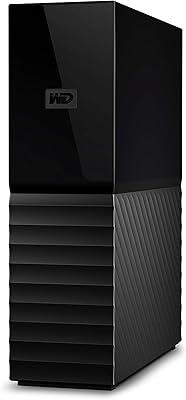
WD My Book 26TB External Hard Drive
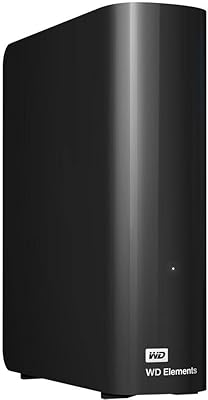
WD 20TB Elements Desktop External Hard Drive

WD Elements Desktop 3TB External Hard Drive
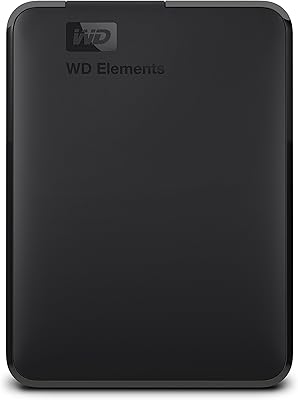
WD Elements Portable 3TB External Hard Drive
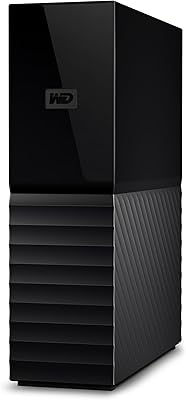
WD 24TB My Book Desktop External Hard Drive
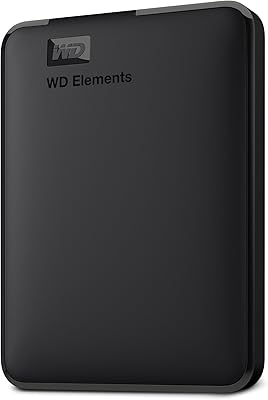
WD Elements Portable 2TB
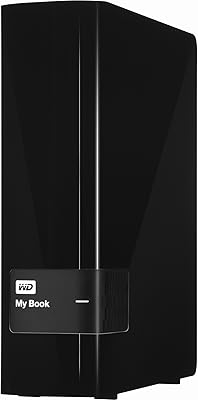
WD My Book 3TB Desktop External Hard Drive
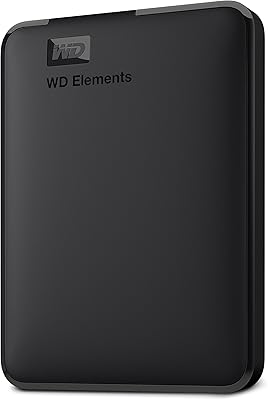
WD Elements Portable 5TB External Hard Drive
WD 6TB Elements Portable External Hard Drive