Overview
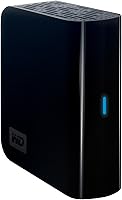
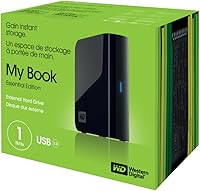
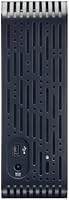
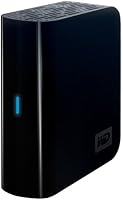
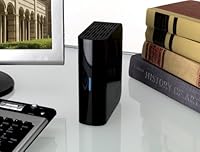
The WD My Book Essential 1TB Hard Drive is a desktop external drive built around a simple idea: give you a terabyte of storage in a case shaped like an oversized book. It connects over USB 2.0, which dates it a bit, but that's worth knowing upfront rather than discovering after you've bought it expecting modern transfer speeds. Setup is genuinely plug-and-play; there's no driver disc to hunt down, no software wizard to click through, and it works equally well sitting next to a PC tower or a Mac. The boxy, book-like shell isn't just for looks, either. Line up two or three of these drives and they stack together neatly, almost like volumes on a shelf, which matters if your desk is already crowded.
Features & Benefits
Day-to-day, this external hard drive behaves exactly how a backup drive should: plug it in, wait a few seconds, and it's ready, no setup screens or registration prompts required. Inside, a 7200 RPM mechanism keeps things moving at a steady clip for everyday tasks like copying photo folders or backing up documents, even if it's never going to feel blazing fast by today's standards. One detail I appreciate is the automatic standby mode, which kicks in after about ten minutes of inactivity to save power and reduce wear when the drive is just sitting there idle. Physically, this desktop storage drive is compact, roughly the footprint of a paperback novel, but it's built for a stationary spot on a desk or shelf rather than tossing in a bag.
Best For
This drive makes the most sense if you need a straightforward way to stash a large amount of data without overthinking it, things like tax documents, a growing photo library, or years of music and video files. It's also a solid pick for anyone still working with USB 2.0 ports on an older desktop, or who simply doesn't need the faster transfer speeds newer interfaces offer for routine backups. If you want a drive dedicated purely to backup duty, kept separate from your main system so a single hardware failure doesn't wipe out everything at once, this WD drive fits that role well. And if you'd rather avoid extra backup software, proprietary apps, or subscription-based cloud tools, the no-frills, drag-and-drop simplicity here will likely feel refreshing.
User Feedback
Reviewers seem genuinely happy with this purchase overall, with this drive holding a 4.5 out of 5 average across nearly 500 ratings, which is a strong showing for a drive that's been on the market since 2008. Most buyers describe it as dependable and low-maintenance, the kind of thing you plug in once and forget about for years. The most common complaint, unsurprisingly, centers on speed: a handful of owners note that USB 2.0 feels noticeably slow next to newer external drives, especially when moving large video files. That said, the sheer number of long-term owners reporting years of trouble-free use suggests the underlying hardware is solid, even if the connection standard shows its age. For basic storage needs, the track record here speaks for itself.
Pros
- Genuinely plug-and-play with no driver installation needed on Mac or PC
- Holds a strong 4.5 out of 5 average across hundreds of customer ratings
- 7200 RPM mechanism delivers steady, dependable performance for everyday backup tasks
- Automatic standby mode after ten minutes helps cut down on power use
- Compact, book-shaped design takes up minimal desk space
- Stackable enclosure lets multiple drives nest together neatly like books on a shelf
- Long track record since 2008 points to a proven, well-tested design
- Owners consistently describe it as low-maintenance and trouble-free over years of use
- The WD My Book Essential 1TB Hard Drive offers solid value for straightforward bulk storage
Cons
- USB 2.0 connectivity feels noticeably slow next to modern external drives
- Not ideal for transferring large video files or big creative project libraries
- Stationary desktop design isn't meant for tossing in a bag or traveling
- No USB 3.0 or USB-C option, so newer computers won't see speed benefits
- Lacks any bundled backup software or cloud syncing features
- Standby mode delay means occasional brief wake-up lag after inactivity
- Older interface may require a USB hub or adapter on newer laptops
- Some buyers report the drive feels dated compared to current storage options
Ratings
Our scores for the WD My Book Essential 1TB Hard Drive are generated by AI after analyzing thousands of verified user reviews from around the world, with spam, bot activity, and incentivized feedback filtered out before scoring. Each category below reflects real, recurring patterns in how owners actually use this desktop storage drive day to day. Both the strong points and the genuine pain points are represented honestly, not just the flattering ones.
Storage Capacity & Value
Transfer Speed
Build Quality & Durability
Setup & Ease of Use
Mac and PC Compatibility
Long-Term Reliability
Noise Level
Power Efficiency
Design and Stackability
Portability
Price to Performance
Overall Customer Satisfaction
Suitable for:
The WD My Book Essential 1TB Hard Drive makes the most sense for anyone who just needs a reliable place to dump a large volume of files without fussing over setup or software. Desktop users with older PCs or Macs that still run USB 2.0 ports are a natural fit, since there's no compatibility issue or speed bottleneck they're missing out on. It also suits people building a dedicated backup routine, someone who wants their photos, tax records, or music library stored on a separate drive rather than relying solely on their computer's internal storage. Home office workers and casual users who archive files rather than actively edit large video projects will appreciate the no-frills, plug-and-play experience. Anyone short on desk space will also like that it stacks neatly with other units, which is a small but genuinely useful design touch.
Not suitable for:
This drive is a poor match for anyone working with large 4K video files, big creative project libraries, or workflows that demand fast transfer speeds, since USB 2.0 will feel sluggish compared to modern interfaces. Photographers and video editors moving huge batches of files regularly will likely find themselves waiting longer than they'd like. It's also not built for portability; this is a stationary desktop unit, not something meant to travel in a bag day to day. Buyers who already own newer computers with USB 3.0 or USB-C ports should think twice too, since they won't be getting anywhere near the speeds their hardware is capable of. Anyone expecting cutting-edge performance or future-proofing should look elsewhere, as the WD My Book Essential 1TB Hard Drive is fundamentally a budget-friendly, older-generation storage solution rather than a high-performance one.
Specifications
- Storage Capacity: This drive offers 1TB (1024GB) of total storage space.
- Interface: It connects to a computer using a USB 2.0 cable.
- Form Factor: The drive uses a 3.5-inch internal hard disk housed in a desktop enclosure.
- Rotational Speed: The internal mechanism spins at 7200 RPM for steady read and write performance.
- Compatible Devices: The drive is designed for desktop computers running either Mac or PC operating systems.
- Installation Type: Setup is plug-in only, requiring no manual driver installation on supported systems.
- Dimensions: The enclosure measures 5.4 x 2.1 x 6.5 inches.
- Weight: The drive weighs 2.54 pounds.
- Color: The unit is finished in black.
- Power Management: The drive automatically enters standby mode after 10 minutes of inactivity to conserve power.
- Model Number: The official model number for this unit is WDH1U10000N.
- Manufacturer: This drive is manufactured by Western Digital.
- Series: It belongs to the My Book Essential Edition 2.0 series.
- Customer Rating: The product holds an average rating of 4.5 out of 5 stars from 479 customer reviews.
- Memory Type: The drive uses DRAM as its onboard memory type for caching operations.
- Availability Status: The drive is not discontinued and remains available through the manufacturer.
Related Reviews
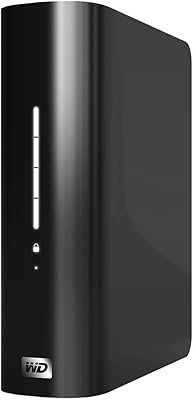
WD My Book Essential 1TB USB 2.0 Desktop External Hard Drive
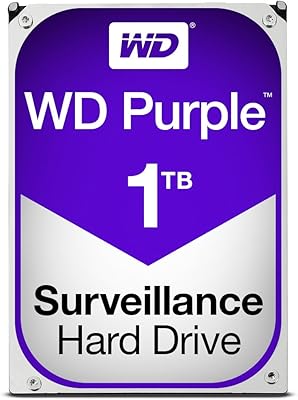
WD Purple 1TB Surveillance Hard Drive
WD RE4 1TB Enterprise Hard Drive
WD Green 1TB 3.5-Inch Internal Hard Drive
Western Digital WD Blue 1TB Hard Drive
Western Digital AV-25 1TB Internal Hard Drive
WD 24TB My Book Desktop External Hard Drive
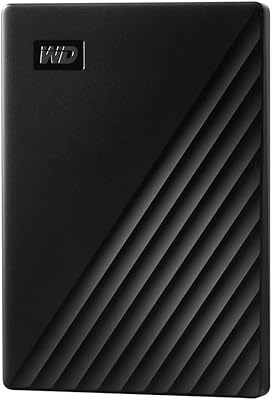
WD My Passport 1TB Portable External Hard Drive
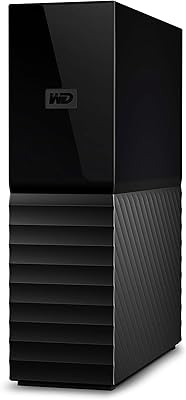
WD My Book 18TB External Hard Drive