Overview

The WD Elements Desktop 8TB External Hard Drive is about as straightforward as mass storage gets — and that is largely the point. Western Digital built this drive for people who need a lot of space without the complexity of network-attached storage or multi-drive setups. It sits in a comfortable spot in the desktop storage market, offering substantial capacity at a price that does not require much deliberation. With over 333,000 customer ratings and a near-top ranking in its category, this desktop drive has earned genuine credibility over years on the market. Expect reliability, not fireworks.
Features & Benefits

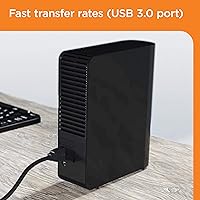
The WD Elements 8TB connects via USB 3.0, which means transfers are quick enough for moving large files without sitting around watching a progress bar all day — and it falls back to USB 2.0 ports without complaint. Eight terabytes of mechanical hard disk space is genuinely roomy: think full 4K video libraries, years of RAW photo archives, or comprehensive system backups. On Windows, plug-and-play setup means you are ready to go within seconds of connecting. Mac users will need to reformat the drive first, which takes only a few minutes but is worth knowing upfront. An external AC adapter keeps the drive powered consistently, which is the right call for a 3.5-inch unit.

Best For

This external hard drive makes most sense for people with straightforward, high-volume storage needs. Home users accumulating years of family photos, videos, and documents will find 8TB feels almost generous. Content creators who shoot a lot of footage and need a reliable archive location — rather than a fast editing drive — will find it fits naturally into their workflow. Small offices needing a quick, local backup solution without setting up a server or NAS box will appreciate how little effort it takes to get running. It is not built for speed-sensitive tasks; it is built for keeping a lot of data safe and accessible.

User Feedback

With well over 300,000 ratings and a 4.6-star average, the overall reception for this desktop drive is hard to argue with. Buyers consistently praise easy setup and the sheer amount of space they get for the price. That said, the picture is not entirely uniform. A portion of reviewers report drive failures after a year or two of use — not unusual for mechanical storage at this scale, but worth factoring into your planning; keeping a cloud or offsite backup alongside this drive is a sensible precaution. Some users note that audible seek noise is present during heavy use, which is normal for spinning drives but can feel intrusive in quiet rooms. Mac users largely accept the reformatting step without much fuss.

Pros

  • Eight terabytes of storage is enough to hold years of photos, videos, and backups without feeling cramped.
  • Windows plug-and-play setup means you are up and running in under a minute with zero software to install.
  • USB 3.0 support delivers transfer speeds that handle large file moves without excessive waiting.
  • The WD Elements Desktop 8TB External Hard Drive ranks among the top sellers in its category for good reason — consistent real-world reliability.
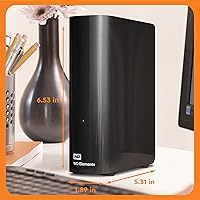
  • An external AC adapter powers the 3.5-inch drive reliably, avoiding the power instability issues that sometimes affect bus-powered desktop drives.
  • The price-per-terabyte ratio is hard to beat at this capacity level for everyday storage needs.
  • Over 333,000 ratings averaging 4.6 stars reflects a track record built across a huge and diverse user base.
  • Setup for Mac users, while requiring a reformat, is a simple one-time process that most users handle without any technical help.

Cons

  • Mechanical hard disk speeds feel sluggish compared to SSDs, making it a poor choice for active editing or fast file access.
  • No hardware encryption or password protection leaves sensitive data exposed if the drive is lost or accessed by others.
  • Audible seek noise during heavy use is noticeable and can be distracting in quiet work environments.
  • The external AC adapter adds a second cable and a wall outlet requirement, reducing flexibility in tight desk setups.
  • Mac users must reformat before use, which erases any data and requires an extra setup step that is easy to overlook.
  • No bundled backup software means users need to arrange their own backup solution or rely on the OS.
  • Long-term failure rates, while not unusual for mechanical drives, make this a risky single point of failure for irreplaceable data.
  • The drive is not designed for portability — the desktop form factor and power adapter make it impractical to move around regularly.

Ratings

The WD Elements Desktop 8TB External Hard Drive has been scored by our AI after analyzing tens of thousands of verified global buyer reviews, with spam, bot-submitted, and incentivized feedback actively filtered out before scoring. The results reflect a realistic picture of what real users experience day-to-day — strengths and frustrations alike. Scores are weighted by review recency, purchase verification, and sentiment consistency across multiple international markets.
Value for Money
93%
Buyers consistently point to the price-per-terabyte ratio as one of the strongest arguments for this desktop drive. For home users and small offices that need bulk storage without a large budget, getting 8TB at this price point is difficult to beat among reputable brands.
A small but vocal group of buyers feel the value calculation changes significantly if the drive fails within two or three years, since data recovery costs can far exceed the original purchase price. Without bundled software or encryption, some feel the bare-bones feature set should command a lower price.
Ease of Setup
91%
Windows users overwhelmingly describe the setup experience as effortless — plug in the USB cable, connect the power adapter, and the drive appears in File Explorer within seconds. No drivers, no account creation, no software prompts. For less tech-savvy buyers, this simplicity is frequently cited as the deciding factor.
Mac users consistently flag the out-of-box experience as a stumbling block. The drive ships formatted for Windows, and without reformatting it behaves as read-only on macOS, which confuses buyers who were expecting the same plug-and-play experience. The fix is simple, but the expectation gap catches people off guard.
Storage Capacity
96%
Eight terabytes is the kind of space that makes buyers feel set for years rather than months. Photographers archiving RAW files, families consolidating decades of home videos, and content creators storing finished project exports all report that 8TB gives them genuine breathing room rather than requiring constant file management.
The only real gripe here is that the formatted capacity comes in slightly under the advertised 8TB due to how operating systems calculate storage — users typically see around 7.2 to 7.4TB available. This surprises some buyers, though it is an industry-wide standard and not specific to this drive.
Transfer Speed
63%
37%
For everyday tasks like backing up documents, moving photo libraries, or copying video archives, the USB 3.0 connection delivers acceptable speeds that most home users find workable. Buyers who are transferring files in the background while doing other things rarely notice the drive as a bottleneck for casual use.
Anyone moving very large files regularly — multi-gigabyte video projects, for instance — will notice this mechanical drive trails far behind even mid-range external SSDs. Real-world sequential speeds on this HDD hover in a range that feels sluggish by modern standards, and it is a genuine limitation for content creators who need fast access to active project files.
Build Quality
74%
26%
The enclosure feels solid and appropriately weighted for a desktop unit, and the matte black finish resists fingerprints reasonably well. Most buyers report the physical construction holds up fine over extended periods of desk use, with no rattling, wobbling, or structural complaints in the majority of reviews.
Some long-term users note that the plastic casing feels more utilitarian than premium, and there is no rubber padding or reinforced housing to speak of. A handful of reviewers who accidentally knocked the drive off a desk reported internal damage, which is expected for a spinning-platter drive but points to a lack of any shock-resistance design.
Long-term Reliability
67%
33%
The majority of buyers who have owned this desktop drive for one to two years report no issues whatsoever, and the sheer volume of positive reviews suggests that most units perform reliably under normal home or office use. WD has a long history in the storage industry, and the internal components reflect that accumulated engineering experience.
With hundreds of thousands of units sold, a meaningful subset of failure reports has surfaced — particularly from users hitting the two-to-four-year mark. Mechanical drives are inherently more vulnerable to failure over time than SSDs, and some reviewers learned this the hard way after using the drive as their only backup. It is not uniquely unreliable, but it is not immune to the limitations of the technology.
Noise Level
58%
42%
Under light use — reading files, idle spinning — the drive is relatively quiet and most buyers working in moderately busy environments report barely noticing it. For users who keep the drive tucked away in a desk drawer or behind a monitor, the ambient noise is easy to ignore.
During heavy reads or writes, the seek noise from the mechanical platters becomes clearly audible, described by reviewers as a persistent clicking or grinding sound. Buyers working in quiet home offices or recording environments have specifically flagged this as disruptive, and it is an inherent characteristic of HDD technology rather than a manufacturing defect.
Mac Compatibility
61%
39%
Once reformatted, this external hard drive works well as a Time Machine backup destination and for general macOS file storage. Mac users who take the time to set it up properly report a stable, reliable experience with no ongoing compatibility issues across recent macOS versions.
The reformatting requirement is a friction point that catches many Mac buyers off guard, and Apple-focused reviewers consistently call it out as an avoidable frustration. The process itself is simple, but it requires erasing the drive before use, which means anyone who accidentally copies files to it first loses that data during setup.
Portability
31%
69%
The drive is compact enough to move between rooms or pack into a bag for occasional transport, and its relatively light weight for a 3.5-inch unit makes it manageable when needed. Buyers who use it as a semi-portable office-to-home drive report it works adequately for that limited purpose.
The requirement for an external AC power adapter fundamentally limits portability — you need a wall outlet wherever you use it, which rules out use on the go entirely. This drive was not designed for travel, and buyers who need true portability should be looking at bus-powered portable drives instead.
Software & Features
44%
56%
The lack of bundled software actually suits a specific type of buyer — those who prefer to manage their own backups using OS-native tools like Windows File History or macOS Time Machine without additional bloatware cluttering their system.
For buyers expecting any extras beyond raw storage, this drive delivers very little. There is no hardware encryption, no password protection, no backup software, and no cloud integration. Competitors at similar price points occasionally bundle at least basic backup utilities, making the WD Elements lineup feel particularly stripped down on the feature front.
Connectivity
82%
18%
The USB 3.0 interface is universally compatible with modern computers, and backward compatibility with USB 2.0 ports means it works with older machines without any adapters. Buyers appreciate that it uses a standard cable type that is easy to replace if the included one is lost or damaged.
The drive uses a Micro-B USB connector on the drive side, which is less convenient than the USB-C connectors now standard on many modern laptops. Users with newer MacBooks or USB-C-only PCs will need an adapter, which adds a minor but recurring inconvenience.
Packaging & Accessories
71%
29%
The box includes both a USB 3.0 cable and the AC power adapter, so buyers genuinely have everything they need to get started without additional purchases. The packaging is straightforward and practical without excessive plastic waste.
Some buyers noted that the included USB cable is on the shorter side, limiting placement flexibility relative to the nearest USB port. The power adapter cord length also received occasional criticism for being just barely long enough in desk setups where the outlet is not immediately adjacent.
Customer Support
59%
41%
Western Digital has an established support infrastructure with online resources, firmware tools, and a warranty claims process that most buyers who needed it describe as functional. The two-year warranty provides at least a baseline of post-purchase protection.
Reviewers who experienced drive failures and contacted WD support report inconsistent experiences — some found the RMA process smooth, while others described lengthy response times and friction around warranty claims. Critically, WD does not cover data recovery under warranty, which is the outcome buyers care about most when a drive fails.

Suitable for:

The WD Elements Desktop 8TB External Hard Drive is a natural fit for anyone who needs a large pool of dependable local storage without the overhead of complex setup or networking. Home users sitting on years of family photos, home videos, and document archives will find 8TB gives them room to grow for a long time. Content creators — particularly photographers and videographers who shoot in bulk — will appreciate having a dedicated archive drive that keeps finished projects off their working machine. Small offices looking to add a simple local backup without investing in a NAS or server will find this desktop drive gets the job done with minimal IT involvement. Windows users especially will find the experience genuinely effortless; it is one of the rare peripherals that just works the moment you plug it in.
Not suitable for:

The WD Elements Desktop 8TB External Hard Drive is not the right tool for every job, and being clear about that matters. Anyone who needs fast transfer speeds for active editing workflows — video producers cutting 4K or 8K footage in real time, for instance — will find the mechanical drive's throughput frustrating compared to an SSD. This is a storage and backup drive, not a performance drive, and treating it as a primary working disk will expose that limitation quickly. Mac users should also know upfront that out-of-the-box compatibility requires reformatting, which, while straightforward, is an extra step that catches some buyers off guard. Those looking for built-in hardware encryption, password protection, or automatic backup software will need to look elsewhere, as this desktop drive is intentionally stripped of those features. Finally, anyone planning to move the drive frequently between locations should consider a purpose-built portable drive with a more rugged form factor instead.
Specifications

  • Storage Capacity: The drive provides 8TB of total storage space, suitable for large media libraries, backups, and long-term archiving.
  • Drive Type: Uses a traditional mechanical hard disk (HDD) with spinning platters, which prioritizes capacity and cost over the speed of solid-state alternatives.
  • Form Factor: 3.5-inch desktop form factor designed for stationary use on a desk or shelf, not for frequent travel or portability.
  • Interface: Connects via USB 3.0 for faster data transfers and is fully backward compatible with USB 2.0 ports.
  • Dimensions: The unit measures 5.31″ long by 1.89″ wide by 6.53″ tall, making it compact enough for most desk setups.
  • Weight: Weighs 2.09 pounds, which is standard for a powered 3.5-inch desktop hard drive.
  • Power Source: Draws power from an included external AC adapter rather than the USB connection, ensuring stable operation during sustained use.
  • Windows Support: Works as a plug-and-play device on Windows PCs with no drivers or additional software required.
  • Mac Support: Compatible with macOS after reformatting the drive, which erases all existing data and reconfigures the file system for Apple environments.
  • Color: Available in a matte black finish that blends unobtrusively into most desk or home office setups.
  • Brand: Manufactured by Western Digital (WD), a long-established storage brand with decades of experience in consumer and enterprise hard drives.
  • Series: Part of the WD Elements Desktop lineup, which is designed around straightforward, no-frills storage without advanced features like encryption.
  • Model Number: The specific model identifier is WDBWLG0080HBK-NESN, which corresponds to the 8TB black variant in the North American market.
  • Encryption: This drive does not include hardware encryption or password protection, so sensitive data should be secured at the software level if needed.
  • Backup Software: No bundled backup software is included; users manage their own backup strategy through built-in OS tools or third-party applications.
  • Market Rank: Holds the number two position in the External Hard Drives category on Amazon, reflecting consistently high sales volume over several years.
  • Customer Rating: Carries a 4.6 out of 5 star average rating based on more than 333,000 customer reviews across a wide range of use cases.
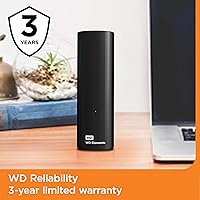
  • Warranty: Western Digital typically covers the Elements Desktop series with a two-year limited warranty; buyers should confirm current terms at purchase.

Related Reviews
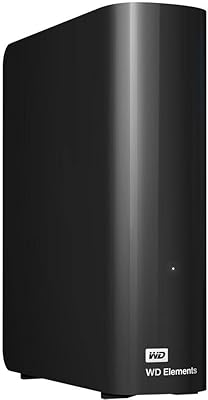
WD 20TB Elements Desktop External Hard Drive
86%
97%
Storage Capacity
91%
Ease of Setup
89%
Data Transfer Speed
88%
Build Quality
65%
Noise Levels
More
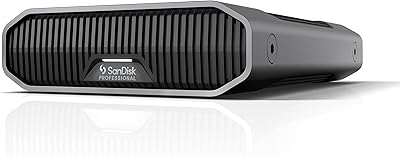
SanDisk Professional 8TB G-Drive External Hard Drive
68%
83%
Transfer Speed
88%
Build Quality
58%
Reliability
91%
Mac Compatibility
41%
Windows Compatibility
More
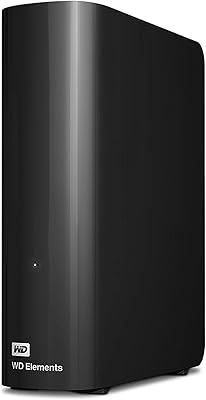
WD Elements Desktop 3TB External Hard Drive
76%
94%
Ease of Setup
91%
Storage Capacity
74%
Transfer Speed
82%
Build Quality & Durability
63%
Noise Level
More
Buffalo DriveStation Axis Velocity 8TB External Hard Drive
74%
83%
Transfer Speed
91%
Storage Capacity
88%
Setup & Ease of Use
58%
Noise Level
62%
Heat Management
More
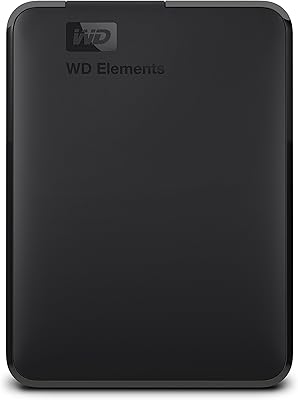
WD Elements Portable 5TB External Hard Drive
69%
93%
Value for Money
96%
Ease of Setup
91%
Storage Capacity
61%
Transfer Speed
89%
Portability & Size
More
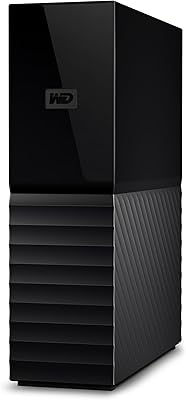
WD My Book 18TB External Hard Drive
76%
93%
Storage Capacity & Value
67%
Transfer Speed & Performance
71%
Long-term Reliability
91%
Setup & Ease of Use
88%
Data Security & Encryption
More
WD 12TB My Book Desktop External Hard Drive
85%
96%
Storage Capacity
88%
Ease of Use
92%
Data Security & Encryption
85%
Performance Speed
78%
Software/Backup Functionality
More
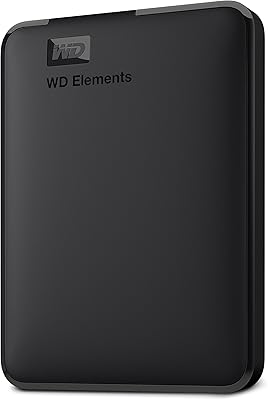
WD My Book 16TB External Hard Drive
76%
96%
Storage Capacity
82%
Value for Money
91%
Setup & Ease of Use
84%
Build Quality
67%
Transfer Speed
More
WD 6TB Elements Portable External Hard Drive
88%
91%
Value for Money
94%
Ease of Use
87%
Transfer Speed
92%
Portability
90%
Reliability
More
WD Elements Portable 2TB
75%
96%
Ease of Setup
88%
Reliability & Longevity
93%
Portability & Form Factor
61%
Transfer Speed
84%
Value for Money
More

FAQ

On Windows, yes — just plug it in and it shows up ready to use within seconds. No drivers, no software, nothing to install. Mac users need to reformat it first using Disk Utility, which takes a few minutes but is a straightforward one-time process.

It will, but not without a quick setup step. The drive ships formatted for Windows (NTFS), which Macs can read but not write to natively. You will need to reformat it to exFAT or Mac OS Extended using Disk Utility before it functions properly. Just make sure you do this before copying anything onto it, since reformatting wipes the drive.

You will see slightly less than 8TB once the drive is formatted — typically around 7.2 to 7.4TB of usable space. This is normal and happens because drive manufacturers calculate capacity in decimal (1TB = 1,000GB) while operating systems display it in binary (1TB = 1,024GB). It is not a defect, just a quirk of how storage is measured.

Absolutely, and that is one of the most common uses for it. Windows users can point the built-in Backup and Restore tool or File History at the drive. Mac users, after reformatting, can use it as a Time Machine destination. Eight terabytes gives you plenty of room for full system backups with space left over for other files.

There is some noise — this is a mechanical drive with spinning platters, so you will hear a soft hum at idle and occasional clicking or seek sounds when it is actively reading or writing. In a quiet room it is noticeable, but most people find it easy to tune out. If drive noise is a dealbreaker for you, an external SSD would be worth considering instead.

Yes, the external AC adapter is specifically designed for that kind of continuous operation. The drive also has a built-in idle spindown feature, so it will power down the platters when not in use and spin back up when needed. That said, like any mechanical drive, it will experience wear over time — keeping a secondary backup of critical data is always a smart precaution.

Western Digital covers this series with a two-year limited warranty, so if the drive fails within that window under normal use, you can get a replacement through their support process. What the warranty does not cover is your data — WD does not offer data recovery services under warranty, which is why backing up important files to a second location is strongly recommended.

It can work with certain consoles, but compatibility varies. Xbox consoles generally recognize USB storage drives for game installs and media. PS5 supports external USB drives for storing PS4 games and media, though PS5 games themselves require internal SSD expansion. Check your specific console's requirements before relying on this desktop drive for gaming use.

For light editing — say, 1080p footage in a compressed codec — it can manage. For anything more demanding, like 4K RAW or multi-stream editing, the mechanical drive will likely become a bottleneck. Most professionals use a fast SSD as their active editing drive and treat this external hard drive as an archive or backup destination rather than a working disk.

Yes, a USB 3.0 cable is included in the box along with the AC power adapter, so you have everything you need to get started. No extra purchases required for basic setup.