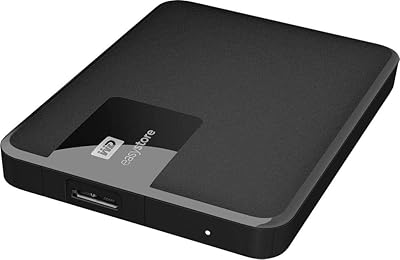
Western Digital 12TB Elements Desktop External Hard Drive
Overview
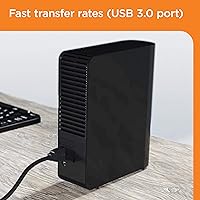
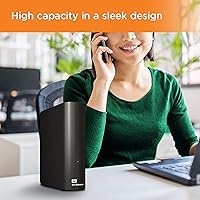
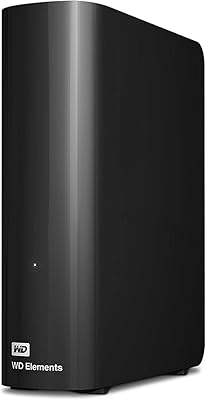
The Western Digital 12TB Elements Desktop External Hard Drive is a high-capacity storage solution designed for users who need reliable backup and media storage. This external hard drive features 12TB of storage, offering ample space for large data collections such as video, photos, and music. The drive is plug-and-play compatible with both Windows and Mac devices (after reformatting for Mac), making it versatile and easy to use. With a simple setup process and USB 3.0 connectivity, it provides fast data transfer speeds, ensuring smooth operation for everyday tasks.
Features & Benefits
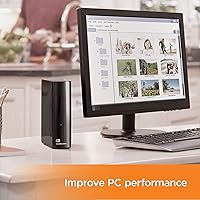
This 12TB storage solution is designed to handle large file backups and media libraries with ease. The USB 3.0 interface offers quick data transfer speeds, while being fully compatible with USB 2.0 for older systems. Its compact desktop design makes it a space-saving choice for home or office setups, and it’s incredibly simple to set up—no additional software is required for basic functionality. Whether you need to store movies, photos, or work files, this external drive provides a straightforward, reliable solution with minimal setup effort.
Best For
The WD 12TB Elements drive is best suited for users who require large amounts of reliable storage in a compact form. It's ideal for individuals with substantial media libraries (videos, photos, music) who need a hassle-free way to manage their files. PC and Mac users will appreciate the plug-and-play functionality after reformatting. It’s also a great option for those looking to back up or store massive amounts of data without the complexity of additional software, making it a solid choice for both home and office environments.
User Feedback
Users generally praise this external hard drive for its easy setup and reliable performance. Many appreciate the large 12TB capacity, especially for storing high-definition videos and other large files. However, some report occasional issues with file transfer speeds when handling intensive tasks or large numbers of files. While many recommend it for home and office use, a few users note that it tends to run warm during extended periods of heavy use. Overall, it’s a dependable, no-frills solution for anyone needing ample external storage.
Pros
- Simple plug-and-play setup with no software installation required, making it quick and easy to use.
- The 12TB storage capacity is perfect for large file backups and managing media libraries.
- USB 3.0 interface ensures fast data transfer speeds, while being compatible with older USB 2.0 ports.
- Compact desktop design saves space, making it ideal for small office or home setups.
- Compatible with both Windows and Mac after reformatting, offering flexibility for different users.
- Reliable performance for everyday storage needs, with minimal downtime or data loss reported.
Cons
- Some users report slower file transfer speeds when handling larger files or under heavy use.
- It requires reformatting for Mac compatibility, which may be inconvenient for users who need out-of-the-box support.
- Not the most portable option due to its size and weight, limiting its use for on-the-go storage.
- A few users noted that it tends to run warm during extended use, which could affect long-term reliability.
- Lacks bundled backup or management software, which some users expect for the price point.
- Not the best choice for users needing ultra-fast data transfer under high-demand tasks, such as video editing.
Ratings
After analyzing verified user reviews from various countries, languages, and platforms, we’ve gathered authentic feedback on the Western Digital 12TB Elements Desktop External Hard Drive. Spam, incentivized, and off-topic reviews were filtered out, ensuring that only high-quality, meaningful insights contributed to the scores. This balanced analysis includes both the device's strengths, such as ease of use and reliable performance, as well as common concerns, like occasional file transfer issues under heavy use. The following categories reflect a comprehensive view of the product based on real-world experiences from diverse users.
Setup and Installation
Value for Money
Storage Capacity
Data Transfer Speed
Compatibility with Mac
Build Quality and Durability
Portability and Size
Reliability and Performance
Noise and Heat Management
Design and Aesthetics
Customer Support
Software and Backup Features
Suitable for:
The Western Digital 12TB Elements Desktop External Hard Drive is ideal for users who need a reliable and spacious storage solution without a steep learning curve. It’s especially suitable for those with large media libraries, such as photographers, videographers, and content creators, who require substantial storage for files like high-resolution photos and videos. Additionally, its plug-and-play functionality makes it a great choice for both PC and Mac users who want a hassle-free experience without the need for extra software. Home office users and professionals with significant data backup needs will also find this device to be a cost-effective solution for everyday use. The 12TB capacity provides ample room for archiving and backing up large volumes of work, making it a solid choice for long-term storage needs.
Not suitable for:
However, the Western Digital 12TB Elements Desktop External Hard Drive may not be the best option for users who prioritize portability, as its size and weight make it less suited for travel or frequent movement. It’s also not a great fit for individuals who need advanced features like automatic backup software or more refined data management tools, as it lacks bundled software for these tasks. Users looking for lightning-fast data transfer speeds under heavy load might also be disappointed, as some reviews mention slower performance when managing very large files. Additionally, those who need a device that works out of the box with Mac systems without reformatting may find this drive inconvenient. This device is geared more toward desktop users with steady data management needs, rather than those requiring flexibility or advanced functionalities.
Specifications
- Capacity: Offers a large 12TB of storage space for extensive data storage and backups.
- Form Factor: Desktop external hard drive, designed for stationary use rather than portability.
- Interface: Uses USB 3.0 for fast data transfer speeds up to 5Gbps.
- Compatibility: Compatible with both Windows and Mac systems, with reformatting required for Mac.
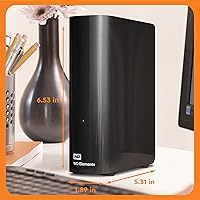
- Dimensions: Measures 5.31 x 1.89 x 6.53 inches, providing a compact desktop design.
- Weight: Weighs 2.61 pounds, making it lightweight for a desktop external hard drive.
- Color: Finished in a sleek black color to match most desktop setups.
- Plug-and-Play: Ready to use out of the box without requiring additional software installation.
- USB Compatibility: Backward compatible with USB 2.0 for use with older devices, though at reduced speeds.
- Backup Software: No backup software is included, but basic functionality does not require additional programs.
- Data Transfer Speed: Transfers data quickly through USB 3.0, but speeds may vary during heavy use.
- Operating Temperature: May run warm during extended use, especially under heavy data transfer conditions.
- Power Supply: Powered directly via USB 3.0 connection, eliminating the need for an external power adapter.
- Storage Expansion: Supports external storage expansion by connecting additional drives, but requires compatible USB ports.
- Noise Level: Operates quietly during normal use, though some users report slight noise under heavy data transfer.
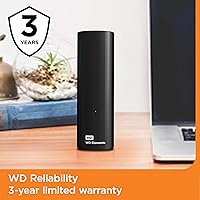
- Warranty: Comes with a limited 2-year warranty for peace of mind and product support.
- Usage Scenario: Ideal for backing up large amounts of data, including videos, photos, and documents.
Related Reviews

WD Elements Desktop 8TB External Hard Drive
WD Elements Desktop 26TB External Hard Drive
WD Elements Desktop 6TB External Hard Drive
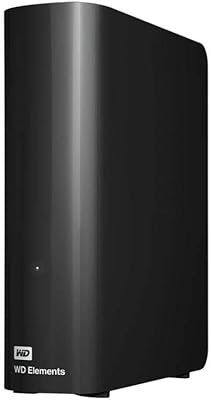
WD Elements Desktop 14TB
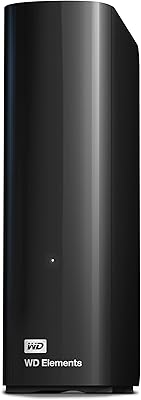
Western Digital 22TB Elements Desktop External Hard Drive
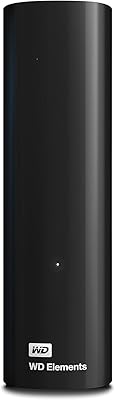
WD Elements Desktop 10TB External Hard Drive
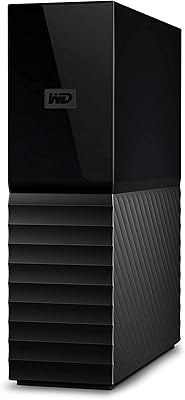
Western Digital 4TB My Book Desktop External Hard Drive
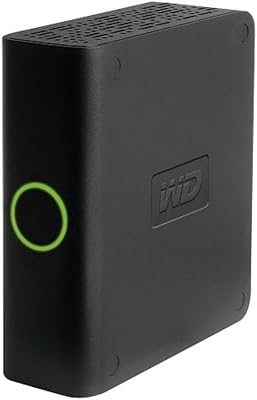
Western Digital My Book Essential 500GB USB 2.0 Desktop External Hard Drive
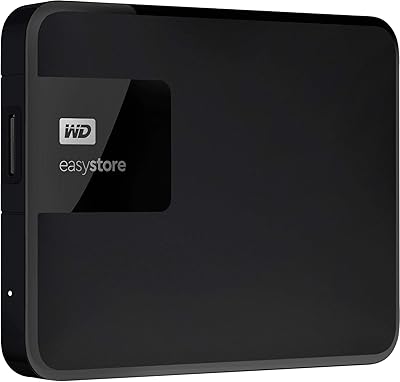
Western Digital Easystore 5TB Portable Hard Drive