Overview
The WD Elements Desktop 14TB is a straightforward, high-capacity external hard drive built for people who need a lot of storage without a lot of fuss. Western Digital has been making reliable drives for decades, and this desktop drive sits firmly in the budget-to-mid-range tier, priced for everyday buyers rather than enterprise users. One thing worth flagging upfront: the model number WDBWLG0140HBK-EESN is a UK-specific variant, so buyers outside the UK should confirm compatibility before purchasing. With over 22,000 ratings averaging 4.6 stars, real-world confidence in this drive is hard to dismiss. That said, this is a workhorse storage drive — set your expectations accordingly and don't come in expecting SSD-level performance.
Features & Benefits
Fourteen terabytes is genuinely a lot of space — roughly 3,500 hours of HD video or several years of RAW photography without breaking a sweat. The USB 3.0 interface handles large sequential transfers well enough for desktop use, and it remains backward compatible with USB 2.0 ports. The drive spins at 5400 RPM, which is fine for archiving and bulk transfers but not suited for random-access tasks like running applications directly from the drive. Windows users get true plug-and-play convenience with no software install needed; Mac users will need to reformat before use. An external power brick is required, so this is not bus-powered — factor that into your desk setup.
Best For
This desktop drive makes the most sense for anyone building a large media archive or needing a reliable local backup without spending heavily. Home users storing family photos and videos, small offices keeping local file backups, and content creators offloading raw footage between projects will all find it fits their workflow naturally. If you are upgrading from a smaller drive and want strong storage-per-dollar value, the case here is compelling. It also works well as a drop-in addition for NAS setups. Where it falls short is portability, fast random-access tasks, and Mac-ready use out of the box — for those needs, a different drive is the smarter call.
User Feedback
The broad consensus is that this high-capacity external HDD delivers on its core promise: dependable storage that sets up quickly and runs steadily over time on Windows machines. Buyers frequently highlight long-term reliability and the sheer value of the capacity. The recurring criticisms are worth knowing: the external power brick adds cable clutter to any desk, the drive can run noticeably warm under sustained load, and the spin-up noise is audible enough to matter in a quiet home office. A minority of users have experienced early failures — worth acknowledging honestly. WD does provide warranty coverage, but that experience reinforces the golden rule of always keeping a secondary backup no matter how trusted the drive.
Pros
- Fourteen terabytes of usable space handles years of media, backups, and project archives with ease.
- Plug-and-play on Windows — no drivers, no software installs, no configuration needed.
- USB 3.0 transfers large files at a pace that is perfectly workable for archival and backup tasks.
- WD's internal components carry a strong long-term reliability reputation across thousands of real-world buyers.
- Shock-resistant build adds a layer of confidence for a drive that may be repositioned occasionally.
- Strong storage-per-dollar value, especially for buyers upgrading from smaller drives.
- Backward compatible with USB 2.0 ports, so older desktop setups are not left out.
- Over 22,000 ratings at 4.6 stars reflects genuine, broad confidence from long-term owners.
- Works well as a supplementary NAS or desktop backup drive with no complex setup required.
Cons
- The external power brick is a constant cable-clutter complaint among real buyers.
- Audible spin-up and operational noise is noticeable in quiet home office or recording environments.
- Drive runs warm under sustained heavy transfers, with no active cooling to compensate.
- A visible minority of buyers report early drive failures, which is an honest risk worth acknowledging.
- No bundled backup software means buyers must manage their own backup schedules from scratch.
- Mac users face mandatory reformatting before the drive functions properly — not plug-and-play on macOS.
- 5400 RPM speed makes this desktop drive unsuitable for running applications or fast random-access tasks.
- This is a UK-specific variant; buyers in other regions must verify power adapter and compatibility carefully.
- Sustained intensive workloads appear to affect long-term consistency based on a subset of user reports.
Ratings
Our scores for the WD Elements Desktop 14TB were generated by AI after analyzing thousands of verified global user reviews, with spam, bot activity, and incentivized feedback actively filtered out. The result is an honest, balanced snapshot of where this high-capacity external HDD genuinely excels and where real buyers have run into frustration. Both the strengths and the recurring pain points are reflected transparently in every category below.
Storage Capacity Value
Reliability & Longevity
Transfer Speed
Ease of Setup
Build Quality
Noise Level
Compatibility
Value for Money
Power & Cable Management
Portability
Thermal Performance
Software & Ecosystem
Long-Term Consistency
Suitable for:
The WD Elements Desktop 14TB is the kind of drive that makes the most sense for people whose primary need is simple, large-scale storage at a fair price — not speed, not portability, just reliable capacity. Home users consolidating years of family photos and videos onto a single drive will find it a natural fit, as will small offices that need a straightforward local backup without investing in more complex infrastructure. Content creators who shoot a lot of raw footage or work with large photo libraries benefit especially well here, using this high-capacity external HDD as an offline archive to clear space on primary drives between projects. It also works well for Windows PC users who want a drop-in backup solution with zero setup friction — plug it in and it is ready in seconds. For anyone upgrading from a smaller drive and looking for strong storage-per-dollar value, this desktop drive is one of the more compelling options available in its category.
Not suitable for:
The WD Elements Desktop 14TB is not the right tool for every storage situation, and being clear about that upfront saves a lot of buyer frustration. Anyone who needs their external drive to double as fast working storage — running applications, accessing databases, or editing directly from the drive — will find the 5400 RPM mechanical speed a genuine limitation compared to even a budget SSD. Mac-first users should know this drive requires reformatting before it works properly on macOS, which is a fixable issue but an inconvenient one. If portability matters at all — moving the drive between a home office and a workplace, or packing it for travel — the mandatory external power brick and desktop form factor make this high-capacity external HDD a poor choice. Users sensitive to ambient noise in quiet recording or working environments may also find the audible spin-up sound disruptive over time. Finally, buyers outside the UK should carefully verify the regional power adapter and compatibility details before purchasing, as this is a UK-market variant.
Specifications
- Capacity: The drive offers 14TB of raw storage capacity, enough to hold approximately 3,500 hours of HD video, several million high-resolution photos, or years of system backups.
- Drive Type: This is a 3.5-inch mechanical hard disk drive (HDD), not a solid-state drive, which affects both speed characteristics and long-term usage suitability.
- Rotational Speed: The internal platters spin at 5400 RPM, which is standard for high-capacity archival drives and adequate for sequential read and write operations.
- Interface: Connectivity is handled via USB 3.0, which supports fast data transfers when paired with a compatible port and remains backward compatible with USB 2.0.
- Form Factor: The drive uses a 3.5-inch desktop form factor, requiring a fixed desk location and an external power adapter — it is not bus-powered via USB.
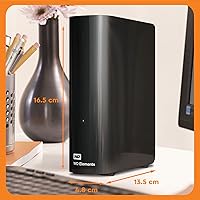
- Dimensions: Physical dimensions are 5.31 x 1.89 x 6.5 inches (L x W x H), making it compact for a desktop drive but not suitable for portable or travel use.
- Weight: The unit weighs approximately 1.91 pounds (0.87 kg) without the power adapter, which is typical for a mechanical desktop drive of this capacity.
- Power Supply: An external power adapter is included and required for operation; the drive cannot draw sufficient power from a USB port alone.
- Compatible OS: The drive is formatted for Windows out of the box and works plug-and-play on Windows PCs; macOS users must reformat the drive before use.
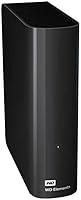
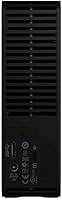
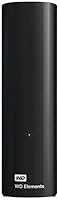
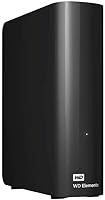
- Color & Finish: The enclosure comes in a matte black finish with a minimalist, unbranded appearance that blends into most desktop setups without drawing attention.
- Shock Resistance: The drive includes shock-resistant internal mounting to help protect against minor vibrations and accidental bumps during normal desktop use.
- Model Number: The specific model number is WDBWLG0140HBK-EESN, which designates the UK market variant and includes a UK-standard power adapter.
- Brand & Series: Manufactured by Western Digital, the drive belongs to the WD Elements Desktop product line, which is positioned as a no-frills, high-capacity storage series.
- Warranty: Western Digital provides a standard limited warranty with this drive; buyers should verify the exact warranty terms applicable in their region at time of purchase.
- Plug-and-Play: No driver installation or bundled software is required for Windows users — the drive is recognised automatically by the operating system upon first connection.
- Backward Compatibility: The USB 3.0 interface is fully backward compatible with USB 2.0 ports, though transfer speeds will be limited to USB 2.0 rates on older systems.
- Amazon Rating: The drive holds a 4.6 out of 5 star rating based on over 22,500 verified global ratings at the time of this review, placing it among the top-rated drives in its category.
Related Reviews
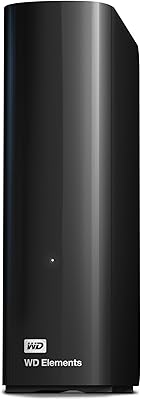
WD Elements 24TB Desktop External Hard Drive

WD Elements Desktop 3TB External Hard Drive
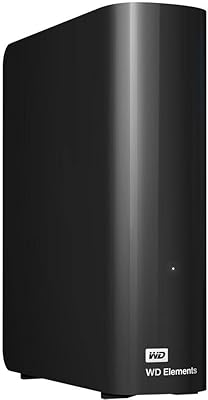
WD 20TB Elements Desktop External Hard Drive
WD Elements Desktop 18TB External Hard Drive
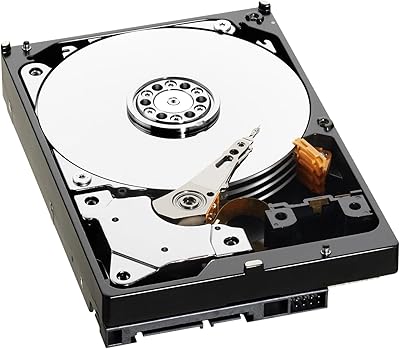
WD Green WD40EZRX 4TB Internal Hard Drive
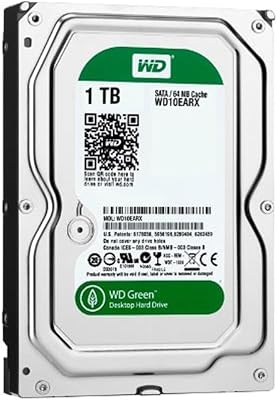
WD Green 1TB 3.5-Inch Internal Hard Drive
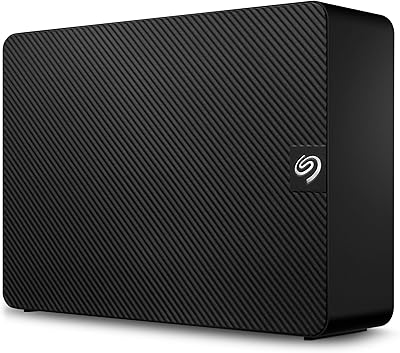
Seagate Expansion 14TB Desktop Hard Drive
WD Blue WD5000AZLX 500GB Internal Hard Drive
WD 6TB Elements Portable External Hard Drive