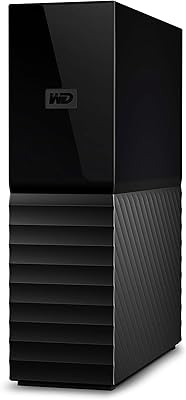
Western Digital 22TB Elements Desktop External Hard Drive


Overview
The Western Digital 22TB Elements Desktop External Hard Drive is a powerful storage solution offering ample capacity for various data needs. This external drive connects via USB 3.0, ensuring fast data transfers that make it ideal for large file backups or media storage. It works seamlessly with both Windows and Mac devices, offering easy plug-and-play compatibility without requiring extra software. However, it's designed primarily for desktop use, which means it's not the most portable option for users looking for on-the-go storage.
Features & Benefits
One of the standout features of this external hard drive is its enormous 22TB storage capacity, providing ample room for massive backups or media libraries. The USB 3.0 interface ensures that transferring files is fast and efficient, making it an excellent choice for users working with large datasets. Its plug-and-play setup simplifies the process, with no software installation required. Plus, the mechanical hard drive offers reliable, long-lasting storage, making it a durable option for those needing consistent access to their files.
Best For
This external hard drive is best suited for users who require a large storage solution for backups, media libraries, or other data-heavy applications. It's perfect for desktop users who don't need portability and prefer a reliable, easy-to-use storage solution. Its cross-platform compatibility makes it an excellent choice for both Mac and Windows users. If you’re looking for a straightforward, high-capacity drive for managing extensive files, this device is an ideal match for your needs.
User Feedback
Users generally appreciate this external hard drive for its easy setup and simple plug-and-play functionality. Many highlight the impressive 22TB capacity and the fast transfer speeds as key benefits for managing large media or backup files. However, there are a few concerns regarding its size and weight, particularly for those who need a more portable option. Despite this, the drive receives positive feedback for its overall reliability in long-term data storage, making it a trusted choice for many.
Pros
- Large 22TB capacity is ideal for users with massive media libraries or extensive file backups.
- USB 3.0 interface ensures fast data transfer speeds, reducing wait times for file transfers.
- Plug-and-play setup makes it easy to use with no additional software or configuration required.
- Reliable, durable mechanical hard drive technology provides long-term storage with minimal issues.
- Cross-platform compatibility with both Windows and Mac (after reformat) is a major advantage.
- Compact desktop design fits neatly on most workspaces without taking up too much space.
Cons
- The device is not portable and may be inconvenient for users looking for a mobile storage solution.
- At 1.98 pounds, it is relatively heavy and bulky compared to smaller external drives.
- Some users report that its large size makes it less ideal for tight or crowded desks.
- The external AC adapter adds another cord to manage, which could be inconvenient for some.
- Not everyone needs 22TB, and the extra storage might be overkill for those with smaller data needs.
- While the mechanical hard drive is reliable, it may not be as fast as solid-state alternatives for high-performance tasks.
Ratings
The ratings for the Western Digital 22TB Elements Desktop External Hard Drive were generated by RR-AI after analyzing verified user feedback from multiple countries, languages, and platforms. All reviews were filtered to exclude spam, bot, incentivized, and off-topic content, ensuring only high-quality feedback informed the results. Both strengths and pain points have been reflected in these scores, giving a balanced overview of the product's performance and reliability across diverse user experiences.
Value for Money
Capacity
Data Transfer Speed
Ease of Setup
Reliability/Durability
Compatibility with OS (Mac/Windows)
Size and Portability
Build Quality
Noise Level
Power Efficiency
Support and Warranty
Long-Term Value
Suitable for:
The Western Digital 22TB Elements Desktop External Hard Drive is ideal for users who require massive storage capacity for large-scale backups or media libraries. This external hard drive excels for professionals, such as photographers, videographers, or data-intensive industries, who need fast access to vast amounts of data. It is also a great option for home users who need reliable storage for extensive file collections. With its plug-and-play compatibility and USB 3.0 interface, it's simple to set up, making it suitable for both Windows and Mac users who don't require portability but need a robust solution for stationary storage.
Not suitable for:
However, this external hard drive may not be the best choice for users who need portability. Due to its desktop design and size, it's not intended for on-the-go use, and its weight and form factor could be cumbersome for those looking for a compact, travel-friendly solution. Students or users with limited desk space may find it bulky, while those looking for lightweight external drives for daily carry or travel will likely be disappointed by its lack of portability. Additionally, its higher storage capacity might feel excessive for users who only require smaller amounts of space for routine file storage.
Specifications
- Capacity: This external hard drive provides a massive 22TB of storage, making it ideal for large file backups and media libraries.
- Interface: The drive uses a USB 3.0 interface for fast data transfer speeds, ensuring efficient performance for large files.
- Compatibility: Compatible with both Windows and Mac operating systems, though Mac users may need to reformat the drive.
- Form Factor: Designed as a desktop storage solution, it is not portable but offers stability and reliable performance.
- Power Supply: The drive is powered via an external AC adapter, providing steady power for high-capacity storage needs.
- Weight: The drive weighs approximately 1.98 pounds, which is reasonable for its size but not suitable for portable use.
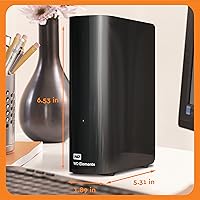
- Dimensions: It has dimensions of 8.9 x 3.46 x 6.53 inches, making it compact enough for desktop setups but not portable.
- Hard Drive Type: The drive uses a mechanical hard drive (HDD) technology, known for reliability but typically slower than solid-state drives.
- USB Compatibility: The drive is fully backward compatible with USB 2.0 ports, though it operates best with USB 3.0 for faster transfer speeds.
- Operating System Support: It supports both Windows and Mac OS, with cross-platform compatibility provided after a reformat for Mac users.
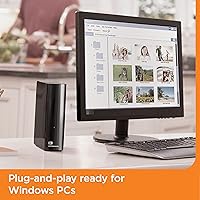
- Plug-and-Play: The device is plug-and-play, requiring no additional software installation for setup on both Windows and Mac systems.
- Data Transfer Speed: Thanks to its USB 3.0 interface, the drive delivers high-speed data transfers, ideal for large file operations.
- Color: The drive features a black finish, which is both sleek and professional in appearance.
- Storage Technology: The drive is built with mechanical HDD technology, offering a cost-effective solution for large storage needs.
- Warranty: Western Digital typically offers a standard warranty for this drive, providing coverage for manufacturing defects.
Related Reviews

WD Elements Desktop 8TB External Hard Drive
Western Digital 12TB Elements Desktop External Hard Drive
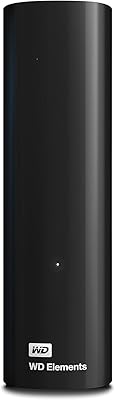
WD Elements Desktop 10TB External Hard Drive
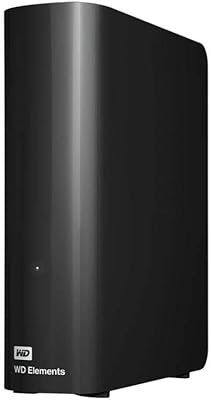
WD Elements Desktop 14TB
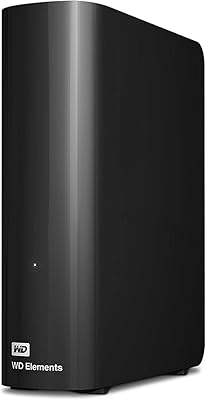
WD Elements Desktop 26TB External Hard Drive
WD Elements Desktop 6TB External Hard Drive
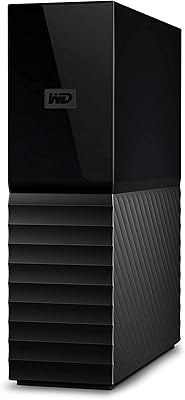
Western Digital 4TB My Book Desktop External Hard Drive
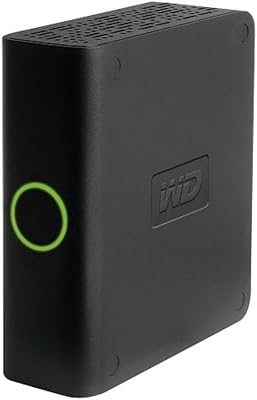
Western Digital My Book Essential 500GB USB 2.0 Desktop External Hard Drive
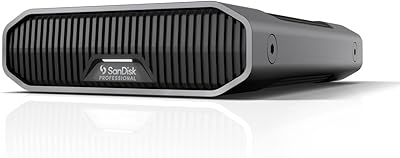
SanDisk Professional G-Drive 22TB External Desktop Hard Drive